Introduction
Employee Retention Holiday Calendar in Excel is a powerful and ready-to-use template designed to help organizations track and manage holiday events efficiently. This calendar template is perfect for HR professionals and managers who want to enhance employee engagement and retention by keeping track of key dates and events.Employee Retention Holiday Calendar In Excel
Click to buy Employee Retention Holiday Calendar In Excel
Key Features of Employee Retention Holiday Calendar In Excel
- Five comprehensive worksheets providing various calendar views and event management
- Easy navigation with buttons on the Home sheet
- Customizable annual calendar with selectable year, month, week start day, and multiple color themes
- Event highlighting and filtering options
- Integrated forms to add, update, or delete events seamlessly
- Daily, monthly, and annual views to suit different tracking needs
- User-friendly interface designed for Excel users of all skill levels
Dashboard Pages Explanation
Home Sheet Tab
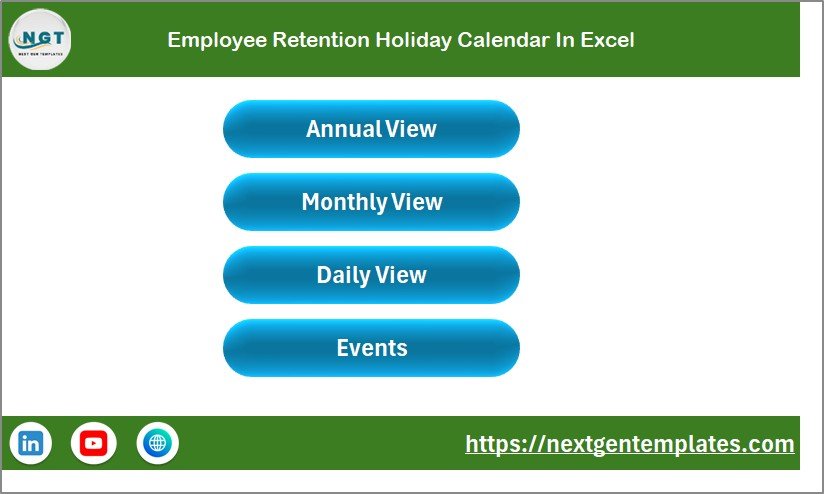
This is the index sheet featuring four navigation buttons for quick access:Employee Retention Holiday Calendar In Excel
- Annual View button
- Monthly View button
- Daily View button
- Events button
Annual View Sheet Tab
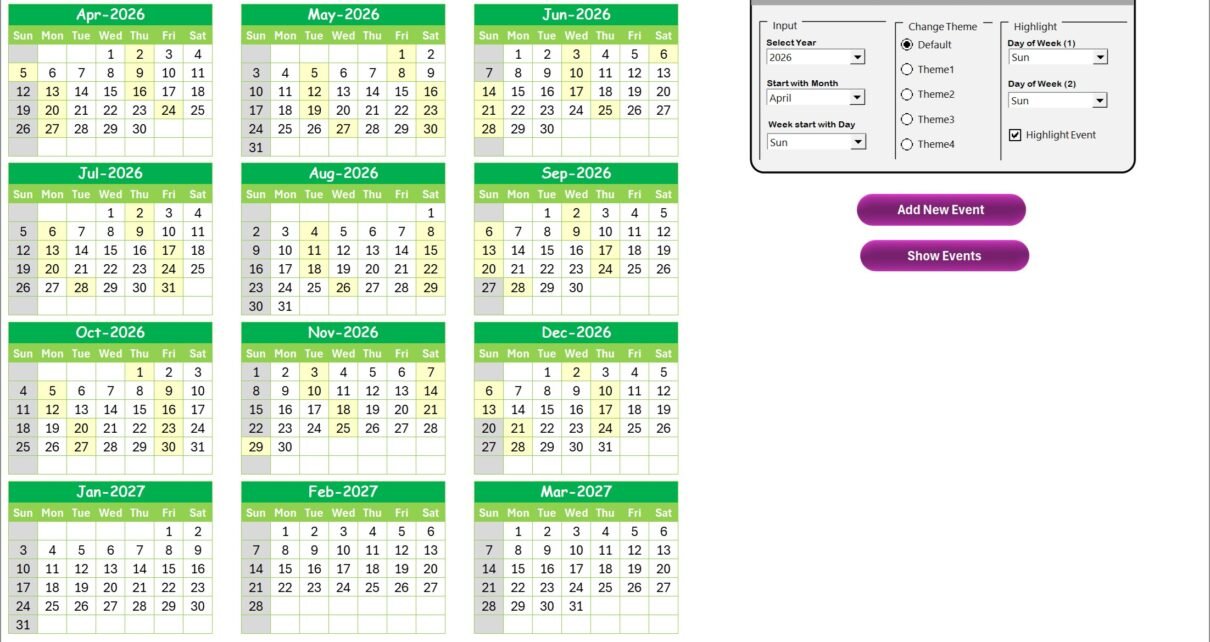
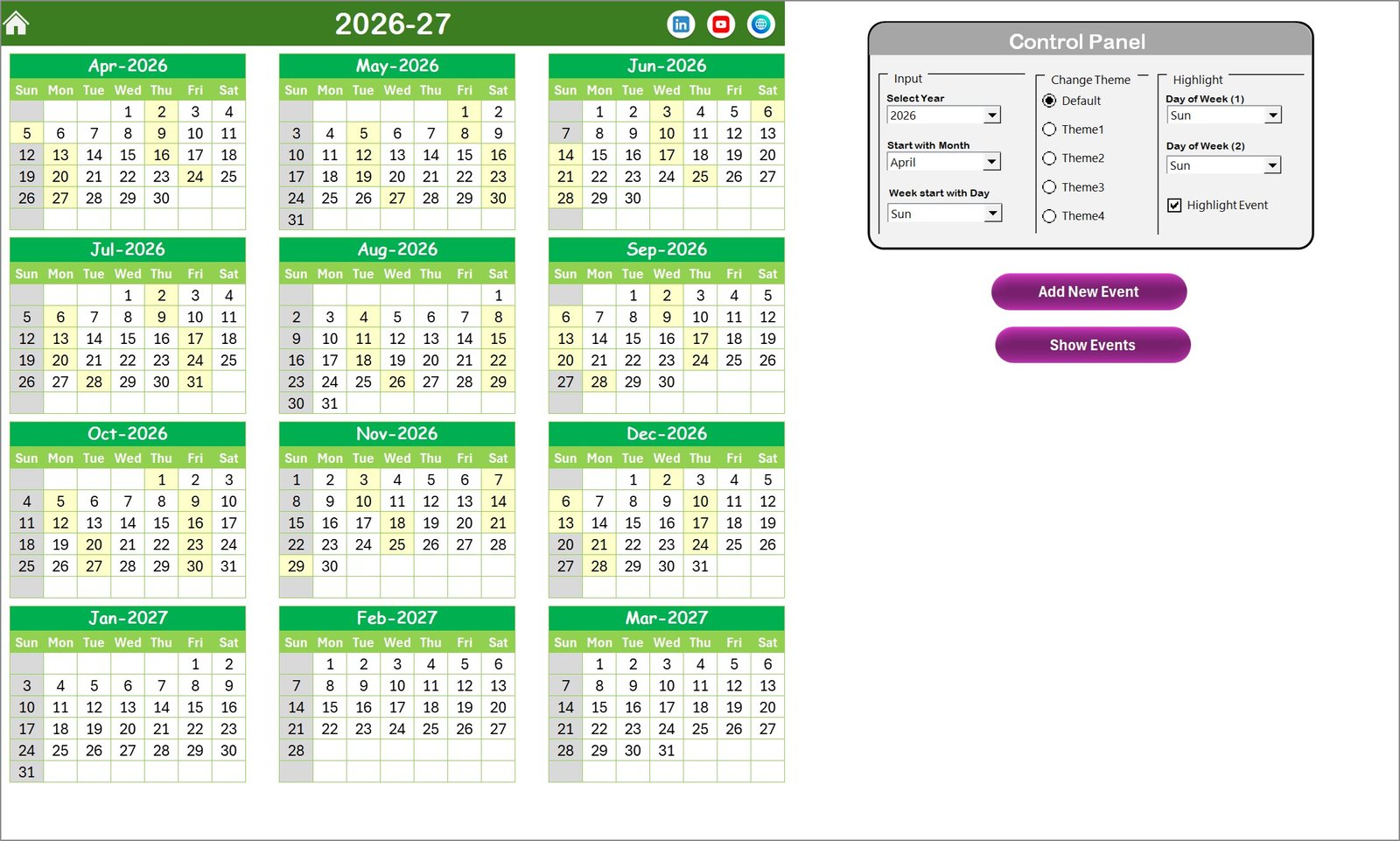
This sheet shows calendars for all 12 months in a year. The control panel on this sheet enables:
- Input Group: Select year, starting month, and starting day of the week to customize the calendar.
- Change Theme Group: Choose from 5 color themes to apply across the workbook.
- Highlight Group: Highlight specific days of the week and events in the calendar.
Functionality buttons include:
- Add New Event: Opens a form to add events to selected dates.
- Show Event: Displays the list of events for the selected date.
Monthly View Sheet Tab
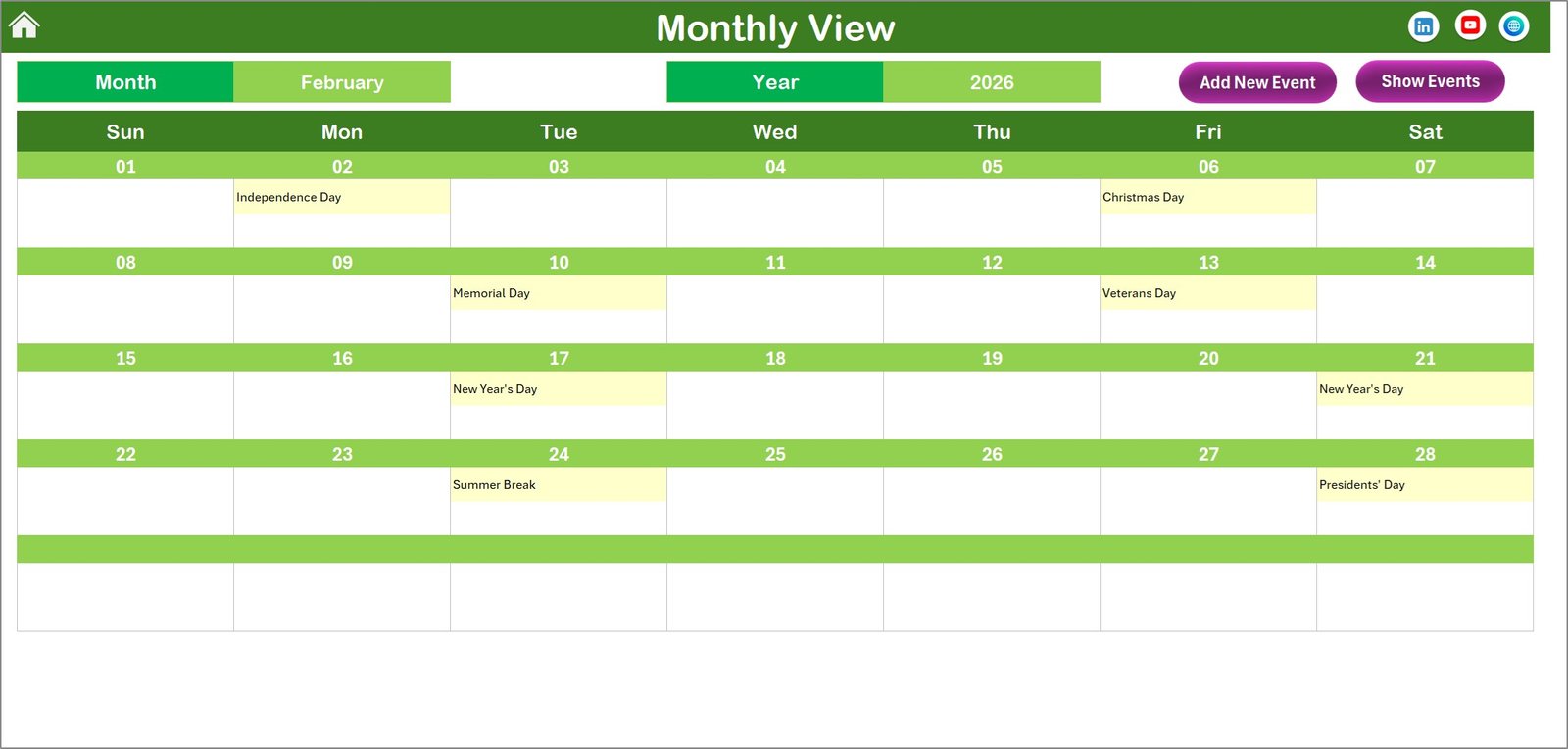
This sheet displays a calendar for the selected month and year. Features include:
- Shows up to one event per date; notes “more than 1…” if multiple events exist.
- Add New Event and Show Event buttons for managing events easily.Employee Retention Holiday Calendar In Excel
Daily View Sheet Tab
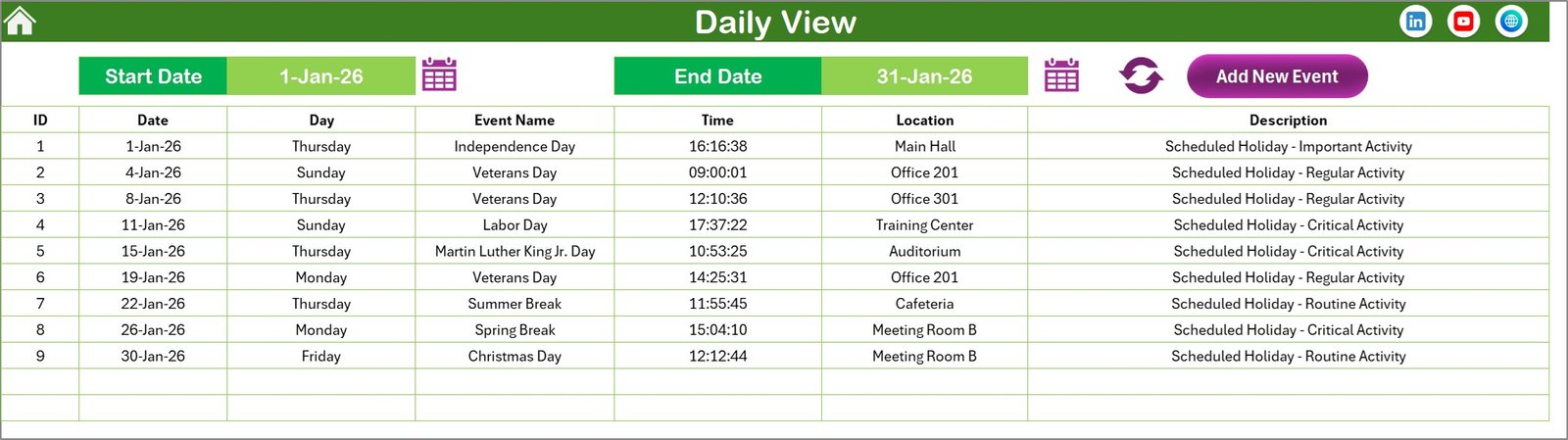
This sheet lists detailed events for a selected date range. Users can:
- Specify start and end dates using calendar icons.Employee Retention Holiday Calendar In Excel
- Refresh to display up-to-date event information.
- Add new events using the button provided.
Events Sheet Tab
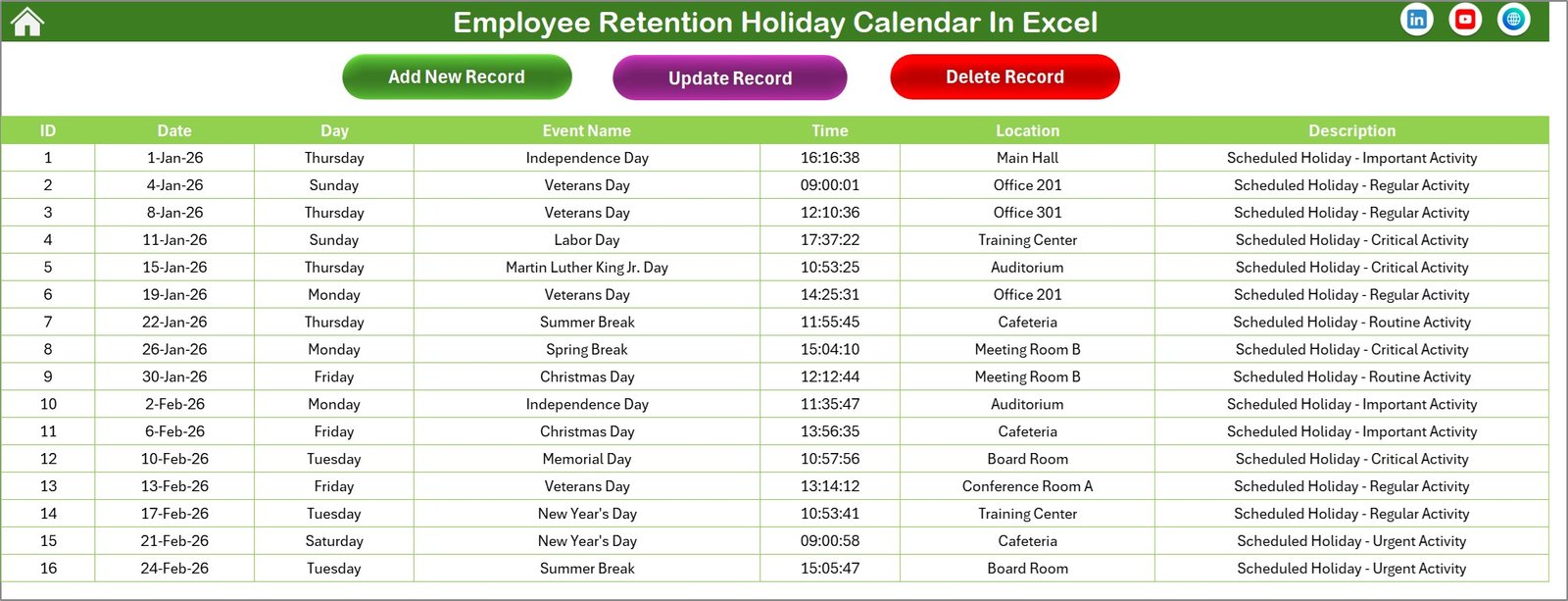
This is the backend database sheet capturing all event details including:
- ID (Auto-generated)
- Date and day of the event
- Event name
- Time and location
- Short description
Three control buttons are available for data management:
- Add New Record
- Update Existing Record
- Delete Record
Advantages of Employee Retention Holiday Calendar In Excel
- Improves employee engagement by transparently managing holidays and events
- Increases organizational efficiency by consolidating event data in a single workbook
- Customizable themes make it visually appealing and aligned with company branding
- Intuitive forms and controls reduce training time and errors
- Multi-view calendars cater to diverse planning and reporting needs
Opportunities for Improvement
- Add automated email reminders for upcoming events via Outlook integration
- Include conditional formatting to flag conflicting events or deadlines
- Enhance mobile compatibility or provide a web-based version
- Expand event categories with priority levels for better resource allocation
Best Practices
- Regularly update the database to keep information accurate
- Train multiple staff members on how to use forms and controls
- Back up the workbook frequently to prevent data loss
- Customize themes and highlights to match organizational preferences
FAQs
Can I use this calendar for multiple departments?
Yes, by adding event categories or filters, you can tailor it for different departments.
Is this calendar compatible with Excel online?
Basic functions work online, but some advanced controls may require desktop Excel.
Can I import/export events to other calendar apps?
Exporting data to CSV format and importing to calendar apps like Outlook is possible but may require manual formatting.
Conclusion
Employee Retention Holiday Calendar in Excel is an all-in-one tool to monitor, manage, and promote company holidays and events. Its versatile views, customization options, and user-friendly design make it a valuable asset for effective employee engagement and retention strategies.
For more detailed Excel templates and tutorials, visit Microsoft Excel Official Support.
Watch the step-by-step video tutorial:
Visit our YouTube channel to watch the demo.
Click to buy Employee Retention Holiday Calendar In Excel