Bed turnover is the quietest bottleneck in a hospital. A discharge is signed at 10 a.m., the bed sits stripped until someone is free, and the admission waiting in the emergency department loses four hours to a task nobody scheduled. The Hospital Bed Turnover Calendar in Excel is a small, honest fix for the planning half of that problem: a macro-enabled workbook where every deep clean, discharge reset, terminal disinfection round and availability audit for the whole year sits on one printable page.
Before anything else, the boundary. This is a calendar. It is not an EHR or EMR, not a bed-management or patient-flow platform, not an ADT feed and not a live bed-status board. It stores no patients, no admissions and no occupancy figures, and it carries no HIPAA, GDPR, Joint Commission, NABH or CQC certification. It plans when and where a turnover round happens. Everything clinical stays in the system your hospital already runs.
Inside the Hospital Bed Turnover Calendar in Excel
One ZIP with exactly two files inside: the macro-enabled workbook Hospital Bed Turnover Calendar in Excel.xlsm and an Excel Calendar - User Manual.pdf. No data file, no config, nothing else.
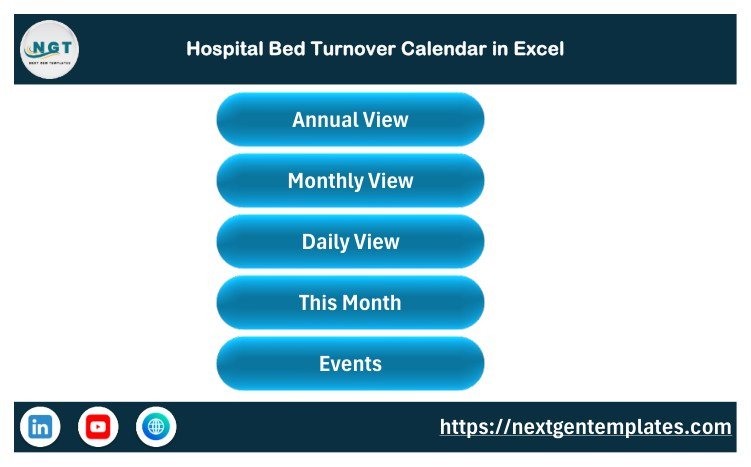
The workbook has seven sheets – Home, Annual View, Monthly View, Daily View, This Month, Events and Setting. The Events sheet is the single source: seven columns – ID, Date, Day, Event Name, Time, Location, Description – in rows 5 to 104, IDs 1 to 100 with no gaps. Everything else reads from it.
The shipped sample holds 100 turnover rounds dated 2 January to 29 December 2026, with all twelve months populated – nine rounds in each of the first four months, eight in each of the rest. They run across eight units: ICU, Emergency Dept, General Ward A, General Ward B, Surgical Ward, Maternity Ward, Pediatric Ward and Isolation Unit. Thirteen round types repeat through the year – Deep Clean Turnaround, Bed Availability Audit, Discharge Bed Reset, Terminal Cleaning Round, Bed Occupancy Review, Rapid Turnover Drill, Mattress Sanitization, Bed Capacity Planning, Linen Change Round, Isolation Bed Prep, Post-Op Bed Setup and Night Shift Bed Sweep – plus a Christmas Skeleton-Shift Sweep on 25 December. Start times run from an 06:30 early round to a 22:00 night sweep.
Every one of the 100 weekday labels was recomputed against its date before release. There are zero mismatches, which sounds like a low bar until you have used a calendar template that put a Friday date on a Wednesday.
The four views
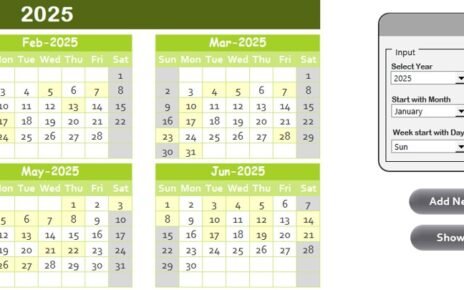
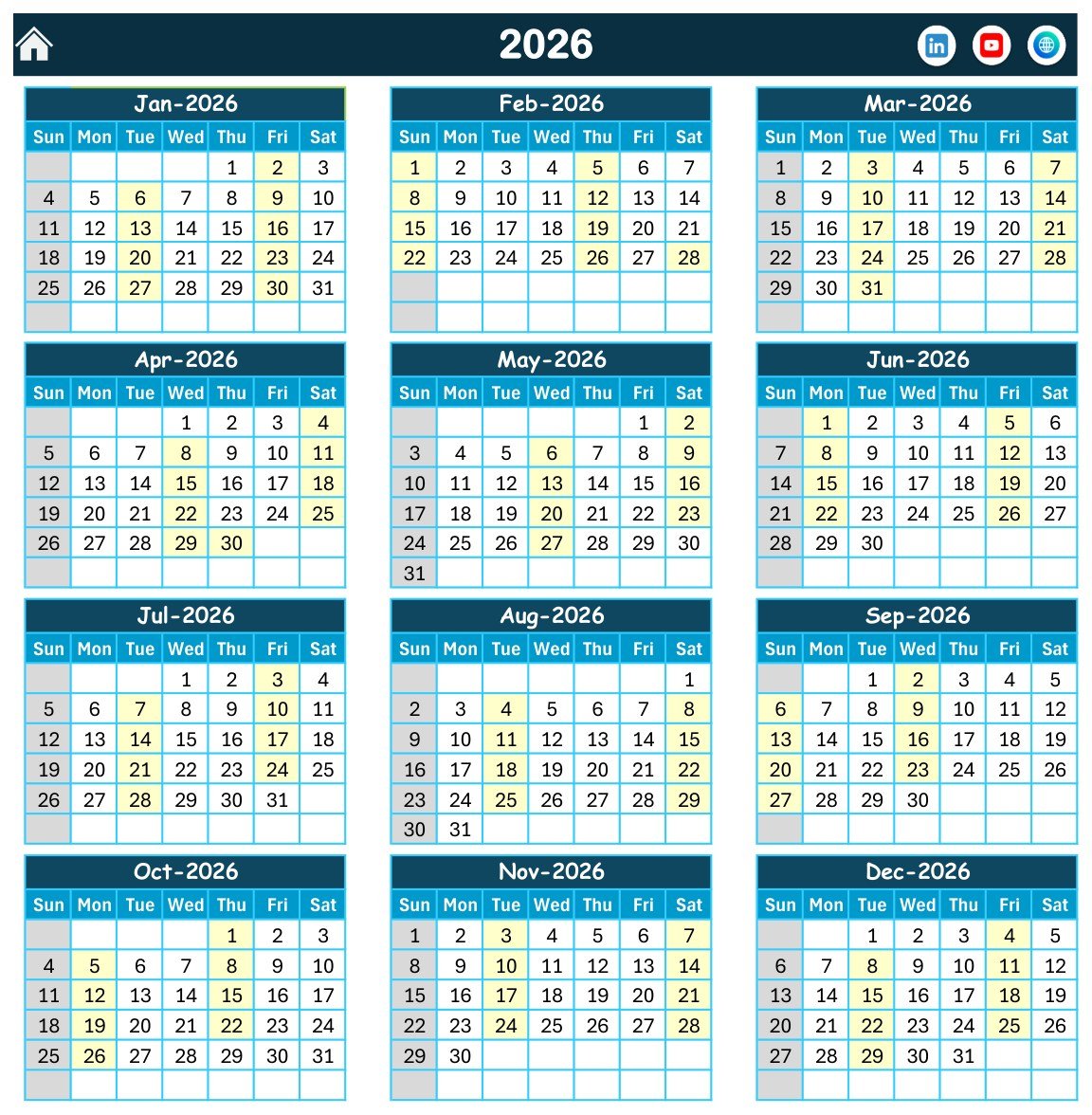
Annual View prints the whole year three months across and four down, with every scheduled date highlighted and your chosen weekdays shaded. The print area is pre-set, so it goes to one sheet and onto the ward wall.
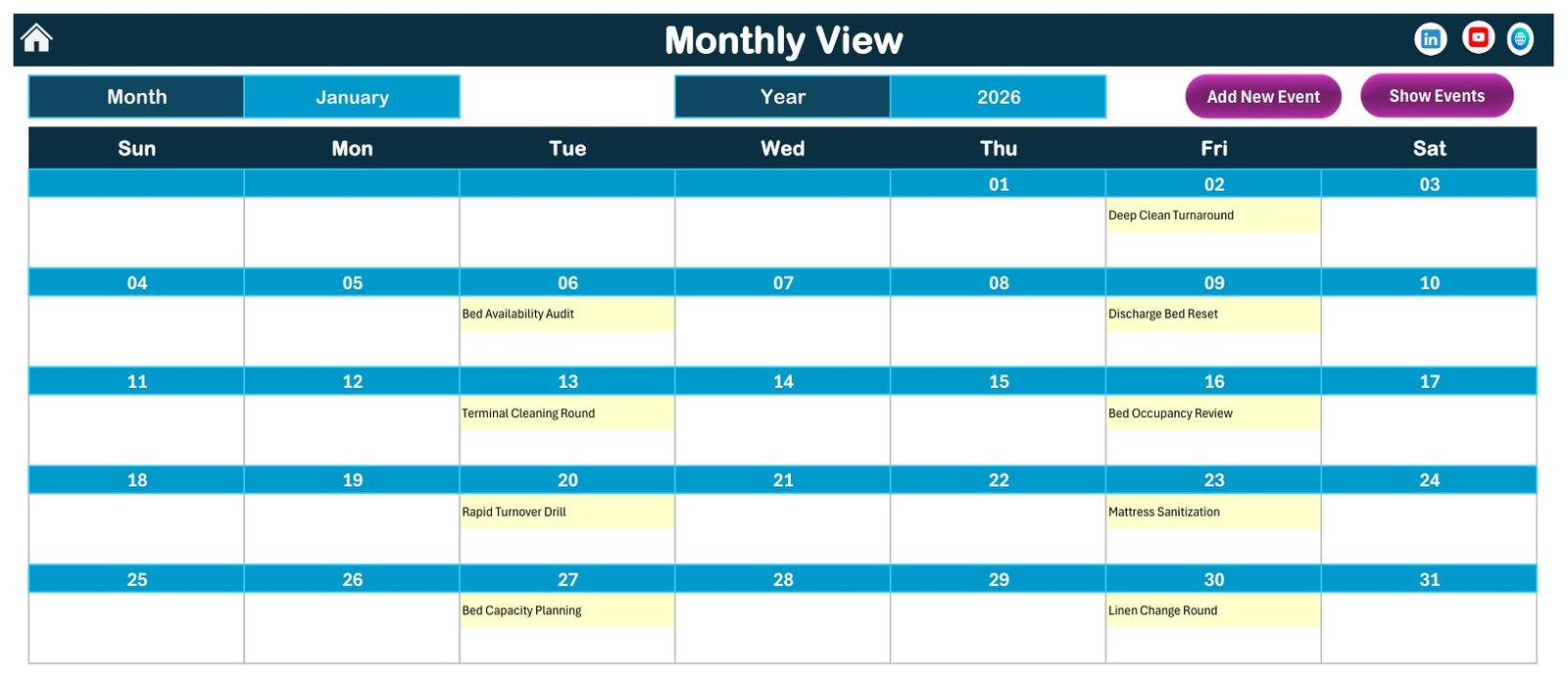
Monthly View is a Sun-to-Sat grid with a month and a year picker and the round name written inside each date cell, next to Add New Event and Show Events buttons. January 2026 shows the nine January rounds where they belong: Deep Clean Turnaround on Friday the 2nd, Bed Availability Audit on Tuesday the 6th, and so on to the Linen Change Round on Friday the 30th.
Daily View is the shift sheet. Set a Start Date and an End Date with the two pickers, click refresh, and the table rebuilds with all seven columns. The file ships set to 2 January – 1 February 2026 and returns ten rounds.
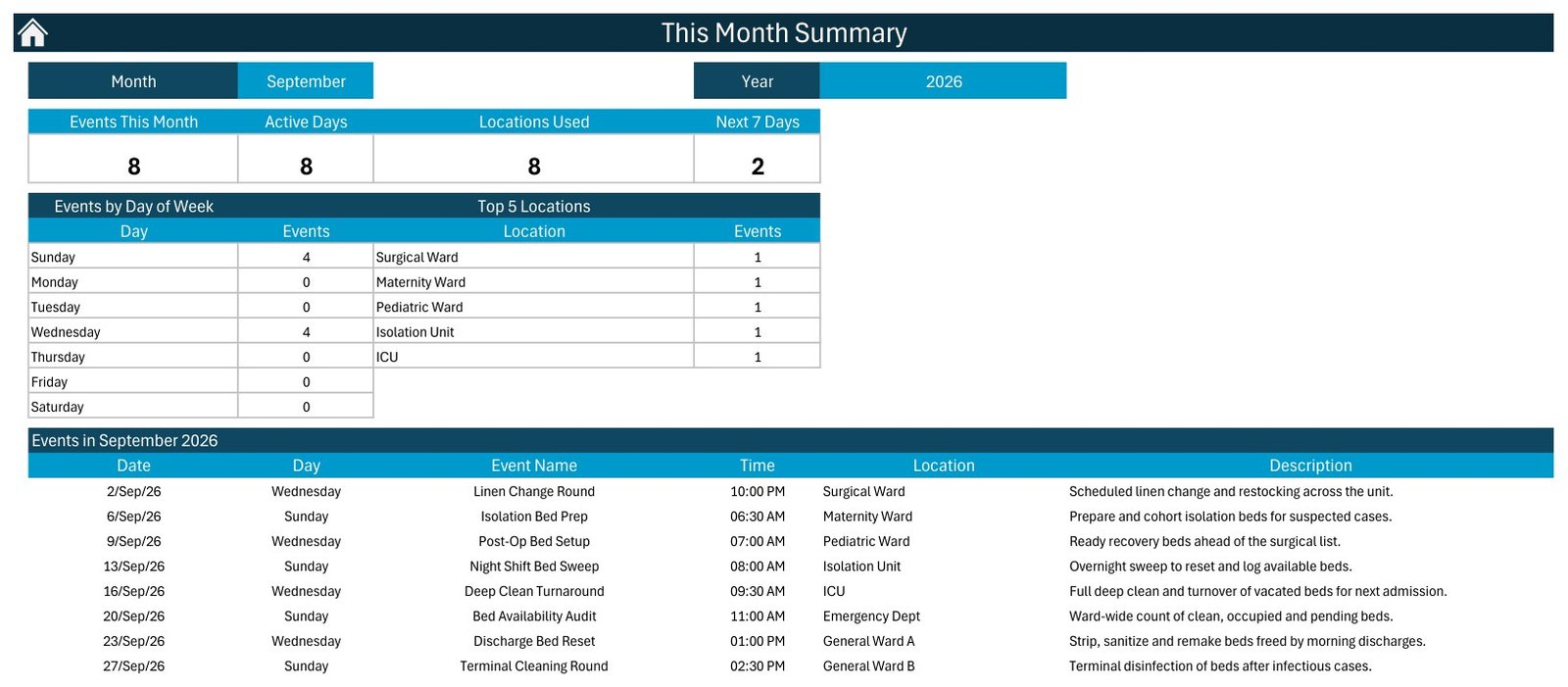
This Month is the summary page: four tiles – Events This Month, Active Days, Locations Used, Next 7 Days – then an Events by Day of Week table and a Top 5 Locations table, then the full month list. The shipped file opens on September 2026, reading 8 events, 8 active days, 8 locations used and 2 in the next seven days.
Rounds go in through a form, not into cells
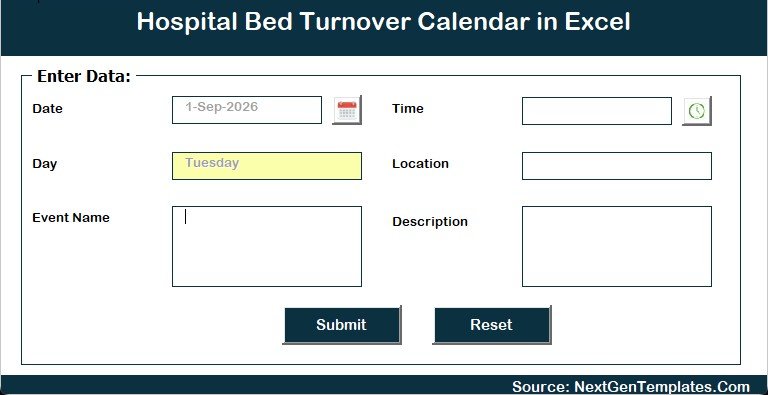
The Events sheet carries Add New Record, Update Record and Delete Record buttons. Each opens a six-field VBA form – Date (with a calendar picker), Day (filled in for you from the date), Time (with a clock picker), Location, Event Name and Description – with Submit and Reset. IDs are assigned automatically, so nobody has to remember which number came last.
The Setting sheet is the control panel: year from 2021 to 2051, start month, week-start day, two highlight weekday slots and an event-highlight toggle, plus five colour themes – Default, Blue, Red, Black and Orange. The file ships on 2026, January, week starting Sunday, in Blue.
No patient data – and that is the point
We read all 100 shipped rows before publishing this. There is no patient name, no medical record number, no date of birth, no diagnosis and no contact detail anywhere in the file. There is no bed number and no room number either – the Location column holds a ward or unit, not a bed. There is no staff name column. The seven columns are all there is.
That is a design decision, not an oversight. A macro-enabled workbook sitting on a ward PC is the wrong place for protected health information: it is unencrypted, it is copied by email, and it leaves no audit trail. The Description field is free text, so it is technically possible to type an identifier into it – please do not. Use a ward name or an internal code.
What it cannot do
Worth saying plainly, because the name invites the wrong expectation:
- It cannot measure turnaround time. Each round has a start time and no end time or duration field, so the workbook cannot tell you how long a bed took to turn around, and it reports no occupancy rate.
- It has no status field. A round cannot be marked done, missed or cancelled.
- It does not prevent double-booking a cleaning team, and it does not know how many beds a ward has.
- The Monthly View grid shows only the first round on a date plus an “N more…” counter. The shipped sample carries exactly one round per date, so that counter never fires until you add a second.
- The panel is labelled Top 5 Locations and lists five, even when the Locations Used tile reads eight. It is honestly labelled, but it is not the whole list.
- Daily View and This Month are macro-built, so they refresh when you click, not as you type.
- No reminders, no notifications, no sharing link, no mobile. You open the file and look at it.
Excel or Google Sheets?
Excel wins if the calendar lives on one ward PC, gets printed, and nobody needs it on a phone: the VBA form and the one-click Daily View refresh are genuinely faster than typing into a grid. Google Sheets wins the moment two people need it open at once or somebody wants it on a tablet at the nurses’ station. This workbook is Windows-desktop Excel only – the buttons, forms and theme switcher are VBA with ActiveX controls, so Mac, iPad and Excel for the web are all out.
Getting started in five minutes
- Unzip to a real folder, then right-click the workbook, choose Properties and tick Unblock.
- Open it in Excel for Windows and click Enable Content. Without macros the buttons do nothing.
- On Setting, set your year, start month and week-start day.
- Look at the 100 sample rounds, then delete them and add your own with Add New Record.
- Use Location as your unit name – the This Month page groups by it.
- Save as .xlsm or .xlsb. Saving as .xlsx silently strips every macro.
Other calendars on the same engine
If bed turnover is one piece of a bigger schedule, these use the identical four-view workbook:
- Operation Theatre Booking Calendar in Excel – theatre lists rather than beds.
- Nurse Duty Roster Calendar in Excel – who is on shift when the beds turn over.
- Patient Follow-Up Visit Calendar in Excel – the appointment side of a discharge.
- Home Nursing Visit Calendar in Excel – care delivered off-site.
- Dialysis Session Calendar in Excel – recurring chair and slot scheduling.
- Lab Sample Collection Calendar in Excel – draws, courier runs and camps.
A Google Sheets edition of the Hospital Bed Turnover Calendar and a Patient Discharge Planning Calendar in Excel are both being prepared; neither is on sale yet, so there is nothing to link to today.
Frequently asked questions
Is this an EHR or a bed-management system?
No. It schedules turnover rounds and nothing else – no patients, no admissions, no live bed status, no ADT connection, no clinical or regulatory reporting.
Does it store patient data?
No. The Events sheet is only ID, Date, Day, Event Name, Time, Location and Description, and no shipped row names a person or a bed.
Can it calculate bed turnaround time?
No. There is one start time per round and no end time or duration field, so turnaround minutes and occupancy rates are out of scope.
Is it HIPAA, GDPR, Joint Commission, NABH or CQC compliant?
No. It is a spreadsheet, never validated against any of those standards, and using it changes none of your obligations.
Does it work on Mac or Excel for the web?
No. VBA and ActiveX controls need Microsoft Excel on Windows desktop.
Can two people edit it at once?
Not usefully – the second person gets it read-only. A Google Sheets calendar is the better fit for that.
Get the template
The Hospital Bed Turnover Calendar in Excel is $8.99, currently on sale at $4.99 – one payment, instant download, no subscription and no per-seat licence, usable for any year from 2021 to 2051.
Download the Hospital Bed Turnover Calendar in Excel on NextGenTemplates
Last updated: 6 September 2026.