Introduction
The Manufacturing Planning Checklist in Excel is an essential tool designed to streamline your manufacturing processes by keeping tasks organized and on track. This ready-to-use Excel template helps managers and teams monitor progress and ensure timely completion of manufacturing-related activities. Whether you are overseeing production schedules, assigning responsibilities, or tracking key performance indicators (KPIs), this checklist covers it all in a simple and efficient way.
Key Features of Manufacturing Planning Checklist in Excel
- Two dedicated worksheets to capture and manage checklist data effectively.
- Comprehensive KPI Tracking Planner on the main sheet for quick progress assessment.
- Interactive checklist table with status updating options using ticks and crosses.
- Drop-down menus for easy selection of responsible persons to avoid errors.
- Automated progress bar to visualize percentage of completed checklist items.
Dashboard Pages Explanation
1. Checklist Sheet Tab
This is the primary worksheet where you input and manage all checklist information.
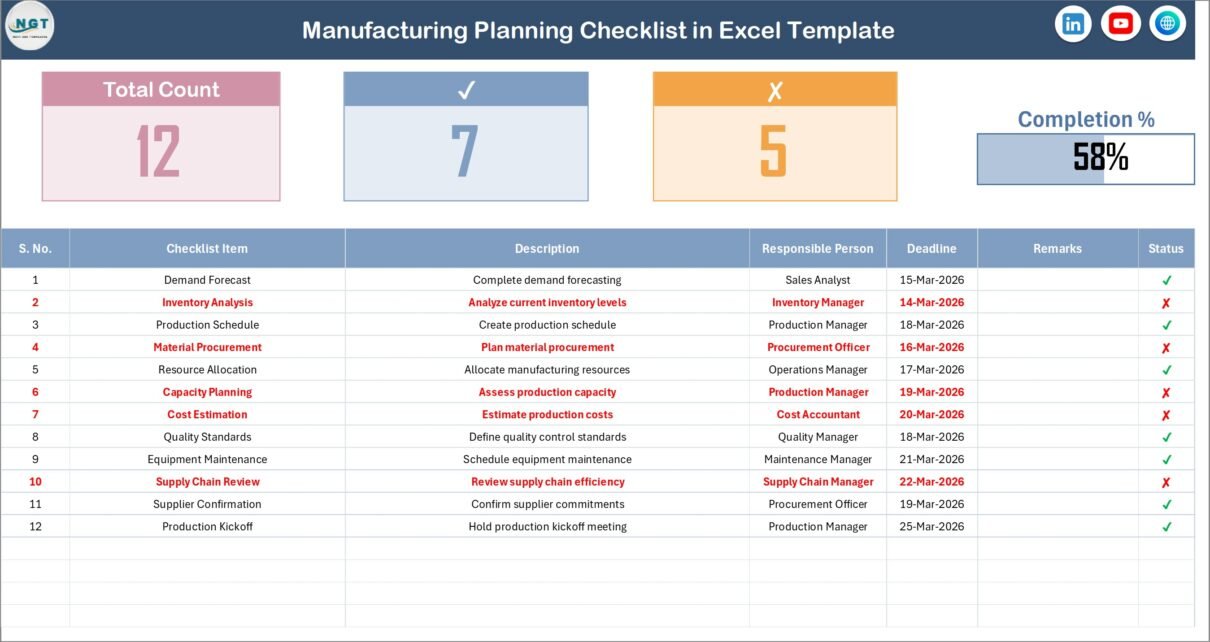
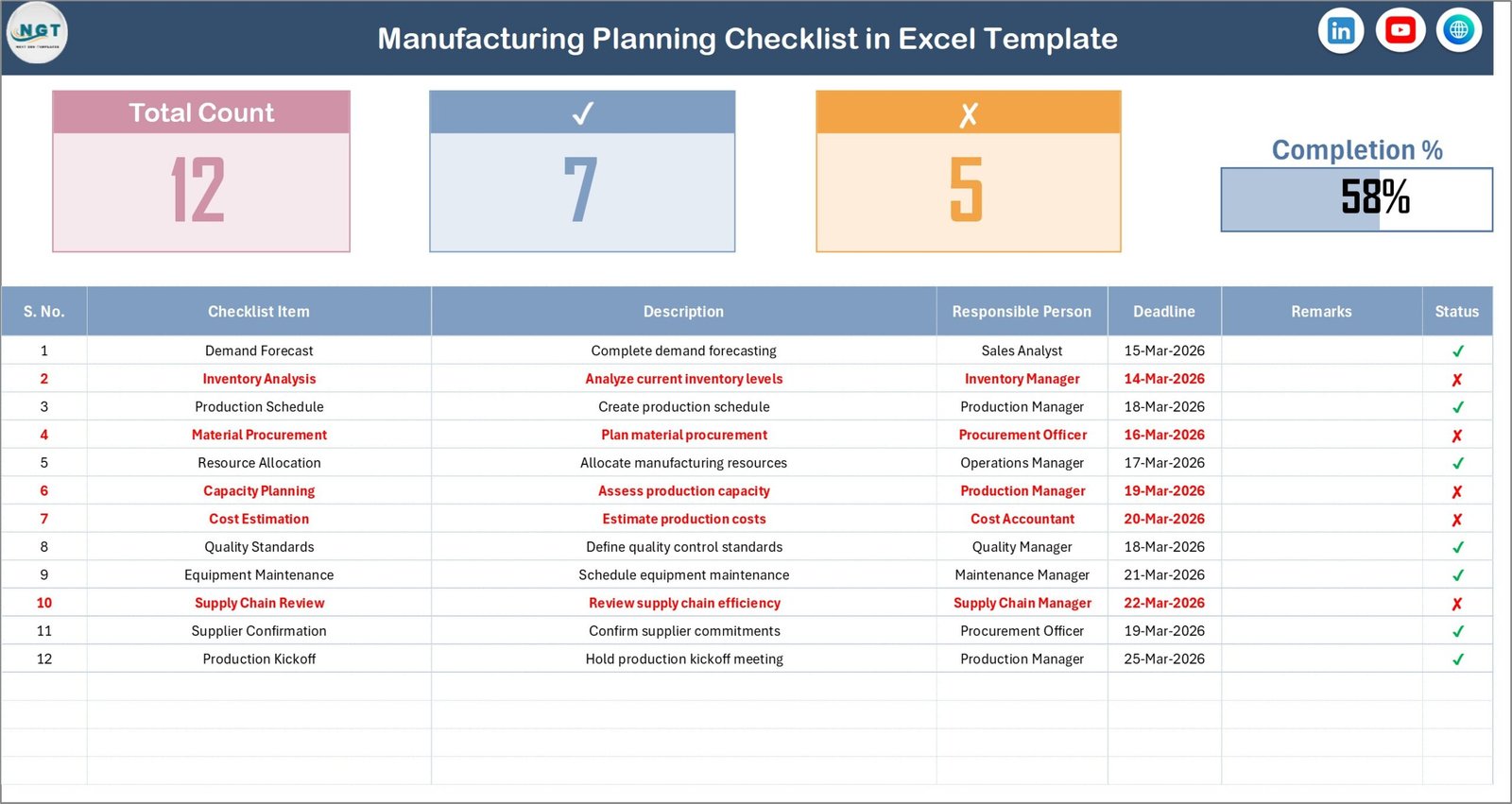
- Top Section: Features KPI Tracking Planner including Total Count of tasks, Checked Count (completed), Crossed Count (rejected/failed), and a dynamic Progress Bar that shows checked percentage in real-time.
- Checklist Table: The core part where you update task statuses with tick or cross symbols. The table columns include:
- Serial No.
- Checklist Item
- Description
- Responsible Person
- Deadline
- Remarks
- Status
Click here to purchase this checklist template
Manufacturing Planning Checklist in Excel
2. List Sheet Tab
This sheet maintains a unique list of Responsible Persons. It is used as the source for drop-down lists in the main checklist table, ensuring entries are consistent and reducing data entry errors.
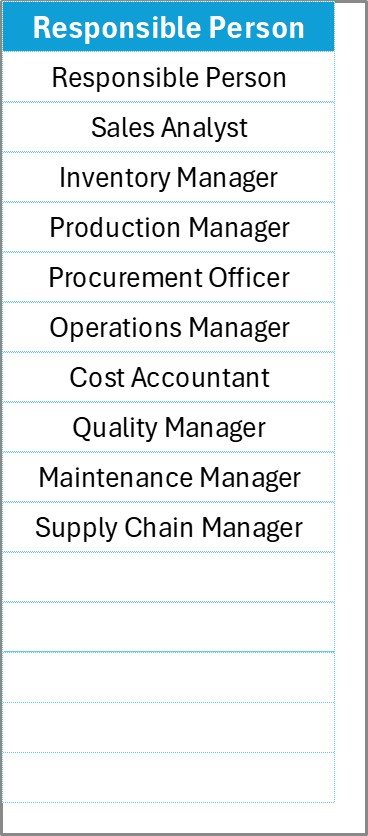
Responsible Person Sheet
Click here to purchase this checklist template
Advantages of Manufacturing Planning Checklist in Excel
- Improved Organizational Efficiency: Centralizes task management to reduce confusion and overlaps.
- Real-Time Progress Tracking: Visual components such as progress bars help quickly gauge project status.
- Customization Friendly: Easy to tailor columns, task descriptions, or deadlines to your company’s specifics.
- Error Mitigation: Drop-down lists prevent wrong data entries, keeping records clean and reliable.
- User-Friendly Interface: Intuitive design makes it accessible for users of all skill levels.
Opportunities for Improvement
- Integration with ERP Systems: Connecting this checklist with ERP can automate status updates and data syncing.
- Mobile Accessibility: Developing a mobile-friendly version could increase accessibility for on-floor managers.
- Advanced Analytics: Adding charts or heat maps could provide more insightful visual data on workflow bottlenecks.
- Automated Reminders: Incorporating email or notification systems would help ensure deadlines are never missed.
Best Practices
- Regular Updates: Team members should update statuses regularly to keep the checklist accurate.
- Assign Clear Responsibilities: Always specify who is responsible for each checklist item to avoid confusion.
- Review Deadlines Weekly: This helps in monitoring task urgency and readjusting priorities if needed.
- Use the Remarks Section: Document issues or important notes to maintain transparency and facilitate problem-solving.
- Leverage Visual KPIs: Use the progress bar and counts to motivate the team and track achievements clearly.
FAQs
Can I customize the checklist items?
Yes, you can easily modify checklist items, descriptions, and deadlines to suit your manufacturing process.
Is this template compatible with Excel versions?
This template is compatible with Microsoft Excel versions 2010 and above.
Can I add more responsible persons to the drop-down list?
Absolutely! Simply add new names to the ‘List’ sheet tab, and the dropdown in the Checklist tab will update automatically.
Does the progress bar update automatically?
Yes, the progress bar is linked to the status column and updates dynamically as you mark items with ticks or crosses.
Click here to purchase this checklist template
Conclusion
Implementing the Manufacturing Planning Checklist in Excel can revolutionize your production planning by providing a clear, easy-to-manage roadmap for your teams. Its combination of KPI tracking, task management, and intuitive design helps prevent missed deadlines and ensures accountability across the board. Take advantage of this tool to enhance your manufacturing workflow efficiently.
For more detailed insights and template demonstrations, visit Microsoft Excel support.
Visit our YouTube channel to watch the demo.