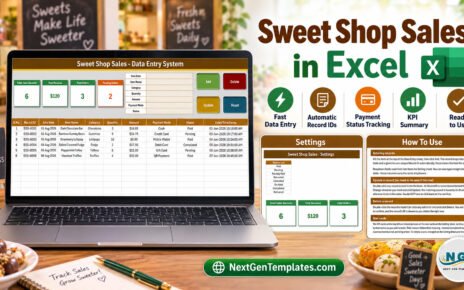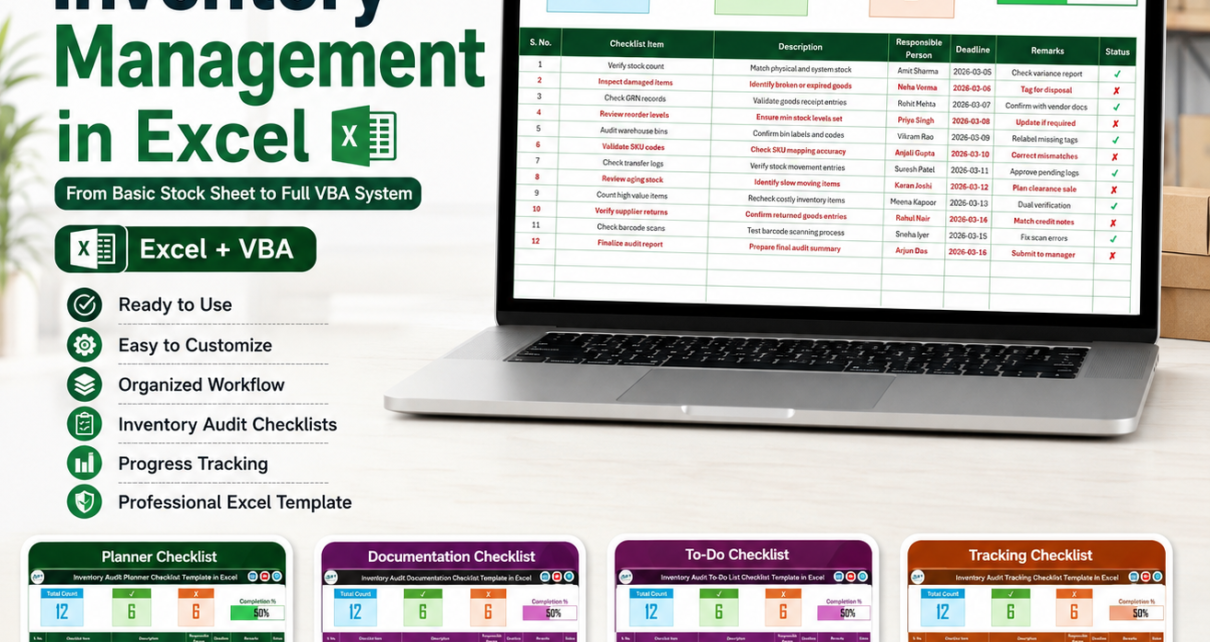
Inventory management in Excel is still one of the fastest ways for a small business, warehouse team, retailer, or operations manager to move from messy stock notes to a controlled inventory process. You can begin with a basic stock sheet, add dropdowns and audit checklists, then upgrade into a full VBA inventory management system when your stock movement becomes too complex for manual rows.
The cost difference is meaningful. Zoho Inventory’s public pricing page lists paid plans from $29 to $249 per organization per month when billed annually, before taxes and add-ons. By comparison, the six Excel audit templates covered here cost $1.99 each, or $11.94 together, and the full Inventory Management System V3.0 is currently $19.99 as a one-time purchase. This guide covers 6 specific templates and shows how each one fits into the path from stock tracker Excel file to a complete inventory Excel workflow.
Compare the Inventory Excel Starter Templates
| Template | Format | Best For | Price |
|---|---|---|---|
| Inventory Audit Documentation Checklist in Excel | Excel checklist | Document control before internal or external audits | $1.99 |
| Inventory Audit Review Checklist in Excel | Excel checklist | Formal review of audit tasks, owners, due dates, and remarks | $1.99 |
| Inventory Audit Monitoring Checklist in Excel | Excel checklist | Ongoing visibility into audit progress and pending work | $1.99 |
| Inventory Audit Tracking Checklist in Excel | Excel checklist | Task-by-task status tracking during a stock audit | $1.99 |
| Inventory Audit To-Do List Checklist in Excel | Excel checklist | Turning inventory audit work into a daily action list | $1.99 |
| Inventory Audit Planner Checklist in Excel | Excel checklist | Planning the audit cycle before counting begins | $1.99 |
Why Inventory Management in Excel Still Matters
Inventory Excel systems matter because most inventory problems are not caused by a lack of software. They are caused by unclear ownership, late counts, missing documentation, and stock records that are not updated the same way every time. A structured stock tracker Excel file gives small teams a practical first layer of control before they commit to full cloud software.
- U.S. inventory is a multi-trillion-dollar control problem. The U.S. Census Bureau estimated manufacturers’ and trade inventories at $2,736.2 billion at the end of May 2026, up 3.1 percent from May 2025.
- Inventory is moving faster than last year. The same Census release reported a total business inventories/sales ratio of 1.28 at the end of May 2026, compared with 1.39 in May 2025. Lower ratio, faster movement, less room for sloppy audit processes.
- Shrink is expensive. The National Retail Federation reported that shrink represented $112.1 billion in U.S. retail losses in 2022, with an average shrink rate of 1.6 percent.
- Stockouts hit revenue directly. NielsenIQ noted that out-of-stock issues cost the U.S. retail industry $48 billion in the 52 weeks ending September 2, 2023.
- SaaS costs scale faster than a starter workbook. A $29/month inventory app costs $348 in the first year before taxes and add-ons. A starter Excel audit stack here costs $11.94, and the full VBA inventory management system is a one-time $19.99.
From a Basic Stock Sheet to a VBA Inventory Management System
A basic stock sheet should not try to become an ERP on day one. The smarter path is a staged inventory Excel workflow: start with the fields you can maintain daily, add controls that prevent messy entries, then upgrade only when transactions and reporting demand automation.
Stage 1: Build the simple stock tracker Excel sheet. Start with Product Code, Product Name, Category, Opening Stock, Purchases, Sales, Adjustments, Closing Stock, Reorder Level, Location, Responsible Person, and Last Count Date. Use Excel tables, filters, and basic formulas so the file can grow without breaking. For controlled entries, Microsoft explains how Excel data validation can restrict input to dropdown lists.
Stage 2: Add inventory audit checklists. Once the stock tracker is working, add audit checklists for planning, documentation, monitoring, review, tracking, and daily to-do execution. This is where the six templates below fit. They are not replacements for a product master; they are control layers that make sure the stock sheet is reviewed properly.
Stage 3: Add dashboards and KPI templates. When managers need weekly reporting, connect your tracker to inventory dashboards such as the Inventory Accuracy KPI Dashboard in Excel, Warehouse Management KPI Dashboard in Excel, or the broader Inventory Management templates collection.
Stage 4: Upgrade to an automated VBA system. When every purchase and sale must update stock automatically, move into the Inventory Management System V3.0. It adds login security, UserForm data entry, automatic stock adjustments, reorder alerts, report exports, and a more complete inventory management system inside Excel. If Excel blocks macros, review the official Microsoft guidance on macro security settings before enabling trusted workbooks.
Six Inventory Audit Templates to Feature in Your Workflow
Inventory Audit Planner Checklist in Excel
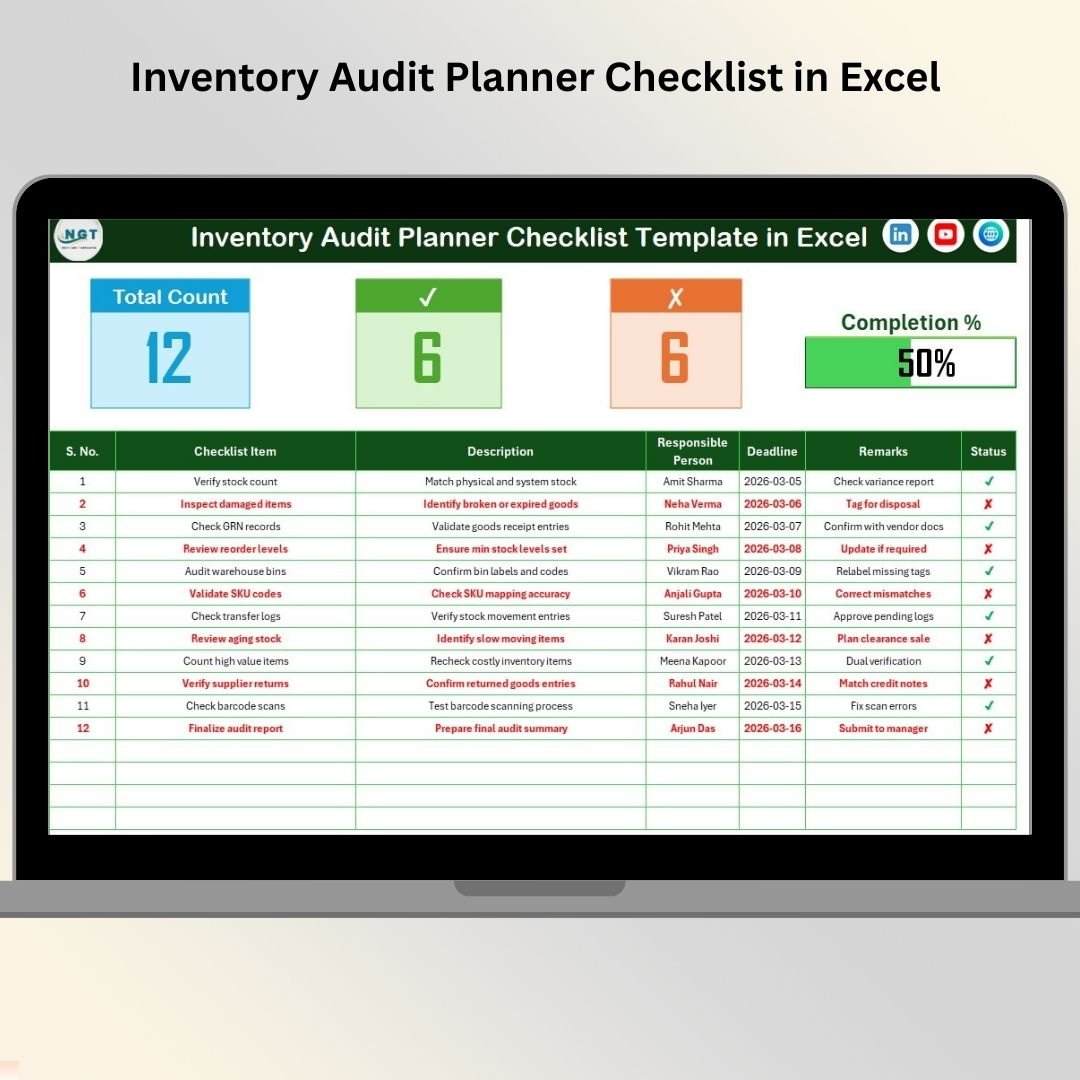
The Inventory Audit Planner Checklist in Excel is the first template to use when the audit has not started yet. Its job is to convert a vague stock-checking idea into a controlled plan with audit objectives, assigned owners, deadlines, status indicators, and a progress view. For small retailers and warehouses, that planning step is often the missing layer between the stock sheet and the physical count.
Screenshot notes: The workbook layout includes a main checklist sheet with a top summary section, total task counts, completed and pending counts, a progress bar, and a structured task table. A supporting List sheet stores responsible person names for dropdown consistency.
- Plan annual or quarterly warehouse stock audits before counting begins.
- Assign responsibility for zones, product categories, or storage racks.
- Track audit preparation deadlines before external review dates.
- Create repeatable audit cycles for retail, e-commerce, or manufacturing teams.
Price: $1.99. Buy the Inventory Audit Planner Checklist in Excel.
Inventory Audit Documentation Checklist in Excel
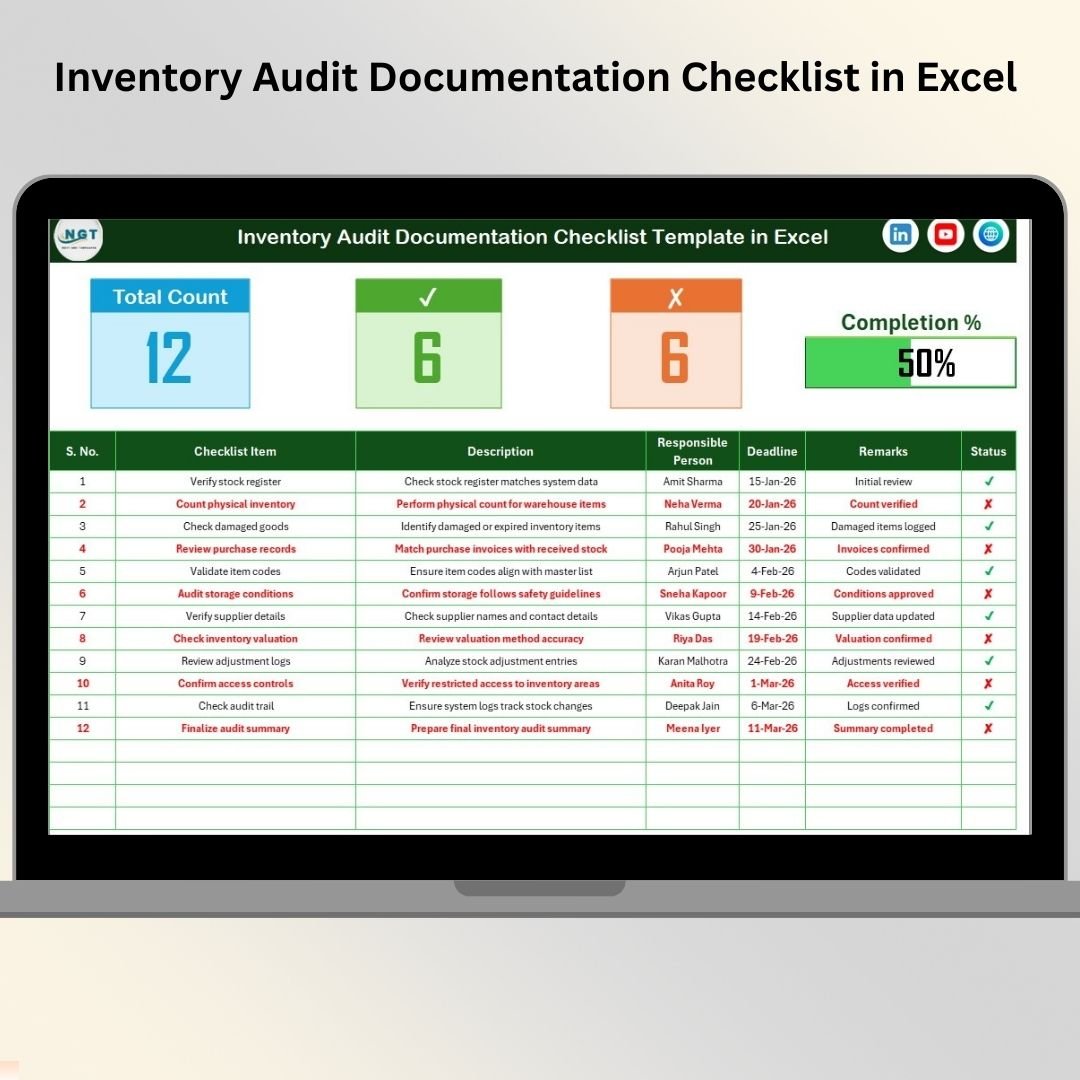
The Inventory Audit Documentation Checklist in Excel focuses on the proof behind the numbers. A stock tracker can tell you what the quantity should be, but auditors and managers need supporting records: count sheets, adjustment approvals, purchase receipts, damaged stock notes, discrepancy explanations, and sign-offs. This template gives teams a central way to track whether those documents are ready.
Screenshot notes: The main sheet is built around a summary dashboard and documentation checklist table. It tracks checklist item, description, responsible person, deadline, remarks, and completion status, while the List sheet standardizes owner names for dropdown entry.
- Prepare supporting files before an internal inventory audit.
- Track documentation gaps for purchase, sale, return, and adjustment records.
- Give finance and operations one shared view of audit readiness.
- Record remarks when evidence is incomplete or needs manager approval.
Price: $1.99. Buy the Inventory Audit Documentation Checklist in Excel.
Inventory Audit To-Do List Checklist in Excel
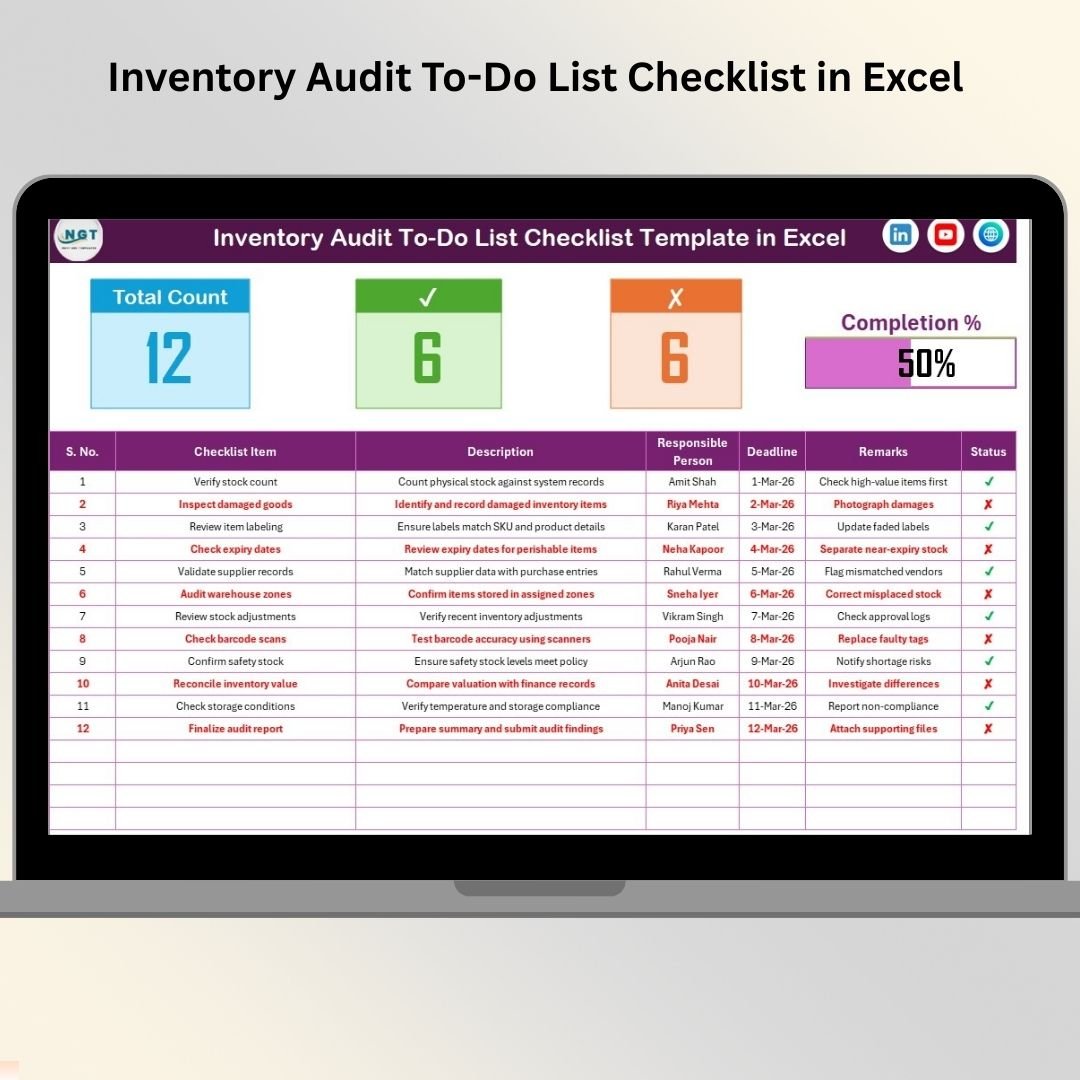
The Inventory Audit To-Do List Checklist in Excel turns audit planning into daily execution. It is best for teams that already know what needs to happen but keep losing momentum because the work is scattered across emails, chats, paper notes, or separate spreadsheets. Use it as the operational action list during count week.
Screenshot notes: The template includes a main checklist sheet with a compact summary dashboard, task description fields, deadline tracking, responsible person assignment, remarks, and a status indicator. The List sheet supports consistent dropdown-based ownership.
- Convert audit plans into daily team action items.
- Track outstanding tasks during cycle counts or year-end inventory counts.
- Manage follow-up actions after discrepancies are found.
- Keep supervisors aligned on what has been completed and what is still pending.
Price: $1.99. Buy the Inventory Audit To-Do List Checklist in Excel.
Starter stack for inventory audit control
If your team is still using a plain stock sheet, start with the Planner, Documentation, and To-Do List checklists. Together they cover preparation, evidence control, and daily execution for less than the price of one month of most inventory SaaS tools.
Inventory Audit Tracking Checklist in Excel
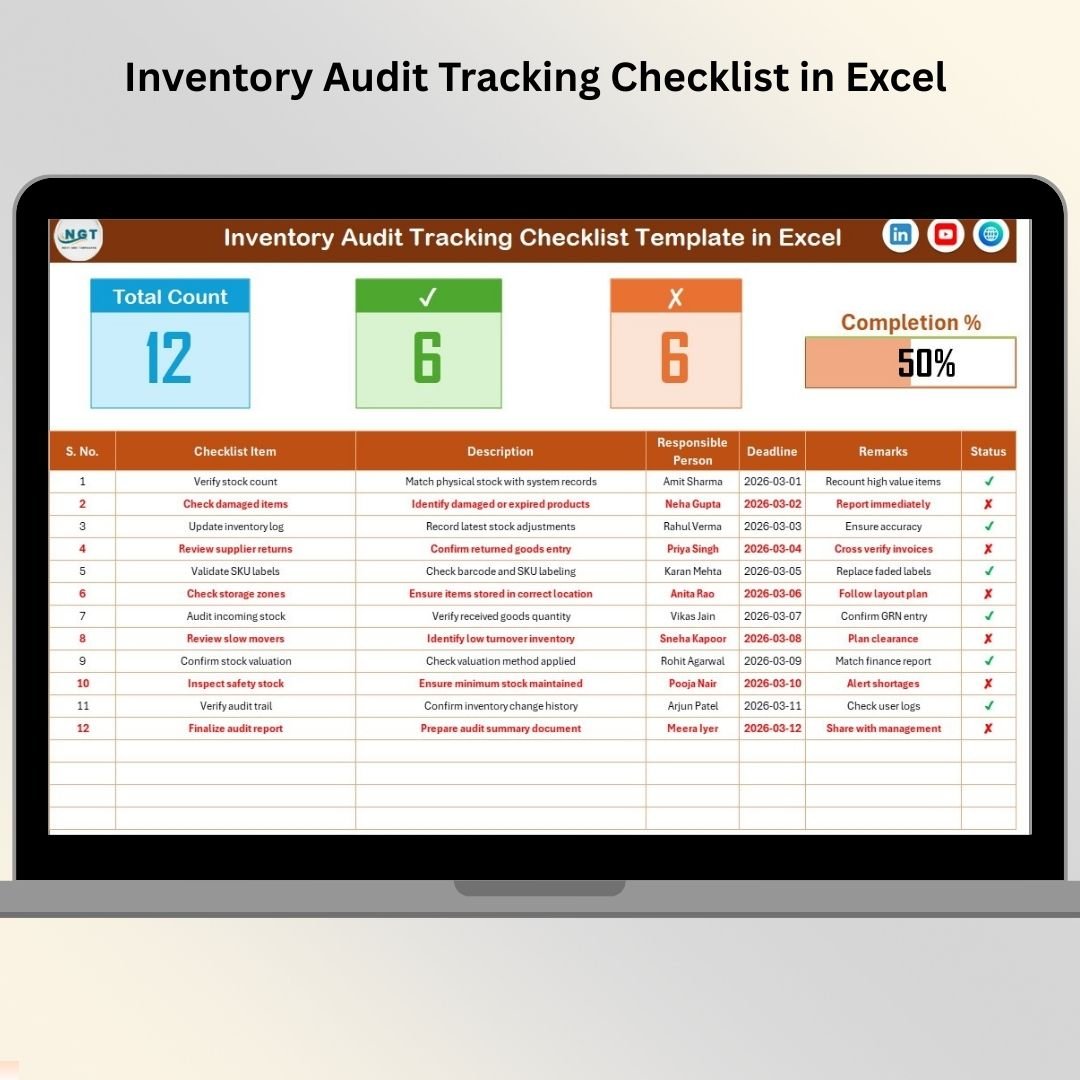
The Inventory Audit Tracking Checklist in Excel is the most straightforward option when you need a status tracker for each audit activity. It supports the middle of the audit process, where the plan is set and the team needs a clean way to see completed, pending, and blocked work. It is especially useful for supervisors who want progress visibility without building formulas from scratch.
Screenshot notes: The screenshot shows an audit control center with summary counts, a visual progress bar, and a checklist table for serial number, checklist item, description, responsible person, deadline, remarks, and status.
- Track stock verification progress by location, aisle, or SKU group.
- Record pending audit actions and remarks in one workbook.
- Prepare a simple status view for the warehouse manager or finance team.
- Use the same tracker for recurring monthly audit cycles.
Price: $1.99. Buy the Inventory Audit Tracking Checklist in Excel.
Inventory Audit Monitoring Checklist in Excel
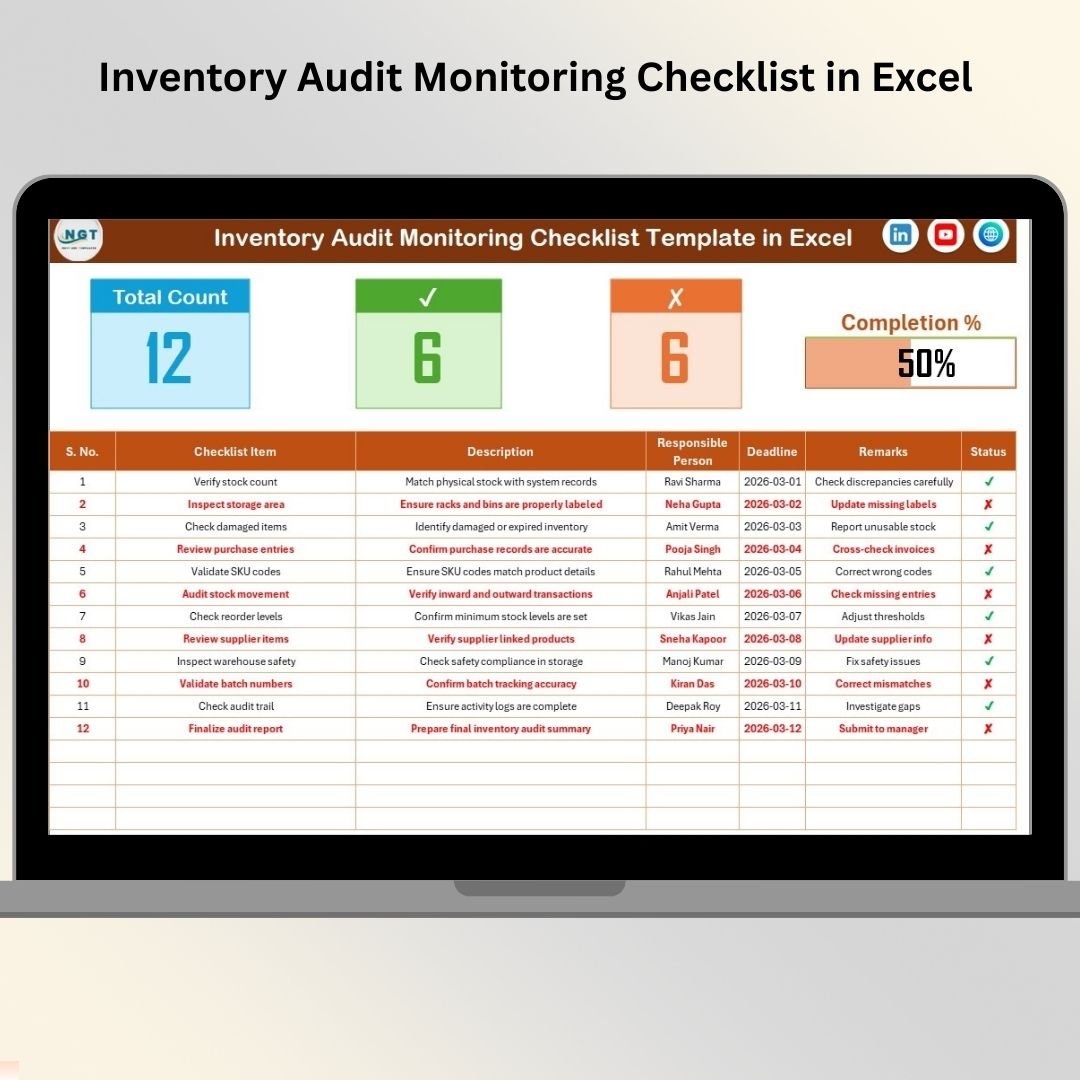
The Inventory Audit Monitoring Checklist in Excel is built for ongoing oversight. Where a tracking checklist captures task status, this template is positioned for managers who need to monitor the audit as work moves across owners and deadlines. It is a practical fit when inventory audits are not a one-day event but a multi-step process involving warehouse, finance, compliance, and operations.
Screenshot notes: The workbook shows a monitoring view with task counts, completed and pending activity status, progress visualization, responsible person dropdowns, deadline fields, remarks, and a supporting List sheet for standardized entries.
- Monitor audit progress across several warehouse supervisors.
- Review pending audit activities before weekly operations meetings.
- Track compliance readiness for inventory, finance, and internal control teams.
- Use progress metrics to decide where to assign extra audit support.
Price: $1.99. Buy the Inventory Audit Monitoring Checklist in Excel.
Inventory Audit Review Checklist in Excel
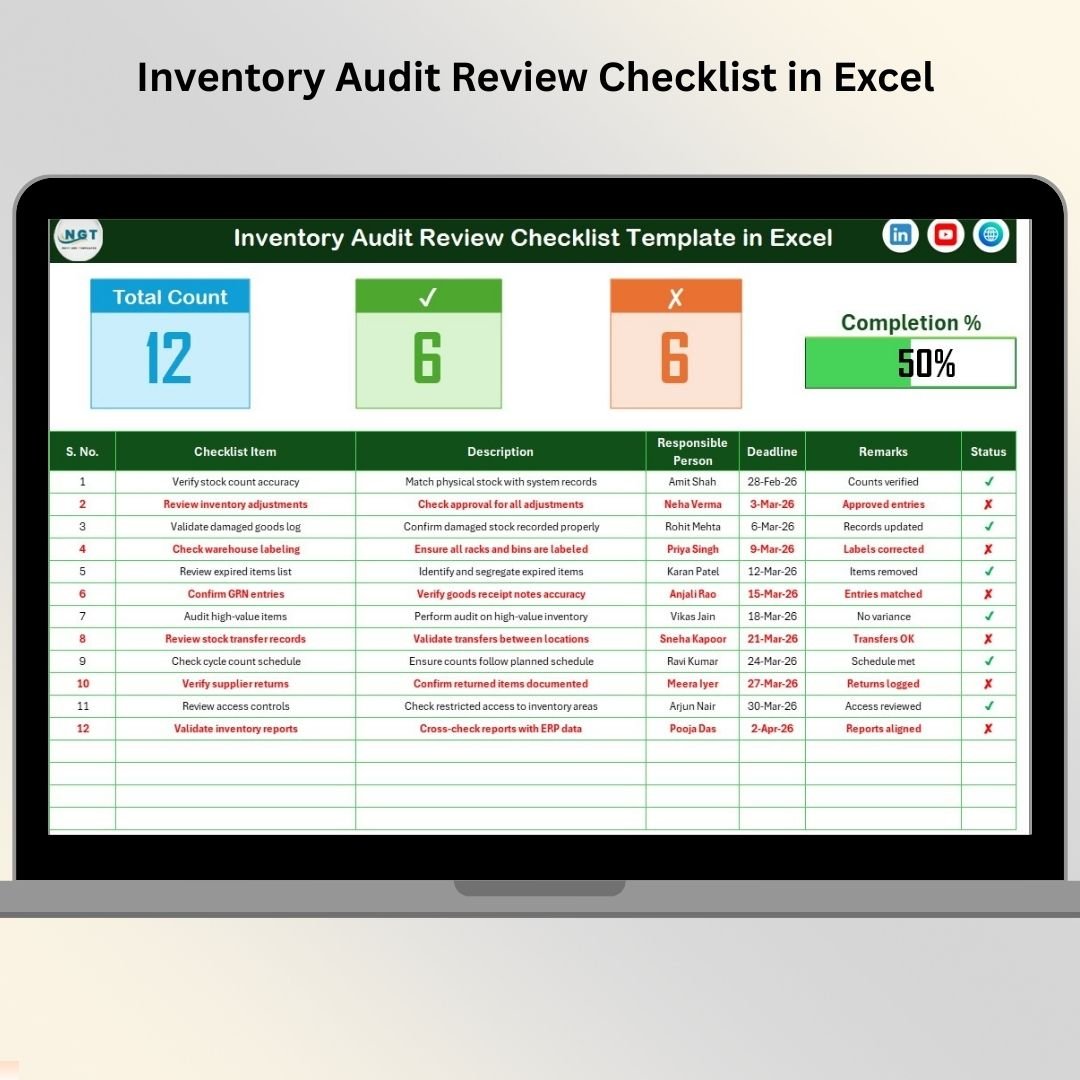
The Inventory Audit Review Checklist in Excel belongs near the end of the audit process. After counts are complete and issues are logged, managers need to review whether each step was performed correctly, evidence was attached, owners responded, and discrepancies were resolved. This template gives that final review a visible, repeatable structure.
Screenshot notes: The template includes a main review checklist with a dashboard-style top section, progress bar, completed and pending counts, task ownership, deadlines, remarks, and status indicators. A List sheet keeps responsible person entries standardized.
- Review audit completion before management sign-off.
- Track unresolved findings after physical stock counts.
- Give internal audit a clean summary of remaining work.
- Compare review status across monthly, quarterly, or annual audits.
Price: $1.99. Buy the Inventory Audit Review Checklist in Excel.
How to Choose Between These Inventory Excel Templates
Choose based on the stage of your inventory process, not only the template name. If you are before the count, start with the Planner. If you are collecting supporting evidence, use Documentation. If the team needs daily actions, use To-Do List. If the count is active and you need status visibility, use Tracking or Monitoring. If the count is complete and you need sign-off, use Review.
| If your pain point is… | Choose this template | Why |
|---|---|---|
| Nobody knows the audit sequence | Inventory Audit Planner | It turns the audit into planned tasks, owners, and dates. |
| Evidence is missing or scattered | Inventory Audit Documentation | It tracks supporting documents and readiness gaps. |
| People need daily task clarity | Inventory Audit To-Do List | It makes execution visible at the task level. |
| Managers need a live progress view | Inventory Audit Tracking or Monitoring | They show completed, pending, deadlines, remarks, and progress. |
| You need final sign-off confidence | Inventory Audit Review | It supports end-of-process review before closeout. |
| Purchases and sales must update stock automatically | Inventory Management System V3.0 | It replaces manual stock rows with VBA forms, reports, and alerts. |
For most small teams, the best path is not to buy everything at once. Start with the one checklist that fixes today’s bottleneck. Then add the Inventory Management System V3.0 when the stock tracker Excel file needs automated transaction entry, reorder alerts, and report exports. If you want a broader code library, the related Excel VBA Tools & Utilities Pack walkthrough explains how the V3.0 inventory system fits alongside order, invoice, HR, hospital, PDF, and Kanban tools.
Ready to move beyond a basic stock sheet?
Use the audit templates to make your current inventory Excel process cleaner, then upgrade to the full VBA system when stock movement, reorder alerts, and reporting need automation.
Frequently Asked Questions
What is the best way to start inventory management in Excel?
Start with a simple Excel stock tracker that includes product code, product name, category, opening stock, purchases, sales, adjustments, closing stock, reorder level, owner, and last count date. Once the tracker works, add audit checklists to control planning, evidence, monitoring, and review.
Is Excel good enough for inventory management?
Excel is good enough for many small and mid-sized teams when the process is structured. It is best for single-location tracking, basic controls, audit preparation, and lightweight reporting. When transaction volume grows, upgrade to a VBA inventory management system or a cloud inventory platform.
What is the difference between a stock tracker Excel file and an inventory management system?
A stock tracker Excel file usually stores rows and formulas that users update manually. An inventory management system adds controlled forms, automatic stock updates, reorder alerts, login security, reporting, and a clearer workflow for purchases, sales, and adjustments.
Which inventory audit checklist should I buy first?
If you are preparing for an audit, buy the Inventory Audit Planner Checklist first. If the audit is already running, choose Tracking or Monitoring. If your biggest issue is evidence, choose Documentation. If you are closing the audit, choose Review.
Can these templates replace inventory SaaS software?
They can replace SaaS for simple audit control and stock tracking workflows, especially when a business wants a low-cost, editable Excel file. They are not a replacement for cloud ERP when you need multi-user permissions, API integrations, barcode scanners across warehouses, or real-time e-commerce sync.
How much do the six inventory audit templates cost together?
Each of the six inventory audit templates featured here costs $1.99, so the full starter set costs $11.94 before any taxes or promotions shown by the store at checkout.
How much does Inventory Management System V3.0 cost?
The live NextGenTemplates product data shows Inventory Management System V3.0 at $19.99 as a one-time purchase. It includes a VBA-powered inventory workflow with login, UserForms, automatic stock movement, reorder alerts, and reports.
Do I need to enable macros for the VBA inventory system?
Yes. VBA features such as login forms, data-entry forms, stock automation, and report exports require macros to be enabled in trusted Excel files. Review Microsoft’s macro security guidance before enabling macros from any source.
What fields should be included in a basic stock tracker Excel sheet?
Use Product Code, Product Name, Category, Location, Opening Stock, Purchases, Sales, Adjustments, Closing Stock, Reorder Level, Unit Cost, Stock Value, Responsible Person, and Last Count Date. These fields create a practical base for reporting and audits.
When should I move from a checklist to a full inventory management system?
Move to a full system when manual updates create delays, formulas are being overwritten, purchases and sales need automatic stock impact, or managers need one-click reports. The checklist stage controls the audit process; the system stage controls daily stock movement.
Build your inventory Excel workflow the practical way
Start with the checklist that fixes your immediate audit problem, then move into the Inventory Management System V3.0 when you need transaction automation, reorder alerts, and report exports. For step-by-step template tutorials, visit the NextGenTemplates YouTube channel.
Built by PK – Microsoft Certified Professional with 15+ years of Excel, Google Sheets, and Power BI experience. Founder of NextGenTemplates, reaching 300K+ subscribers across YouTube channels. Every template is hand-built and tested before release.
Last updated: August 4, 2026