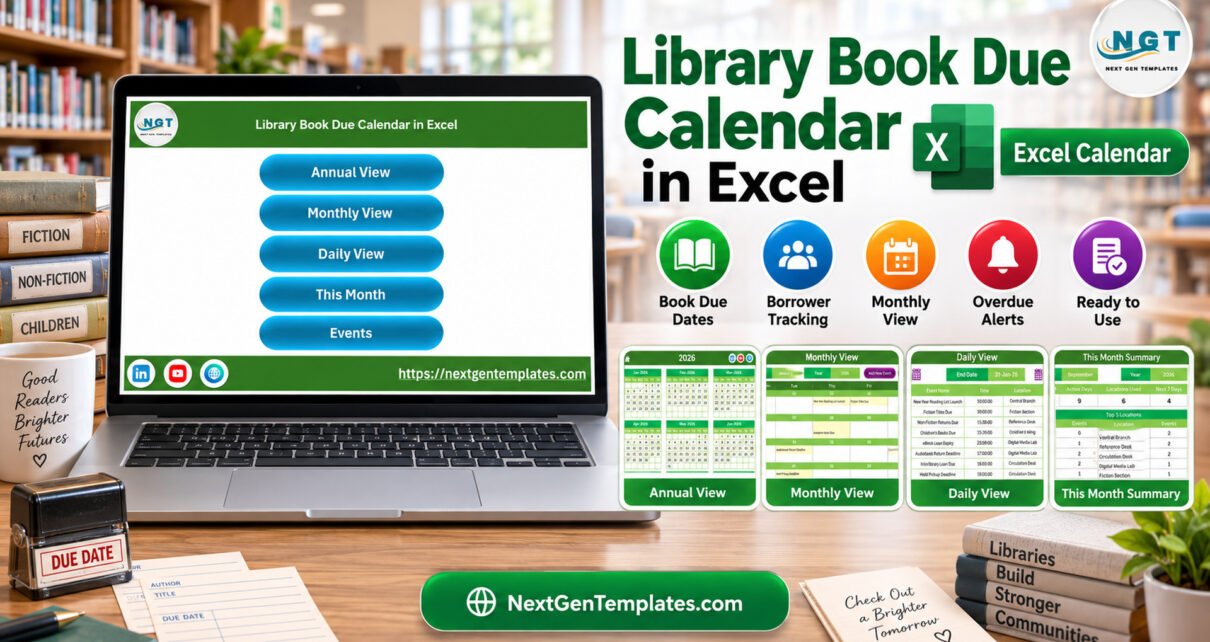
The Library Book Due Calendar in Excel is a macro-enabled workbook that shows 100 sample library events through four views: Annual, Monthly, Daily and This Month. The sample covers all of 2026 with 8 to 9 events per month, 28 different event names and 7 locations, from the Circulation Desk (34 events) to the Periodicals Desk (5 events).
Most small libraries still track return days, hold deadlines and reading events in a notebook or a flat list, which makes it hard to see a busy week coming. This workbook keeps those dates in one Events table and turns them into calendars you can print, pin up or check each morning. Below is a sheet-by-sheet walk-through, a comparison with the alternatives, and an honest list of what it does not do.
Key Features of the Library Book Due Calendar in Excel
- One table, four views. Annual View, Monthly View, Daily View and This Month all read the Events sheet, so each date is typed once.
- Shaded event dates. The Annual View places 12 month grids on one page and shades every date that has an event.
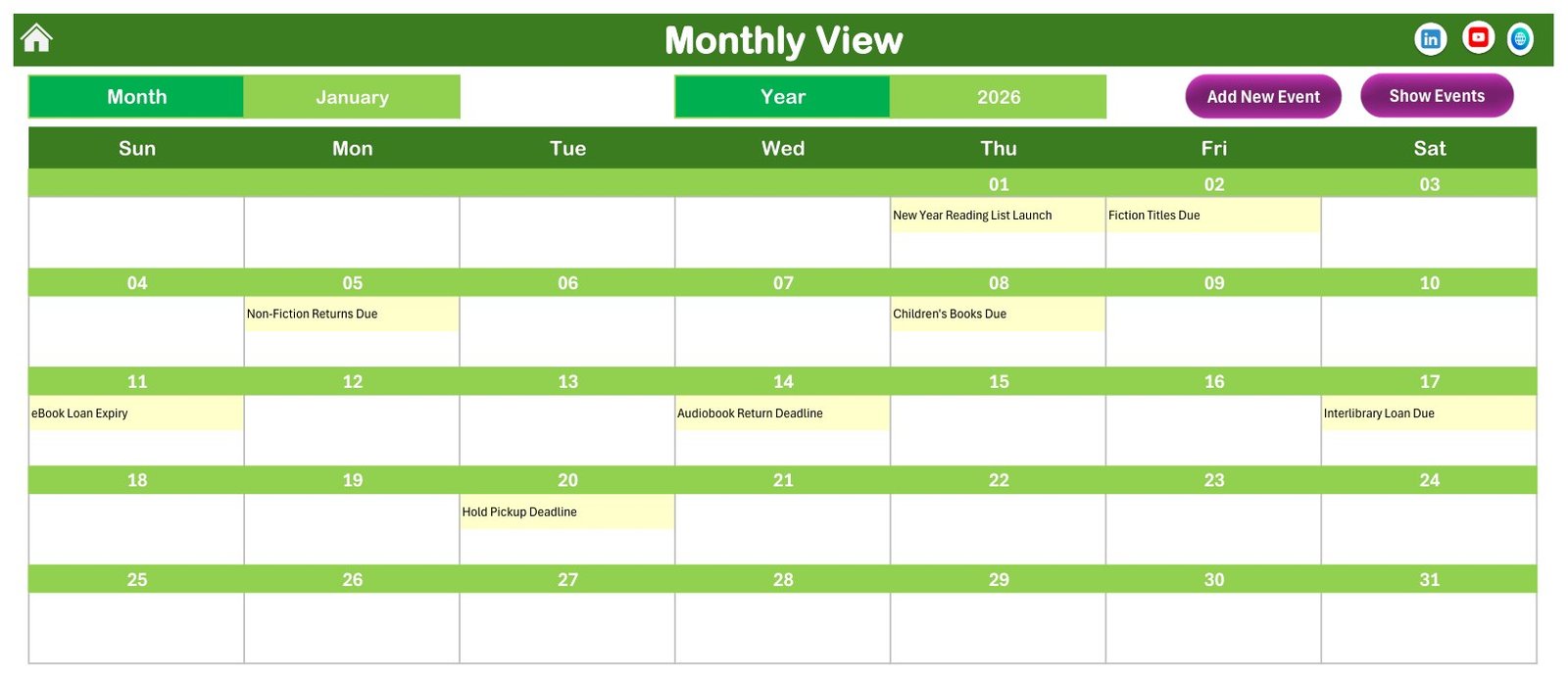
- Event names inside the grid. Monthly View writes the event name into the day cell, so “Interlibrary Loan Due” appears directly on Saturday 17 January 2026.
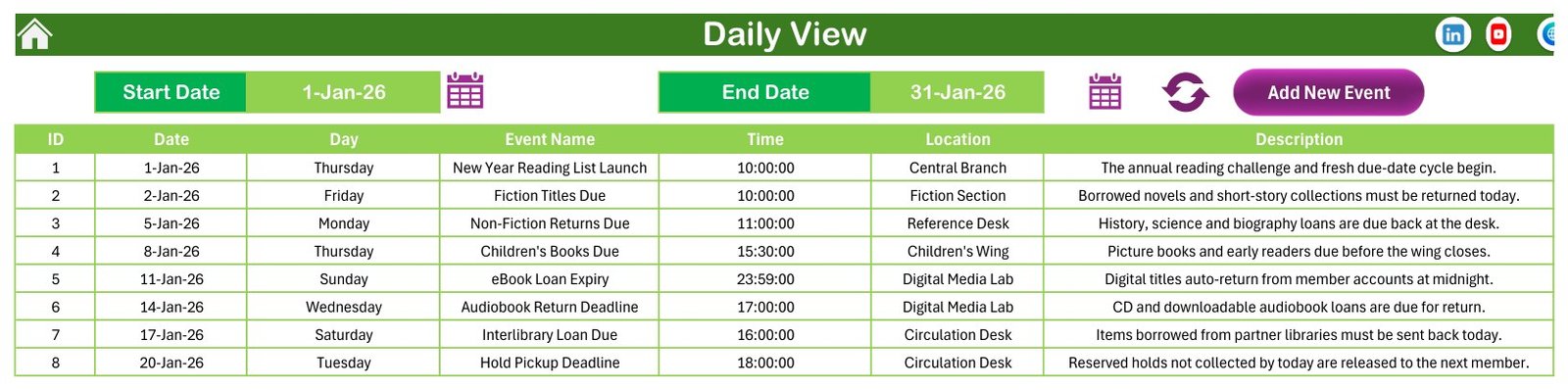
- Date-range listing. Daily View lists every event between a start and end date with ID, date, day, event name, time, location and description.
- Monthly summary. This Month counts events, active days, locations used and events in the next 7 days, and ranks the top 5 locations.
- Form-based entry. An Add New Event form with date and time pickers, plus Add, Update and Delete record buttons on the Events sheet.
Three facts worth quoting: the sample IDs run from 1 to 100 with no gaps, no two sample events share a date, and the stored weekday matches the real calendar date on all 100 rows.
Workbook Sheets Explained
The zip contains the .xlsm workbook and a user manual PDF. There are 7 sheets. Annual View and Monthly View are formula-driven, while Daily View and This Month are rebuilt by the workbook’s macros, which is why macros must be enabled.
Home
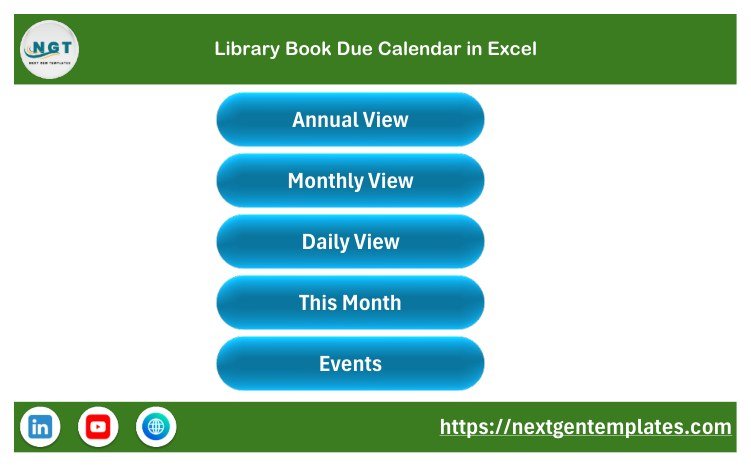
Five large buttons open Annual View, Monthly View, Daily View, This Month and Events. Every other sheet has a home icon that brings you back.
Annual View
All twelve months of 2026 appear in a 3-by-4 layout, each week starting on Sunday. Event dates are shaded, so January shows the 1st, 2nd, 5th, 8th, 11th, 14th, 17th and 20th highlighted. It is the quickest way to see whether return days cluster around holidays or term breaks.

Monthly View
Select a month and a year at the top and the grid rebuilds. January 2026 shows New Year Reading List Launch on Thursday the 1st, Fiction Titles Due on the 2nd, Children’s Books Due on the 8th and Audiobook Return Deadline on Wednesday the 14th. Add New Event and Show Events buttons sit beside the selectors.
Daily View
Set a Start Date and an End Date with the calendar icons, then press the refresh icon. For 1-Jan-26 to 31-Jan-26 the list returns 8 events, including eBook Loan Expiry at 23:59 in the Digital Media Lab and Interlibrary Loan Due at 16:00 at the Circulation Desk.
This Month
The September 2026 summary shows 9 events on 9 active days across 6 locations, with 4 events in the next 7 days. The Events by Day of Week table shows no Sunday events that month, and Top 5 Locations lists Central Branch, Reference Desk and Circulation Desk with 2 each. The month’s events follow in date order, from Book Club Return Day on the 2nd to Children’s Books Due on the 24th.

Events
The master table holds the 100 events in seven columns: ID, Date, Day, Event Name, Time, Location and Description. Add New Record, Update Record and Delete Record buttons sit above it. Sixteen event types recur through the year, such as Renewal Window Opens, Overdue Fine Reminder, Magazine Loan Expiry and Grace Period Ends, and twelve seasonal events add dates like World Book Day Loans Due and Summer Reading Program Kickoff.

Add New Event Form
Choose the date from a pop-up calendar and the Day box fills itself. Choose a time from the clock icon, type the event name, location and description, then click Submit. Reset clears the form.

Setting
The Setting sheet holds the year, the starting month, the first day of the week, up to two highlighted weekdays and a switch to turn event highlighting on or off.
Excel Library Calendar vs. Google Sheets Calendar vs. Library Management Software
| Feature | This Excel library calendar | Self-built Google Sheets calendar | Library management software (e.g. Libib, Follett Destiny) |
|---|---|---|---|
| Cost | ✅ $4.99 one-time | Free, but built by hand | Recurring subscription, varies by vendor |
| Platform | Excel desktop for Windows | Any browser | Cloud or hosted |
| Setup time | ✅ About 15 minutes | Hours to design views | Days: catalogue import and onboarding |
| Ready-made annual, monthly and daily views | ✅ Yes | You build them | Varies |
| Real-time team collaboration | No, one shared file | ✅ Yes | ✅ Yes |
| Mobile access | No, macros need desktop Excel | ✅ Yes | ✅ Usually |
| Fields | Fixed 7-field event table | ✅ Anything you design | Vendor-defined |
| Borrower accounts, barcodes, fines | No | No | ✅ Yes |
| Year-1 cost at 5 users | ✅ $4.99 one-time | Free | Recurring, per plan |
For a school or community library that wants a clear due-date calendar without paying for a circulation system, this workbook sits in the sweet spot.
Who Should Use This Template
Perfect for:
- School librarians who publish return days and reading events to students and staff.
- Community, club, church and office libraries that lend on paper and want a visual schedule.
- Classroom teachers and reading-programme coordinators planning a year of themed return days.
Not a fit if:
- You need circulation features: borrower accounts, per-item checkouts, barcode or ISBN scanning, overdue detection or fines.
- Your team works on a Mac, in Excel for the web or on a phone.
- You expect automatic email or SMS reminders.
Real-World Use Cases
Priya runs a secondary school library with two part-time assistants. At the start of each term she enters fiction, non-fiction and reference due dates, prints the Monthly View for the staff room, and opens This Month on Mondays to see how many returns fall in the next seven days.
Daniel volunteers at a community library that opens four days a week. He records hold pickup deadlines, interlibrary loan returns and book club return days. Before each shift the volunteer on duty sets Daily View to that week and knows what to expect at the desk.
Maria coordinates a summer reading programme. She lays out the kickoff, themed return days and a year-end fine clearance on the Annual View and moves events away from crowded weeks before sharing the dates with families.
Advantages of the Library Book Due Calendar in Excel
- Low cost: a one-time purchase instead of a yearly software plan.
- Fast start: the views, form and summary are already built; you only replace events.
- Visual at a glance: the Annual View fits a whole year on one sheet, and the Monthly View can be printed for a noticeboard.
- Offline: the file runs on a desktop without an internet connection.
- Library vocabulary: sample events already use terms like holds, renewals and grace periods, so the structure is easy to adapt.
Opportunities for Improvement
- No borrower or item records. It is a calendar of dates, not a circulation or library management system. There is no member list, no ISBN or barcode lookup and no fine calculation.
- One time per event. Each event stores a single time; there is no end time, duration, category, status or priority column.
- No reminders. Nothing is emailed or pushed; staff review the Next 7 Days count and Daily View themselves.
- Windows desktop only. The form and the Daily View and This Month refresh depend on VBA, so Mac, web and mobile users cannot run them.
- Single-user file. Two people editing copies of the workbook will not merge their changes.
Best Practices
- Keep one row per due date or event and write the item type in the event name, such as “DVD Return Due”.
- Use a consistent list of location names so the Top 5 Locations table counts them correctly.
- Refresh Daily View after adding or editing events.
- Save a dated backup copy before clearing the sample rows or starting a new year.
- Store borrower names in your issue register rather than in event descriptions.
- If macros are blocked, follow Microsoft’s guide to enable macros in Microsoft 365 files.
Explore Relevant Templates
- Library Book Issue Data Entry System in Excel records who borrowed which book; read the Library Book Issue walk-through.
- Book Reading Log Data Entry System in Excel for reading challenges; see the Book Reading Log article.
- For school scheduling, the Class Schedule Data Entry System and the Homework Submission Data Entry System cover timetables and assignments.
- The same four-view calendar engine powers the Mental Health Session Calendar in Excel, a good example of the layout in another field.
- Browse all Excel calendar templates or save with the Education & School Management Bundle.
Frequently Asked Questions
What is included in the download?
The Library Book Due Calendar in Excel download is a zip file with the macro-enabled .xlsm workbook and an Excel calendar user manual PDF. The workbook has Home, Annual View, Monthly View, Daily View, This Month, Events and Setting sheets, plus an Add New Event form and 100 fictional sample events for 2026.
Does the calendar work on Mac, Excel for the web or mobile?
No. It is built for Microsoft Excel desktop on Windows. The event form, record buttons and the Daily View and This Month refresh use VBA macros, which Excel for Mac, Excel for the web and the mobile apps do not fully support. Enable macros when the file opens.
Is this a library management system?
No. It is a scheduling calendar, not a library, circulation or student information system. It has no borrower accounts, per-book checkout records, barcode or ISBN lookup, overdue detection or fine calculation. Use it alongside an issue register when you need those records.
How does it compare to library management software?
Library platforms such as Libib or Follett Destiny manage catalogues, members and fines on a recurring plan. This workbook costs a one-time $4.99 and covers only the calendar side: when things are due, where, and how busy each month is. Many small libraries need nothing more.
How long does setup take?
About 15 minutes. Pick the year and week start on the Setting sheet, clear or overwrite the sample rows, and add your events through the form. Each event needs a date, time, event name, location and a short description.
Does the sample data include real borrowers or students?
No. All 100 sample events are fictional and contain no borrower or student names. If you add personal information, you are responsible for how the file is stored and shared. The workbook makes no data-protection or compliance claim.
About the Author
Built by PK — Microsoft Certified Professional with 15+ years of Excel, Google Sheets, and Power BI experience. Founder of NextGenTemplates, reaching 300K+ subscribers across YouTube channels. Every template is hand-built and tested before release.
Conclusion
If your library needs a clear picture of return days, hold deadlines and reading events rather than a full circulation system, the Library Book Due Calendar in Excel gives you four ready views, a simple entry form and 100 worked sample events to learn from. Enable macros, replace the sample rows and your year is mapped out.
Click here to Purchase the Library Book Due Calendar in Excel
✅ Instant download · One-time payment · No subscription
Watch more Excel tutorials at Youtube.com/@PKAnExcelExpert
Last updated: September 2026