A busy service calendar becomes difficult to scan when annual plans, monthly schedules, and day-level details live in separate files. The Mental Health Session Calendar in Excel addresses that administrative problem with one macro-enabled workbook built around a structured Events list and several connected calendar views.
This article from PK-AnExcelExpert explains what the workbook includes, how coordinators can use it, and where its boundaries matter. It is a scheduling aid only—not a clinical record, diagnostic resource, patient-monitoring tool, crisis-response system, EHR, or practice-management platform.
What the Mental Health Session Calendar in Excel Solves
A coordinator often needs to answer several different questions: What is planned for the year? Which activities fall in a selected month? What is happening in the next date range? How many active days or locations appear this month? A basic list can store the answers, but it does not make them easy to review.
This mental health appointment calendar Excel template uses one Events table to support annual, monthly, daily, and current-month views. The approach keeps administrative details in a consistent structure while presenting the same schedule at different levels.
Workbook Pages and Real Features
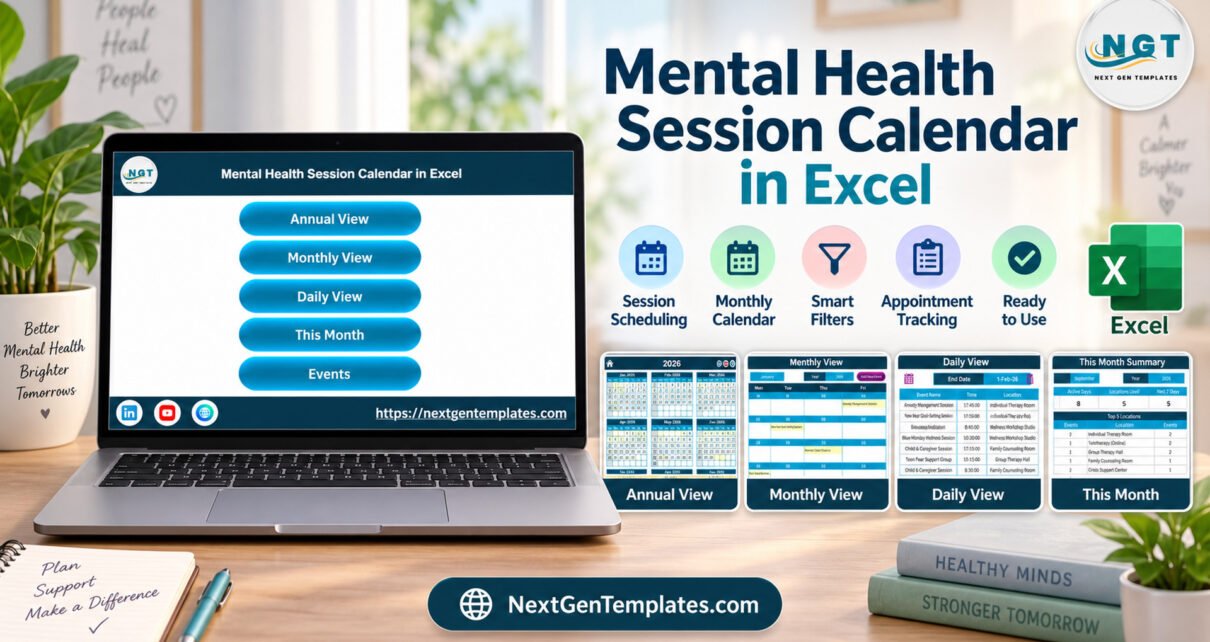
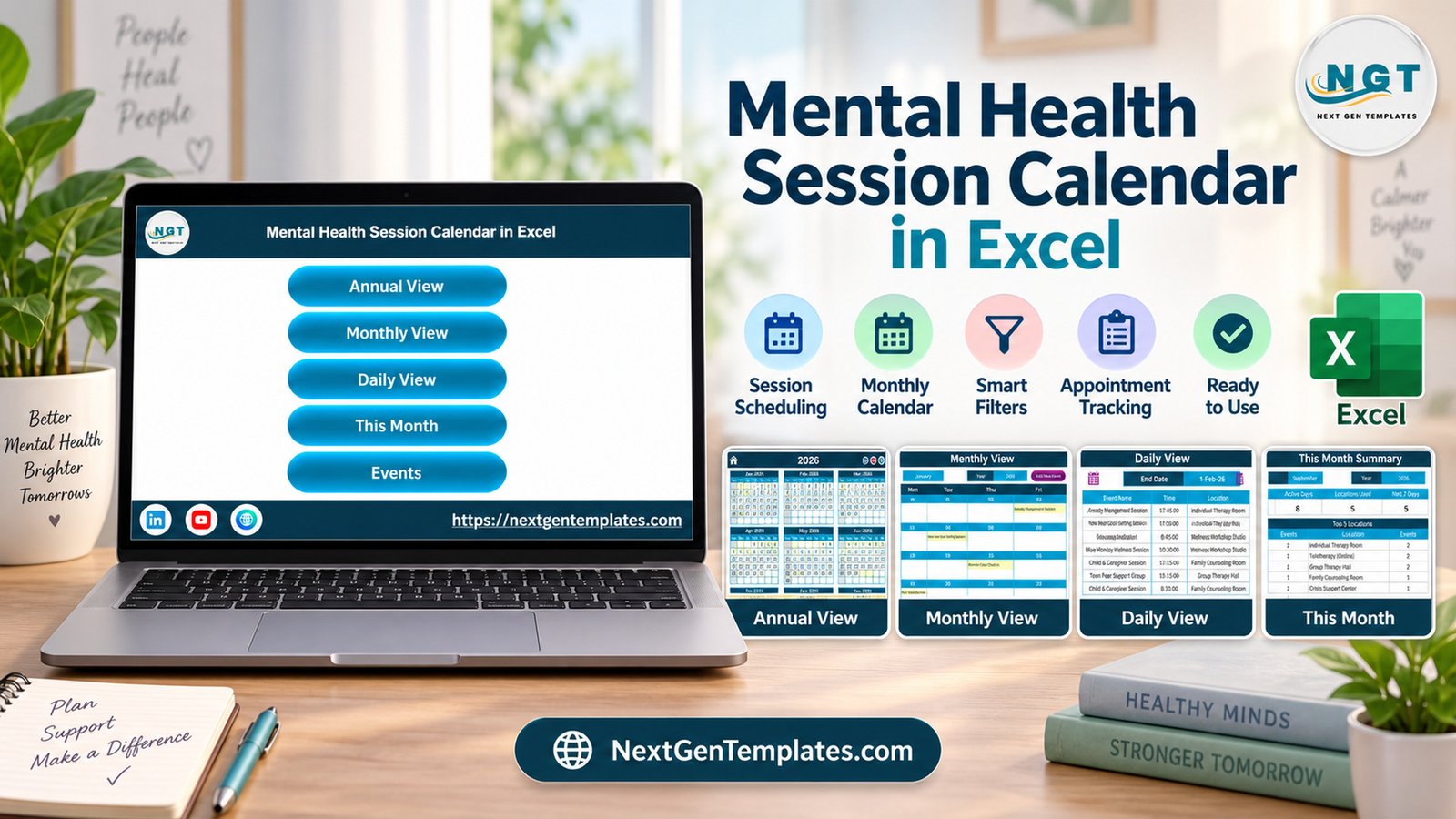
The Home page provides buttons for Annual View, Monthly View, Daily View, This Month, and Events. Annual View displays all twelve months with activity highlights. Monthly View lets the user select a year and month. Daily View presents activities for a chosen date interval, while This Month summarizes scheduled events, active days, locations, and upcoming activity.
The Events sheet contains ID, date, day, event name, time, location, and description columns. An Add New Event form supports consistent entry. The supplied package includes the XLSM workbook and a PDF user manual.
How to Set Up the Counseling Session Planner
- Extract the downloaded ZIP archive.
- Open the XLSM workbook in Microsoft Excel for Windows.
- Enable macros only after verifying the trusted purchase source.
- Review the Events sheet and remove the fictional demonstration entries.
- Add neutral scheduling information such as date, time, activity title, and location.
- Use the annual, monthly, daily, and current-month views to review the schedule.
- Validate dates, weekdays, filters, and totals after making changes.
Practical Ways to Use the Calendar
A private-practice administrator could use the counseling session planner spreadsheet to coordinate non-sensitive appointment blocks and workshops. A nonprofit could plan outreach sessions. An educational support team could maintain a schedule of group activities. A community program could organize staff coverage, rooms, and dates.
The therapy schedule calendar Excel layout is also useful for recurring planning meetings because it offers both a broad year view and a filtered day-level list. Keep descriptions brief and operational. Do not enter diagnoses, case notes, crisis details, or other confidential information.
Benefits of the Multi-View Design
- Consistent data entry: Events follow the same core fields.
- Faster navigation: Home buttons connect the principal pages.
- Planning context: Users can move from a twelve-month overview to a specific date range.
- Monthly visibility: Current-month indicators summarize administrative activity.
- Reusable structure: Teams can replace demonstration content and continue with another year.
Important Privacy and Workflow Limits
The screenshots show fictional sample activities and no personal identifiers were observed during review. Some sample activity names and descriptions are clinical in tone, so users should replace them with suitable non-sensitive scheduling text. The workbook does not provide encrypted storage, role-based access, audit logs, automated reminders, conflict detection, external-calendar synchronization, or regulatory compliance.
A behavioral health calendar template can make an administrative schedule easier to read, but it cannot replace an approved clinical or practice system. Organizations should follow their own data-handling policies and keep protected or confidential information in authorized platforms.
Excel Compatibility and Macro Notes
The intended experience requires desktop Microsoft Excel for Windows because the workbook is macro-enabled. Excel Online, mobile Excel, Google Sheets, and other spreadsheet applications may not run the VBA controls. Review Microsoft’s macro guidance before enabling content.
If your team prefers a browser-based file, compare the Mental Health Session Calendar in Google Sheets. You can also browse Excel calendar templates and the complete NextGenTemplates shop.
Frequently Asked Questions
Is this calendar suitable for clinical documentation?
No. It is designed for administrative scheduling and should not store clinical notes, diagnoses, protected health information, or crisis details.
Are the events in the screenshots real?
No. They are fictional examples. Replace them before using the workbook.
Does the workbook send reminders?
No. Email, SMS, and calendar notifications are not included.
Can it prevent scheduling conflicts?
No. Users must review times and locations manually.
Will the macros work in a browser?
No guarantee is provided. Use desktop Excel for Windows for the intended macro-enabled workflow.
Can I edit the calendar for another year?
Yes. Update the event list and selected year, then verify the generated views.
Does the template guarantee HIPAA compliance?
No. It makes no privacy, security, or compliance guarantee and is not a replacement for an approved clinical system.
Download the Excel Session Scheduling Template
The package is a useful starting point for organizations that want a structured administrative calendar without building several Excel views from scratch. Review the real screenshots, confirm the limitations above, and choose the Mental Health Session Calendar in Excel product page when the desktop workflow fits your needs.
Written by PK, Founder of NextGenTemplates and PK-AnExcelExpert, with a focus on practical Excel-based operational tools.