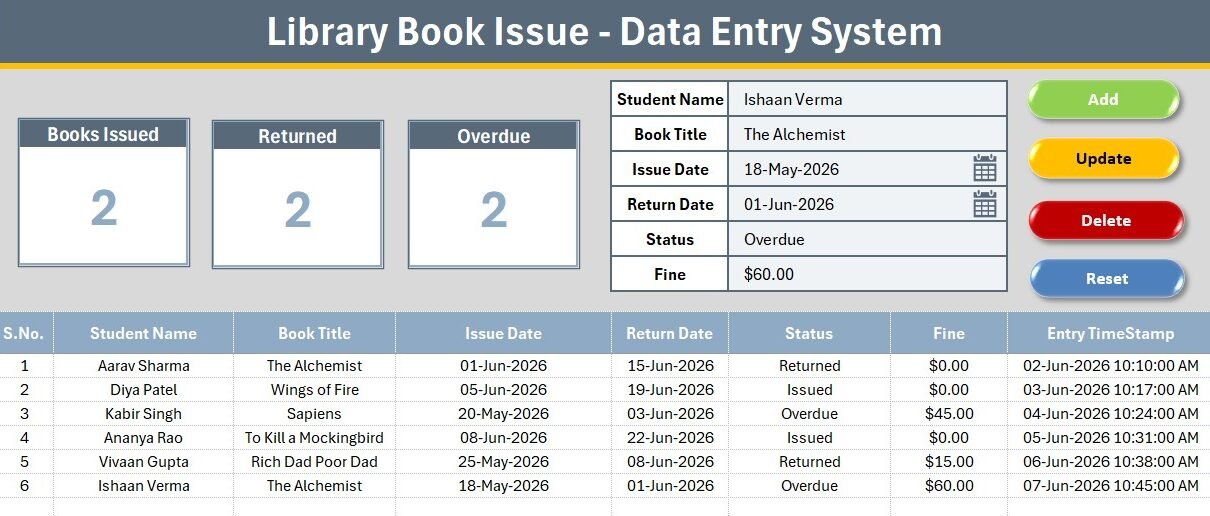
The Library Book Issue Data Entry System in Excel logs 6 fields per loan, drives 3 live KPI cards (Books Issued, Returned, Overdue), and runs 4 one-click VBA actions — Add, Update, Delete and Reset. It installs in under 5 minutes: enable macros, start typing, and every card recalculates on save. It is a one-time $5.99 download that works fully offline, with no login and no per-user fees.
Most small libraries do not need a heavy cloud platform to lend books — they need a fast, reliable register. This Library Book Issue Data Entry System in Excel gives a school, college or community library a clean way to record who borrowed what, when it is due back, and how much is owed in fines, without paying a monthly SaaS bill.
Key Features of the Library Book Issue Data Entry System in Excel
This is a VBA-powered lending register, not a static spreadsheet. Every part is wired together so a librarian can issue, return and chase overdue books from one screen.
- 6-field capture form – Student Name, Book Title, Issue Date, Return Date, Status and Fine are logged in a single row, so no loan detail goes missing.
- 3 automatic KPI cards – Books Issued, Returned and Overdue are computed with COUNTIF on the Status column and refresh instantly on every add, edit or delete.
- Status dropdown wired to data validation – the Issued / Returned / Overdue values live on the Setting sheet, so staff pick from a list and never mistype a status.
- Four VBA buttons – Add, Update, Delete and Reset manage every record without touching a formula.
- Auto S.No and Entry TimeStamp – each saved row is numbered and stamped with its entry date and time for a simple audit trail.
- Currency-formatted Fine column – overdue penalties total cleanly for end-of-term reporting.
Sheets Explanation
The workbook ships with four sheets in the NextGenTemplates house style — a dark heading bar, a gold divider, KPI cards and a hairline records grid.
Data Entry Dashboard
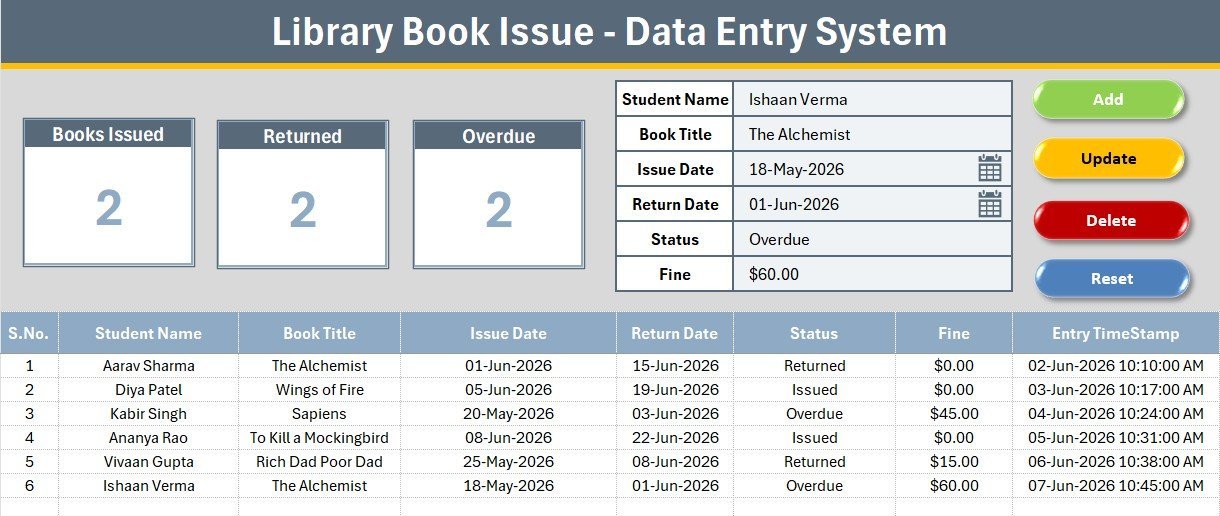
The main screen holds the three KPI cards, the capture form with tinted input lines, the 2×2 Add / Delete / Update / Reset button block, and the numbered records table. This is where nearly all daily work happens.
Entry Form and Action Buttons
Bold labels sit above light input cells, with the Status field bound to the dropdown. The coloured Add (green), Delete (red), Update (gold) and Reset (dark blue) cells carry the macros that write each record to the table.
Records Table and Setting Sheet
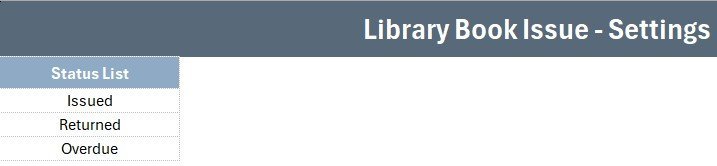
The records table auto-numbers and time-stamps every loan, while the Setting sheet stores the editable Status list and a duplicate set of KPI cards you can paste as a linked picture. Change the dropdown values here and the form updates everywhere.
Library Book Issue System vs. Google Sheets vs. Library SaaS — Feature Comparison
| Feature | Library Book Issue System (Excel) | Google Sheets version | Library SaaS (Koha / Libib) |
|---|---|---|---|
| Cost | $5.99 one-time | $5-10 one-time | $0-190 / month |
| Platform | Microsoft Excel (offline) | Browser + Google account | Cloud only |
| Setup time | Under 5 minutes | Under 5 minutes | Hours to days |
| Works fully offline | Yes | No | No |
| One-click Add/Update/Delete | Yes (VBA) | Manual rows | Yes |
| Live Issued / Returned / Overdue KPIs | Yes | Yes | Yes |
| Per-user fees | None | None | Per seat / tier |
| Year-1 cost (small library) | $5.99 | ~$8 | $0-2,280 |
For a small library that wants a simple lending register without a monthly bill or a login, the Library Book Issue Data Entry System in Excel sits in the sweet spot.
Who Should Use This Template
Perfect for:
- School and college librarians issuing and returning books at a single desk
- Community, temple, church and society libraries running on a shared PC
- Departments or labs that lend books, kits or equipment and just need a clean register
Not a fit if:
- You need barcode scanning, ISBN lookups and member self-checkout
- You run a multi-branch network needing a shared cloud database and concurrent logins
- Your machines cannot enable macros due to IT policy
Real-World Use Cases
Meena runs the library at a 600-student secondary school. She logs each morning’s issues in seconds, filters the Status column for Overdue, and prints a short reminder list — without paying a monthly SaaS fee.
Arjun manages a community reading room. He uses the Fine column to total late penalties at month end and the Entry TimeStamp to settle any dispute about when a book came back.
A college chemistry department adapts the same system to lend reference books and lab manuals, changing only the Status dropdown values on the Setting sheet.
Advantages of the Library Book Issue Data Entry System
The biggest advantage is cost and control: a one-time $5.99 file replaces a recurring subscription and keeps your data on your own machine. Because it runs on native Excel and VBA, there is nothing to install and no internet dependency — useful in schools with patchy connectivity. The four-button workflow also cuts training time, so a new volunteer can issue and return books within minutes. Over a full year, a small library saves the entire cost of a SaaS tier while still getting live Issued, Returned and Overdue numbers.
Opportunities for Improvement
Being honest about limits: this is a single-file, single-user register, so two people cannot edit it at the same time the way a cloud tool allows. It does not scan barcodes or look up ISBNs, and it will not email overdue reminders automatically. Libraries with tens of thousands of loans per month, or those needing member self-service, will outgrow it and should look at a dedicated platform such as Koha. For most small and mid-size libraries, though, these trade-offs are acceptable given the price and simplicity.
Best Practices
- Keep one backup copy of the workbook before a busy term so a bad edit is easy to roll back.
- Update a loan’s Status to Overdue the day it passes its Return Date, so the Overdue KPI stays accurate.
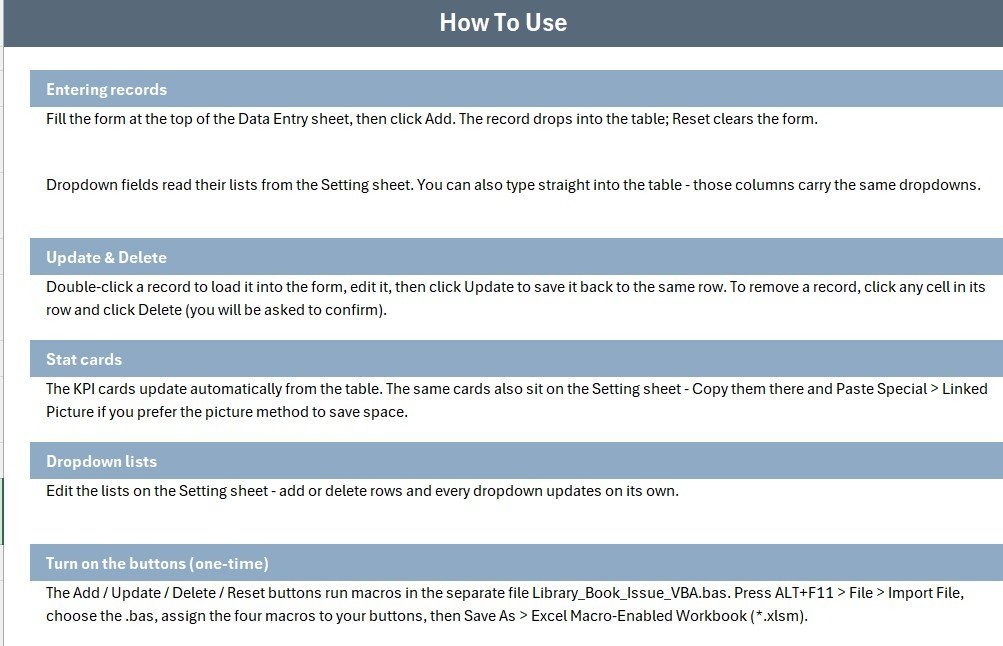
- Use the Setting sheet to add your own Status values (for example, Reserved or Lost) rather than typing them into the form.
- Sort or filter the records table by Return Date each morning to spot books due back that day.
Explore Relevant Templates
Turn your logged data into insights with the Library Services KPI Dashboard in Excel or the Library Services KPI Scorecard in Excel. Prefer the cloud? Try the Library Services KPI Dashboard in Google Sheets. If you like this data-entry format, see the Gym Membership Data Entry System in Excel and the Patient Visit Log Data Entry System in Excel, or grab several tools together in the Excel VBA Tools & Utilities Pack.
Frequently Asked Questions
What does the Library Book Issue Data Entry System in Excel track?
It tracks 6 fields per loan — Student Name, Book Title, Issue Date, Return Date, Status and Fine — and rolls them into 3 live KPIs: Books Issued, Returned and Overdue. Every metric updates automatically as you add records.
Do I need to know VBA or formulas to use it?
No. The Library Book Issue Data Entry System runs on four buttons — Add, Update, Delete and Reset. You only type into the form; the VBA handles writing, editing and clearing records behind the scenes.
How long does setup take?
Under 5 minutes. Open the file, enable macros, and start entering loans. The Status dropdown and KPI cards are already wired, so there is nothing to configure first.
How does this compare to library SaaS like Koha or Libib?
SaaS tools add barcode scanning and self-checkout but charge monthly and need internet. The Library Book Issue Data Entry System in Excel is a one-time $5.99 download that works fully offline — ideal for small libraries that just need a reliable register.
Can I change the Status options or add my own?
Yes. The Status list lives on the Setting sheet. Edit those values and the dropdown in the form updates instantly, so you can adapt the system to any lending workflow. Learn more about Excel data validation on Microsoft Support.
Is my data stored anywhere online?
No. The Library Book Issue Data Entry System is a local Excel file. Your records stay on your own computer, which is a key reason small libraries choose it over cloud tools.
About the Author
Built by PK — Microsoft Certified Professional with 15+ years of Excel, Google Sheets and Power BI experience. Founder of NextGenTemplates, reaching 300K+ subscribers across YouTube channels. Every template is hand-built and tested before release.
Conclusion
If you run a small library and want to stop juggling paper registers or clunky cloud tools, the Library Book Issue Data Entry System in Excel is the simplest way to log loans and watch your Issued, Returned and Overdue numbers in real time. Click here to purchase the Library Book Issue Data Entry System in Excel and download it instantly.
Instant download · One-time payment · No subscription.
🎥 For step-by-step video tutorials, visit YouTube.com/@PK-AnExcelExpert.
Last updated: July 2026