Admission season can become noisy fast: application openings, open-house dates, scholarship deadlines, entrance tests, document verification, webinars, fee reminders, and registration milestones often move across different teams. Admission Season Calendar in Excel gives education teams a practical way to manage that activity in one macro-enabled workbook. The file is designed for Microsoft Excel desktop for Windows, and macros must be enabled for the navigation buttons and add-new-event form to work.
This admission season calendar in excel is best for teams that want a simple planning file instead of a full admission CRM. It helps you see the year, month, day range, and event database without building formulas from scratch. It can also support teams looking for an admission calendar Excel setup, an Excel calendar template, an education calendar in Excel, or an admission deadline tracker.
Key Features of Admission Season Calendar in Excel
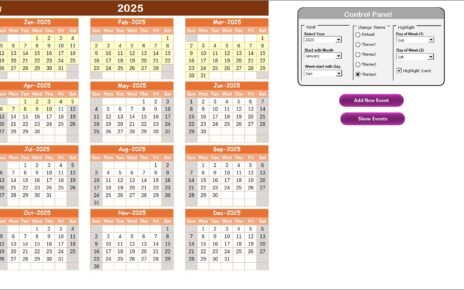
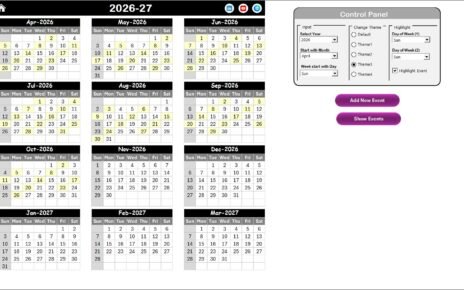
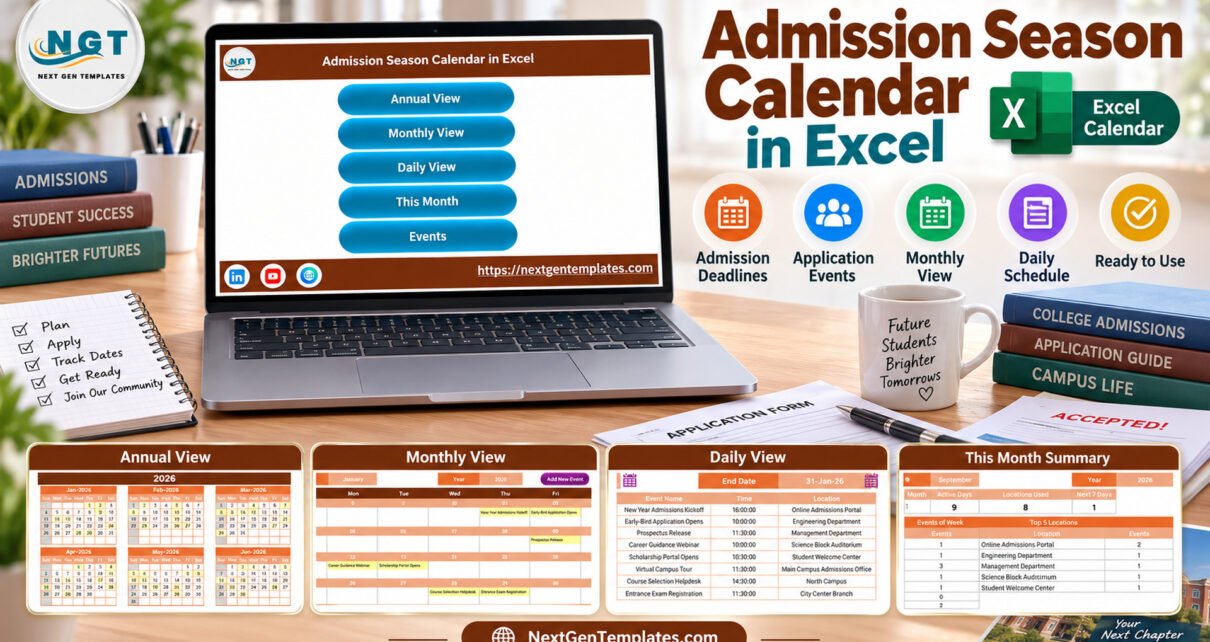
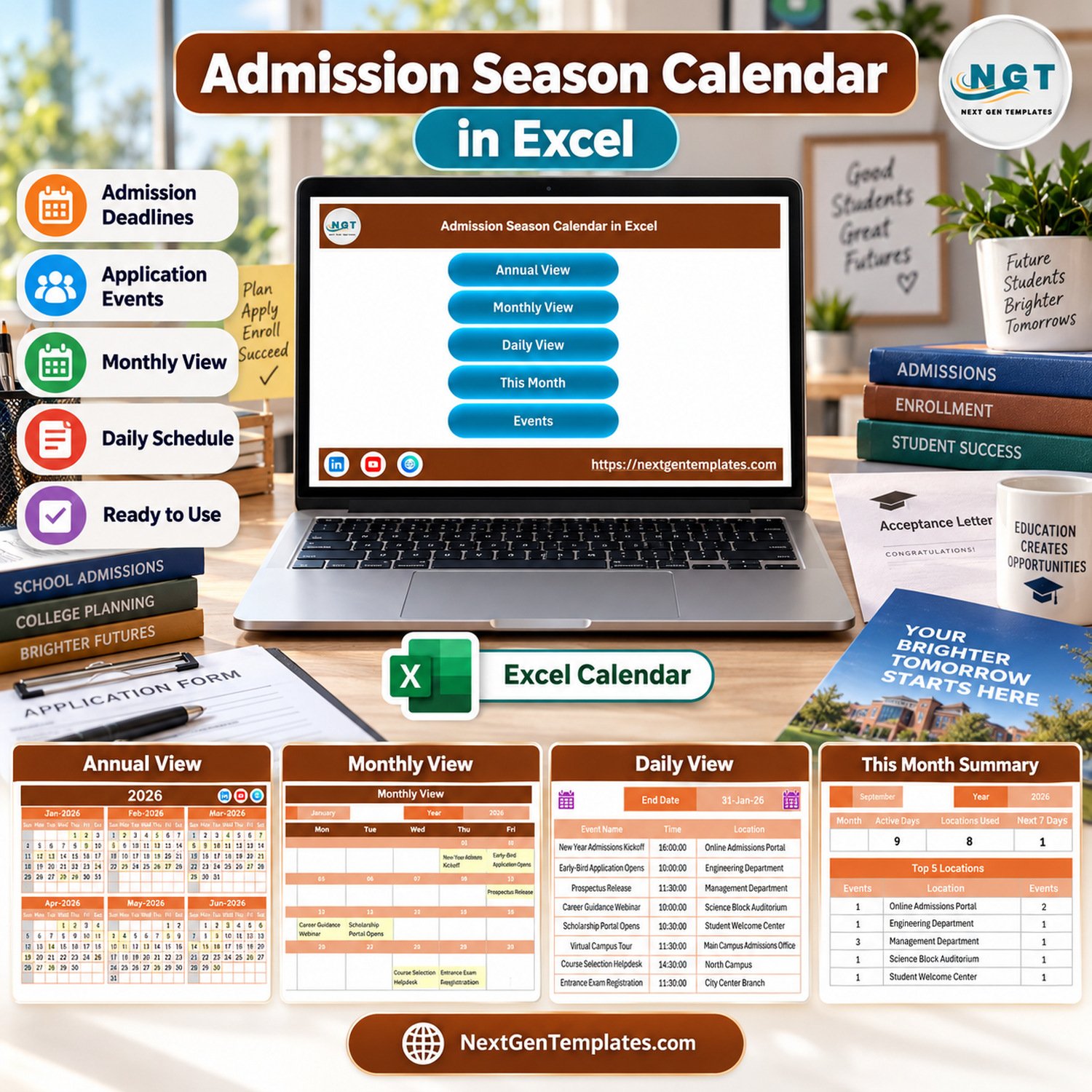
The workbook focuses on one job: keeping admission-season activity visible and organized. It includes an Annual View for the full intake cycle, a Monthly View for the selected month, a Daily View for detailed event lists, a This Month Summary for quick review, an Events database, and a data-entry form for adding records through macros.
- Annual calendar layout for the complete year.
- Monthly calendar with visible event labels.
- Daily list with date, day, event name, time, location, and description.
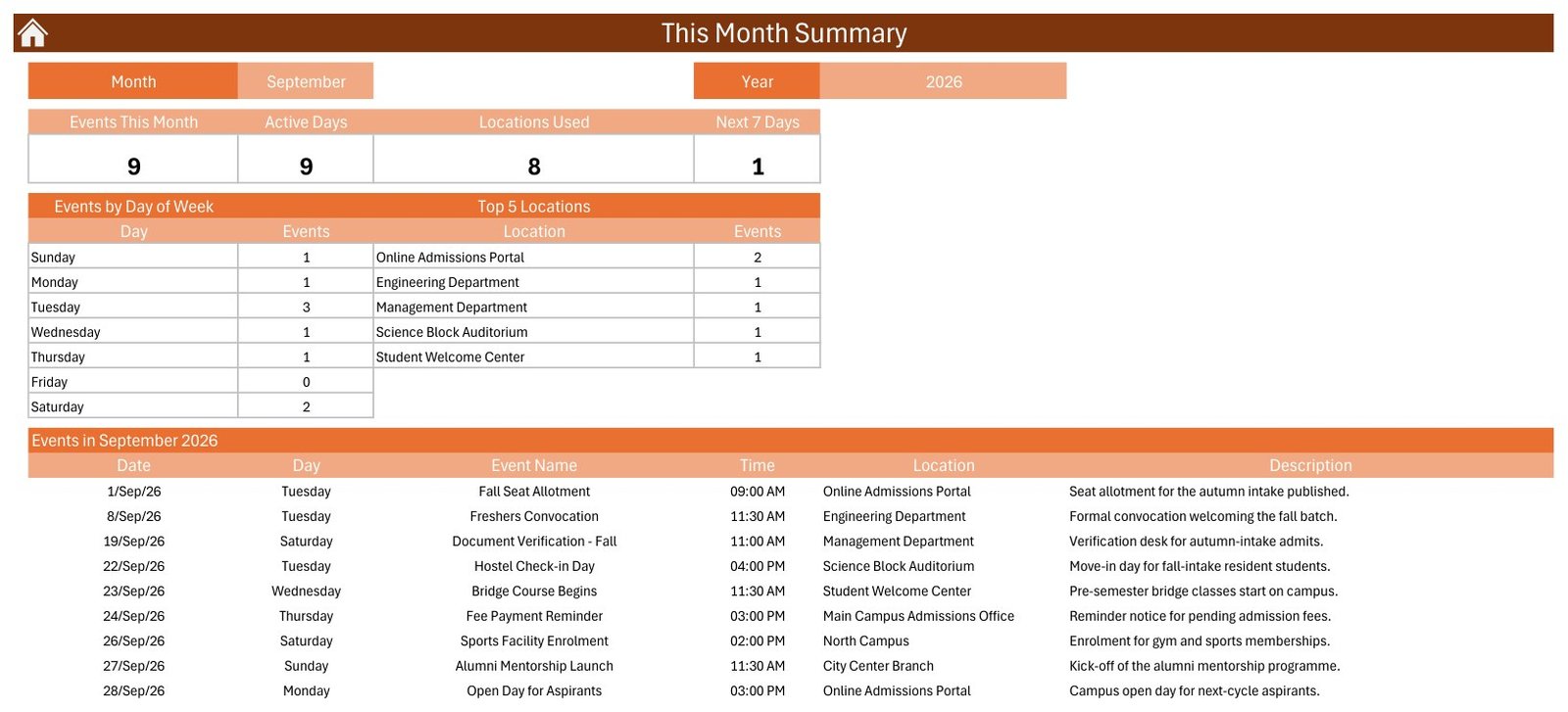
- This Month summary for active days, locations used, next 7 days, top locations, and weekday distribution.
- Events database with add, update, and delete workflow.
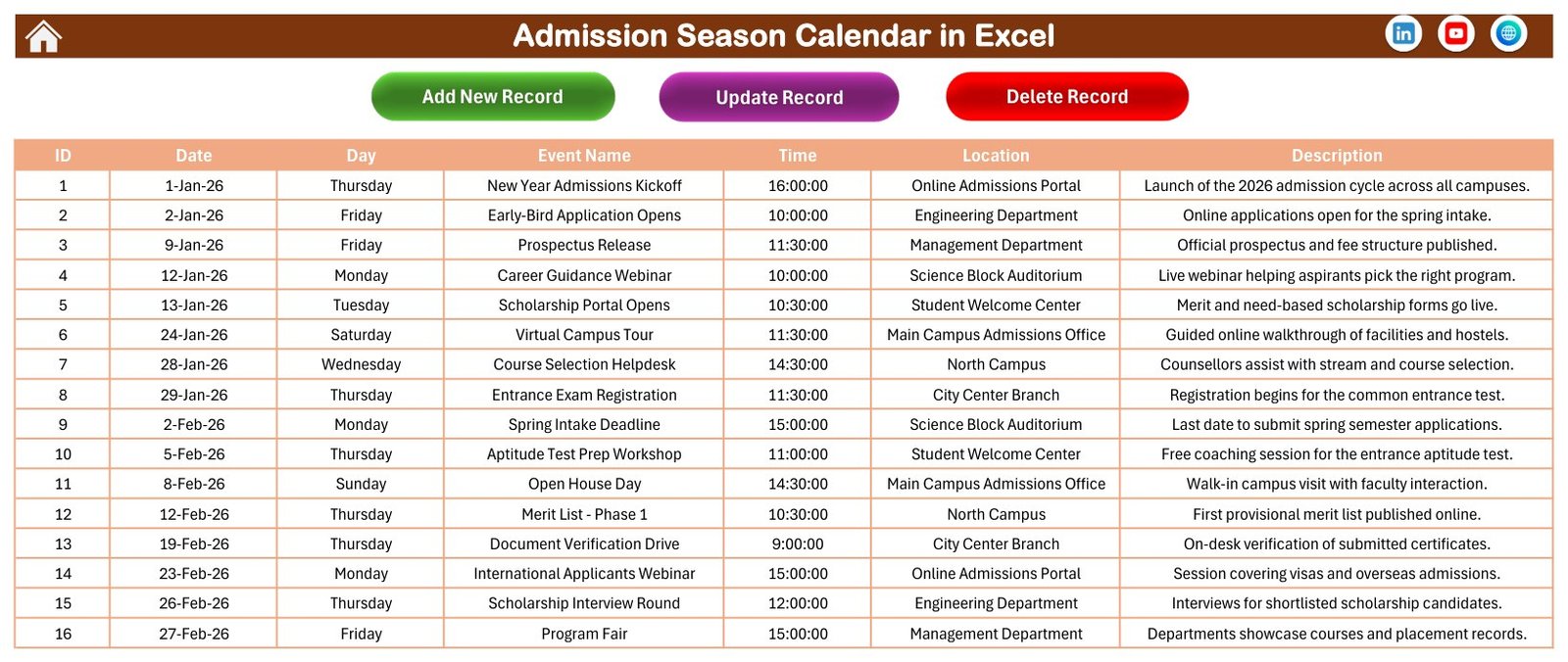
- Education sample records covering admission kickoffs, scholarships, webinars, campus tours, and registrations.
Workbook Pages Explanation
Home Sheet
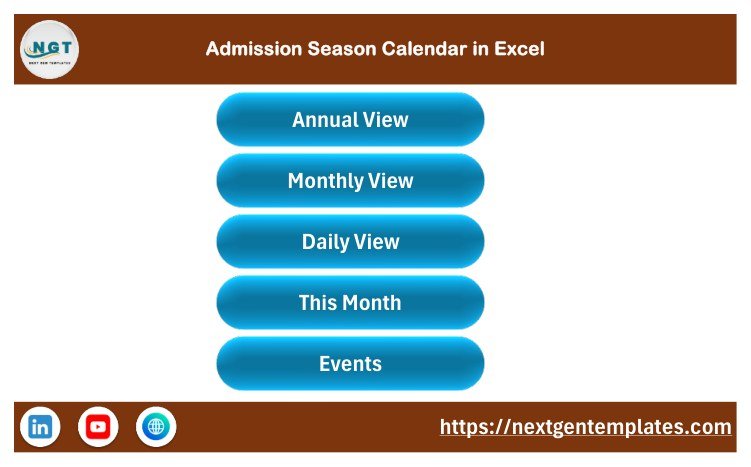
The Home sheet is the control center. It contains buttons for Annual View, Monthly View, Daily View, This Month, and Events. This keeps the workbook easy to navigate during busy admission weeks.
Annual View Sheet
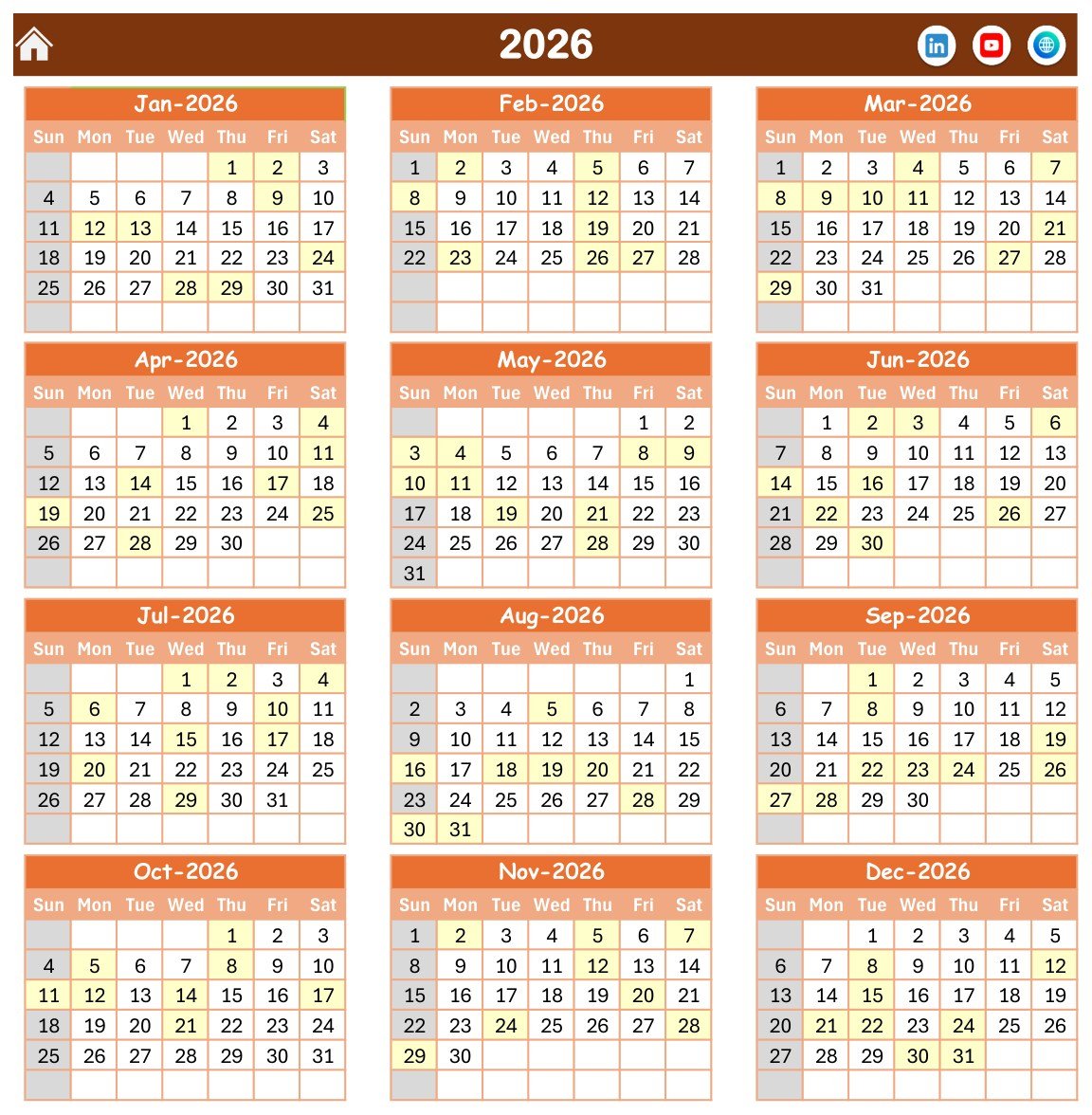
The Annual View shows all 12 months for the selected year. It is useful for planning the entire admission cycle before the season starts, especially when the same team handles prospectus release, applications, webinars, scholarship dates, entrance exams, and counseling windows.
Monthly View Sheet
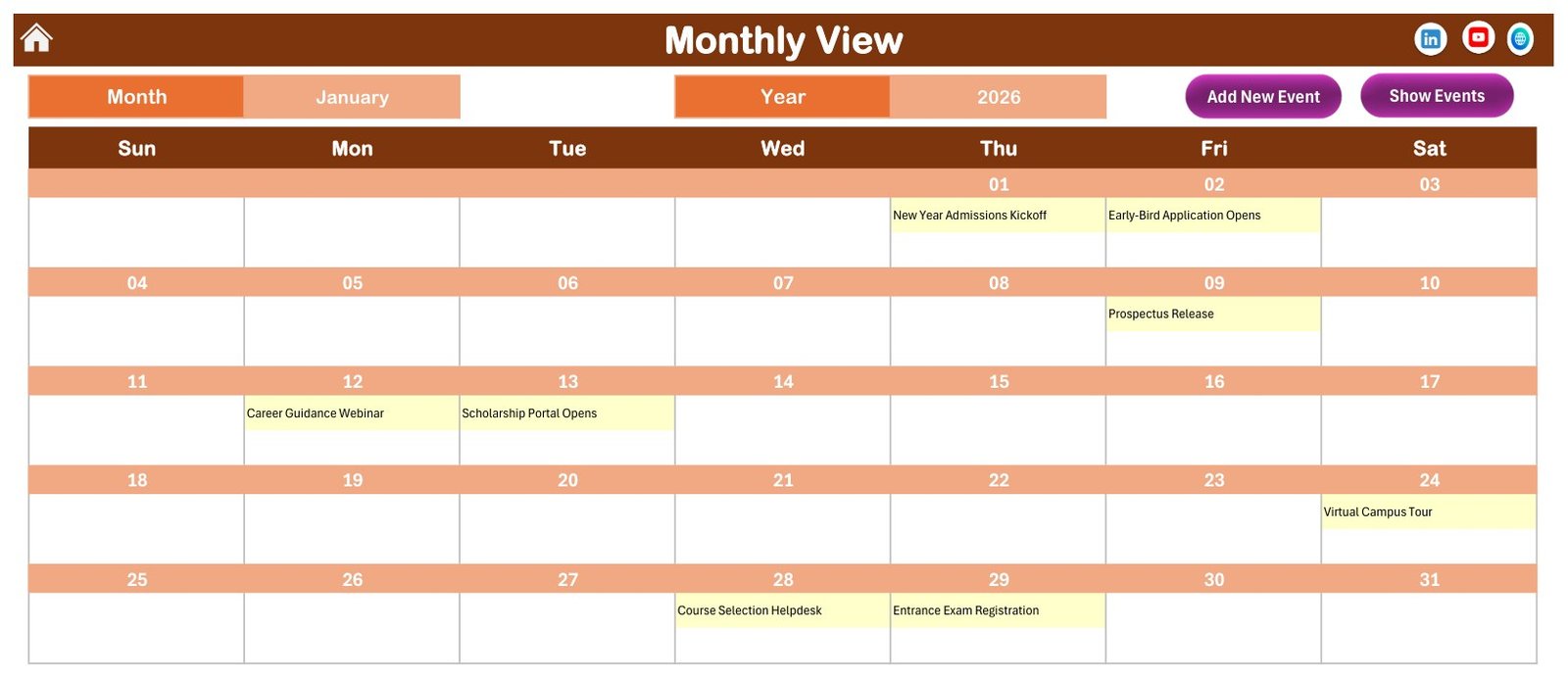
The Monthly View highlights selected-month activity. In the sample file, January shows kickoff events, early-bird application opening, prospectus release, career guidance webinar, scholarship portal opening, virtual campus tour, course selection helpdesk, and entrance exam registration.
Daily View Sheet
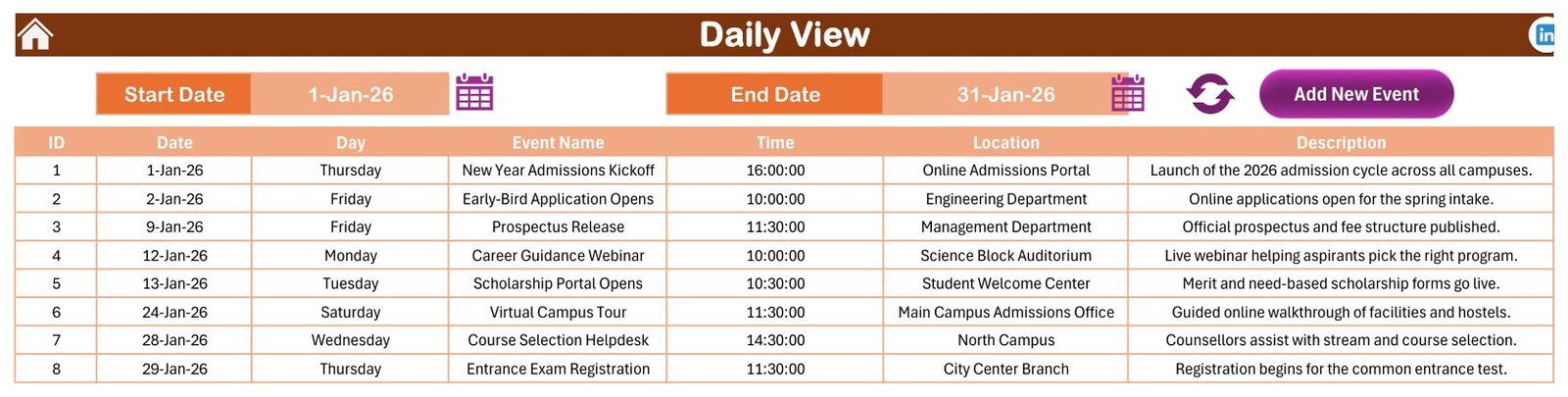
The Daily View lets you choose a start date and end date, then review matching events in table format. This is especially helpful for weekly admission meetings and front-desk coordination.
This Month Summary Sheet
The This Month Summary gives a quick operational view: events this month, active days, locations used, next 7 days, events by day of week, top locations, and the monthly event list.
Events Sheet and Add New Event Form
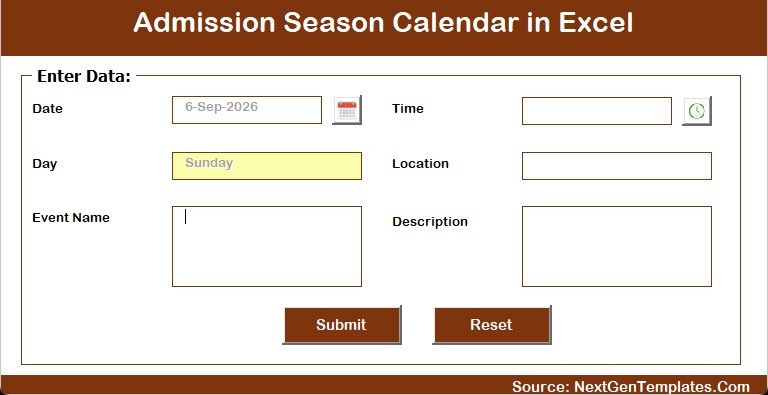
The Events sheet is the workbook’s database. Each record includes ID, date, day, event name, time, location, and description. The add-new-event form supports structured entry, while the sheet also lets you review and edit records directly.
Admission Season Calendar in Excel vs. Google Sheets vs. Paid CRM/SaaS – Feature Comparison
| Feature | Admission Season Calendar in Excel | Google Sheets alternative | Paid admission CRM/SaaS |
|---|---|---|---|
| Cost | One-time template purchase | Low cost, depending on workspace plan | Recurring subscription |
| Platform | Excel desktop for Windows | Browser-based spreadsheet | Cloud platform |
| Macros | Required for buttons and event form | Uses scripts only if customized | Usually no spreadsheet macros |
| Collaboration | Best for one owner or controlled file sharing | Better for simultaneous editing | Role-based collaboration |
| Applicant pipeline | Not included | Not included unless custom-built | Usually included |
| Calendar planning | Annual, monthly, daily, summary, and events views | Possible with templates | Usually part of a larger suite |
| Year-1 cost at 5 users | $4.99 sale price | Depends on your Google Workspace plan | Often far higher than a template |
Who Should Use This Template
Use this workbook if you manage admission calendars for a school, college, university department, coaching institute, online academy, training center, or education consultancy. It is especially helpful when a small team wants a clean admission deadline tracker before investing in a bigger system.
Do not use it as a replacement for a regulated student information system. It does not collect applications, manage payments, verify eligibility, store confidential applicant files, or send automated reminders.
Real-World Use Cases
Undergraduate Admission Office
The team can plan prospectus release, open-house dates, application deadlines, merit-list dates, document verification, counseling sessions, and course registration in one Excel calendar template.
Coaching Center Batch Planning
A coaching center can schedule aptitude tests, demo classes, scholarship interviews, counseling windows, fee reminders, and batch-start dates without mixing admissions work with class-timetable planning.
Online Course Provider
An online academy can track webinar dates, application windows, prerequisite checks, orientation calls, and student onboarding milestones as an education calendar in Excel.
Advantages of Admission Season Calendar in Excel
The biggest advantage is speed. You do not need to design calendar sheets, event tables, or navigation from a blank workbook. You can start from the sample admission data, replace the records, and use the views immediately. The workbook also keeps event context visible: names, times, locations, and descriptions are all part of the same file.
The second advantage is ownership. Since the file is in Excel, your team can keep a local copy, customize the event labels, and reuse the structure each year. Microsoft also provides guidance on Excel macro security and trusted files, which is worth reviewing before enabling macros from any workbook: Microsoft macro security guidance.
Opportunities for Improvement
This template is intentionally focused. It does not include email reminders, SMS alerts, cloud sharing, applicant scoring, payment collection, or admission-form intake. Teams that require those workflows should use a dedicated CRM or student information system. A future enhancement could include Outlook export, reminder automation, or a Google Sheets edition for simultaneous editing.
Best Practices
- Keep one owner responsible for editing the master workbook.
- Back up the file before each admission cycle.
- Use consistent event naming for applications, webinars, interviews, fee dates, and registrations.
- Review the This Month Summary during weekly admission meetings.
- Avoid storing sensitive applicant data unless your internal policies allow it.
- Enable macros only after downloading the file from your trusted purchase source.
A simple review rhythm makes the workbook more useful. At the start of each week, check the Daily View for the next date range, update the Events sheet for any newly announced admission milestones, and confirm the This Month Summary before sharing status with counselors, coordinators, or campus teams.
Explore Relevant Templates
You can buy Admission Season Calendar in Excel from NextGenTemplates. For adjacent planning needs, review the Exam Timetable Calendar in Google Sheets, Teacher Substitution Calendar in Google Sheets, Class Timetable Calendar in Google Sheets, and Curriculum Development Services Dashboard in Power BI. You can also browse PK’s Excel templates articles and the Excel calendar templates category for more planning files.
Frequently Asked Questions
What software do I need?
You need Microsoft Excel desktop for Windows. The workbook uses macros for the navigation buttons and add-new-event form.
Can I use it without enabling macros?
You may be able to view some sheets, but the intended workflow requires macros. Enable macros only after downloading the file from your trusted purchase source.
Can I change the sample admission events?
Yes. The workbook is built so you can replace sample records with your own deadlines, events, times, locations, and descriptions.
Does the template sync with Google Calendar or Outlook?
No. It is an Excel planning workbook and does not sync with external calendar services.
Is this suitable for confidential applicant records?
No. Use it for events and deadlines. Do not treat it as a secure applicant database or student information system.
Does the download include a user manual?
Yes. The customer ZIP includes the macro-enabled workbook and an Excel Calendar user manual.
About the Author
Built by PK – Microsoft Certified Professional with 15+ years of Excel, Google Sheets, and Power BI experience. Founder of NextGenTemplates, reaching 300K+ subscribers across YouTube channels. Every template is hand-built and tested before release.
Conclusion
Admission Season Calendar in Excel is a focused workbook for teams that need a practical admission calendar Excel workflow without building everything from scratch. It gives you annual, monthly, daily, summary, event database, and event-form views in one file. If your team needs a lightweight admission deadline tracker in Excel desktop for Windows, this template is ready to adapt for your next intake cycle.
For more Excel tutorials, visit PK: An Excel Expert on YouTube.
Last updated: September 13, 2026.
📚 Related guides: School Bus Route Calendar in Excel · Exam Timetable Calendar in Excel