In today’s data-driven world, organizations handle massive amounts of sensitive information, from customer records to financial details. While data empowers businesses to grow, it also introduces risks such as unauthorized access, data breaches, and compliance violations. To minimize these risks, businesses need a systematic approach for documenting, monitoring, and safeguarding data.
A Data Privacy Documentation Checklist in Excel provides the perfect balance of structure, flexibility, and ease of use. With this ready-to-use tool, businesses can track privacy-related tasks, ensure compliance with regulations, and maintain accountability within teams.
Table of Contents
ToggleClick to Purchases Data Privacy Documentation Checklist in Excel
What Is a Data Privacy Documentation Checklist in Excel?
A Data Privacy Documentation Checklist is a structured Excel template that helps organizations document and review all aspects of their data privacy practices. It ensures that critical privacy measures are completed on time and by the right person.
This template works as both a compliance tracker and a daily monitoring tool, giving organizations a central place to manage their privacy efforts.
Key Features of the Template
This checklist template comes with two worksheets:
Data Privacy Documentation Checklist Sheet Tab
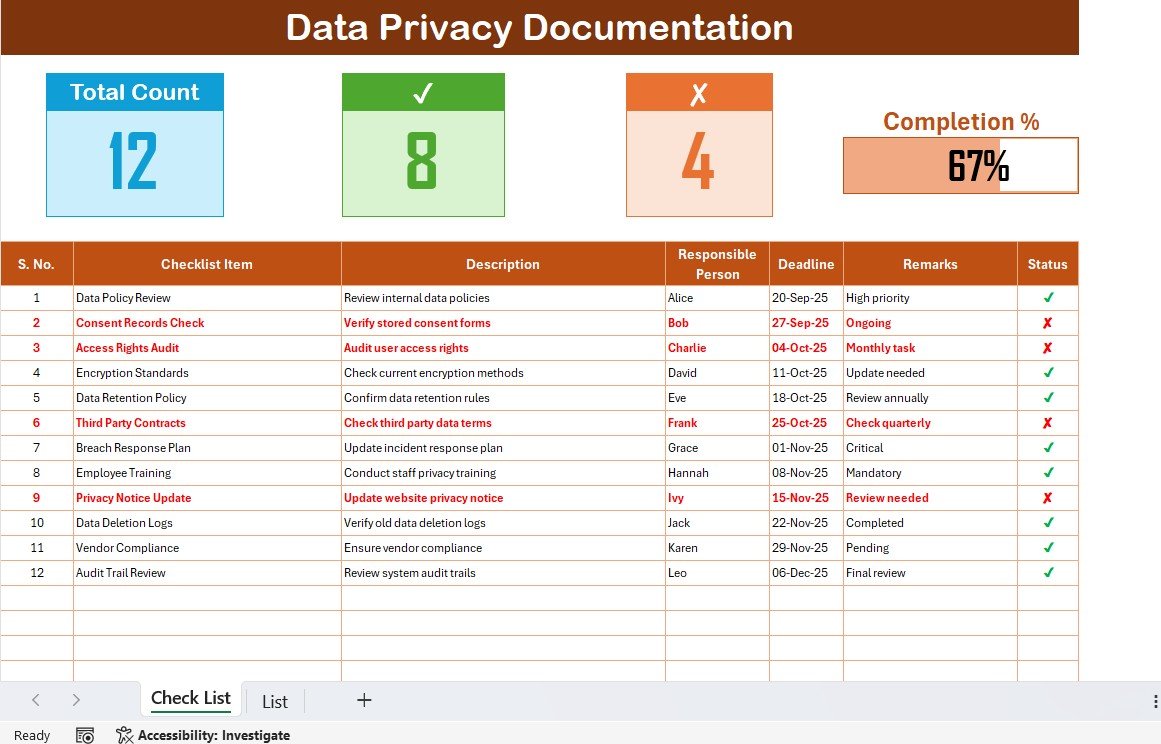
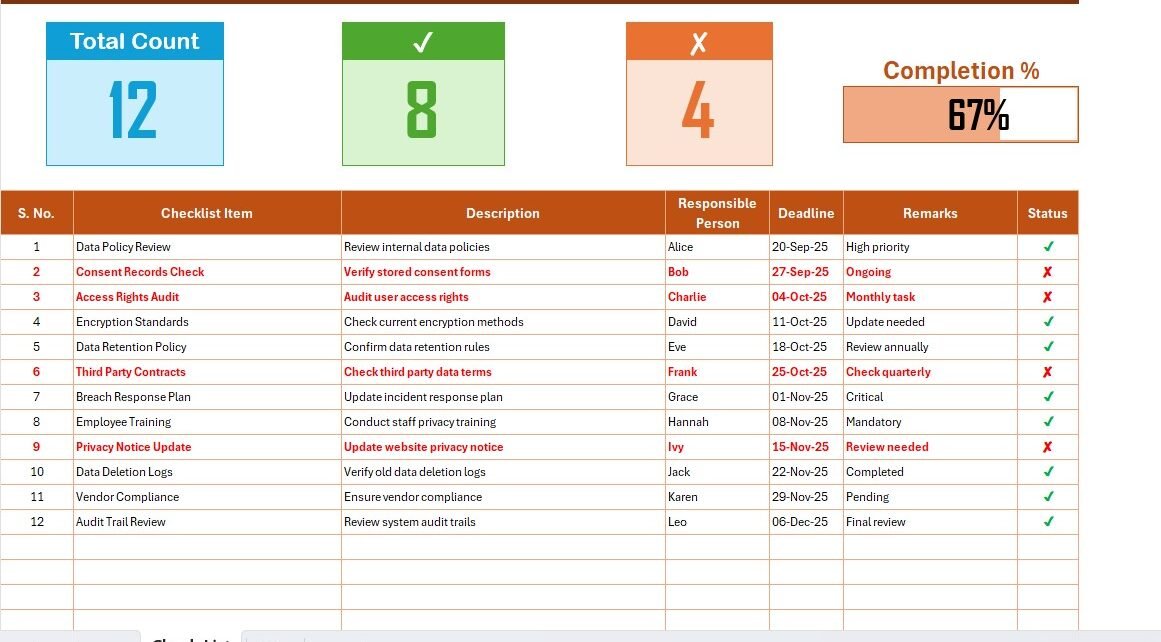
Top Section:
- Displays Total Count of tasks.
- Shows Checked Count and Crossed Count.
- Includes a Progress Bar for completion percentage.
Checklist Table:
Columns include:
- Serial No.
- Checklist Item
- Description
- Responsible Person
- Deadline
- Remarks
- Status (✔ or ✘)
This table allows teams to track progress and identify pending tasks easily.
Click to Purchases Data Privacy Documentation Checklist in Excel
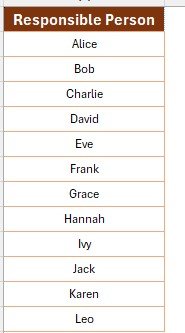
List Sheet Tab
-
Stores a unique list of Responsible Persons.
-
Used to create drop-down menus in the main table for consistency.
Why Use an Excel-Based Checklist for Data Privacy?
Using Excel offers several benefits over manual or complex systems:
-
Easy to customize for specific organizational needs.
-
Familiar interface with no steep learning curve.
-
Enables conditional formatting for visual alerts.
-
Supports data validation for accuracy.
-
Allows easy sharing across teams.
Advantages of Data Privacy Documentation Checklist
A structured checklist offers organizations a strong foundation for privacy management. Some of the key advantages include:
✅ Improved Accountability – Assign tasks to specific team members.
✅ Time Management – Set deadlines and track progress in real-time.
✅ Compliance Assurance – Stay aligned with regulations like GDPR, HIPAA, or CCPA.
✅ Error Reduction – Minimize chances of missed steps.
✅ Audit Readiness – Maintain a documented history of privacy efforts.
✅ Team Collaboration – Provide transparency and clear responsibilities.
Best Practices for Using the Data Privacy Documentation Checklist
To maximize the benefits of this tool, follow these practices:
✔ Keep It Updated – Regularly review and update checklist items.
✔ Define Clear Roles – Assign a responsible person for each task.
✔ Set Realistic Deadlines – Avoid bottlenecks by staggering due dates.
✔ Use Conditional Formatting – Highlight overdue tasks automatically.
✔ Review Weekly or Monthly – Ensure consistency in documentation.
✔ Integrate With Other Tools – Link the checklist to compliance dashboards.
Step-by-Step Guide to Using the Template
Download the Template and open it in Excel.
Enter Checklist Items such as policies, audits, or security reviews.
Assign Responsible Persons using the drop-down list.
Set Deadlines to track timely execution.
Update Status as ✔ (completed) or ✘ (not completed).
Monitor Progress through counts and the progress bar.
Review Regularly and adjust tasks as needed.
Opportunities for Improvement
While the template is highly effective, organizations can enhance it further:
🔹 Automate Reporting – Use pivot tables or Power BI for real-time dashboards.
🔹 Add Risk Ratings – Prioritize tasks based on risk severity.
🔹 Expand Drop-downs – Include task categories like “Policy,” “Technical,” or “Audit.”
🔹 Link Documents – Add hyperlinks to relevant policies or evidence files.
🔹 Enable Macros – Automate status updates for efficiency.
Conclusion
A Data Privacy Documentation Checklist in Excel gives organizations a simple yet powerful way to ensure data protection. By providing structure, accountability, and visibility, it helps reduce risks and ensures compliance with privacy laws. With clear roles, deadlines, and progress tracking, businesses can build stronger trust with customers and stakeholders.
Frequently Asked Questions (FAQs)
1. What is a Data Privacy Documentation Checklist?
It is an Excel-based tool that helps organizations track and manage privacy-related tasks systematically.
2. Who can use this checklist?
Any organization handling sensitive data—such as businesses, healthcare providers, or educational institutions—can benefit from this checklist.
3. Can I customize the template?
Yes, you can add or remove checklist items, adjust deadlines, and expand categories as needed.
4. How often should I update the checklist?
It is best to update it weekly or after any privacy-related activity, such as audits or policy changes.
5. Does this checklist ensure compliance automatically?
No, it provides a structured framework, but compliance depends on proper execution and regular monitoring.
Visit our YouTube channel to learn step-by-step video tutorials
Click to Purchases Data Privacy Documentation Checklist in Excel
Watch the step-by-step video tutorial: