Retail businesses operate in a fast-moving environment. Regulations change. Deadlines approach quickly. Audits arrive without warning. However, many retail teams still manage compliance using scattered notes, emails, and manual reminders.
As a result, they miss deadlines. They face penalties. They struggle during inspections.
So, how can you track regulatory deadlines, license renewals, tax filings, safety audits, store inspections, vendor compliance checks, and corporate reporting in one structured system?
The answer is simple.
You need a Retail Compliance Calendar in Excel.
In this detailed guide, you will learn:
-
What a Retail Compliance Calendar in Excel is
-
Why retail businesses need it
-
Complete worksheet structure
-
Key features and functionality
-
Advantages of Retail Compliance Calendar in Excel
-
Best practices for implementation
-
Frequently Asked Questions
Let’s dive in.
Click to Purchases Retail Compliance Calendar in Excel
What Is a Retail Compliance Calendar in Excel?
A Retail Compliance Calendar in Excel is a ready-to-use compliance tracking system designed specifically for retail operations. It allows you to manage all regulatory events, reporting deadlines, and internal compliance tasks in a structured and visual format.
Instead of relying on emails or memory, you can:
-
Track annual, monthly, and daily compliance events
-
Monitor audit schedules
-
Manage license renewals
-
Record regulatory filing dates
-
Store event details in a centralized database
-
Add, update, or delete compliance records easily
Moreover, because it runs in Excel, you do not need any expensive software. You simply use a familiar tool with powerful automation features.
Why Do Retail Businesses Need a Compliance Calendar?
Retail businesses face multiple regulatory requirements. For example:
-
GST/VAT filings
-
Fire safety inspections
-
Labor law reporting
-
Environmental compliance
-
Health and safety audits
-
Store license renewals
-
Corporate reporting deadlines
Now imagine managing all of this manually.
You may forget important dates. You may duplicate work. You may miss renewal deadlines. Consequently, you risk fines and legal trouble.
However, when you use a structured Retail Compliance Calendar in Excel:
-
You see all deadlines clearly
-
You highlight critical days
-
You manage events in annual, monthly, and daily views
-
You maintain a complete compliance database
Therefore, you stay organized and proactive instead of reactive.
Click to Purchases Retail Compliance Calendar in Excel
Structure of Retail Compliance Calendar in Excel
This template contains 5 powerful worksheets, each designed to handle a specific compliance function.
Let’s explore them one by one.
1️⃣ Home Sheet – Your Compliance Control Center
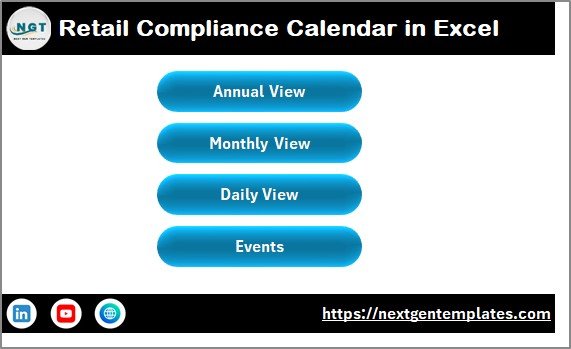
The Home Sheet acts as the index page. It allows you to navigate the entire workbook easily.
Navigation Buttons Available:
-
Annual View
-
Monthly View
-
Daily View
-
Events
Because of this structured navigation, users do not waste time searching through sheets. Instead, they jump directly to the required view.
Furthermore, the Home Sheet improves usability, especially for teams who are not advanced Excel users.
2️⃣ Annual View Sheet – 12 Months at a Glance
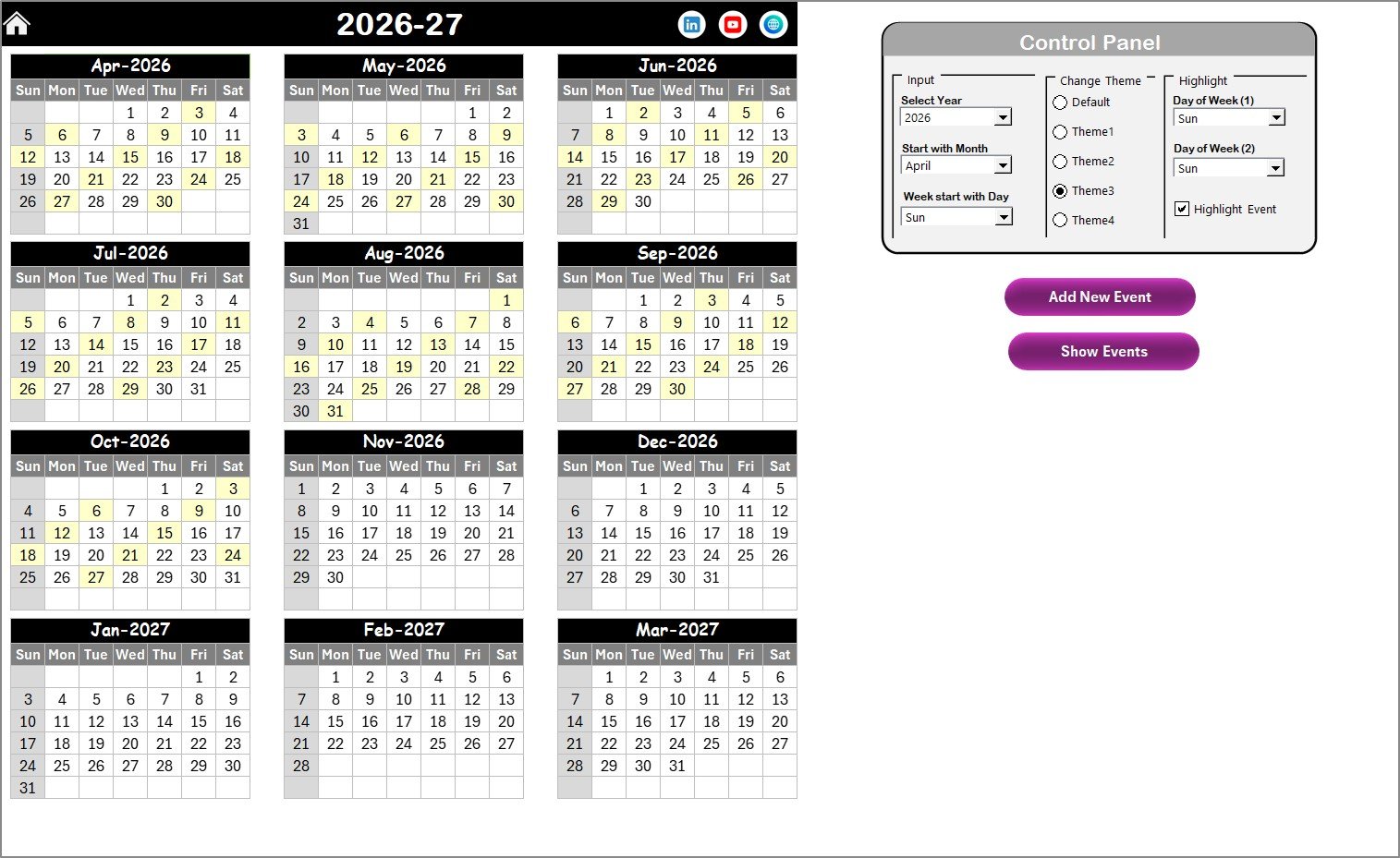
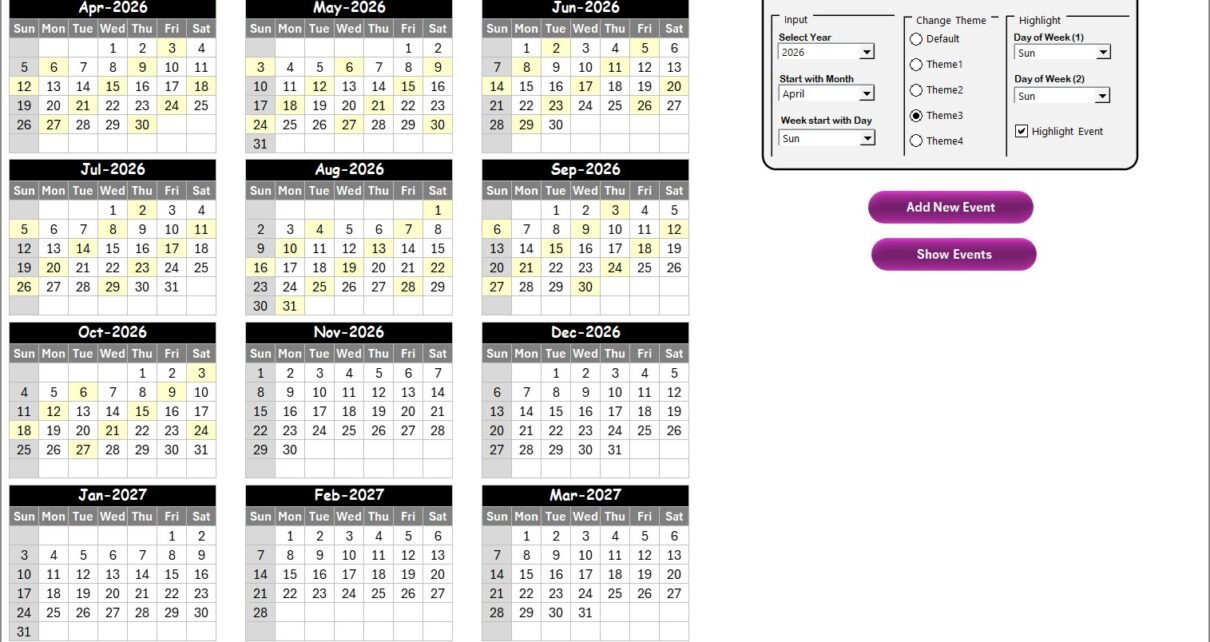
The Annual View Sheet displays all 12 months in one structured calendar layout. Therefore, you immediately understand the compliance load for the entire year.
The Annual View includes a powerful control panel with three groups:
🔹 Input Group
Here, you can:
-
Select the Year
-
Change the Starting Month
-
Change the Starting Day of the Week
As soon as you change these inputs, the entire calendar updates automatically. Therefore, you can reuse this template every year without rebuilding it.
🔹 Change Theme Group
You get 5 color themes to choose from.
So, you can apply a theme that matches:
-
Corporate branding
-
Department preferences
-
Seasonal themes
With one click, the entire workbook updates its appearance.
🔹 Highlight Group
This feature improves visibility significantly.
You can:
-
Highlight Day of Week (1)
-
Highlight Day of Week (2)
-
Enable “Highlight Event” checkbox
For example:
-
Highlight Saturday and Sunday in grey
-
Highlight event dates in yellow
As a result, weekends and compliance deadlines become instantly visible.
Add New Event Button
When you select a date and click Add New Event:
-
A form opens
-
You enter event details
-
You click Submit
-
The system stores the event automatically
This makes event entry fast and error-free.
Show Event Button
Select any date and click Show Event to:
-
View all events on that day
-
Check details instantly
Therefore, you always stay prepared.
Click to Purchases Retail Compliance Calendar in Excel
3️⃣ Monthly View Sheet – Detailed Month Planning
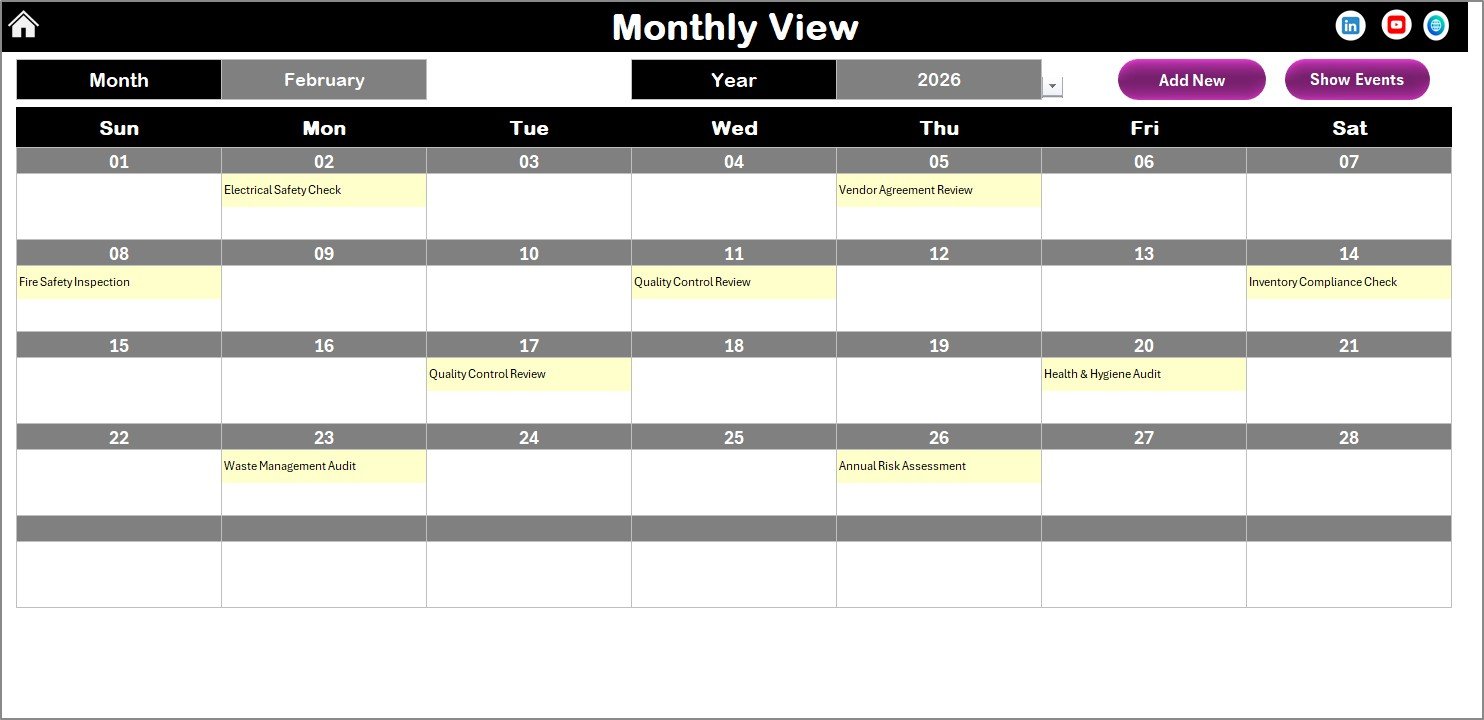
The Monthly View focuses on one selected month.
-
Month
-
Year
The calendar updates immediately.
Key Feature
If a date contains:
-
One event → It shows directly
-
More than one event → It displays “More than 1…”
Thus, you identify busy compliance days quickly.
Buttons Available:
-
Add New Event
-
Show Event
Because of this setup, you manage monthly compliance efficiently.
4️⃣ Daily View Sheet – Detailed Event Tracking
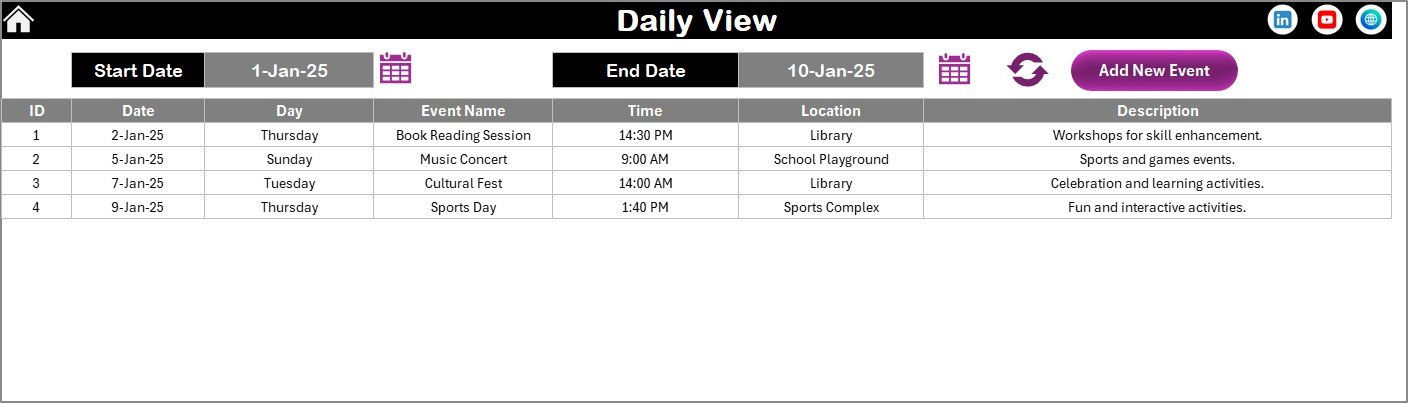
The Daily View provides a structured list of compliance events within a selected date range.
You simply:
-
Enter Start Date
-
Enter End Date
-
Click Refresh
Then, the system shows all events within that range.
This feature becomes extremely useful for:
-
Internal audit preparation
-
Monthly compliance reviews
-
Management reporting
-
Inspection readiness
Additionally, you can add new events directly from this sheet using the Add New Event button.
Therefore, you manage compliance at both macro and micro levels.
Click to Purchases Retail Compliance Calendar in Excel
5️⃣ Events Sheet – Central Compliance Database
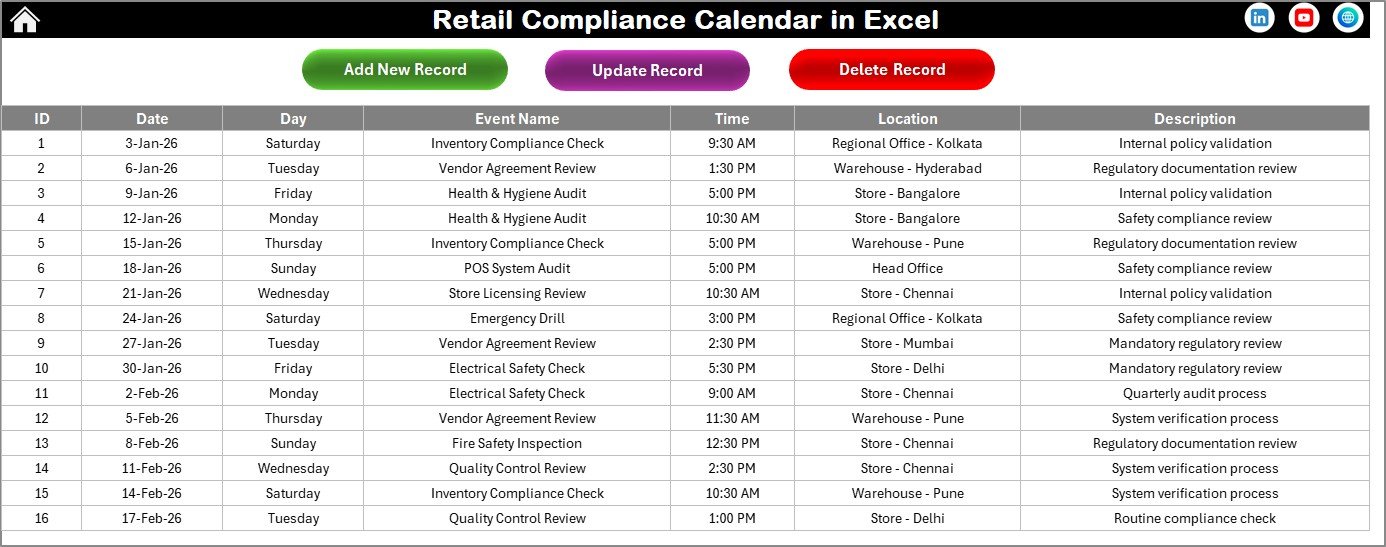
The Events Sheet stores all event data. This sheet acts as the backend database.
Fields Included:
-
ID (Auto Generated)
-
Date
-
Day
-
Event Name
-
Time
-
Location
-
Description
-
Add New Record
-
Update Existing Record
-
Delete Record
Because of these features:
-
You maintain data accuracy
-
You avoid duplicate records
-
You correct mistakes instantly
This structured database design ensures full compliance control.
Click to Purchases Retail Compliance Calendar in Excel
Advantages of Retail Compliance Calendar in Excel
1️⃣ Centralized Compliance Tracking
You manage all regulatory events in one workbook. Therefore, you eliminate scattered systems.
2️⃣ Reduced Risk of Penalties
When you track deadlines properly, you avoid late filings and fines.
3️⃣ Improved Audit Readiness
You maintain a complete compliance history. Consequently, audits become smooth and stress-free.
4️⃣ Better Team Coordination
Since everyone accesses the same system, teams stay aligned.
5️⃣ High Flexibility
Because Excel allows customization, you can:
-
Add new compliance categories
-
Modify event formats
-
Adjust themes
-
Update reporting structure
6️⃣ Cost-Effective Solution
Unlike expensive compliance software, Excel offers a low-cost alternative.
7️⃣ User-Friendly Interface
Navigation buttons and forms make the system easy to use, even for non-technical users.
How Does Retail Compliance Calendar Improve Retail Operations?
Retail businesses deal with multiple departments:
-
Store Operations
-
HR
-
Finance
-
Safety
-
Procurement
-
Legal
Each department manages its own compliance tasks. However, without coordination, confusion arises.
When you implement this calendar:
-
You assign accountability
-
You track recurring events
-
You monitor compliance load
-
You plan proactively
Therefore, you transform compliance from a reactive task into a strategic advantage.
Best Practices for the Retail Compliance Calendar
To maximize results, follow these best practices:
1️⃣ Update Events Regularly
Enter new compliance events immediately. Do not wait until deadlines approach.
2️⃣ Review Calendar Weekly
Schedule a weekly compliance review meeting. Use Monthly and Daily views for discussion.
3️⃣ Use Highlight Feature Wisely
Highlight:
-
Critical deadlines
-
Regulatory inspections
-
High-risk events
This improves visibility.
4️⃣ Maintain Clean Database
Avoid duplicate entries. Update records promptly.
5️⃣ Assign Responsibility
Although the calendar tracks events, assign clear owners for each compliance task.
6️⃣ Back Up the File
Store a backup copy regularly to prevent data loss.
7️⃣ Customize for Your Retail Type
Different retail sectors face different rules:
-
Grocery stores
-
Apparel chains
-
Electronics retailers
-
Pharmacies
Adjust the calendar accordingly.
Click to Purchases Retail Compliance Calendar in Excel
Who Should Use Retail Compliance Calendar in Excel?
This solution works perfectly for:
-
Retail Store Managers
-
Compliance Officers
-
HR Managers
-
Finance Teams
-
Multi-Store Retail Chains
-
Franchise Owners
If you manage regulatory deadlines, this calendar helps you stay organized.
How to Implement Retail Compliance Calendar in Your Business?
Follow these simple steps:
-
Install the template
-
Enter current year compliance events
-
Assign responsibility internally
-
Configure themes and highlights
-
Review monthly
-
Track performance
Within a few weeks, you will see improved control.
Conclusion
Retail businesses operate in a highly regulated environment. Therefore, compliance management should never depend on memory or scattered notes.
The Retail Compliance Calendar in Excel offers:
-
Structured annual overview
-
Detailed monthly tracking
-
Daily event filtering
-
Centralized database
-
Automated forms
-
Visual highlights
As a result, you reduce risk, improve organization, and strengthen compliance control.
If you want a simple yet powerful compliance system without investing in complex software, this Excel solution delivers everything you need.
Click to Purchases Retail Compliance Calendar in Excel
Frequently Asked Questions (FAQs)
1️⃣ What is a Retail Compliance Calendar in Excel?
It is a structured Excel-based system that helps retail businesses track regulatory deadlines, inspections, renewals, and compliance events.
2️⃣ Can I reuse this calendar every year?
Yes. You can change the year and starting month from the control panel. The calendar updates automatically.
3️⃣ Can I customize the color themes?
Yes. The template provides five themes. You can select any theme to apply across the workbook.
4️⃣ How do I add a new compliance event?
Select a date and click the Add New Event button. Fill the form and click Submit.
5️⃣ Can I update or delete events later?
Yes. Use the Update Existing Record or Delete Record button from the Events sheet.
6️⃣ Does this template work for multi-store retail chains?
Yes. You can add store-specific compliance events and manage them in one centralized workbook.
7️⃣ Is Excel sufficient for compliance management?
For small and medium retail businesses, Excel provides a cost-effective and powerful compliance tracking solution.
Click to Purchases Retail Compliance Calendar in Excel
Visit our YouTube channel to learn step-by-step video tutorials