Managing staff duties in a manufacturing environment is never simple. You must handle shift rotations, holidays, overtime, maintenance schedules, training days, and special events. However, when teams rely on manual registers or scattered Excel sheets, errors increase and productivity drops.
Therefore, the Manufacturing Staff Duty Calendar in Excel offers a powerful, ready-to-use solution. It helps manufacturing managers plan, track, and control staff duties using a structured, visual, and automated Excel calendar.
In this detailed guide, you will learn what the Manufacturing Staff Duty Calendar in Excel is, how it works, its key features, advantages, best practices, and frequently asked questions. Moreover, this article uses simple language, active voice, and smooth transitions to ensure clarity throughout.
Click to buy Manufacturing Staff Duty Calendar in Excel
What Is a Manufacturing Staff Duty Calendar in Excel?
A Manufacturing Staff Duty Calendar in Excel is a professionally designed Excel-based scheduling system. It allows you to plan staff duties, shifts, and events across daily, monthly, and annual views.
Instead of juggling multiple files, you manage everything in one structured workbook. As a result, supervisors gain full visibility into workforce allocation, while HR teams reduce manual workload.
Additionally, this calendar comes as a ready-to-use template, which means you can start using it immediately without complex setup.
Why Do Manufacturing Companies Need a Staff Duty Calendar?
Manufacturing operations depend on discipline, timing, and coordination. Therefore, staff planning must remain accurate and transparent.
Without a proper duty calendar:
- Shift overlaps occur
- Absenteeism increases
- Production delays happen
- Compliance risks grow
However, when you use a Manufacturing Staff Duty Calendar in Excel:
- You plan duties clearly
- You reduce scheduling conflicts
- You improve accountability
- You save significant time
As a result, plant operations run smoothly and predictably.
Overview of the Manufacturing Staff Duty Calendar in Excel
This Excel calendar includes five well-structured worksheets, each designed for a specific purpose. Together, they provide complete workforce visibility.
Let us explore each worksheet in detail.
Home Sheet Tab: The Central Navigation Hub
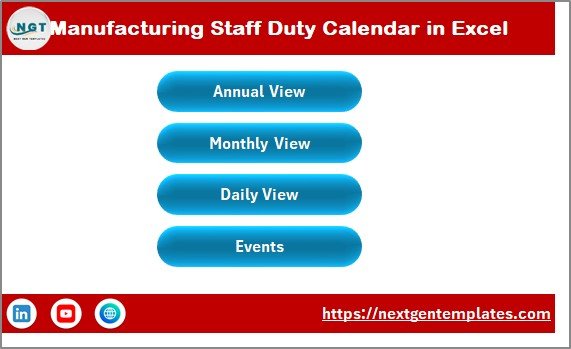
The Home Sheet works as an index page. It helps users navigate the entire workbook easily.
Key Features of the Home Sheet
This sheet includes four navigation buttons:
- Annual View
- Monthly View
- Daily View
- Events
Because of this design, even non-technical users can move across sheets effortlessly. Moreover, this layout improves usability and reduces training time.
Click to buy Manufacturing Staff Duty Calendar in Excel
Annual View Sheet: Full-Year Workforce Planning
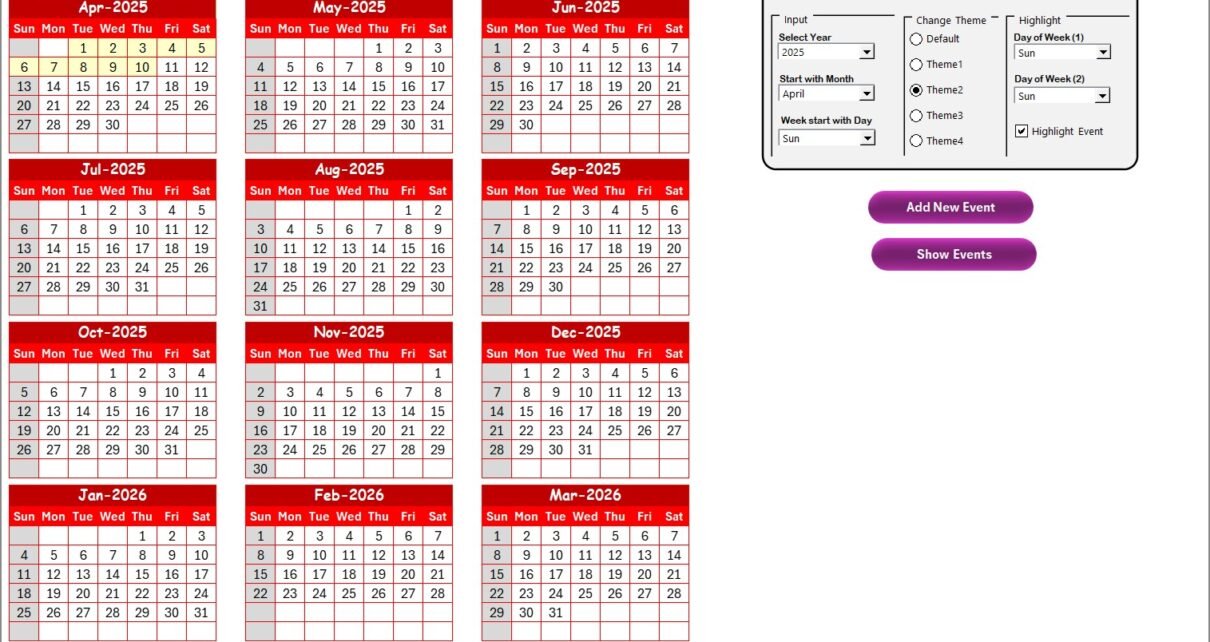
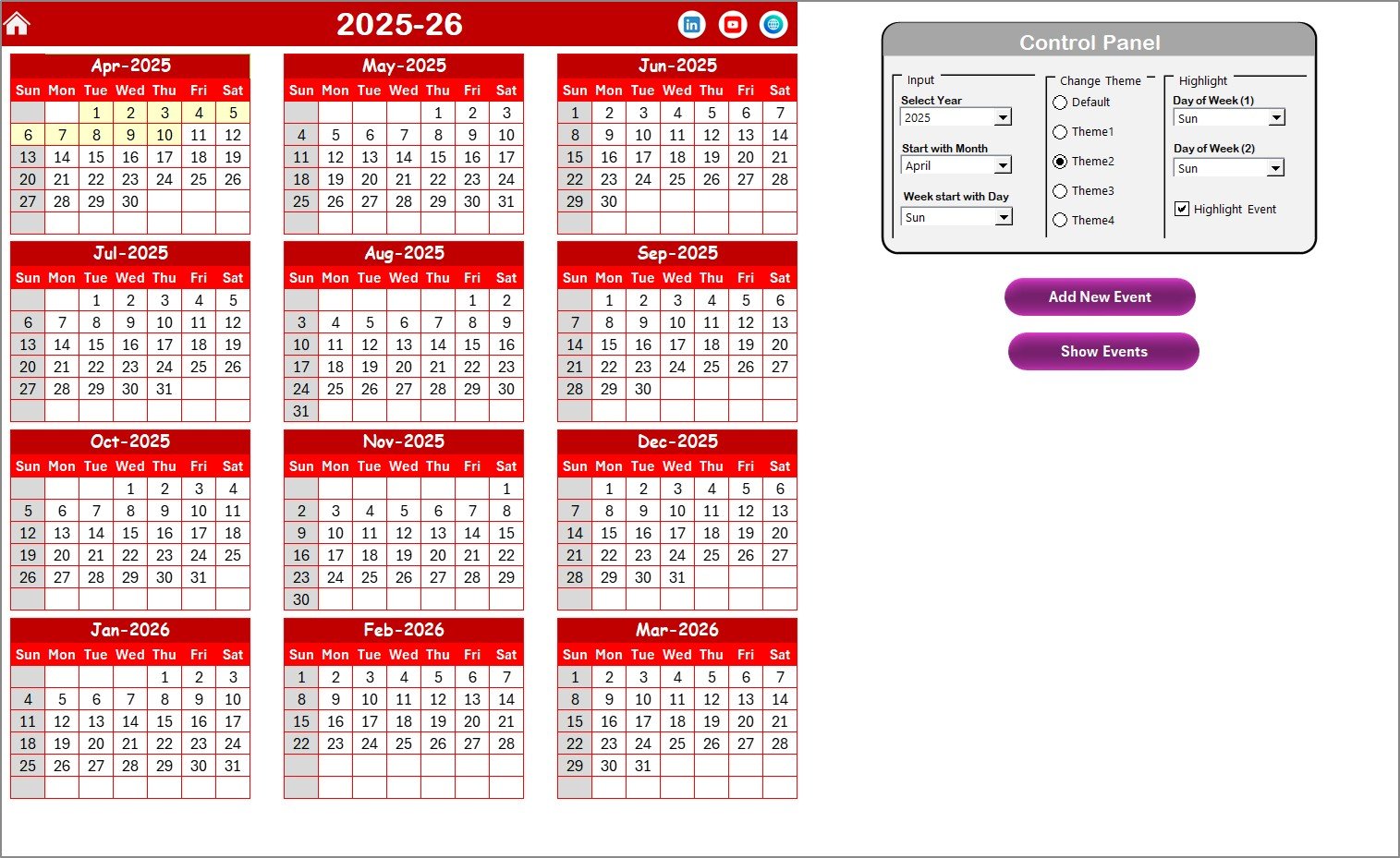
The Annual View Sheet displays all 12 months in one screen. This view helps management plan long-term staffing and identify capacity gaps early.
What Does the Annual View Show?
- Complete 12-month calendar
- Visual overview of staff duties
- Highlighted weekends and events
- Color-coded themes for clarity
Control Panel in the Annual View Sheet
The Annual View includes a powerful Control Panel divided into three groups.
Input Group
You can:
- Select the Year
- Change the starting month
- Define the starting day of the week
As a result, the calendar updates automatically.
Change Theme Group
You can choose from five predefined color themes. When you select a theme, Excel applies it to the entire workbook instantly.
This feature improves readability and allows customization based on company branding.
Highlight Group
You can:
- Highlight Day of Week (1) (e.g., Saturday)
- Highlight Day of Week (2) (e.g., Sunday)
- Enable Highlight Events to mark events in yellow
Because of this, weekends, holidays, and special duties stand out clearly.
Buttons in the Annual View Sheet
- Add New Event Button
Select a date, click the button, fill the form, and submit. The event appears instantly on the calendar. - Show Event Button
Select a date and click this button to view all events for that day.
Therefore, event management becomes fast and error-free.
Click to buy Manufacturing Staff Duty Calendar in Excel
Monthly View Sheet: Focused Monthly Scheduling
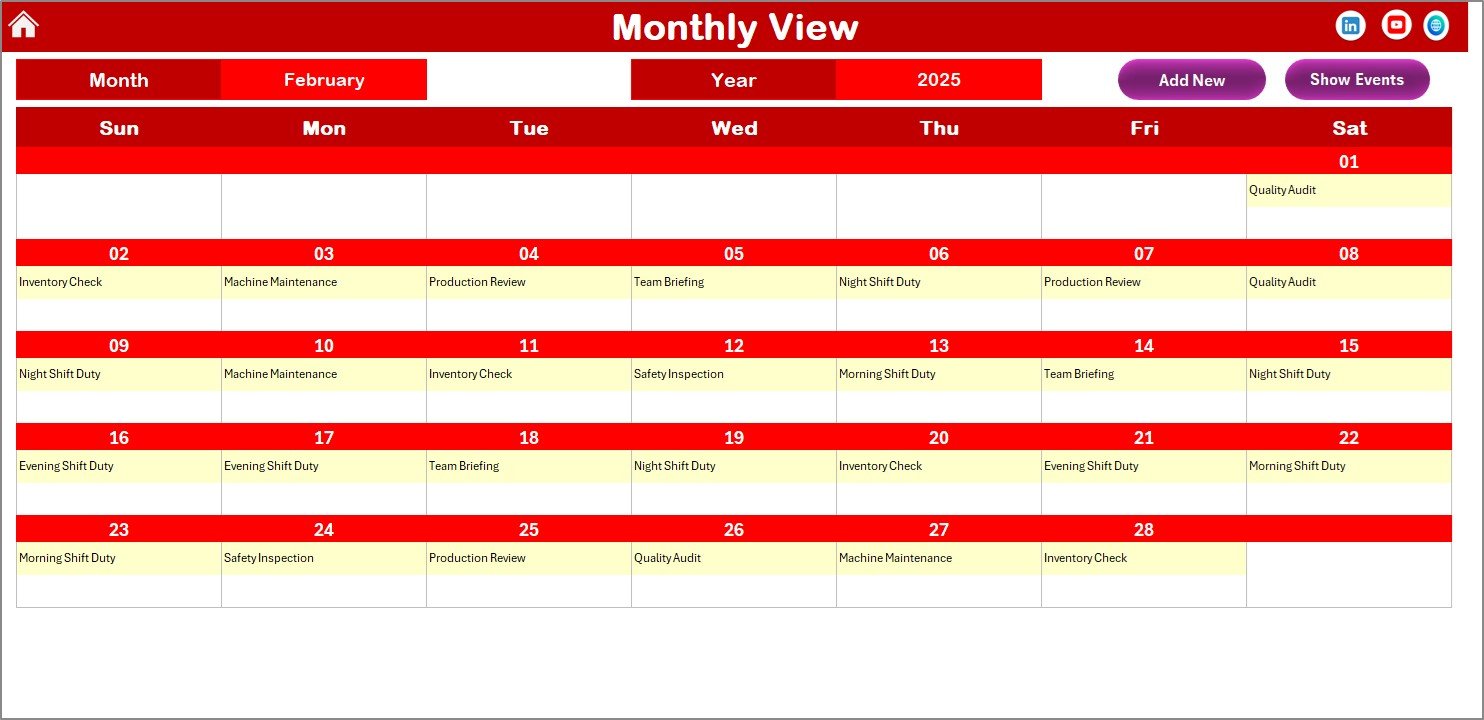
The Monthly View Sheet shows a single month calendar. This view supports supervisors who manage short-term schedules.
Key Highlights of the Monthly View
- Month and Year selectors at the top
- One visible event per date
- “More than 1…” indicator for multiple events
- Clean and readable layout
Buttons Available in Monthly View
- Add New Event Button
Select a date, click the button, and add duty details through the form. - Show Event Button
View the full list of events assigned to the selected date.
As a result, monthly planning becomes quick and highly visual.
Click to buy Manufacturing Staff Duty Calendar in Excel
Daily View Sheet: Detailed Event Monitoring
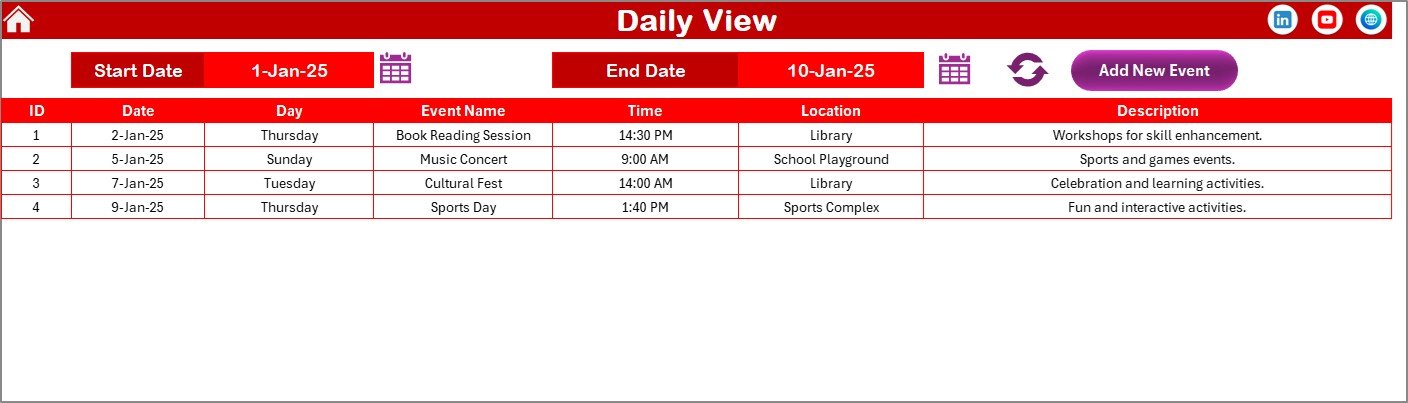
The Daily View Sheet focuses on detailed duty tracking within a specific date range.
How Does the Daily View Work?
- Select Start Date and End Date
- Use the calendar icons to choose dates
- Click the Refresh Button to update results
The sheet then displays a detailed list of events with complete information.
Daily View Advantages
- Ideal for audits and reviews
- Supports short-term operational planning
- Displays all duty details clearly
Additionally, the Add New Event Button allows quick data entry without switching sheets.
Click to buy Manufacturing Staff Duty Calendar in Excel
Events Sheet Tab: Central Event Database
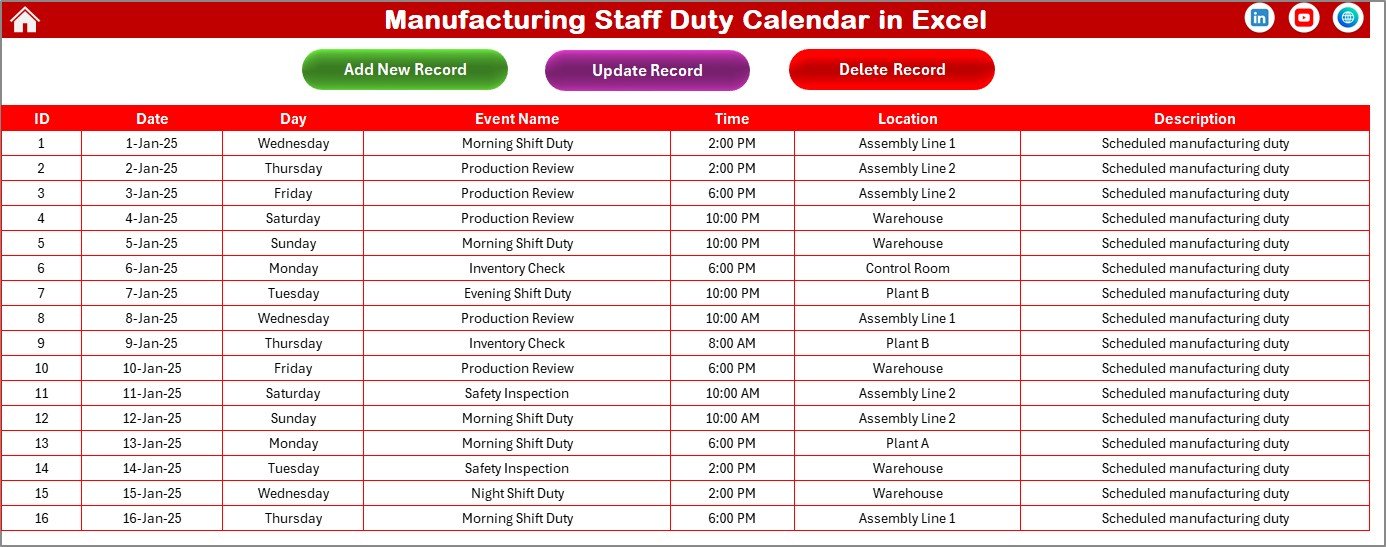
The Events Sheet stores all duty-related data. This sheet acts as the backend database for the entire calendar.
Data Fields Captured in Events Sheet
- ID – Auto-generated
- Date – Event date
- Day – Day name
- Event Name – Duty or shift name
- Time – Event time
- Location – Work area or plant section
- Description – Short notes
Because data stays centralized, reports remain consistent across all views.
Buttons in the Events Sheet
- Add New Record
Opens the event form and adds a new duty record. - Update Existing Record
Select an ID, modify details, and submit to update. - Delete Record
Select an ID and remove the event permanently.
Therefore, data maintenance becomes structured and controlled.
Click to buy Manufacturing Staff Duty Calendar in Excel
Advantages of Manufacturing Staff Duty Calendar in Excel
Using this calendar brings several practical benefits.
Key Advantages
- Centralized duty planning in one file
- Saves time and reduces manual effort
- Improves staff accountability
- Enhances production planning
- Provides clear visual schedules
- Updates automatically across views
Moreover, Excel familiarity ensures quick adoption across teams.
Who Can Use This Manufacturing Duty Calendar?
This calendar suits a wide range of users.
Ideal Users
- Manufacturing plant managers
- HR and workforce planners
- Shift supervisors
- Operations managers
- Maintenance coordinators
Because of its flexibility, both small factories and large plants can use it effectively.
Best Practices for the Manufacturing Staff Duty Calendar in Excel
To get the best results, follow these proven practices.
Best Practices
- Update events daily to keep data accurate
- Use color themes consistently
- Highlight weekends and holidays
- Assign clear event names
- Avoid duplicate entries
- Review the daily view weekly
Additionally, back up the file regularly to prevent data loss.
How Does This Calendar Improve Productivity?
This calendar improves productivity in several ways.
First, it reduces confusion by providing a single source of truth.
Second, it minimizes scheduling errors.
Third, it helps supervisors plan manpower efficiently.
As a result, downtime decreases and output increases.
Why Excel Is Still the Best Tool for Duty Calendars?
Even today, Excel remains a powerful tool because:
- It is widely available
- Users understand it easily
- It supports automation
- It allows customization
- It works offline
Therefore, Excel-based duty calendars remain practical and cost-effective.
Conclusion: Why You Should Use a Manufacturing Staff Duty Calendar in Excel
The Manufacturing Staff Duty Calendar in Excel simplifies workforce scheduling while improving accuracy and visibility. It replaces manual planning with a structured, automated, and visual system.
Moreover, its five-sheet design ensures smooth navigation, while its forms and controls make event management effortless. If you want better workforce control, reduced errors, and improved planning, this calendar becomes an essential tool.
Frequently Asked Questions (FAQs)
What is a Manufacturing Staff Duty Calendar in Excel?
It is an Excel-based tool that helps plan, manage, and track staff duties using daily, monthly, and annual views.
Can I customize the calendar?
Yes, you can change themes, starting days, months, and highlighted days easily.
Does it support multiple events on one day?
Yes, the calendar supports multiple events and displays indicators accordingly.
Is technical knowledge required?
No, the template uses simple buttons and forms, so anyone can use it.
Can I use it for shift planning?
Yes, it works perfectly for shift duties, overtime, maintenance, and training schedules.
Is the Events sheet mandatory to update?
Yes, because all calendar views pull data from the Events sheet.
Visit our YouTube channel to learn step-by-step video tutorials
Watch the step-by-step video tutorial:
Click to buy Manufacturing Staff Duty Calendar in Excel