Managing insurance policies requires careful tracking of renewal dates, premium payments, inspections, compliance deadlines, and important reminders. However, many individuals and organizations still rely on manual notes, emails, or scattered spreadsheets. As a result, they often miss renewal deadlines, face policy lapses, or incur unnecessary penalties.
Therefore, businesses and professionals increasingly adopt structured calendar systems to manage insurance-related activities efficiently. One powerful and practical solution is the Insurance Maintenance Calendar in Excel — a ready-to-use calendar designed to organize insurance events, track schedules, and manage reminders in a centralized system.
In this comprehensive guide, you will learn everything about the Insurance Maintenance Calendar in Excel, including its structure, features, advantages, implementation steps, best practices, and frequently asked questions.
Click to Purchases Insurance Maintenance Calendar in Excel
What Is an Insurance Maintenance Calendar in Excel?
An Insurance Maintenance Calendar in Excel is a dynamic scheduling tool that helps users track insurance-related activities such as renewals, inspections, policy updates, and compliance events using an interactive calendar interface.
Instead of manually monitoring deadlines, users can manage all insurance events through automated calendar views. Consequently, organizations reduce risks associated with missed renewals and improve operational planning.
Moreover, this template provides multiple calendar views — annual, monthly, and daily — allowing users to analyze schedules from different perspectives.
Why Do You Need an Insurance Maintenance Calendar?
Insurance management involves numerous time-sensitive tasks. Without proper tracking, organizations face several challenges.
Common Problems Without a Calendar System
-
Missed insurance renewal dates
-
Policy expiration risks
-
Poor documentation tracking
-
Lack of event visibility
-
Inefficient scheduling coordination
However, a structured calendar ensures every insurance activity remains visible and manageable.
Key Objectives of the Calendar
-
Track insurance renewal schedules
-
Manage compliance deadlines
-
Organize policy-related events
-
Maintain centralized event records
-
Improve planning and accountability
Therefore, the calendar becomes an essential operational tool.
Click to Purchases Insurance Maintenance Calendar in Excel
Key Features of the Insurance Maintenance Calendar in Excel
This ready-to-use template includes five structured worksheets, each designed to provide a specific functionality.
1️⃣ Home Sheet – Navigation Control Center
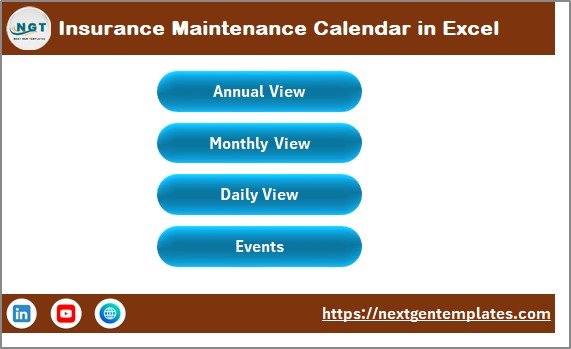
The Home Sheet works as the dashboard index for the entire workbook.
Navigation Buttons Included
-
Annual View
-
Monthly View
-
Daily View
-
Events
Because users can jump directly to required sections, navigation becomes fast and user-friendly.
2️⃣ Annual View Sheet – Yearly Planning Overview
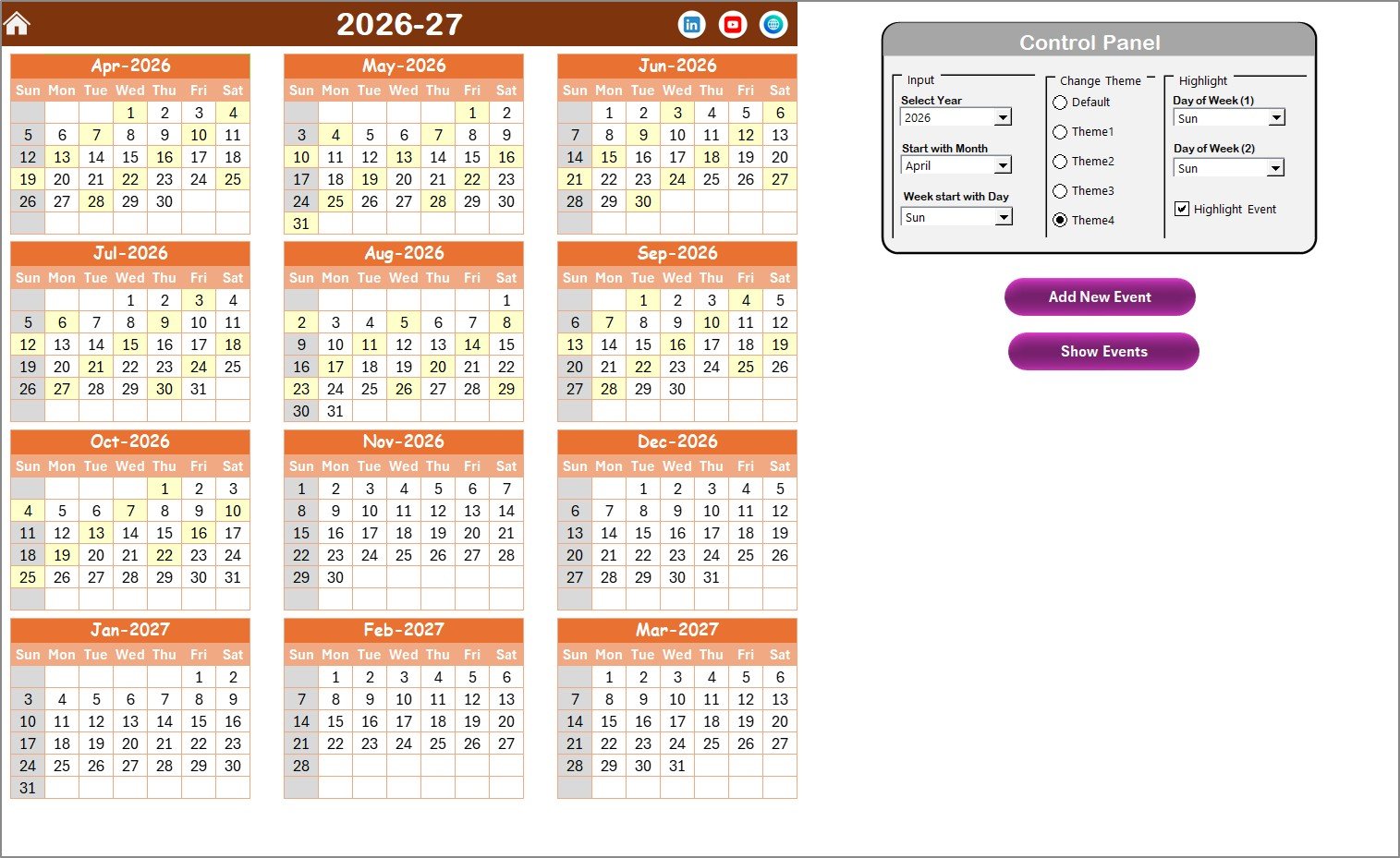
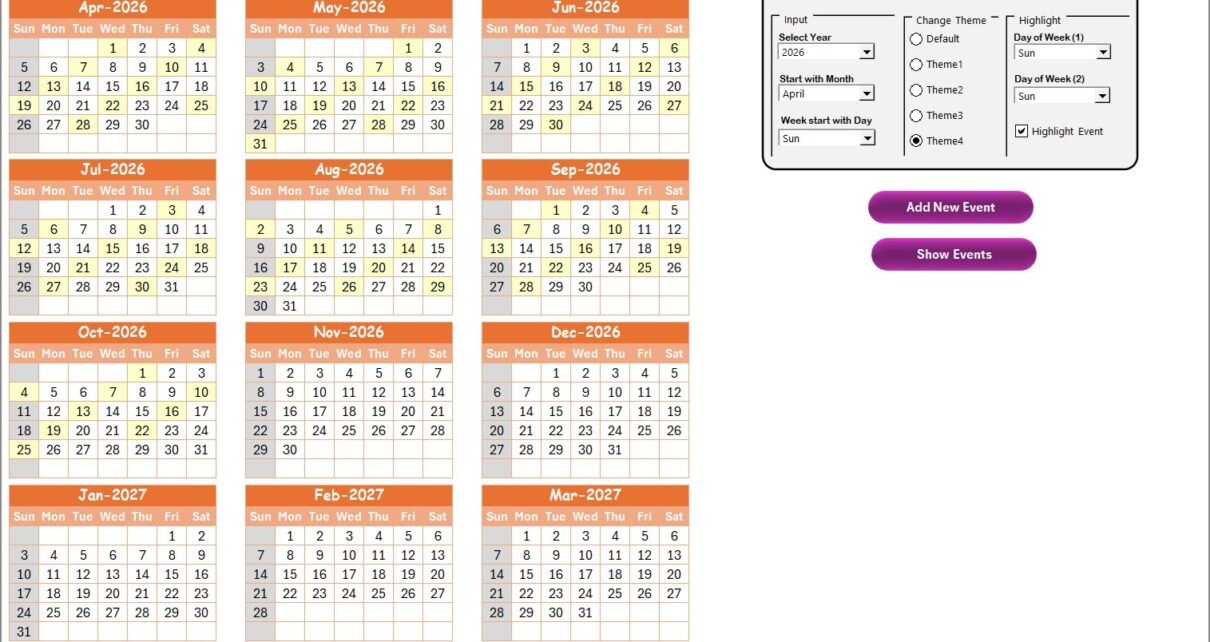
The Annual View Sheet displays a complete 12-month calendar.
This view helps users analyze long-term insurance schedules at a glance.
Control Panel Features
The annual calendar includes an advanced control panel divided into three groups.
Input Group
Users can:
-
Select the Year
-
Change the starting month
-
Adjust the starting day of the week
Once updated, the calendar adjusts automatically.
Change Theme Group
Users can select from five color themes to apply across the workbook.
This feature improves personalization and visual clarity.
Highlight Group
Users can highlight specific weekdays.
Example:
-
Highlight Saturday and Sunday automatically in grey.
Additionally, users can enable Highlight Event to display events in yellow.
Event Management Buttons
Add New Event Button
-
Select a date
-
Click the button
-
Fill the event form
-
Submit to save the event
Show Event Button
Displays all events scheduled for the selected date.
Therefore, managing yearly insurance schedules becomes effortless.
Click to Purchases Insurance Maintenance Calendar in Excel
3️⃣ Monthly View Sheet – Detailed Monthly Calendar
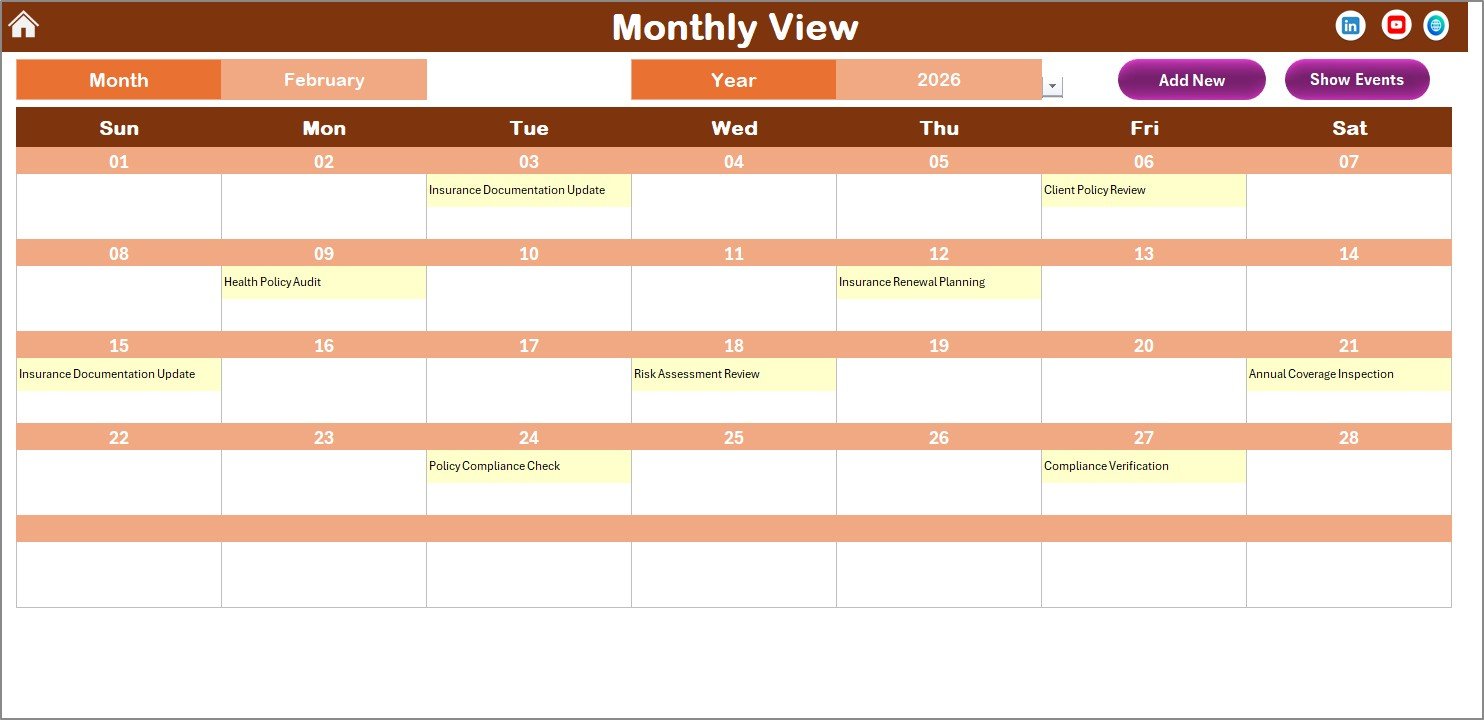
The Monthly View Sheet shows a single-month calendar.
Users can select:
-
Month
-
Year
The calendar updates automatically.
Event Display
-
Shows one event directly on the calendar
-
Displays “more than 1…” when multiple events exist
This feature prevents clutter while maintaining visibility.
Monthly View Buttons
Add New Event
Quickly add events for selected dates.
Show Event
View event lists for specific dates.
Consequently, users manage monthly planning efficiently.
Click to Purchases Insurance Maintenance Calendar in Excel
4️⃣ Daily View Sheet – Event Tracking by Date Range
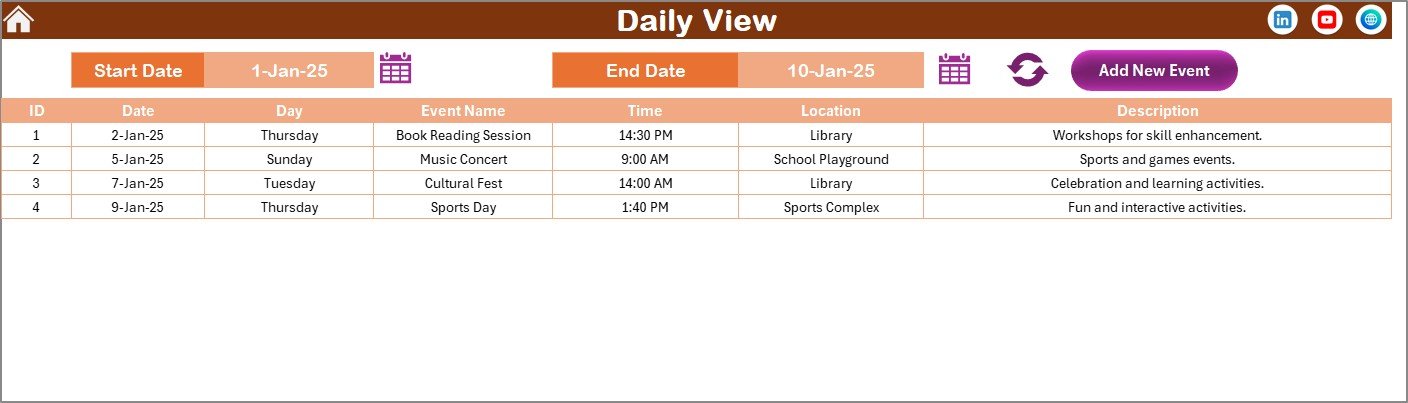
The Daily View Sheet provides a detailed list of events within a selected date range.
How It Works
-
Enter Start Date and End Date
-
Select dates using calendar icons
-
Click Refresh to display updated records
This view helps users monitor upcoming insurance activities.
Add New Event Feature
Users can add events directly from this page using the event form.
Therefore, daily operational tracking becomes simple and organized.
5️⃣ Events Sheet – Central Event Database
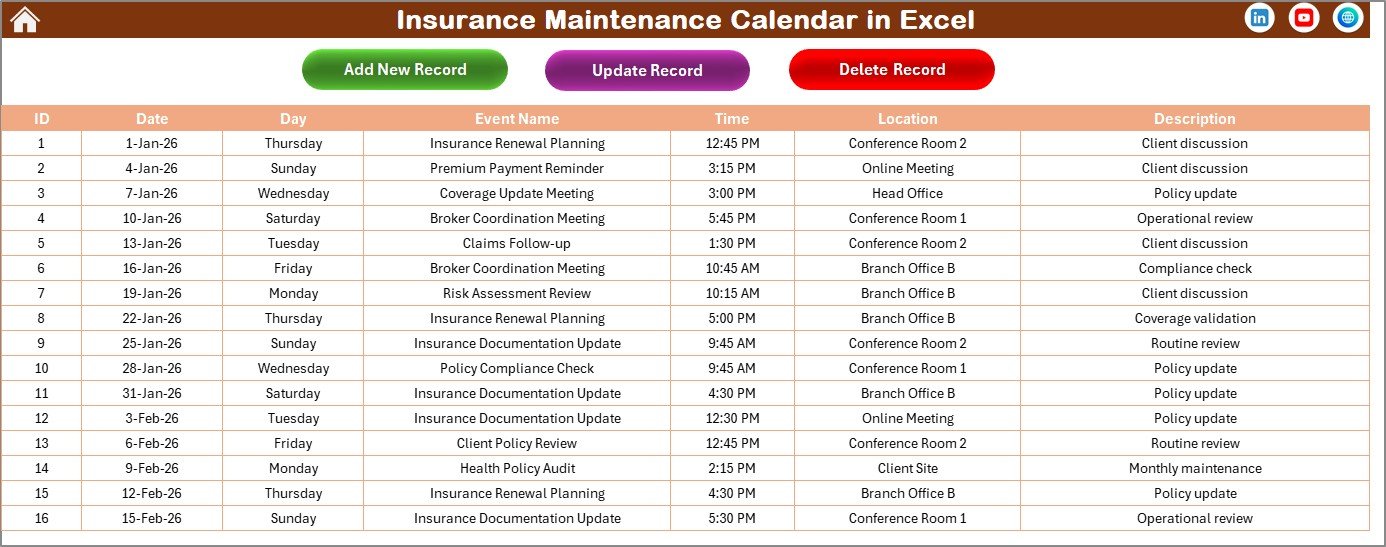
The Events Sheet acts as the backend database storing all event records.
Information Captured
-
ID (Auto-generated)
-
Date
-
Day
-
Event Name
-
Time
-
Location
-
Description
Because all data remains centralized, reporting and tracking stay accurate.
Event Management Buttons
Add New Record
Opens event form to create new entries.
Update Existing Record
Select ID → Edit event details → Submit changes.
Delete Record
Remove unwanted event entries easily.
This functionality ensures complete control over event management.
Click to Purchases Insurance Maintenance Calendar in Excel
How Does the Insurance Maintenance Calendar Improve Management?
A structured calendar transforms how organizations manage insurance activities.
Better Visibility
Users see all upcoming events instantly.
Improved Compliance
Deadlines remain clearly tracked.
Reduced Risk
Organizations avoid policy lapses.
Efficient Planning
Teams coordinate schedules effectively.
Centralized Documentation
All events remain stored in one system.
As a result, insurance management becomes proactive instead of reactive.
Click to Purchases Insurance Maintenance Calendar in Excel
Advantages of Insurance Maintenance Calendar in Excel
✅ Easy to Use
Excel familiarity enables quick adoption.
✅ Multiple Calendar Views
Annual, monthly, and daily perspectives improve planning.
✅ Automated Event Tracking
Forms simplify data entry.
✅ Customizable Themes
Users personalize visual appearance.
✅ Centralized Event Database
All information stays organized.
✅ Cost-Effective Solution
No subscription software required.
How to Use the Insurance Maintenance Calendar
Step 1: Set Calendar Preferences
Choose year, start month, and weekday settings.
Step 2: Add Insurance Events
Use Add New Event buttons.
Step 3: Enter Event Details
Fill date, time, and description.
Step 4: Monitor Events
Review schedules using different views.
Step 5: Update Records
Modify or delete events as needed.
Following these steps ensures smooth calendar usage.
Click to Purchases Insurance Maintenance Calendar in Excel
Best Practices for the Insurance Maintenance Calendar
✔ Enter Events Immediately
Add policies as soon as they are created.
✔ Use Clear Event Names
Example: “Vehicle Insurance Renewal.”
✔ Review Calendar Weekly
Prevent missed deadlines.
✔ Maintain Accurate Descriptions
Include policy details for reference.
✔ Highlight Critical Days
Use highlight options for important schedules.
✔ Backup Event Data Regularly
Ensure data safety.
Who Can Benefit from This Calendar?
This template supports:
-
Insurance Managers
-
Finance Teams
-
Compliance Officers
-
Business Owners
-
Fleet Managers
-
HR Departments
-
Individual Policyholders
Each user gains improved schedule control.
Click to Purchases Insurance Maintenance Calendar in Excel
Why Excel Is Ideal for Maintenance Calendars
Excel remains widely used because it provides:
-
Flexibility and customization
-
Automation capabilities
-
Easy sharing
-
Offline accessibility
-
Familiar interface
Therefore, Excel calendars remain highly practical for operational management.
Common Insurance Management Challenges (And Solutions)
Missed Renewals
Solution: Use automated calendar tracking.
Scattered Records
Solution: Maintain centralized event database.
Scheduling Conflicts
Solution: Use monthly and daily views.
Manual Tracking Errors
Solution: Use structured event forms.
Addressing these issues improves operational efficiency.
Future of Insurance Scheduling Systems
Insurance tracking continues evolving with digital tools. Future calendars may integrate with:
-
Automated reminders
-
Cloud synchronization
-
Mobile notifications
-
Policy management systems
However, Excel-based calendars remain reliable and accessible solutions.
Conclusion
The Insurance Maintenance Calendar in Excel provides a powerful yet simple solution for managing insurance schedules, renewals, and compliance events. By combining multiple calendar views, automated event forms, and centralized data storage, the template transforms complex scheduling into an organized workflow.
Because users gain complete visibility into insurance activities, they reduce risks, improve compliance, and enhance planning efficiency. Therefore, adopting a structured insurance calendar becomes essential for both organizations and individuals.
Click to Purchases Insurance Maintenance Calendar in Excel
Frequently Asked Questions (FAQs)
What is an Insurance Maintenance Calendar?
It is a scheduling tool used to track insurance renewals, inspections, and policy-related events.
Can I customize this calendar?
Yes. Users can modify themes, highlights, and events easily.
Does the calendar support multiple events per day?
Yes. It shows event counts and detailed lists.
Is Excel suitable for calendar management?
Yes. Excel offers flexibility, automation, and easy customization.
How are events added?
Users add events through an event form available across sheets.
Can events be edited later?
Yes. Users can update or delete events from the Events sheet.
Click to Purchases Insurance Maintenance Calendar in Excel
Visit our YouTube channel to learn step-by-step video tutorials