Managing interviews efficiently is one of the biggest challenges for HR teams, recruitment agencies, and hiring managers. When interview schedules are handled manually using emails, scattered spreadsheets, or notebooks, organizations often face missed interviews, scheduling conflicts, data loss, and poor candidate experience.
To solve these problems, we have developed the Interview Scheduling Management System V1.0 — a powerful Excel and VBA-based automation tool designed to streamline the complete interview scheduling process in a structured and professional way.
This ready-to-use system helps organizations manage candidates, job openings, interview schedules, and reports from a single centralized platform built entirely in Microsoft Excel.
In this comprehensive guide, you will learn everything about this tool, including its features, functionality, benefits, system compatibility, and why it is the ideal solution for interview management.
Click to Purchases Interview Scheduling Management System V1.0
What Is Interview Scheduling Management System V1.0?
The Interview Scheduling Management System V1.0 is an automated recruitment management solution developed using Microsoft Excel and VBA (Visual Basic for Applications).
Instead of managing interviews manually, this system provides:
-
Secure login access
-
Centralized interview scheduling
-
Candidate and job management
-
Automated reporting
-
Role-based user access control
Because it works inside Excel, organizations can implement it instantly without investing in expensive HR software.
Why Organizations Need an Interview Scheduling System
Recruitment involves multiple moving parts. HR teams must coordinate between candidates, interviewers, departments, and timelines. Without a structured system, common problems arise:
-
Interview overlaps and scheduling conflicts
-
Difficulty tracking candidate progress
-
Lack of centralized records
-
Manual reporting delays
-
Poor communication among hiring teams
Therefore, businesses increasingly prefer automated tools that simplify recruitment operations while maintaining accuracy and control.
The Interview Scheduling Management System V1.0 solves all these challenges efficiently.
Key Features of Interview Scheduling Management System V1.0
🔐 1. Secure Login Form
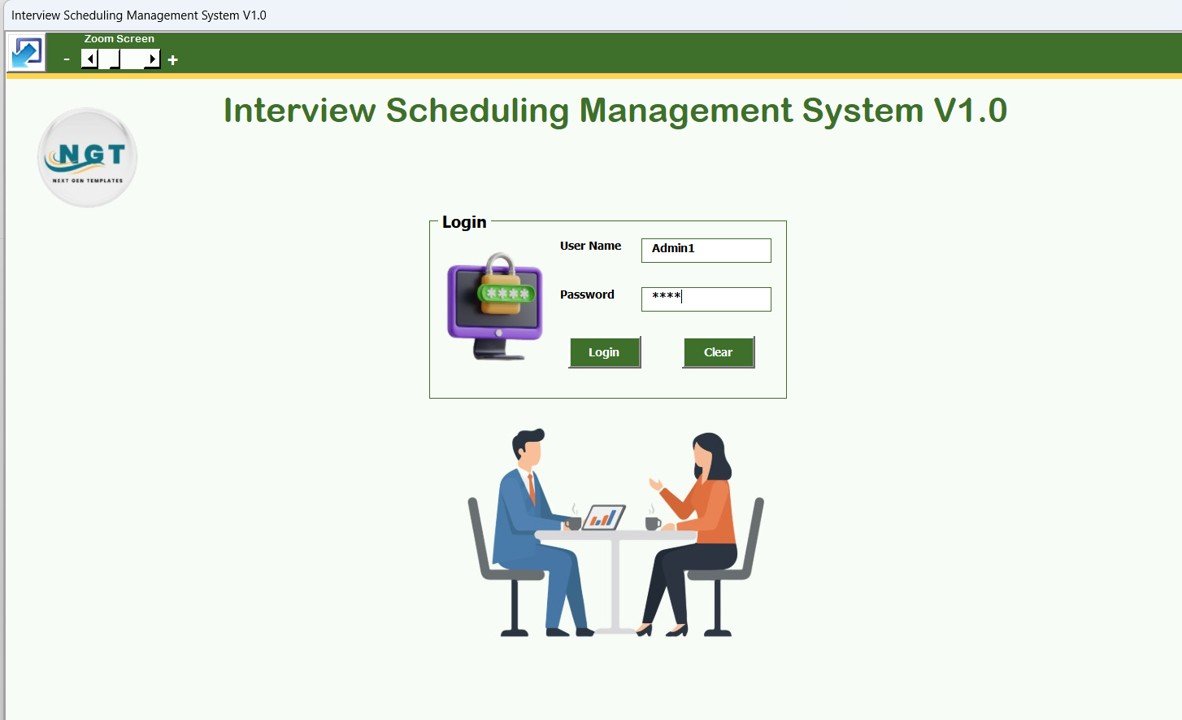
The system begins with a secure login interface that ensures controlled access.
Users simply enter credentials and press Login or hit Enter to access the system.
Click to Purchases Interview Scheduling Management System V1.0
Default Login Credentials
Admin Role
-
Username: Admin1
-
Password: abcd
User Role
-
Username: User1
-
Password: abcd
Role-based access helps organizations maintain data security and operational control.
🧭 2. Interview Schedule – Main Form (Central Dashboard)
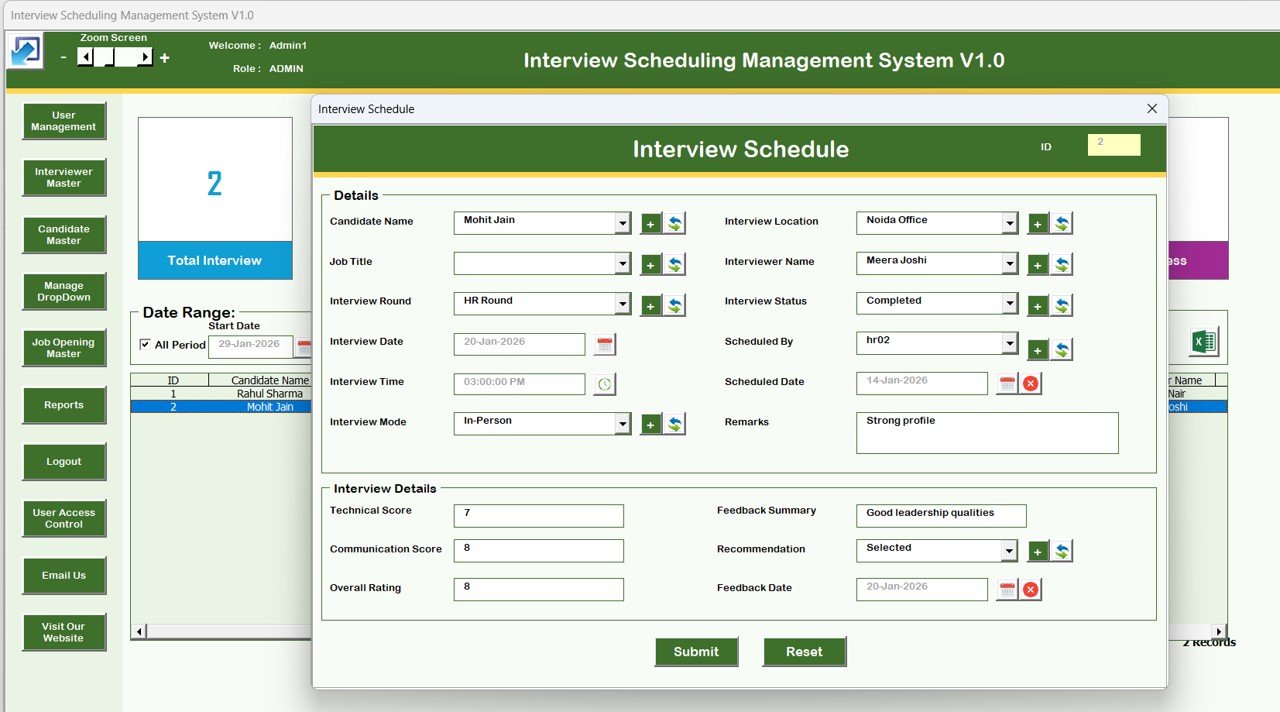
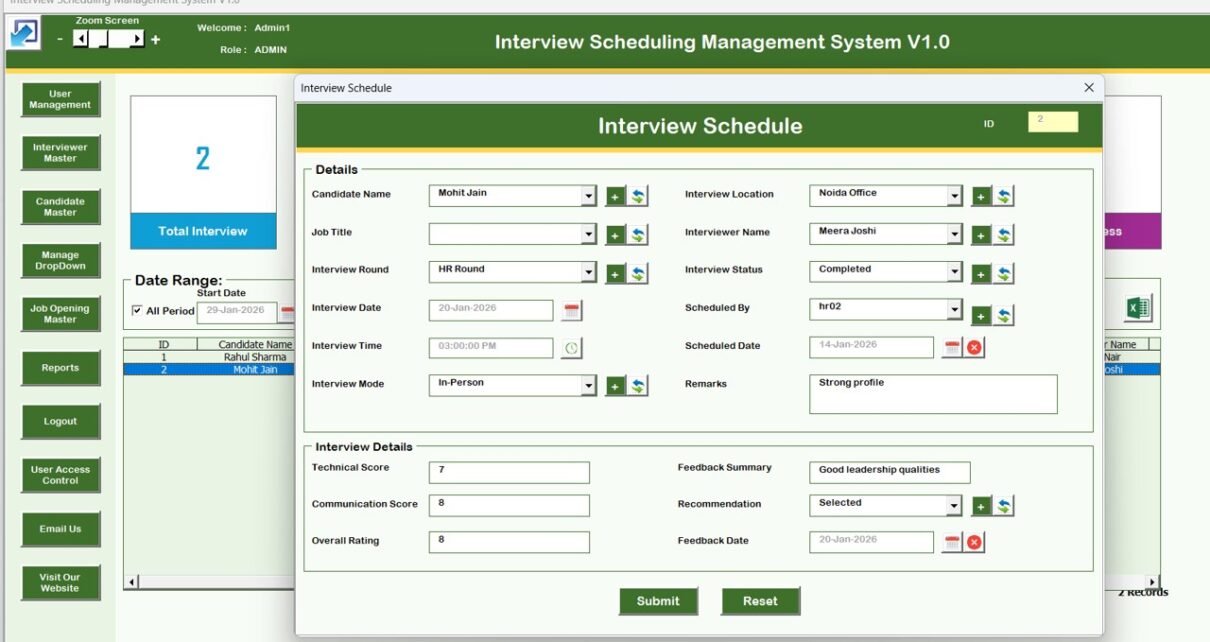
After login, users enter the Main Interview Scheduling Form, which acts as the command center of the entire system.
From this screen, users can manage all interview-related activities quickly and efficiently.
📋 List Box Data Management
At the center of the main form, a dynamic List Box displays all interview records.
Click to Purchases Interview Scheduling Management System V1.0
This allows users to:
-
View scheduled interviews instantly
-
Select records for editing
-
Monitor interview activities in real time
🔎 Smart Filtering Options
Users can filter interview records using:
-
Date-based filters
-
Column-specific filtering
This feature helps HR teams locate records quickly without scrolling through large datasets.
🔄 Sorting Functionality
The Sort By feature allows users to organize data based on selected criteria, improving visibility and analysis.
⚙️ Control Buttons (Core Operations)
The system includes powerful control buttons for complete record management:
✅ Add New Record
Create and schedule new interview entries instantly.
✅ Update Existing Record
Select a record or double-click it to edit details and submit updates.
✅ Delete Record
Remove selected records securely.
✅ Export to Excel
Export filtered interview data into a new Excel file for sharing or reporting.
Navigation Menu Features (Left Sidebar)
The system includes a fully functional navigation panel that simplifies workflow management.
🏢 Firm Information
Update company or recruitment firm details using a dedicated form.
Click to Purchases Interview Scheduling Management System V1.0
👥 User Management
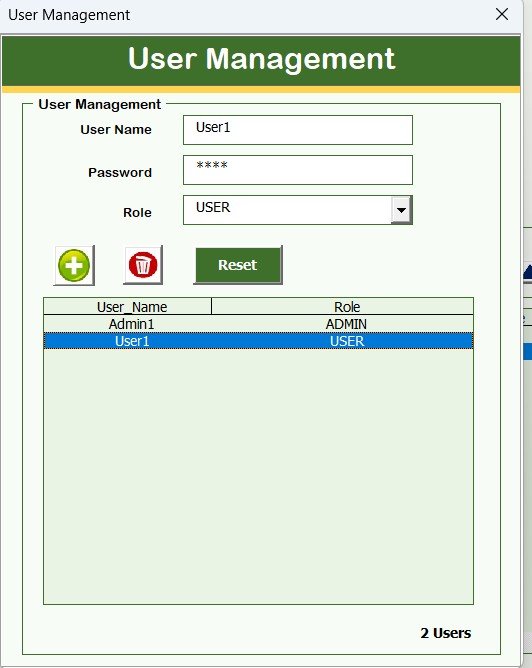
Admins can:
-
Add new users
-
Update user details
-
Delete users
-
Reset passwords
-
Change login credentials
This ensures proper user administration.
📑 Manage List
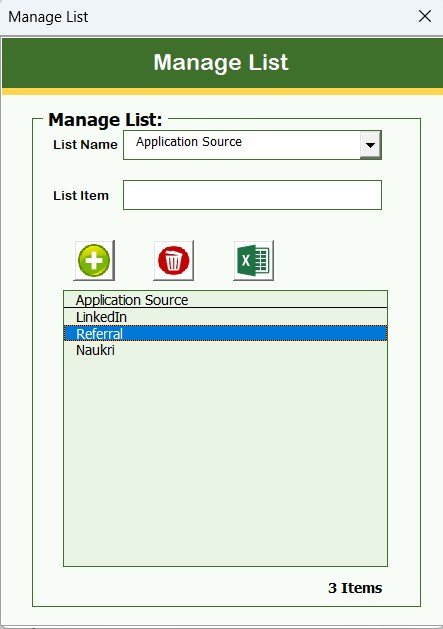
Manage predefined lists easily using add and delete options.
📌 Interview Master
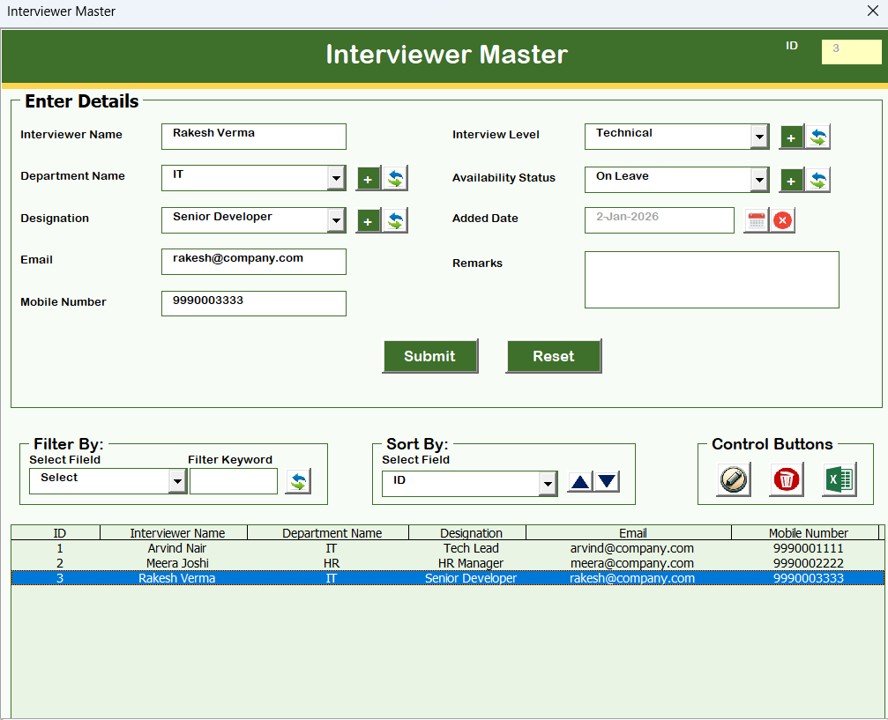
Maintain interview-related master data for structured scheduling.
👤 Candidate Master
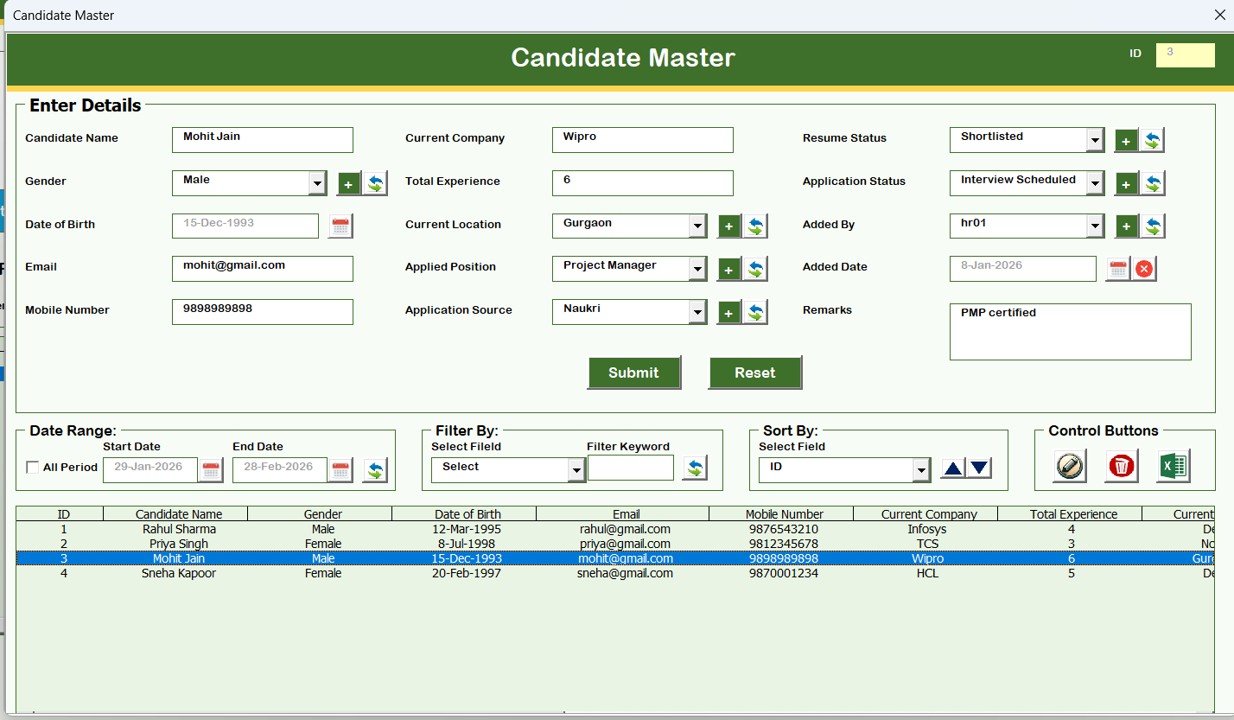
Store and manage candidate information in a centralized database.
💼 Job Opening Master
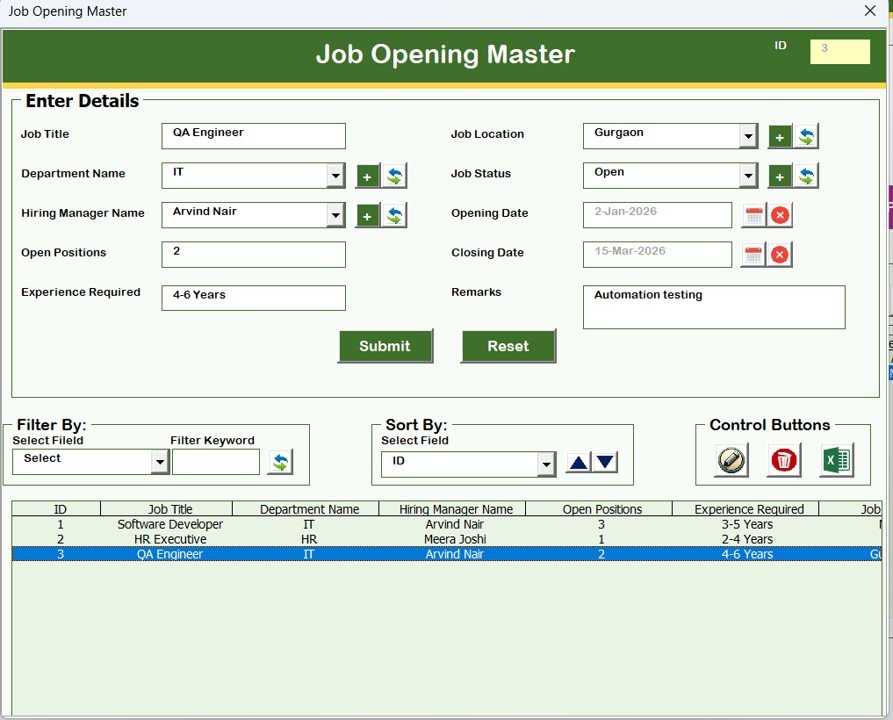
Track job roles and openings efficiently, enabling organized recruitment planning.
📊 Reports Module
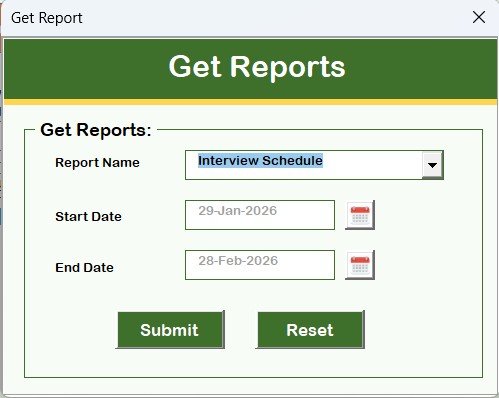
Generate Excel reports for selected date ranges.
This feature helps HR teams:
-
Analyze hiring activity
-
Share reports with management
-
Maintain recruitment records
-
Click to Purchases Interview Scheduling Management System V1.0
🔐 Manage User Access Control
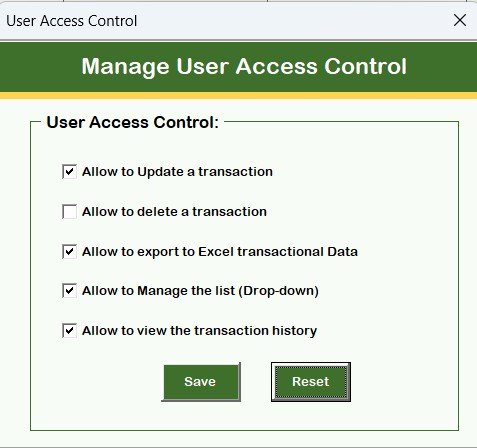
Only Admin users can access this feature.
Admins can define permissions by selecting which modules users can access, ensuring role-based security.
🚪 Logout Function
When users log out:
-
Data automatically saves
-
Excel file closes securely
-
Forms exit safely
📧 Email Us Button
Need customization or support?
This option displays the support email for assistance.
🌐 Visit Our Website
Users can directly open the website to explore additional tools and templates.
Advantages of Interview Scheduling Management System V1.0
Click to Purchases Interview Scheduling Management System V1.0
✅ Centralized interview management
✅ Reduces manual scheduling errors
✅ Improves recruitment efficiency
✅ Secure role-based access system
✅ Automated reporting capability
✅ Easy Excel-based interface
✅ No expensive software required
How This Tool Improves Recruitment Productivity
When organizations implement this system:
-
HR teams save hours of manual work.
-
Interview coordination becomes structured.
-
Candidate tracking improves significantly.
-
Reports generate instantly.
-
Decision-making becomes faster.
As a result, hiring processes become smoother and more professional.
Best Practices for Using the Interview Scheduling System
To maximize benefits, follow these best practices:
-
Maintain updated candidate records regularly.
-
Assign proper user roles for security.
-
Use filters for faster data analysis.
-
Generate weekly recruitment reports.
-
Backup Excel files periodically.
-
Train HR staff on workflow usage.
System Compatibility & Requirements (Important Highlights)
⚠️ Please read carefully before purchase or usage:
-
✅ Compatible with Windows 10 and above
-
✅ Works with Microsoft Excel 2010 and later versions
-
✅ Designed for Microsoft Excel Desktop Application only
-
❌ Not supported on Mobile or Tablet devices
-
❌ Not compatible with Mac Operating System
Who Can Benefit From This Tool?
This system is ideal for:
-
HR Departments
-
Recruitment Agencies
-
Staffing Companies
-
Corporate Hiring Teams
-
Consultants & Interview Coordinators
-
Small and Medium Businesses
-
Enterprises managing large hiring volumes
Why Choose an Excel & VBA-Based Solution?
Many organizations prefer Excel-based systems because:
-
Employees already know Excel.
-
Implementation requires no technical setup.
-
Data remains fully controllable.
-
Customization is possible.
-
Cost remains extremely low compared to HR software.
Therefore, this solution combines automation with simplicity.
Conclusion
Click to Purchases Interview Scheduling Management System V1.0
The Interview Scheduling Management System V1.0 is a powerful yet simple recruitment management solution designed for organizations that want efficiency without complexity.
By combining Excel’s flexibility with VBA automation, this tool transforms interview scheduling into a structured, secure, and time-saving process.
If you want to eliminate manual coordination, improve hiring workflow, and manage interviews professionally, this ready-to-use system is the perfect solution.
Frequently Asked Questions (FAQs)
1. Is this tool ready to use?
Yes, the system is fully ready to use after download.
2. Do I need VBA knowledge?
No. The tool works automatically without programming knowledge.
3. Can multiple users use the system?
Yes, role-based login allows multiple users.
4. Can reports be exported?
Yes, reports can be exported into Excel files.
5. Does it work on Mac?
No, it supports Windows only.
6. Can I customize the tool?
Yes, customization support is available via email.
Visit our YouTube channel to learn step-by-step video tutorials