Introduction
Equipment Maintenance Schedule in Excel is a comprehensive and ready-to-use calendar template designed to simplify tracking and managing maintenance events efficiently. This tool enables users to plan, schedule, and monitor equipment maintenance through various calendar views, helping organizations maintain operational uptime and extend equipment lifespan.Equipment Maintenance Schedule
Key Features of Equipment Maintenance Schedule in Excel
- Comes with 5 dedicated worksheets: Home, Annual View, Monthly View, Daily View, and Events database.
- User-friendly control panels to customize year, start month, and week start day.
- Multiple color themes for better visualization and personalization.
- Highlight weekends and special events dynamically within the calendar.
- Add, view, and manage events with simple forms and buttons across all views.
- Event list filtering based on selected date ranges for detailed inspection.
Dashboard Pages Explanation
1. Home Sheet Tab
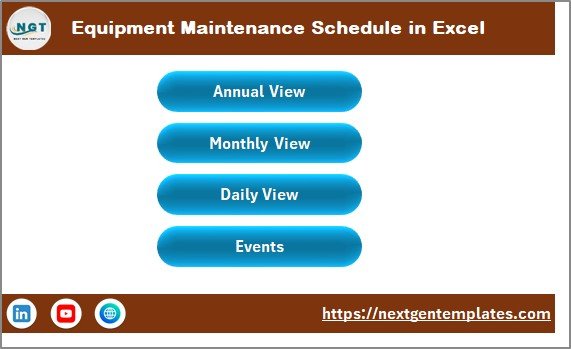
The Home sheet acts as the index page with four intuitive navigation buttons aiding swift access to the different calendar views and event lists.
2. Annual View Sheet Tab
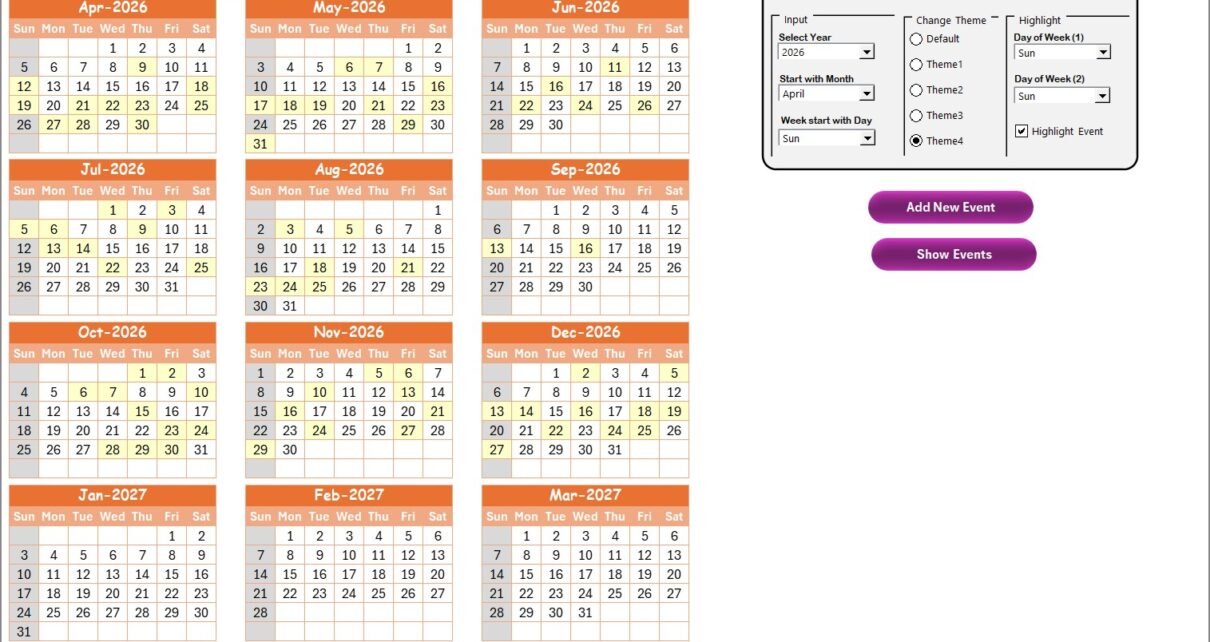
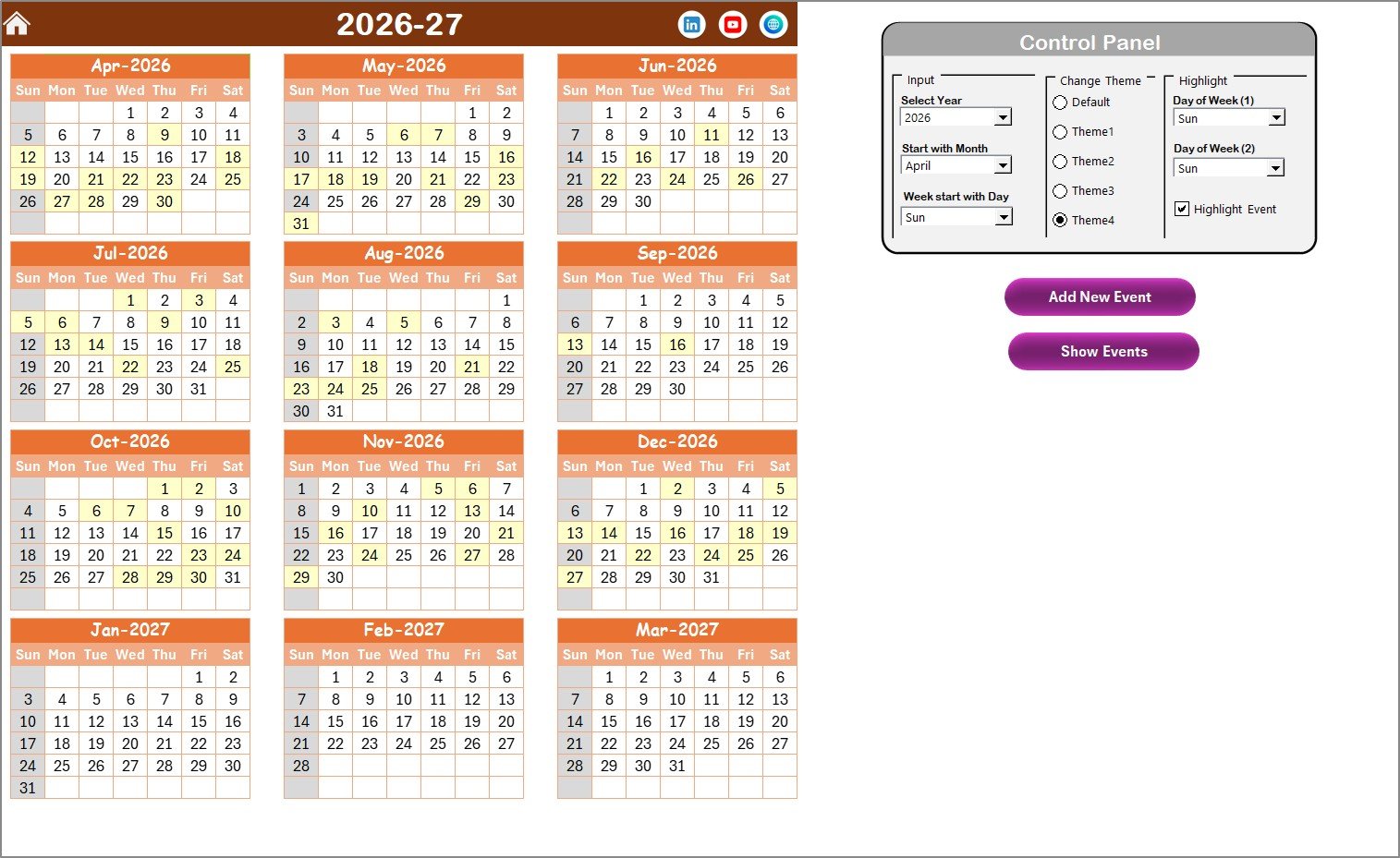
This sheet presents a full-year calendar displaying 12 months, allowing you to view annual maintenance schedules at a glance. It features a control panel with several groups:
- Input Group: Select the year, starting month, and starting day of the week to adjust the calendar dynamically.
- Change Theme Group: Choose from 5 different color themes to personalize the workbook.
- Highlight Group: Highlight specific weekdays (e.g., Saturday, Sunday) and events for easy identification.
Two key buttons are provided:
- Add New Event: Select a date and open a form to add new events.
- Show Events: View all events scheduled on the selected date.
3. Monthly View Sheet Tab
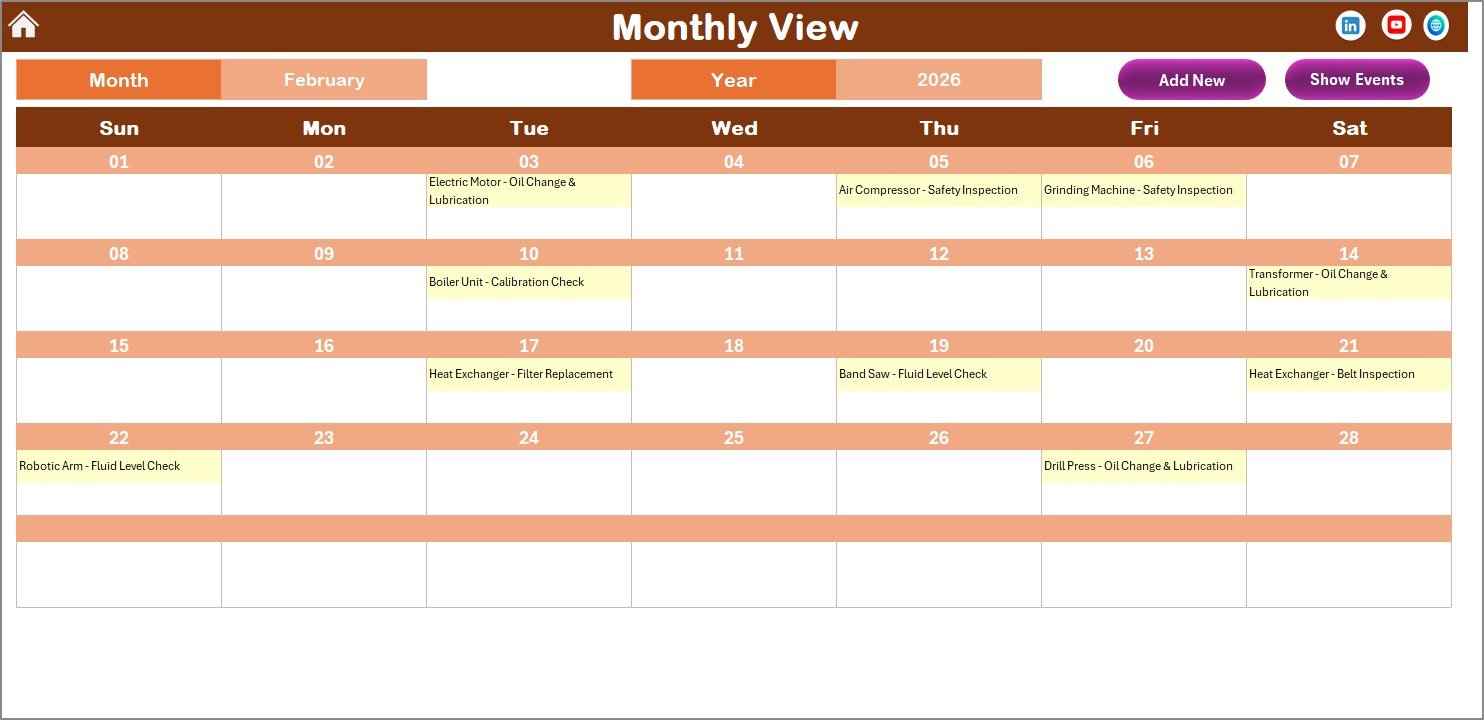
This sheet shows a calendar for the selected month and year. You can easily switch between months and view detailed events. If multiple events exist on a single date, a summarized indicator like ‘more than 1…’ appears.
- Add New Event button: Quickly add a new maintenance event to the chosen date.
- Show Event button: Display all events scheduled for a specific date.
4. Daily View Sheet Tab
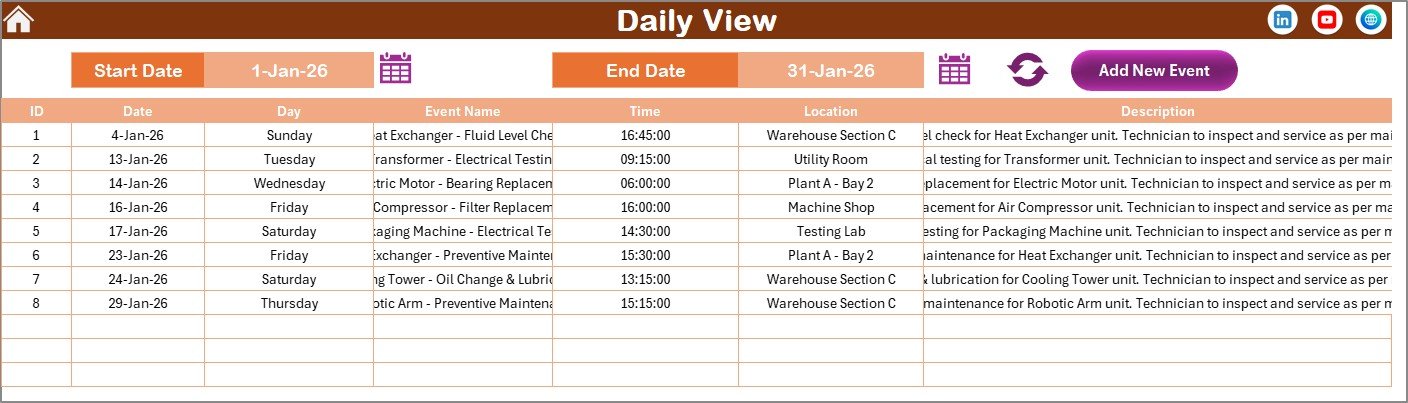
The Daily View sheet provides a detailed list of events within a selected date range. Users can specify the start and end dates to filter maintenance activities.
- Date selection via calendar icons for easy input.
- Refresh button to update the event list dynamically.
- Add New Event button to quickly log maintenance events with detailed information.
5. Events Sheet Tab
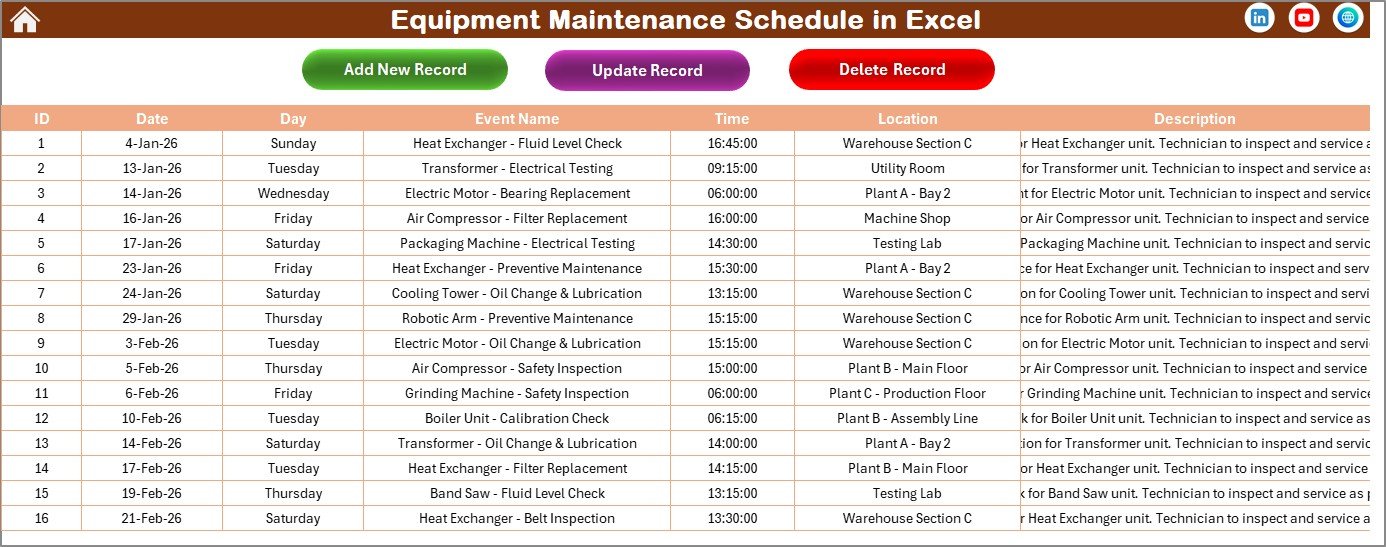
This sheet acts as the database for all maintenance events, storing detailed fields:
- ID: Auto-generated unique event number.
- Date: Date of the event.
- Day: Day of the week.
- Event Name: Name/title of the maintenance activity.
- Time: Time of the event.
- Location: Event location.
- Description: Short descriptive summary.
The sheet includes three important buttons:
- Add New Record: Opens form to add fresh maintenance events.
- Update Existing Record: Modify details of an existing event by selecting its ID first.
- Delete Record: Remove an event by selecting its ID.
Advantages of Equipment Maintenance Schedule in Excel
- Improves maintenance planning and reduces equipment downtime.
- Flexible and customizable to fit different equipment types and schedules.
- Easy event addition and management without complex software.
- Visually appealing with themes and highlights for better user experience.
- Facilitates timely inspections and repairs, preventing costly breakdowns.
Opportunities for Improvement
Click to Buy Equipment Maintenance Schedule in Excel
- Integrate notifications or reminders for upcoming maintenance events.
- Link equipment details or manuals for better context during scheduling.
- Add user permissions for better access control on event management.
- Incorporate reporting features to analyze maintenance trends over time.
Best Practices
- Regularly update the events sheet to maintain accurate records.
- Use highlighting features to differentiate critical maintenance tasks.
- Backup the Excel file frequently to prevent data loss.
- Train staff to use different views effectively for enhanced productivity.
FAQs
Click to Buy Equipment Maintenance Schedule in Excel
How do I add a new maintenance event?
Select the appropriate date on any calendar view and click the ‘Add New Event’ button to fill in details and submit the form.
Can I customize the calendar start day or month?
Yes, in the Annual View sheet’s control panel, you can select the starting month and first day of the week.
Is it possible to highlight weekends or holidays?
Yes, use the Highlight Group in the Annual View to set specific weekdays or event highlights.
How do I update or delete existing maintenance events?
Use the Events sheet tab to select event IDs and then click the relevant update or delete buttons.
Conclusion
Click to Buy Equipment Maintenance Schedule in Excel
The Equipment Maintenance Schedule in Excel offers a straightforward, customizable, and visually intuitive solution for managing maintenance tasks. Suitable for businesses and facilities managers, it ensures better equipment reliability and streamlined maintenance planning.
For further assistance, you can visit official Microsoft Excel support here: Microsoft Excel Support.
Visit our YouTube channel to watch the demo.
Click to Buy Equipment Maintenance Schedule in Excel