HR teams spend an average of 36% of their workweek on compliance-related administrative tasks, according to a 2024 SHRM workforce study. Missing a single regulatory deadline — whether it’s an OSHA training renewal, EEO-1 filing, or I-9 reverification — can result in penalties ranging from $252 to $2,507 per form. The HR Compliance and Audit Calendar in Excel organizes these deadlines across 5 interactive worksheets with built-in VBA forms, 7 data fields per event, and 5 switchable color themes.
Instead of relying on scattered sticky notes, generic Google Calendar reminders, or expensive HRIS platforms charging $6–$9 per employee per month, this Excel calendar gives HR managers a single centralized tool to track compliance events, schedule audits, and filter deadlines by date range. The template costs $4.99 one-time with no subscription fees, no per-user charges, and lifetime access. Below is a detailed walkthrough of every feature and worksheet.
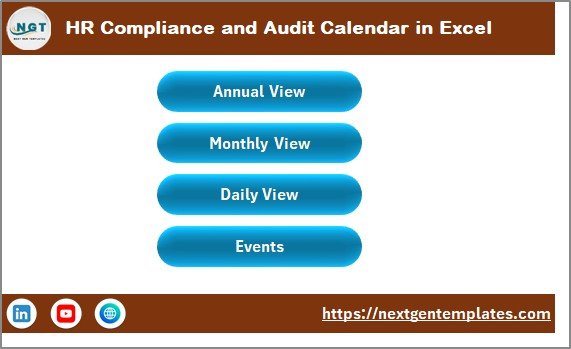
HR Compliance and Audit Calendar in Excel
Key Features of the HR Compliance and Audit Calendar in Excel
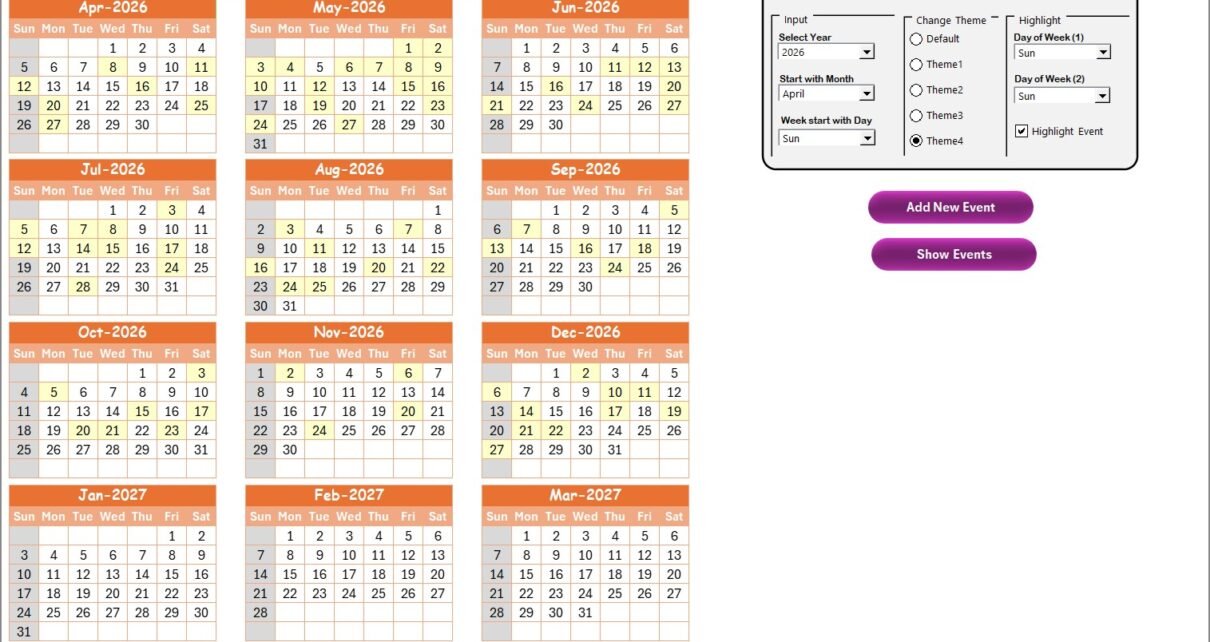
The HR Compliance and Audit Calendar in Excel includes 5 worksheets — Home, Annual View, Monthly View, Daily View, and Events — designed specifically for HR compliance tracking. The Annual View displays all 12 months on a single sheet with configurable weekend shading and event highlighting in yellow. The control panel provides 3 configuration groups: Input (year, starting month, starting weekday), Change Theme (5 color options), and Highlight (select 2 weekdays to shade plus an event highlight toggle).
Each compliance event stores 7 data fields: auto-generated ID, date, day of the week, event name, time, location, and description. Built-in VBA forms handle all data entry — add new events from any sheet, update existing records by selecting the event ID, and delete entries directly from the Events database. The Monthly View shows one event per date cell, displaying “more than 1…” when multiple events fall on the same date. The Daily View lets you filter events by entering a start date and end date, generating a filtered report of upcoming compliance deadlines.
These features make the calendar particularly useful for tracking recurring HR compliance events like annual safety audits, quarterly policy reviews, monthly training certifications, and regulatory filing deadlines. For related Excel templates, explore the Monthly Timesheet Calendar in Excel for employee time tracking, or the Compliance and Audit Dashboard in Excel for KPI-level compliance analytics.
📦 Click here to Purchase the HR Compliance and Audit Calendar in Excel
Worksheets Explanation
Home Sheet
The Home sheet serves as the index page for the entire calendar. It features 4 navigation buttons — Annual View, Monthly View, Daily View, and Events — allowing you to jump to any section instantly without scrolling through tabs. This is your starting point every time you open the file.
Annual View Sheet
The Annual View Sheet displays 12 months of calendars on a single worksheet. At the top, the control panel is divided into 3 groups:
- Input Group: Select the calendar year, starting month (useful for fiscal year alignment), and starting day of the week.
- Change Theme Group: Choose from 5 built-in color themes that apply across the entire workbook with one click.
- Highlight Group: Select two days of the week to shade in grey (e.g., Saturday and Sunday for weekends). An additional checkbox lets you highlight event dates in yellow directly on the annual calendar.
Two buttons sit on the sheet — Add New Event (opens the VBA form to create an event on the selected date) and Show Event (displays the list of events on the selected date).
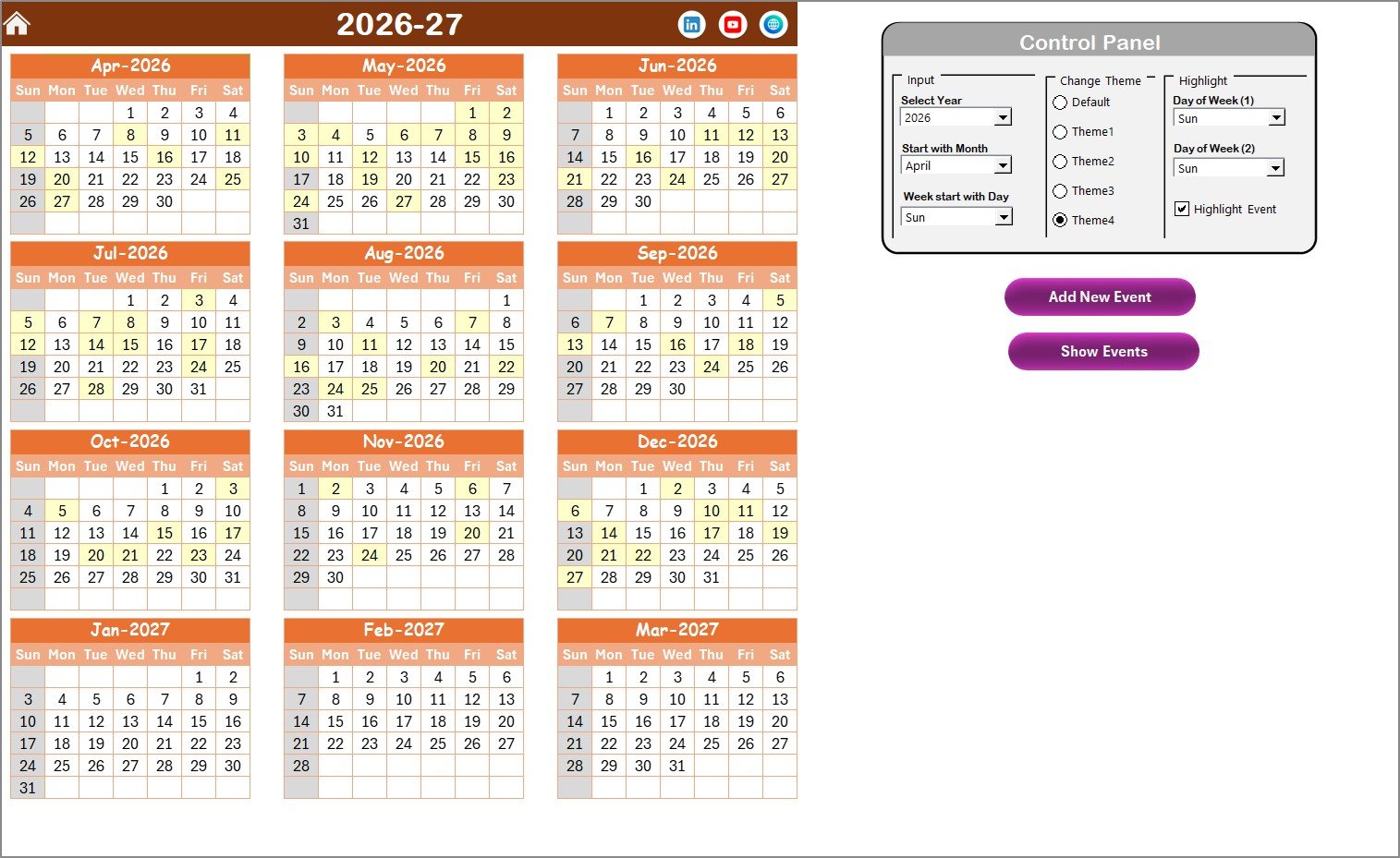 Annual View Sheet
Monthly View Sheet
The Monthly View Sheet shows a single calendar for the selected month. Use the dropdowns at the top to select the month and year. The calendar displays one event per date cell — if more than one event exists on a particular date, it shows “more than 1…” as a visual prompt. Two buttons are available: Add New Event (select a date on the calendar, click the button to open the event form) and Show Event (displays all events on the selected date).
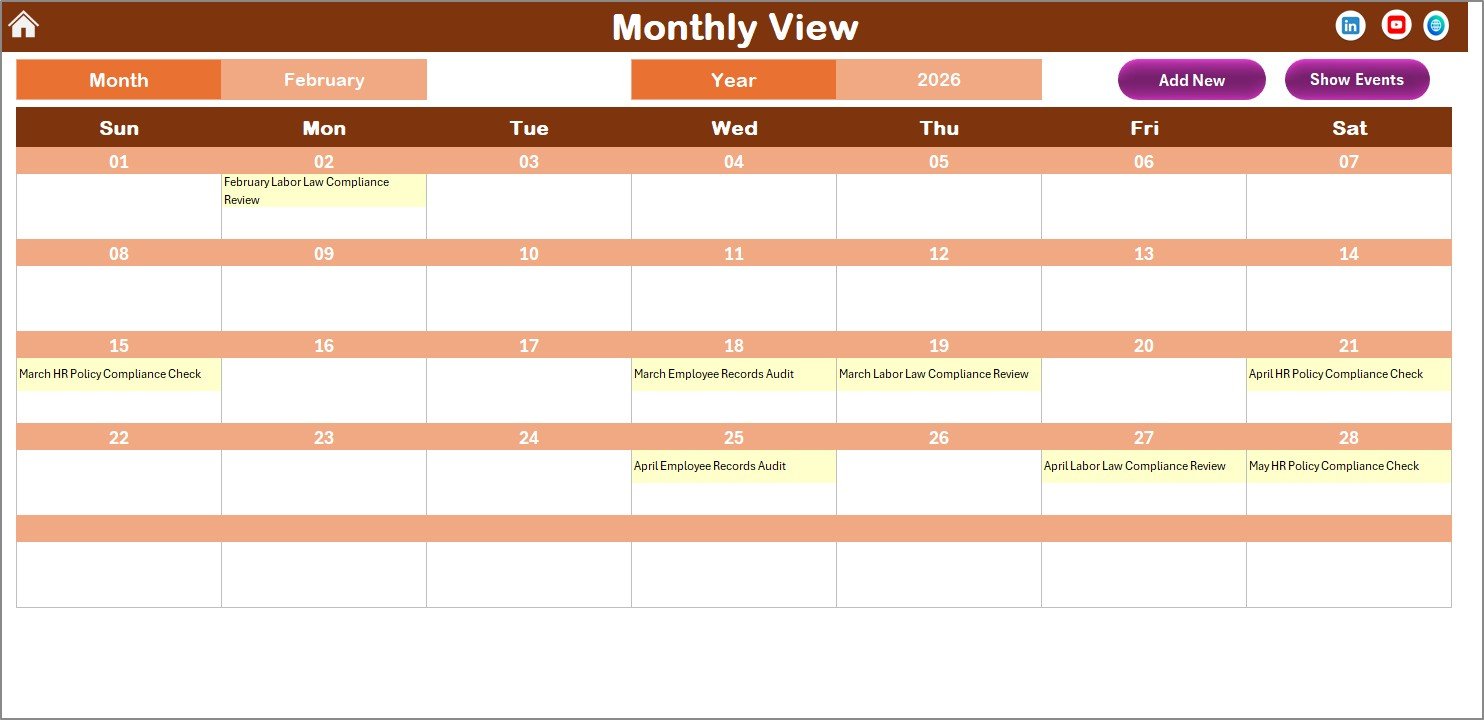 Monthly View Sheet
Daily View Sheet
The Daily View Sheet lists all compliance events within a selected date range. Enter a Start Date and End Date using the calendar icon at the top, then click Refresh to display the filtered list. This view is particularly useful for generating quarterly compliance reports or preparing for upcoming audit periods. An Add New Event button is available at the top for quick data entry.
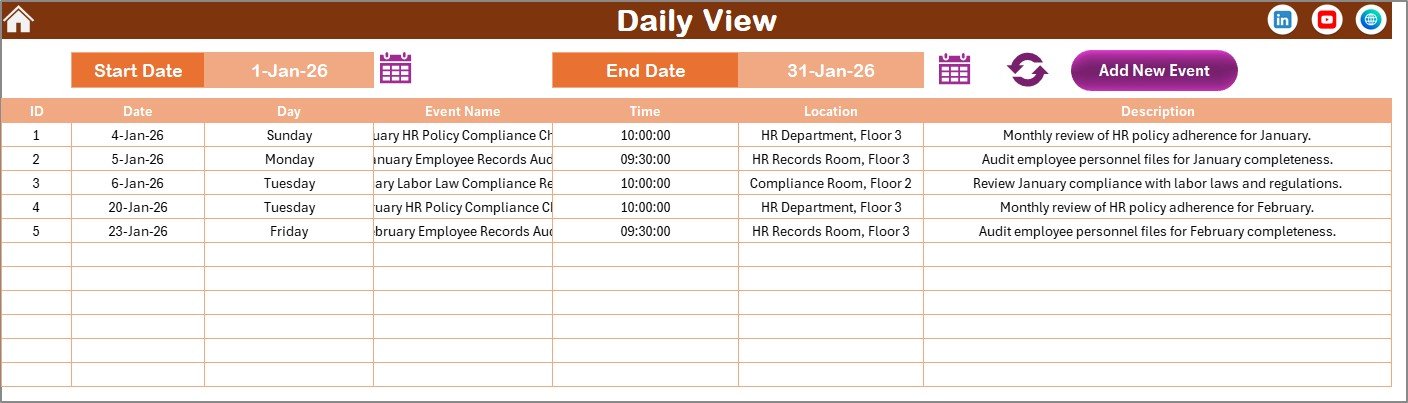 Daily View Sheet
Events Sheet (Database)
The Events Sheet is the central database where all compliance events are stored. Each event record includes: ID (auto-generated), Date, Day, Event Name, Time, Location, and Description. Three management buttons are available at the top:
- Add New Record: Opens the event form to create a new compliance event.
- Update Existing Record: Select the ID of the record you want to modify, click this button, and the form opens with pre-filled data for editing.
- Delete Record: Select the ID of the event you want to remove and click to delete it permanently.
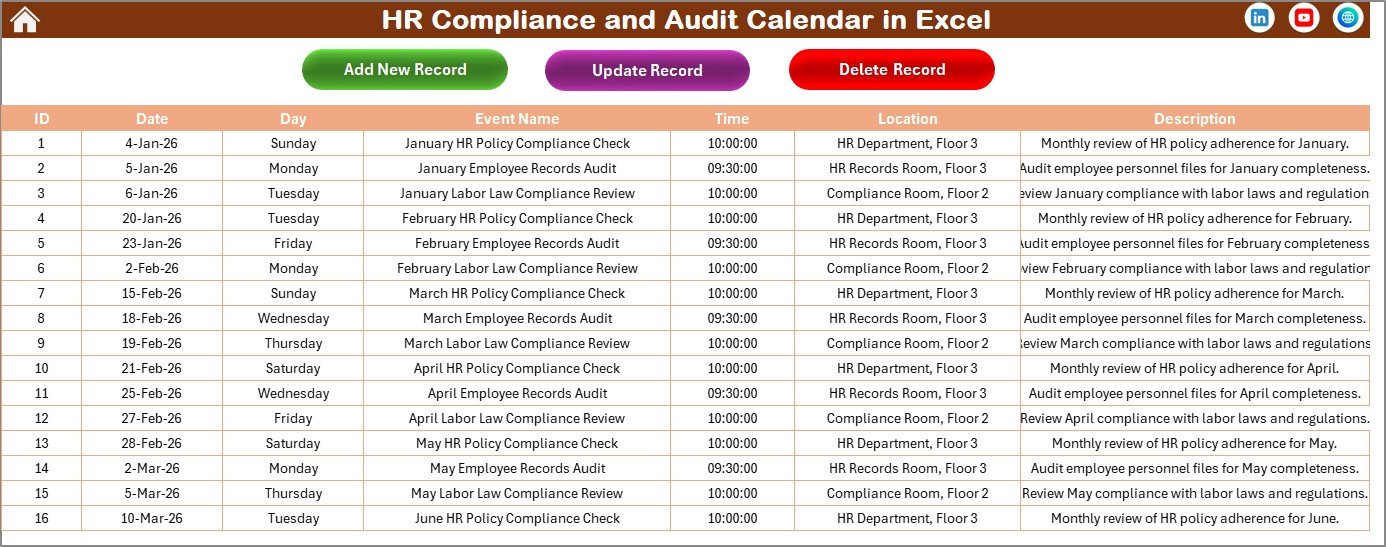 Events Sheet
HR Compliance Calendar in Excel vs. Google Calendar vs. BambooHR — Feature Comparison
| Feature | HR Compliance Calendar in Excel | Google Calendar | BambooHR |
|---|---|---|---|
| Cost | $4.99 one-time | Free | $6–$9 / employee / month |
| Platform | Microsoft Excel (desktop) | Browser / mobile | Browser / mobile |
| Setup time | Under 10 minutes | Minutes | Days to weeks |
| HR-specific event fields | ✅ 7 fields per event | ❌ Generic events only | ✅ HR-focused |
| Annual 12-month overview | ✅ Single-sheet view | ❌ Month-by-month only | ❌ No calendar overview |
| Built-in data forms | ✅ Add / Update / Delete | ❌ No forms | ✅ Web forms |
| Offline access | ✅ Full offline | Limited offline | ❌ Internet required |
| 5 color themes | ✅ One-click switch | ❌ Limited customization | ❌ Fixed UI |
| Year-1 cost at 5 users | $4.99 total | Free | $3,600–$5,400 |
For HR teams that want a dedicated compliance tracking calendar without paying per-employee SaaS fees, the HR Compliance and Audit Calendar in Excel sits in the sweet spot.
Who Should Use This Template
✅ Perfect for:
- HR managers at companies with 10–500 employees tracking compliance deadlines, safety audits, and policy renewals
- Small business owners handling their own HR compliance without dedicated software
- HR consultants managing compliance calendars for multiple clients using separate Excel files
- Office administrators responsible for scheduling regulatory filings, training certifications, and license renewals
❌ Not a fit if:
- You need multi-user real-time collaboration with SOC 2 compliance — consider a cloud-based HRIS instead
- Your team requires automated email or Slack reminders for upcoming deadlines
- You need direct integration with HRIS platforms like Workday or SAP SuccessFactors
Real-World Use Cases
📦 Click here to Purchase the HR Compliance and Audit Calendar in Excel
Priya manages HR at a 120-person manufacturing company. She uses the HR Compliance and Audit Calendar to track annual safety audit dates, OSHA training renewals, and labor law filing deadlines. Each quarter, she switches to Daily View to generate a filtered list of upcoming compliance events for her leadership presentation — saving her team from the $7 per employee per month cost of BambooHR.
David runs an HR consulting firm serving 8 small businesses. He maintains a separate copy of this calendar for each client, tracking their unique compliance schedules — from I-9 verification deadlines to EEO-1 filing dates. The 5 color themes help him visually distinguish each client’s calendar during review meetings.
Maria is the office administrator at a 45-person accounting firm. She uses the calendar to schedule CPE training dates, ethics compliance reviews, and annual policy acknowledgment deadlines. The built-in VBA forms make it easy to add new events without touching the spreadsheet structure directly.
Advantages of the HR Compliance and Audit Calendar
The most significant advantage is cost savings — at $4.99 one-time, a 50-person team saves $3,600–$5,400 per year compared to BambooHR’s per-employee pricing. The offline access means HR managers in manufacturing plants, construction sites, or remote offices can access their compliance calendar without internet connectivity. The 5 color themes provide visual customization that generic calendar tools don’t offer, and the VBA forms eliminate the need to manually type data into spreadsheet cells.
The Annual View is particularly valuable for compliance planning — seeing all 12 months on one sheet lets HR teams identify gaps in their audit schedule and spot months with clustered deadlines. The date range filtering in Daily View makes quarterly and monthly compliance reporting straightforward.
Opportunities for Improvement
📦 Click here to Purchase the HR Compliance and Audit Calendar in Excel
The calendar does not include automated email reminders — you’ll need to set up your own Outlook or Google Calendar reminders for critical deadlines. There’s no multi-user collaboration built in; if multiple HR team members need to add events simultaneously, consider using Excel’s co-authoring feature via OneDrive or SharePoint. The template also doesn’t generate compliance reports automatically — for audit-level analytics, pair it with the Compliance and Audit Dashboard in Excel which tracks compliance KPIs across 5 dashboard pages.
Best Practices
Start by entering all known annual compliance deadlines at the beginning of the fiscal year — OSHA filings, EEO-1 reports, I-9 reverifications, benefits enrollment periods, and policy review dates. Use the Description field to note the responsible person, required documents, or submission portal for each event. Set the starting month in the control panel to match your fiscal year (e.g., April for Indian fiscal year, July for Australian). Review the Daily View at the start of each month to identify upcoming deadlines for the next 30–60 days. Keep a backup copy of the file at the end of each quarter to maintain a historical compliance record.
Explore Relevant Templates
📊 Monthly Timesheet Calendar in Excel — Track employee work hours and attendance alongside your compliance calendar.
📊 Compliance and Audit Dashboard in Excel — Analyze compliance KPIs with 5 interactive dashboard pages and automated charts.
📊 Compliance and Audit Dashboard in Power BI — Advanced compliance analytics with Power BI visuals, slicers, and drill-through filters.
📊 Workforce Analytics Dashboard in Google Sheets — Track HR metrics like headcount, turnover, and attendance in Google Sheets.
💎 Save 40% — Get all HR templates in the HR & Workforce Analytics Bundle → 10 Premium Templates for $89.99
Browse the full collection of Excel Calendar Templates and HR & Payroll Templates on NextGenTemplates.
Frequently Asked Questions
📦 Click here to Purchase the HR Compliance and Audit Calendar in Excel
What types of HR compliance events can I track?
The HR Compliance and Audit Calendar in Excel tracks any compliance event — safety audits, policy renewals, regulatory filings, training certifications, license expirations, and benefits enrollment deadlines. Each event stores 7 fields: date, day, event name, time, location, and description with an auto-generated ID.
Does this calendar require macros?
Yes. The VBA-powered forms for adding, updating, and deleting compliance events require macros to be enabled when you open the file. The calendar works in Microsoft Excel on both Windows and Mac with macros enabled.
Can I set a custom fiscal year start month?
Yes. The control panel on the Annual View sheet lets you select any starting month and any starting day of the week. The entire 12-month calendar updates automatically. This is useful for organizations with April, July, or October fiscal year starts.
How does this compare to BambooHR for compliance tracking?
The HR Compliance and Audit Calendar costs $4.99 one-time versus BambooHR at $6–$9 per employee per month. For a 50-person team, BambooHR runs $3,600–$5,400 per year. This template provides offline access, 5 color themes, and full customization without recurring fees or per-user charges.
Can multiple HR team members use this calendar?
Yes. You can share the file via OneDrive or SharePoint for co-authoring. Alternatively, create separate copies for each team member or department. The Events sheet consolidates all entries in one database for easy review.
How long does initial setup take?
Setup takes under 10 minutes. Open the file, enable macros, configure your calendar year and preferences in the control panel, and start adding compliance events using the built-in forms. No formula knowledge or technical skills needed.
Is this template compatible with Mac?
Yes. The HR Compliance and Audit Calendar works in Microsoft Excel for Mac with macros enabled. All VBA forms, color themes, navigation buttons, and data management features function on both Windows and Mac.
About the Author
Built by PK — Microsoft Certified Professional with 15+ years of Excel, Google Sheets, and Power BI experience. Founder of NextGenTemplates, reaching 300K+ subscribers across YouTube channels (@PK-AnExcelExpert, @NextGenTemplates, @NeoTechNavigators). Every template is hand-built and tested before release.
Conclusion
The HR Compliance and Audit Calendar in Excel gives HR teams a single, centralized tool to track every compliance deadline, audit schedule, and regulatory event — across 5 interactive worksheets with built-in VBA forms, 5 color themes, and date range filtering. At $4.99 one-time, it replaces the need for per-employee SaaS subscriptions while providing offline access and full customization.
📦 Click here to Purchase the HR Compliance and Audit Calendar in Excel
✅ Instant download · One-time payment · No subscription · Lifetime access
🎥 Visit our YouTube channel for step-by-step video tutorials
👉 Youtube.com/@PK-AnExcelExpert