A 2024 SHRM survey found that 72% of organizations conduct formal performance reviews at least once a year, yet 58% of HR managers still track review schedules using manual spreadsheets or shared calendars that lack structure. The Performance Review Schedule Calendar in Excel solves this by organizing employee appraisals across 5 interactive worksheets — annual, monthly, and daily calendar views plus a built-in event database — with VBA-powered forms that let you add, update, and delete review entries without editing cells directly.
Whether you manage reviews for 15 employees or 500, this template eliminates the back-and-forth of email threads and sticky-note reminders. It captures 6 fields per event — date, day, event name, time, location, and description — and includes 5 color themes, configurable starting month, weekend highlighting, and a date range filter for pulling targeted review lists.Performance Review Schedule Calendar in Excel
Key Features of Performance Review Schedule Calendar in Excel
This Excel calendar template tracks performance review events across 5 dedicated worksheets: Home, Annual View, Monthly View, Daily View, and Events. It includes 5 built-in color themes that apply across all sheets with a single dropdown selection. The control panel on the Annual View sheet lets you set the calendar year, starting month, and starting day of the week — making it adaptable to fiscal years, academic years, or any custom review cycle your organization follows.
The VBA-powered event management system captures 6 fields per entry: date, day, event name, time, location, and description. Every new event gets an auto-generated sequential ID, which makes tracking and updating records straightforward. Three action buttons on the Events sheet — Add New Record, Update Existing Record, and Delete Record — give you full CRUD control over your review database without touching raw cells.
The highlight system on the Annual View lets you select two days of the week to mark as weekends (displayed in grey) and toggle a checkbox to highlight event dates in yellow. This gives HR teams a quick visual scan of where reviews are clustered and where weekends fall — critical for planning around public holidays and team availability.Performance Review Schedule Calendar in Excel
Worksheets Explanation
1. Home Sheet
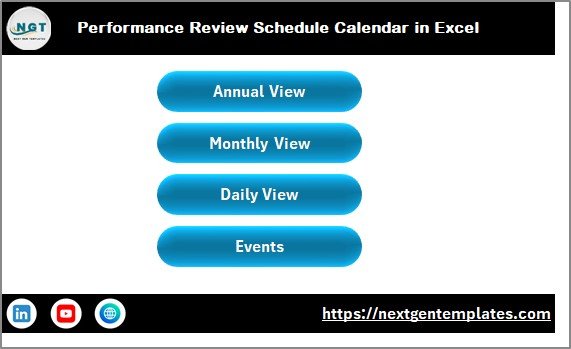
This is the index page of the calendar with 4 navigation buttons: Annual View, Monthly View, Daily View, and Events. Each button jumps you directly to the corresponding worksheet. It serves as the starting point every time you open the file.Performance Review Schedule Calendar in Excel
Performance Review Schedule Calendar in Excel
2. Annual View Sheet
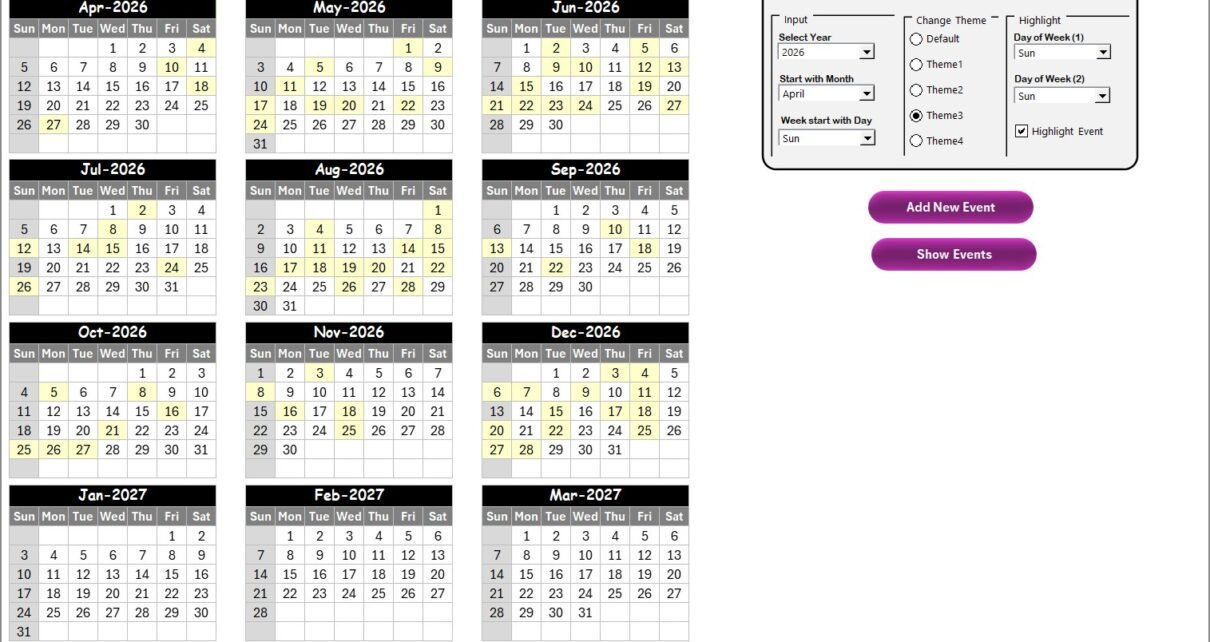
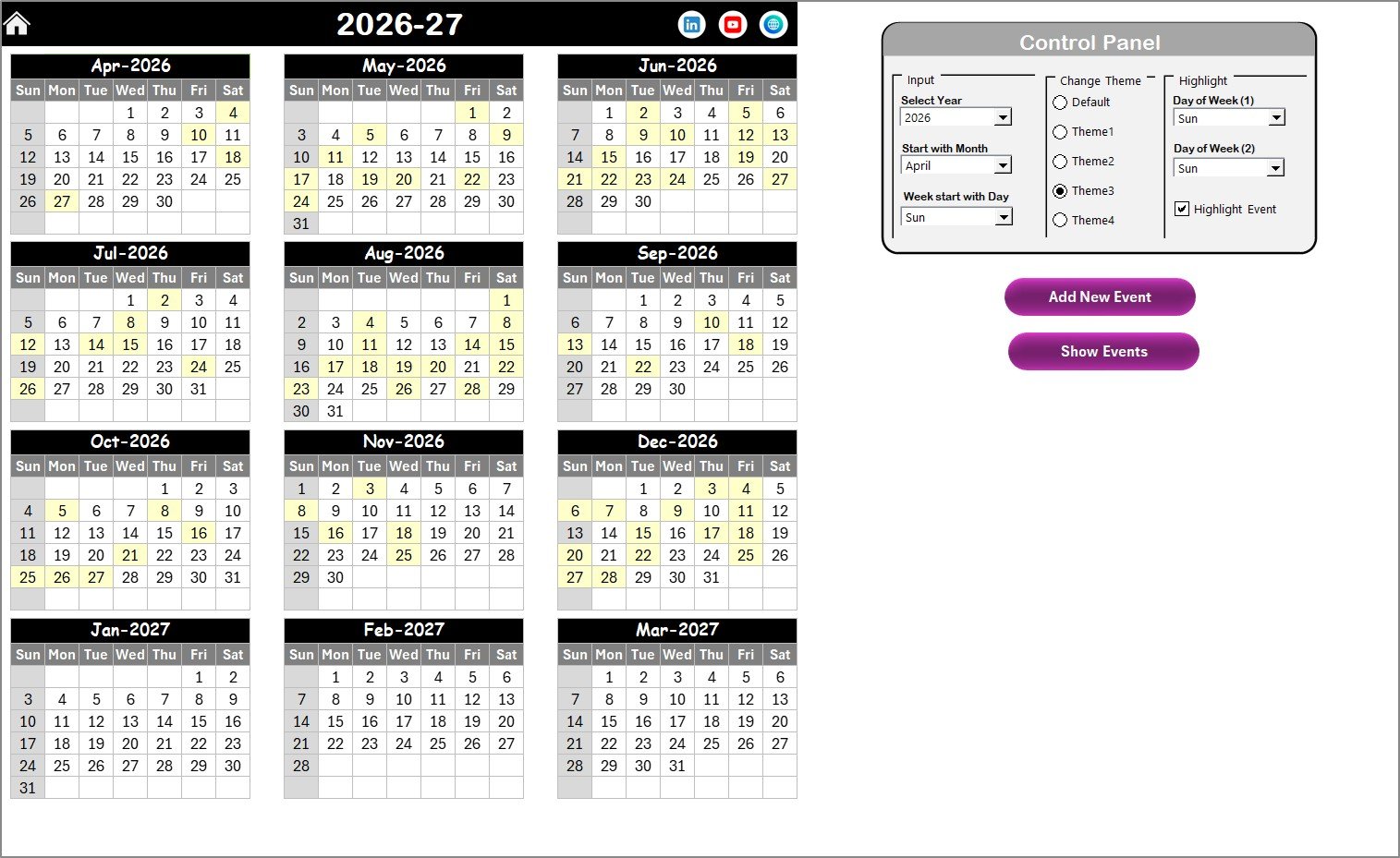
The Annual View displays all 12 months on a single sheet. At the top, a control panel is divided into three groups:
- Input Group — Select the year, starting month, and starting day of the week. The entire 12-month grid updates automatically based on your selections.
- Change Theme Group — Choose from 5 color themes that apply across all worksheets in the workbook.
- Highlight Group — Select two days to highlight as weekends (grey) and check the “Highlight Events” checkbox to mark event dates in yellow.
Two action buttons — Add New Event and Show Event — let you manage review entries directly from this view.
Annual View Sheet
3. Monthly View Sheet
The Monthly View focuses on a single month. Month and year selectors at the top let you navigate between months. Each date cell shows one event name, and if multiple events exist on the same date, it displays “more than 1…” as an overflow indicator. Add New Event and Show Event buttons are available here for quick entry and lookup.
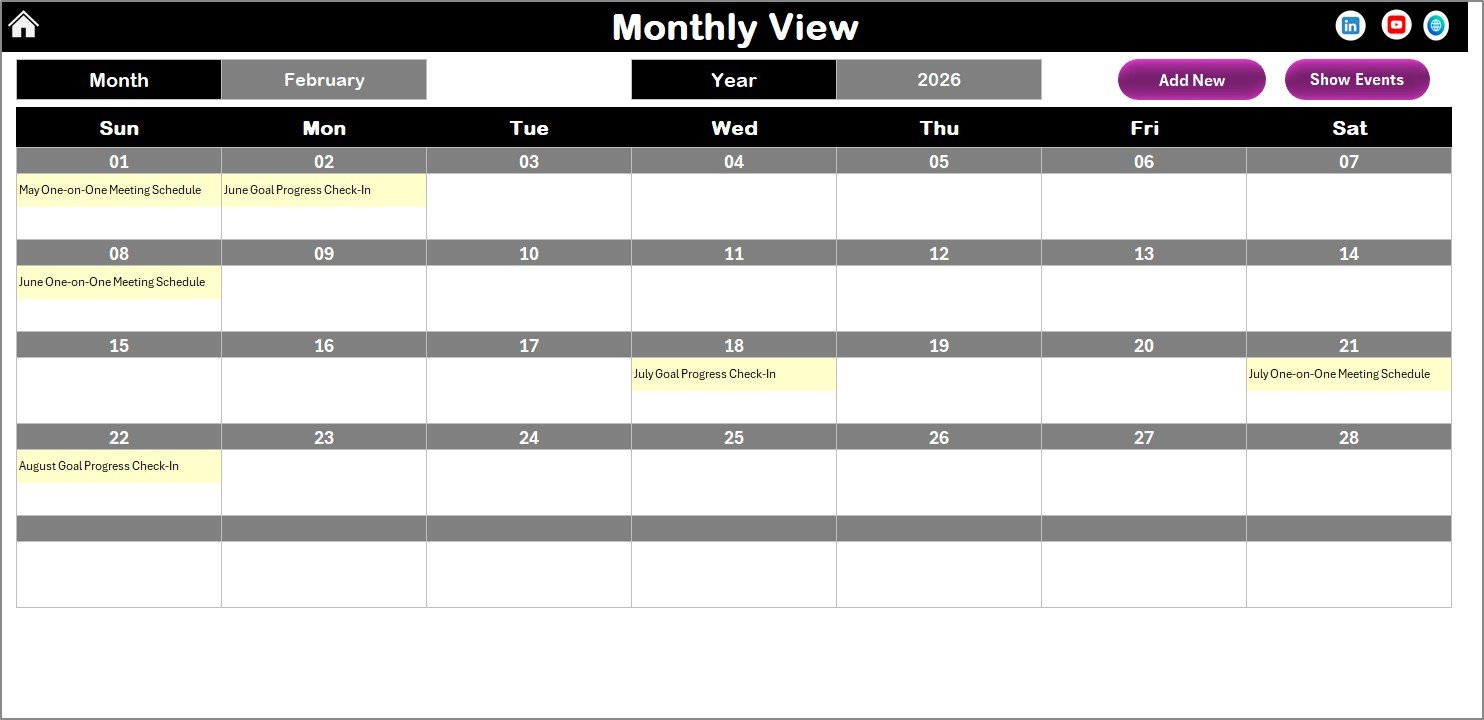
Monthly View Sheet
4. Daily View Sheet
The Daily View lists all events within a selected date range. Set your Start Date and End Date using the calendar icon picker at the top, then click the Refresh button to display matching events with full details (event name, time, location, description). An Add New Event button is also available for quick data entry from this sheet.
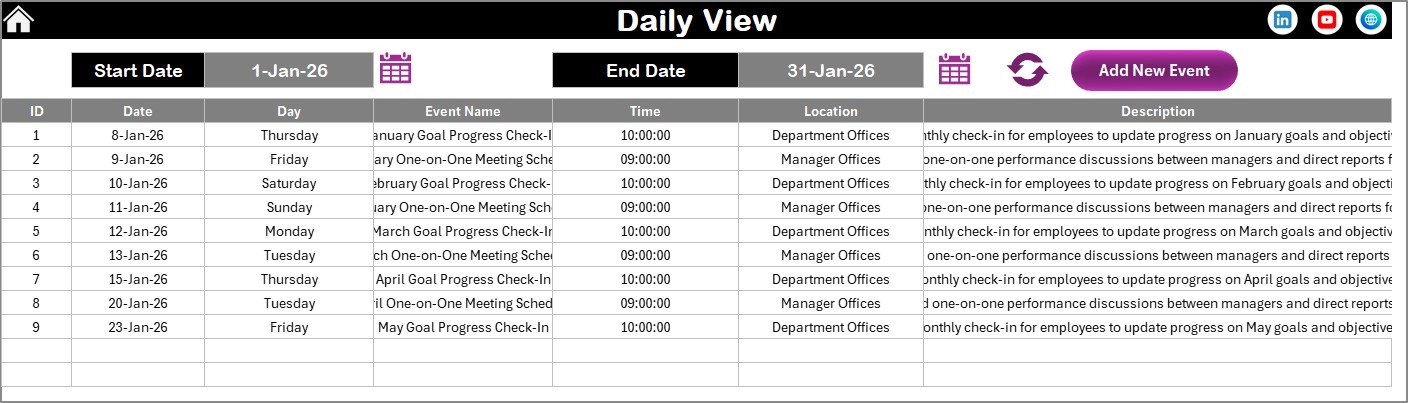
Daily View Sheet
5. Events Sheet
This is the database sheet where all event records are stored. It contains 7 columns: ID (auto-generated), Date, Day, Event Name, Time, Location, and Description. Three action buttons at the top give you full record management:
- Add New Record — Opens the event form to create a new entry.
- Update Existing Record — Select an ID first, then click this button to open the form pre-filled with existing data for editing.
- Delete Record — Select an ID and click to remove the corresponding event.
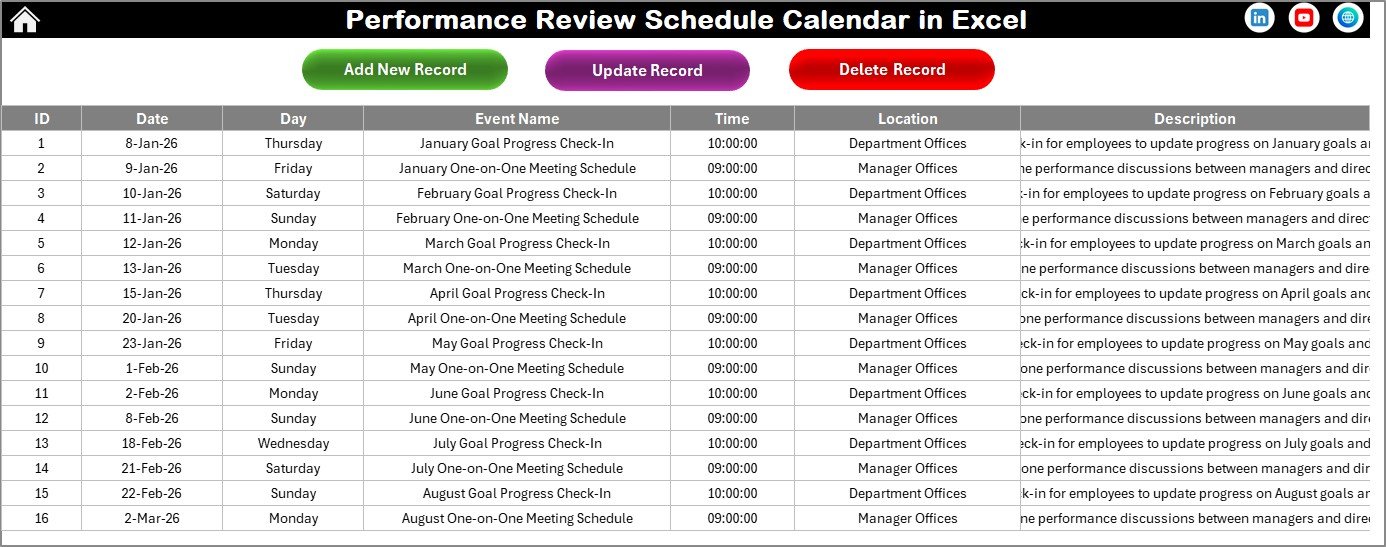
Events Sheet
Performance Review Schedule Calendar vs. Google Sheets Calendar vs. BambooHR — Feature Comparison
| Feature | Performance Review Schedule Calendar in Excel | Google Sheets Calendar | BambooHR |
|---|---|---|---|
| Cost | $4.99 one-time | Free (manual build) | $6–$9 / user / month |
| Platform | Microsoft Excel (desktop) | Google Sheets (browser) | Cloud SaaS |
| Setup time | Under 10 minutes | 2–4 hours to build | 1–2 weeks onboarding |
| Annual + Monthly + Daily views | ✅ All 3 included | ❌ Build separately | ✅ Built-in |
| VBA event forms | ✅ Add / Update / Delete | ❌ No macro support | ✅ Web forms |
| 5 color themes | ✅ One-click switch | ❌ Manual formatting | ❌ Fixed branding |
| Offline access | ✅ Full offline | ❌ Requires internet | ❌ Requires internet |
| Year-1 cost at 5 users | $4.99 total | $0 (DIY time cost) | $360–$540 / year |
| Customizable fields | ✅ Fully editable | ✅ Editable | ⚠️ Limited to plan tier |
For HR teams that want structured review scheduling without paying per-user SaaS fees, the Performance Review Schedule Calendar in Excel sits in the sweet spot.
Who Should Use This Template
✅ Perfect for:
- HR managers at companies with 10–500 employees running quarterly or annual performance reviews
- Small business owners who schedule employee appraisals manually and need a structured approach
- Team leads and department heads tracking review dates, locations, and notes for direct reports
- Office administrators coordinating multi-department review schedules across the fiscal year
❌ Not a fit if:
- You need 360-degree feedback workflows with SOC 2 compliance and SSO — consider BambooHR or Lattice
- You require real-time multi-user collaboration in the same file — this is a single-file Excel workbook
- You need automated email reminders or Outlook calendar sync — this template manages scheduling data only
Real-World Use Cases
👉 Click here to Purchase the Performance Review Schedule Calendar in Excel
Priya manages HR for a 120-person logistics company. She uses the Performance Review Schedule Calendar to plot quarterly appraisals for 8 departments across the fiscal year. The Annual View gives her leadership a single-page snapshot of every review date, while the Daily View helps her prep discussion materials a week before each session — replacing the shared Google Sheet that three people would accidentally overwrite simultaneously.
Carlos runs a 40-person digital marketing agency. He schedules mid-year and end-of-year reviews for every team member using the Monthly View sheet. The VBA event form lets him log review details — including location (conference room or Zoom) and description (promotion discussion, PIP follow-up) — in under 30 seconds per entry. The 5 color themes let him switch the calendar styling to match his agency’s brand colors for presentations to the leadership team.
Angela is an office administrator at a healthcare clinic with 60 staff. She coordinates review schedules across nursing, admin, and billing departments. The Events sheet database lets her track every scheduled review with auto-generated IDs, and the date range filter in Daily View helps her pull next week’s review list for the clinic director every Friday morning.
Advantages of Performance Review Schedule Calendar in Excel
The biggest advantage is cost efficiency. At $4.99 one-time with no per-user fees, this template eliminates the recurring SaaS expense that tools like BambooHR ($6–$9/user/month) and Lattice ($11/user/month) charge. For a 50-person company, that’s a saving of $3,600–$6,600 per year on review scheduling alone.
The offline access is another differentiator. Because it runs in Excel, you can update review schedules on a flight, at a remote office, or anywhere without internet. The VBA forms mean you don’t need to remember which cell to edit — the structured UserForm input reduces data entry errors and keeps your event database clean.
The 5 color themes are a small but underrated feature. HR teams that present review schedules to leadership can switch the entire calendar’s look in one click — no manual formatting across 5 sheets. This saves 15–20 minutes of formatting time every reporting cycle.
Opportunities for Improvement
👉 Click here to Purchase the Performance Review Schedule Calendar in Excel
The template does not include automated email reminders. If you need to send review invites to employees and managers, you’ll need to set those up separately in Outlook or a third-party tool. Adding a VBA-based email trigger is technically possible but not included in this version.
Multi-user access is limited. Because this is a single-file workbook, two people cannot edit it simultaneously without risking conflicts. Storing it on OneDrive or SharePoint helps, but true real-time collaboration is a limitation compared to cloud-based HR platforms.
Mac compatibility for VBA features is partial. While the calendar views and data display work on Mac Excel, some UserForm components may behave differently on macOS. For full functionality, Windows Excel 2016 or later is recommended.
Best Practices
Set up the calendar at the start of each fiscal or calendar year by entering all known review dates in one session. This gives you a complete annual overview from day one and makes it easier to spot scheduling conflicts early. Use the Annual View to identify months with heavy review clusters, then spread them out across available weeks.
Use the Description field in the event form to record meeting agendas, not just event names. Entries like “Q2 performance review – discuss project milestone delays and promotion eligibility” are far more useful three months later than a generic “Review meeting” label.
Back up the file regularly. Since this is a local Excel workbook, keep a weekly backup on OneDrive, Google Drive, or your company’s shared drive. If you accidentally delete records, the backup is your safety net. For more Excel tips, visit Microsoft Excel Support for official guidance on workbook management and macro settings.
Explore Relevant Templates
If you find this calendar useful, explore these related templates on NextGenTemplates:
📌 HR Compliance and Audit Calendar in Excel — Track compliance deadlines and audit schedules alongside your review calendar.
📌 Training and Onboarding Calendar in Excel — Schedule new hire onboarding and training sessions in the same calendar format.
📌 Leave and Vacation Tracker Calendar in Excel — Manage employee leave requests alongside performance review dates.
📌 Employee Retention Event Calendar in Excel — Plan retention activities and team engagement events.
📌 Monthly Timesheet Calendar in Excel — Track employee work hours and timesheets using the same calendar framework.
Browse the full collection of HR & Payroll Templates and Excel Calendar Templates on NextGenTemplates.
Frequently Asked Questions
👉 Click here to Purchase the Performance Review Schedule Calendar in Excel
How many performance review events can I add to this calendar?
The Performance Review Schedule Calendar in Excel has no hard limit on events. The Events sheet stores all records in a database format with auto-generated IDs, so you can add hundreds of review entries across the entire year without any restrictions.
Can I change the calendar year and starting month?
Yes. The Annual View control panel lets you select any year and any starting month. You can also change the starting day of the week, so the calendar adapts to fiscal years, academic years, or any custom period your organization follows.
Does this template require macros to be enabled?
Yes, you need to enable macros in Excel. The VBA-powered features — including the Add New Event form, Update Record, Delete Record, and Show Event buttons — all rely on macros. Without macros enabled, you can still view the calendar but cannot use the interactive forms.
How does this compare to BambooHR for scheduling reviews?
BambooHR charges $6–$9 per user per month and requires internet access. The Performance Review Schedule Calendar costs $4.99 one-time, works offline in Excel, and includes annual, monthly, and daily views with VBA event forms. For teams under 500 employees, this template covers scheduling needs at a fraction of the cost.
Can I customize the color theme of the calendar?
Yes. The template includes 5 built-in color themes. Select your preferred theme from the Change Theme group in the Annual View control panel, and it applies across all worksheets automatically — no manual formatting needed.
Is this template compatible with Mac Excel?
The calendar views and data entry work on Mac Excel. However, some VBA UserForm features may have limited functionality on Mac due to differences in how macOS handles Excel macros. For full feature access, Windows Excel 2016 or later is recommended.
Can multiple people use this calendar at the same time?
This is a single-file Excel workbook, so it does not support real-time multi-user editing. For team use, one person typically manages the calendar and shares updated copies. If you need simultaneous access, consider pairing this with a shared drive like OneDrive or SharePoint.
About the Author
Built by PK — Microsoft Certified Professional with 15+ years of Excel, Google Sheets, and Power BI experience. Founder of NextGenTemplates, reaching 300K+ subscribers across YouTube channels. Every template is hand-built and tested before release.
Conclusion
The Performance Review Schedule Calendar in Excel gives HR teams and managers a structured, offline-ready way to organize employee appraisals without paying recurring SaaS fees. With 5 interactive worksheets, VBA-powered event forms, 5 color themes, and a flexible control panel, it handles everything from annual planning to daily review prep.
👉 Click here to Purchase the Performance Review Schedule Calendar in Excel
✅ Instant download · One-time payment of $4.99 · No subscription · No per-user fees · Lifetime access
🎥 Visit our YouTube channel for step-by-step tutorials: Youtube.com/@PK-AnExcelExpert