Security installation businesses often manage quotes, site visits, commissioning checks, callbacks, and customer follow-up at the same time. The CCTV Installation KPI Scorecard in Excel turns that monthly performance review into one structured workbook with 10 focused KPIs, target comparison, previous-year comparison, traffic light status, and editable input data.
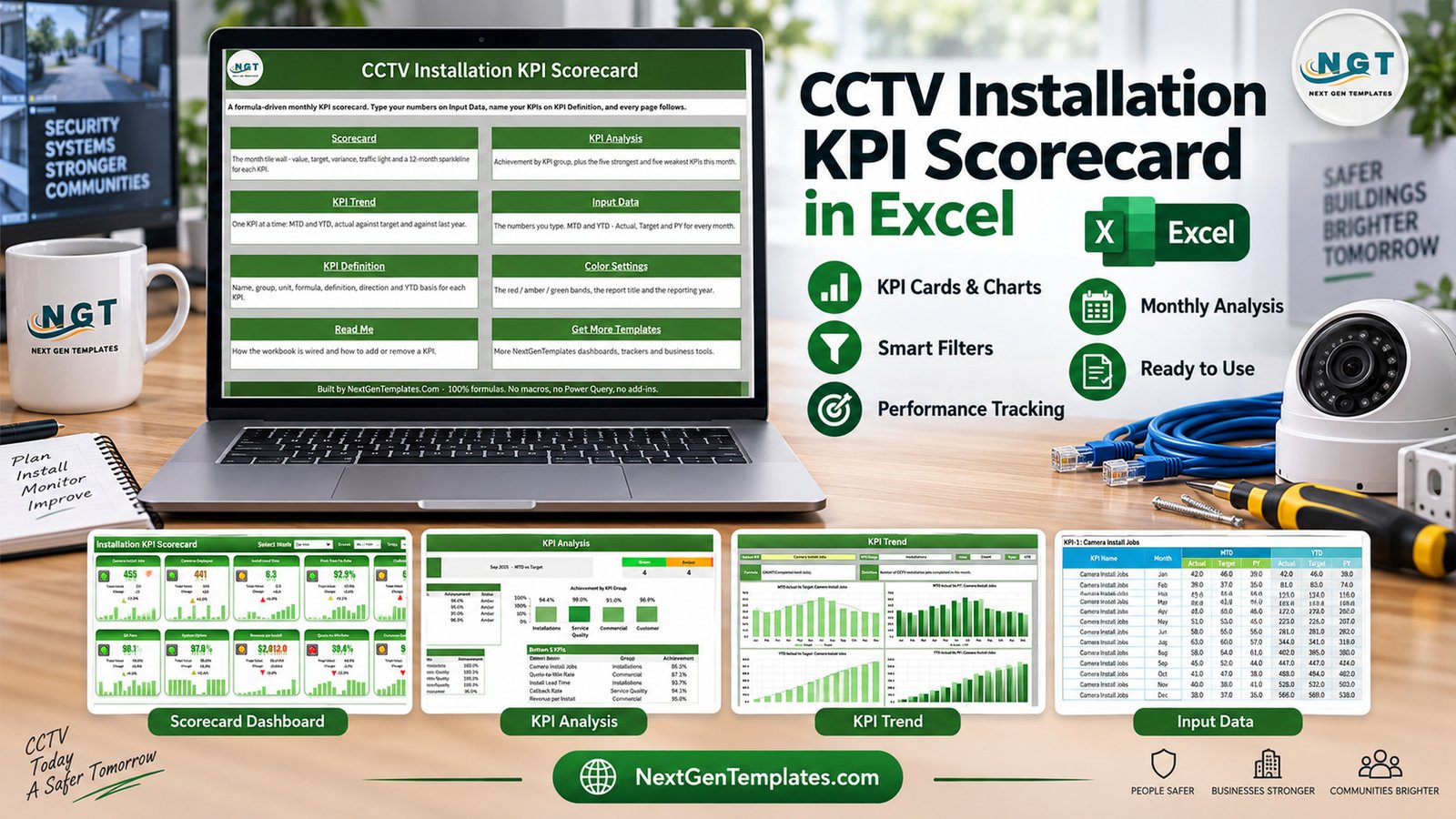
Key Features of CCTV Installation KPI Scorecard in Excel
This Excel scorecard is built for CCTV installers and security contractors who want a practical monthly review tool. It tracks installation workload, service quality, commercial results, and customer response in one workbook.
- 10 prebuilt CCTV installation KPIs.
- MTD and YTD reporting modes.
- Target and previous-year comparison.
- Green, amber, and red status counts.
- KPI group achievement summary.
- Top 5 and bottom 5 KPI ranking.
- Trend page with monthly charts for one selected KPI.
- Editable KPI definitions, formulas, units, and KPI direction.
Workbook Pages Explanation
Home Sheet
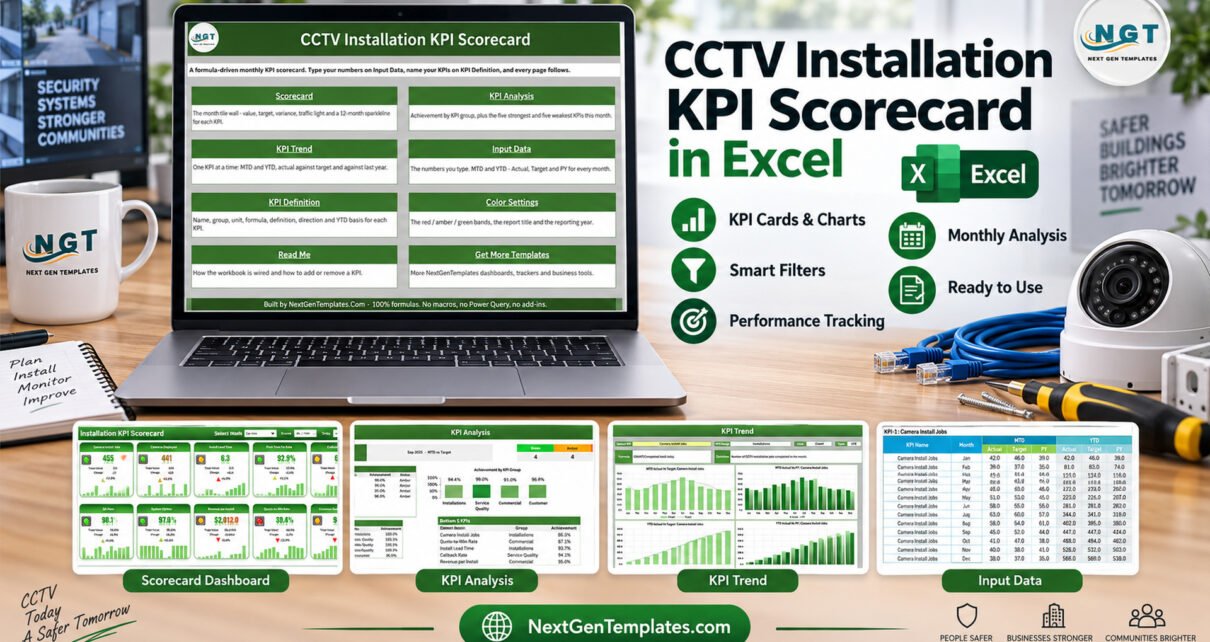
The Home sheet is the navigation page. It explains that the workbook is formula-driven and gives quick access to Scorecard, KPI Analysis, KPI Trend, Input Data, KPI Definition, Color Settings, Read Me, and related templates.

Scorecard Sheet
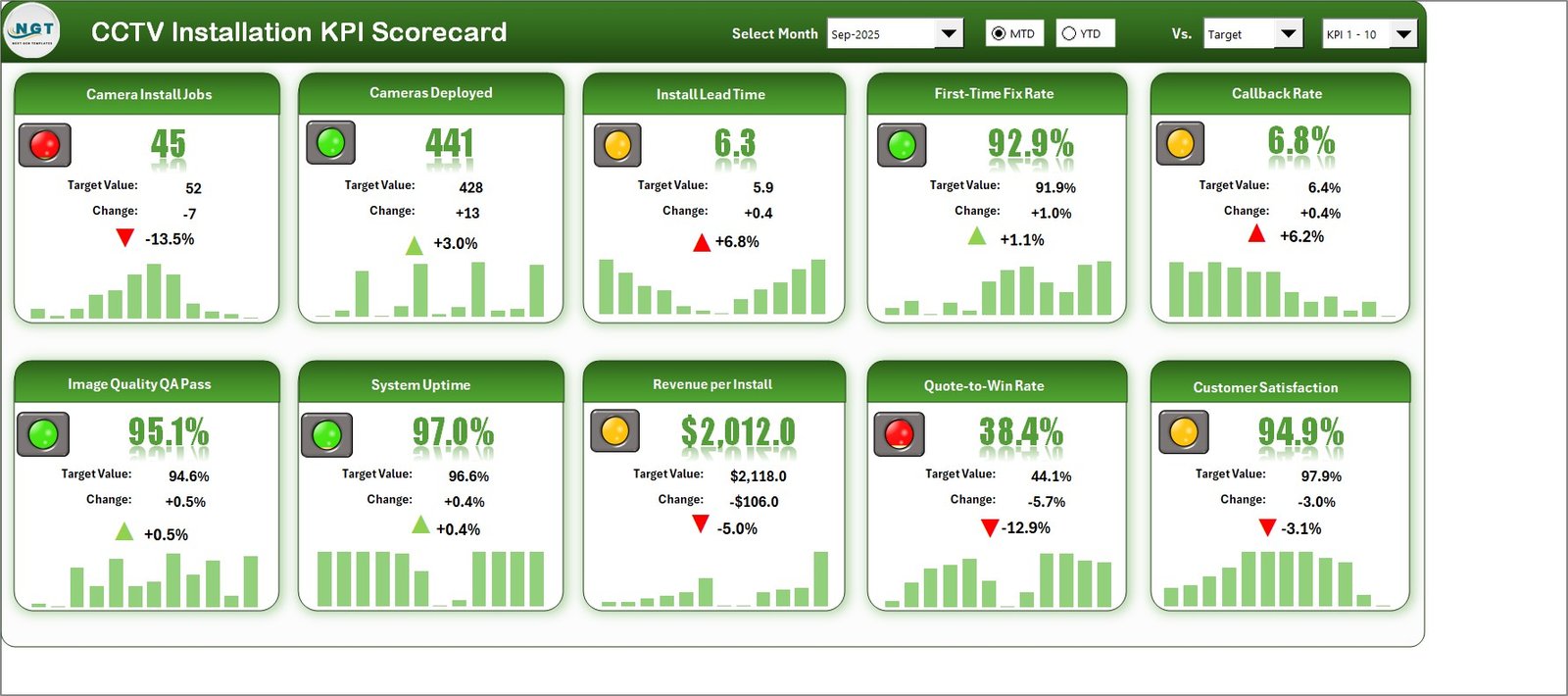
The Scorecard sheet shows all 10 KPIs with actual, target, change, percentage variance, small monthly bars, and traffic light status. Managers can select a month, switch between MTD and YTD, and compare against target or previous year.
KPI Analysis Sheet
The KPI Analysis sheet summarizes achievement by KPI group and displays status counts. It also identifies the strongest and weakest KPIs for the selected month, which makes it useful for monthly operations meetings.

KPI Trend Sheet
The KPI Trend sheet focuses on one KPI at a time. It shows actual versus target and actual versus previous year for both MTD and YTD, helping teams understand whether a result is a one-month issue or a longer pattern.

Input Data and KPI Definition
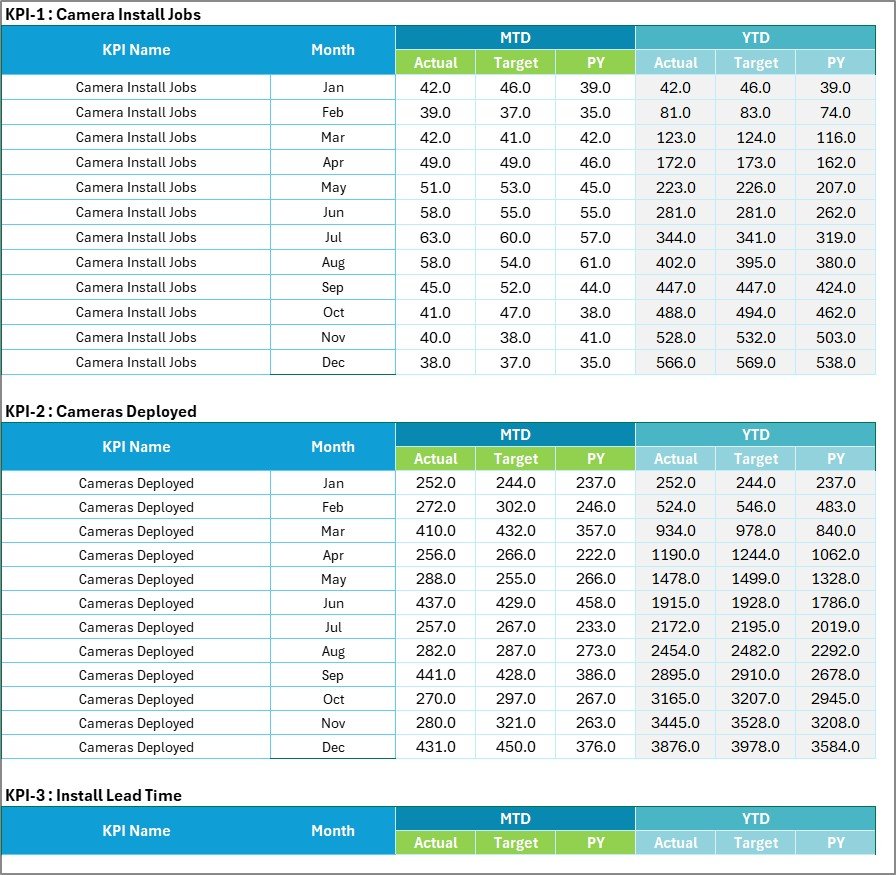
The Input Data page holds monthly actual, target, and previous-year values. The KPI Definition sheet stores KPI name, group, unit, formula, definition, KPI type, and YTD basis.

CCTV Installation Scorecard vs. Google Sheets vs. Paid CRM/SaaS – Feature Comparison
| Area | This Excel scorecard | Google Sheets version | Paid field service app |
|---|---|---|---|
| Main use | Monthly KPI review | Collaborative online tracking | Operational job management |
| Cost | One-time download | Spreadsheet build or template cost | Recurring subscription |
| Setup | Replace sample values | Requires cloud sharing setup | Requires user and workflow setup |
| Excel control | Full workbook control | Limited to Sheets environment | Vendor-controlled interface |
| KPI scorecard focus | Designed around install, service, commercial, and customer KPIs | Possible with customization | Often secondary to ticketing and dispatch |
Who Should Use This Template
Use this scorecard if you manage CCTV installation projects, coordinate security technicians, review callback rates, track quote-to-win rate, or report monthly installation performance. It is also useful for small contractors who are not ready for a paid field service platform but still need disciplined KPI reporting.
Real-World Use Cases
Monthly operations review: compare install jobs, cameras deployed, lead time, and first-time fix rate before assigning improvement actions.
Quality review: monitor image quality QA pass, callback rate, and uptime to understand where service quality is slipping.
Owner review: use revenue per install, quote-to-win rate, and customer satisfaction to connect field performance with commercial outcomes.
Advantages of This CCTV Installation Scorecard
The main advantage is focus. Instead of building a generic spreadsheet, the workbook already reflects CCTV installation work. The formulas connect monthly inputs to status cards, analysis tables, and trend charts. It also keeps the reporting stack simple because Microsoft Excel is enough. For Excel chart and workbook guidance, Microsoft maintains useful documentation at Microsoft Excel help and learning.
Opportunities for Improvement
This is not a live dispatch system, CRM, or camera monitoring platform. It does not automatically collect data from technicians, invoices, monitoring software, or ticketing systems. Teams that need live scheduling, mobile technician apps, or customer portals may need a dedicated system alongside this scorecard.
Best Practices
- Assign one owner for monthly data entry.
- Keep KPI definitions stable for at least one quarter before changing them.
- Review red and amber KPIs first, then check trend pages for context.
- Use the KPI Definition sheet to document formula logic clearly.
- Save a copy each month before updating new results.
Explore Relevant Templates
You can download this product here: CCTV Installation KPI Scorecard in Excel. For more Excel learning resources on this site, visit PK-AnExcelExpert Excel templates. Related templates include CCTV Installation KPI Dashboard in Excel, Security System Installation KPI Scorecard in Excel, and Home Renovation Contractor KPI Scorecard in Excel.
This scorecard works well as a monthly management layer when the team already has job, service, and sales numbers available.
Because it is built as a normal workbook, it is easy to keep a monthly copy, archive prior reviews, and adjust KPI definitions when the business changes. The template also gives managers a common view for installation, service quality, commercial, and customer metrics.
Frequently Asked Questions
What does this CCTV installation scorecard track?
It tracks 10 KPIs including install jobs, cameras deployed, lead time, first-time fix rate, callback rate, image quality QA pass, uptime, revenue per install, quote-to-win rate, and customer satisfaction.
Do I need advanced Excel skills?
No. You mainly replace sample data, review KPI definitions, and use the month and comparison selectors.
Can I edit the formulas and KPI list?
Yes. The KPI Definition sheet is editable, so you can adjust names, formulas, units, groups, and direction.
Is this for Google Sheets?
No. This listing is the Microsoft Excel edition. Use it in Excel desktop for the intended experience.
Does it replace CCTV monitoring software?
No. It is a business KPI scorecard, not a live video, alarm, or monitoring system.
About the Author
Built by PK – Microsoft Certified Professional with 15+ years of Excel, Google Sheets, and Power BI experience. Founder of NextGenTemplates, reaching 300K+ subscribers across YouTube channels. Every template is hand-built and tested before release.
Conclusion
This Excel KPI scorecard is a practical way to review installation, service quality, commercial, and customer metrics without building a workbook from scratch. Replace the sample data, confirm your KPI definitions, and use the scorecard in your monthly review cycle. For more Excel tutorials, visit PK: An Excel Expert on YouTube.