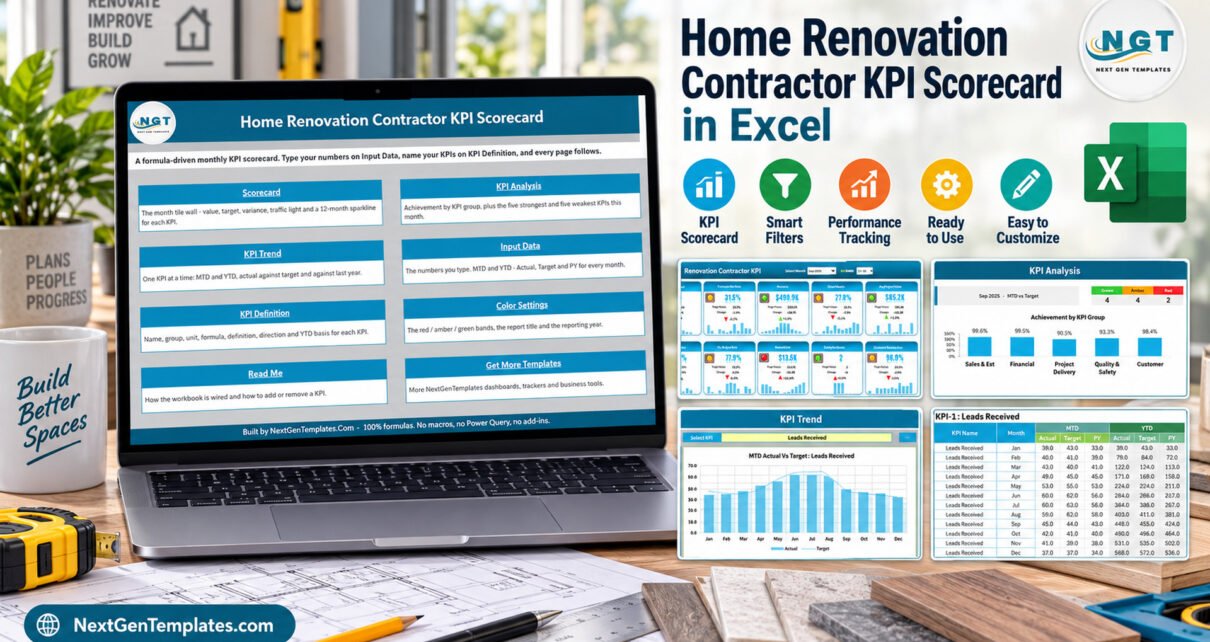
Home Renovation Contractor KPI Scorecard in Excel is created for contractor review meetings. It is a Renovation Contractor KPI Scorecard that gives renovation businesses a practical way to review monthly performance without building a scorecard from scratch. The template includes 10 KPIs covering enquiries, estimate conversion, revenue, margin, project delivery, budget control, rework, safety, and customer satisfaction. It is designed for Microsoft Excel users who want a focused renovation contractor KPI scorecard rather than a full construction CRM.
Key Features of Home Renovation Contractor KPI Scorecard in Excel
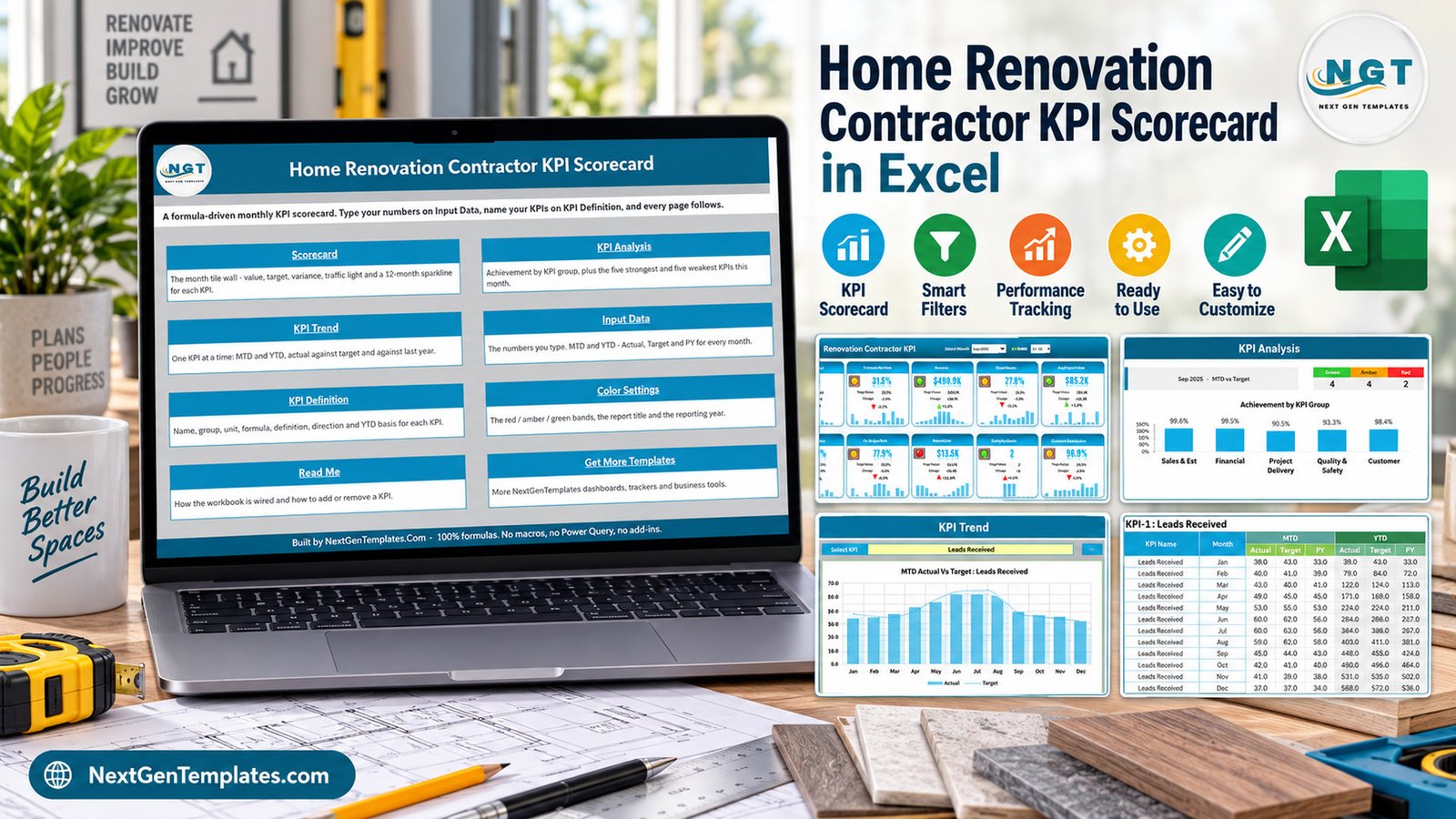
The workbook gives renovation teams one Excel-based view of sales, financial, delivery, quality, safety, and customer KPIs.
This Renovation Contractor KPI Scorecard is built around the performance questions a home renovation contractor usually asks every month: Are new leads coming in? Are estimates converting? Are projects staying on time and on budget? Are rework costs and safety incidents under control? The scorecard brings these points into one workbook with a structured input sheet, KPI definition table, status indicators, trends, and analysis pages.
- 10 contractor KPIs with editable formulas, definitions, units, KPI groups, and LTB/UTB logic.
- Scorecard page with Actual, Target, Variance, Status, and YTD figures.
- Red, Amber, and Green status indicators for quick review.
- KPI Trend page for month-by-month movement.
- KPI Analysis page for management review.
- Input Data sheet for monthly figures.
- Color Settings, Read Me, Support, and Get More Templates pages included.
Dashboard Pages Explanation
Home Sheet
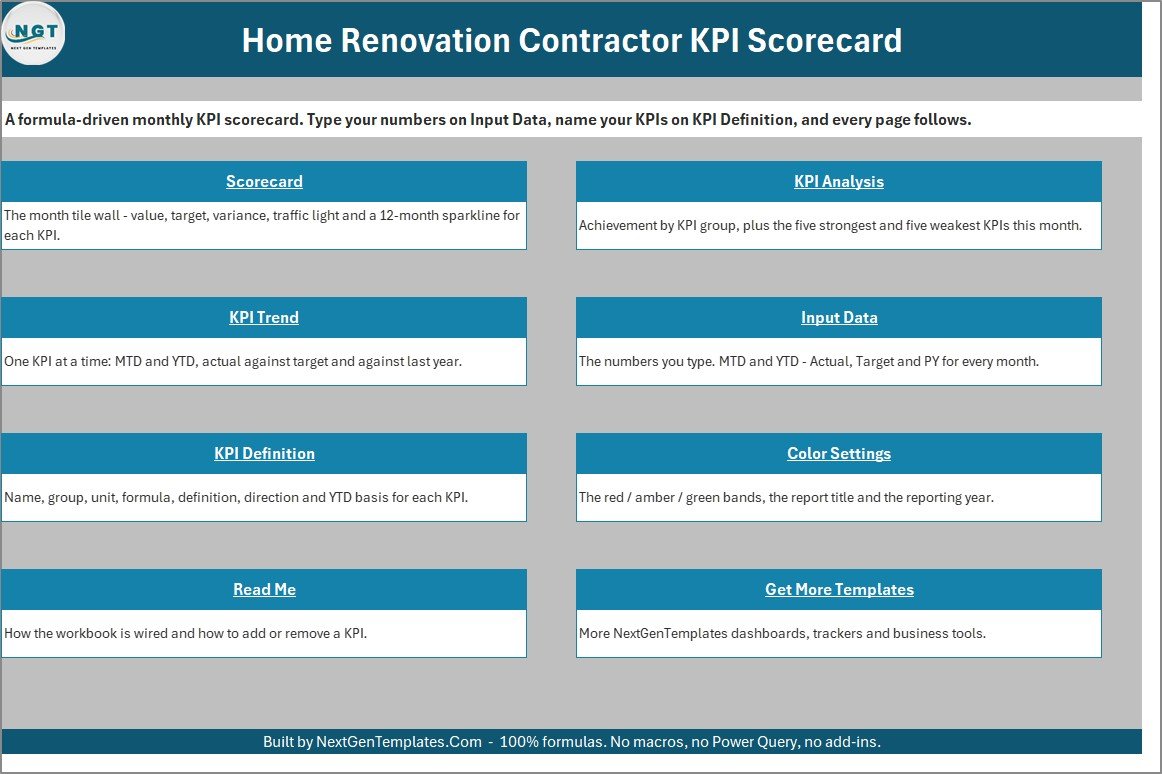
The Home sheet acts as the navigation page for the workbook. It gives users quick access to the scorecard, KPI analysis, KPI trend, input data, and KPI definition areas.
Scorecard Sheet
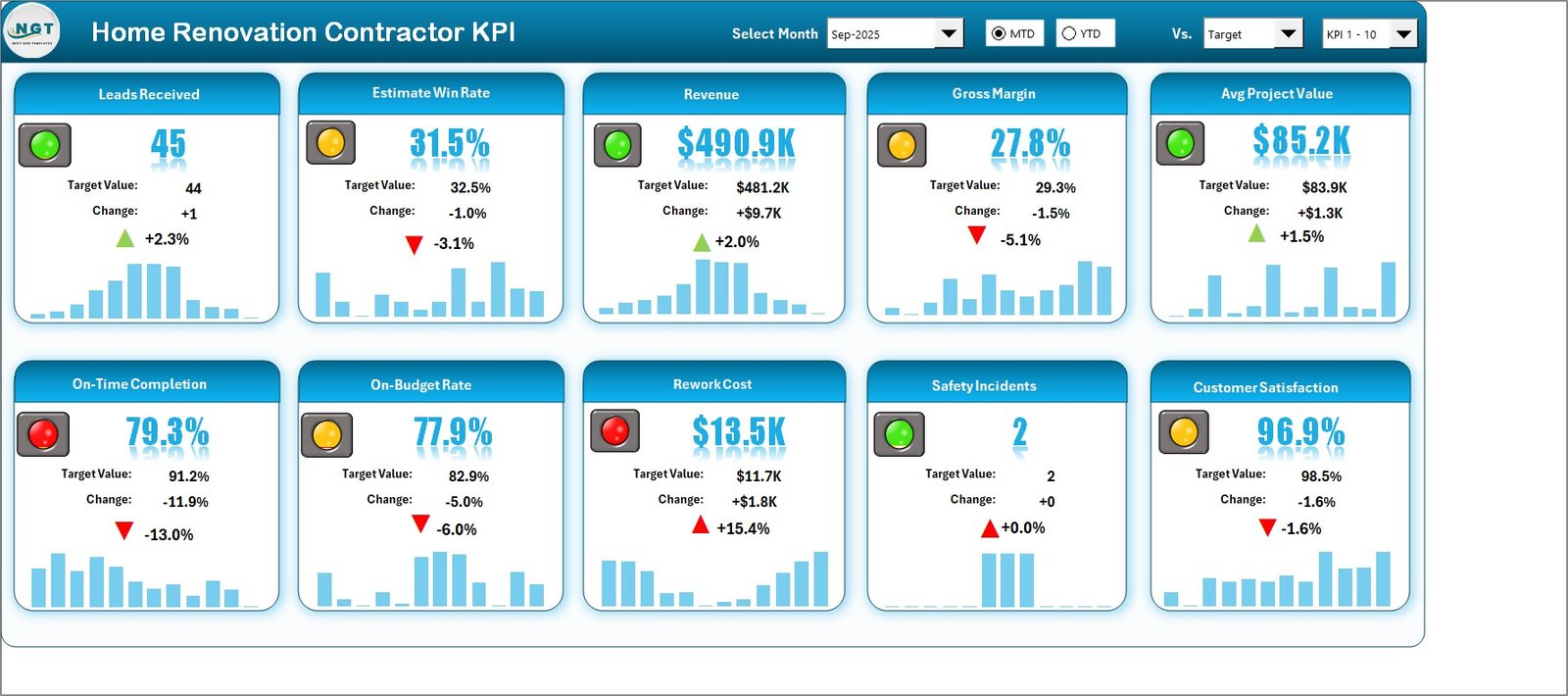
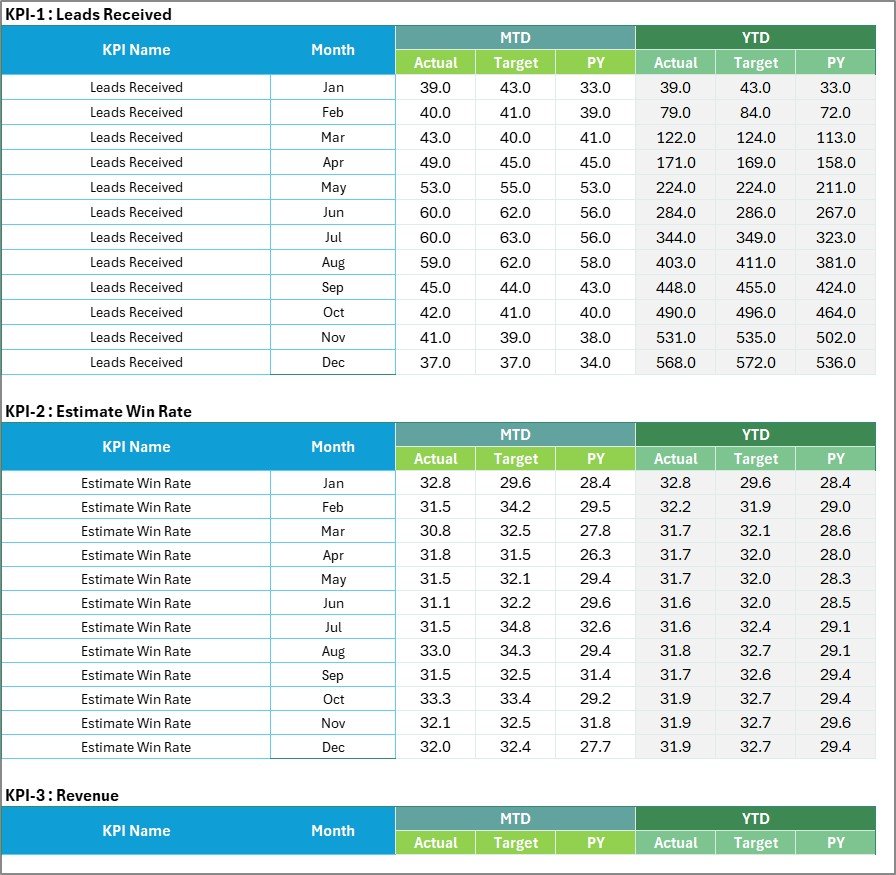
The Scorecard sheet is the main monthly review page. It shows renovation KPIs such as Leads Received, Estimate Win Rate, Revenue, Gross Margin, Avg Project Value, On-Time Completion, On-Budget Rate, Rework Cost, Safety Incidents, and Customer Satisfaction.
KPI Analysis and KPI Trend
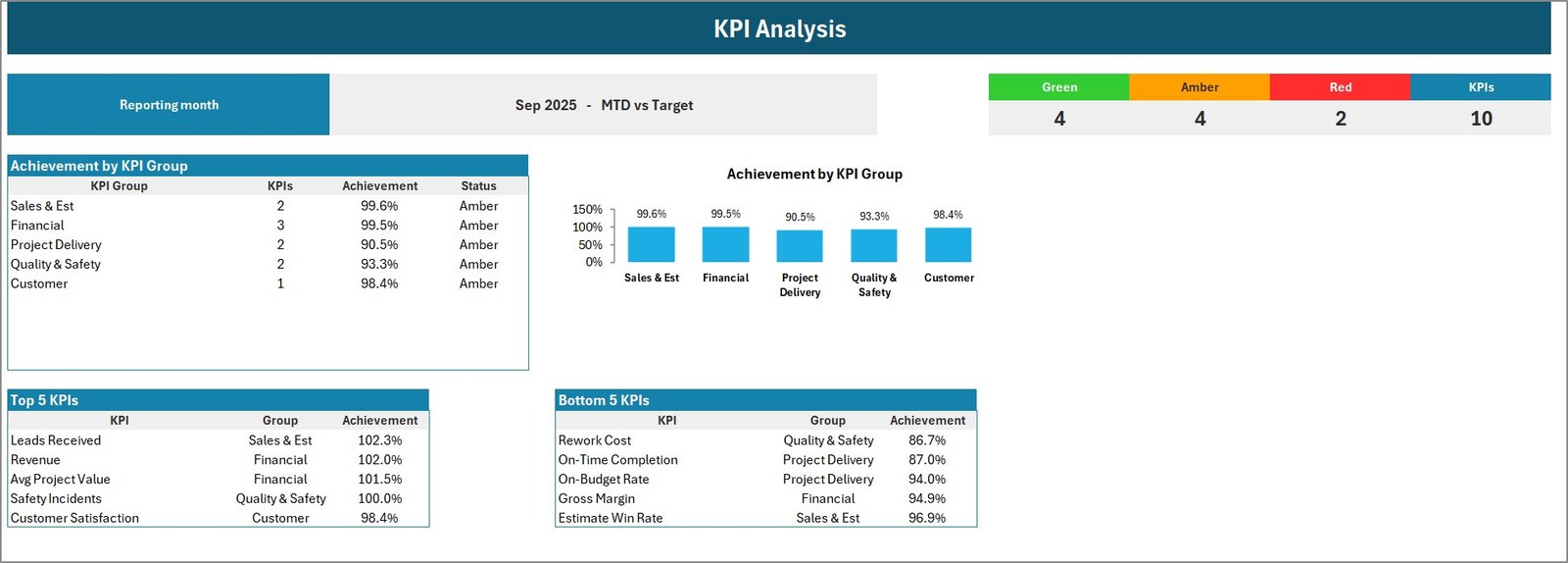
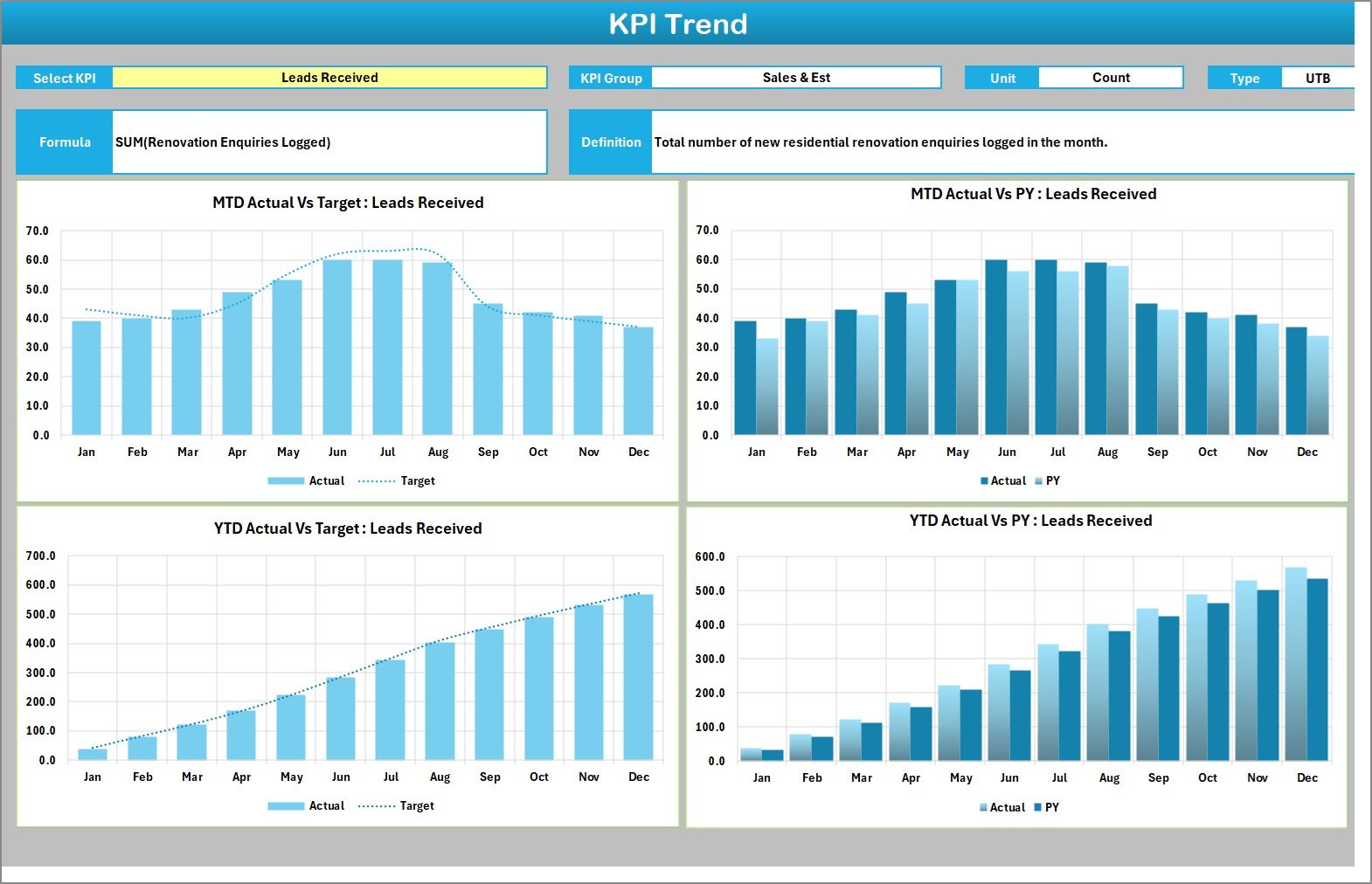
The KPI Analysis page gives a management view of scorecard outcomes, while the KPI Trend page makes it easier to identify whether performance is improving or slipping over time.
Input Data and KPI Definition
The Input Data sheet is where monthly actual figures are entered. The KPI Definition sheet documents KPI group, KPI name, unit, formula, definition, KPI type, YTD basis, and check status, making the workbook easier to adapt.

Home Renovation Contractor KPI Scorecard in Excel vs. Google Sheets vs. Paid CRM/SaaS – Feature Comparison
| Feature | This Excel scorecard | Google Sheets alternative | Paid CRM or construction SaaS |
|---|---|---|---|
| Cost model | One-time template purchase | Low cost but requires build work | Monthly subscription |
| Best user | Excel-based renovation contractor | Collaborative online spreadsheet team | Team needing full lead, job, field, and finance workflows |
| KPI setup | Prebuilt 10-KPI scorecard | Manual formulas and charts | Depends on reporting module |
| Customization | Edit input data and KPI definitions | Highly editable but fragile if formulas are changed | Often configurable but less spreadsheet-like |
| Year-1 cost at 5 users | Template price only | Usually low, excluding build time | Can become hundreds or thousands of dollars |
Who Should Use This Template
Use this template if you manage renovation projects in Excel and need a monthly KPI view for lead flow, estimate wins, contract revenue, gross margin, project timing, project budget, rework, safety, and satisfaction. It is especially useful for owner-led renovation contractors, project managers, estimators, and small management teams.
It is not suitable if you need live job scheduling, field dispatch, payment collection, estimate generation, compliance certification, accounting integration, or multi-user CRM workflows. For those needs, use a dedicated construction platform and keep this workbook as a management-reporting companion.
Real-World Use Cases
Monthly owner review: check whether enquiries and estimates are creating profitable work.
Project delivery meeting: review on-time completion, on-budget completion, and rework cost before deciding where to follow up.
Client experience review: monitor customer satisfaction while keeping safety incidents visible.
Advantages of Home Renovation Contractor KPI Scorecard in Excel
The biggest advantage is speed. The workbook already has a renovation-contractor KPI structure, so the user can start with sample data, replace the numbers, and tune KPI definitions. It also stays inside Excel, which keeps it familiar for teams that already use Microsoft Office for monthly reporting.
Opportunities for Improvement
This is a spreadsheet scorecard, so it does not automatically pull data from accounting, estimating, safety, or CRM systems. Teams with high transaction volume may eventually want a connected BI model. The practical first step is to keep this Excel scorecard aligned with whatever source systems the business already trusts. Microsoft also provides general guidance for working with Excel tables and structured data in Microsoft Excel Support.
Best Practices
- Lock the KPI definitions before each reporting month starts.
- Keep one owner for monthly input data quality.
- Review Red and Amber items before discussing Green items.
- Use the trend page to separate one-month noise from repeated performance issues.
- Keep a short notes log outside the scorecard for root causes and action owners.
Explore Relevant Templates
You can view the draft product page for Home Renovation Contractor KPI Scorecard in Excel, browse more Excel KPI templates, or explore Excel project management templates on NextGenTemplates.
Frequently Asked Questions
What is included in the Home Renovation Contractor KPI Scorecard in Excel?
The download ZIP includes the Excel workbook and the Excel KPI Scorecard user manual.
How many KPIs are included?
The KPI Definition sheet includes 10 KPIs: Leads Received, Estimate Win Rate, Revenue, Gross Margin, Avg Project Value, On-Time Completion, On-Budget Rate, Rework Cost, Safety Incidents, and Customer Satisfaction.
Can I edit the KPI names and formulas?
Yes. The KPI Definition sheet is editable, so you can adapt names, groups, units, formulas, definitions, and KPI type.
Does it replace construction management software?
No. It is a reporting scorecard, not a CRM, estimating tool, scheduling system, job costing system, safety compliance system, or accounting platform.
Do I need Microsoft Excel?
Yes. Use Microsoft Excel desktop for the best experience.
Does it include real client or project data?
No. The workbook uses sample data that should be replaced with your own business figures.
About the Author
Built by PK – Microsoft Certified Professional with 15+ years of Excel, Google Sheets, and Power BI experience. Founder of NextGenTemplates, reaching 300K+ subscribers across YouTube channels. Every template is hand-built and tested before release.
Use this workbook as a repeatable monthly scorecard file for renovation business review.
Conclusion
The Home Renovation Contractor KPI Scorecard in Excel is a practical reporting template for renovation businesses that want a monthly KPI scorecard without building one from zero. It gives structure to lead, estimate, revenue, margin, delivery, budget, quality, safety, and satisfaction review in a workbook that Excel users can adapt quickly.
For more Excel dashboard and template tutorials, read our Excel dashboard tutorials and, visit PK: An Excel Expert on YouTube.