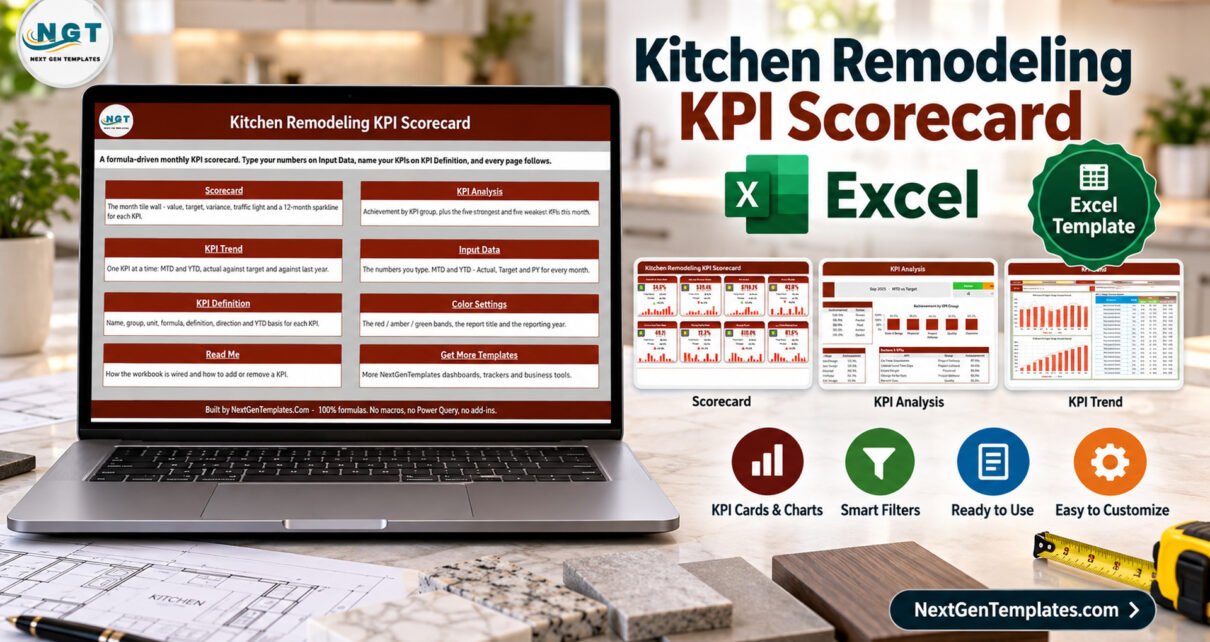
Kitchen remodeling teams often review project performance from scattered estimates, job notes, and spreadsheets. A Kitchen Remodeling KPI Scorecard in Excel creates one Excel-based scorecard for the monthly discussion: 10 KPIs, 12 reporting periods, target comparisons, status bands, and visual trend pages. It is built for remodelers who want a practical performance file, not a full CRM or estimating platform.
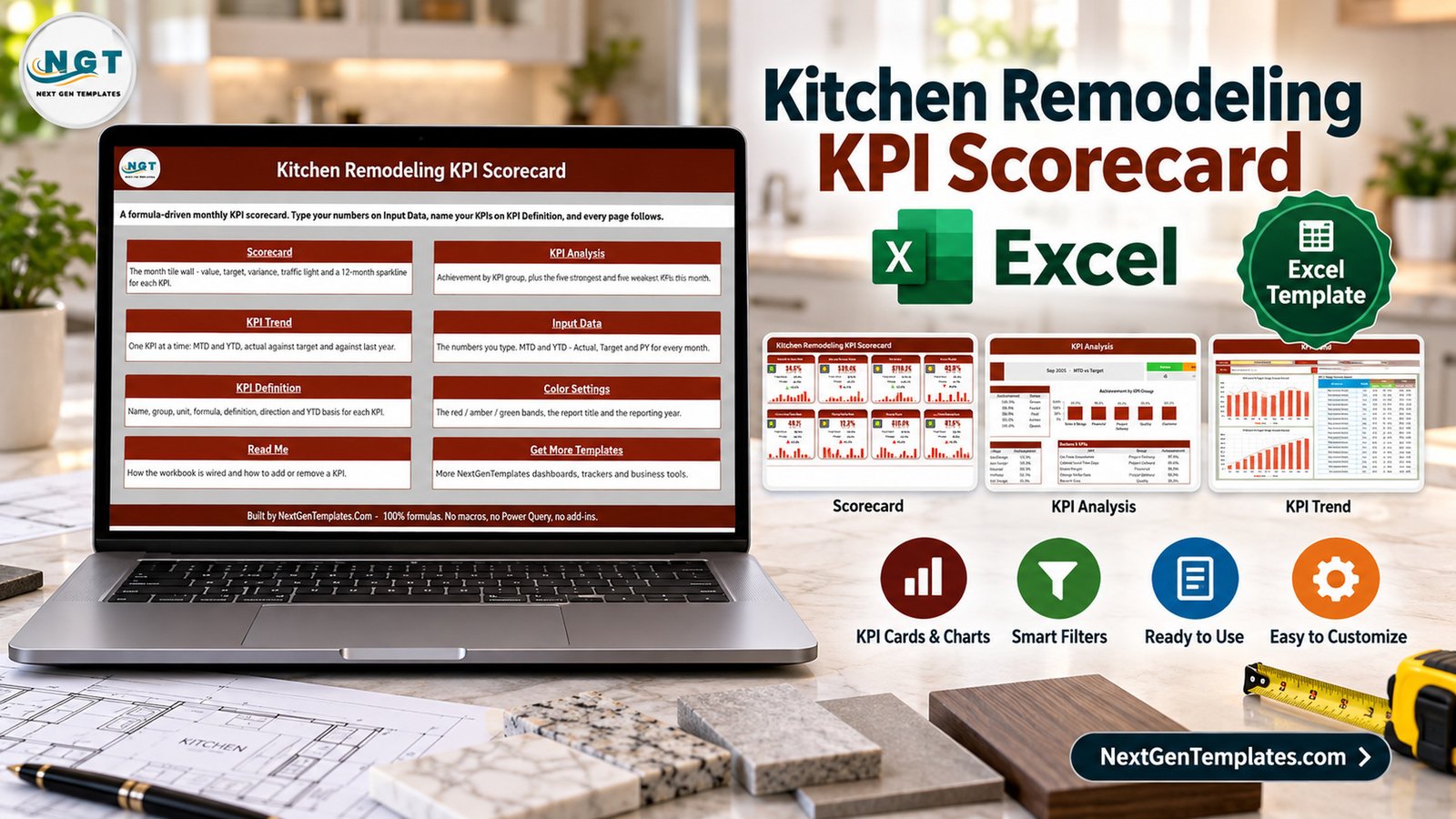
Microsoft Excel remains a familiar reporting tool for small construction and remodeling businesses because it is flexible, local, and easy to adapt. Microsoft also documents structured tables and formulas as core Excel features, which makes this kind of template useful when a team wants a repeatable reporting workflow without custom software. See Microsoft Excel help and learning for platform basics.
The Kitchen Remodeling KPI Scorecard is the practical Excel layer between raw project data and a management meeting. For more Excel template ideas on PK-AnExcelExpert, browse the Excel templates blog category.
Key Features of Kitchen Remodeling KPI Scorecard in Excel
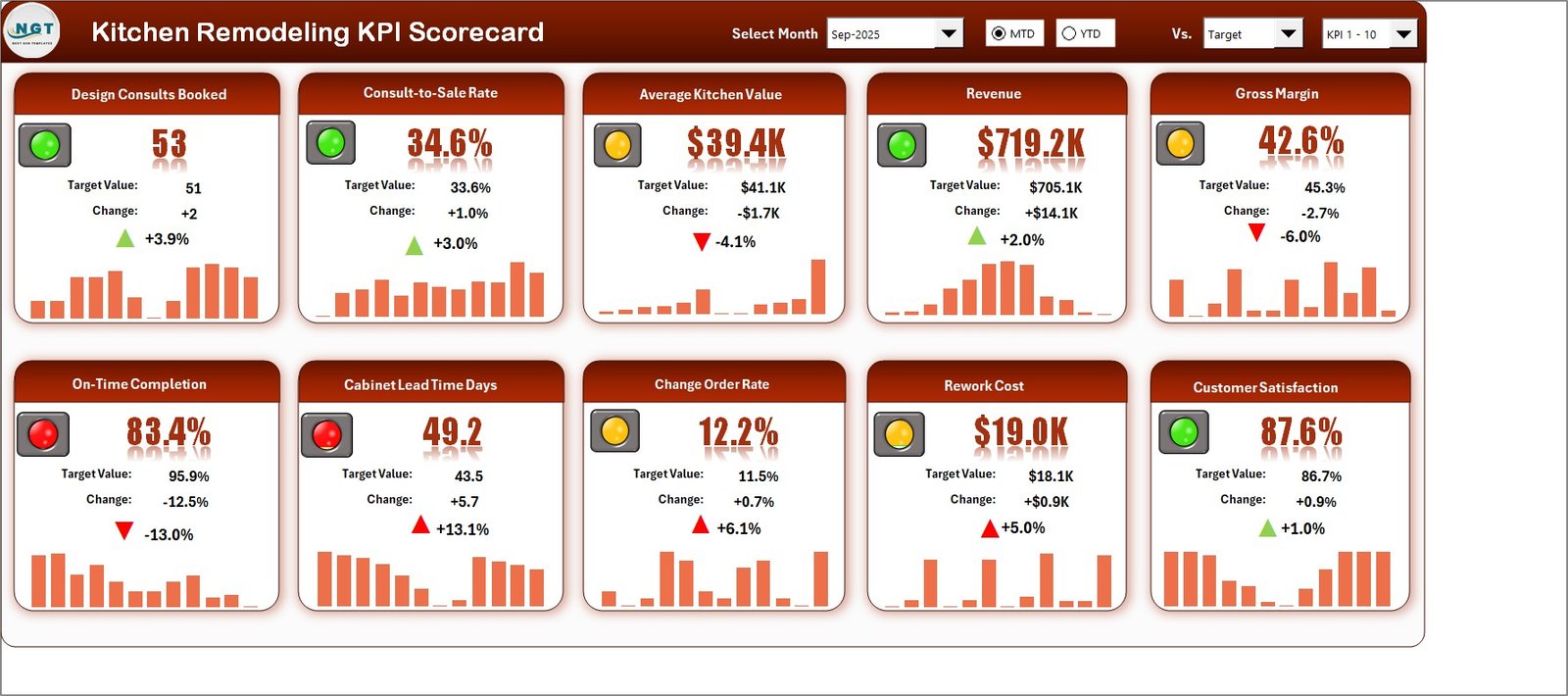
The workbook centers on kitchen remodeling performance: sales conversion, project delivery, cost control, rework, lead time, revenue, margin, and satisfaction. The scorecard gives each KPI a card, target comparison, status color, and monthly sparkline-style chart, so the first review screen is built for quick scanning.
- 10 editable KPI definitions for kitchen remodeling operations.
- Scorecard page with cards, charts, and red/amber/green indicators.
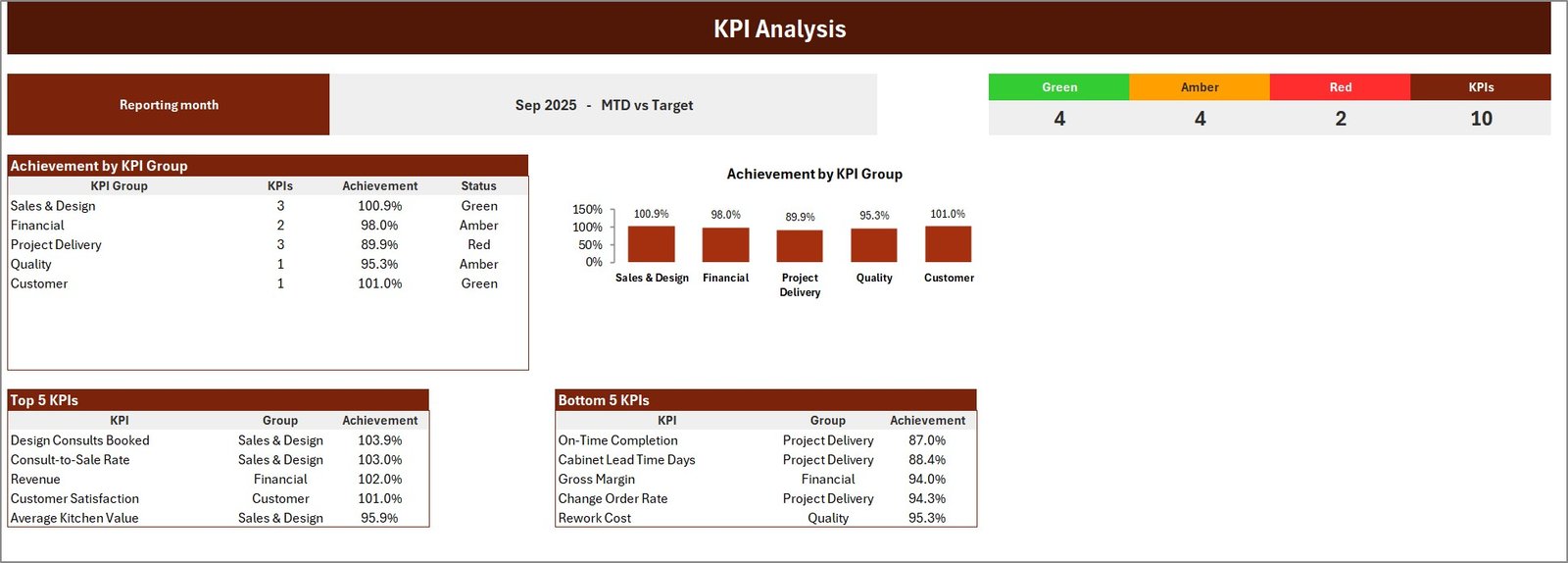
- KPI Analysis page for status and category-level review.
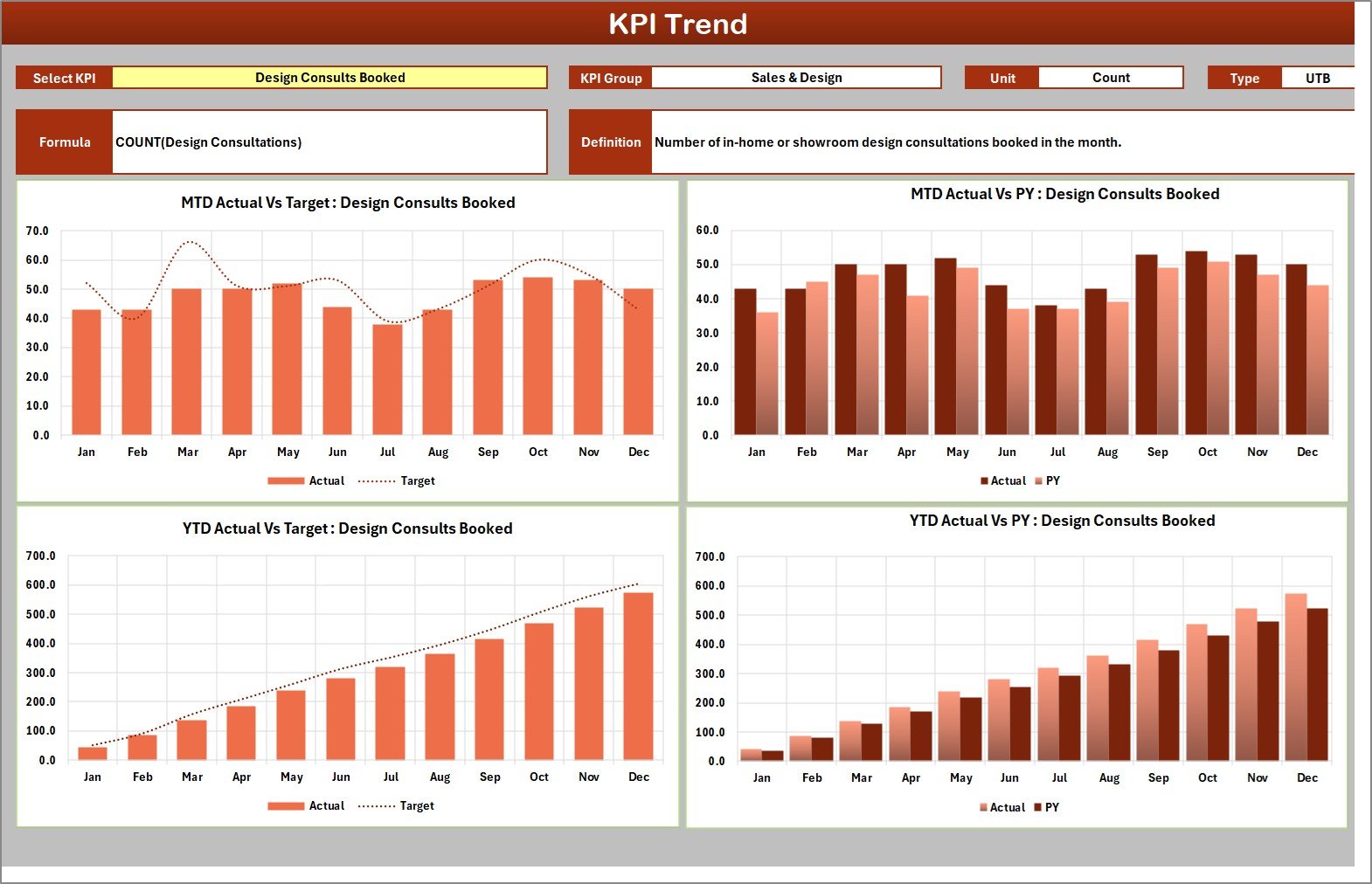
- KPI Trend page for selected KPI monthly analysis.
- Input Data sheet for actuals and targets by month.
- Report Settings page for tolerance bands and report year.
- Read Me page and user manual for onboarding.
Dashboard Pages Explanation
Scorecard page
The Scorecard page is the executive view. It shows metrics such as average consult-to-sale time, consult-to-sale rate, average project revenue, average project margin, project delay rate, on-time job completion, callback rework, cost variance, average lead time, and customer satisfaction score.
KPI Analysis page
The KPI Analysis page summarizes how selected reporting-month results compare with targets. It includes status groups and category summaries that make it easier to discuss where attention is needed.
KPI Trend page
The KPI Trend page is useful for monthly reviews because it shows actual versus target movement for selected metrics. This helps a manager avoid judging one month in isolation.
KPI Definition and Input Data sheets
The KPI Definition sheet stores owner, unit, group, direction, and target logic. The Input Data sheet holds the monthly actual and target rows. Together, they keep the workbook editable without forcing the user to redesign the report pages.
Kitchen Remodeling KPI Scorecard in Excel vs. Google Sheets vs. Paid CRM/SaaS – Feature Comparison
| Decision point | This Excel scorecard | Google Sheets scorecard | Paid remodeling software |
|---|---|---|---|
| Cost | One-time template purchase | Lower-cost browser spreadsheet | Monthly subscription per user |
| Platform | Microsoft Excel desktop | Google Drive and browser | Cloud application |
| Setup time | Replace sample rows and review KPI bands | Make a copy and edit in Sheets | Configure account, users, jobs, and roles |
| Data control | Local workbook under your control | Cloud spreadsheet permissions | Vendor-hosted database |
| Custom KPI bands | Editable upper and lower threshold bands | Editable spreadsheet logic | Usually controlled by plan or admin settings |
| Year-1 cost at 5 users | $9.99 sale price | Separate Google Sheets template price | Often several hundred dollars or more |
| Best fit | Owner-led remodeling KPI review in Excel | Teams that need browser collaboration | Firms needing estimating, scheduling, CRM, and field operations in one system |
Who Should Use This Template
This template suits owner-led kitchen remodeling firms, renovation project managers, operations coordinators, franchise teams, and Excel consultants who need a reusable KPI scorecard. It is especially useful when management already has monthly figures but needs a better way to present them.
It is less suitable for teams that need live field updates, customer communication, quote approvals, purchase ordering, or job scheduling in the same platform. For those needs, paid remodeling software may be more appropriate.
Real-World Use Cases
Monthly owner meeting
The owner updates the Input Data sheet, opens the scorecard page, and reviews margin, delay, rework, and satisfaction together.
Production improvement review
A project manager uses the KPI Trend page to see whether callback rework or project delay is improving after a process change.
Consulting deliverable
An Excel consultant adapts the KPI Definition sheet for a remodeling client, then delivers the workbook as part of a reporting package.
Advantages of Kitchen Remodeling KPI Scorecard in Excel
The Kitchen Remodeling KPI Scorecard also keeps the conversation consistent from month to month, because the same KPI definitions and status bands stay visible.
The main advantage is speed. The workbook already has the reporting pages, KPI cards, data structure, and threshold logic in place. It also keeps the data local in Excel, which is helpful for smaller firms that do not want another subscription just to review KPIs.
The template is also transparent. Users can inspect the sheets, rename KPIs, change threshold bands, and replace sample data. That makes it easier to adapt than a locked dashboard or a hosted system with rigid fields.
Opportunities for Improvement
This is a spreadsheet template, so it does not automate data collection. A remodeling team still needs a source for monthly actuals and targets. It also does not include user permissions, mobile forms, CRM records, accounting sync, or live collaboration features.
Teams that want multi-user editing may prefer the separate Google Sheets edition. Teams that need a broader performance dashboard may prefer the Kitchen Remodeling KPI Dashboard in Excel, which is a different template from this scorecard.
Best Practices
- Keep one untouched master copy of the workbook.
- Update the Input Data sheet on a consistent monthly schedule.
- Review KPI definitions before changing threshold bands.
- Use the same measurement source each month to avoid inconsistent results.
- Discuss red and amber indicators with operational context, not as isolated numbers.
- Save dated copies after each management review.
Explore Relevant Templates
- Kitchen Remodeling KPI Scorecard in Excel
- Kitchen Remodeling KPI Dashboard in Excel
- Kitchen Remodeling KPI Scorecard in Google Sheets
- Home Renovation Contractor KPI Dashboard in Power BI
Frequently Asked Questions
What is included in the download?
The download is a ZIP file with the Excel workbook and a PDF user manual.
Does this template use macros?
No. It is a standard Excel workbook, not a VBA system.
Can I edit the KPIs?
Yes. The KPI Definition sheet is designed for editable KPI names, owners, groups, units, and direction settings.
Does it work in Google Sheets?
This listing is for Excel. A separate Google Sheets scorecard is available for browser-based workflows.
Is this a complete construction management system?
No. It is a KPI reporting template. It does not replace estimating, scheduling, customer management, accounting, or field operations software.
Can I use it beyond kitchen remodeling?
Yes, if you adapt the KPI names and inputs. The default example and visual language are built around kitchen remodeling projects.
About the Author
Built by PK – Microsoft Certified Professional with 15+ years of Excel, Google Sheets, and Power BI experience. Founder of NextGenTemplates, reaching 300K+ subscribers across YouTube channels. Every template is hand-built and tested before release.
Conclusion
The Kitchen Remodeling KPI Scorecard in Excel gives remodeling teams a focused way to review monthly performance in Excel. It is best for owners and managers who want scorecard pages, KPI definitions, target comparisons, and trend views without designing the workbook from a blank file.
For more Excel tutorials and dashboard ideas, visit PK: An Excel Expert on YouTube.