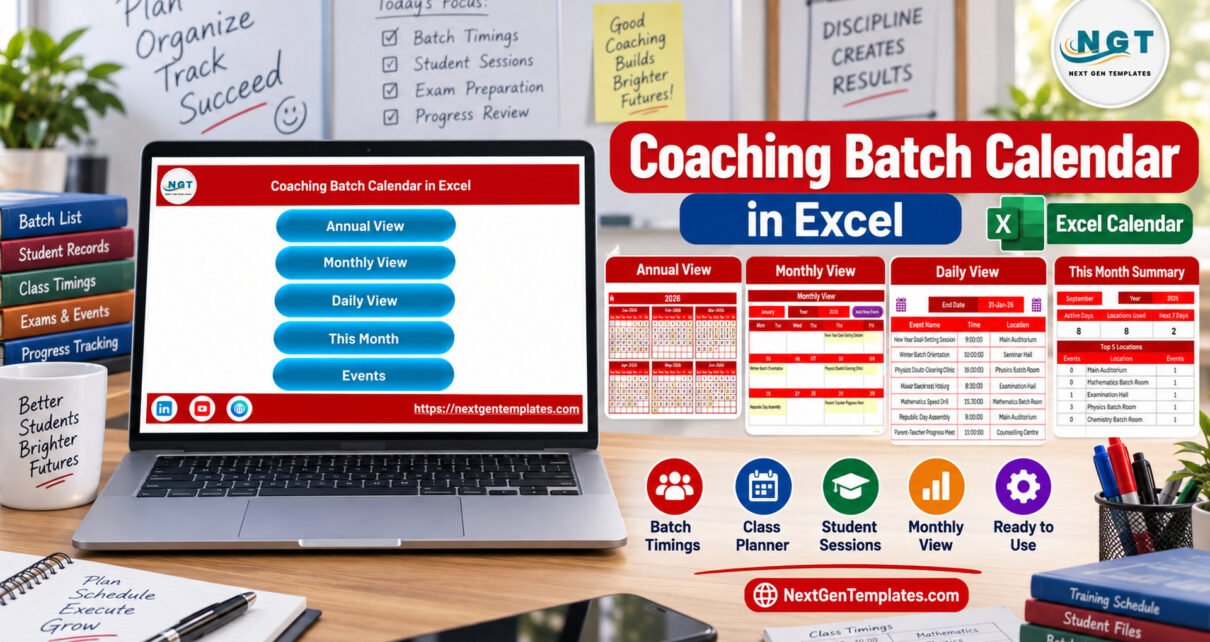
A coaching center schedule can become messy fast: multiple batches, exam preparation sessions, doubt-clearing classes, classroom locations, parent meetings, and holidays all compete for the same calendar. The Coaching Batch Calendar in Excel solves that planning problem with 5 workbook views, 7 verified product screens, a structured event table, and macro-enabled navigation built for Microsoft Excel for Windows desktop.
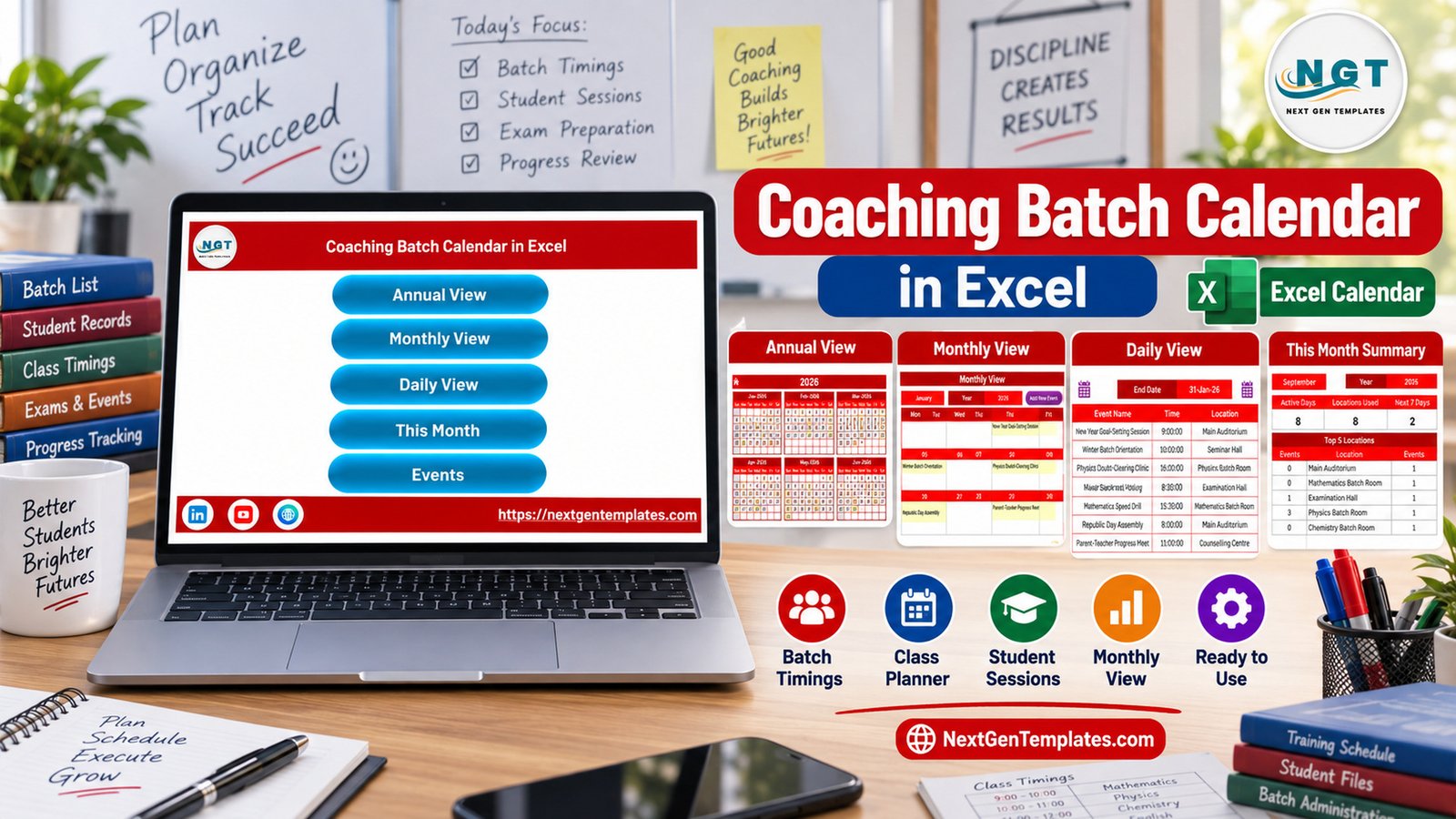
This template is best for institutes and tutors who want a practical Excel file, not a full LMS. It keeps batch planning local, editable, and easy to review while still giving you annual, monthly, daily, current-month, and event-database views.
Key Features of Coaching Batch Calendar in Excel
The workbook focuses on the scheduling work that coaching teams repeat every week: planning sessions, finding date conflicts, reviewing what is coming next, and keeping one list of events that feeds the calendar views.
- Home navigation: quick buttons for Annual View, Monthly View, Daily View, This Month, and Events.
- Annual View: 12-month calendar layout with controls for year, starting month, start day of week, color themes, weekday highlighting, and event highlighting.
- Monthly View: selected-month calendar with visible event names and buttons for adding or showing events.
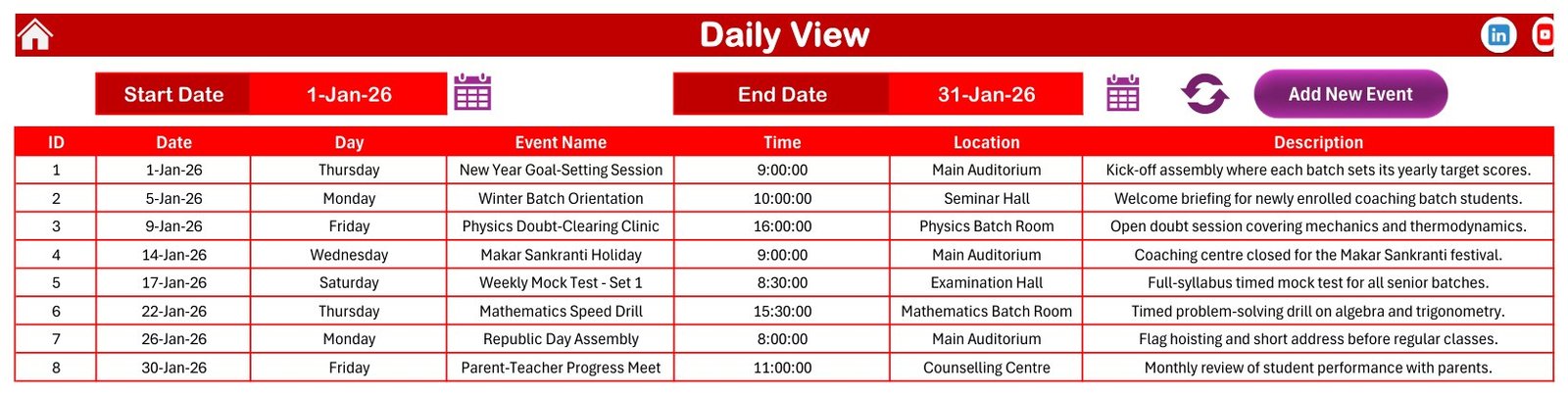
- Daily View: date-range event list with ID, date, day, event name, time, location, and description.
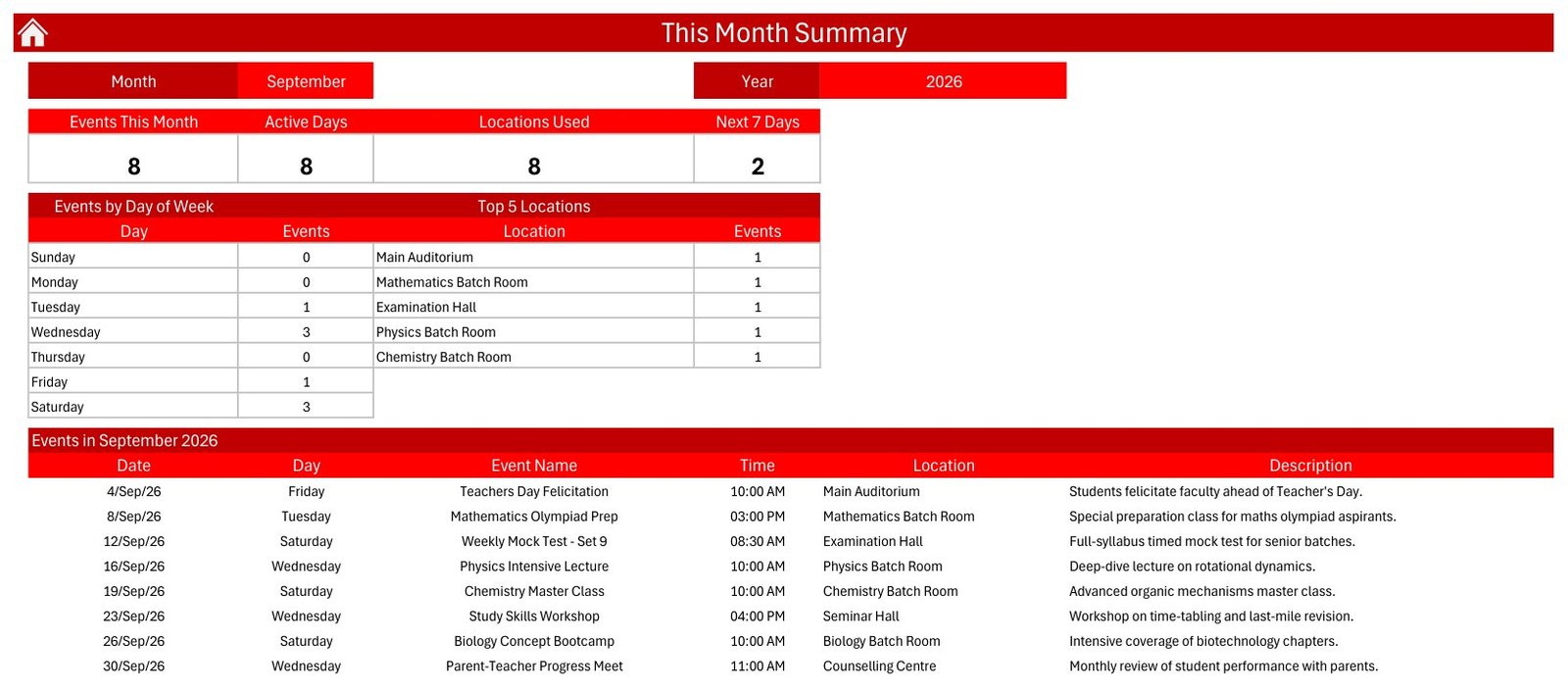
- This Month Summary: active days, locations used, next seven days, events by weekday, top locations, and event list.
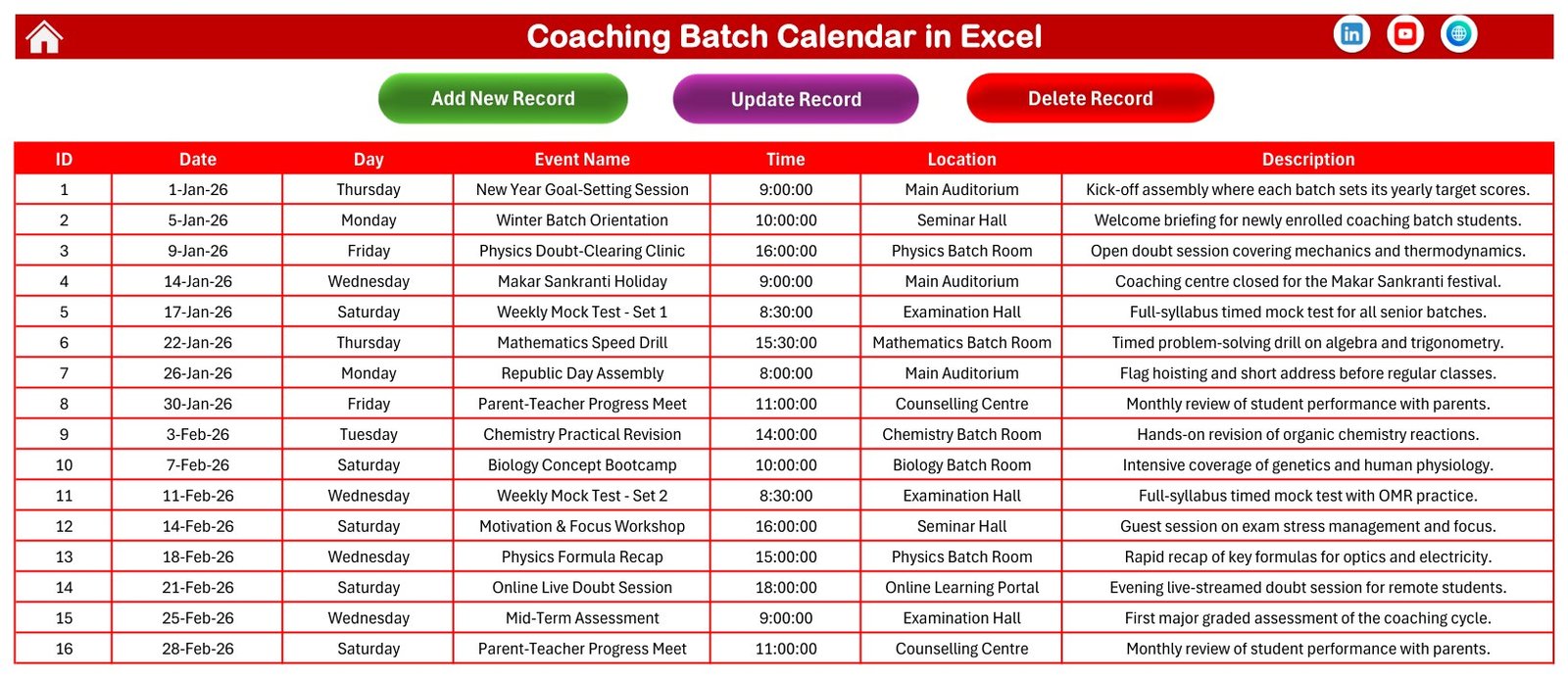
- Events sheet: the editable database behind the calendar.
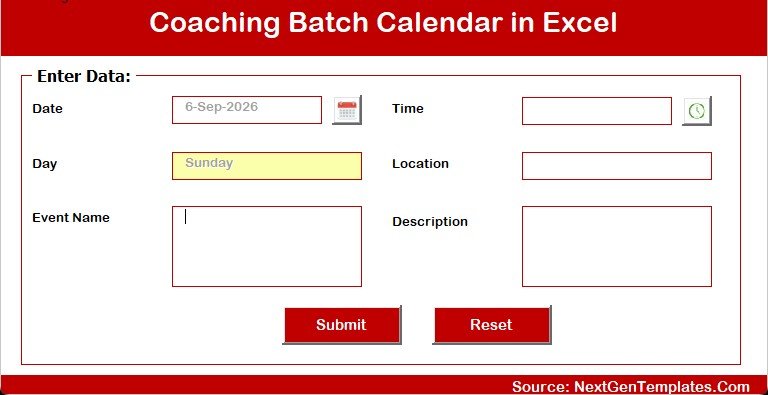
- Add New Event form: a cleaner macro-enabled input form for new sessions.
Workbook Pages Explanation
Home Sheet
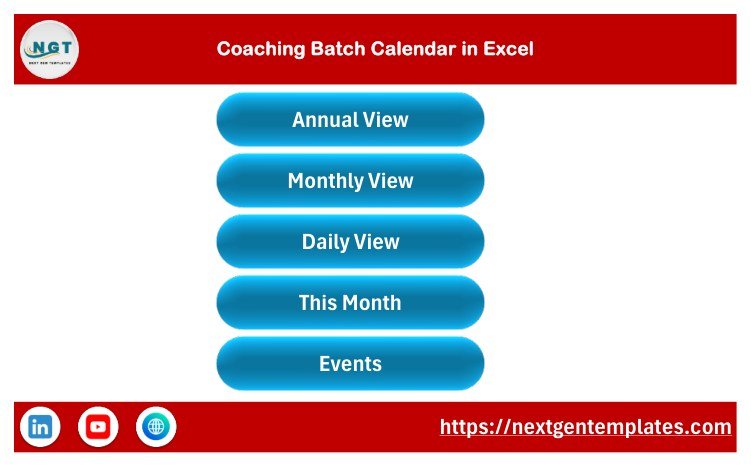
The Home sheet is an index page with large buttons that move users to the workbook’s main views. It is designed for non-technical staff who may not want to search through sheet tabs.
Annual View
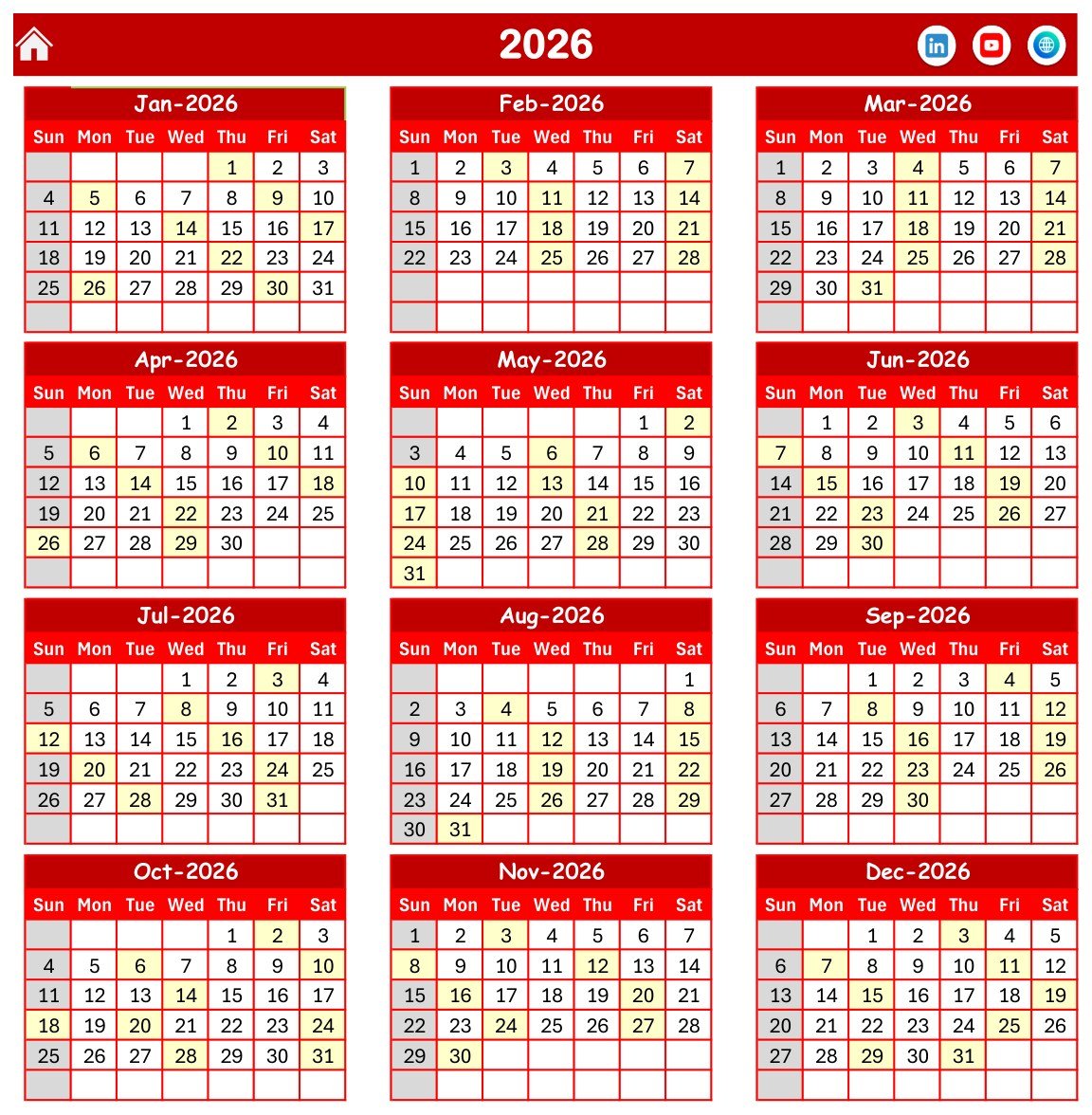
The Annual View displays 12 months in one place. It is useful for planning admissions season, long coaching cycles, exam windows, and recurring batch activity. The control panel lets users change the year, starting month, starting weekday, theme, and highlighted weekdays.
Monthly View
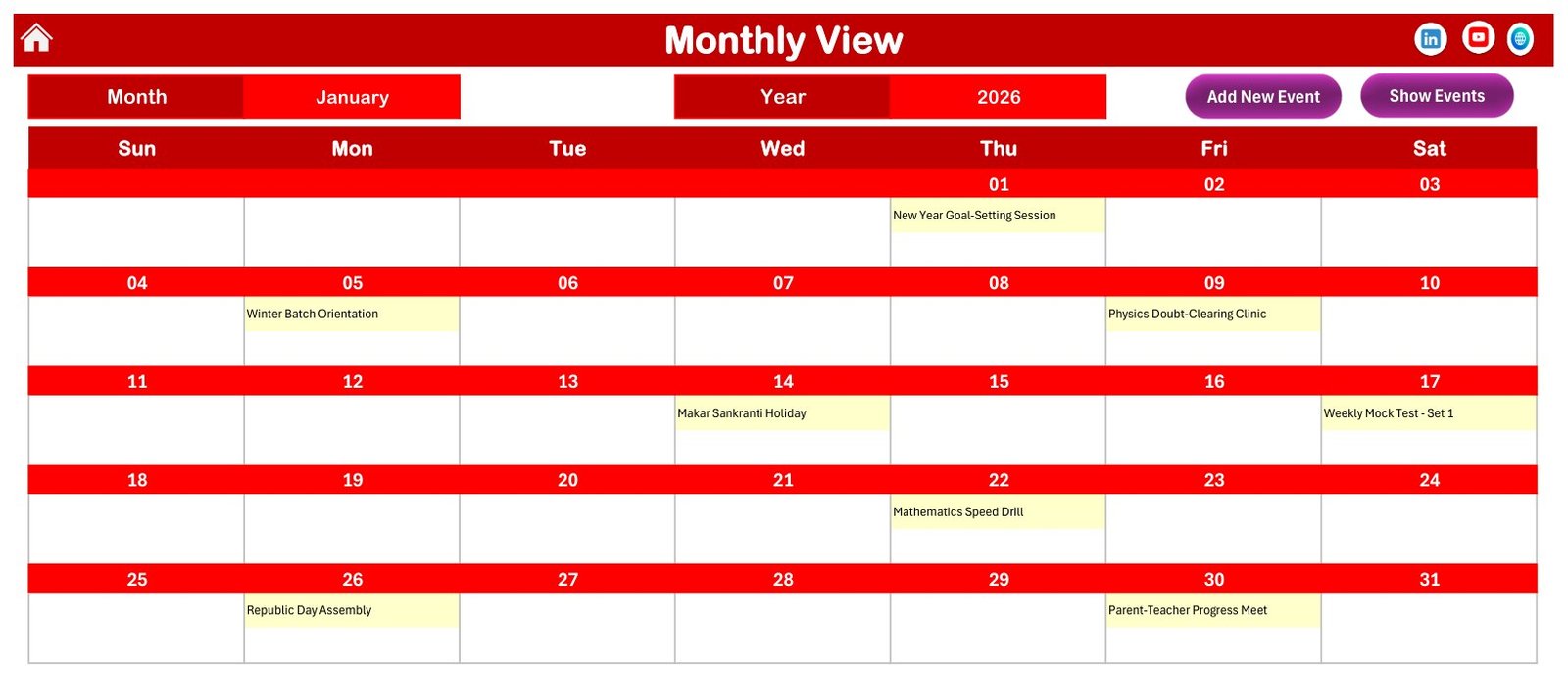
The Monthly View is the working calendar for one selected month. It shows event names in calendar cells and helps staff review the exact timing of upcoming batches, tests, and review sessions.
Daily View
The Daily View lists events between selected start and end dates. This is useful for daily briefing, teacher coordination, and checking where each coaching session will happen.
This Month Summary
The This Month Summary turns the event list into a management view: active days, locations used, next 7 days, weekday distribution, top locations, and the month event table.
Events Database and Add-Event Form
The Events sheet stores the actual records. Users can edit events directly or use the macro-enabled add-event form for structured entry.
Excel Coaching Calendar vs. Google Sheets Calendar vs. Paid CRM/SaaS – Feature Comparison
| Feature | This Excel calendar | Google Sheets calendar | Paid CRM/LMS |
|---|---|---|---|
| Primary purpose | Excel-based coaching batch calendar | Collaborative online sheet calendar | Full operations platform |
| Platform | Microsoft Excel for Windows desktop | Google Sheets in browser | Vendor web app |
| Macros/forms | Yes, VBA buttons and forms | No Excel VBA | Vendor-defined workflows |
| Setup time | Extract ZIP, open workbook, enable macros, edit events | Copy a sheet and configure sharing | Longer onboarding and configuration |
| Offline use | Yes | Limited | Usually no |
| Team collaboration | File-sharing workflow | Strong real-time collaboration | Strong, plan-dependent |
| Year-1 cost at 5 users | One template purchase | Usually free with Google account | Recurring subscription |
| Best fit | Small to mid-size coaching schedule control | Cloud-first team calendars | Institutes needing admissions, fee, LMS, and communication modules |
Who Should Use This Template
Use this calendar if you manage coaching batches, exam preparation schedules, classroom or hall allocation, special revision classes, mock tests, parent-teacher sessions, weekly workshops, or holiday planning. It is especially useful when the team already works in Excel and wants a clean local workbook.
Do not use it as a student database, fee tracker, attendance system, CRM, LMS, or automated reminder service. It is a focused calendar template.
Real-World Use Cases
Coaching institute monthly planning
A center administrator can plan all January sessions, review location usage, and brief teachers using Daily View and This Month Summary.
Exam preparation batch coordination
An exam-prep team can map mock tests, subject drills, doubt-clearing sessions, and parent meetings without building a new calendar from scratch.
Training center classroom allocation
A training coordinator can use the location field to keep auditorium, seminar hall, counselling center, and batch-room usage visible.
Advantages of This Excel Coaching Calendar
The main advantage is speed: the structure is already in place. Users do not need to design a workbook, create calendar layouts, or wire up navigation. It also keeps the schedule transparent because the Events sheet remains the source table behind the views.
The template is also practical for staff training. New users can start from the Home sheet, click the relevant view, and edit event details without learning a complex system.
Opportunities for Improvement
This template intentionally stays inside Excel. Teams that need real-time collaboration, mobile-first access, automated email reminders, online student portals, or fee management should consider a dedicated cloud system. For an Excel workbook, the best improvement path is to define clear ownership: one person should maintain the master file and share reviewed copies when needed.
Best Practices
- Store the workbook in a trusted folder before enabling macros.
- Keep one master copy and a backup copy before major edits.
- Standardize event names such as Mock Test, Doubt-Clearing, Orientation, and Parent Meeting.
- Use consistent location names so the summary remains clean.
- Review Microsoft’s guidance on enabling or disabling macros in Microsoft 365 files before using macro-enabled workbooks from any source.
Explore Relevant Templates
You can view the product draft here when it is published: product page. For similar templates, browse the Excel calendar templates category or related products such as Maternity Ward Duty Calendar in Excel, Mental Health Session Calendar in Excel, and Clinical Trial Visit Calendar in Excel.
For more Excel template articles on this site, browse the PK Templates category.
Frequently Asked Questions
Is this Excel calendar macro-enabled?
Yes. It uses Excel VBA for navigation buttons and event forms, so it should be opened in Microsoft Excel for Windows desktop with macros enabled.
Can I use it in Excel Online?
Excel Online may display parts of the workbook, but macro-driven buttons and forms are intended for Excel desktop on Windows.
Can I change the sample coaching events?
Yes. The Events sheet is editable, and the sample records are included so you can see how dates, times, locations, and descriptions are structured.
Does this template send reminders?
No. It is a calendar workbook. It does not send email, SMS, WhatsApp, or calendar notifications.
Can I add my own locations?
Yes. You can type your own classroom, hall, online meeting, or branch location names in the event records.
Is it suitable for multiple branches?
It can track locations and events for multiple branches if you use consistent naming, but it is not a centralized multi-branch database.
About the Author
Built by PK – Microsoft Certified Professional with 15+ years of Excel, Google Sheets, and Power BI experience. Founder of NextGenTemplates, reaching 300K+ subscribers across YouTube channels. Every template is hand-built and tested before release.
Conclusion
This is a focused Excel workbook for teams that need practical coaching schedule control without buying a full LMS or CRM. It is best for planning batches, exams, sessions, locations, and current-month activity in one macro-enabled file.
For more tutorials, visit PK: An Excel Expert on YouTube.
📚 Related guides: School Bus Route Calendar in Excel · Exam Timetable Calendar in Excel