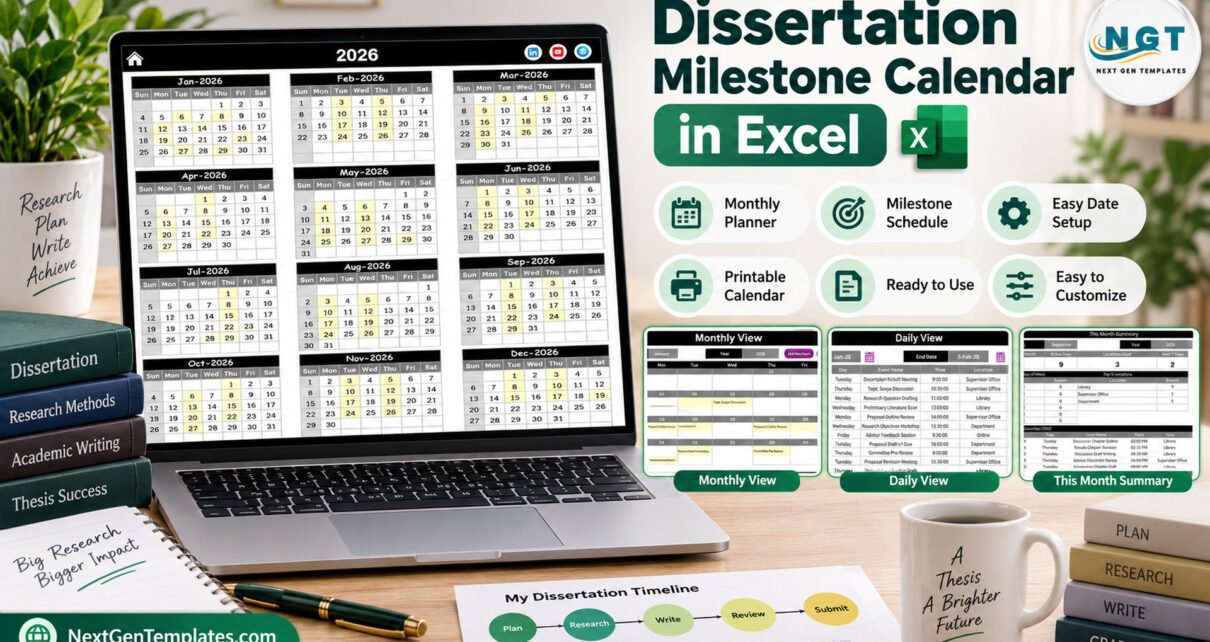
The Dissertation Milestone Calendar in Excel puts a whole research year on five linked pages: Annual View, Monthly View, Daily View, This Month and Events. The workbook ships with 100 sample milestones dated 6 January to 19 December 2026, covering 7 locations and every stage from the first supervisor meeting to the final submission.
A dissertation rarely fails for lack of ideas. It slips because deadlines hide in emails, ethics forms and supervisor notes. This article walks through every page of the template, shows who it suits, and explains its limits honestly, so you can decide whether a one-file Excel planner is enough for your thesis.
Key Features of the Dissertation Milestone Calendar in Excel
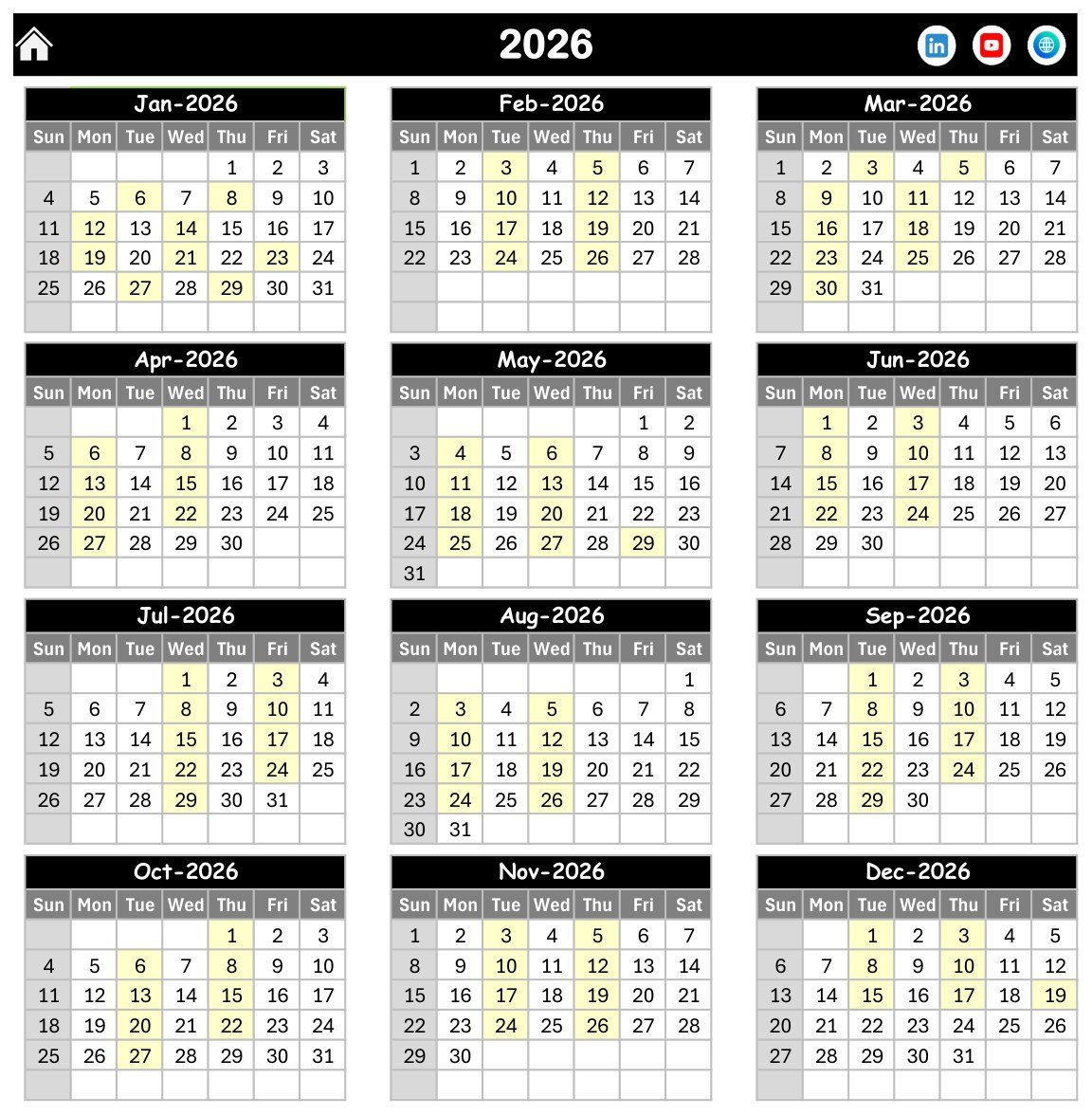
- Annual View: twelve month grids for 2026 on one page, with each milestone date shaded yellow and Sunday greyed out.
- Monthly View: Month and Year selectors and a seven-day grid that writes each event name into its date cell.
- Daily View: Start Date and End Date pickers that list every milestone in the range with ID, Date, Day, Event Name, Time, Location and Description.
- This Month summary: four cards (Events This Month, Active Days, Locations Used, Next 7 Days), an Events by Day of Week table, a Top 5 Locations table and the month’s event list.
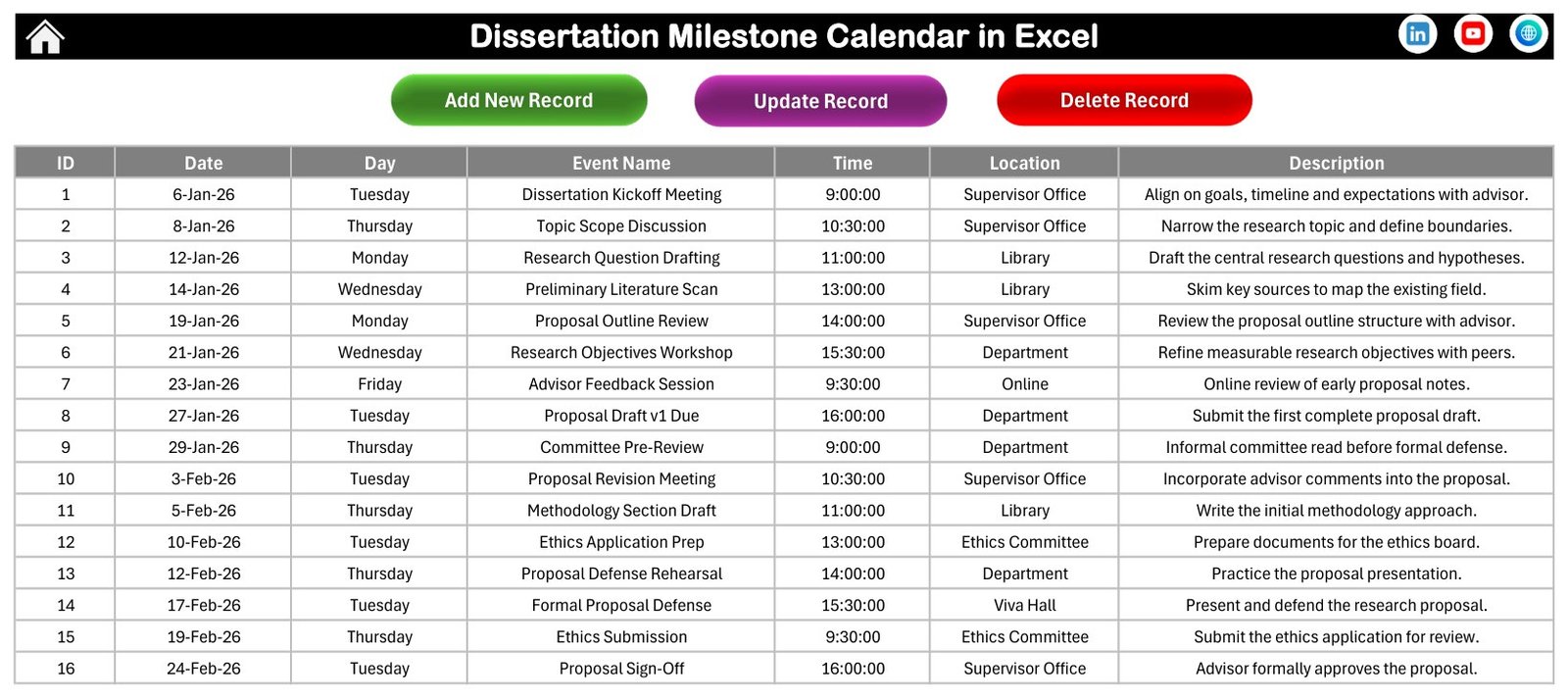
- Events sheet: the master table with Add New Record, Update Record and Delete Record buttons.
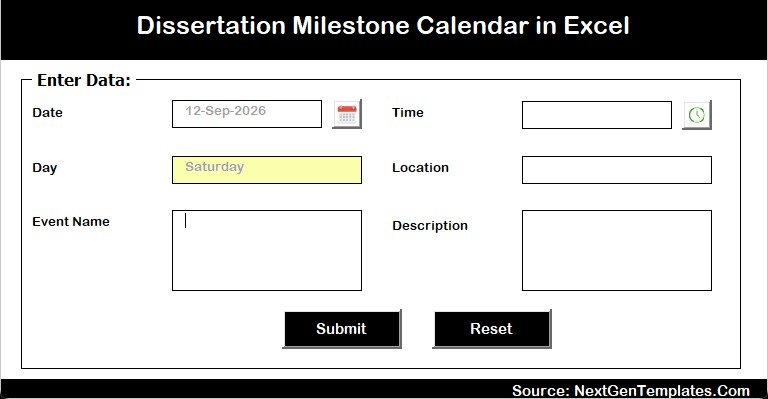
- Entry form: a calendar picker for Date, a clock picker for Time and an automatic Day field.
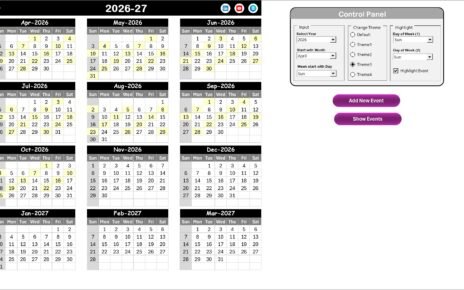
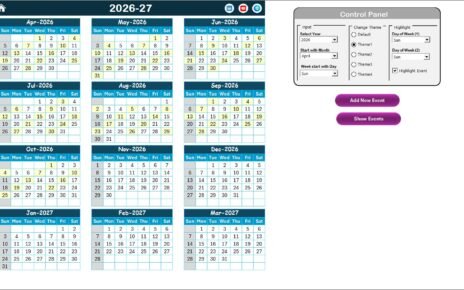
- Setting sheet: year, starting month, first day of the week, two highlighted weekdays, event highlighting and five colour themes.
The workbook is a macro-enabled .xlsm file. The Annual View and Monthly View grids are formula-driven, while the entry form, record buttons, Daily View and This Month summary are written by VBA macros. That means you need desktop Microsoft Excel for Windows with macros enabled.
Template Structure: Every Page Explained
Home
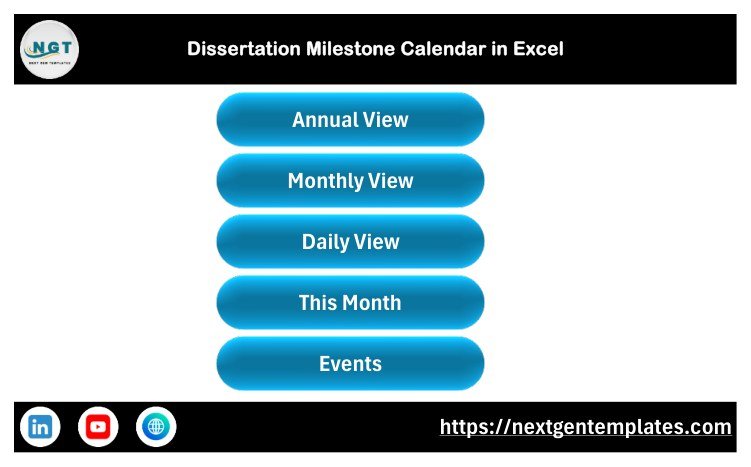
The Home page is a menu with five large buttons: Annual View, Monthly View, Daily View, This Month and Events. Each of the other pages carries a house icon that returns you here.
Annual View
Jan-2026 to Dec-2026 appear as twelve small grids. The sample shows eight or nine shaded dates in most months, so you can spot a crowded stretch, such as the proposal defense and ethics submission falling in the same February week, before it becomes a problem.
Monthly View
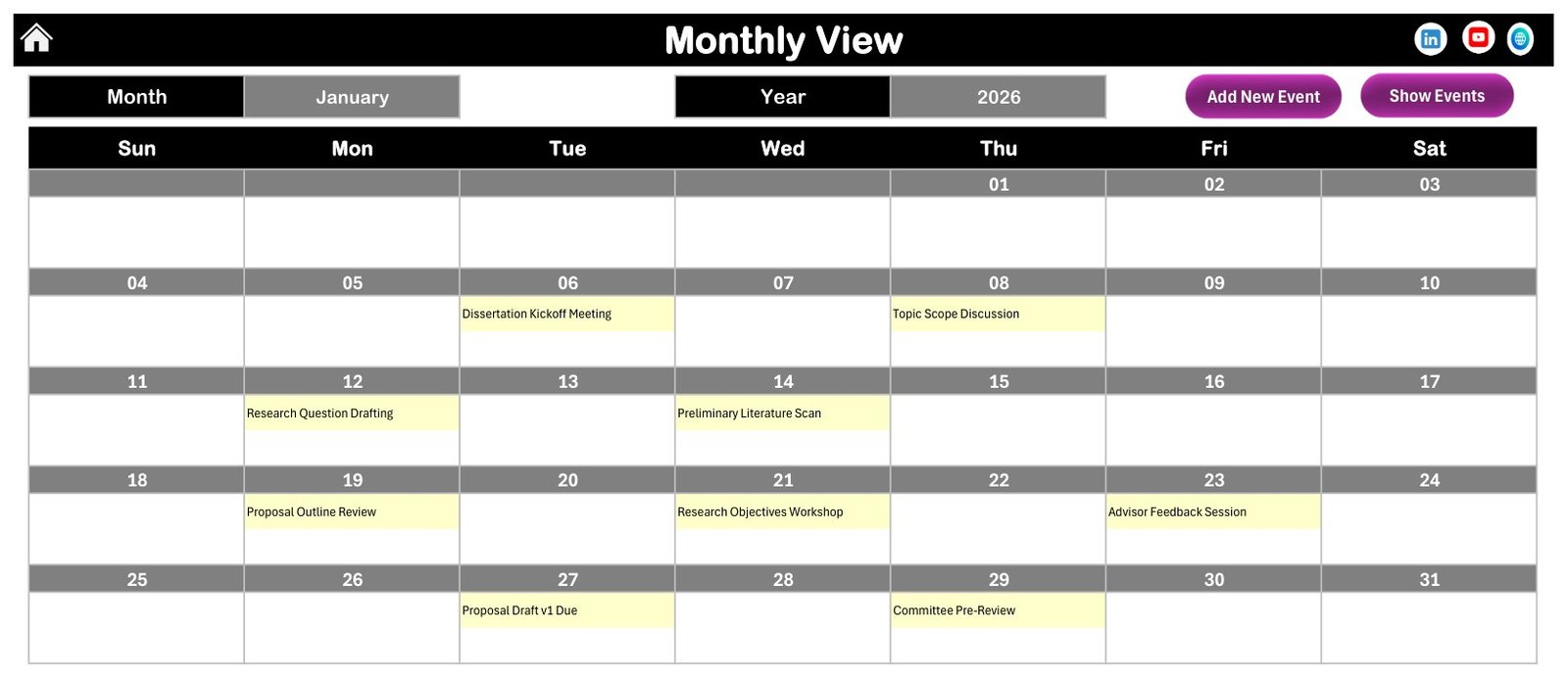
Choose January and 2026 and the grid fills with names such as Dissertation Kickoff Meeting on Tuesday 6 January, Research Question Drafting on Monday 12 January and Committee Pre-Review on Thursday 29 January. Add New Event and Show Events buttons sit above the grid.
Daily View
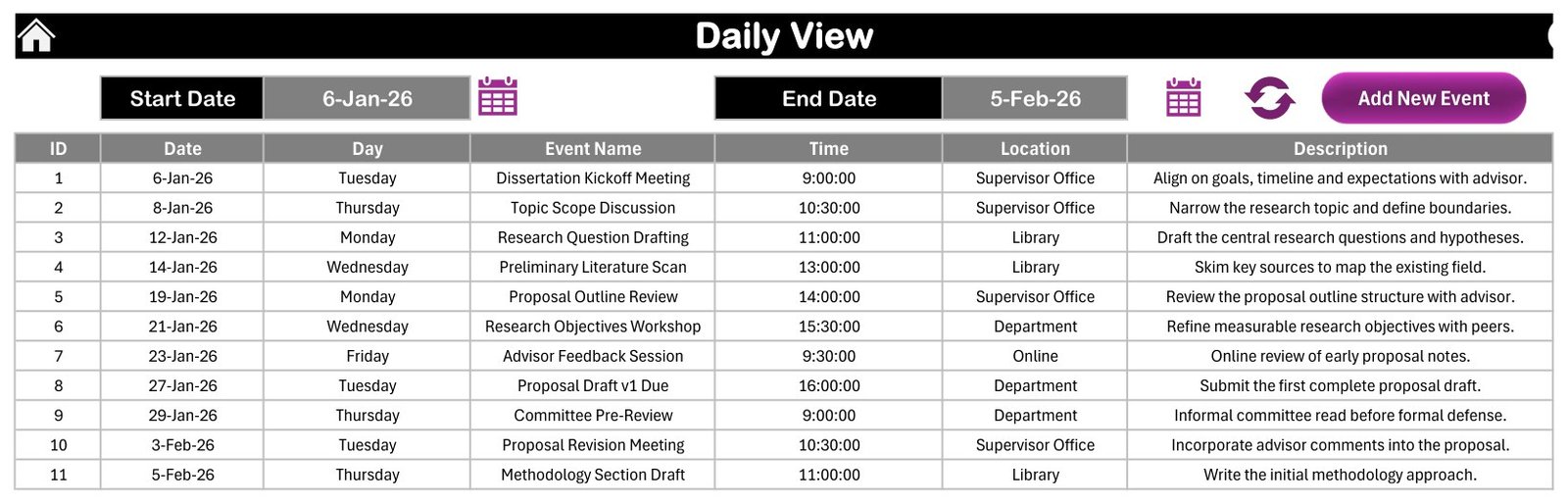
Set a Start Date and an End Date, press the refresh icon, and the page lists every milestone in between. The sample range 6-Jan-26 to 5-Feb-26 returns 11 events, from the kickoff meeting to the Methodology Section Draft.
This Month Summary
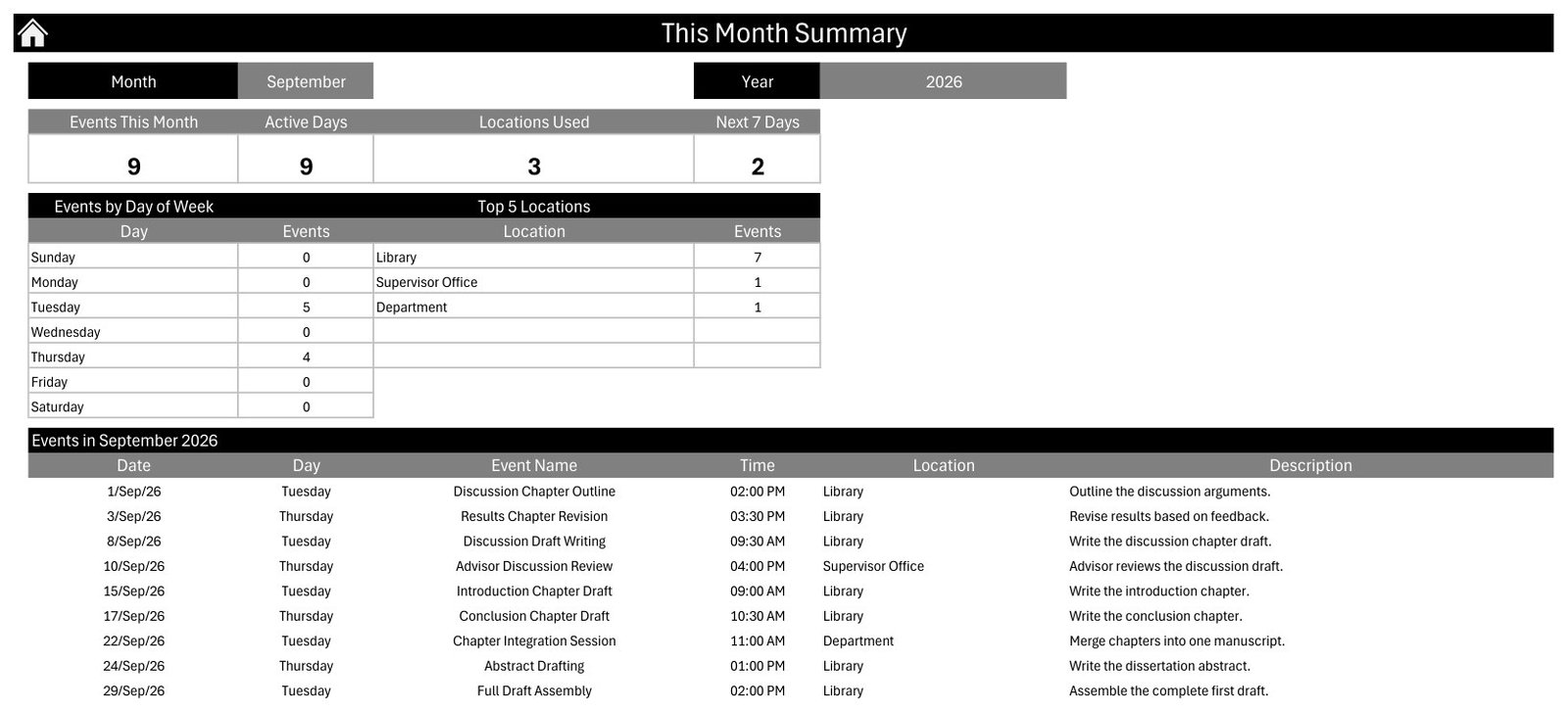
For September 2026 the cards read 9 events, 9 active days, 3 locations used and 2 events in the next 7 days. The Day of Week table shows 5 events on Tuesday and 4 on Thursday, and Library leads the Top 5 Locations with 7 events.
Events
All 100 milestones live in one table with ID, Date, Day, Event Name, Time, Location and Description columns. Sample times run from 9:00 to 16:00, and the locations are Library (25 events), Research Lab (23), Department (20), Supervisor Office (19), Online (6), Ethics Committee (5) and Viva Hall (2).
Entry Form
The form opens from the add buttons. Pick a date from the calendar icon and the Day box fills in by itself; pick a time from the clock icon, then type the Location, Event Name and Description and press Submit.
The Sample Research Year
The 100 sample events trace a typical path: proposal work in January and February (Formal Proposal Defense on 17 February), literature review in March, methodology and ethics approval in April and May, data collection in June, analysis in July and August, chapter writing in September, revisions in October and November, and the Dissertation Defense (Viva) on 3 December before Final Dissertation Submission on 17 December. These dates are illustrative only and are not any university’s official deadlines.
Comparison: Excel Calendar vs. Google Sheets vs. Paid Project Planning Apps
| Feature | This Excel milestone calendar | Google Sheets calendar template | Paid project planning apps |
|---|---|---|---|
| Cost | $4.99 one-time | One-time template price | Free tiers, then a monthly subscription |
| Platform | Excel for Windows desktop | Any browser | Web and mobile apps |
| Setup time | Minutes: replace the sample rows | Minutes | Hours to build boards and workflows |
| Works offline | Yes | Limited | Varies |
| Real-time collaboration | No | Yes | Yes |
| Annual, monthly and date-range views | All three plus a monthly summary | Depends on the template | Usually |
| Task dependencies and Gantt charts | No | No | Often on paid plans |
| Reminders and notifications | No | No | Usually |
| Year-1 cost for one student | $4.99 | One template price | Twelve monthly payments on a paid plan |
For a student who wants a clear, offline picture of the whole thesis year without a subscription, this Excel calendar sits in the sweet spot.
Who Should Use This Template
Perfect for:
- Master’s and PhD students planning proposal, fieldwork, writing and defense dates in one place
- Graduate coordinators mapping shared cohort milestones such as ethics deadlines and committee reviews
- Research assistants scheduling lab sessions, interviews and data checks
Not a fit if:
- You need task dependencies, percent-complete tracking or a Gantt chart
- You and your supervisor must edit the plan together in real time, or you work on a Mac, the web or a phone
- You need automatic reminders, recurring events or session end times
Real-World Use Cases
Amira, a second-year PhD student in education, enters her proposal defense, ethics deadlines and two interview rounds. The Annual View shows that her fieldwork overlaps her teaching weeks in October, so she moves the second interview round forward by a fortnight.
Daniel, finishing a master’s thesis in public health, sets a two-week range on the Daily View before each supervisor meeting. The printed list of chapter drafts and data checks becomes the agenda, and nothing due gets forgotten.
Priya, who coordinates a small graduate cohort, keeps shared milestones such as committee reviews and submission windows in one workbook. The This Month summary tells her how many sessions fall on each weekday and which rooms are busiest.
Advantages of This Excel Thesis Planner
- One price, no subscription: $4.99 once, with no per-user or monthly fees.
- Five views of one table: enter a milestone once and see it in the annual grid, the month grid, the date-range list and the monthly summary.
- Works offline: the file lives on your own computer, useful in libraries and field sites with poor Wi-Fi.
- Fast entry: date and time pickers and an automatic Day field reduce typing mistakes.
- Adjustable: change the year, starting month, week start and colour theme on the Setting sheet.
Opportunities for Improvement
- Windows desktop only: the macros do not run in Excel for the web, on a Mac or on mobile devices.
- No end times or durations: each event has a single start time, so multi-day fieldwork must be entered as separate rows.
- No reminders or recurrence: weekly supervisor meetings have to be added one by one, and the file will not alert you.
- No progress tracking: there is no status, percent-complete or dependency column, so pair it with a checklist if you need one.
- Single user: sharing means emailing the file rather than editing together live.
Best Practices
- Enable macros as described in Microsoft’s guide to enabling or disabling macros in Microsoft 365 files. If Excel blocks macros from a downloaded file, see macros from the internet are blocked by default.
- Replace every sample row before relying on the calendar, and copy the exact deadlines from your graduate school handbook.
- Name events by deliverable (“Chapter 3 Draft Due”) rather than activity, so the Monthly View reads as a checklist.
- Run the Daily View for the next two weeks before every supervisor meeting.
- Keep a dated backup copy each month in case a record is deleted by mistake.
Explore Relevant Templates
If you are planning around teaching or exams, read our guides to the Exam Timetable Calendar in Excel and the Class Timetable Calendar in Excel, which use the same calendar layout. Students juggling placements can look at the Internship Tracker Data Entry System in Excel, and research managers may like the Research Institutions Report in Excel. For several schedules at once, see the Calendar Planner Pack.
Browse the full range of Excel calendar templates on NextGenTemplates.
Frequently Asked Questions
What is included in the Dissertation Milestone Calendar in Excel?
The download is a ZIP with the macro-enabled workbook and the Excel Calendar user manual in PDF. The workbook has Home, Annual View, Monthly View, Daily View, This Month, Events and Setting sheets, an entry form with date and time pickers, and 100 sample milestones for 2026.
Can I use it on a Mac or in Excel online?
No. It needs desktop Microsoft Excel for Windows with macros enabled. The entry form, the record buttons, the Daily View and the This Month summary run on VBA macros, which this workbook cannot run in Excel for the web, on a Mac or on mobile.
Are the sample milestones official deadlines?
No. The 100 sample events are placeholders showing a typical research year, from a January kickoff to a December defense. Every university sets its own dates, so replace the samples with the deadlines from your department and supervisor.
How long does setup take?
Most students can set it up in under 30 minutes: set the year on the Setting sheet, clear the sample rows on the Events sheet, and add their own milestones through the entry form. The annual and monthly grids update from the Events table.
How does it compare with paid project planning apps?
Paid apps offer live sharing, reminders and task dependencies for a monthly fee. This Excel calendar costs $4.99 once and works offline with annual, monthly and date-range views, but it is a single-user file without reminders or dependencies.
Can I change the colours and the start of the week?
Yes. The Setting sheet lets you pick one of five colour themes, set the first day of the week and the starting month, highlight up to two weekdays and switch event highlighting on or off.
About the Author
Built by PK, a Microsoft Certified Professional with 15+ years of Excel, Google Sheets and Power BI experience and the founder of NextGenTemplates. Every template is built and tested before release. Watch the tutorials on YouTube @PKAnExcelExpert.
Conclusion
The Dissertation Milestone Calendar in Excel gives a thesis year a single, visible structure: one Events table, four ways to read it, and a form that makes entry quick. It will not remind you or track dependencies, but for a one-time $4.99 it turns scattered deadlines into a plan you can check before every supervisor meeting.
👉 Click here to Purchase the Dissertation Milestone Calendar in Excel
✅ Instant download · One-time payment · No subscription
Last updated: September 2026