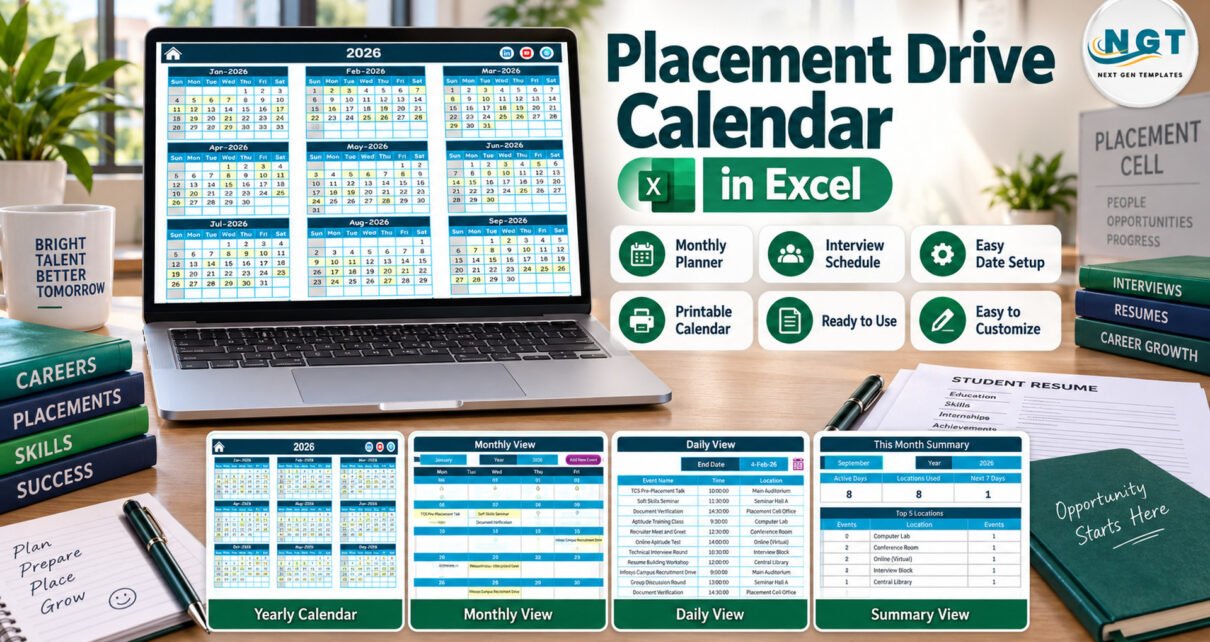
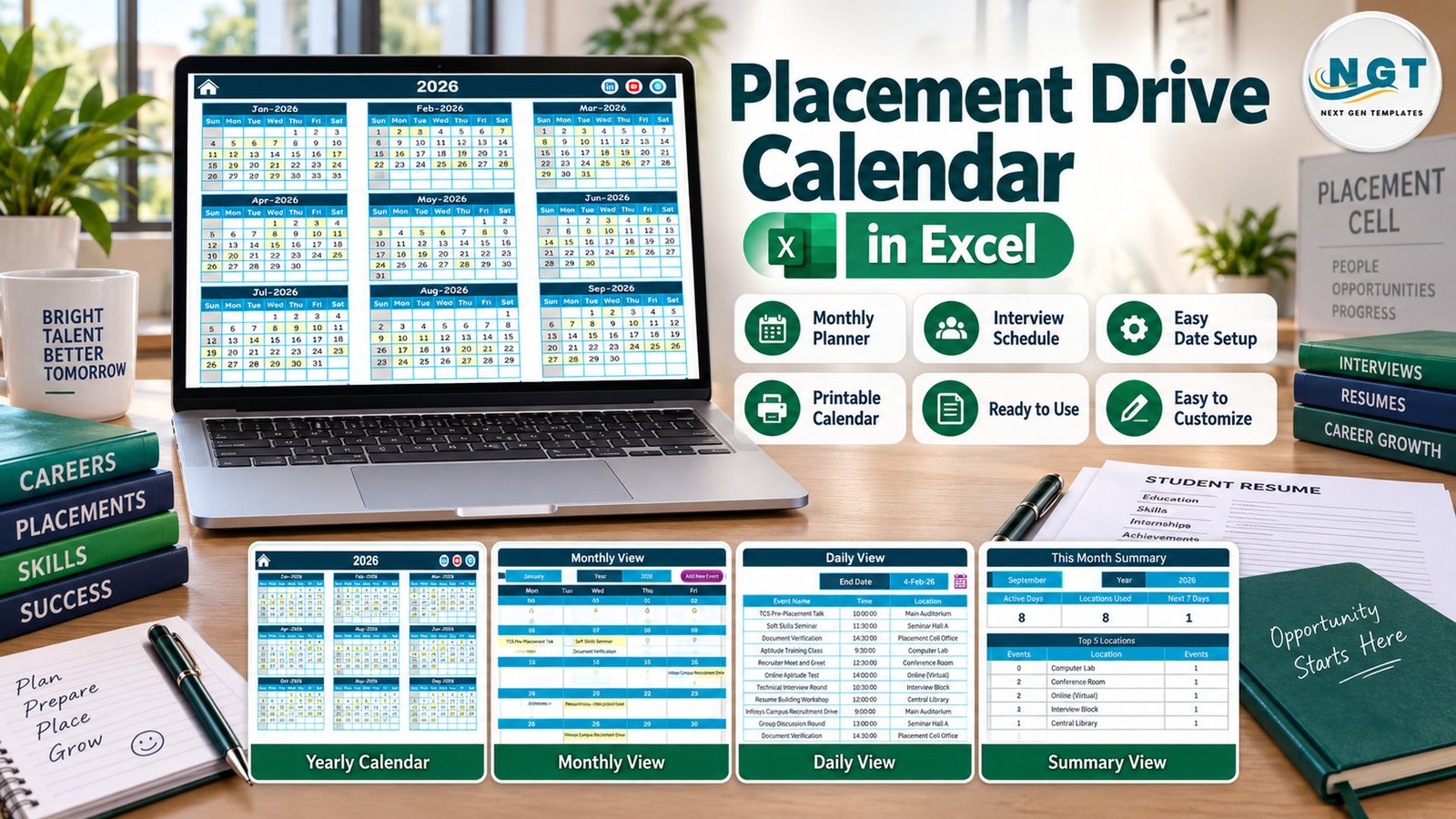
The Placement Drive Calendar in Excel is a macro-enabled workbook that puts a year of campus recruitment activity on five linked pages. It comes with 100 sample placement events dated 5 January to 29 December 2026, held in 8 campus locations under 32 event names, with 8 or 9 events in every month.
In many colleges the placement season still lives in WhatsApp groups, notice-board printouts and one coordinator’s diary. When an aptitude test lands on the same day as a pre-placement talk, or document verification is forgotten until the week of a drive, students feel it first. This calendar gives every placement event a single Excel home, so the training and placement officer, faculty coordinators and student volunteers all read the same plan.
Key Features of the Placement Drive Calendar in Excel
The workbook has seven sheets: Home, Annual View, Monthly View, Daily View, This Month, Events and Setting. Everything reads from a single Events table, so a record you add once appears on every view.
- Annual View: twelve month grids on one page, with every date that holds a placement event highlighted.
- Monthly View: Month and Year selectors and a full grid that writes each event name into its day.
- Daily View: a Start Date and End Date filter that lists ID, Date, Day, Event Name, Time, Location and Description.
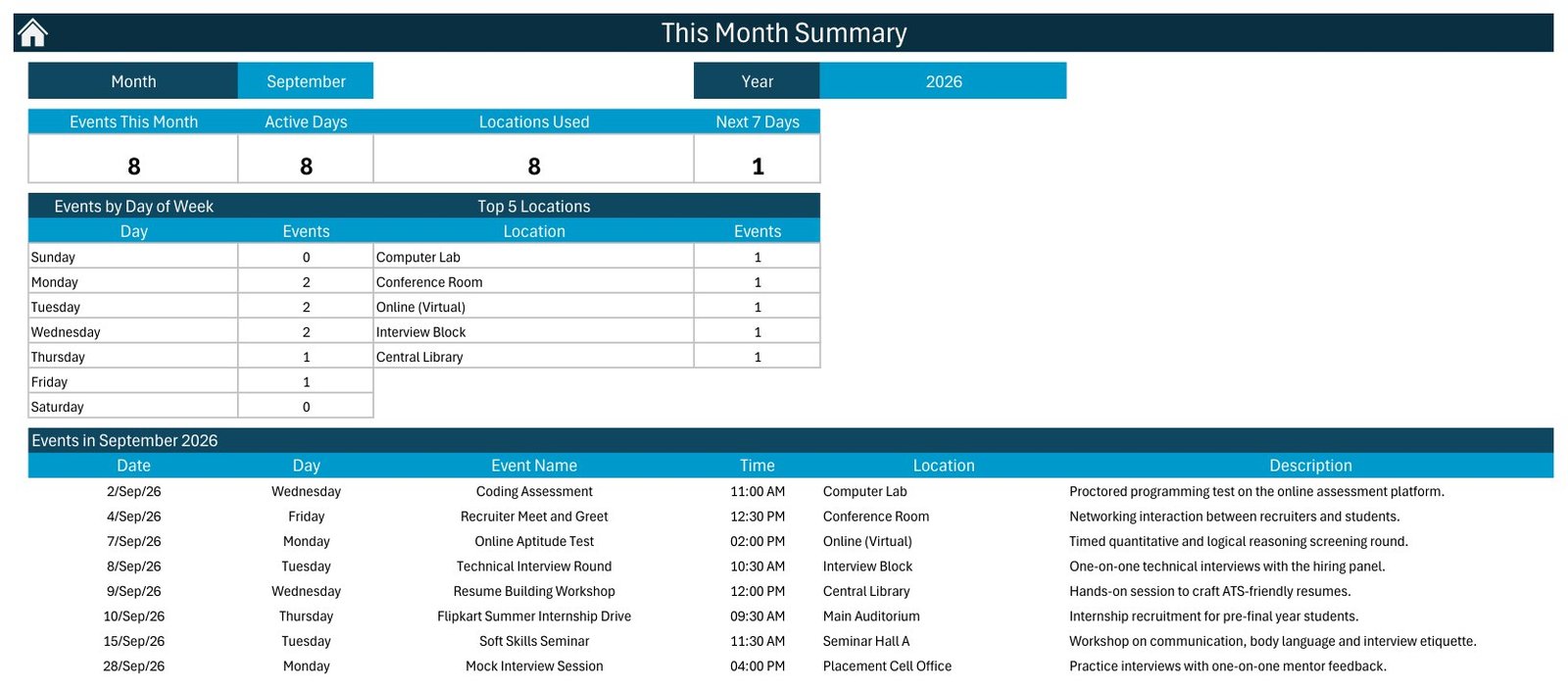
- This Month: four counters (Events This Month, Active Days, Locations Used, Next 7 Days), an Events by Day of Week table, a Top 5 Locations table and the month’s event list.
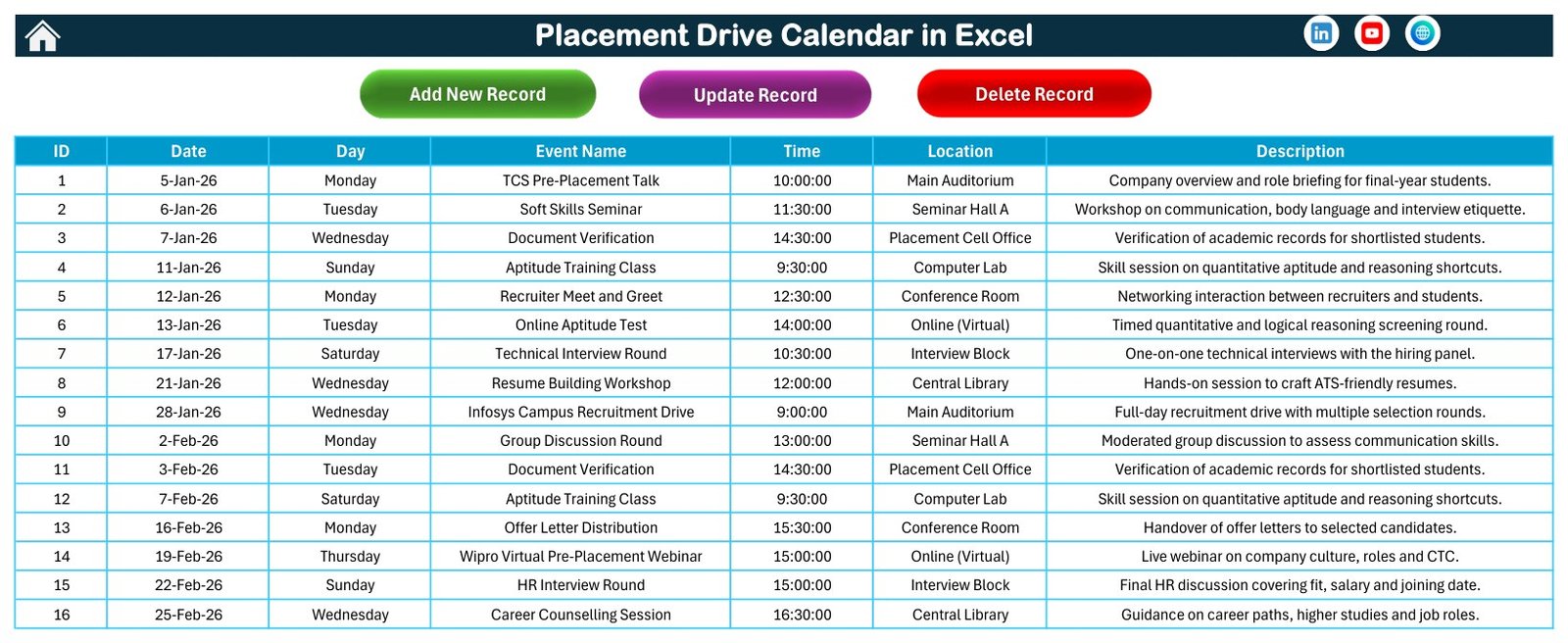
- Events sheet: Add New Record, Update Record and Delete Record buttons over a seven-column table.
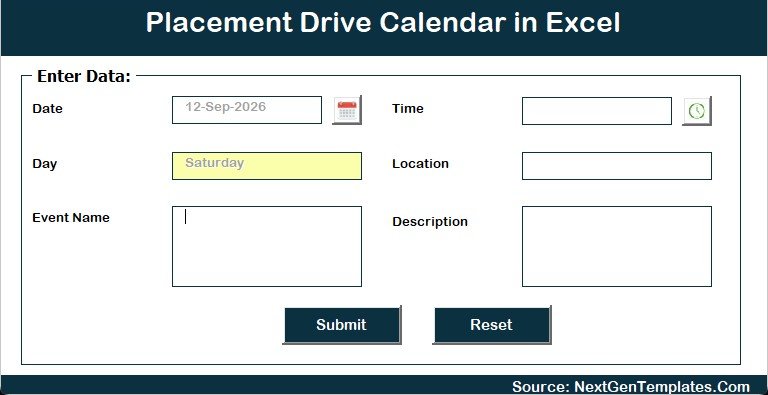
- Entry form: date and time pickers, with the weekday filled in from the date.
- Setting sheet: calendar year, starting month, first day of the week, two highlighted weekdays, event highlighting and five colour themes.
Macros power the form, the record buttons, the Daily View refresh and the This Month summary, so the file needs desktop Excel for Windows with macros enabled.
Template Structure: Every Page Explained
Home
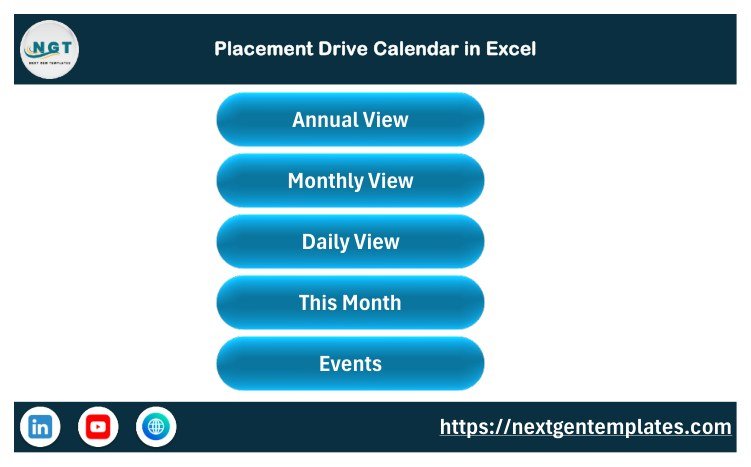
A clean menu with five buttons, Annual View, Monthly View, Daily View, This Month and Events, so nobody has to hunt through sheet tabs.
Annual View
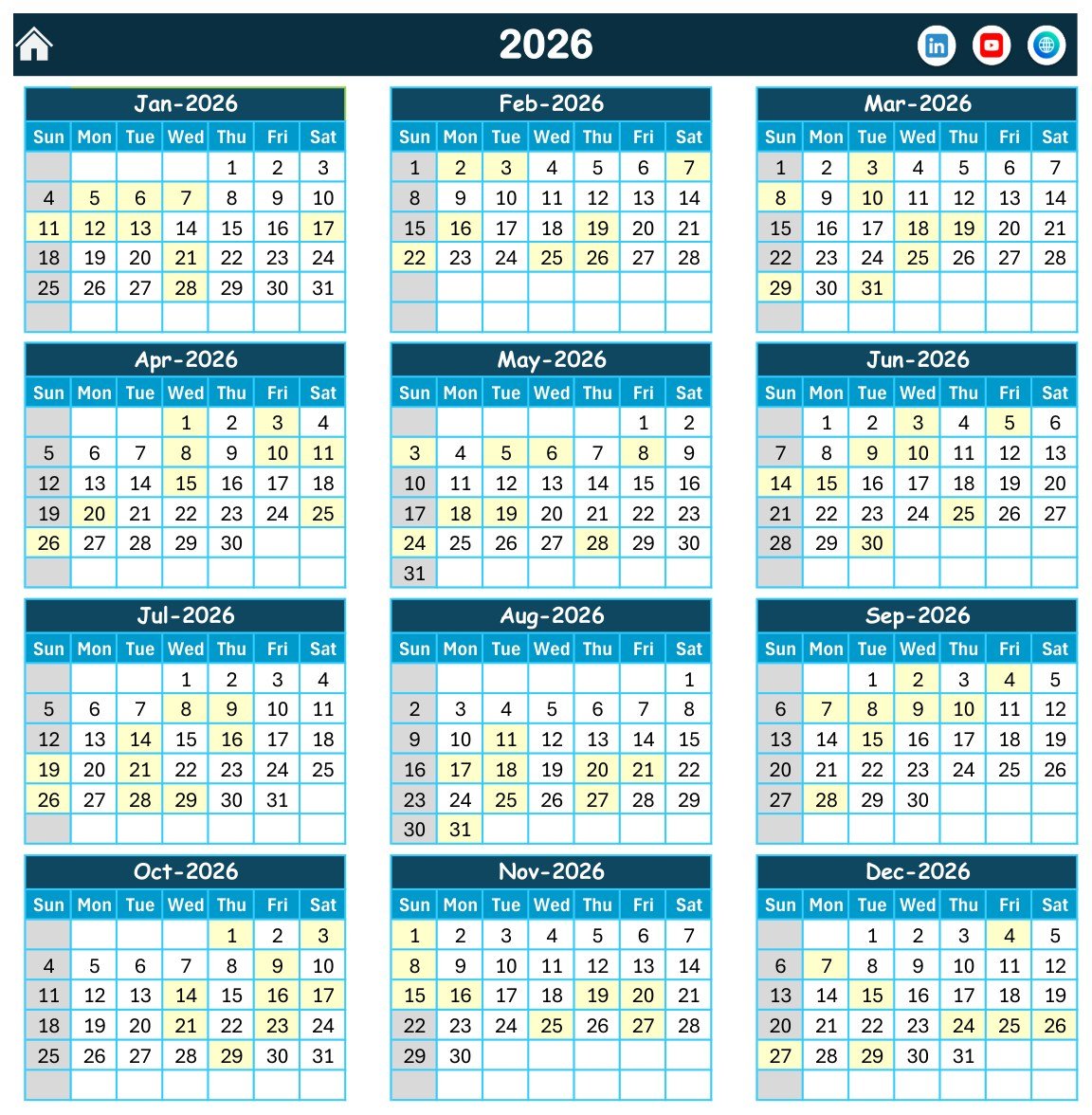
All twelve months of 2026 in Sunday-to-Saturday grids. Highlighted dates show when placement events happen, and Sunday is greyed out as the highlighted weekday. Because every month carries 8 or 9 events, you can spot a gap in the season quickly.
Monthly View
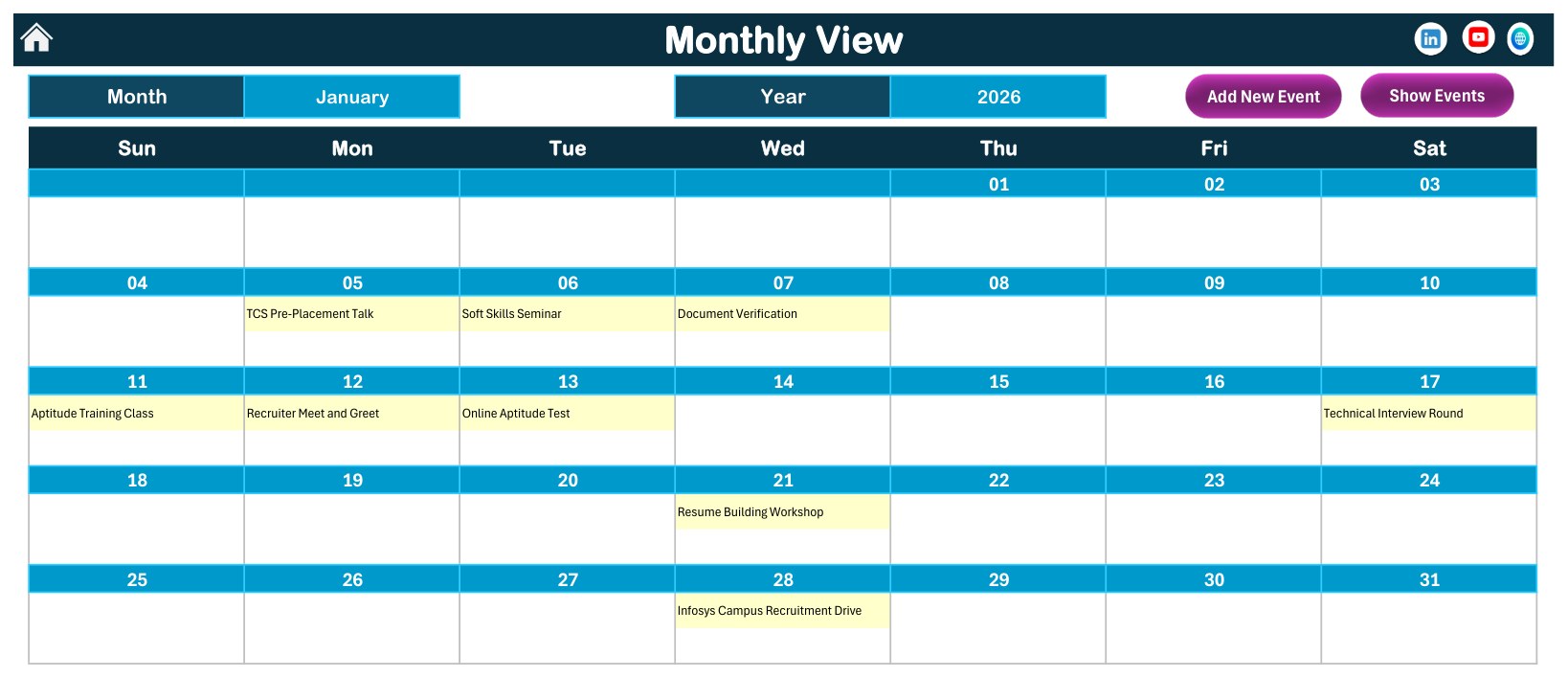
Choose January and 2026 and the grid shows a TCS Pre-Placement Talk on the 5th, Soft Skills Seminar on the 6th, Document Verification on the 7th, Aptitude Training Class on the 11th, Recruiter Meet and Greet on the 12th, Online Aptitude Test on the 13th, Technical Interview Round on the 17th, Resume Building Workshop on the 21st and an Infosys Campus Recruitment Drive on the 28th. Add New Event and Show Events buttons sit at the top.
Daily View
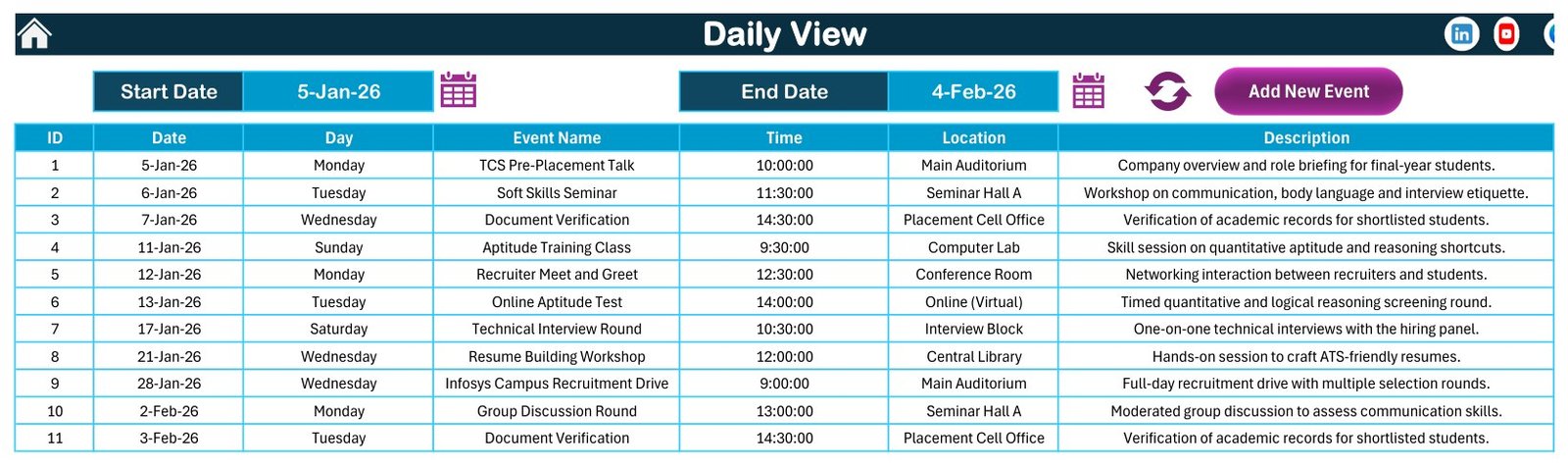
Pick any date range with the two calendar icons and press refresh. The sample range of 5 January to 4 February 2026 returns 11 events, each with its time, venue and a one-line note such as “Timed quantitative and logical reasoning screening round.”
This Month Summary
For September 2026 the sample shows 8 events on 8 active days in 8 locations: 2 each on Monday, Tuesday and Wednesday, and 1 each on Thursday and Friday. The event list runs from a Coding Assessment in the Computer Lab on the 2nd to a Mock Interview Session in the Placement Cell Office on the 28th.
Events
The master list of 100 records with contiguous IDs from 1 to 100. Each weekday matches its date, and no two events share a day. The three buttons add, update and delete records.
Enter Data Form
Date, Time, Event Name, Location and Description, with a Submit and a Reset button. The Day box fills itself, which keeps weekday labels accurate.
What the Sample Data Covers
The 100 events follow a typical campus season. Soft Skills Seminar, Recruiter Meet and Greet and Career Counselling Session appear 9 times each, Aptitude Training Class 8 times, Document Verification and HR Interview Round 7 times each, Online Aptitude Test 6 times, and Technical Interview Round and Coding Assessment 5 times each. Group Discussion Rounds, Mock Interview Sessions, Resume Building Workshops, Placement Registration and Offer Letter Distribution fill the rest. Venues are Main Auditorium, Seminar Hall A, Placement Cell Office, Computer Lab, Conference Room, Online (Virtual), Interview Block and Central Library, and times run from 9:00 AM to 4:30 PM.
Nineteen sample events carry company names such as TCS, Infosys, Wipro or Google to show how a drive might be labelled. They are placeholders only: the dates are not real recruitment schedules and there is no affiliation with those companies.
Comparison: Excel Calendar vs. Google Sheets vs. Paid Placement Software
| Feature | This Excel placement calendar | Google Sheets calendar template | Paid campus placement software |
|---|---|---|---|
| Cost | ✅ $4.99 one-time | One-time template price | Recurring subscription, per plan or per user |
| Platform | Excel for Windows desktop | Any browser | Web and mobile apps |
| Setup time | ✅ Minutes | Minutes | Days to weeks |
| Works offline | ✅ Yes | Limited | Varies |
| Real-time collaboration | No | ✅ Yes | ✅ Yes |
| Student registrations and shortlists | No | No | ✅ Usually |
| Annual, monthly and date-range views | ✅ Yes, plus a monthly summary | Depends on the template | Usually |
| Reminders and notifications | No | No | ✅ Usually |
| Year-1 cost for 5 staff | ✅ $4.99 | One template price | Several times higher |
For a placement cell that wants a clear, offline yearly recruitment plan without a software subscription, this Excel calendar sits in the sweet spot.
Who Should Use This Template
Perfect for:
- Training and placement officers planning the recruitment season for one college or university campus
- Faculty placement coordinators who book aptitude tests, group discussions and interview rounds
- Career services teams running soft skills, resume and career counselling sessions for final-year students
Not a fit if:
- You need student registrations, eligibility filters, shortlists, results or offer tracking
- Several people must edit at the same time, or your team works on Mac, the web or phones
- You rely on reminders, recurring events or start-and-end times
Real-World Use Cases
A training and placement officer at an engineering college blocks out the season in January: pre-placement talks first, then online aptitude tests, group discussions and technical interview rounds. She prints the Monthly View for the department notice boards on the first working day of each month.
A faculty placement coordinator uses the Location column to spread rounds across the Interview Block, Computer Lab, Main Auditorium and virtual sessions. On This Month he checks Top 5 Locations and Events by Day of Week so no single venue or weekday is overloaded.
A career services lead runs Daily View for the two weeks before a major recruitment drive and walks through the list with student volunteers, making sure the resume workshop, mock interviews and document verification are already done.
Advantages of This Excel Placement Calendar
- One source of truth. Every view reads the same Events table, so there is no double entry.
- Low cost. A one-time $4.99 purchase replaces a monthly software fee for simple scheduling.
- Offline and private. The file stays on your own computer or college drive.
- Fast to learn. Staff who know Excel understand the grids and the form in minutes.
- Easy to rebrand. Five colour themes and editable labels fit your institution’s look.
Opportunities for Improvement
An honest list of what the workbook does not do today:
- No reminders, emails or notifications, and no recurring events.
- One time per event with no end time or duration.
- No fields for recruiter contact, eligible branches, registered students, shortlists, results or offers.
- No conflict warning if two events are booked for the same slot.
- Single-user desktop file: it needs Excel for Windows with macros, and does not run in Excel for the web, on Mac or on mobile.
- It is a planning aid, not a placement management portal or applicant tracking system.
Best Practices
- Enable macros only for this trusted file. Microsoft’s guide to enabling or disabling macros in Microsoft 365 files shows the steps.
- If Excel shows a security banner on a downloaded file, read Microsoft’s note on macros from the internet being blocked by default and unblock the file from its Properties.
- Set the year and week start on the Setting sheet before adding records.
- Keep venue names short and consistent so the Top 5 Locations table groups them correctly.
- Put the recruiter, eligible batch and contact person in the Description column, since there are no separate fields for them.
- Save a dated backup copy at the end of each placement season.
Explore Relevant Templates
Pair this calendar with other campus planning tools on this blog. The Exam Timetable Calendar in Excel plans papers and rooms so drives avoid exam weeks, and the Class Timetable Calendar in Excel organises lectures. For student records, see the Internship Tracker Data Entry System in Excel, and for analysis the Career Counseling Centers Dashboard in Excel.
Browse more Excel calendar templates on NextGenTemplates.
Frequently Asked Questions
What is included in the Placement Drive Calendar in Excel?
A ZIP with one macro-enabled workbook and the Excel Calendar user manual in PDF. The workbook has Home, Annual View, Monthly View, Daily View, This Month, Events and Setting sheets, plus an entry form and 100 sample placement events for 2026.
Do I have to enable macros?
Yes. The data-entry form, the Add, Update and Delete buttons, the Daily View refresh and the This Month summary are VBA macros. Open the workbook in desktop Excel for Windows and click Enable Content when the yellow security bar appears.
Can I use it on a Mac, in Excel for the web or on a phone?
No. VBA forms and buttons need desktop Excel for Windows. Excel for the web and the mobile apps cannot run them, and the Mac version is not supported, so plan to use a Windows PC.
Can I change the year and the week start day?
Yes. The Setting sheet lets you pick the calendar year, the starting month, the first day of the week, two highlighted weekdays, whether event dates are highlighted, and one of five colour themes.
Does it manage students, shortlists or offers?
No. It is a scheduling calendar. It stores date, weekday, event name, time, location and description only. There are no student records, eligibility rules, shortlists, results, offer tracking, reminders, end times or recurring events.
Are the company drives in the sample real?
No. Company names appear in 19 sample events purely as labels. They are not confirmed recruitment dates and imply no affiliation or endorsement.
How does this compare with paid placement software?
Paid placement portals add student registrations, eligibility checks, reminders and shared access for a recurring fee. This workbook costs $4.99 once and works offline, but it plans dates for one user rather than managing candidates.
About the Author
Built by PK, a Microsoft Certified Professional with 15+ years of Excel, Google Sheets and Power BI experience and the founder of NextGenTemplates. Every template is built and tested before release.
Conclusion
If your placement cell needs one clear place for pre-placement talks, aptitude tests, interview rounds and offer letter days, this Excel calendar gives you a yearly, monthly and date-range view of the same plan for a one-time price. Remember that it needs desktop Excel for Windows with macros enabled, and that the sample events and company names are placeholders.
👉 Click here to purchase the Placement Drive Calendar in Excel
✅ Instant download · One-time payment · No subscription
🎥 Watch more Excel tutorials at Youtube.com/@PKAnExcelExpert
Last updated: September 2026