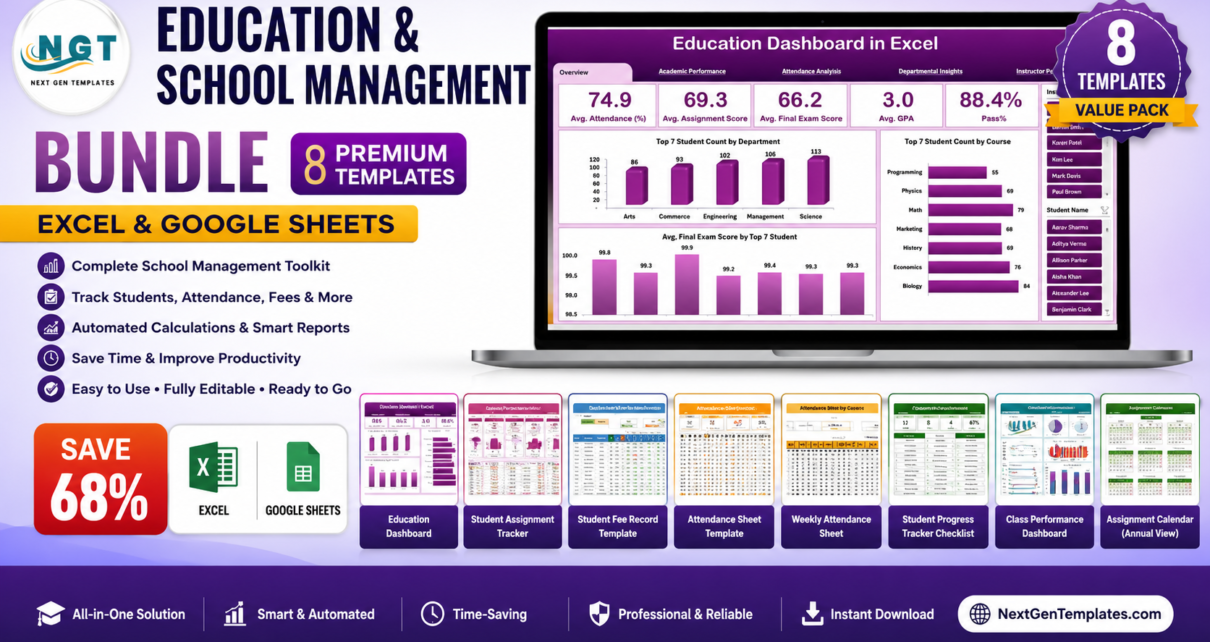
Managing a school or classroom means tracking attendance, fees, assignments, student progress, events, and overall performance — and most educators end up with a tangle of disconnected spreadsheets. The Education & School Management Bundle solves that by combining 8 premium, ready-to-use templates into one affordable package built specifically for teachers, school administrators, tutors, and coordinators.Education & School Management Bundle
Purchased individually, these eight tools total $107.92. In this bundle you get all of them for $34.99 — a saving of $72.93 (68% off). They span both Microsoft Excel and Google Sheets, so every member of your team can work in the environment they know best.Education & School Management Bundle
🎓 Education & School Management Bundle
$107.92 $34.99 Save 68%
Key Features of the Education & School Management Bundle
This bundle was assembled to cover the complete academic workflow rather than a single task. At its core is the Education Dashboard in Excel, which centralizes institutional KPIs — student grades, attendance, teacher performance, and graduation rates — into one visual command center with dynamic charts and category breakdowns.
Around that dashboard sit three complementary attendance solutions: a clean daily attendance sheet, a weekly attendance tracker with leave management, and a fully automated Excel/VBA system that supports bulk marking, an employee/student master, and a centralized database. Whether you prefer cloud collaboration in Google Sheets or a powerful offline Excel workflow, attendance is covered.
Financial and academic tracking come from the Student Fee Record (payments, balances, due dates, and automated eligibility status) and the Student Assignment Tracker and Student Progress Tracker Checklist (deadlines, submission status, grades, and visual completion bars). Finally, the School Event Checklist keeps functions, budgets, vendors, and milestones organized from planning to execution.Education & School Management Bundle
What’s Included in the Bundle
1. Education Dashboard in Excel
The flagship template. It tracks key educational KPIs in one place with real-time charts, trend tracking against targets, and breakdowns by grade level, subject, and department — ideal for data-driven decision-making at the institution level.
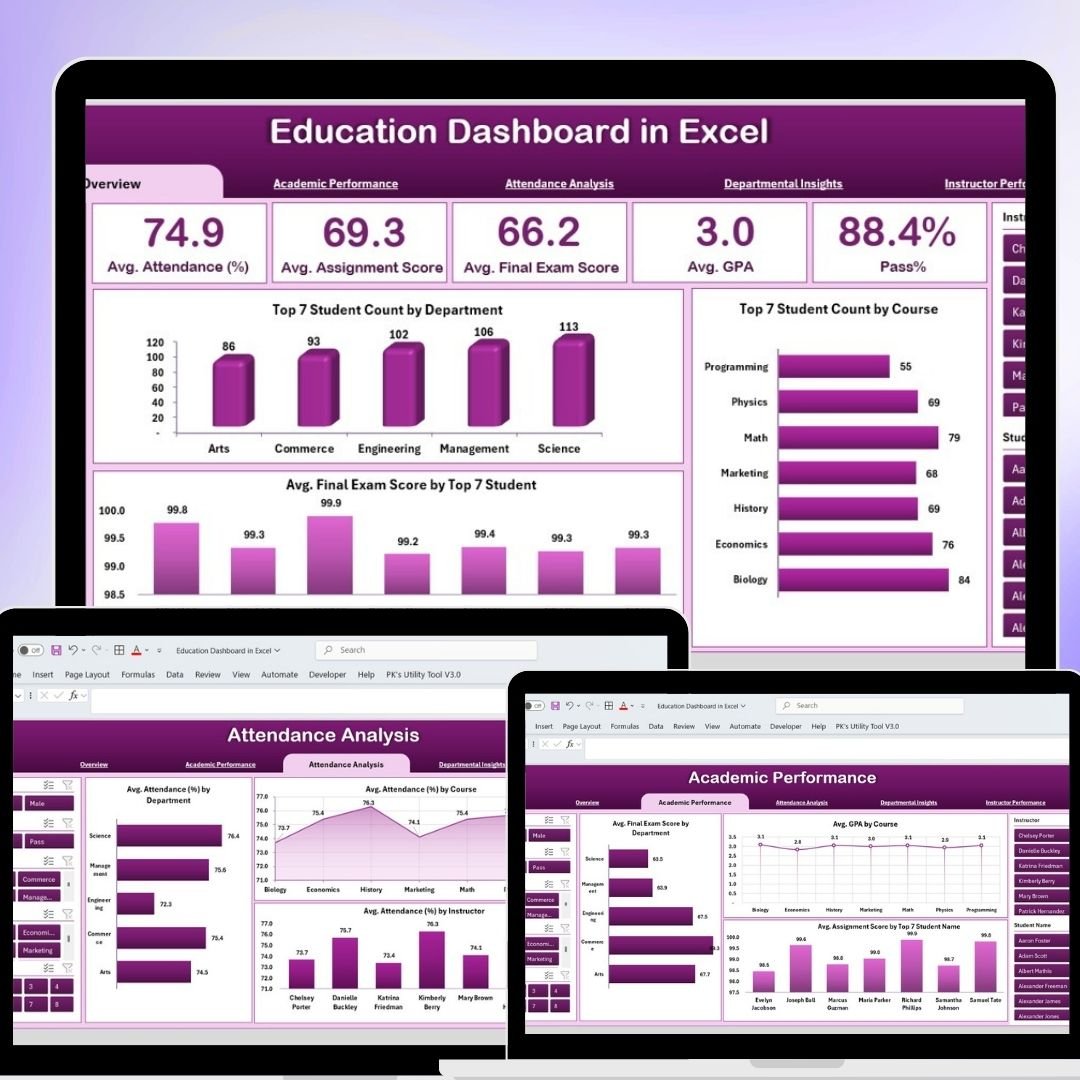 Education Dashboard in Excel
2. Student Assignment Tracker in Google Sheets
Keep every assignment, deadline, and grade organized. Color-coded submission statuses, automatic grade calculations, and real-time collaboration make it easy for teachers and students to stay aligned.Education & School Management Bundle
 Student Assignment Tracker in Google Sheets
3. Student Fee Record Template in Google Sheets
Track fee payments, outstanding balances, and due dates while the template automatically calculates each student’s eligibility status — perfect for schools, colleges, and tuition centers.Education & School Management Bundle
 Student Fee Record Template in Google Sheets
4. Automated Attendance Sheet in Excel
A multi-sheet VBA system with bulk attendance marking, customizable attendance codes, an employee/student master, a centralized database, and smart filtering for payroll-ready reports.Education & School Management Bundle
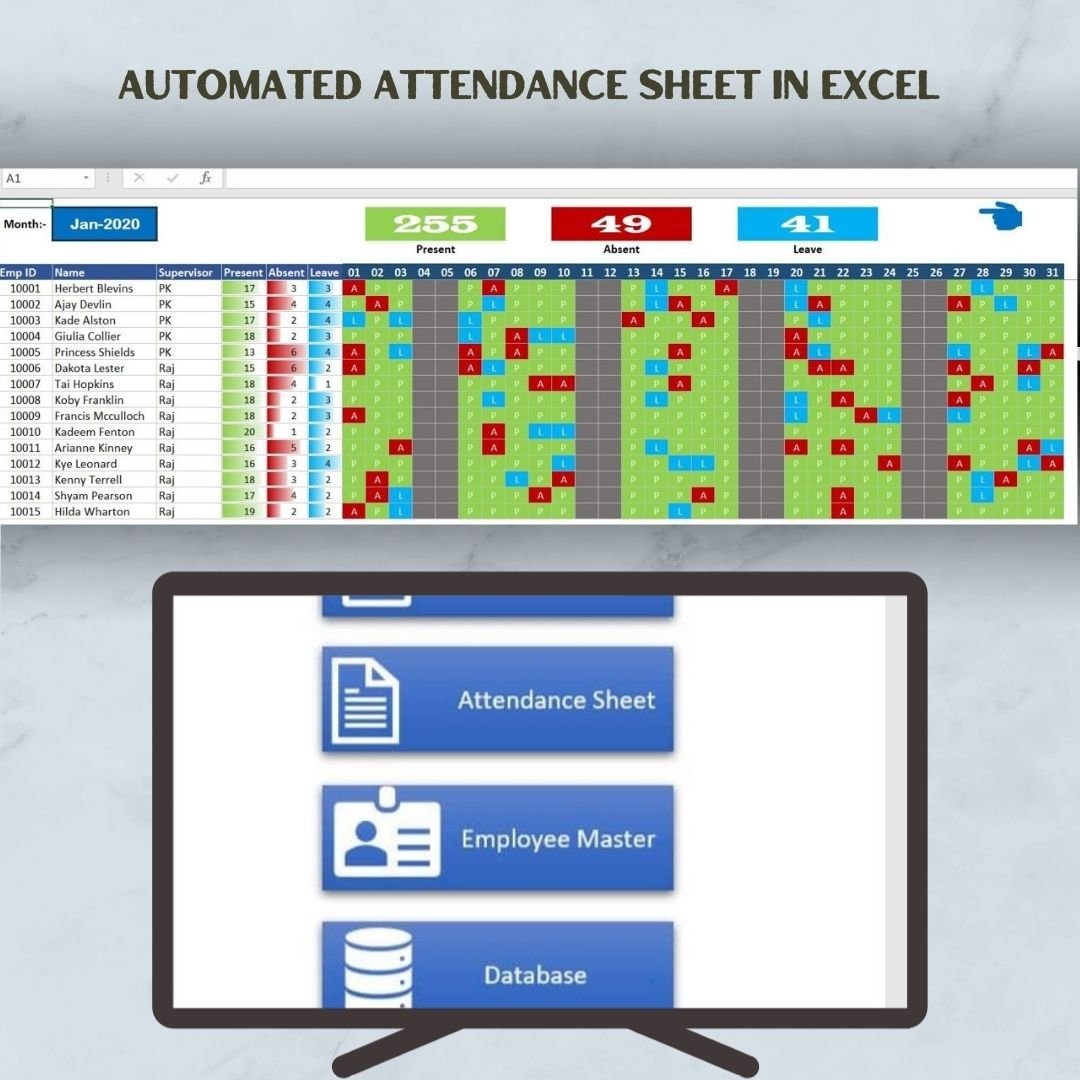 Automated Attendance Sheet in Excel
5. Attendance Sheet Template in Google Sheets
A simple, cloud-based attendance sheet with automated calculations, color-coded statuses, and multi-user collaboration — great for quick classroom or team tracking.Education & School Management Bundle
 Attendance Sheet Template in Google Sheets
6. Weekly Attendance Sheet in Google Sheets
Record daily attendance across the week, manage multiple leave types, and visualize attendance trends with built-in graphs for clearer reporting.
 Weekly Attendance Sheet in Google Sheets
7. Student Progress Tracker Checklist in Google Sheets
A checklist with summary cards (total, completed, pending), a live progress bar, dropdown-driven responsibility assignment, deadlines, and remarks — built for accountability across classes.Education & School Management Bundle
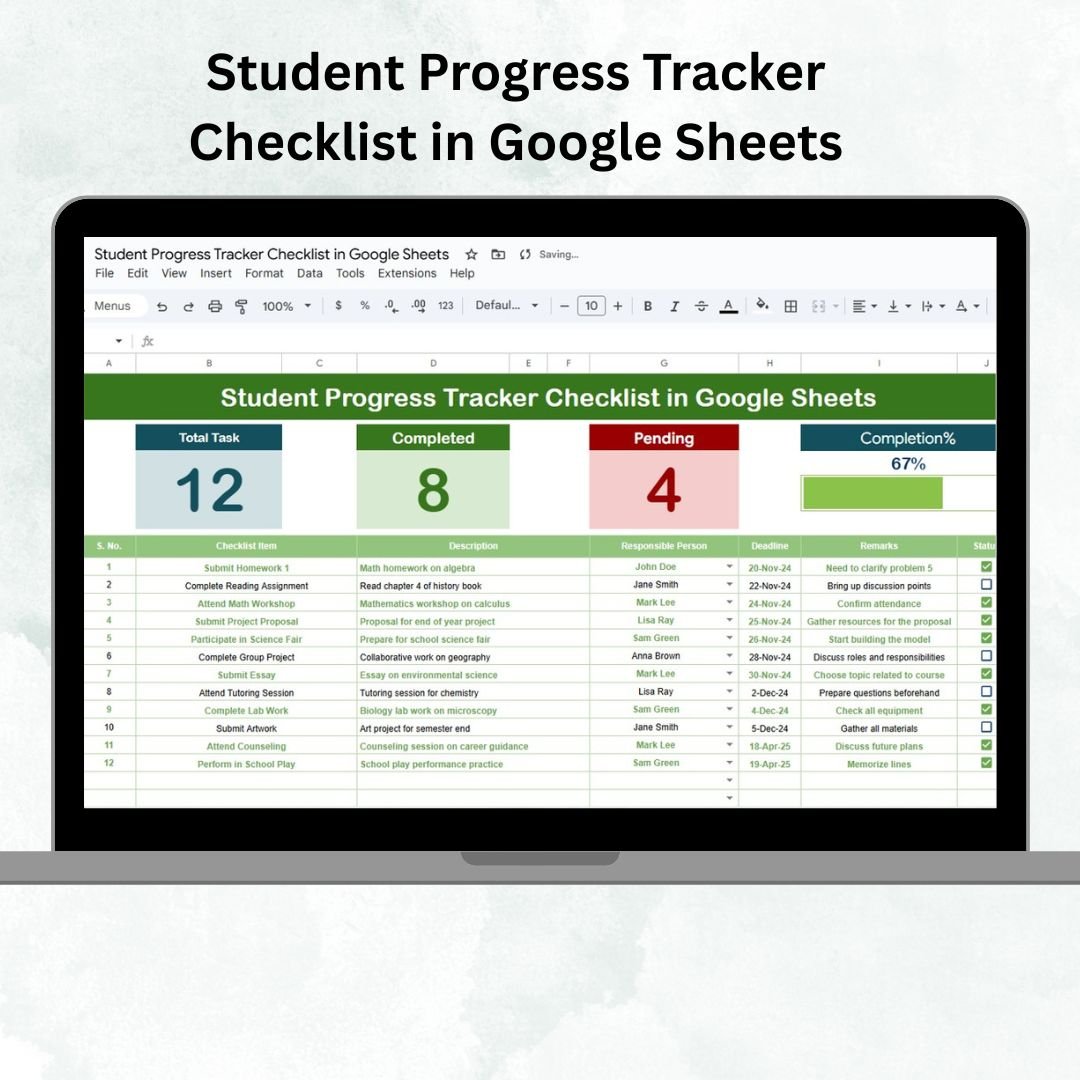 Student Progress Tracker Checklist in Google Sheets
8. School Event Checklist in Excel
Plan and execute any school function with task assignment, budget and vendor tracking, milestone monitoring, and a customizable layout for events of any size.
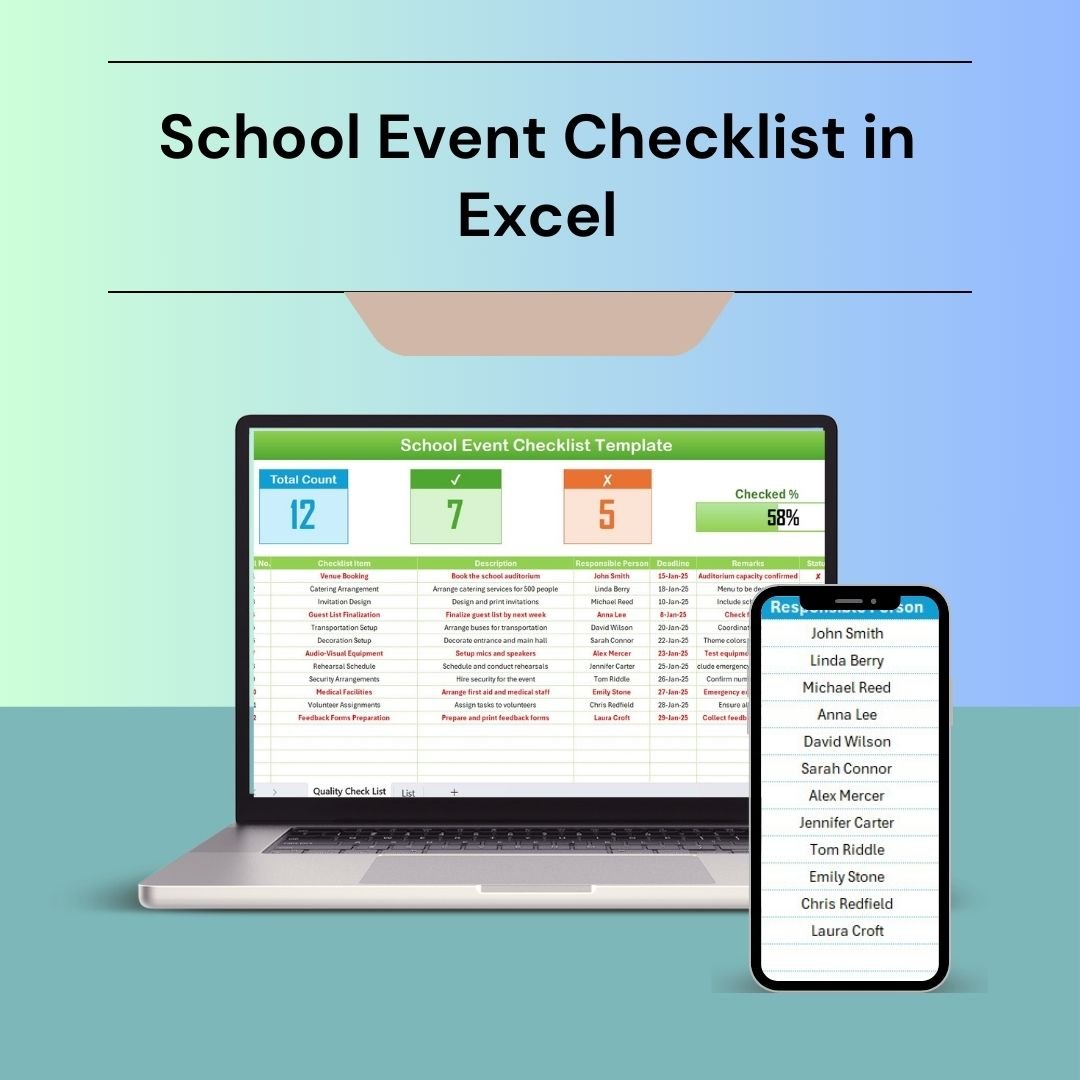 School Event Checklist in Excel
Smart Comparison — Individual vs Bundle
| Template | Platform | Individual Price |
|---|---|---|
| Education Dashboard in Excel | Excel | $24.99 |
| Student Assignment Tracker | Google Sheets | $14.99 |
| Attendance Sheet Template | Google Sheets | $14.99 |
| Weekly Attendance Sheet | Google Sheets | $14.99 |
| Student Fee Record Template | Google Sheets | $14.99 |
| Automated Attendance Sheet | Excel (VBA) | $12.99 |
| School Event Checklist | Excel | $4.99 |
| Student Progress Tracker Checklist | Google Sheets | $4.99 |
| Individual Total | $107.92 | |
| Bundle Price | $34.99 | |
| You Save | $72.93 (68%) | |
Advantages of Buying the Bundle
Beyond the obvious 68% saving, the bundle gives you a connected system rather than isolated files. Attendance feeds into reporting, fees tie to eligibility, and progress checklists complement the dashboard — so your data tells one consistent story. Because both Excel and Google Sheets are included, you avoid platform lock-in and can assign the right tool to the right team member. Everything is pre-built with formulas and sample data, so there’s no setup learning curve.
Best Practices for Deploying the Bundle
Start by copying the Google Sheets templates to your school’s Drive and populating the supporting List/Master sheets first — this powers the dropdowns and keeps data entry consistent. Assign one owner per template to avoid duplicate records, and standardize your attendance codes and fee categories across the school before rolling out. Use the Education Dashboard as your weekly review hub, pulling in attendance and performance data to spot trends early. Finally, schedule a recurring export of key reports for leadership and parent communication.
Explore More Templates
Looking for more? Browse all Education templates, our full range of Dashboards, and more NextGenTemplates for Excel, Google Sheets, Power BI, and web apps.
Frequently Asked Questions
What do I receive when I buy the bundle?
You receive all 8 templates listed above as a single download — a mix of Excel files and Google Sheets links (delivered via PDF for the Sheets templates).
Do I need advanced Excel or Sheets skills?
No. Every template is plug-and-play with pre-built formulas and sample data. Just enter your records and the calculations run automatically.
Does the Automated Attendance Sheet require macros?
Yes — it uses VBA, so enable macros after downloading. A step-by-step macro-enabling guide is available on our blog.
Can multiple teachers use the templates at once?
The Google Sheets templates support real-time collaboration, so several users can update them simultaneously. The Excel files are best used on a shared drive with one owner.
Can I customize the templates?
Absolutely. Fields, categories, dropdowns, and color themes can all be adjusted to match your institution.
Is this a one-time payment?
Yes. Pay once and download everything — no subscription.
Ready to Organize Your Entire School Year?
Get all 8 templates for $34.99 — save $72.93 (68%)
🔗 Visit our YouTube channel for step-by-step video tutorials on every template in this bundle.