Healthcare organizations operate in a fast-paced environment. Hospitals conduct medical camps, training sessions, health awareness drives, vaccination programs, conferences, and internal meetings regularly. Therefore, they must manage events with precision.
However, many healthcare institutions still track events using manual logs or scattered spreadsheets. As a result, teams miss critical events, overlap schedules, and struggle to maintain organized records.
So, how can healthcare organizations manage events efficiently without expensive software?
The answer is simple.
You need a Healthcare Event Calendar in Excel.
This ready-to-use Excel calendar helps hospitals, clinics, and healthcare centers manage annual events, monthly schedules, daily tracking, and a complete event database in one structured workbook. Moreover, it offers interactive controls, theme customization, and automated event management.
In this comprehensive guide, you will learn:
-
What a Healthcare Event Calendar in Excel is
-
Why healthcare organizations need it
-
A detailed explanation of all 5 worksheets
-
Key features and controls
-
Advantages of Healthcare Event Calendar in Excel
-
Best Practices for the Healthcare Event Calendar in Excel
-
Frequently Asked Questions
Let us explore everything step by step.
Click to Purchases Healthcare Event Calendar in Excel
What Is a Healthcare Event Calendar in Excel?
A Healthcare Event Calendar in Excel is a structured, interactive calendar template designed to manage healthcare-related events in one organized system.
Instead of managing separate sheets for annual planning and daily tracking, this template allows you to:
-
View the entire year at a glance
-
Focus on a specific month
-
Track daily event details
-
Add, update, and delete events easily
-
Maintain a centralized database
Moreover, Excel automation updates calendar views automatically when you change the year or month.
Why Do Healthcare Organizations Need an Event Calendar?
Healthcare operations depend on proper scheduling.
For example:
-
Health awareness programs require planning
-
Staff training sessions must align with duty rosters
-
Equipment maintenance needs proper scheduling
-
Medical camps require coordination
-
Accreditation visits require documentation
Therefore, a structured event calendar ensures smooth coordination.
When you use a centralized event calendar, you:
-
Avoid scheduling conflicts
-
Improve operational efficiency
-
Increase team coordination
-
Maintain clear documentation
-
Enhance management visibility
What Are the Key Features of Healthcare Event Calendar in Excel?
This template includes 5 well-designed worksheets that work together to provide complete event management.
Click to Purchases Healthcare Event Calendar in Excel
1️⃣ Home Sheet – Easy Navigation Hub
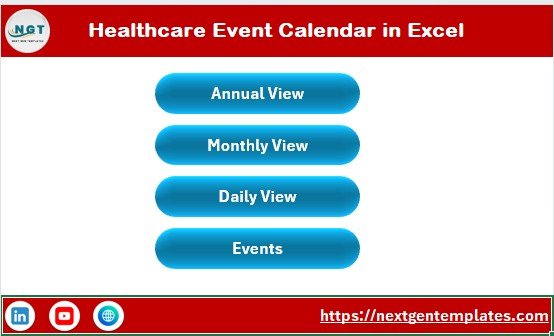
The Home sheet works as the main index page.
It contains four navigation buttons:
-
Annual View
-
Monthly View
-
Daily View
-
Events
Because of these buttons, users can move between sheets instantly. Therefore, it improves usability and saves time.
Click to Purchases Healthcare Event Calendar in Excel
2️⃣ Annual View Sheet – Full-Year Event Overview
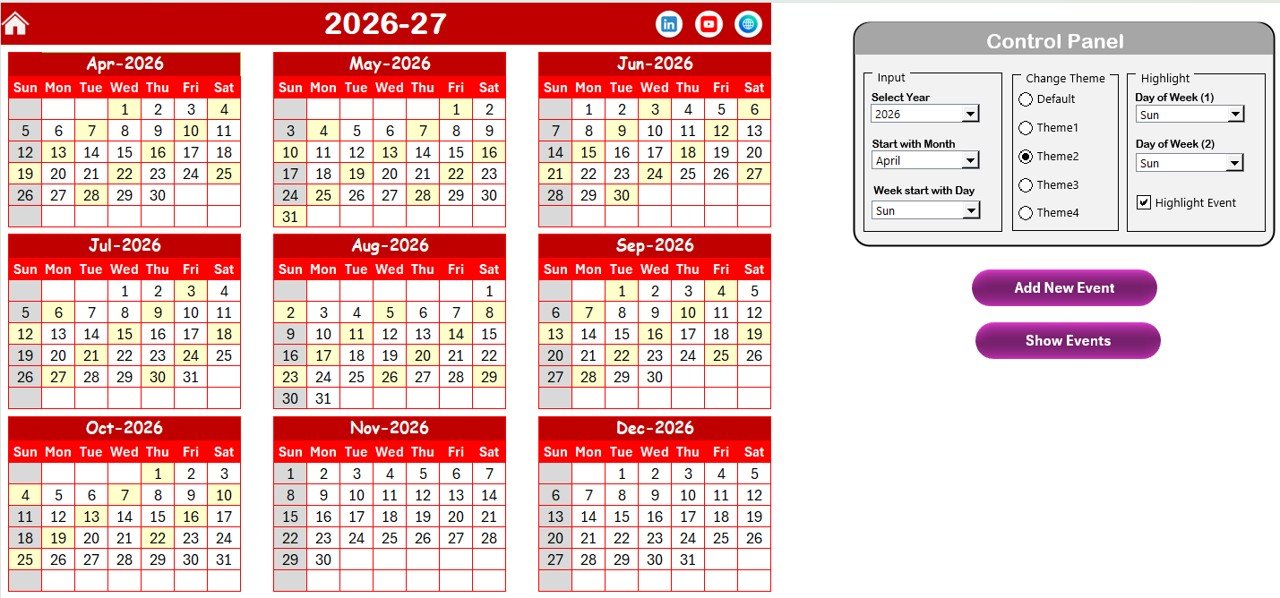
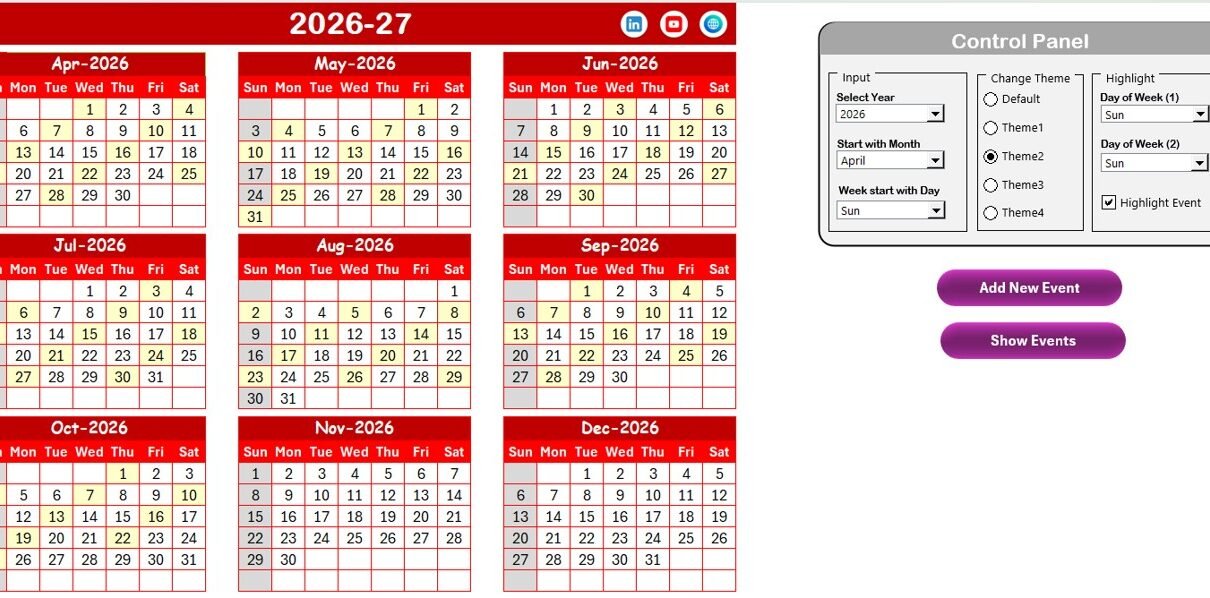
The Annual View sheet displays all 12 months in a structured format.
This view helps management teams plan events for the entire year.
🔹 Control Panel in Annual View
The control panel contains three main groups:
✔ Input Group
Here, you can:
-
Select the Year
-
Change the starting month
-
Change the starting day of the week
When you update these inputs, the calendar updates automatically.
✔ Change Theme Group
You can choose from 5 color themes.
Once selected, the theme applies to the entire workbook. Therefore, healthcare organizations can align the design with branding.
✔ Highlight Group
This group allows you to:
-
Select two days of the week to highlight
-
Highlight weekends such as Saturday and Sunday
-
Enable “Highlight Event” checkbox
When you enable the highlight event option, Excel marks event dates in yellow. As a result, important dates stand out clearly.
🔹 Add New Event Button
Select a date and click Add New Event.
It opens a form where you enter:
-
Event Name
-
Time
-
Location
-
Description
After submission, Excel adds the event automatically.
🔹 Show Event Button
Select a date and click Show Event.
Excel displays the list of events scheduled for that date.
Click to Purchases Healthcare Event Calendar in Excel
3️⃣ Monthly View Sheet – Focused Event Planning
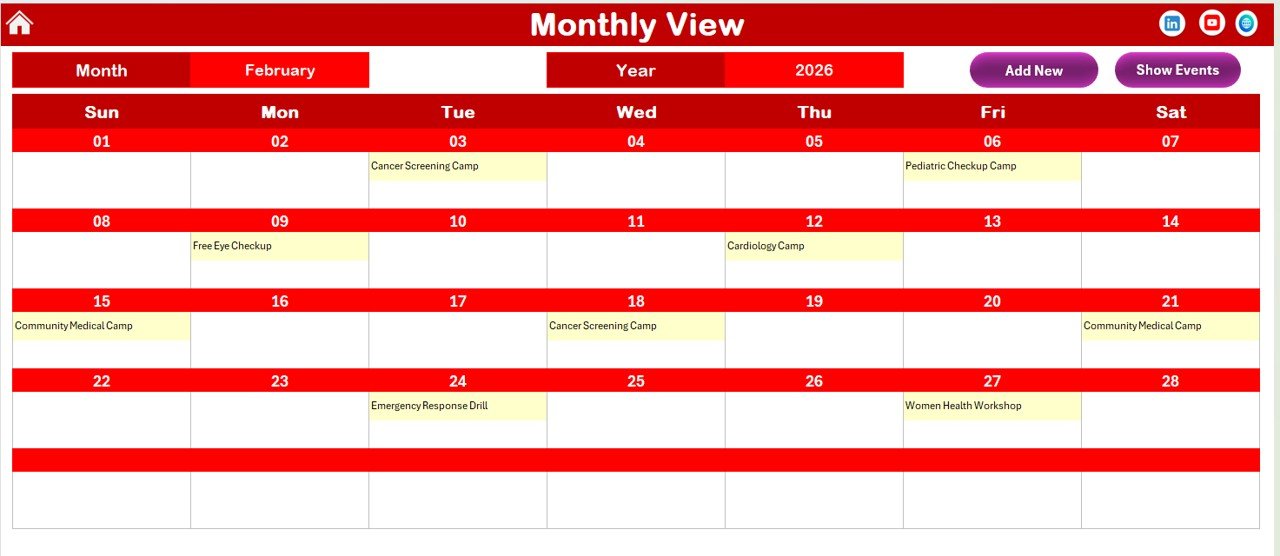
The Monthly View sheet displays a single month.
At the top, you can select:
-
Month
-
Year
The calendar updates instantly.
Event Display Feature
The calendar shows one event directly on the date.
If more than one event exists, it displays:
“More than 1…”
This keeps the calendar clean while indicating additional events.
Monthly View Buttons
You will find:
-
Add New Event
-
Show Event
Therefore, you can manage events directly from monthly view.
4️⃣ Daily View Sheet – Detailed Event Tracking
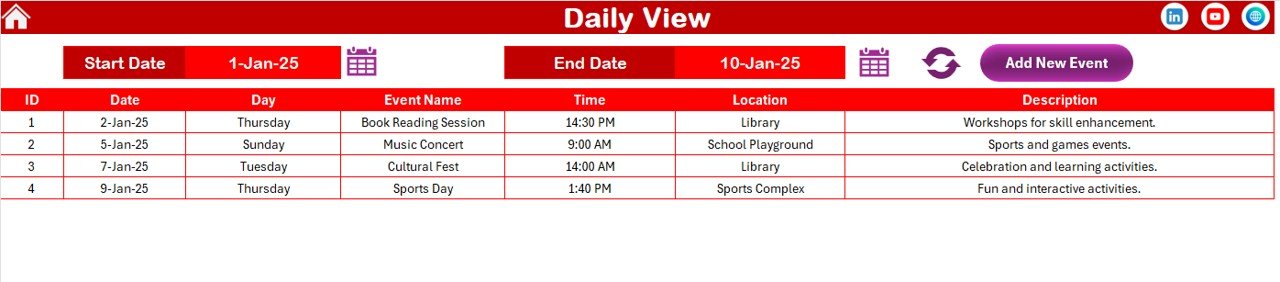
The Daily View sheet provides a detailed list of events within a selected date range.
At the top, enter:
-
Start Date
-
End Date
Then click Refresh.
Excel displays all events within that range.
Daily View Benefits
-
Shows detailed event information
-
Displays time, location, and description
-
Allows range-based tracking
-
Supports event addition directly
Therefore, managers can track weekly or monthly schedules easily.
5️⃣ Events Sheet – Central Event Database
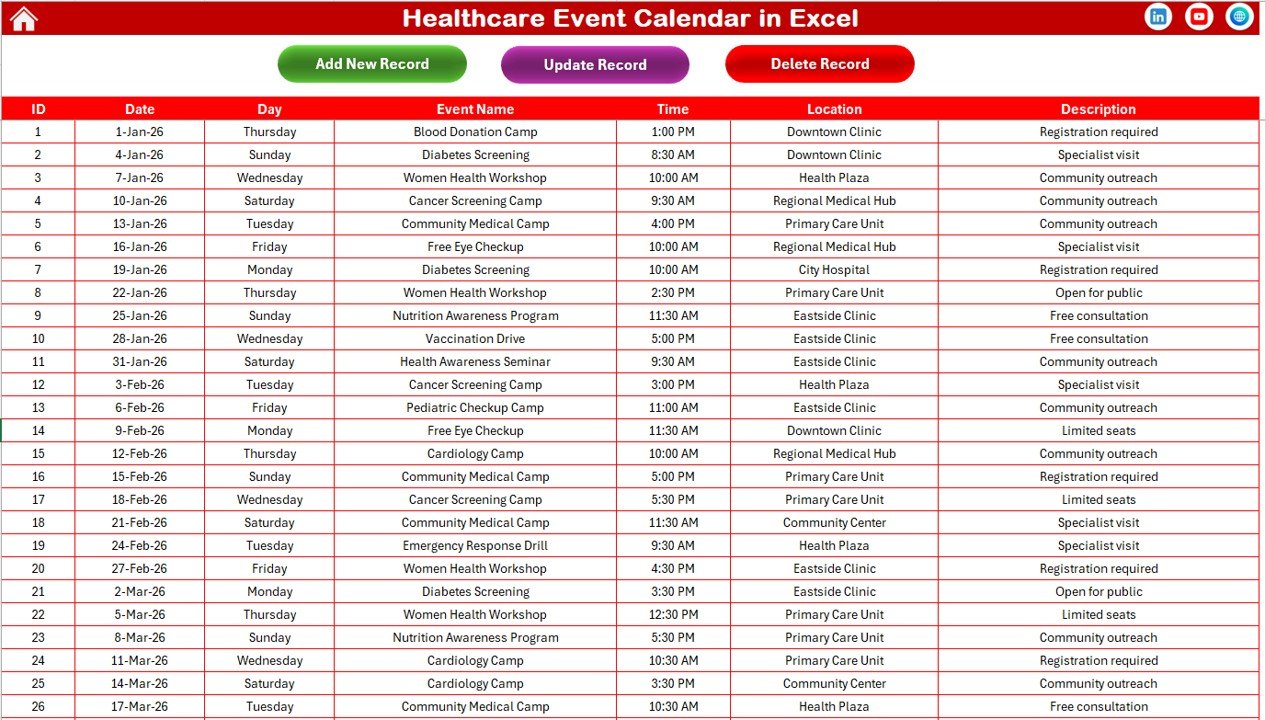
The Events sheet acts as the database.
Events Sheet Control Buttons
At the top of the Events sheet, you will find three buttons:
Add New Record
Opens event form and adds new event.
Update Existing Record
Select ID, click update, modify details, and submit changes.
Delete Record
Select ID and delete the event permanently.
Therefore, you maintain complete control over event data.
Click to Purchases Healthcare Event Calendar in Excel
Advantages of Healthcare Event Calendar in Excel
Let us explore the benefits.
1️⃣ Improves Event Planning
You can plan annual, monthly, and daily events systematically.
2️⃣ Enhances Operational Efficiency
Structured scheduling reduces confusion and overlapping events.
3️⃣ Provides Real-Time Updates
The calendar updates instantly when you add or modify events.
4️⃣ Improves Team Coordination
Teams can view schedules easily and prepare accordingly.
5️⃣ Centralized Data Management
All event records remain in one database.
6️⃣ Customizable Themes
You can align the calendar design with hospital branding.
7️⃣ Reduces Administrative Errors
Structured event tracking prevents missed schedules.
Click to Purchases Healthcare Event Calendar in Excel
Best Practices for the Healthcare Event Calendar in Excel
To maximize efficiency, follow these best practices:
✔ Enter Events Immediately
Do not delay entry. Add events as soon as they are confirmed.
✔ Review Monthly Schedule Regularly
Check upcoming events at the beginning of each month.
✔ Use Highlight Feature
Highlight important event days for quick visibility.
✔ Maintain Accurate Descriptions
Clear descriptions prevent confusion later.
✔ Assign Calendar Ownership
Assign one person responsible for maintaining the calendar.
✔ Backup the File Periodically
Keep backup copies to protect data.
Why Choose Excel for Healthcare Event Management?
Excel offers several advantages:
-
No additional software cost
-
Easy to customize
-
Supports automation
-
Familiar interface
-
Flexible structure
Moreover, most healthcare organizations already use Excel, which makes implementation simple.
Common Mistakes to Avoid
Avoid these errors:
-
Ignoring annual planning
-
Forgetting to update event details
-
Overloading daily view
-
Skipping database maintenance
-
Not reviewing event overlaps
When you avoid these mistakes, your event calendar remains accurate and reliable.
How Does This Calendar Improve Healthcare Management?
Healthcare management requires coordination across departments.
This calendar helps you:
-
Plan training sessions
-
Manage public health campaigns
-
Track internal meetings
-
Coordinate medical camps
-
Schedule maintenance downtime
Therefore, leadership gains better operational control.
Click to Purchases Healthcare Event Calendar in Excel
Conclusion: Why Should You Use Healthcare Event Calendar in Excel?
Healthcare organizations operate in a dynamic environment. Therefore, structured event management becomes essential.
The Healthcare Event Calendar in Excel provides:
-
Annual visibility
-
Monthly focus
-
Daily tracking
-
Centralized database
-
Easy event management
-
Customizable design
Moreover, because it remains user-friendly, any healthcare team can adopt it quickly.
If you want organized healthcare event scheduling without complex systems, this Excel template offers a practical and powerful solution.
Frequently Asked Questions with Answers
1️⃣ Can I change the year in the calendar?
Yes. You can select the year in the control panel, and the calendar updates automatically.
2️⃣ Can I add multiple events on the same day?
Yes. The system supports multiple events per day.
3️⃣ Is the ID auto-generated?
Yes. The Events sheet automatically generates unique IDs.
4️⃣ Can I update existing events?
Yes. Select the ID and click update to modify details.
5️⃣ Can I delete events?
Yes. Select the ID and click delete to remove the event.
6️⃣ Is this suitable for small clinics?
Yes. Clinics, hospitals, and healthcare centers of all sizes can use it.
7️⃣ Does this require advanced Excel skills?
No. The template remains simple and easy to use.
Click to Purchases Healthcare Event Calendar in Excel
Visit our YouTube channel to learn step-by-step video tutorials