Healthcare never stops. Hospitals operate 24/7. Clinics manage appointments daily. Emergency teams respond anytime. Therefore, healthcare organizations must plan holidays, shifts, and events carefully.
However, many hospitals still track holidays and events using manual sheets or scattered files. As a result, teams miss important dates, double-book events, and struggle to manage scheduling conflicts.
So, how can you manage healthcare holidays and events efficiently in one organized system?
The answer is simple.
You need a Healthcare Holiday Calendar in Excel.
This ready-to-use Excel calendar helps hospitals, clinics, and healthcare centers manage annual holidays, monthly planning, daily events, and complete event records in one structured workbook. Moreover, it offers interactive controls, themes, event highlighting, and automated date selection.
In this detailed guide, you will learn:
-
What a Healthcare Holiday Calendar in Excel is
-
Why healthcare organizations need it
-
Complete explanation of all 5 worksheets
-
Key features and controls
-
Advantages of Healthcare Holiday Calendar in Excel
-
Best practices for implementation
-
Frequently Asked Questions
Let us explore everything step by step.
Click to Purchases Healthcare Holiday Calendar in Excel
What Is a Healthcare Holiday Calendar in Excel?
A Healthcare Holiday Calendar in Excel is a ready-to-use calendar template designed specifically to manage healthcare-related holidays, events, and schedules.
Instead of using separate files for annual planning and event tracking, you can:
-
View 12 months in one sheet
-
Manage monthly and daily schedules
-
Add and update events instantly
-
Highlight important days
-
Maintain an event database
Moreover, Excel automation updates calendar views automatically when you change year, month, or start day.
Why Do Healthcare Organizations Need a Holiday Calendar?
Healthcare organizations face unique scheduling challenges.
For example:
-
Public holidays affect staffing
-
Medical conferences require planning
-
Maintenance schedules need coordination
-
Staff training days impact operations
-
Health awareness campaigns need visibility
Therefore, a structured calendar ensures smooth operations.
When you use a centralized holiday calendar, you:
-
Avoid scheduling conflicts
-
Improve workforce planning
-
Track events clearly
-
Enhance communication
-
Reduce operational errors
What Are the Key Features of Healthcare Holiday Calendar in Excel?
Click to Purchases Healthcare Holiday Calendar in Excel
This template includes 5 well-structured worksheets designed for complete calendar management.
1️⃣ Home Sheet – Navigation Center
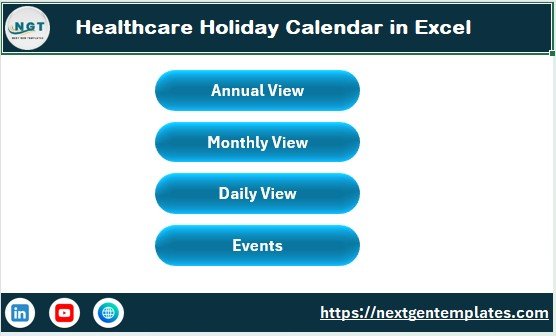
The Home sheet works as the index page.
Here, you will find four navigation buttons:
-
Annual View
-
Monthly View
-
Daily View
-
Events
Because of these buttons, users can jump to any sheet instantly.
This improves user experience. Moreover, it reduces confusion for non-technical users.
Click to Purchases Healthcare Holiday Calendar in Excel
2️⃣ Annual View Sheet – 12 Months at a Glance
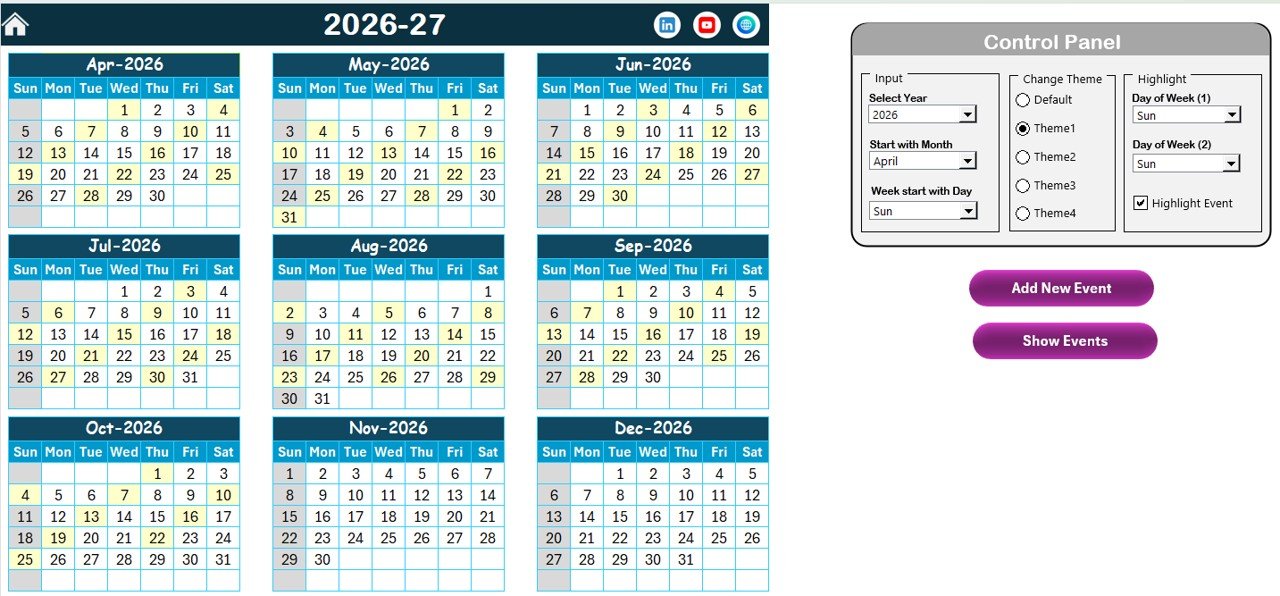
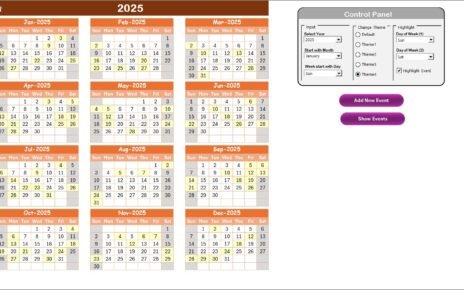
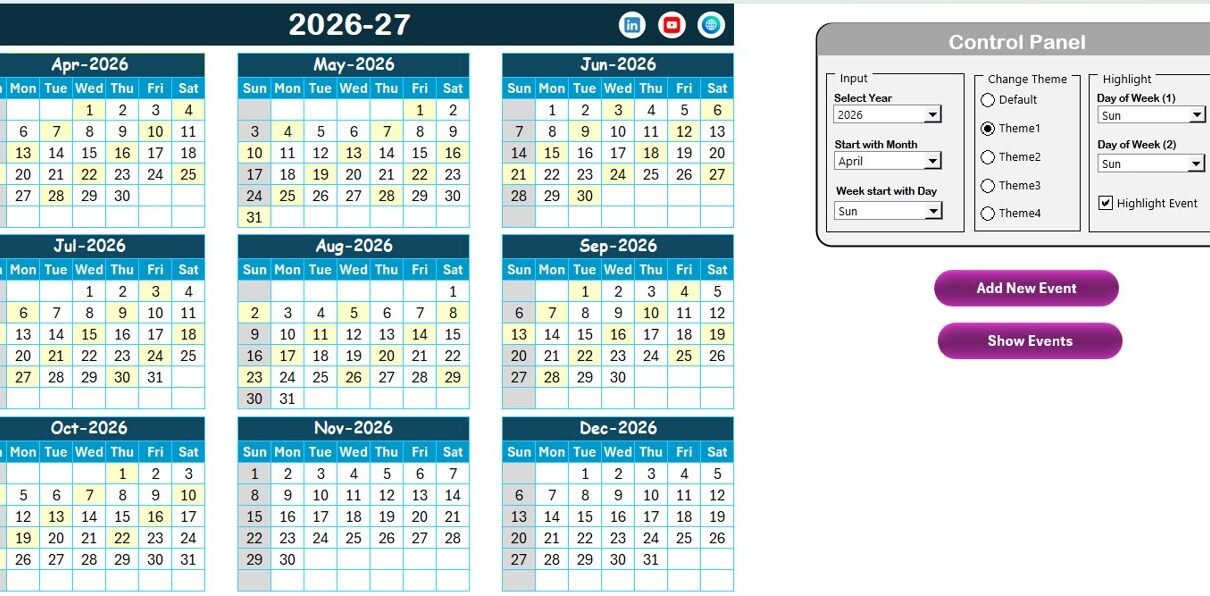
The Annual View sheet displays all 12 months in one view.
This view helps management teams plan the entire year efficiently.
🔹 Control Panel in Annual View
This sheet includes a powerful control panel divided into three groups:
1. Input Group
Here, you can:
-
Select the Year
-
Change the starting month
-
Change the starting day of the week
When you update these inputs, the entire calendar adjusts automatically.
2. Change Theme Group
You can select from 5 color themes.
Once you choose a theme, Excel applies it across the workbook.
Therefore, you can customize the look according to hospital branding.
3. Highlight Group
This group allows you to:
-
Select Day of Week (1)
-
Select Day of Week (2)
For example:
If you choose Saturday and Sunday, Excel highlights them in grey.
Additionally, you can enable the Highlight Event checkbox. When you check it, Excel highlights event dates in yellow.
As a result, you can instantly identify important days.
🔹 Add New Event Button (Annual View)
Select a date on the calendar and click Add New Event.
It opens a form where you enter:
-
Event Name
-
Time
-
Location
-
Description
After submission, Excel adds the event automatically.
🔹 Show Event Button
Select a date and click Show Event.
Excel displays the list of events scheduled for that date.
Click to Purchases Healthcare Holiday Calendar in Excel
3️⃣ Monthly View Sheet – Focused Monthly Planning
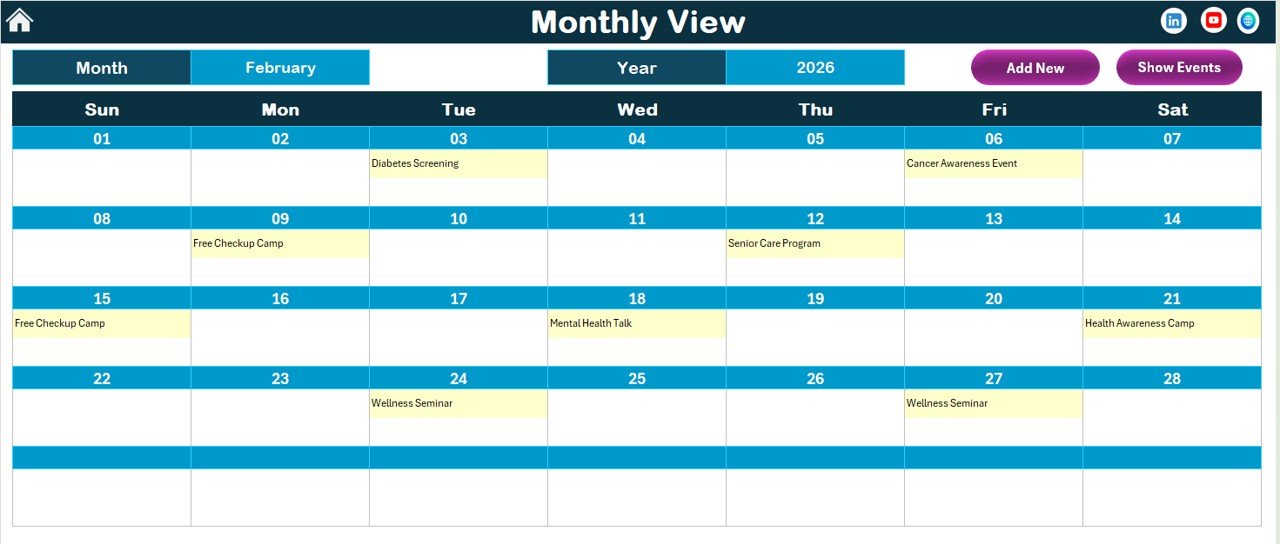
The Monthly View sheet displays one selected month.
At the top, you can choose:
-
Month
-
Year
Excel updates the calendar instantly.
Event Display in Monthly View
The calendar shows one event per date.
If multiple events exist on a single day, it displays:
“More than 1…”
This prevents clutter while keeping information visible.
Monthly View Buttons
Just like the Annual View, this sheet includes:
-
Add New Event Button
-
Show Event Button
Therefore, you can manage events easily from this view as well.
4️⃣ Daily View Sheet – Detailed Event Tracking
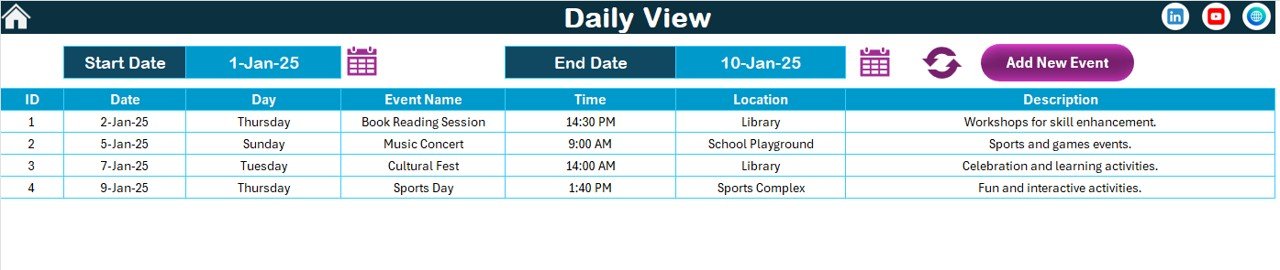
The Daily View sheet provides a detailed event list.
At the top, you can define:
-
Start Date
-
End Date
Use the calendar icon to select dates.
Then click Refresh.
Excel displays all events within the selected range.
Daily View Features
-
Displays event details clearly
-
Shows date, time, location, and description
-
Allows quick filtering
-
Includes Add New Event button
Therefore, managers can track events efficiently.
Click to Purchases Healthcare Holiday Calendar in Excel
5️⃣ Events Sheet – Central Database
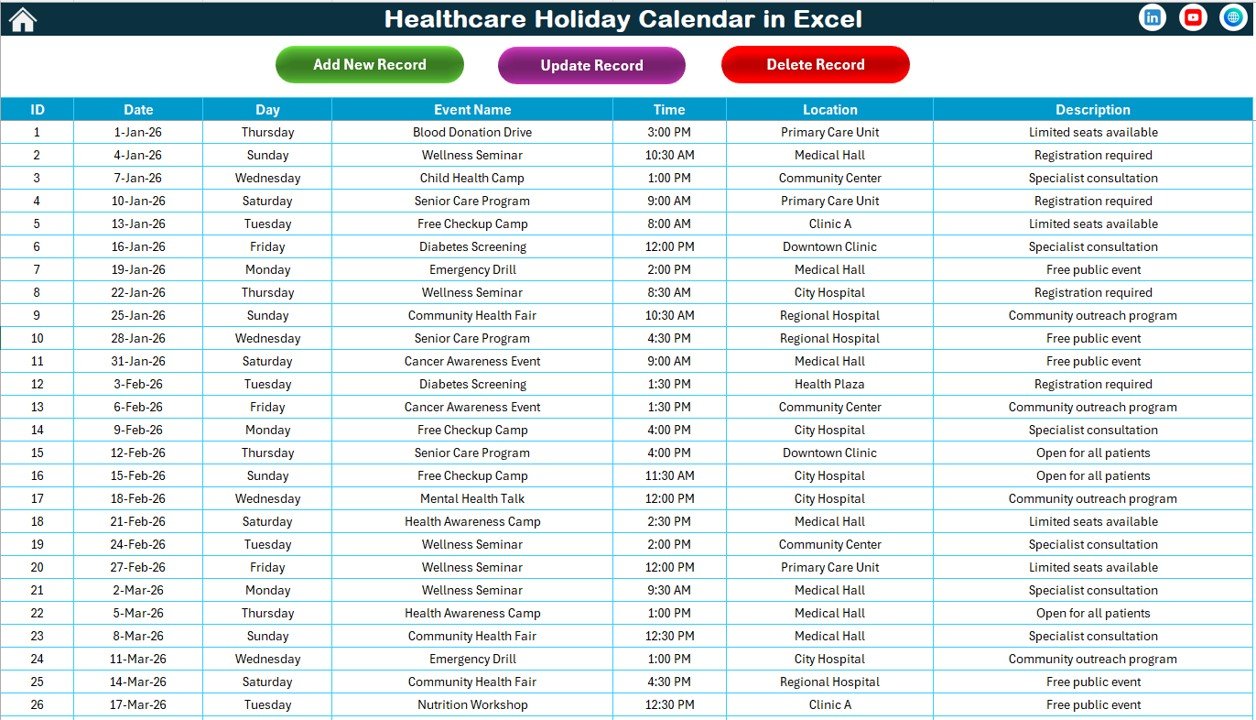
This sheet stores all event data.
Events Sheet Control Buttons
At the top, you will find:
Add New Record
Opens event form and adds new entry.
Update Existing Record
Select ID, click update, modify details, and submit.
Delete Record
Select ID and delete event instantly.
This ensures complete data control.
Advantages of Healthcare Holiday Calendar in Excel
Let us explore why this calendar adds real value.
1️⃣ Improves Workforce Planning
Hospitals must plan staffing carefully. This calendar helps schedule holidays and events clearly.
2️⃣ Enhances Operational Efficiency
When you visualize the year, you avoid overlapping events.
3️⃣ Provides Real-Time Updates
As soon as you add or update events, Excel updates views automatically.
4️⃣ Improves Communication
Teams can see holiday schedules easily. Therefore, coordination improves.
5️⃣ Customizable Themes
You can match the calendar design with hospital branding.
6️⃣ Reduces Scheduling Errors
Structured tracking prevents missed holidays or double bookings.
7️⃣ Centralized Data Management
All events stay in one database sheet.
How Can Healthcare Organizations Use This Calendar?
You can use this calendar for:
-
Public holiday tracking
-
Staff leave planning
-
Medical conferences
-
Vaccination campaigns
-
Equipment maintenance
-
Health awareness programs
-
Emergency drills
Moreover, you can customize it for clinics, diagnostic centers, and nursing homes.
Click to Purchases Healthcare Holiday Calendar in Excel
Best Practices for the Healthcare Holiday Calendar in Excel
To maximize benefits, follow these best practices:
✔ Update Events Regularly
Do not wait until the last minute. Enter events as soon as they are confirmed.
✔ Review Annual Plan Quarterly
Review upcoming months every quarter to avoid surprises.
✔ Highlight Critical Days
Use highlight feature for important healthcare days.
✔ Maintain Event Descriptions
Always add short descriptions to avoid confusion.
✔ Assign Responsibility
Ensure someone manages and updates the calendar regularly.
✔ Backup Data Periodically
Keep backup copies to avoid data loss.
Why Choose Excel for Healthcare Holiday Planning?
You might ask why Excel works well.
Here is why:
-
Most hospitals already use Excel
-
No additional software cost
-
Easy to customize
-
Supports automation
-
Allows theme control
-
Simple for non-technical users
Moreover, Excel provides flexibility without complexity.
Common Mistakes to Avoid
Avoid these errors:
-
Ignoring monthly review
-
Overloading daily view
-
Forgetting to update deleted events
-
Not using highlight feature
-
Skipping database maintenance
When you avoid these mistakes, your calendar remains accurate and effective.
How Does This Calendar Improve Hospital Management?
Healthcare operations demand precision.
This calendar helps you:
-
Plan staffing around holidays
-
Coordinate training schedules
-
Track awareness programs
-
Manage operational downtime
-
Improve administrative control
Therefore, leadership gains better visibility.
Click to Purchases Healthcare Holiday Calendar in Excel
Conclusion: Why Should You Use Healthcare Holiday Calendar in Excel?
Healthcare organizations operate in high-pressure environments. Therefore, structured scheduling becomes essential.
The Healthcare Holiday Calendar in Excel provides:
-
Annual visibility
-
Monthly focus
-
Daily event tracking
-
Centralized database
-
Easy event management
-
Customizable themes
Moreover, because it remains simple and interactive, any healthcare team can use it confidently.
If you want organized scheduling without expensive systems, this Excel calendar offers a practical and powerful solution.
Frequently Asked Questions with Answers
1️⃣ Can I change the year in the Healthcare Holiday Calendar?
Yes. You can select the year in the control panel, and Excel updates the calendar automatically.
2️⃣ Can I highlight weekends?
Yes. You can choose two days of the week to highlight.
3️⃣ Can I add multiple events on the same day?
Yes. The system supports multiple events. Monthly view shows “More than 1…” if needed.
4️⃣ Is the ID auto-generated?
Yes. Excel automatically generates ID numbers in the Events sheet.
5️⃣ Can I change the color theme?
Yes. You can select from five color themes.
6️⃣ Can small clinics use this calendar?
Yes. It works for hospitals, clinics, diagnostic centers, and healthcare organizations of all sizes.
7️⃣ Does this require advanced Excel knowledge?
No. The template remains user-friendly and easy to manage.
Click to Purchases Healthcare Holiday Calendar in Excel
Visit our YouTube channel to learn step-by-step video tutorials