Need an invoice Excel generator fast? If you send invoices from a small business, agency, consulting practice, clinic, contractor office, or service team, the problem is rarely “how do I make an invoice?” The real problem is keeping invoice numbers, due dates, paid amounts, overdue balances, and payment follow-ups in one place after the invoice is sent. A simple invoice template can create a bill, but a good invoice generator also gives you a repeatable system for tracking what happened next.
This tutorial shows you how to build a practical invoice generator in Excel in about 15 minutes, then compares five downloadable invoice and billing templates you can use when you want the reporting, tracking, and dashboard pieces already built. As a cost anchor, QuickBooks Online Plus is listed at $115 per month before promotional discounts, while the featured Excel dashboard template is a one-time $17.99 download. If you only need a focused invoice Excel workflow, that difference matters.
Compare the Invoice Templates
Use this table as the quick buyer view before you go deeper. The first three products are the strongest downloadable picks for most invoice Excel users: the dashboard for overall control, the vendor tracker for accounts payable workflows, and the billing accuracy dashboard for KPI review.
| Template | Format | Best For | Price |
|---|---|---|---|
| Client Billing Report in Excel | Excel report | Invoice summary, pivot analysis, overdue invoice review | $6.99 |
| Client Billing Dashboard in Excel | Excel dashboard | Client billing KPIs, payment delay, account manager tracking | $17.99 |
| Vendor Invoice Submission Tracker in Excel | Excel + VBA tracker | Vendor invoice submission, approvals, payment status, secure forms | $6.99 |
| Invoice Payment Checklist in Google Sheets | Google Sheets checklist | Simple shared payment follow-up checklist | $1.99 |
| Billing Accuracy KPI Dashboard in Excel | Excel KPI dashboard | Billing accuracy, error rate, on-time billing, KPI tracking | $14.99 |
Why Invoice Excel Still Matters
Invoice tracking is a cash-flow control issue. The Federal Reserve Banks’ 2024 Report on Payments says roughly four out of five small firms face challenges related to customer payments. That is the heart of the problem: invoices do not help cash flow unless the business can see which ones were sent, which ones are due, and which ones need follow-up.
The US small-business market is huge. USAFacts, citing SBA data, reported that the US had 36.2 million small businesses by June 2025, employing 62.3 million people. Many of those businesses do not need a complex billing platform on day one. They need a clean invoice Excel file that is easy to update, audit, and reuse.
Payment terms change the pain point. The same Federal Reserve payments report notes that slow-paying customers are a challenge for some industries, especially where checks and post-service payment terms are common. For consultants, agencies, vendors, contractors, and B2B services, the invoice is not the end of the process. It is the start of collections, reporting, and accountability.
SaaS pricing adds up quickly. A monthly billing platform can be worth it when you need payment processing, recurring invoices, payroll, tax automation, or deep accounting integrations. But when you only need invoice layout, tracking, payment status, dashboards, and follow-up visibility, a one-time Excel or Google Sheets template can be the cheaper starting point.
Excel is still flexible. You can customize fields, add company branding, calculate totals and taxes, filter overdue items, and export PDFs without waiting for a vendor roadmap. For many teams, the better move is to start with Excel, learn the workflow, and only upgrade to a subscription tool when automation or multi-user permissions become must-have requirements.
Build an Invoice Generator in Excel in 15 Minutes
Here is the lean version of an invoice generator you can build in Excel without VBA. It creates one reusable invoice sheet plus a simple invoice log so you can track payment status after sending the invoice.
Step 1: Create the Invoice Header
Open a new workbook and rename the first sheet Invoice. At the top, add your business name, address, email, phone, website, and payment instructions. On the right side, create fields for Invoice Number, Invoice Date, Due Date, Client Name, Client Email, and Payment Terms. Keep these fields in clearly labeled cells because you will reuse them when you create new invoices.
For invoice numbers, use a simple convention such as INV-2026-001. Do not rely on memory. A consistent invoice number makes it easier to match payments, answer client questions, and sort the invoice log later.
Step 2: Build the Line-Item Table
Under the header, create a table with these columns: Item, Description, Quantity, Rate, Amount. In the Amount column, multiply Quantity by Rate. For example, if Quantity is in C15 and Rate is in D15, the formula in E15 is =C15*D15. Add 10 to 15 rows so the invoice can handle simple service work, retainers, product billing, consulting hours, and reimbursable expenses.
Below the table, add Subtotal, Discount, Tax, Amount Paid, and Balance Due. A simple balance formula is =Subtotal-Discount+Tax-AmountPaid. Format all money fields as currency. Add a notes area for purchase order numbers, wire instructions, late-fee terms, or project references.
Step 3: Add Basic Controls
Use data validation dropdowns for Payment Terms and Status. Terms might include Due on Receipt, Net 7, Net 15, Net 30, and Custom. Status might include Draft, Sent, Partially Paid, Paid, Overdue, and Cancelled. These dropdowns are tiny details, but they make your invoice Excel generator much cleaner because every invoice uses the same status language.
Next, add conditional formatting to highlight the Balance Due cell when the amount is greater than zero and the Due Date has passed. That one rule turns the invoice from a static document into a useful follow-up signal.
Step 4: Create an Invoice Log
Add a second sheet named Invoice Log. Create columns for Invoice Number, Client, Invoice Date, Due Date, Invoice Amount, Amount Paid, Balance Due, Status, Account Manager, Payment Method, and Notes. Every time you create or send an invoice, add one row to the log. This is where the generator becomes a billing control tool.
If you want formulas, link the invoice number, client, dates, and totals from the Invoice sheet to the next blank row in the log. If you prefer manual control, copy and paste values after each invoice is finalized. For a small team, the manual approach is often safer because it avoids accidental formula overwrites.
Step 5: Save a Reusable Template
Once the layout works, save one clean copy as your master invoice template. Then use Save As for each client invoice. Export final invoices as PDF before sending. Keep the Excel file for your internal records and the PDF for client delivery. When your invoice count grows, you can move from this simple workbook to a dashboard or tracker.
Downloadable Invoice Templates and Dashboards
The manual invoice generator above is a good starting point. The templates below are better when you need more structure, more views, or less setup time. Each product image below uses the current featured image URL from NextGenTemplates and links to the live product page.
Client Billing Report in Excel
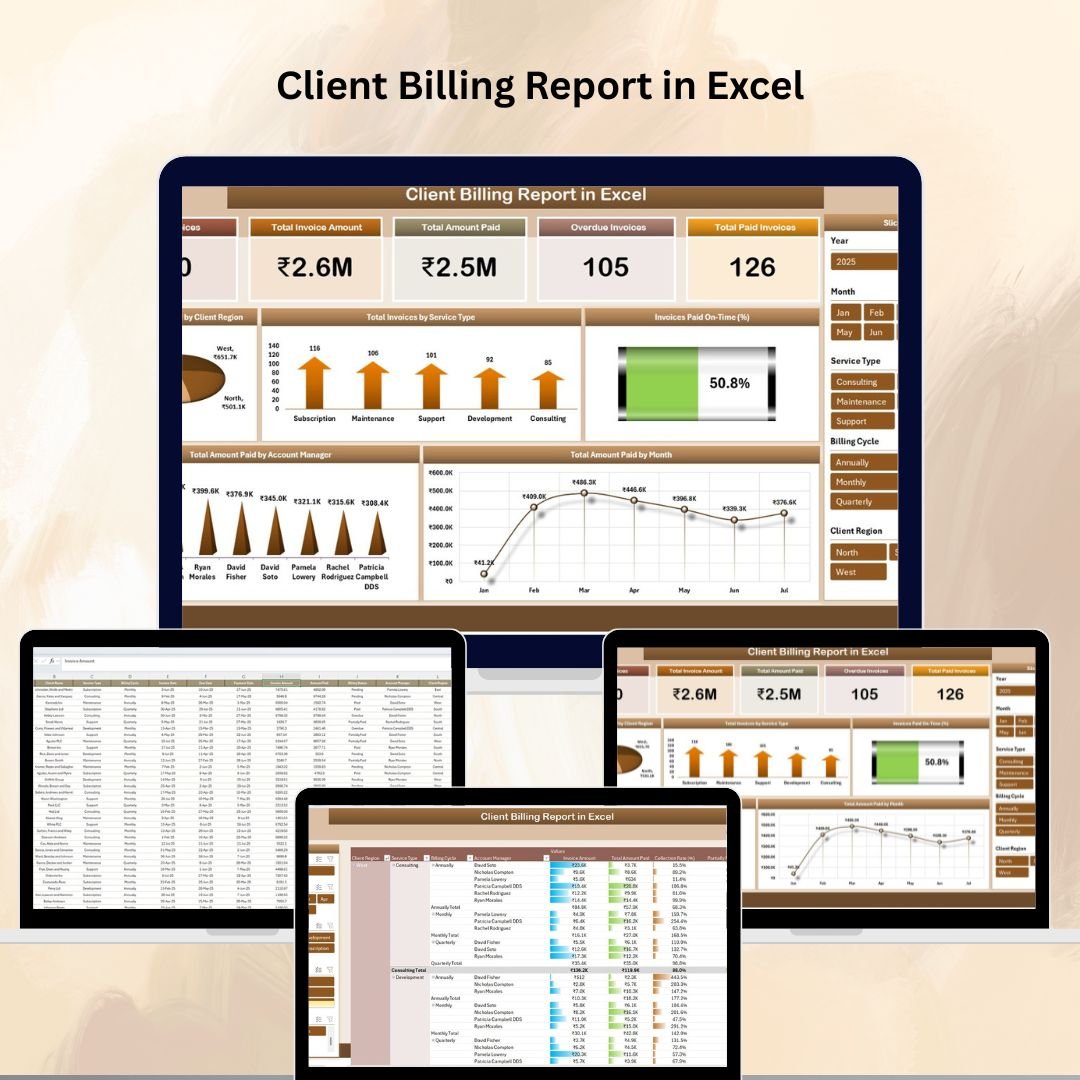
The Client Billing Report in Excel is the best fit when you already have invoice records and need a clean reporting layer. It focuses on total invoices, invoice amount, paid amount, overdue invoices, paid invoices, client region, service type, account manager, and payment trends. At $6.99, it is a low-cost way to move beyond a plain invoice list without building charts from scratch.
Screenshot view: The product screens show a summary report, structured billing data, and pivot-style analysis. Inside, you can review total amount paid by client region, invoices by service type, paid-on-time percentage, amount paid by account manager, and monthly payment patterns.
Use cases: use it for monthly billing review, overdue invoice meetings, account manager collections review, and client payment trend reporting. It also pairs well with the related PK tutorial on the Client Billing Dashboard in Excel if you want to compare dashboard and report approaches.
Download Client Billing Report in Excel
Client Billing Dashboard in Excel
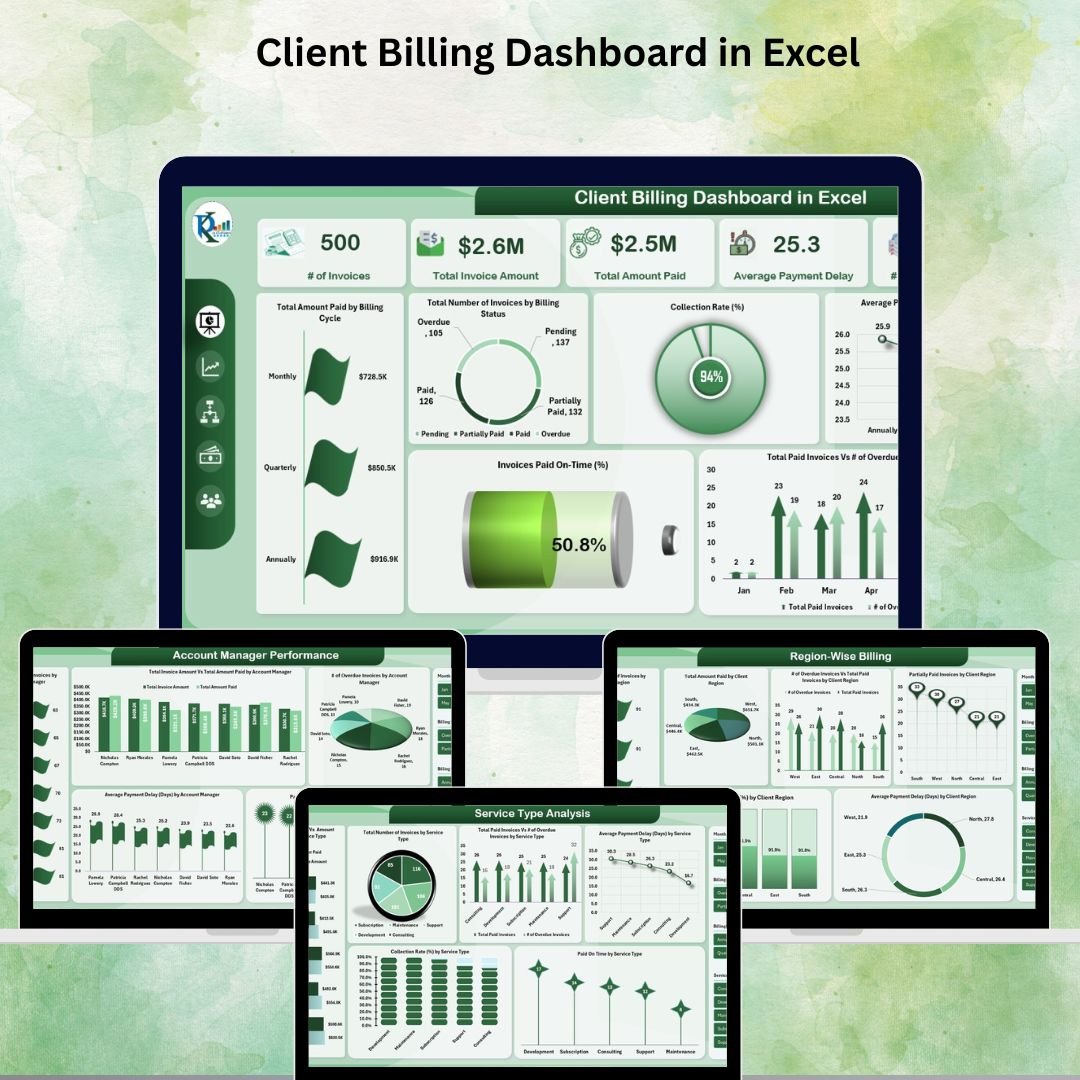
The Client Billing Dashboard in Excel is the strongest all-around choice for an invoice Excel workflow because it turns raw invoice records into management-ready billing insight. It costs $17.99 and includes dashboard views for invoice count, total invoice amount, total amount paid, average payment delay, overdue invoices, billing cycle performance, collection rate, and paid-on-time percentage.
Screenshot view: The screenshots show a dashboard-style workbook with an overview page, service type analysis, account manager performance, region-wise billing, aging and delay insights, and a data sheet. That means you can move from “which invoice is unpaid?” to “which service, region, or account manager is creating payment delays?”
Use cases: use it for weekly collections meetings, executive billing snapshots, service-line billing analysis, account manager performance reviews, and monthly finance reporting. If your current invoice generator only creates PDFs, this dashboard is the missing monitoring layer.
Download Client Billing Dashboard in Excel
Vendor Invoice Submission Tracker in Excel
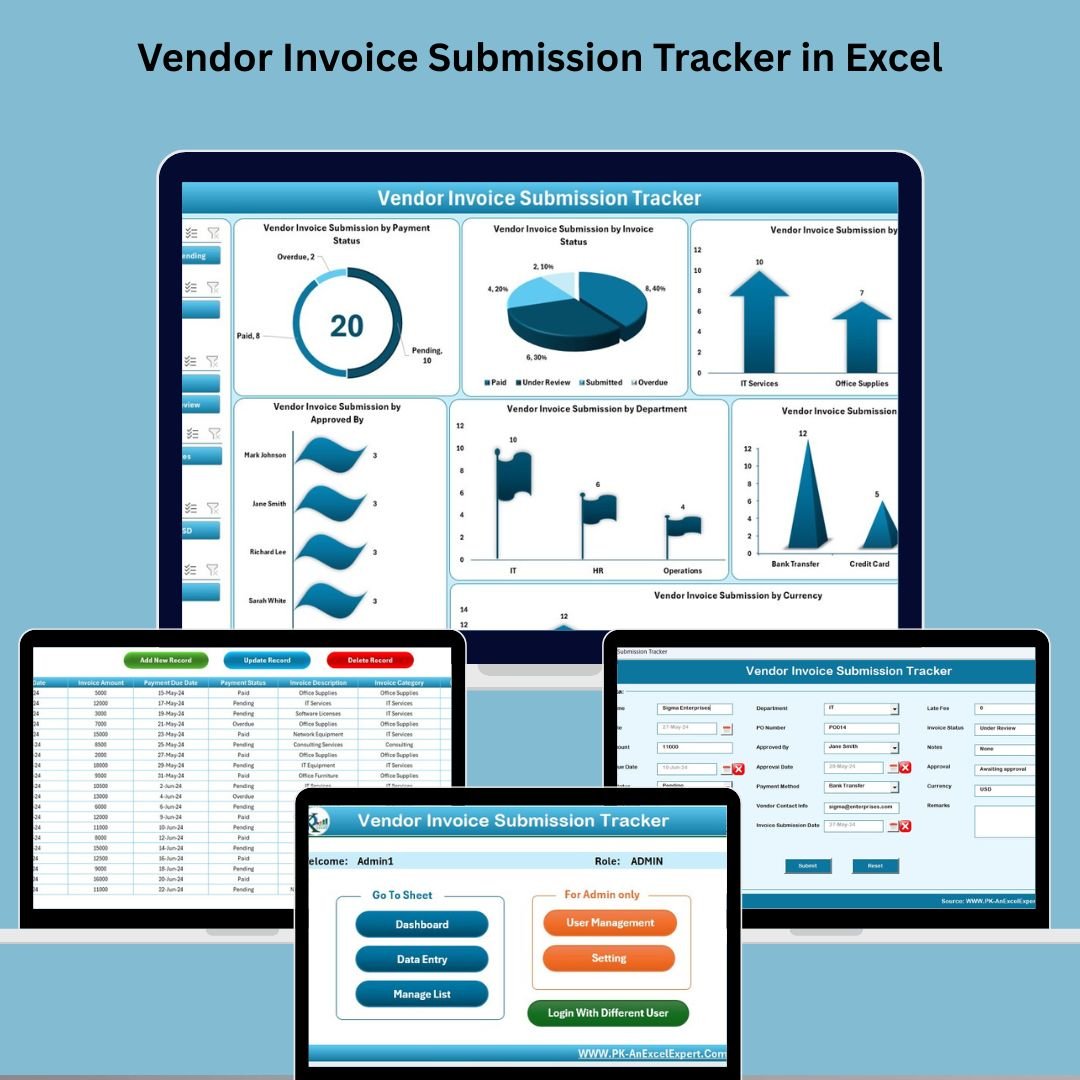
The Vendor Invoice Submission Tracker in Excel is designed for accounts payable and vendor invoice control. Instead of tracking invoices you send to clients, it tracks invoices vendors submit to your business. The $6.99 Excel + VBA tool includes secure login, a main form, add/update/delete controls, a dashboard, data entry sheet, manage list sheet, support sheet, settings, and user management.
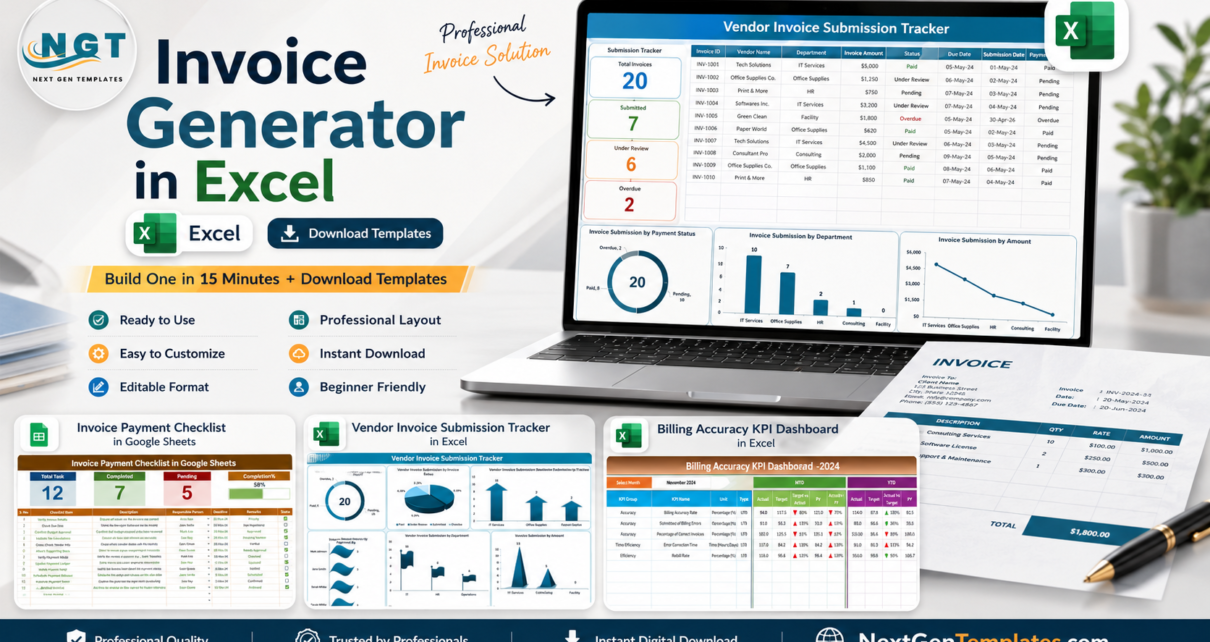
Screenshot view: The product screens show a login form, main form, invoice dashboard, detailed data entry sheet, update record form, list management, support sheet, settings, and user management. The dashboard includes visuals by payment status, invoice status, invoice category, approver, department, payment method, and currency.
Use cases: use it for vendor invoice submission logs, approval tracking, payment deadline monitoring, department-level AP reporting, and audit preparation. For a deeper walkthrough, cross-reference the existing PK post on the Vendor Invoice Submission Tracker in Excel.
Download Vendor Invoice Submission Tracker in Excel
Invoice Payment Checklist in Google Sheets
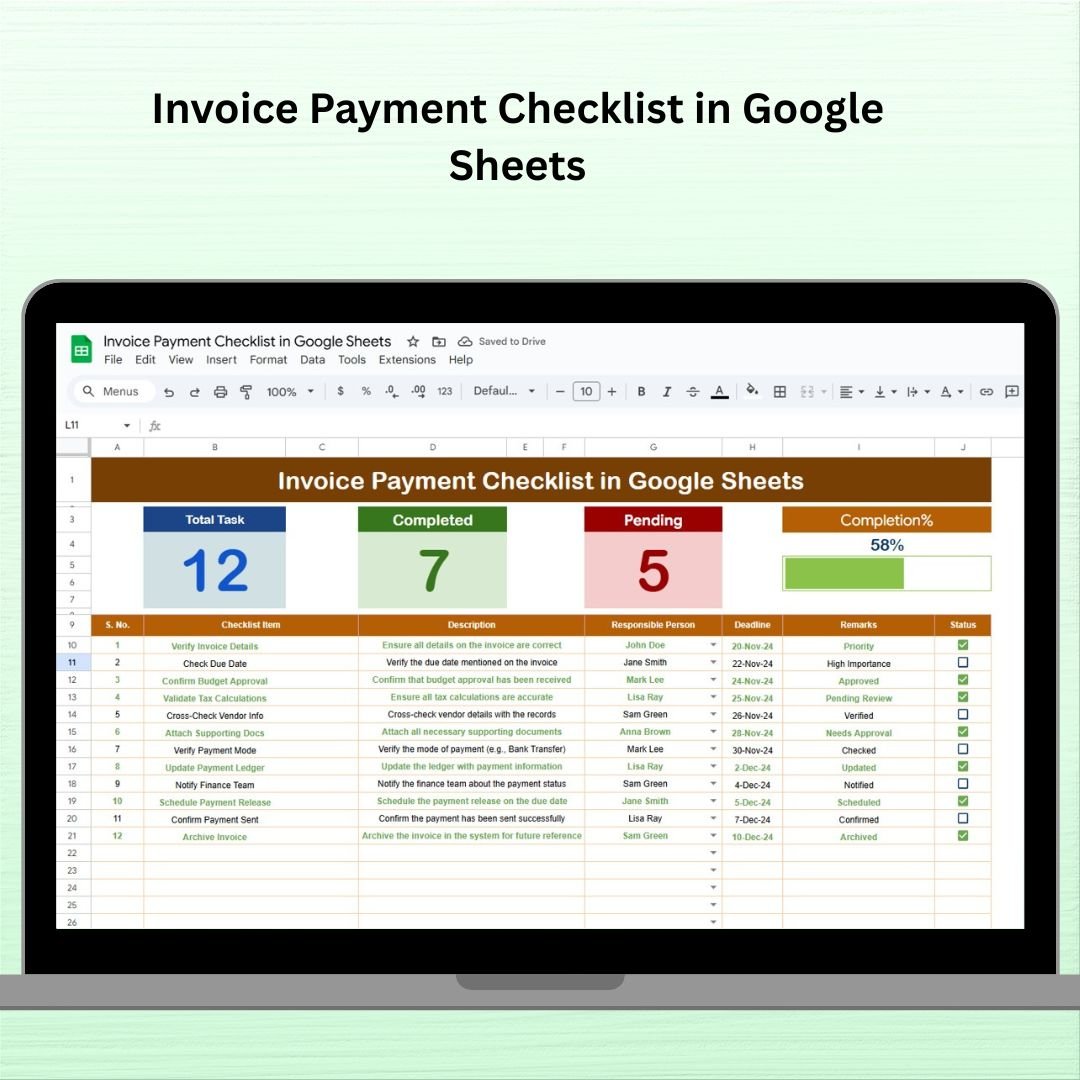
The Invoice Payment Checklist in Google Sheets is the simplest option in the group. At $1.99, it is for users who want shared follow-up visibility more than a full Excel dashboard. It includes an invoice payment checklist sheet with top cards, completion counts, pending counts, a progress bar, and a checklist table for invoice descriptions, responsible persons, deadlines, status, remarks, and checkboxes.
Screenshot view: The product screenshots show a clean checklist layout with progress indicators and a supporting list sheet. Because it is in Google Sheets, it is useful when more than one person needs to update payment status without passing an Excel file back and forth.
Use cases: use it for small team payment follow-ups, freelancer client tracking, accounts payable checklists, weekly invoice review, and shared deadline monitoring. It is not a full invoice generator, but it is a practical companion after invoices are created.
Download Invoice Payment Checklist in Google Sheets
Billing Accuracy KPI Dashboard in Excel
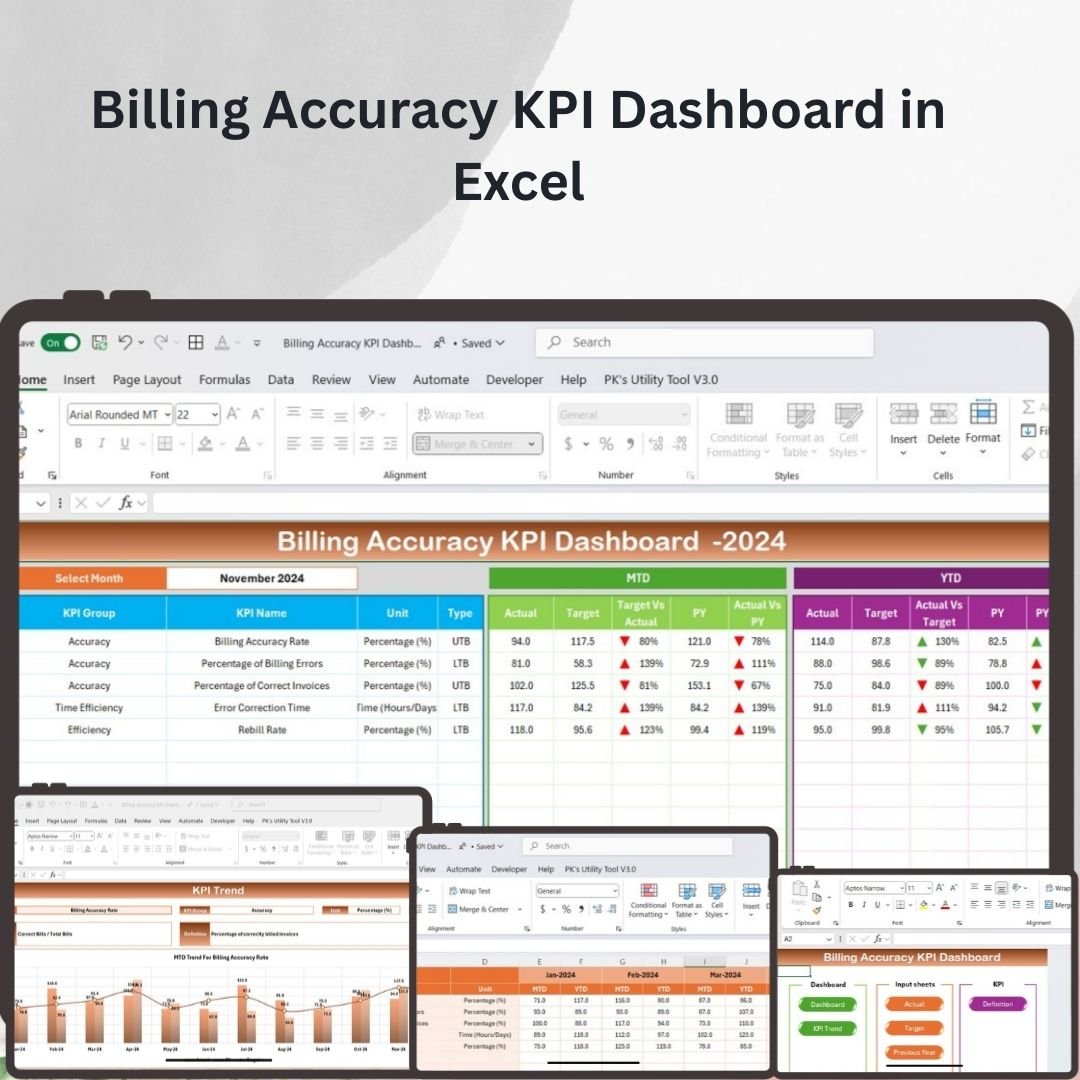
The Billing Accuracy KPI Dashboard in Excel is for teams that care about more than invoice creation. It tracks billing accuracy, error rates, on-time billing, invoice accuracy, target performance, current period performance, previous year comparison, and KPI definitions. At $14.99, it is a reporting template for finance managers, billing managers, analysts, operations leads, and teams that want performance review instead of only transaction logging.
Screenshot view: The screenshots show a KPI dashboard workbook with home navigation, dashboard sheet, KPI trend sheet, actual number input, target input, previous year input, and KPI definition sheet. That structure is useful when leadership asks not only “which invoices are unpaid?” but also “is the billing process improving?”
Use cases: use it for billing accuracy reviews, monthly KPI meetings, error tracking, billing team scorecards, and year-over-year billing performance analysis. You can also review the PK article on the Billing Accuracy KPI Dashboard in Excel for a full feature walkthrough.
Download Billing Accuracy KPI Dashboard in Excel
How to Choose Between These Templates
Choose the manual invoice generator if you only need a branded invoice document, a few formulas, and a basic log. This is enough for very small invoice volume, early freelancers, and businesses that send only a handful of invoices per month.
Choose Client Billing Dashboard in Excel if you need the best paid template for tracking client invoices after they are sent. It is the top pick when collections, delays, account managers, regions, and service lines matter.
Choose Client Billing Report in Excel if you prefer analysis and pivots over a full dashboard. It is a lighter reporting option and works well when you already maintain invoice data but need better summaries.
Choose Vendor Invoice Submission Tracker in Excel if your pain is incoming vendor bills, approvals, and accounts payable control. It is more operational than a normal invoice template because the workflow includes forms, login, user management, and status tracking.
Choose Invoice Payment Checklist in Google Sheets if collaboration matters more than dashboard depth. It is cheap, simple, and good for shared follow-up.
Choose Billing Accuracy KPI Dashboard in Excel if your organization wants monthly billing performance metrics, not just invoice-by-invoice status. This is the best option for managers who review billing quality, error rates, and targets.
For broader reporting, you can also explore the Client Billing Dashboard in Power BI if your team has moved from Excel reporting into Power BI, or browse more Excel dashboard templates on NextGenTemplates.
Final Download Recommendation
If you want the fastest upgrade from a basic invoice Excel sheet, start with these three downloads:
- Client Billing Dashboard in Excel for client invoice tracking and payment visibility.
- Vendor Invoice Submission Tracker in Excel for vendor invoice approvals and payment status.
- Billing Accuracy KPI Dashboard in Excel for KPI-level billing performance review.
For tutorials and walkthroughs, visit the NextGenTemplates YouTube channel and PK-AnExcelExpert on YouTube.
Invoice Excel FAQs
What is an invoice generator in Excel?
An invoice generator in Excel is a workbook that helps you create invoice numbers, client details, line items, taxes, totals, payment terms, and balance due in a repeatable format. A stronger invoice Excel generator also includes an invoice log so you can track paid, unpaid, overdue, and partially paid invoices.
Can I build an invoice template in Excel without VBA?
Yes. You can build a useful invoice template with normal formulas, tables, data validation, conditional formatting, and PDF export. VBA is only needed if you want buttons, forms, automatic record saving, login screens, or a more controlled data-entry workflow.
What fields should every invoice Excel template include?
Every invoice template should include invoice number, invoice date, due date, client name, client contact, item description, quantity, rate, amount, subtotal, discount, tax, amount paid, balance due, payment terms, and payment instructions.
How do I track overdue invoices in Excel?
Add Due Date, Balance Due, and Status columns to your invoice log. Then use conditional formatting to highlight rows where the due date is before today, balance due is greater than zero, and status is not Paid. A dashboard template can automate this view with cards and charts.
Is Excel better than invoicing software?
Excel is better when you need low cost, customization, offline access, and simple reporting. Invoicing software is better when you need online payment links, recurring billing, automatic reminders, accounting sync, user permissions, and client portals.
Can I send Excel invoices as PDFs?
Yes. After filling the invoice, set the print area and export the invoice sheet as a PDF. Send the PDF to the client and keep the Excel workbook as your editable internal record.
Which template is best for client invoice tracking?
The Client Billing Dashboard in Excel is the best fit for client invoice tracking because it covers invoice amount, amount paid, overdue invoices, average payment delay, billing status, account manager performance, service type analysis, and regional billing.
Which template is best for vendor invoices?
The Vendor Invoice Submission Tracker in Excel is best for vendor invoices because it tracks vendor names, invoice amounts, due dates, payment status, approvals, departments, payment method, invoice category, and user access through a VBA-based workflow.
Do I need Google Sheets instead of Excel?
Use Google Sheets if multiple people need to update a payment checklist at the same time. Use Excel if you want richer dashboards, offline control, pivot tables, VBA forms, or a more controlled file-based workflow.
How much should a small business spend on invoicing tools?
A small business should start with the simplest tool that supports accurate invoices and timely payment follow-up. A one-time invoice Excel template can be enough at low volume. Move to paid accounting SaaS when you need automation, payment processing, recurring billing, tax features, or accounting integrations.
About the Author
Built by PK – Microsoft Certified Professional with 15+ years of Excel, Google Sheets, and Power BI experience. Founder of NextGenTemplates, reaching 300K+ subscribers across YouTube channels. Every template is hand-built and tested before release.
Closing CTA: Build the simple invoice generator if you want to learn the workflow. Download a template when you want the tested structure now: Client Billing Dashboard in Excel, Vendor Invoice Submission Tracker in Excel, or Billing Accuracy KPI Dashboard in Excel.
Last updated: August 3, 2026.