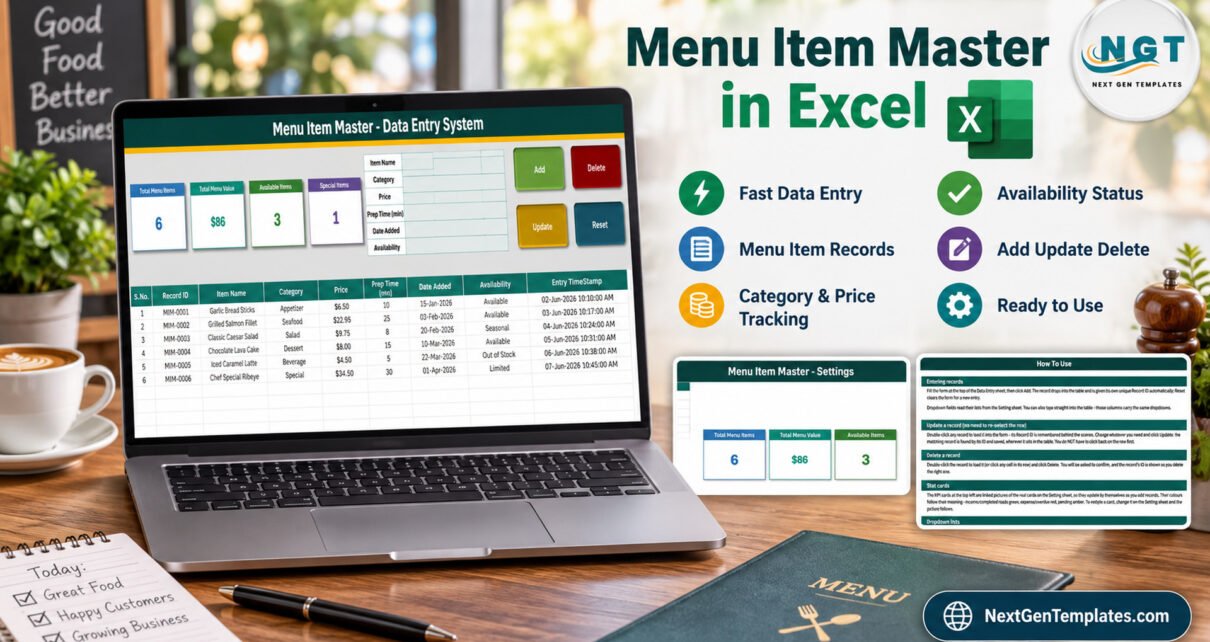
Menu Item Master Data Entry System in Excel is a macro-enabled workbook for maintaining a structured menu catalogue without relying on scattered notes or inconsistent tables. The verified file starts with six demonstration records, tracks six operational fields for each item, gives every row a stable MIM-#### ID, and shows four live summary cards. Its VBA buttons handle adding, updating, deleting, and resetting records, while a separate Setting sheet controls reusable category and availability lists.
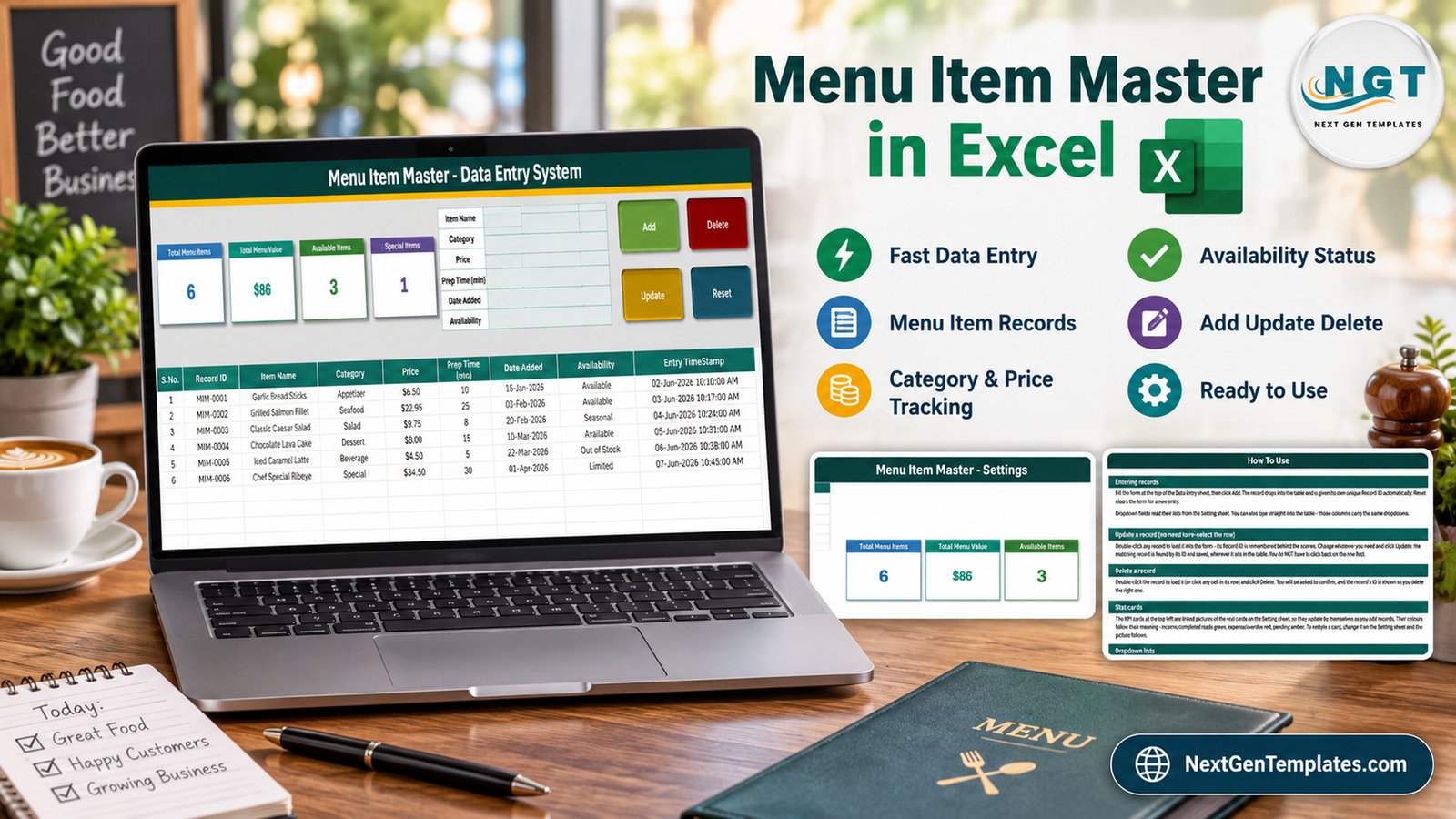
This menu item master Excel template is designed for small restaurants, cafes, caterers, food trucks, cloud kitchens, and hospitality teams that want a practical Excel menu item database. It organises item name, category, price, preparation time, date added, availability, and entry timestamp. It does not claim to replace a point-of-sale platform, recipe-costing system, ordering app, allergen register, stock ledger, or accounting package.
Key Features of Menu Item Master Data Entry System in Excel
A focused menu-entry form
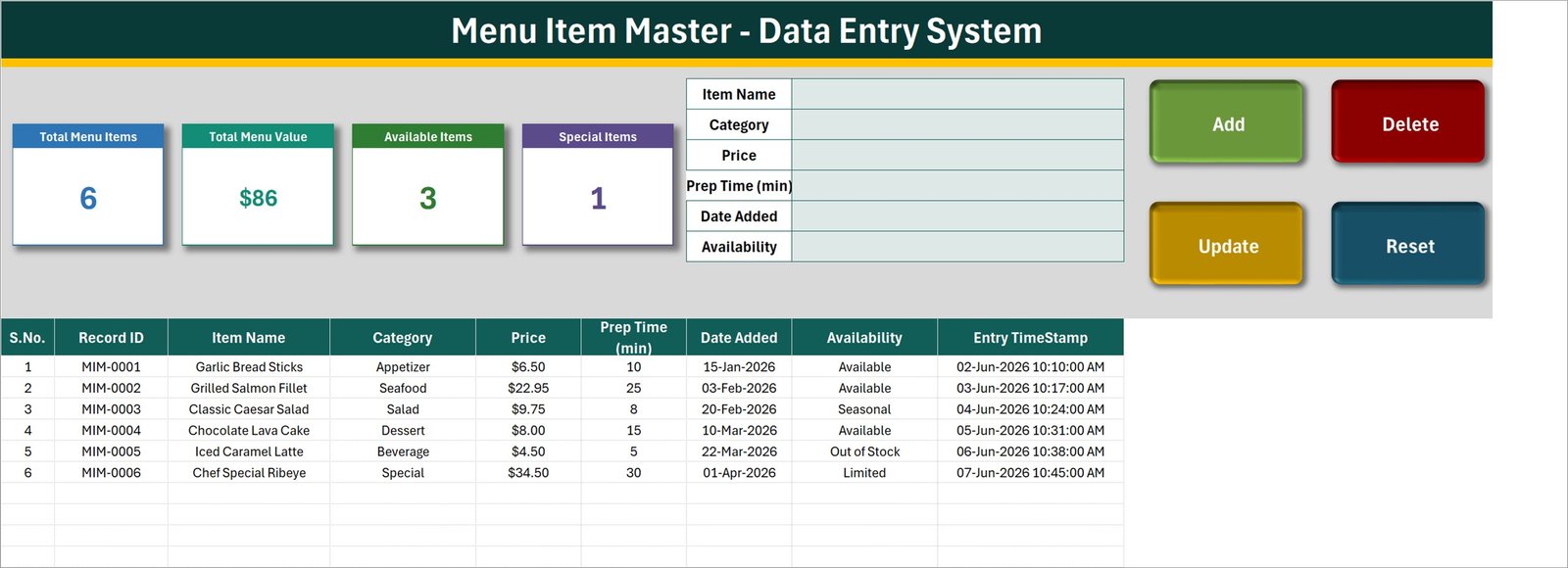
The top-right form keeps routine entry separate from the record table. Users can enter Item Name, Category, Price, Prep Time (min), Date Added, and Availability. Category and Availability have validated dropdowns linked to editable lists.
Reliable record IDs and timestamps
When Add is clicked, the VBA scans existing IDs and generates one number above the current maximum. That means an ID is not silently reused after its row is deleted. The workbook also records the entry time automatically, supporting a clearer audit trail than an unstructured menu list.
Update the intended record
Double-clicking a populated row loads its data into the form and remembers the Record ID behind the scenes. After editing, Update finds the matching ID wherever that row currently sits. This is safer than relying only on the active row.
Editable lists and live cards
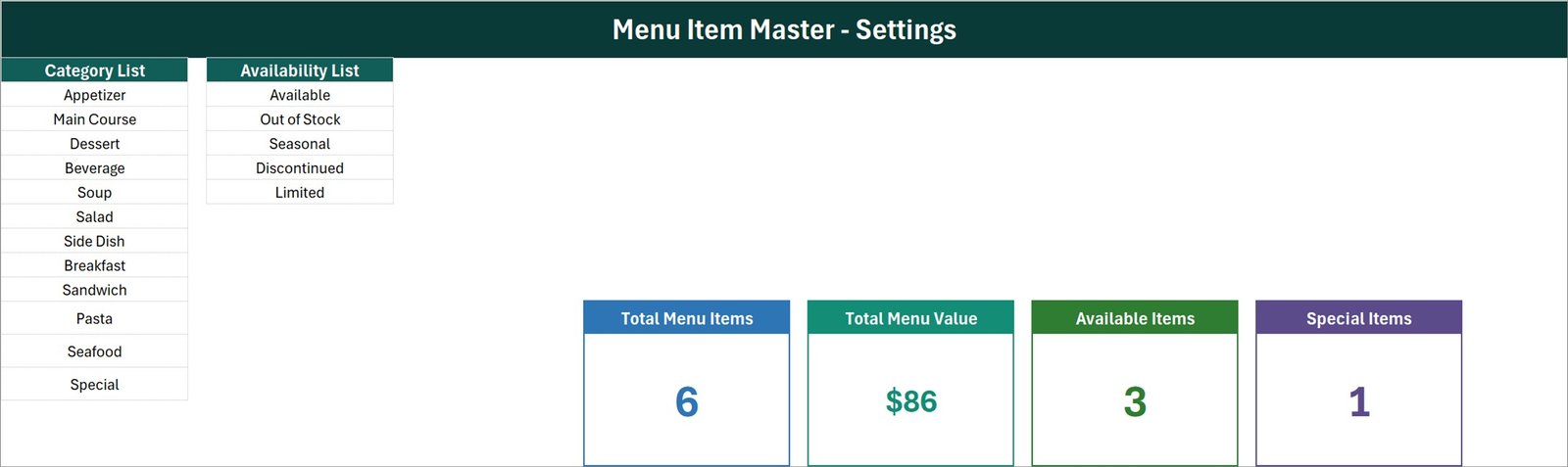
The Setting sheet contains category and availability lists and the source cells for Total Menu Items, Total Menu Value, Available Items, and Special Items. Linked pictures display those cards on the entry sheet. Change a list once, and the related dropdowns use the revised choices.
Macro buttons already included
The delivered .xlsm file already contains Add, Update, Delete, and Reset procedures. Buyers do not need to paste separate VBA modules. They do need Microsoft Excel desktop for Windows and must enable macros for the automation to work.
Workbook Sheets Explained
1. Data Entry
This is the working sheet. Four cards summarise the menu, the form captures new or edited details, and the table holds saved rows. The visible columns are S.No., Record ID, Item Name, Category, Price, Prep Time (min), Date Added, Availability, and Entry TimeStamp. The prepared range supports 200 records.
2. Setting
The Setting sheet provides eleven example categories – including Appetizer, Main Course, Dessert, Beverage, Seafood, and Special – plus five example availability states: Available, Out of Stock, Seasonal, Discontinued, and Limited. These are starting values, not fixed rules. Buyers can replace them with terminology that matches their business.
3. Instructions
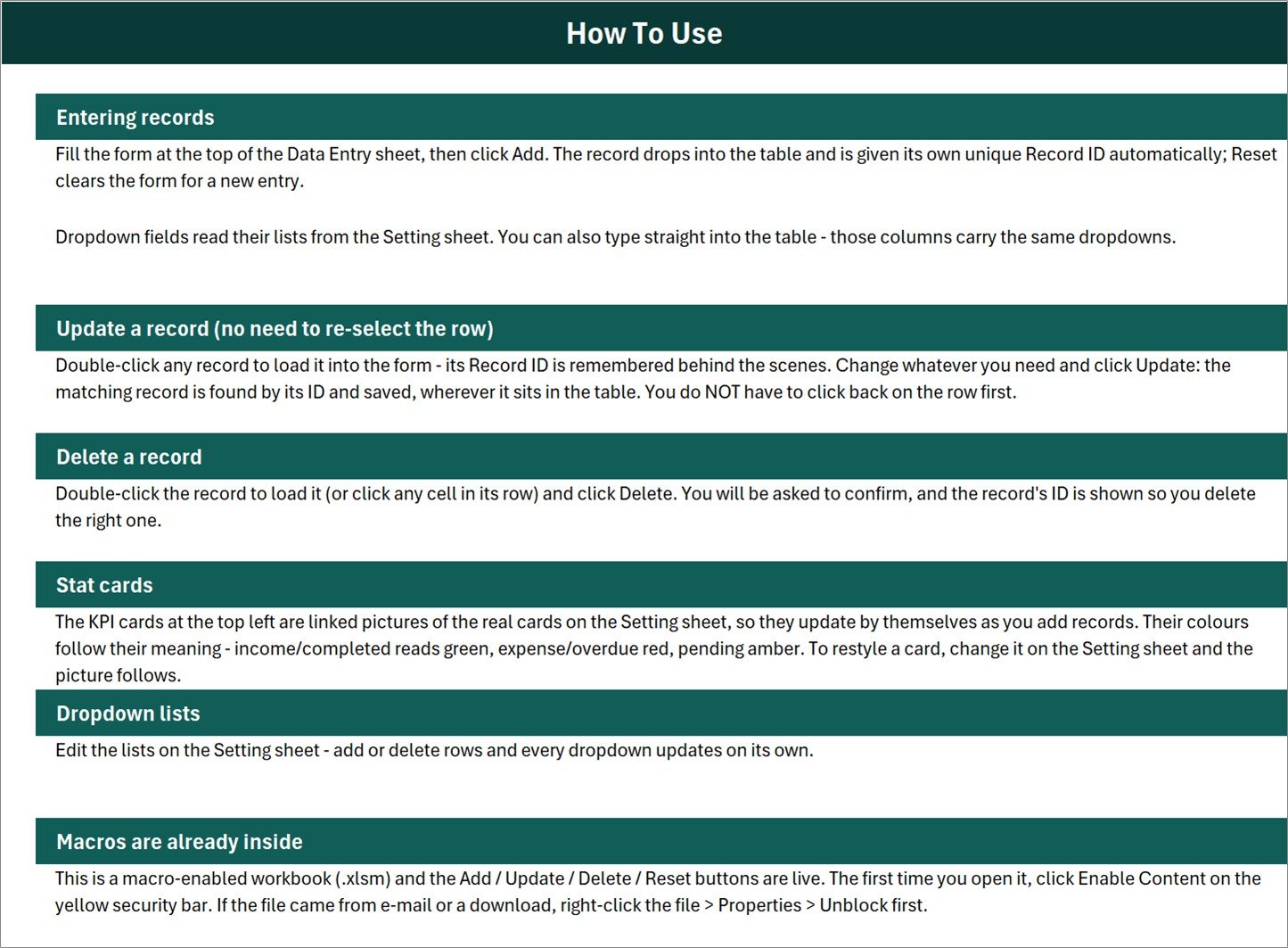
The built-in instructions explain entry, update, deletion, summary cards, dropdown lists, and macro enablement. This matters because the verified customer ZIP contains the workbook only; there is no separate user manual, which is normal for this product family.
4. Get More Templates
This support sheet points users towards other template options. It does not add extra menu-management functions to the workbook.
Menu Item Master Data Entry System in Excel vs. Google Sheets vs. Restaurant SaaS – Feature Comparison
| Feature | This Excel system | Google Sheets build | Restaurant SaaS |
|---|---|---|---|
| Purchase model | One-time template purchase | Usually self-built or custom | Recurring subscription |
| Working environment | Excel desktop for Windows | Browser and Google account | Vendor web/mobile app |
| Offline access | Yes | Limited by offline configuration | Often requires internet |
| Entry automation | VBA Add/Update/Delete/Reset | Apps Script or manual rows | Built into the service |
| Field customisation | Direct workbook editing | Direct sheet editing | Depends on plan |
| Real-time collaboration | Not its intended workflow | Native | Usually native |
| Ordering, POS, recipes | Not included | Not included by default | May be included |
| Five-user year-one price | $6.99 sale price | Varies with setup effort | Varies by provider and tier |
Who Should Use This Template
Restaurant owners can use it as a clean source list before refreshing printed menus or ordering platforms. Cafe managers can maintain drinks, snacks, seasonal items, and availability labels. Catering coordinators can organise a reusable library of menu choices with consistent categories and prices. Food-truck operators can keep a compact working catalogue without subscribing to a larger platform.
This template is not suited to simultaneous multi-user entry, complex approval workflows, online ordering, payment processing, kitchen tickets, recipes, ingredients, stock consumption, supplier purchasing, nutritional calculations, allergy compliance, or tax reporting. Those needs require a broader system and appropriate operational controls.
Real-World Use Cases
Seasonal menu preparation
Mark an item Seasonal or Limited, store its price and preparation time, and filter the table while preparing a new customer-facing menu.
Master-data clean-up
Move item details out of informal notes into consistent columns and assign each saved record a stable ID. This makes duplicate or incomplete entries easier to spot during review.
Pre-publication reference
Use the workbook as an internal reference before updating menus, websites, signs, or ordering systems. The file organises the source information but does not push data into those external channels.
Advantages of Menu Item Master Data Entry System in Excel
- Low setup burden: the form, validations, formulas, cards, and VBA procedures are already in the file.
- Transparent structure: users can see both the form and the underlying records rather than sending data into a black-box service.
- Editable terminology: category and availability choices can be changed on the Setting sheet.
- Consistent editing: updates resolve by stable Record ID, not only by the active row.
- Local ownership: the buyer retains the workbook without a recurring NextGenTemplates subscription.
Opportunities for Improvement
Future versions could add duplicate-item checks, search controls, import/export tools, image links, food-cost fields, printable menu layouts, change logs, user permissions, and stronger validation. Those are ideas for extension, not features in the current download.
The current Total Menu Value card sums entered selling prices. It should not be interpreted as inventory value, cost, profit, projected sales, or accounting revenue. The Special Items card reflects the workbook’s configured logic and demonstration categories; review formulas if you rename or repurpose categories.
Best Practices
- Keep an untouched backup of the downloaded workbook before customising sheets, names, or VBA.
- Use Excel desktop for Windows, unblock the downloaded file if needed, and enable content only after confirming the file source.
- Replace the six demonstration rows and example lists before operational use.
- Agree one spelling for categories and availability states to avoid fragmented reporting.
- Test Add, Update, Delete, and Reset on a copy after structural changes.
- Use one controlled editor at a time. The macro workflow is not designed for simultaneous collaboration.
- Consult Microsoft’s guidance for enabling or disabling macros in Microsoft 365 files before changing Trust Center settings.
Explore Relevant Templates
On PK-AnExcelExpert, you can also read about the Restaurant Order Data Entry System in Excel, the Tiffin Subscription Data Entry System in Excel, and the Fruit and Vegetable Sales Data Entry System in Excel. These are published articles on the same site and cover adjacent food-service or menu-related workflows.
Frequently Asked Questions
What comes in the download?
The verified ZIP contains one file: Menu_Item_Master_System.xlsm. The workbook includes its VBA automation and built-in Instructions sheet.
Why must I enable macros?
The Add, Update, Delete, Reset, stable-ID, and timestamp functions are VBA procedures. Without macros, the file can still display sheets and data, but those controls will not run.
Can I change categories and availability options?
Yes. Edit the two lists on Setting. The Data Entry validation rules reference those named lists.
Does this system manage recipes or ingredients?
No. It records menu-level details only. It has no recipe, ingredient, portion, supplier, stock-consumption, allergen, or nutritional model.
Is it suitable for Mac or Excel Online?
The active VBA workflow is intended for Microsoft Excel desktop for Windows. Excel Online does not run VBA, and Mac compatibility has not been verified.
Can I add more than 200 records?
The workbook is prepared for 200 records. Experienced Excel users can extend formulas and validations, but should test VBA, formatting, and list references on a backup copy.
About the Author
Built by PK – Microsoft Certified Professional with 15+ years of Excel, Google Sheets, and Power BI experience. Founder of NextGenTemplates, reaching 300K+ subscribers across YouTube channels. Every template is hand-built and tested before release.
Conclusion
The Menu Item Master Data Entry System in Excel is a focused answer to one practical problem: maintaining a consistent, editable menu-item master in a familiar desktop tool. Its verified features include the form, six menu fields, stable MIM IDs, Add/Update/Delete/Reset VBA, reusable lists, timestamps, four live cards, and built-in instructions. The menu item master Excel template, Excel menu item database, restaurant menu data entry system, and Excel VBA menu manager phrases all refer to this same workbook.
Download the Menu Item Master Data Entry System in Excel from NextGenTemplates. For more Excel and VBA tutorials, visit PK-AnExcelExpert on YouTube.