Employee exits are a critical phase in the employee lifecycle. However, many organizations still manage exit processes using emails, scattered Excel sheets, and manual follow-ups. As a result, HR teams face delays, data errors, compliance risks, and poor employee exit experiences. Therefore, companies now need a structured, reliable, and easy-to-use solution.
That is exactly where Employee Exit Management System V1.0 becomes a powerful game-changer.
This comprehensive, ready-to-use Excel and VBA–based Employee Exit Management System helps HR teams manage resignations, clearances, asset returns, exit interviews, and final settlements from one centralized system. Moreover, it works entirely within Microsoft Excel, so you do not need any external software or database.
Click to Purchases Employee Exit Management System V1.0
In this detailed article, you will learn what Employee Exit Management System V1.0 is, how it works, its features, advantages, best practices, and frequently asked questions. Additionally, the language remains simple, clear, and practical so that HR professionals can implement it immediately.
What Is an Employee Exit Management System V1.0?
An Employee Exit Management System V1.0 is a structured Excel VBA–based tool designed to manage the complete employee offboarding process efficiently. It tracks every exit case from resignation to final settlement while maintaining accuracy, transparency, and control.
Instead of handling exit data in emails, Word files, and multiple Excel sheets, this system centralizes everything in one secure Excel file. Consequently, HR teams save time, reduce errors, and ensure smooth exits.
Moreover, the system supports both Admin and User roles, which ensures proper access control and data security.
Why Do Organizations Need an Employee Exit Management System?
Employee exits involve multiple departments, approvals, and documents. However, manual processes create confusion and delays. Therefore, organizations need a system that offers clarity and structure.
Here are the main reasons why this system becomes essential:
HR teams manage multiple exits at the same time.
Manual tracking causes missed clearances and delays.
Asset returns often remain untracked.
Final settlement calculations require accuracy.
Exit interviews need proper documentation.
Management requires reports for audits and analysis.
Because of these challenges, an automated yet simple Excel-based solution delivers maximum value without complexity.
How Does Employee Exit Management System V1.0 Work?
Employee Exit Management System V1.0 works completely within Microsoft Excel using VBA forms. Therefore, you only need Excel Desktop to run the system.
Once you open the file, the system starts with a secure login screen. After login, users access the main dashboard, where they manage exit records, filters, reports, and master data.
Additionally, the system saves all data automatically inside the Excel file, which ensures data safety and ease of use.
Login Form – Secure Access Control from the Start
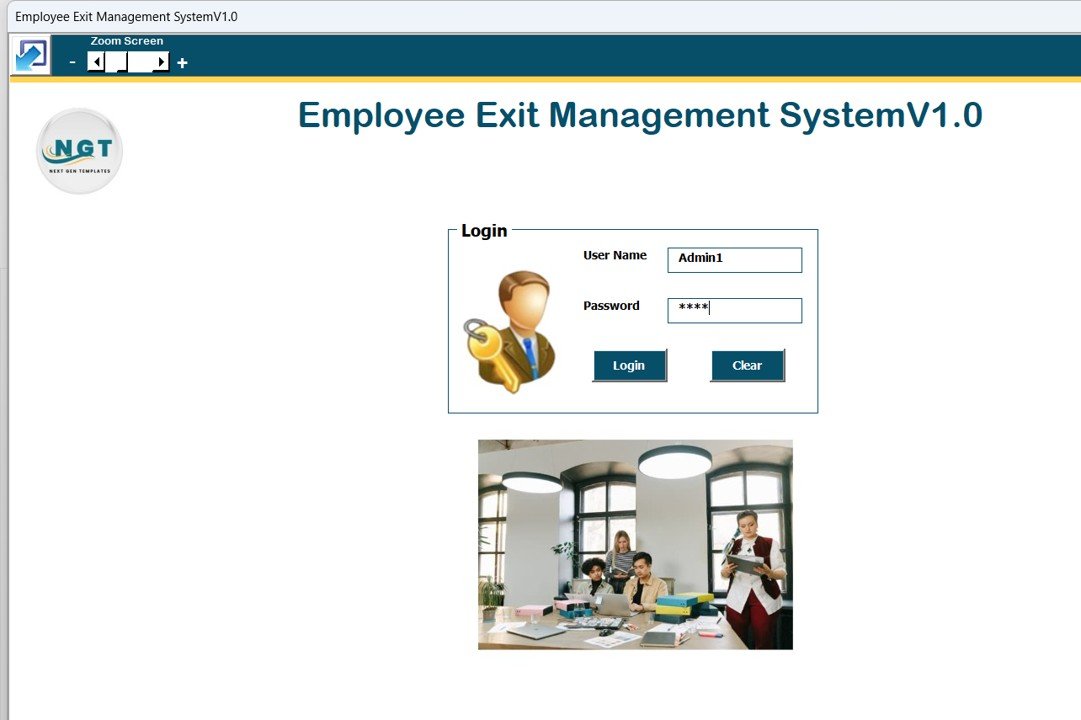
The system begins with a Login Form, which ensures that only authorized users access the data.
Default Login Credentials
Admin Role
Username: Admin1
Password: abcd
User Role
Username: User1
Password: abcd
Users simply enter their credentials and press Enter or click the Login button. Immediately, the system redirects them to the main form.
As a result, HR teams control access and prevent unauthorized usage.
Main Form – The Central Control Panel
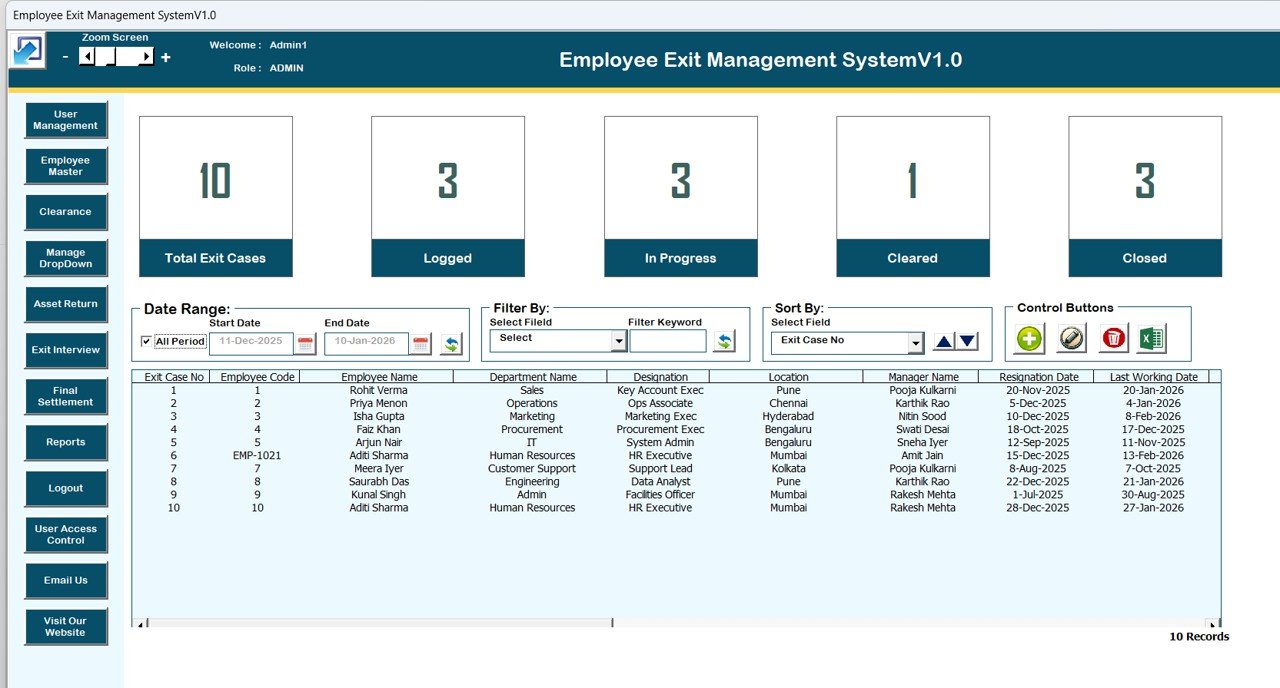
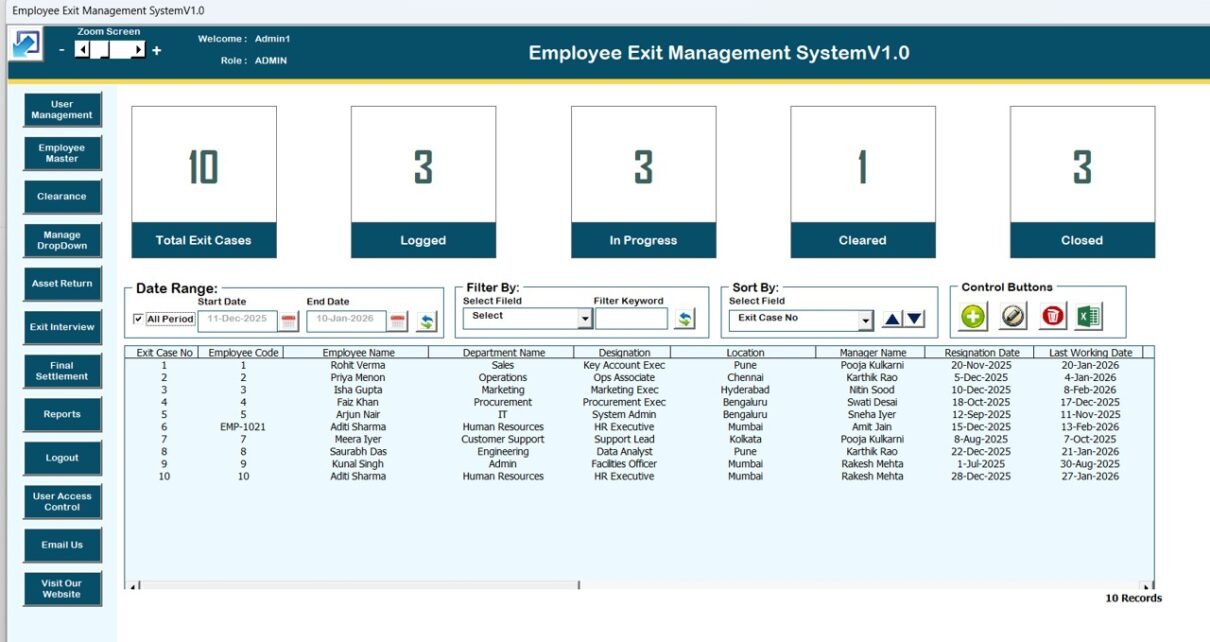
After login, users land on the Main Form, which acts as the control center of the Employee Exit Management System.
This form allows users to view, filter, sort, add, update, and delete exit records easily.
List Box – View All Exit Records at a Glance
At the center of the main page, the system displays a List Box that shows all relevant exit data.
Because of this list box, users can:
View multiple exit records instantly
Select a specific record for update or deletion
Double-click a record to open it for editing
As a result, HR teams track exits without searching across files.
Filters – Quickly Find the Right Exit Case
Click to Purchases Employee Exit Management System V1.0
Above the list box, the system provides Filters that allow users to narrow down data.
Users can filter records by:
Date range
Selected columns
Therefore, HR professionals locate specific exit cases within seconds, even when data grows large.
Sort By Feature – Organize Data Your Way
The Sort By option allows users to sort list box data easily.
Users can sort exit records based on selected criteria, which improves readability and analysis. Consequently, data remains clean, structured, and actionable.
Control Buttons – Perform Actions with One Click
The main form includes several control buttons that simplify daily HR tasks.
1. Add New Record
This button allows users to add a new employee exit record quickly. Once clicked, the Exit Case form opens for data entry.
2. Update Existing Record
Users select a record from the list box and click this button to update it. Alternatively, users can double-click the record to open it for editing.
3. Delete Record
This option allows users to delete selected exit records safely.
4. Export to Excel
With one click, users export list box data into a new Excel file. Therefore, HR teams share reports easily with management.
Exit Case Form – Add and Update Exit Records Easily
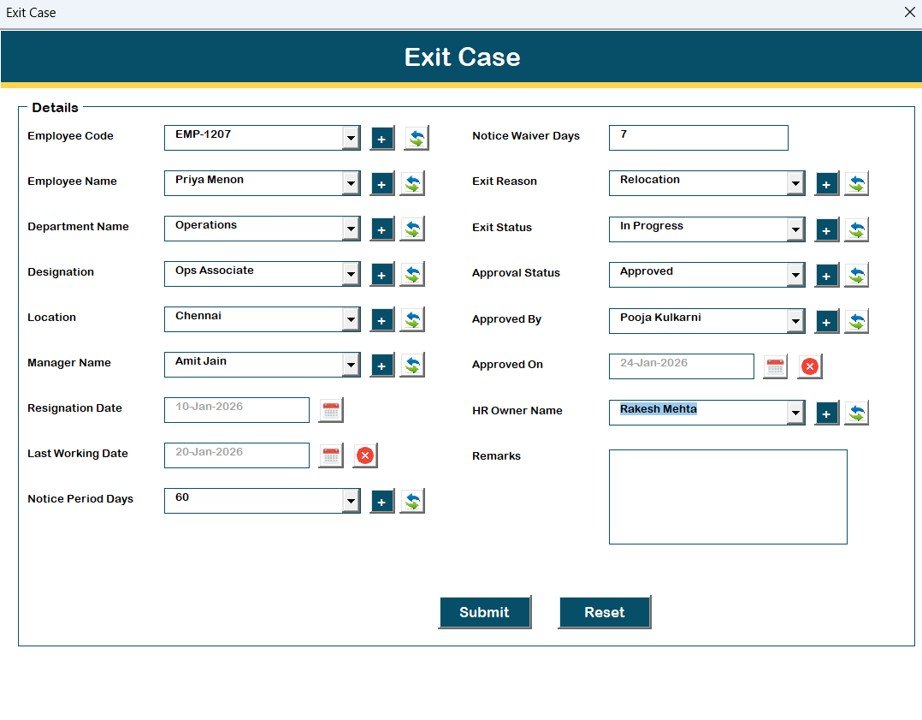
The Exit Case Form opens when users add or update records.
From this form, HR teams enter and manage:
Employee exit details
Clearance status
Asset return information
Exit interview outcomes
Final settlement data
Because of this structured form, data entry remains accurate and consistent.
Click to Purchases Employee Exit Management System V1.0
Navigation Menu – Manage Everything from One Place
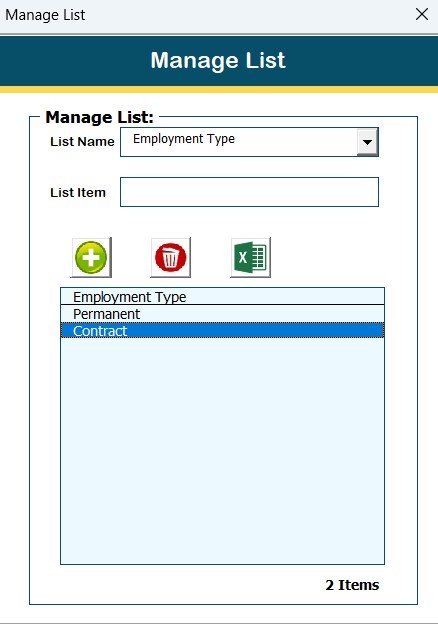
On the left-hand side, the system provides a powerful Navigation Menu.
Firm Information
This option allows users to update firm details such as company name and contact information.
User Management
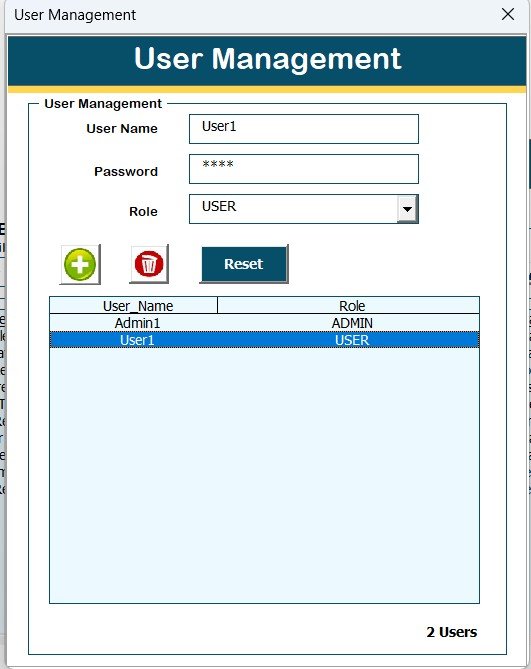
From this screen, Admin users can:
Add users
Update user details
Delete users
Reset passwords
Change user passwords
Manage List
This section allows users to manage dropdown lists by adding or deleting values.
Employee Master Modules – Track Every Exit Stage
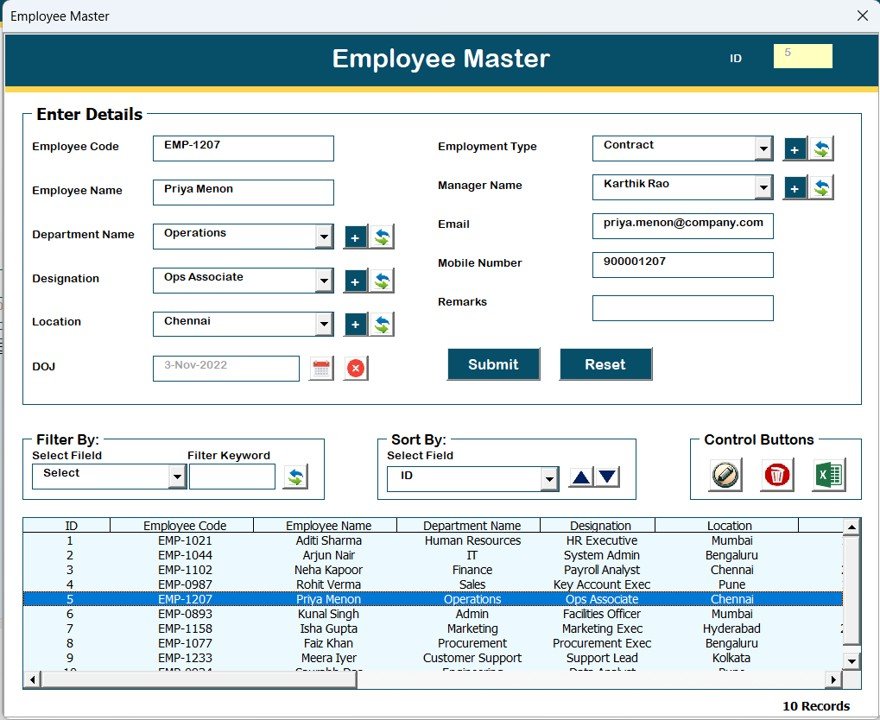
The Employee Exit Management System includes dedicated modules to manage each exit stage effectively.
Clearance
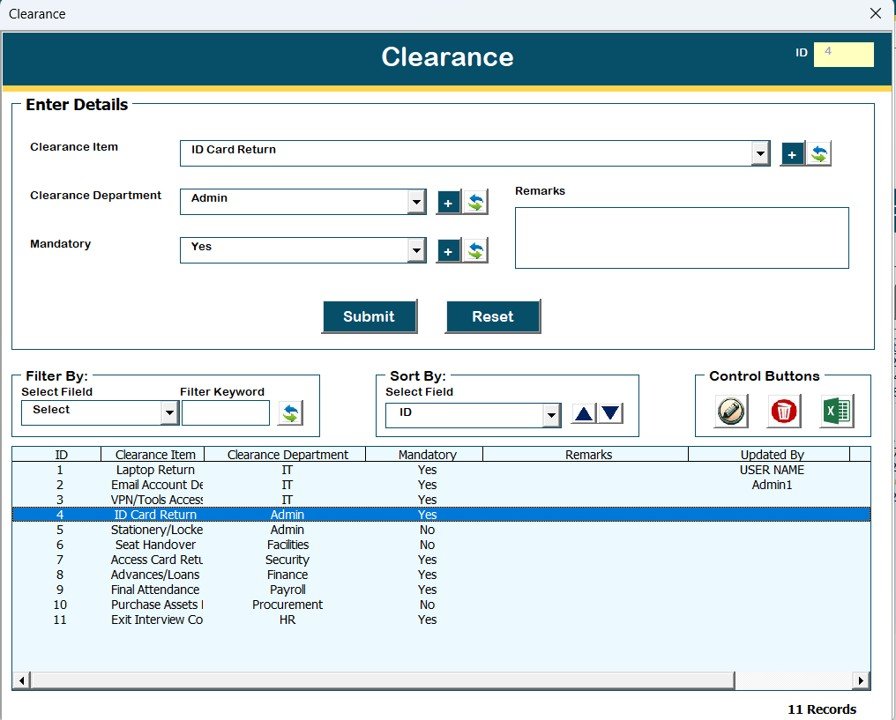
Track department-wise clearance status before employee exit.
Asset Return
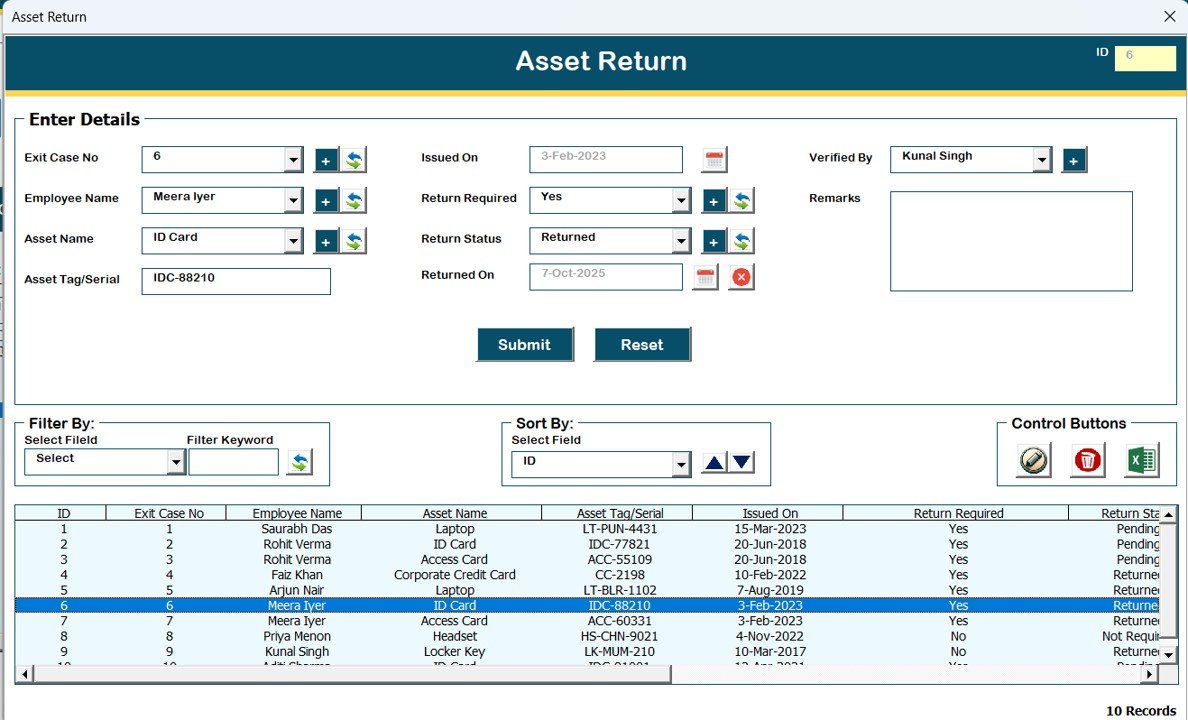
Monitor company asset returns such as laptops, ID cards, and accessories.
Exit Interview
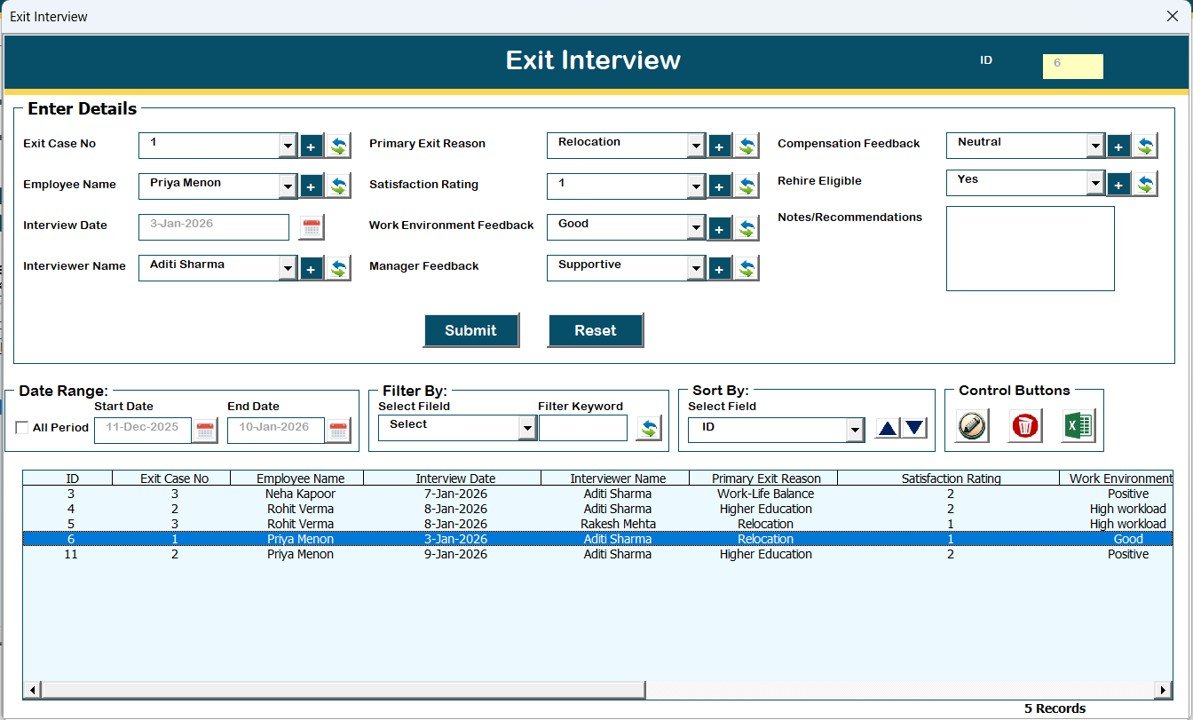
Record exit interview feedback and reasons for leaving.
Final Settlement
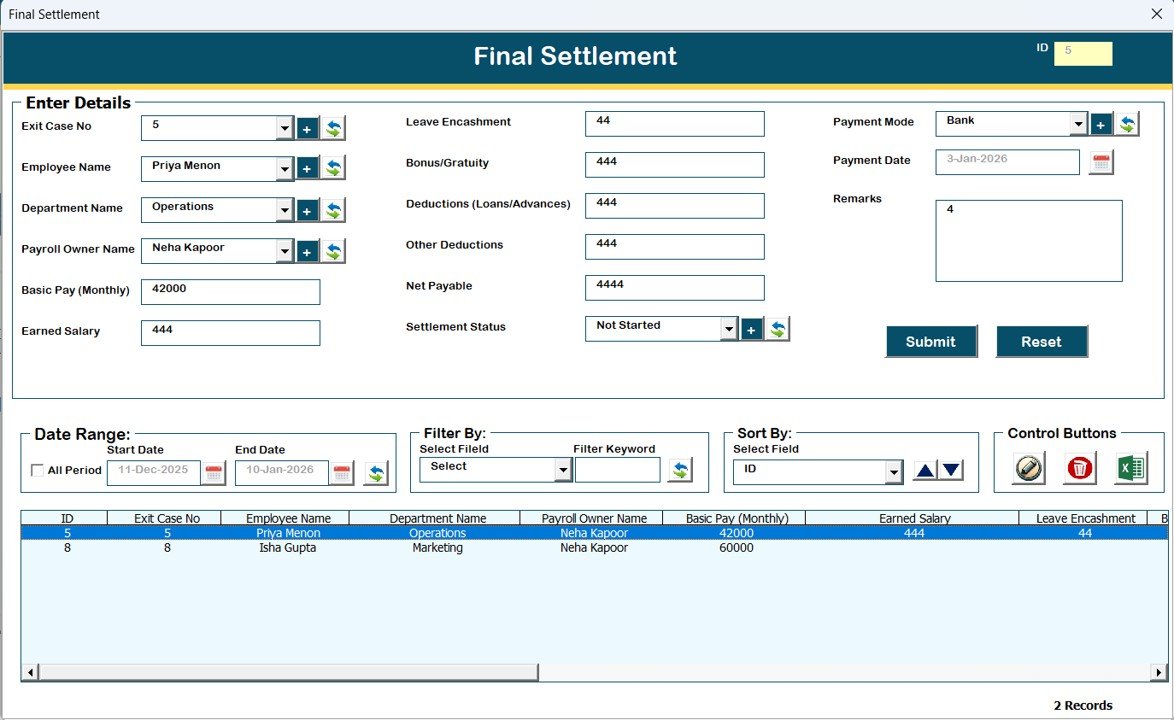
Manage settlement details such as salary, dues, and recoveries.
Because of these modules, HR teams never miss any exit step.
Reports – Generate Excel Reports Instantly
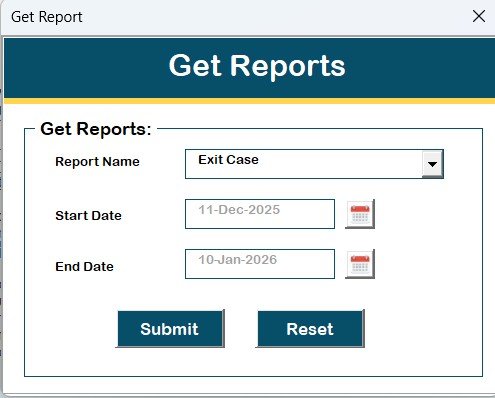
The Reports section allows users to generate Excel reports for selected date ranges.
As a result:
HR teams analyze exit trends
Management reviews exit data
Audits become easier
Moreover, reports export instantly into Excel format.
Manage User Access Control – Role-Based Security
Only Admin users can access User Access Control.
From this screen, Admins assign permissions to User roles by ticking access checkboxes. Therefore, organizations maintain strict role-based security.
Logout – Save and Close Safely
Click to Purchases Employee Exit Management System V1.0
The Logout button saves all data and closes the system safely. Consequently, data integrity remains intact.
Additional Support Options
Email Us
This button displays the support email ID for help or customization requests.
Visit Our Website
This option redirects users to the website to explore and purchase more tools and templates.
System Compatibility and Important Technical Notes
⚠️ Please read carefully before purchasing
Compatible with Windows 10 and above
Requires Microsoft Excel 2010 and above
Works only on Excel Desktop application
Does not work on Mobile or Tablet devices
Does not support Mac operating system
Advantages of Employee Exit Management System V1.0
Using this system delivers significant advantages to HR teams and organizations.
Centralized Exit Management
Manage all employee exits from one Excel file instead of multiple sources.
Time-Saving Automation
Reduce manual follow-ups and repetitive work.
Data Accuracy
Maintain structured, error-free exit records.
Role-Based Access
Protect sensitive HR data with Admin and User roles.
Easy Reporting
Generate Excel reports instantly for analysis and audits.
Cost-Effective Solution
Avoid expensive HR software while achieving professional results.
Best Practices for Employee Exit Management System V1.0
Click to Purchases Employee Exit Management System V1.0
To maximize benefits, follow these best practices.
Assign Admin access only to senior HR staff
Update exit records regularly
Review clearance and asset return modules before final settlement
Generate periodic exit reports
Back up the Excel file regularly
Train HR users on form usage
By following these practices, organizations ensure smooth and compliant exits.
Conclusion – Why Employee Exit Management System V1.0 Is a Must-Have HR Tool
Employee exits shape employer branding, compliance, and operational continuity. However, unmanaged exits create confusion and risk. Therefore, organizations need a structured, reliable, and simple solution.
Employee Exit Management System V1.0 delivers everything HR teams need—centralized tracking, automation, security, and reporting—inside Microsoft Excel. Moreover, it eliminates complexity while offering professional-level control.
If you want to manage employee exits efficiently without investing in expensive HR software, this ready-to-use Excel VBA tool stands as the perfect choice.
Frequently Asked Questions (FAQs)
What is Employee Exit Management System V1.0?
It is an Excel VBA–based tool that manages the complete employee offboarding process from resignation to final settlement.
Does this system require internet connectivity?
No, it works completely offline within Microsoft Excel Desktop.
Can multiple users use the system?
Yes, it supports Admin and User roles with access control.
Does it support Mac operating system?
No, the system works only on Windows with Excel Desktop.
Can I export exit data?
Yes, users can export exit records into a new Excel file.
Is customization possible?
Yes, you can request customization through the provided email support.
Visit our YouTube channel to learn step-by-step video tutorials