Retail businesses rely heavily on holidays, special events, and seasonal campaigns. However, many retail teams still manage holidays using static lists, emails, or scattered notes. As a result, teams miss important dates, struggle with staffing plans, and fail to align promotions properly.
That is exactly where a Retail Holiday Calendar in Excel becomes a powerful and practical solution.
In this detailed article, you will learn what a Retail Holiday Calendar in Excel is, how it works, its key features, advantages, best practices, and how retail teams can use it effectively to plan holidays and events with confidence.
Click to Purchases Retail Holiday Calendar in Excel
What Is a Retail Holiday Calendar in Excel?
A Retail Holiday Calendar in Excel is a ready-to-use, interactive Excel template designed to manage retail holidays, events, and important dates in a structured way.
Instead of maintaining multiple files, this calendar allows retail managers to:
-
View annual, monthly, and daily holiday schedules
-
Add, update, and manage retail events easily
-
Highlight weekends and holidays visually
-
Maintain a central event database
Because the calendar works inside Excel, teams can use it instantly without extra tools.
Why Do Retail Businesses Need a Holiday Calendar?
Retail success depends on timing. Therefore, missing a holiday or misplanning an event can directly affect sales and customer experience.
A Retail Holiday Calendar helps businesses:
-
Plan promotions and campaigns in advance
-
Align staffing with holidays
-
Avoid event conflicts
-
Improve operational coordination
-
Increase visibility of key retail dates
When holiday planning becomes structured, retail execution improves naturally.
How Does a Retail Holiday Calendar in Excel Work?
This calendar works through five well-designed worksheets, each serving a specific purpose. Together, they create a complete holiday and event management system.
Let us explore each worksheet in detail.
Click to Purchases Retail Holiday Calendar in Excel
Home Sheet Tab: Central Navigation Hub
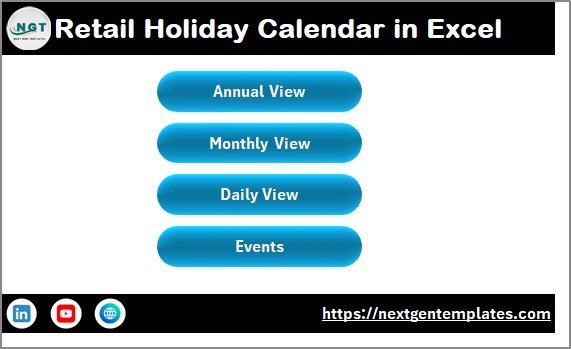
The Home sheet tab acts as the index page of the Retail Holiday Calendar in Excel.
Navigation Buttons on the Home Sheet
The Home sheet includes four buttons:
-
Annual View
-
Monthly View
-
Daily View
-
Events
Because of these buttons, users can move between views quickly without searching for sheets.
Annual View Sheet: Full-Year Holiday Overview
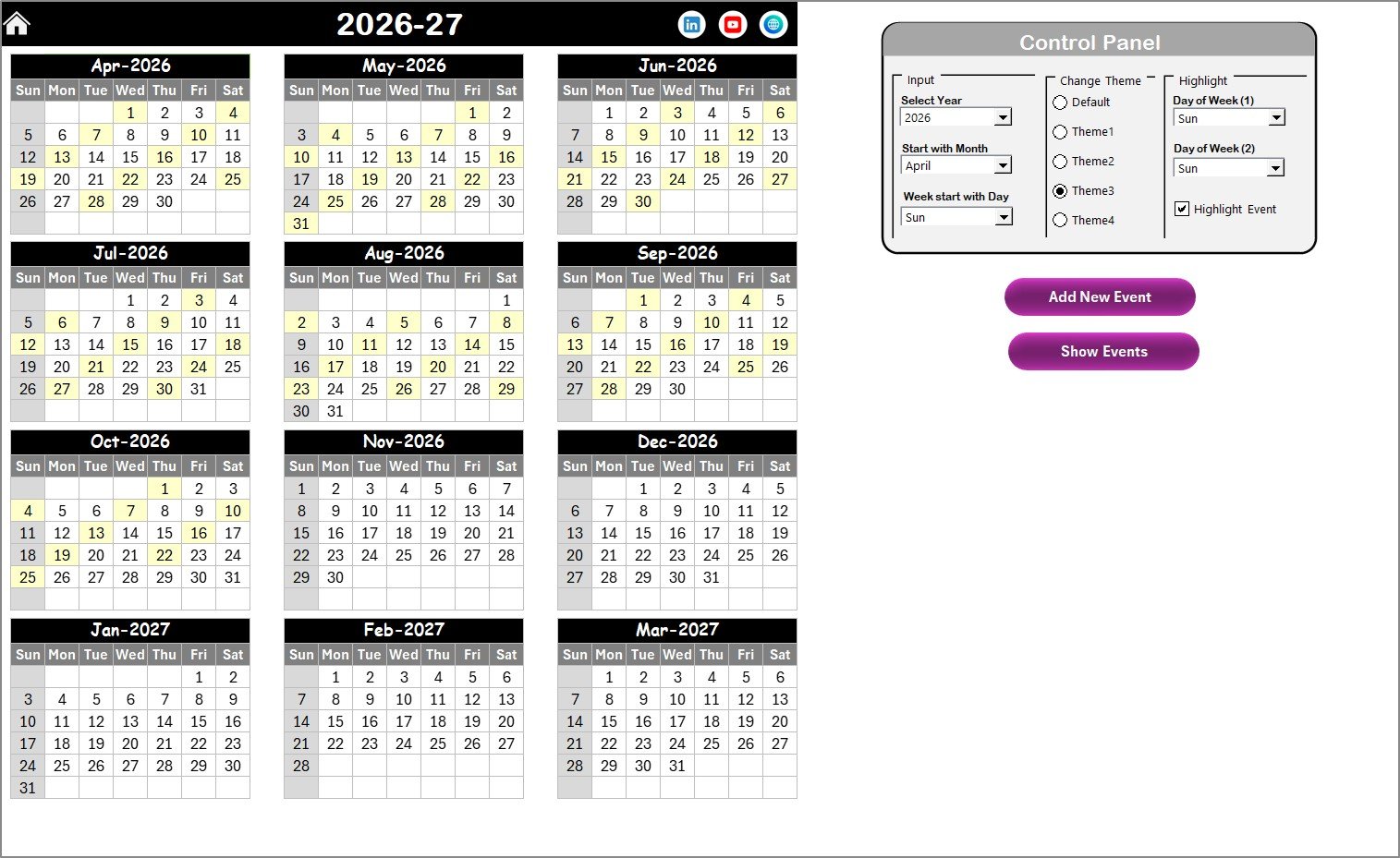
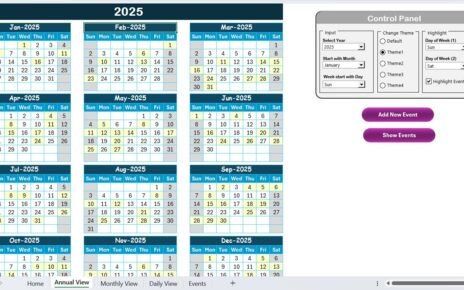
The Annual View sheet displays all 12 months in a single view, making it ideal for long-term retail planning.
Retail managers can instantly see public holidays, store events, and seasonal campaigns across the year.
Control Panel in the Annual View Sheet
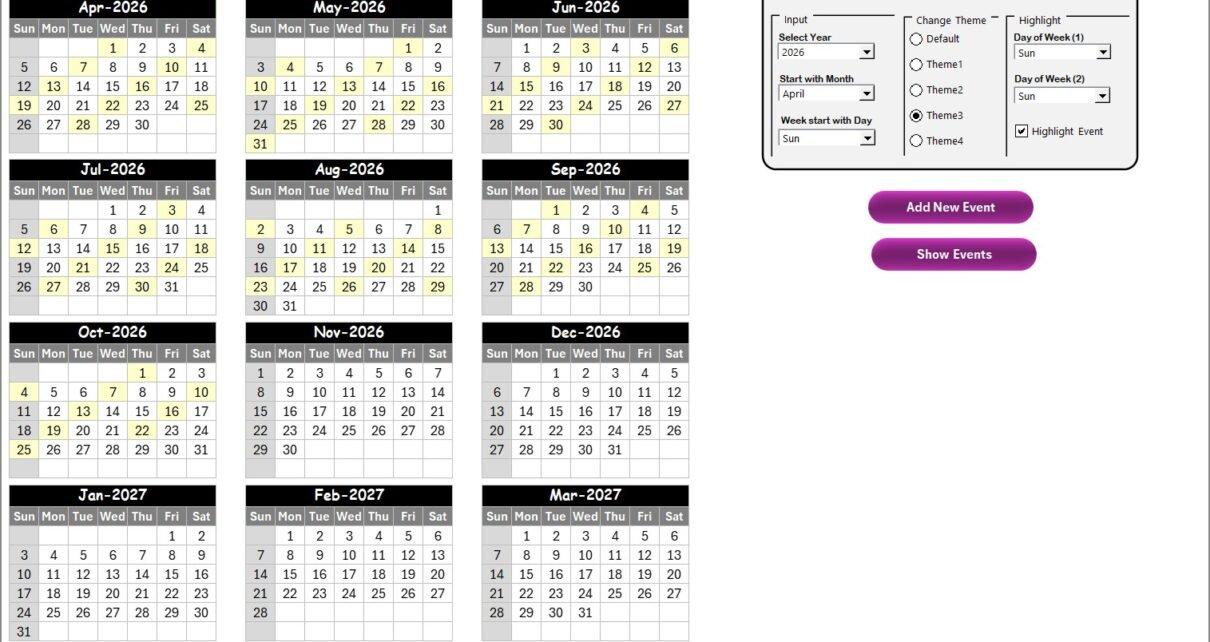
The Annual View includes a powerful control panel divided into three functional groups.
Input Group: Flexible Calendar Settings
Using the Input Group, users can:
-
Select the Year to update the calendar automatically
-
Change the starting month of the calendar
-
Change the starting day of the week
As a result, the calendar adapts easily to regional or business requirements.
Change Theme Group: Workbook-Wide Color Themes
Visual clarity matters in planning. Therefore, the calendar includes five color themes.
Users can apply any theme to the entire workbook, which keeps the calendar visually consistent and professional.
Highlight Group: Emphasize Important Days
This group allows users to:
-
Highlight Day of Week (1) and Day of Week (2)
-
For example, Saturday and Sunday can appear in grey
-
-
Enable Highlight Event checkbox
-
Events appear highlighted in yellow
-
Because of this feature, weekends and holidays stand out clearly.
Add New Event Button (Annual View)
To add an event:
-
Select a date on the calendar
-
Click Add New Event
-
Fill the event form
-
Click Submit
The event appears instantly on the selected date.
Show Event Button (Annual View)
To view events on a specific date:
-
Select the date
-
Click Show Event
The calendar displays the full list of events for that day.
Click to Purchases Retail Holiday Calendar in Excel
Monthly View Sheet: Focus on One Month
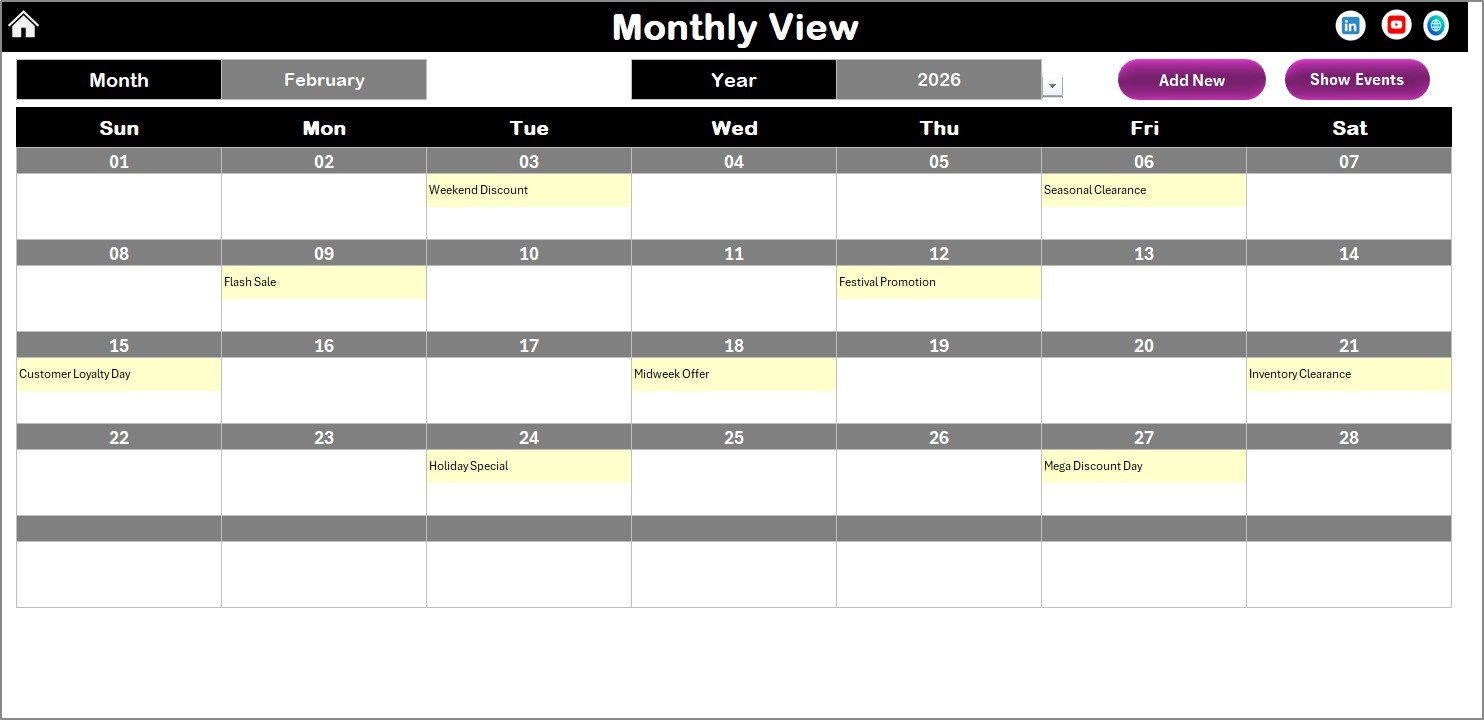
While the Annual View supports strategic planning, the Monthly View sheet helps with detailed execution.
This sheet displays a single calendar for the selected month.
How the Monthly View Works
At the top of the sheet, users can select:
-
Month
-
Year
Based on these selections, the calendar updates automatically.
Event Display Logic
-
If one event exists, the event name appears
-
If multiple events exist, the calendar shows “more than 1…”
This approach keeps the view clean while still indicating busy dates.
Monthly View Action Buttons
The Monthly View includes two buttons:
Add New Event Button
Add a new event for the selected date using the event form.
Show Event Button
View all events for the selected date instantly.
Click to Purchases Retail Holiday Calendar in Excel
Daily View Sheet: Detailed Event Listing
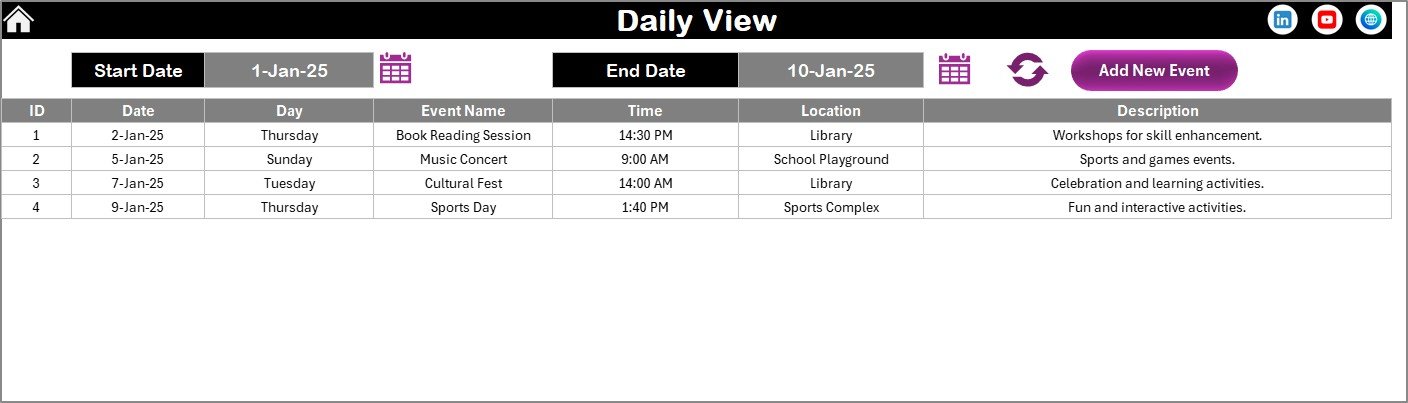
The Daily View sheet displays a detailed list of events within a selected date range.
How the Daily View Works
Users can:
-
Select Start Date
-
Select End Date
-
Use calendar icons for easy selection
-
Click Refresh to load data
The sheet then displays all events within the chosen period.
Add New Event from Daily View
The Daily View also includes an Add New Event button. This button opens the event form, allowing users to add new holidays or events instantly.
Events Sheet: Central Event Database
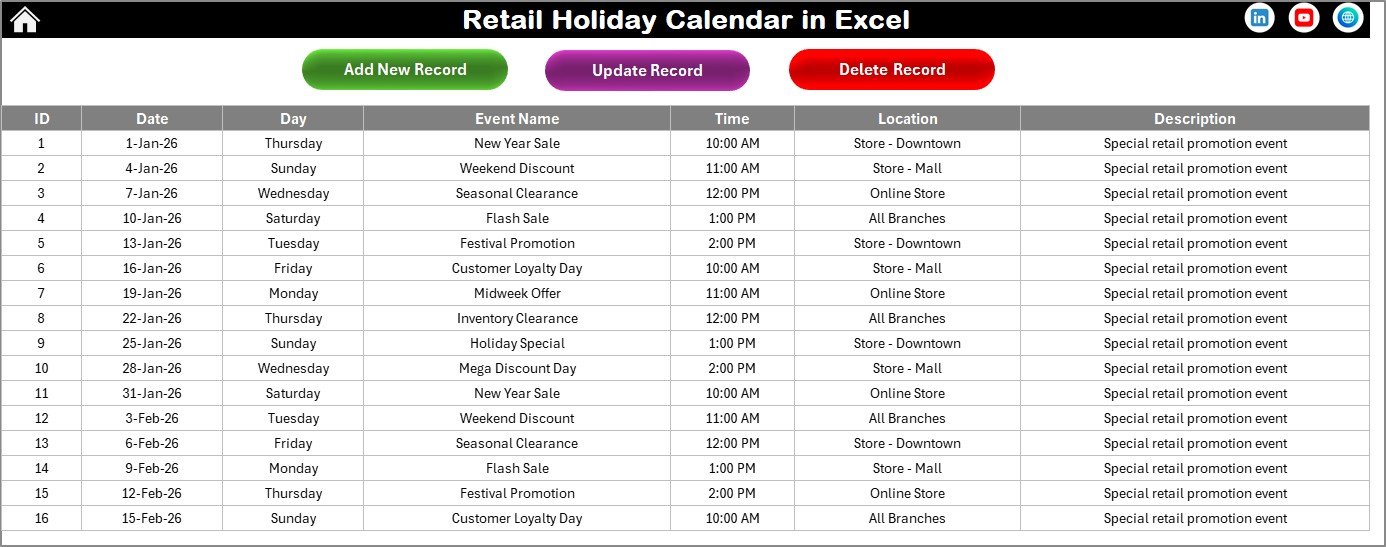
The Events sheet stores all holiday and event data used across the calendar.
Event Information Captured
The Events sheet captures:
-
ID – Auto-generated event number
-
Date – Event date
-
Day – Day of the week
-
Event Name – Holiday or event name
-
Time – Event time
-
Location – Event location
-
Description – Short event description
Because of this structure, event data stays clean and organized.
Event Management Buttons
At the top of the Events sheet, users get three control buttons.
Add New Record
Add a new holiday or event using the event form.
Update Existing Record
Select an event ID, open the form with prefilled data, and update details.
Delete Record
Select an event ID and delete the record safely.
How Retail Holiday Calendar in Excel Improves Planning
This calendar improves retail planning by combining visibility, control, and flexibility.
First, it centralizes holiday information.
Second, it supports long-term and short-term planning.
Third, it simplifies event management.
Finally, it reduces planning errors.
Because everything stays in one Excel file, coordination improves across teams.
Click to Purchases Retail Holiday Calendar in Excel
Advantages of Retail Holiday Calendar in Excel
Using this calendar provides several benefits.
Centralized Holiday Management
All retail holidays and events stay in one place.
Easy to Use
Because it works in Excel, users do not need technical training.
Visual Planning
Annual, monthly, and daily views improve clarity and understanding.
Customizable and Flexible
Themes, week start days, and highlights adjust easily.
Better Event Coordination
Clear event visibility reduces conflicts and missed dates.
Cost-Effective Solution
This Excel-based calendar works without subscriptions or additional software.
Click to Purchases Retail Holiday Calendar in Excel
Best Practices for Retail Holiday Calendar in Excel
To get maximum value from this calendar, follow these best practices.
Update Events Regularly
Always add or update holidays as soon as changes occur.
Highlight Key Retail Days
Use highlight options for weekends, festivals, and peak sales days.
Review the Calendar Monthly
Monthly reviews help detect overlaps and planning gaps early.
Maintain Clean Event Descriptions
Short and clear event names improve readability.
Back Up the Workbook
Regular backups protect holiday data from accidental loss.
Who Should Use a Retail Holiday Calendar in Excel?
This calendar suits many retail roles, including:
-
Retail store managers
-
Operations teams
-
Sales planners
-
HR and staffing teams
-
Franchise owners
-
Small and medium retail businesses
Because of its flexible design, it adapts easily to different retail formats.
Common Use Cases of Retail Holiday Calendar
Retail teams can use this calendar for:
-
Public holiday planning
-
Store closure schedules
-
Sales campaigns
-
Promotional events
-
Staffing and shift planning
Conclusion: Why Use a Retail Holiday Calendar in Excel?
A Retail Holiday Calendar in Excel simplifies holiday and event planning for retail businesses. Instead of relying on static lists, teams gain a dynamic, visual, and interactive planning tool.
With features like annual, monthly, and daily views, event forms, highlight controls, and a centralized event database, this calendar improves accuracy, coordination, and efficiency.
If you want better visibility and control over retail holidays, this Excel calendar is a practical and powerful solution.
Frequently Asked Questions (FAQs)
What is a Retail Holiday Calendar in Excel?
It is an Excel-based calendar used to manage retail holidays and events across annual, monthly, and daily views.
Can I add multiple events on the same date?
Yes, you can add multiple holidays or events on the same date.
Does the calendar update automatically?
Yes, the calendar updates dynamically based on selected year, month, and settings.
Can I customize the calendar theme?
Yes, you can choose from five color themes for the entire workbook.
Do I need advanced Excel skills to use it?
No, basic Excel knowledge is enough to use this calendar.
Is this calendar suitable for small retail stores?
Yes, both small and large retail businesses can use it effectively.
Can I update or delete events later?
Yes, you can easily update or delete events from the Events sheet.
Click to Purchases Retail Holiday Calendar in Excel
Visit our YouTube channel to learn step-by-step video tutorials