Managing retail projects demands precision, visibility, and timely execution. From store launches and promotional campaigns to inventory audits and seasonal sales, every activity follows a strict timeline. However, many retail teams still rely on scattered Excel sheets, emails, or manual reminders. As a result, deadlines slip, teams miss updates, and project visibility suffers.
That is exactly where a Retail Project Calendar in Excel becomes a powerful solution.
In this detailed guide, you will learn what a Retail Project Calendar in Excel is, how it works, its worksheets and features, advantages, best practices, and frequently asked questions. By the end of this article, you will clearly understand how this ready-to-use Excel calendar helps retail teams plan, organize, and manage projects efficiently.
Click to Purchases Retail Project Calendar in Excel
What Is a Retail Project Calendar in Excel?
A Retail Project Calendar in Excel is a structured, interactive, and ready-to-use calendar template designed specifically for retail project planning and event tracking.
Instead of managing multiple files or tools, this calendar allows retail managers, planners, and operations teams to:
-
Plan retail projects by date, month, and year
-
Track store-level and corporate-level events
-
View schedules in annual, monthly, and daily formats
-
Add, update, and delete events using simple forms
-
Maintain a centralized events database
Moreover, since the solution runs entirely in Excel, teams do not need advanced tools or software. Anyone with basic Excel knowledge can use it comfortably.
Why Do Retail Businesses Need a Project Calendar in Excel?
Retail businesses operate in a fast-moving environment. Therefore, even small delays can impact revenue, customer experience, and operational efficiency.
A Retail Project Calendar in Excel helps because:
-
It centralizes all retail events in one place
-
It improves visibility across teams
-
It reduces dependency on emails and manual follow-ups
-
It ensures deadlines stay visible and actionable
Additionally, Excel remains a familiar tool for most retail teams. As a result, adoption becomes quick and smooth.
How Does the Retail Project Calendar in Excel Work?
The Retail Project Calendar in Excel works through five interconnected worksheets. Each worksheet serves a unique purpose, while all of them connect to a single events database.
Let’s explore each sheet in detail.
Click to Purchases Retail Project Calendar in Excel
What Is the Home Sheet in the Retail Project Calendar?
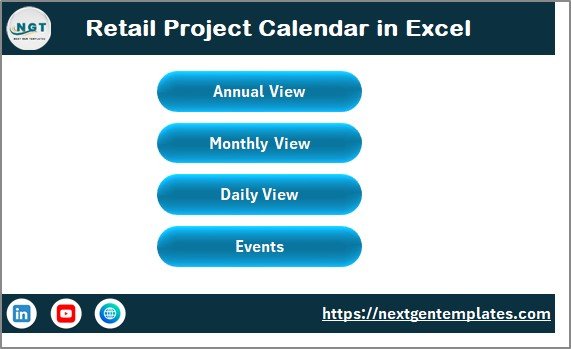
The Home Sheet acts as the navigation hub of the entire calendar.
Key Purpose of the Home Sheet
-
Provides a clean index for easy navigation
-
Allows users to jump to any major section instantly
-
Improves usability for non-technical users
Buttons Available on the Home Sheet
The Home sheet includes four clearly visible buttons:
-
Annual View – Opens the yearly calendar
-
Monthly View – Opens the selected month calendar
-
Daily View – Shows events in list format
-
Events – Opens the events database
Because of this design, users do not need to search for sheets manually. Instead, they can navigate with one click.
What Is the Annual View Sheet and How Does It Help?
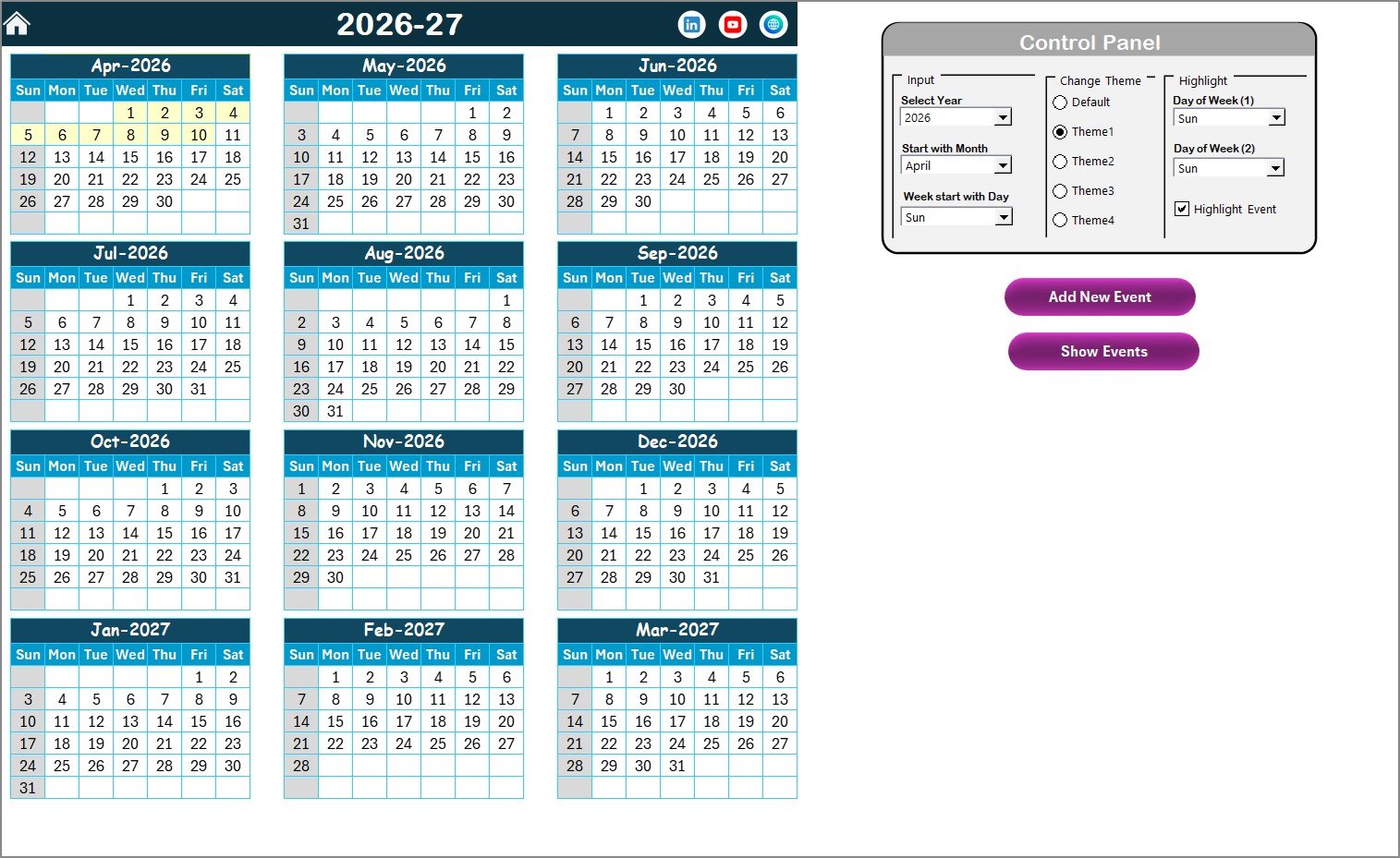
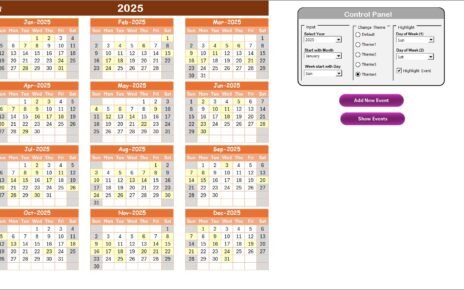
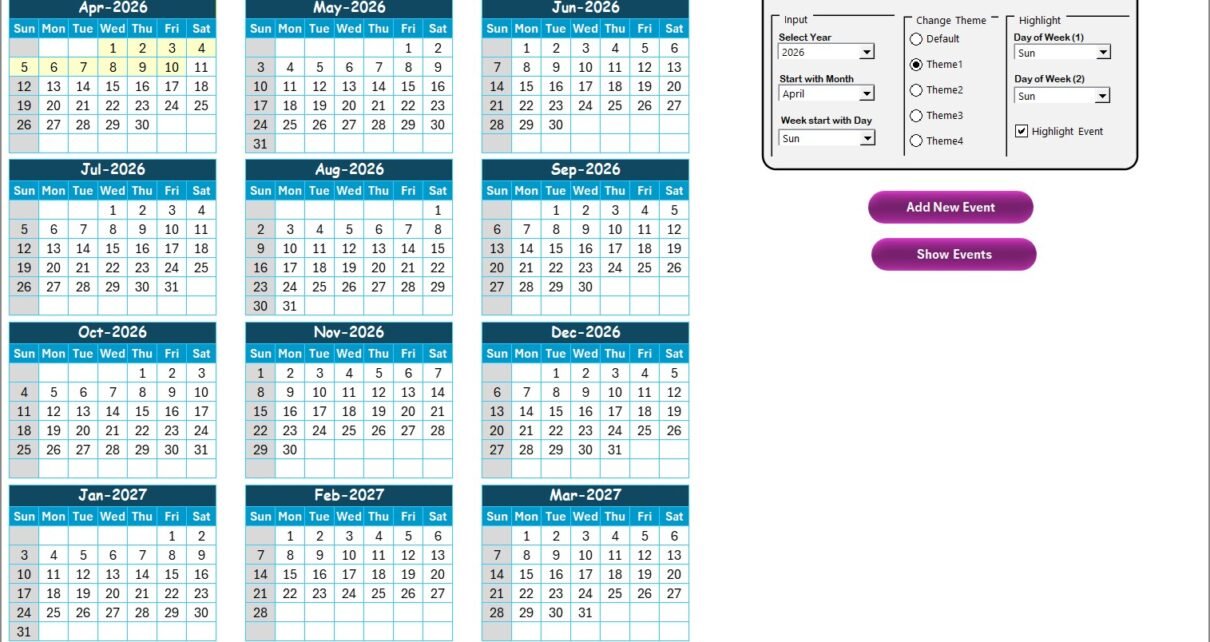
The Annual View Sheet displays a complete 12-month calendar on a single screen.
Why Is the Annual View Important?
Retail managers often plan long-term initiatives such as:
-
Store openings
-
Festival promotions
-
Sales campaigns
-
Inventory planning cycles
Therefore, a yearly overview helps teams align activities across months.
What Control Panel Features Are Available in the Annual View?
The Annual View Sheet includes a powerful Control Panel, divided into three functional groups.
Input Group – How Can You Customize the Calendar?
Using the Input Group, you can:
-
Select the Year to update the calendar instantly
-
Change the starting month of the calendar
-
Modify the starting day of the week
As a result, the calendar adapts automatically without manual edits.
Change Theme Group – How Can You Apply Visual Themes?
Visual clarity improves usability. Therefore, this calendar provides five predefined color themes.
You can:
-
Select any theme
-
Apply it instantly across the entire workbook
This feature helps teams align the calendar with brand colors or personal preferences.
Highlight Group – How Can You Highlight Specific Days or Events?
The Highlight Group helps draw attention to important dates.
You can:
-
Highlight Day of Week (1) and Day of Week (2)
-
Mark weekends such as Saturday and Sunday in grey
-
Enable Highlight Event option to show events in yellow
As a result, important days stand out clearly in the annual view.
What Do the Buttons on the Annual View Do?
The Annual View Sheet includes two action buttons.
Add New Event Button
-
Select any date on the calendar
-
Click Add New Event
-
Fill the event details in the form
-
Submit the form
The event instantly appears on the selected date.
Show Event Button
-
Select a date
-
Click Show Event
-
View the list of events scheduled for that date
This feature improves quick event visibility.
Click to Purchases Retail Project Calendar in Excel
How Does the Monthly View Sheet Work?
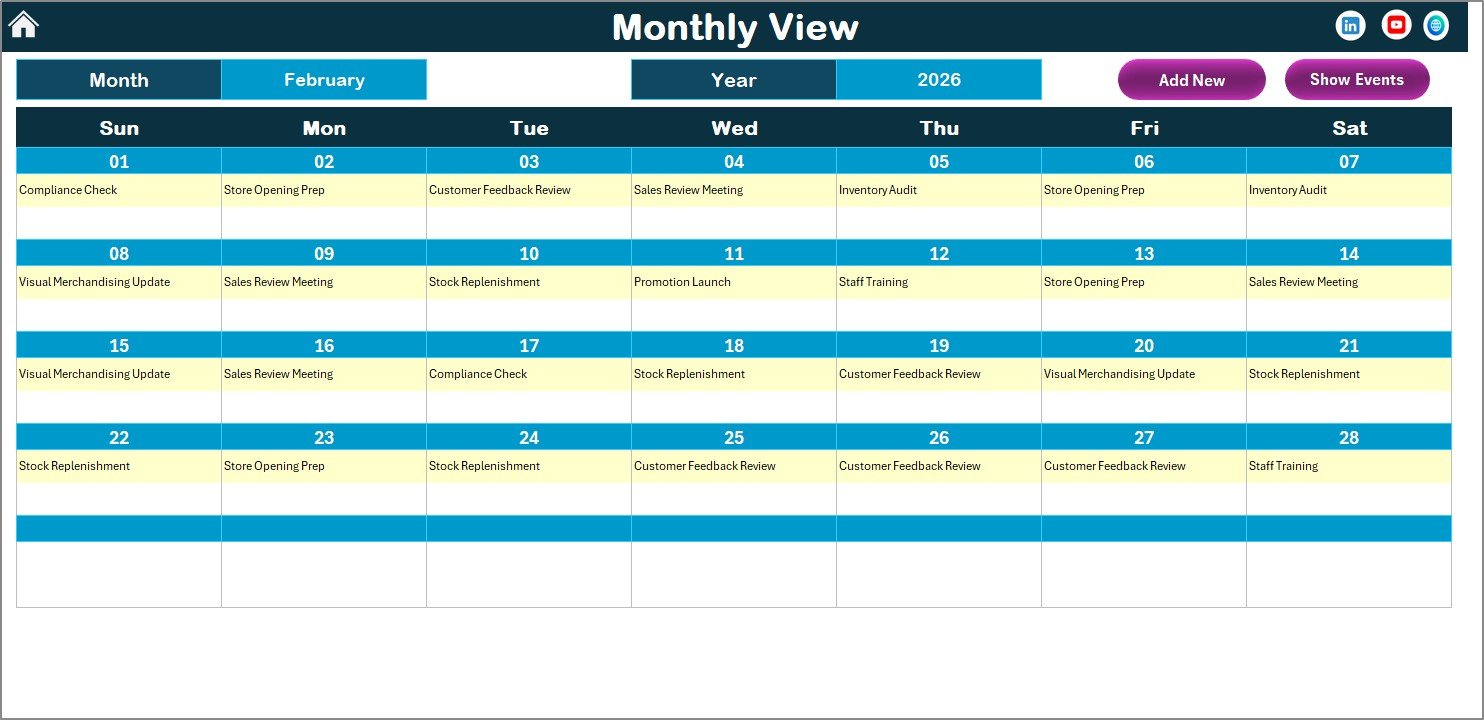
The Monthly View Sheet focuses on a single month at a time.
Why Is Monthly View Useful?
Retail teams often need short-term planning for:
-
Monthly sales targets
-
Campaign execution
-
Store audits
-
Staff scheduling
Therefore, the monthly calendar provides a focused and clutter-free view.
How Can You Control the Monthly Calendar?
At the top of the Monthly View Sheet, you can:
-
Select the Month
-
Select the Year
The calendar updates automatically based on your selection.
How Are Events Displayed in Monthly View?
-
The calendar displays one event per date directly
-
If a date contains multiple events, the cell shows “more than 1…”
This approach keeps the layout clean while still indicating activity.
What Buttons Are Available in the Monthly View?
The Monthly View includes two buttons:
Add New Event Button
-
Select a date
-
Click the button
-
Fill the form
-
Submit
The event immediately reflects in the monthly calendar.
Show Event Button
-
Select a date
-
Click Show Event
-
View all events for that date
This improves day-specific planning.
Click to Purchases Retail Project Calendar in Excel
What Is the Daily View Sheet and When Should You Use It?
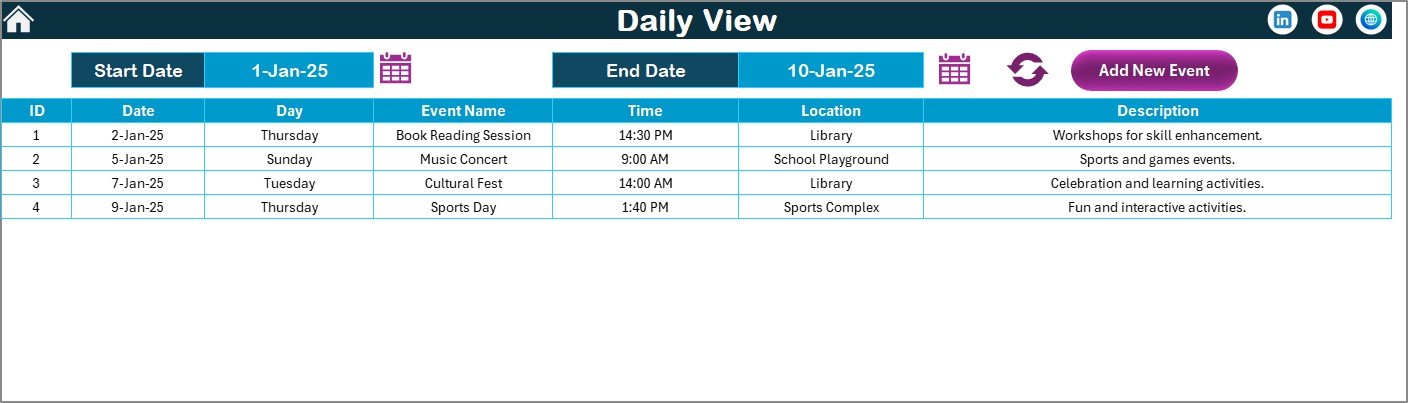
The Daily View Sheet shows events in a list format instead of a calendar grid.
Why Is Daily View Important?
Daily View works best when:
-
Reviewing event details
-
Tracking multiple events across dates
-
Preparing execution-level action lists
How Does Date Range Selection Work?
At the top of the Daily View Sheet, you can:
-
Select Start Date
-
Select End Date
-
Use the calendar icons for easy selection
-
Click Refresh to load data
The sheet then displays all events within the selected date range.
How Can You Add Events from Daily View?
The Daily View also includes an Add New Event button.
-
Click the button
-
Fill the event form
-
Submit
The event instantly updates in the list.
What Is the Events Sheet and Why Is It Critical?
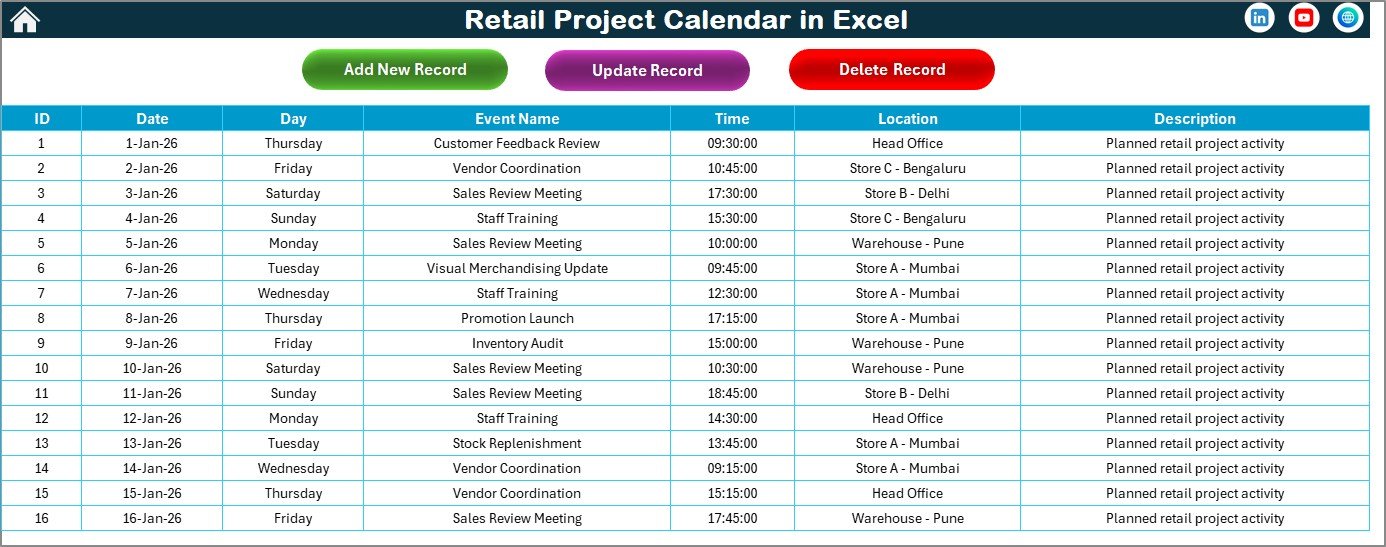
The Events Sheet acts as the database for the entire calendar.
Every view pulls data from this sheet.
What Information Does the Events Sheet Store?
The Events Sheet captures the following columns:
-
ID – Auto-generated unique number
-
Date – Event date
-
Day – Day name (Sunday, Monday, etc.)
-
Event Name – Title of the event
-
Time – Event time
-
Location – Event location
-
Description – Short event description
Because of this structure, the data remains clean and consistent.
What Buttons Are Available on the Events Sheet?
At the top of the Events Sheet, you will find three action buttons.
Add New Record Button
-
Opens the Add Event form
-
Allows entry of new event details
-
Saves data directly into the database
Update Existing Record Button
-
Select the event ID
-
Click Update
-
Modify details in the prefilled form
-
Submit to save changes
Delete Record Button
-
Select the event ID
-
Click Delete
-
Remove the event permanently
These controls ensure complete data management from one place.
Advantages of Retail Project Calendar in Excel
Using a Retail Project Calendar in Excel delivers several practical benefits.
Key Advantages
-
Centralized project and event tracking
-
Multiple views for better planning
-
Easy navigation using buttons
-
No dependency on external software
-
Customizable themes and highlights
-
User-friendly event forms
-
Scalable for small and large retail teams
Moreover, since Excel remains widely used, training requirements stay minimal.
Click to Purchases Retail Project Calendar in Excel
Who Can Use a Retail Project Calendar in Excel?
This calendar suits multiple retail roles, such as:
-
Retail Project Managers
-
Store Operations Managers
-
Visual Merchandising Teams
-
Marketing and Promotions Teams
-
Supply Chain Coordinators
-
Corporate Retail Planning Teams
Because of its flexibility, teams can adapt it for various retail use cases.
Best Practices for Using a Retail Project Calendar in Excel
Following best practices ensures maximum value from the calendar.
1. Maintain Clean Event Data
-
Keep event names short and clear
-
Use consistent naming conventions
-
Avoid duplicate entries
2. Update Events Regularly
-
Add events as soon as plans finalize
-
Update changes immediately
-
Remove outdated records
3. Use Highlighting Wisely
-
Highlight weekends consistently
-
Use event highlighting only for key activities
-
Avoid excessive color usage
4. Review Calendar Weekly
-
Conduct weekly calendar reviews
-
Align teams on upcoming tasks
-
Address conflicts early
5. Protect the Workbook
-
Lock formulas and layouts
-
Allow editing only in data areas
-
Save backups regularly
These practices improve reliability and long-term usability.
How Does This Calendar Improve Retail Project Execution?
A Retail Project Calendar in Excel improves execution because it:
-
Enhances visibility across timeframes
-
Reduces missed deadlines
-
Improves team coordination
-
Supports proactive planning
As a result, retail teams gain better control over complex project schedules.
Click to Purchases Retail Project Calendar in Excel
Conclusion: Is a Retail Project Calendar in Excel Worth Using?
Absolutely.
A Retail Project Calendar in Excel provides a simple yet powerful way to manage retail projects and events. With annual, monthly, and daily views, centralized event storage, and user-friendly controls, this calendar removes complexity from planning.
Instead of juggling multiple files or tools, retail teams can rely on one structured Excel solution. As a result, planning becomes clearer, execution becomes smoother, and outcomes improve consistently.
Frequently Asked Questions (FAQs)
What is a Retail Project Calendar in Excel used for?
A Retail Project Calendar in Excel helps plan, track, and manage retail projects and events across daily, monthly, and yearly timelines.
Can I customize the year and starting day in the calendar?
Yes, you can change the year, starting month, and starting day of the week using the control panel.
Can I add multiple events on the same date?
Yes, the calendar supports multiple events on the same date. Monthly view shows an indicator, while daily view lists all events.
Does this calendar require advanced Excel skills?
No, the calendar works with basic Excel knowledge. Buttons and forms simplify all actions.
Can I update or delete existing events?
Yes, you can update or delete events directly from the Events Sheet using dedicated buttons.
Is this calendar suitable for large retail teams?
Yes, the centralized structure and multiple views make it suitable for both small and large retail operations.
Click to Purchases Retail Project Calendar in Excel
Visit our YouTube channel to learn step-by-step video tutorials