Introduction
The Community Management KPI Scorecard is a powerful, ready-to-use template designed to help organizations efficiently track and analyze community management performance. By leveraging this customizable scorecard, community managers can easily measure key performance indicators (KPIs), monitor trends, and drive strategic decisions to enhance community engagement and growth.
Key Features of Community Management KPI Scorecard
- Four comprehensive worksheets: Scorecard Sheet, KPI Trend Sheet, Input Data Sheet, and KPI Definition Sheet.
- Interactive dropdown menus: Quickly filter data by month, Month-to-Date (MTD), and Year-to-Date (YTD) for detailed performance analysis.
- Actual vs Target comparisons: Easily evaluate how actual outcomes measure up against set goals for each KPI.
- Visual indicators: Intuitive color-coded formatting and charts for quick assessment of KPI status.
- KPI definitions and formulas: Clarifies metrics ensuring consistent understanding and usage across teams.
- Trend analyses: Historical views for MTD and YTD data with previous year comparisons to identify performance patterns.
Dashboard Pages Explanation
1. Scorecard Sheet
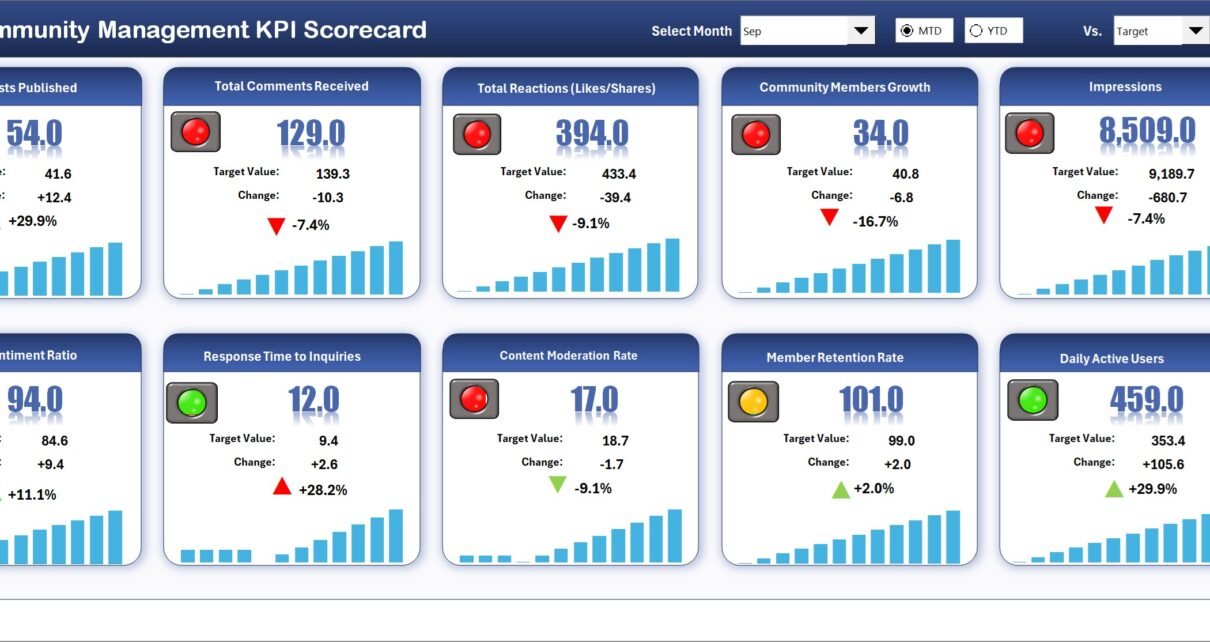
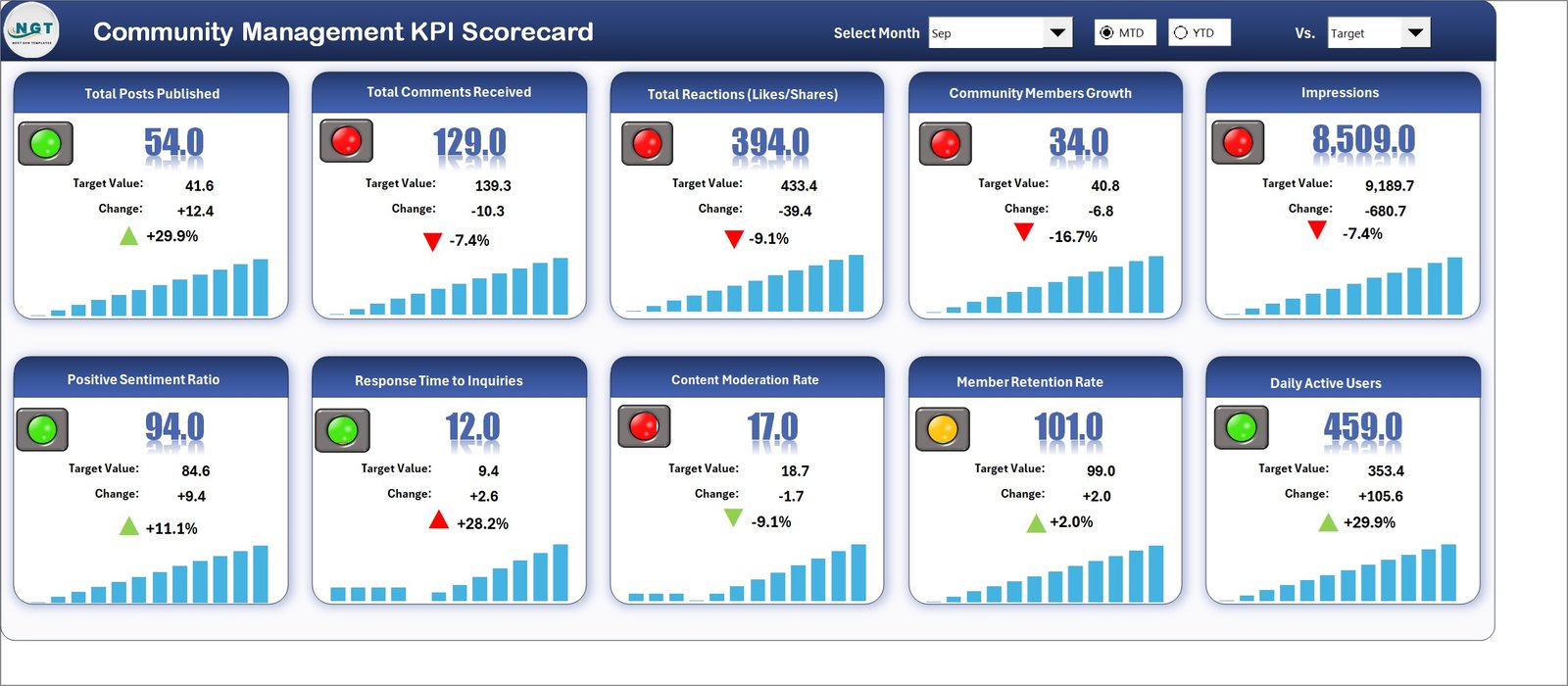
The Scorecard Sheet serves as the central hub to view and analyze KPI performance comprehensively.
- Dropdown Menus: Select the relevant month and toggle between MTD and YTD analyses.
- Actual vs Target Values: Directly compare how KPIs are performing against established benchmarks.
- Visual Indicators: Benefit from conditional formatting and color-coded visuals that immediately highlight performance status.
- Comprehensive KPI Overview: Displays all critical KPI data including MTD and YTD metrics to facilitate quick decision-making.
2. KPI Trend Sheet
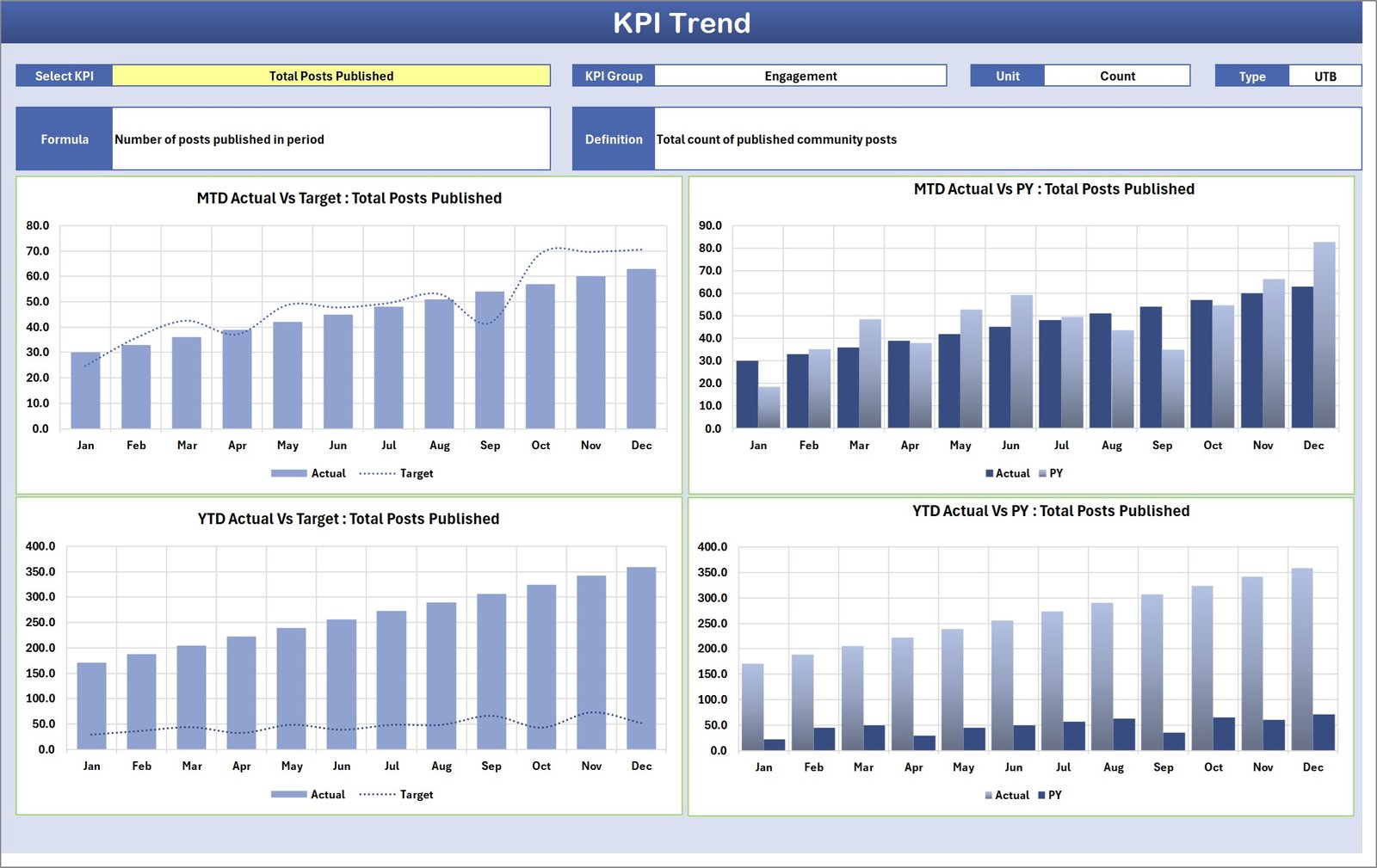
This sheet allows dynamic selection of KPIs using the dropdown on cell C3 to explore deeper insights.
- KPI Details: See KPI Group, Unit of KPI, KPI type (whether lower or upper values are better), formula, and definitions all in one place.
- Trend Charts: Visualize MTD and YTD progress with charts showing Actual, Target, and Previous Year (PY) data.
3. Input Data Sheet
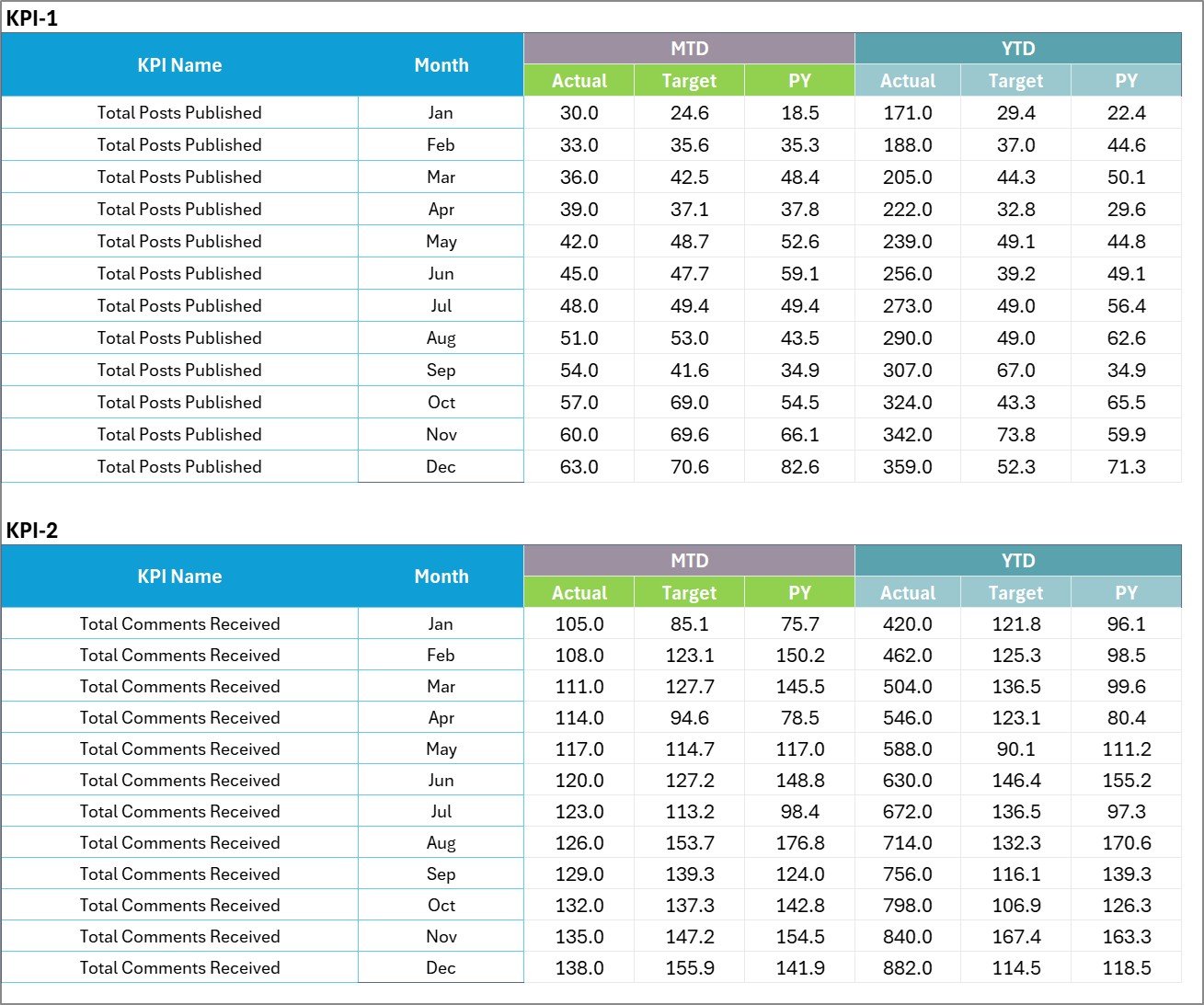
The Input Data Sheet is the foundation where you input all KPI-related data.
- Data Entry: Record actual KPI values, targets, and supporting metrics accurately.
- Flexibility: Update entries easily to keep the scorecard relevant as new results are obtained.
Input Data Sheet
4. KPI Definition Sheet
This sheet provides a structured space to define each KPI, ensuring clarity and consistency across teams.
- Enter KPI Name, Group, Unit, the Formula used for calculation, and detailed Definition.
- Helps maintain uniform standards for KPI measurements within the organization.

Advantages of Community Management KPI Scorecard
- Improved visibility: Centralizes KPI data in one interactive dashboard, making monitoring simple.
- Time-saving: Automated visuals and comparisons speed up analysis and reporting.
- Better decision-making: Clear performance insights facilitate timely strategy adjustments.
- Customization: The flexible template allows addition or removal of KPIs as per evolving needs.
- Consistent reporting: Uniform KPI definitions reduce misinterpretations and errors.
Opportunities for Improvement
- Integration with real-time data: Future developments could focus on automating data feeds for real-time updates.
- Enhanced visualization options: Adding interactive dashboards or advanced chart types to improve data storytelling.
- Mobile accessibility: Creating mobile-friendly layouts would make the scorecard accessible on the go.
- User permissions: Incorporating multi-user access control to secure sensitive data.
Best Practices
- Regular Updates: Input data promptly to keep analyses relevant and accurate.
- Clear KPI Selection: Choose KPIs that directly support your community’s goals and objectives.
- Use Visual Indicators Effectively: Leverage color-coding and charts to quickly highlight key trends and areas of concern.
- Collaborate Across Teams: Share the scorecard with stakeholders to drive collective accountability.
- Review and Refine: Periodically evaluate KPIs and update definitions for continuous improvement.
FAQs
Click to Buy Community Management KPI Scorecard
What is the primary purpose of the Community Management KPI Scorecard?
Its primary purpose is to monitor and evaluate the performance of various community management activities through defined KPIs in a centralized and efficient manner.
Can this scorecard be customized for other departments?
Yes. While built for community management, the structure and design allow customization to fit different departmental KPI tracking needs.
How often should the KPI data be updated?
Ideally, data should be updated monthly or as frequently as new data is available to maintain accuracy in performance tracking.
Is prior Excel knowledge required to use this scorecard?
Basic familiarity with Excel will help, but the scorecard is designed to be user-friendly with dropdowns and clear instructions.
Conclusion
Click to Buy Community Management KPI Scorecard
The Community Management KPI Scorecard is an essential tool for leaders aiming to streamline their performance tracking and foster community growth. Its comprehensive yet flexible design enables detailed monitoring and insightful trend analysis. By adopting this scorecard, your organization can make informed decisions, prioritize initiatives effectively, and enhance your community engagement strategically.
For further learning and a detailed walkthrough, explore Microsoft Excel features here to enhance your scorecard usage.
Visit our YouTube channel to watch the demo.
Click to Buy Community Management KPI Scorecard