Laboratories often look organized from the outside, but one missed room booking can disrupt a whole practical session. A lab session booking calendar in Excel gives coordinators a familiar place to plan dates, locations, times and session details without paying for a full scheduling SaaS tool. This workbook is designed for Excel for Windows desktop and uses macros for navigation, event forms and record management.
The template ships with 100 sample lab-session records, annual and monthly calendar views, a daily event list, a this-month summary and an editable Events database. It is a practical Excel booking calendar for education teams that want a fast scheduling file rather than a complicated booking portal.
Key Features of Lab Session Booking Calendar in Excel
- Annual View for scanning booked lab dates across all 12 months.
- Monthly View with month and year selectors plus visible lab events inside the calendar grid.
- Daily View for checking sessions between a selected start date and end date.
- This Month Summary for events this month, active days, locations used, next 7 days and top locations.
- Events database with ID, date, day, event name, time, location and description fields.
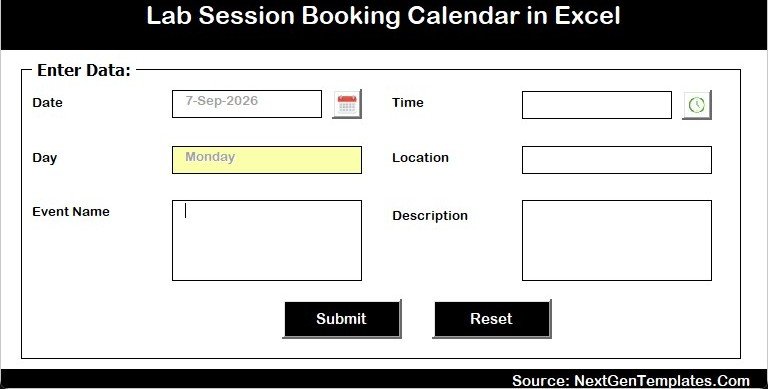
- Add New Record form for guided entry inside a macro-enabled Excel workbook.
Workbook Pages Explanation
Home Sheet
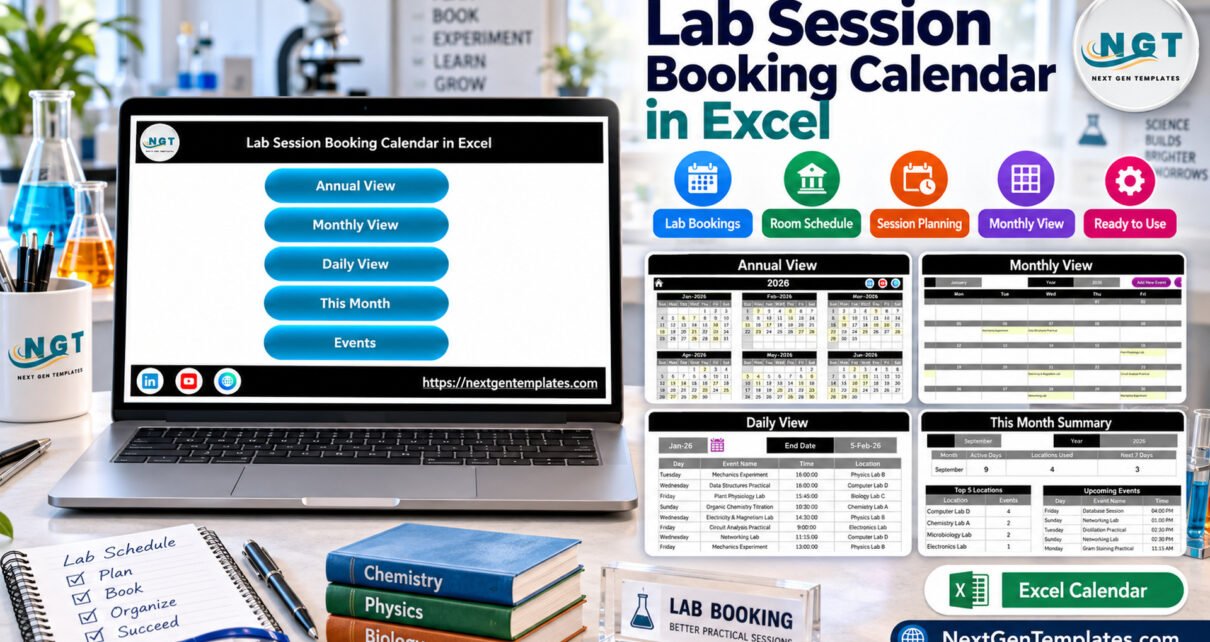
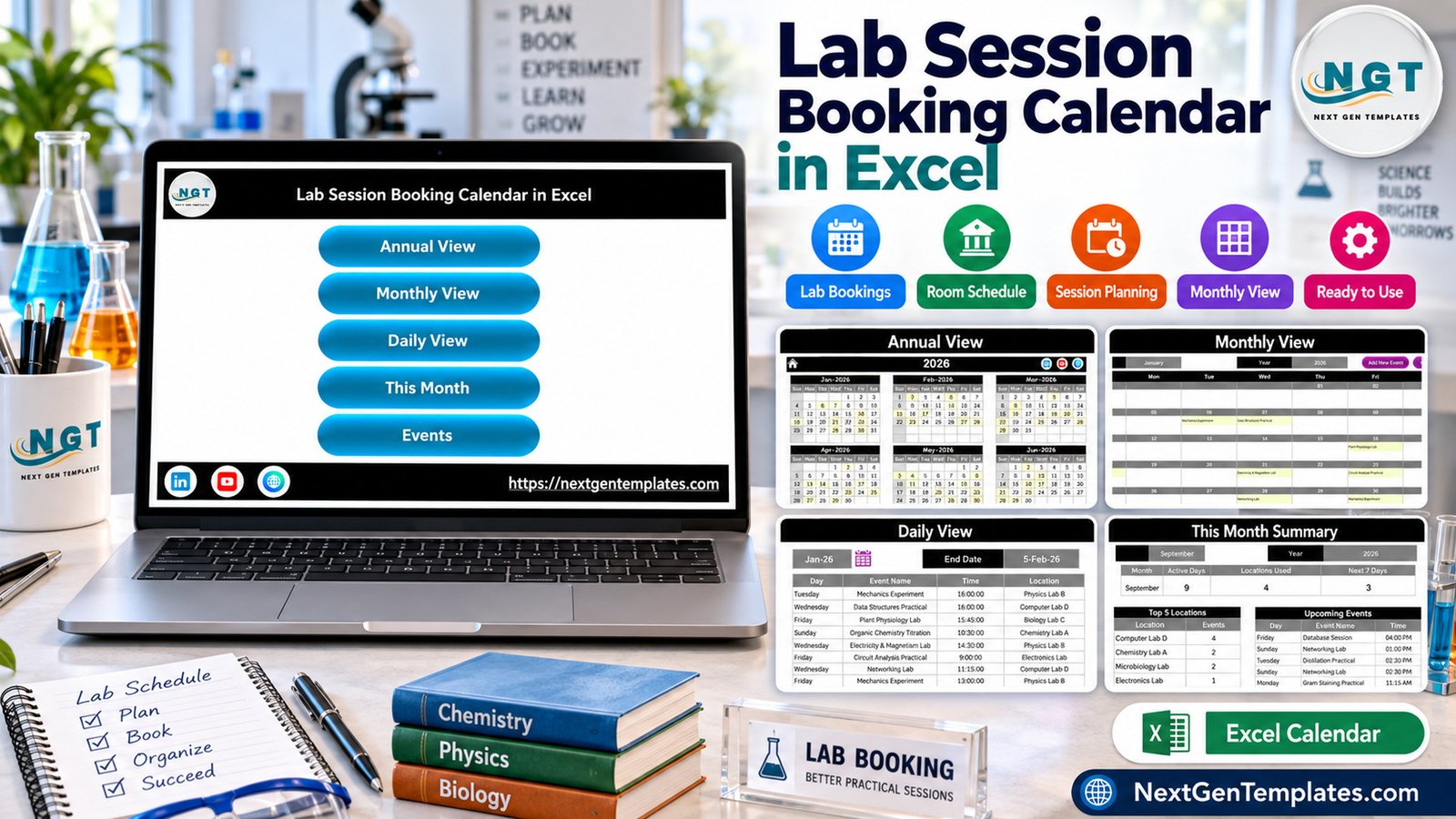
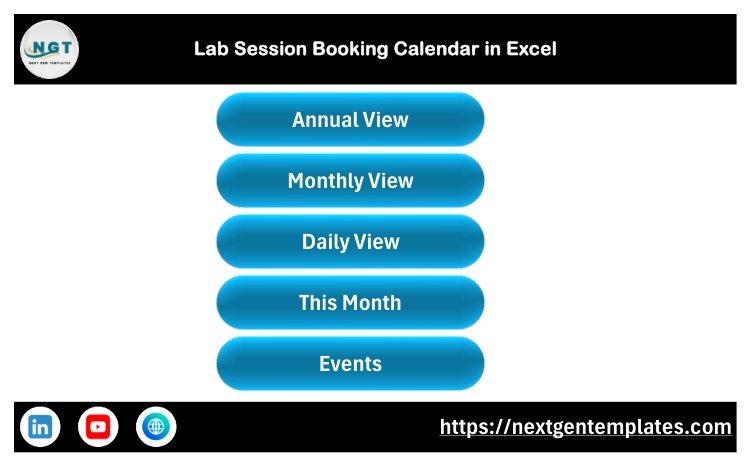
The Home sheet is a navigation screen with buttons for Annual View, Monthly View, Daily View, This Month and Events. It keeps the workbook simple for users who do not want to hunt through sheet tabs.
Annual View
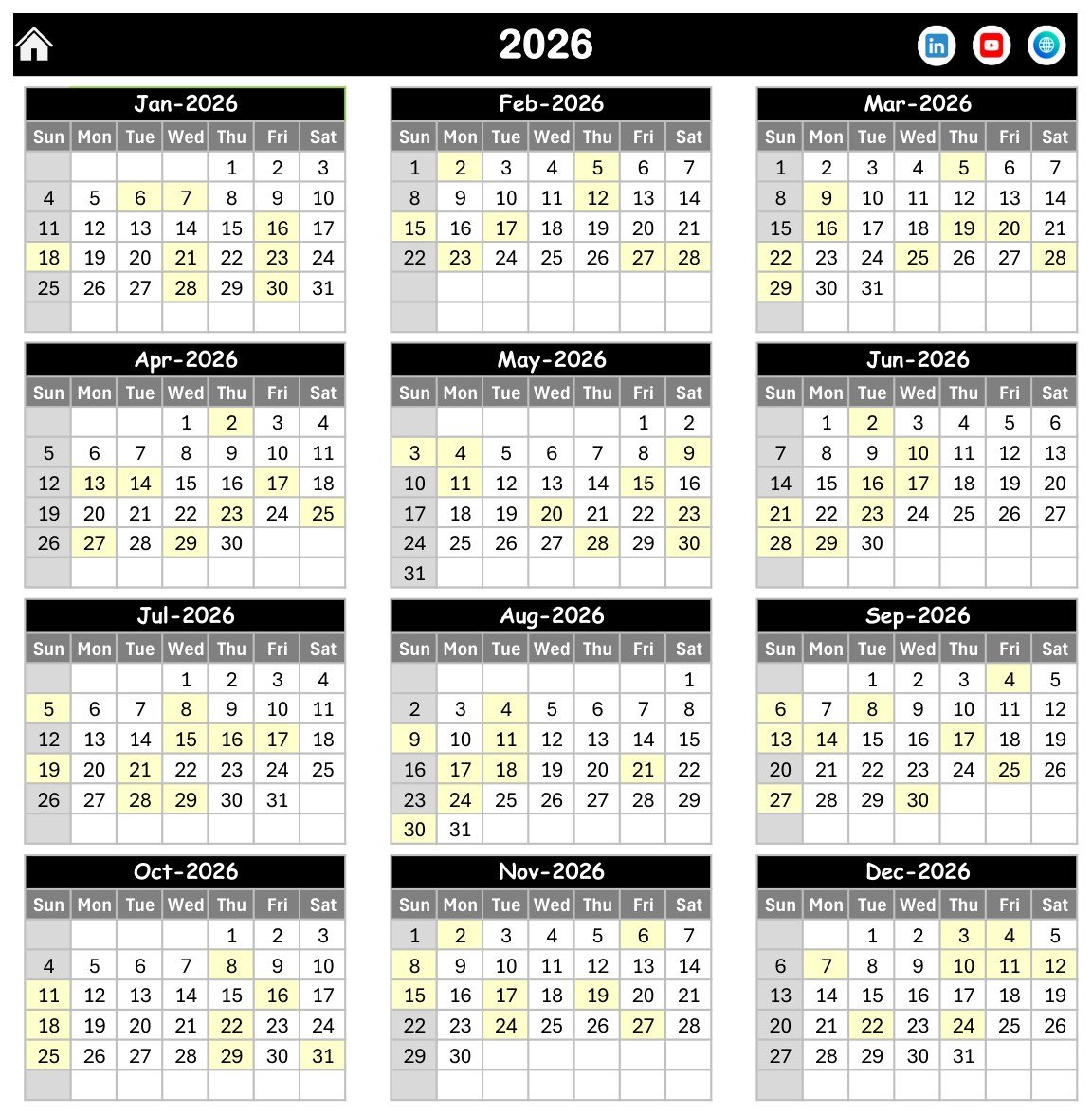
The Annual View displays the full year in a 12-month layout. Highlighted cells show dates with lab sessions, making this Excel calendar template useful for semester-level planning.
Monthly View
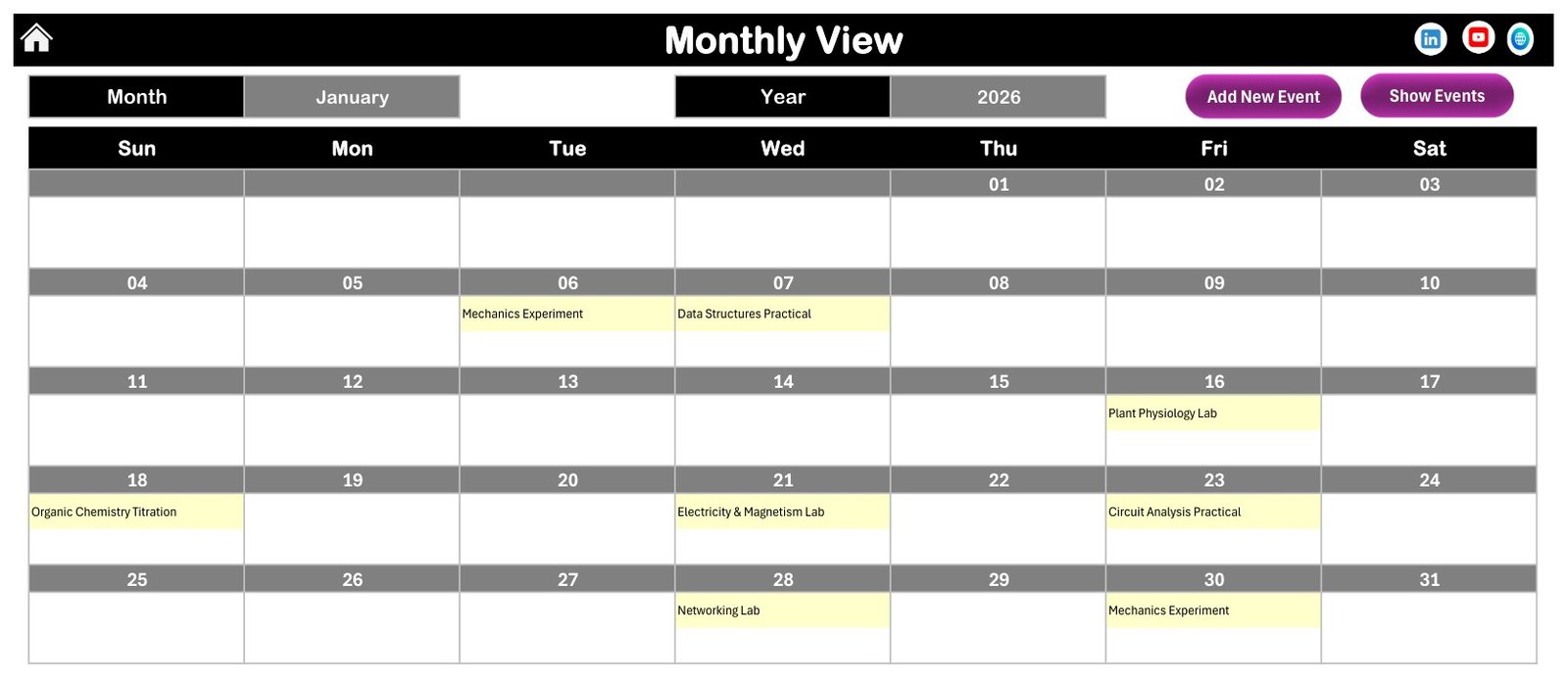
The Monthly View shows the selected month and year. Sample events such as Mechanics Experiment, Data Structures Practical and Plant Physiology Lab appear directly inside date cells.
Daily View
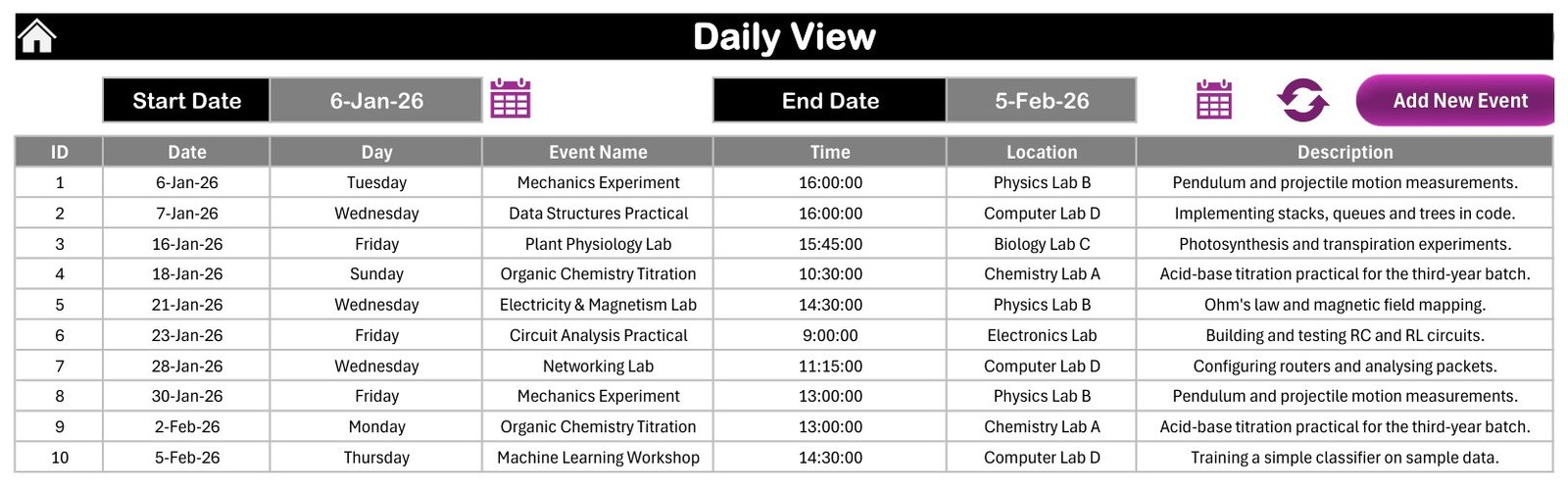
The Daily View lists sessions between a chosen start date and end date. It shows event name, time, location and description in a table, which helps coordinators prepare room assignments and materials.
This Month Summary
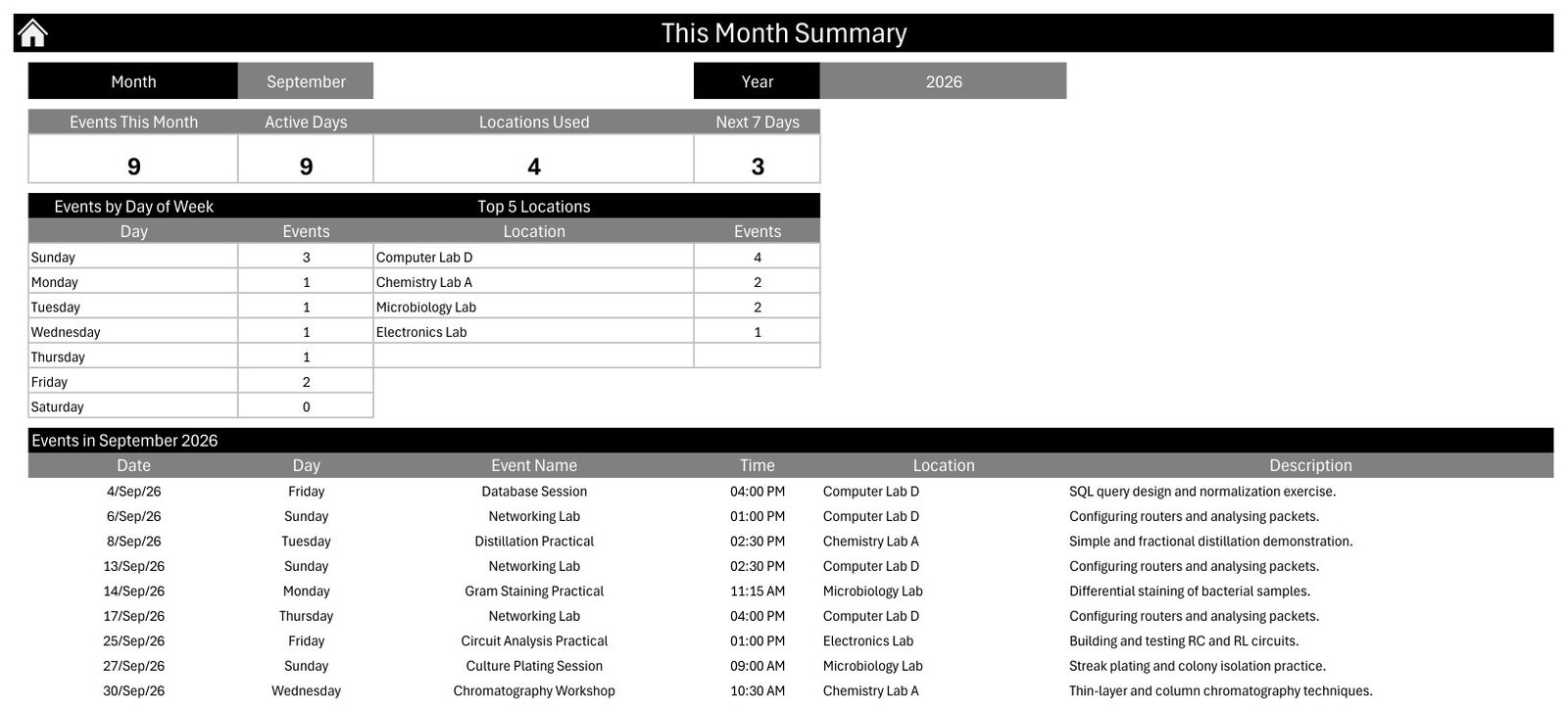
This Month Summary gives a compact operating view: events this month, active days, locations used, next 7 days, event counts by day of week, top locations and upcoming sessions.
Events Sheet and Entry Form
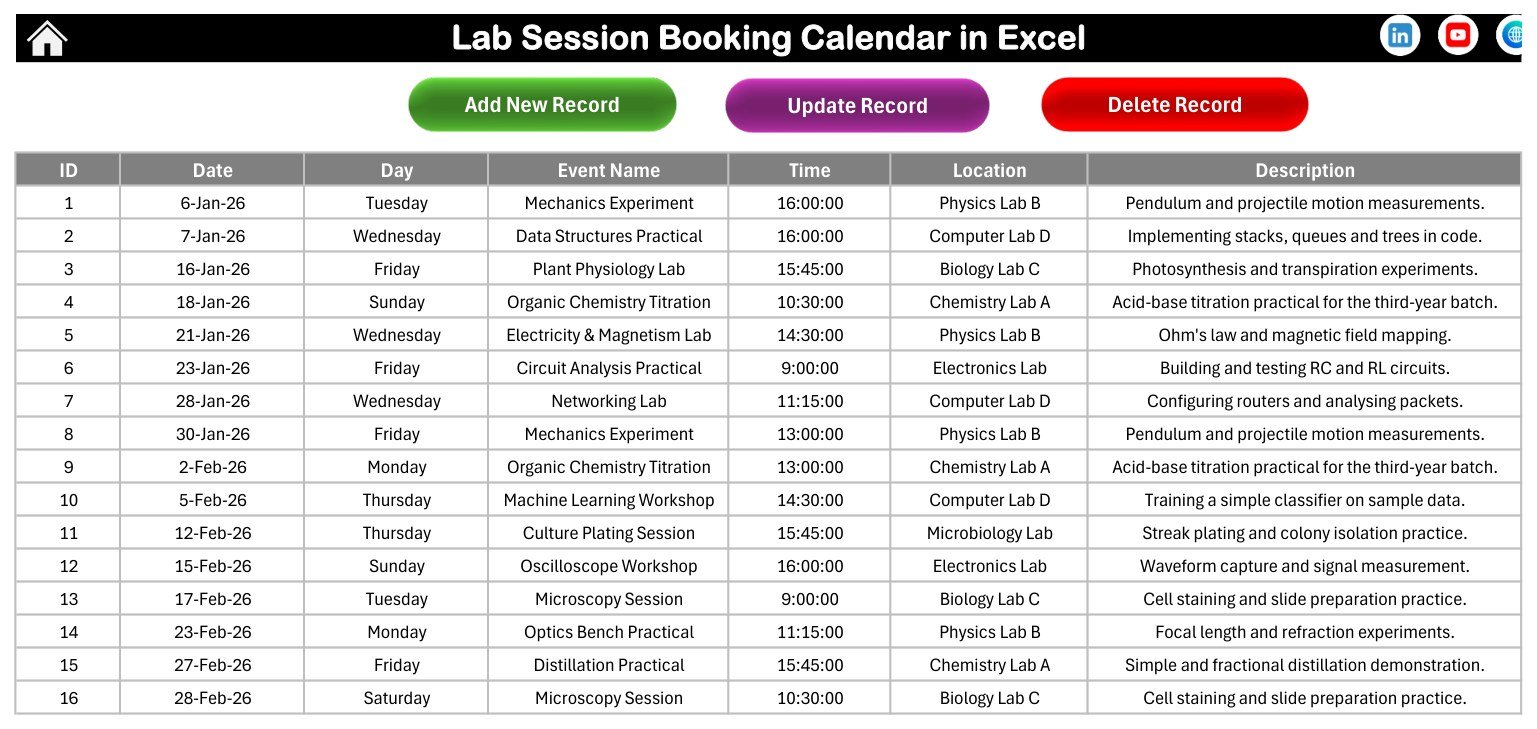
The Events sheet is the database behind the lab session calendar. Users can edit records directly or use the entry form to submit a date, time, lab location, event name and description.
Lab Session Booking Calendar in Excel vs. Google Sheets vs. Paid CRM/SaaS – Feature Comparison
| Feature | This Excel template | Google Sheets alternative | Paid SaaS scheduler |
|---|---|---|---|
| Platform | Excel for Windows desktop | Browser-based spreadsheet | Hosted cloud software |
| Macros and forms | Included; macros must be enabled | No VBA macros | Vendor-specific forms |
| Setup time | Open, enable macros and replace sample events | Requires building views and formulas | Requires configuration and user setup |
| Offline-friendly | Yes, once downloaded | Limited without internet | No, usually internet required |
| Room booking enforcement | Manual review through visible schedule | Manual unless custom scripts are added | Often built in |
| Year-1 cost at 5 users | One-time template price | Low subscription cost, higher build time | Usually the highest option |
Who Should Use This Template
This lab scheduling template is useful for school science departments, college lab coordinators, training centers, computer labs and small research teams that prefer Excel. It works best when one coordinator or a small admin team owns the file and updates the schedule centrally.
It is not a public online booking system. It does not collect booking requests from students, send reminders, apply approval workflows or prevent double booking automatically. For those needs, a dedicated SaaS scheduler or custom web app will be stronger.
Real-World Use Cases
College practical planning: a department assistant uses the lab session calendar to schedule physics, chemistry, biology and computer lab sessions across the semester.
Training institute room planning: an operations coordinator books workshop sessions, machine-learning labs and networking labs by date, time and location.
Science faculty coordination: teachers review the Monthly View before confirming lab availability for upcoming experiments.
Advantages of Lab Session Booking Calendar in Excel
The biggest advantage is familiarity. Most admins already understand Excel, so a macro-enabled Excel booking calendar can be adopted quickly. The workbook keeps planning, daily lookup and monthly summary inside one file, and the Events sheet remains editable for teams that want full control over their own data.
Another advantage is cost. Instead of subscribing to scheduling software, a team can start with a one-time downloadable template. The workbook also includes a user manual in the ZIP file, so a buyer is not left with only screenshots.
Opportunities for Improvement
The workbook is intentionally focused on scheduling visibility. It could be extended with conflict checks, instructor fields, equipment fields, recurring session generation, automated reminders or import/export macros. Those additions are outside this product, so buyers should treat it as a clean Excel calendar template rather than a full booking platform.
Best Practices
- Keep one master copy and back it up before large schedule changes.
- Use consistent lab names so the This Month Summary groups locations cleanly.
- Enable macros only after confirming the workbook came from your trusted purchase download. Microsoft explains macro security here: enable or disable macros in Microsoft 365 files.
- Review the Daily View before each lab week to spot timing or room issues.
- Use the Events sheet for bulk edits and the form for guided single-record entry.
A practical rollout is to keep the first week simple. Replace the sample locations with your actual lab names, enter one week of confirmed sessions, and check the Monthly View and Daily View before loading the full semester. This small test helps you confirm that your location labels, descriptions and time format are consistent. After that, the Events sheet can become the main database for future practical sessions.
For departments that run multiple subject streams, use a naming convention in the event name such as Physics Practical, Chemistry Lab, Computer Lab or Biology Lab. That makes the lab session calendar easier to scan, especially when the month has several practical classes on the same week. If your team also tracks instructor names, equipment requests or batch numbers, add those details into the description field rather than changing the core calendar layout on day one.
Explore Relevant Templates
You can download this product here: Lab Session Booking Calendar in Excel. For similar tools, explore the Excel calendar templates category on NextGenTemplates. PK readers can also browse Excel templates, Excel tips and Excel VBA tutorials.
- Maternity Ward Duty Calendar in Excel
- Clinical Trial Visit Calendar in Excel
- Exam Timetable Calendar in Excel
- School Bus Route Calendar in Excel
Frequently Asked Questions
Is this lab session booking calendar in Excel macro-enabled?
Yes. The workbook is macro-enabled and should be used in Microsoft Excel for Windows desktop. Enable macros for navigation, forms and record actions.
Can I change the year and month?
Yes. The screenshots show 2026 sample data, but the workbook is designed so you can work with selectable calendar views and replace the sample records.
Does the template include a user manual?
Yes. The customer ZIP includes the macro-enabled workbook and an Excel Calendar user manual.
Can multiple people edit it at the same time?
It is an Excel desktop workbook, so simultaneous multi-user editing is not the main design. Use a controlled master file process if multiple coordinators contribute.
Does it send reminders?
No. It organizes lab sessions and summaries inside Excel, but it does not send email, Teams or calendar reminders.
Can I use it outside education?
Yes. Any team that books lab-style sessions, practical rooms or training workshops can rename fields and use it as a lab session calendar.
About the Author
Built by PK – Microsoft Certified Professional with 15+ years of Excel, Google Sheets, and Power BI experience. Founder of NextGenTemplates, reaching 300K+ subscribers across YouTube channels. Every template is hand-built and tested before release.
Conclusion
If your lab schedule lives in messages, notebooks or scattered spreadsheets, Lab Session Booking Calendar in Excel gives you a clearer operating file. Download the workbook, enable macros in Excel for Windows desktop, replace the sample events and use the annual, monthly, daily and summary views to manage lab booking work with less manual rebuilding. For Excel tutorials and template walkthroughs, visit PK: An Excel Expert on YouTube.