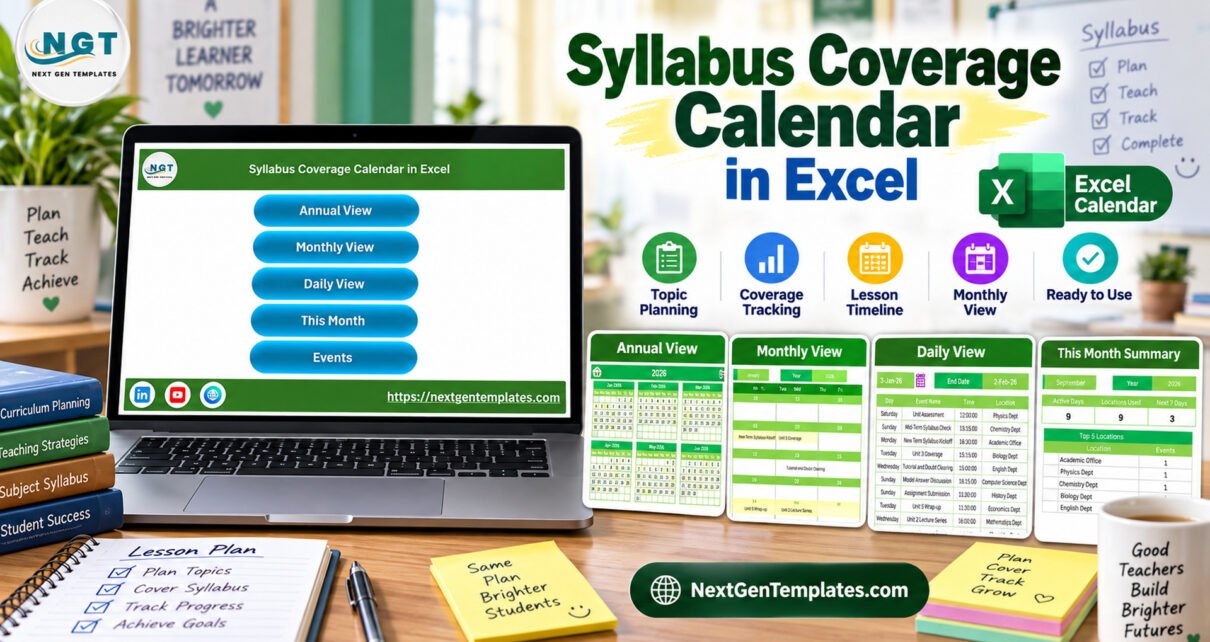
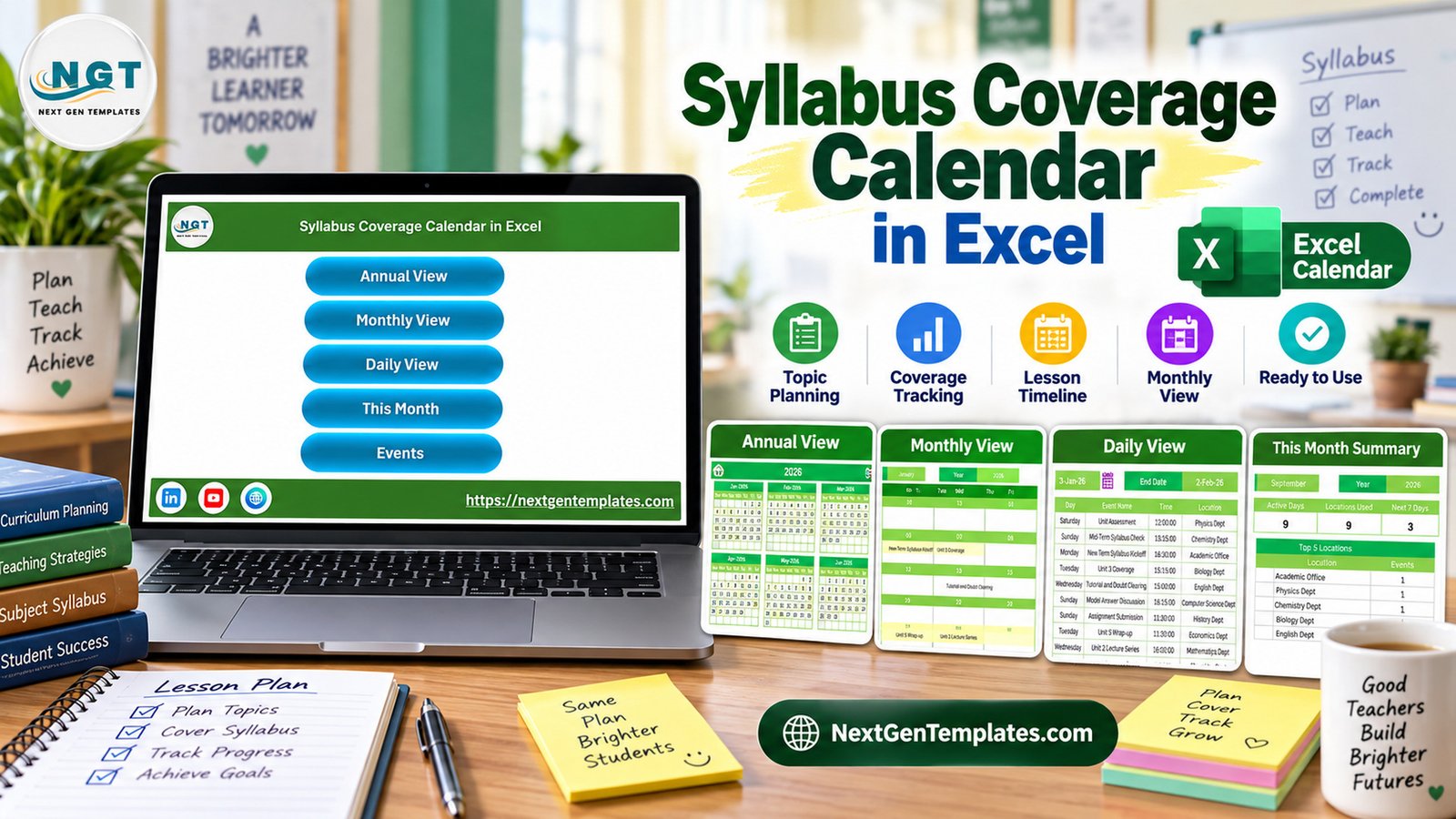
Syllabus Coverage Calendar in Excel is a practical planning workbook for teachers and academic coordinators who need a structured way to plan topics, track lesson coverage, and review upcoming syllabus events. Instead of keeping topic plans in scattered notes, the workbook brings the year, month, daily event list, this-month summary, events database, and add-event form into one macro-enabled Excel file.
This syllabus coverage calendar in excel is especially useful when a school, coaching center, or training team already works in Microsoft Excel. It gives you a focused excel syllabus calendar without asking you to subscribe to a full learning management system. Because the file uses VBA buttons and forms, it should be opened in Microsoft Excel for Windows desktop with macros enabled.
Key Features of Syllabus Coverage Calendar in Excel
The workbook is built around a simple academic planning flow: enter the events, review them by calendar view, and use summaries to understand what is happening this month. It works as a syllabus tracking template, a lesson coverage calendar, and a lightweight curriculum planning excel template for teams that want a clear schedule without heavy software.
- Annual, monthly, and daily calendar views for different planning levels.
- This Month Summary for active days, locations used, top locations, and upcoming events.
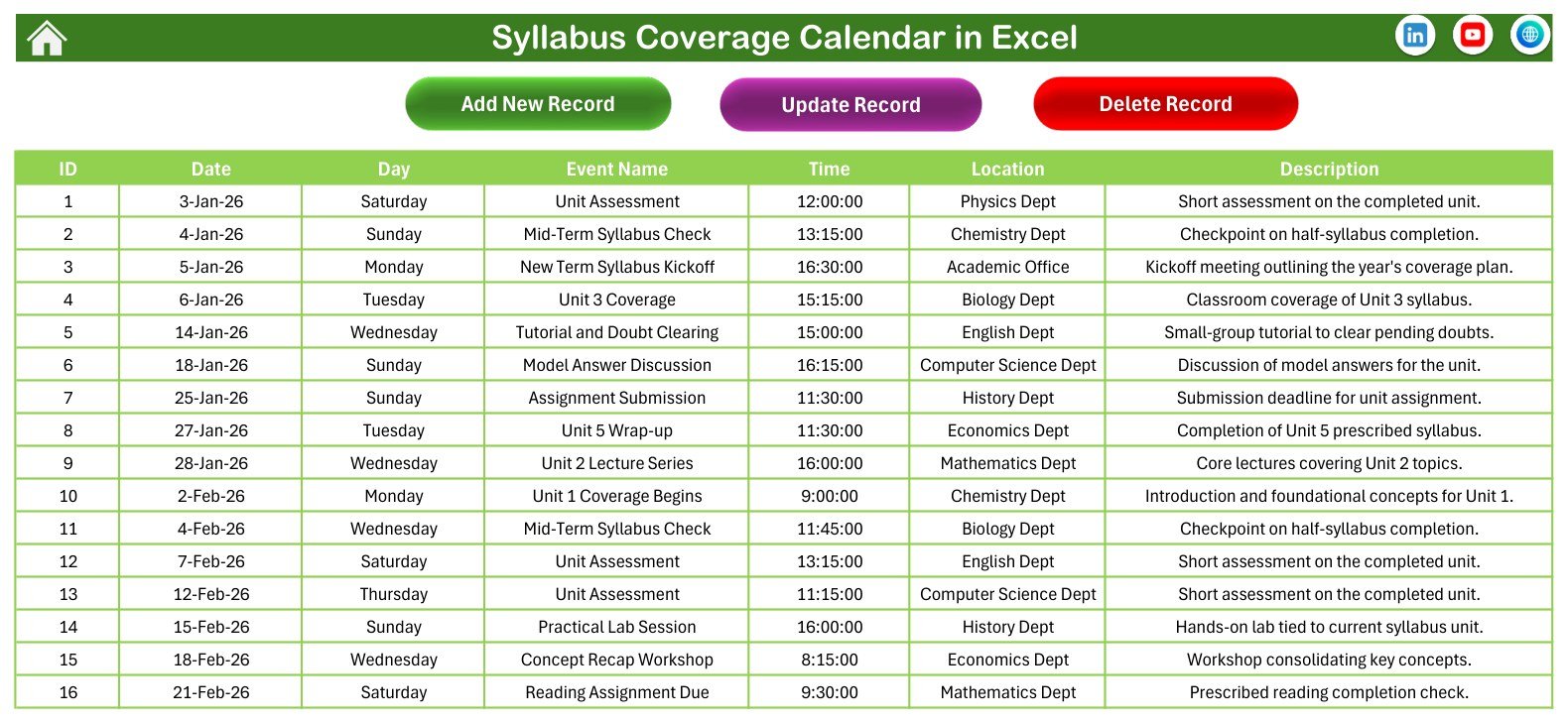
- Events database with date, day, event name, time, location, and description columns.
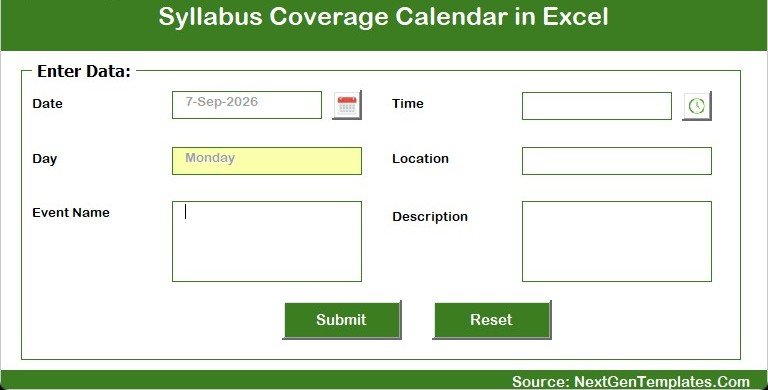
- Add New Event form for guided data entry.
- VBA buttons for navigation and event actions.
- Sample syllabus records included so you can understand the structure quickly.
Workbook Pages Explanation
Home Sheet
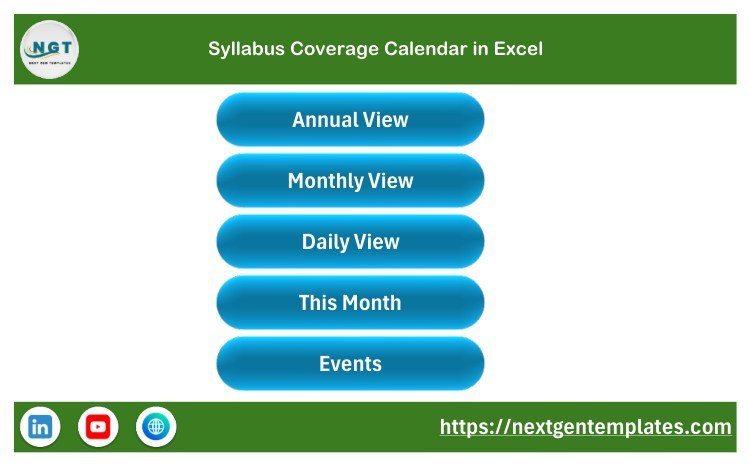
The Home sheet is the workbook menu. It includes buttons for Annual View, Monthly View, Daily View, This Month, and Events, helping users move through the file without hunting through sheet tabs.
Annual View
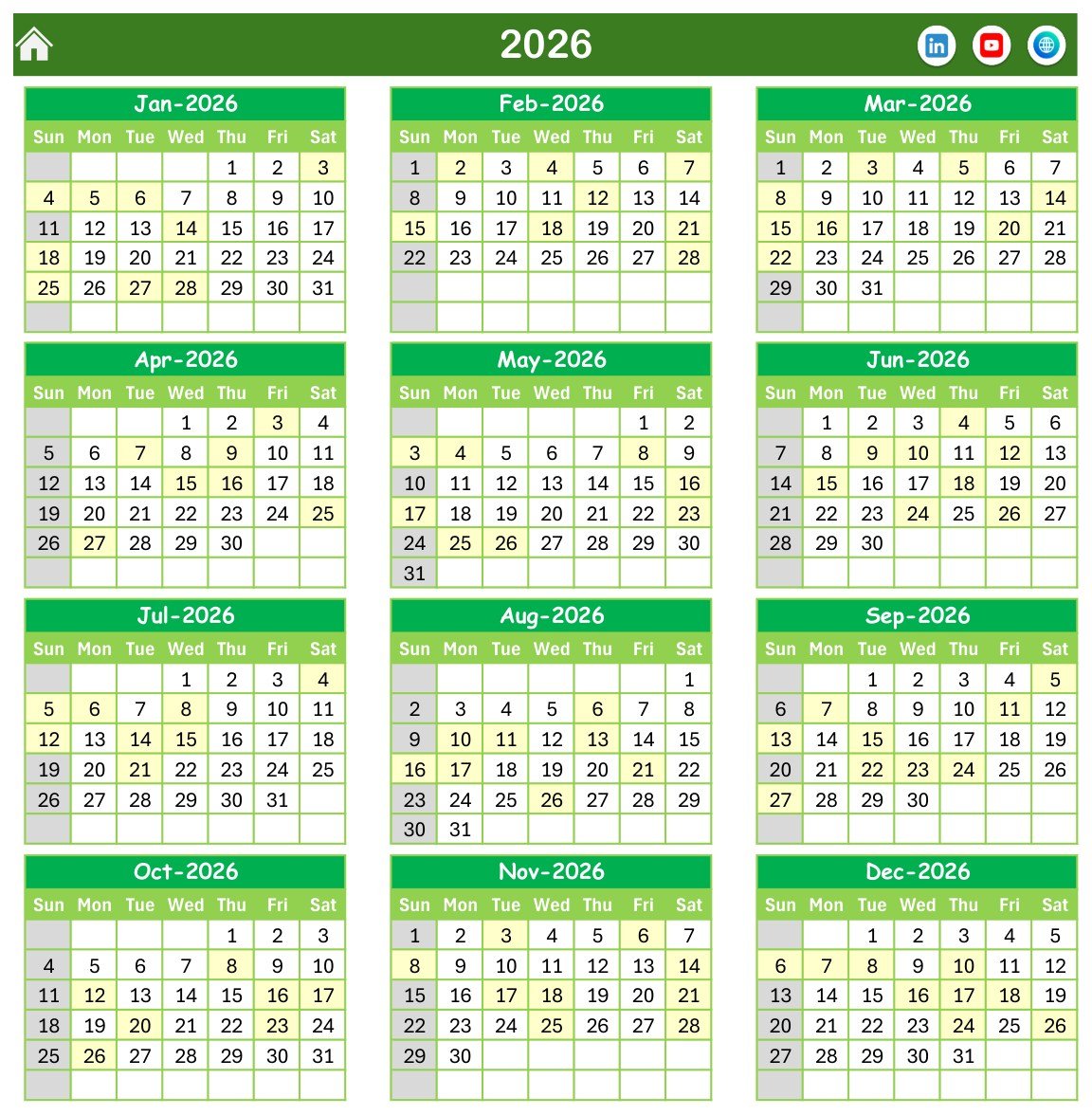
The Annual View displays the full 2026 calendar across all 12 months. For academic planning, this is useful for spotting heavy syllabus periods, assessment windows, revision weeks, and long gaps between planned activities.
Monthly View
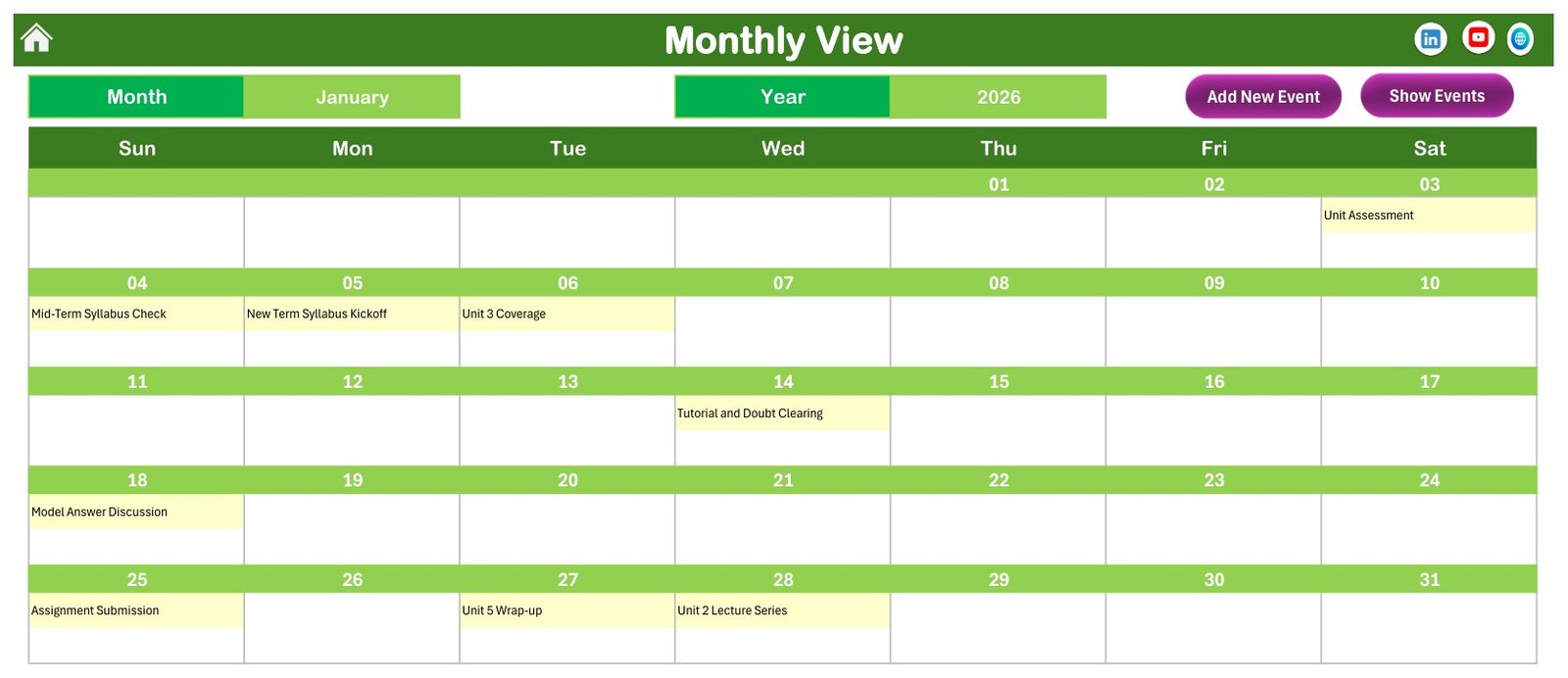
The Monthly View shows a single month with syllabus events placed on the relevant dates. It is the most natural view for weekly lesson planning because teachers can quickly see which topics, assignments, and checks are scheduled.
Daily View
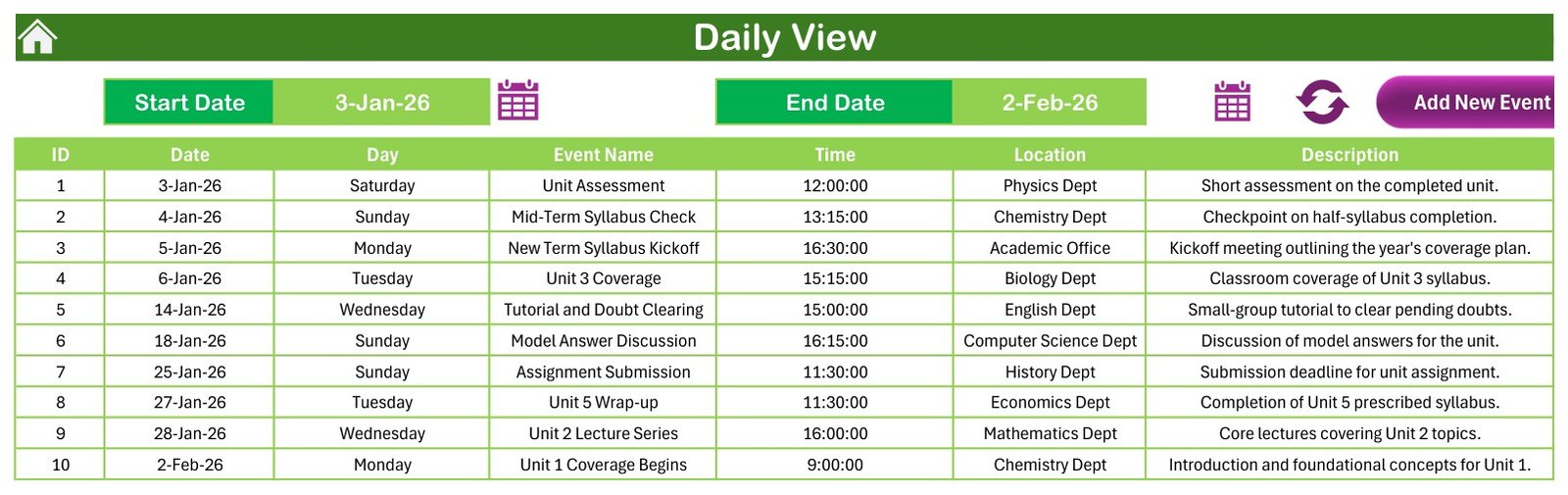
The Daily View lists all events between a start date and an end date. It is helpful for short-term reviews, daily briefings, and checking exactly what is due in the next few teaching days.
This Month Summary
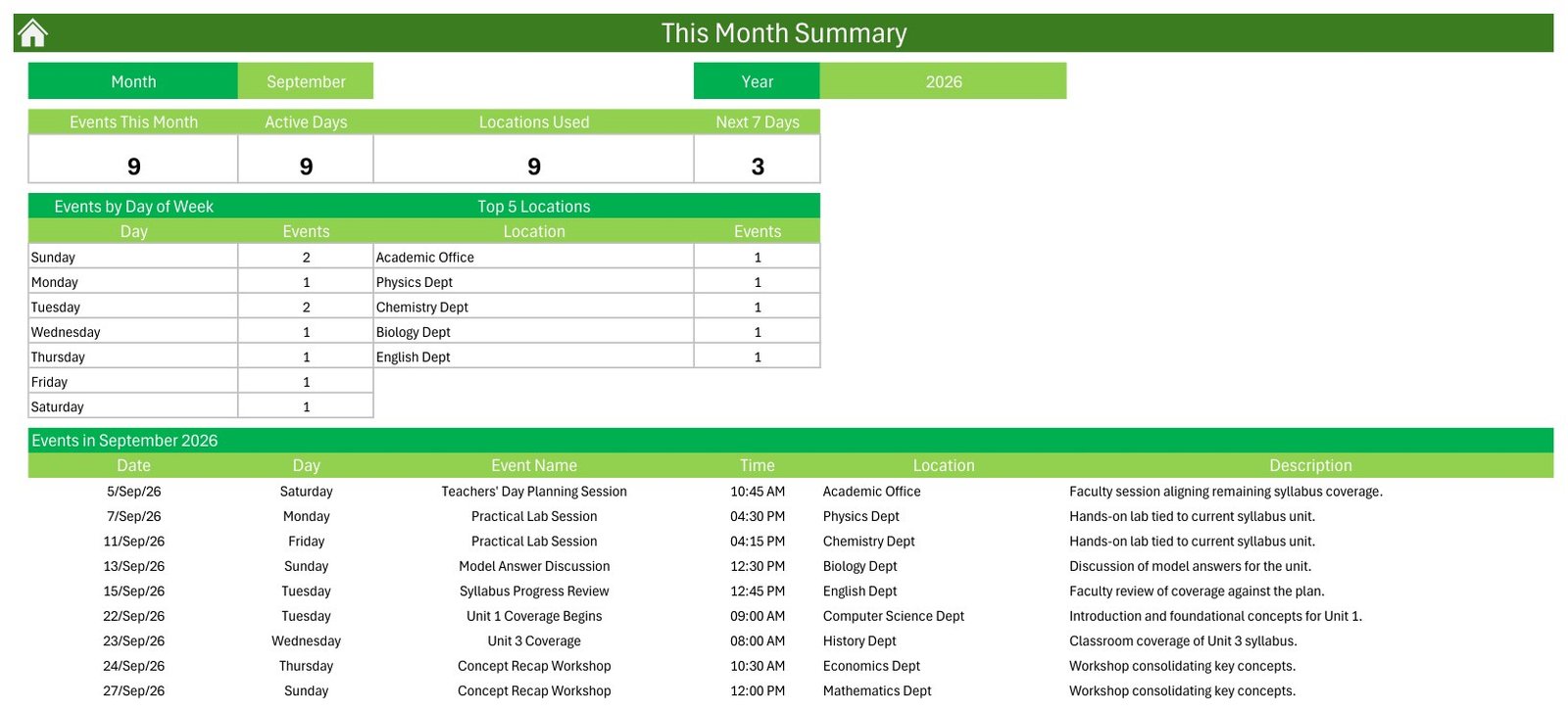
The This Month Summary turns the workbook into a more useful review tool. It shows events this month, active days, locations used, next 7 days, event counts by weekday, top locations, and a dated event list for the selected month.
Events Database and Add New Event Form
The Events sheet stores the planning records, while the Add New Event form gives a cleaner way to enter one item at a time. This pairing supports both bulk maintenance and guided day-to-day entry.
Syllabus Coverage Calendar in Excel vs. Google Sheets Calendar vs. Paid LMS/SaaS – Feature Comparison
| Feature | Syllabus Coverage Calendar in Excel | Google Sheets Calendar | Paid LMS/SaaS |
|---|---|---|---|
| Platform | Microsoft Excel for Windows desktop | Google Sheets in browser | Vendor platform |
| Best use | Local syllabus planning and coverage tracking | Collaborative cloud planning | Course delivery, portals, and institutional workflows |
| Automation | VBA buttons, form, and summary views | Formulas and simple scripts if configured | Notifications, enrolment, gradebook, and user accounts |
| Year-1 cost at 5 users | One-time template price | Usually no template cost, but setup time is higher | Recurring subscription can be much higher |
| Data model | Events table inside the workbook | Sheet-based shared table | Cloud database controlled by the vendor |
Who Should Use This Template
This template fits teachers, tutors, school department heads, academic coordinators, coaching centers, curriculum planners, and corporate trainers who want an Excel-based planner for topics, assessments, tutorials, assignment deadlines, practical sessions, and review meetings. It is also a good fit when the team wants local file ownership and simple handover through an Excel workbook.
It is not designed to replace a full LMS. If you need student logins, online assignments, grading, attendance, reminders, or mobile app notifications, a dedicated platform may be the better fit.
Real-World Use Cases
Department syllabus review
A department head can use the Annual View and This Month Summary to check whether important coverage milestones are distributed sensibly across the term.
Coaching batch planning
A coaching center can enter unit lectures, model-answer discussions, wrap-up sessions, and assessment dates for each batch location.
Training calendar management
A trainer can use the Events database to manage workshops, module sessions, assessments, and feedback reviews.
Advantages of Syllabus Coverage Calendar in Excel
The biggest advantage is focus. The workbook does not try to become an entire school system. It keeps the schedule in Excel, gives you multiple views of the same records, and makes topic planning easier to review visually. Since the file is downloadable, it can be archived, copied, customized, and reused across courses.
Opportunities for Improvement
The workbook is intentionally local and Excel-based. It does not sync with Outlook, Google Calendar, Teams, or an LMS. It also does not automatically detect scheduling conflicts or send reminders. Teams that need cloud collaboration should consider a Google Sheets calendar or a full course-management platform. For Excel users, Microsoft’s own guidance on macro security is worth reviewing before enabling VBA files from any source: Microsoft macro security guidance.
Best Practices
- Keep event names short so monthly cells stay readable.
- Use consistent locations such as department, batch, classroom, or subject area.
- Review This Month Summary at the start of each month.
- Keep a backup copy before making major structural edits.
- Use the Events sheet for bulk edits and the form for individual additions.
If you want more Excel planning tutorials and workbook ideas, browse the Excel Tips and Tricks section on PK-AnExcelExpert. That same habit of keeping small, clean input tables is what makes this syllabus coverage calendar in excel easier to maintain through a full academic term.
For smoother academic reviews, define a few naming conventions before the term starts. For example, start assessment records with “Unit Assessment”, revision sessions with “Revision”, and topic wrap-ups with “Unit Wrap-up”. Those conventions make the Events sheet easier to scan and help the Monthly View stay readable. If multiple teachers use copies of the workbook, keep one master version per class, batch, or course so the calendar does not become a mixed list of unrelated schedules.
The workbook also works well as a meeting-preparation file. Before a syllabus review meeting, filter the Events sheet for the next month, review the This Month Summary, then check the Daily View for the next 7 to 14 days. That small routine helps coordinators spot whether a planned lesson sequence is overloaded, whether key revision events are missing, and whether locations or subject teams are being used too heavily in one period.
Explore Relevant Templates
You can download the Syllabus Coverage Calendar in Excel from NextGenTemplates. You may also browse more Excel Calendar templates, including Maternity Ward Duty Calendar in Excel, or compare with Teacher Substitution Calendar in Google Sheets if you prefer a cloud spreadsheet workflow.
Frequently Asked Questions
Is this an Excel macro workbook?
Yes. The file is macro-enabled and should be used in Microsoft Excel for Windows desktop. Enable macros to use the navigation buttons and Add New Event form.
Can I change the sample syllabus events?
Yes. The included data is sample content. Replace it with your own topics, assessments, revisions, locations, dates, times, and notes.
Does it work in Excel Online?
Excel Online does not run VBA macros, so this template is intended for the desktop Windows version of Excel.
Can this calendar track coaching batches?
Yes. You can adapt location and event descriptions for batches, classrooms, modules, subjects, or course sections.
Does it send reminders?
No. It is a planning and review workbook, not an email, SMS, or calendar-reminder system.
About the Author
Built by PK – Microsoft Certified Professional with 15+ years of Excel, Google Sheets, and Power BI experience. Founder of NextGenTemplates, reaching 300K+ subscribers across YouTube channels. Every template is hand-built and tested before release.
Conclusion
The Syllabus Coverage Calendar in Excel gives education teams a clean way to plan, review, and maintain syllabus coverage in Excel. If you want a local workbook with calendar views, an event database, monthly summaries, and a form-driven event workflow, this template is ready to adapt. For more tutorials, visit PK: An Excel Expert on YouTube.
📚 Related guides: School Bus Route Calendar in Excel · Exam Timetable Calendar in Excel