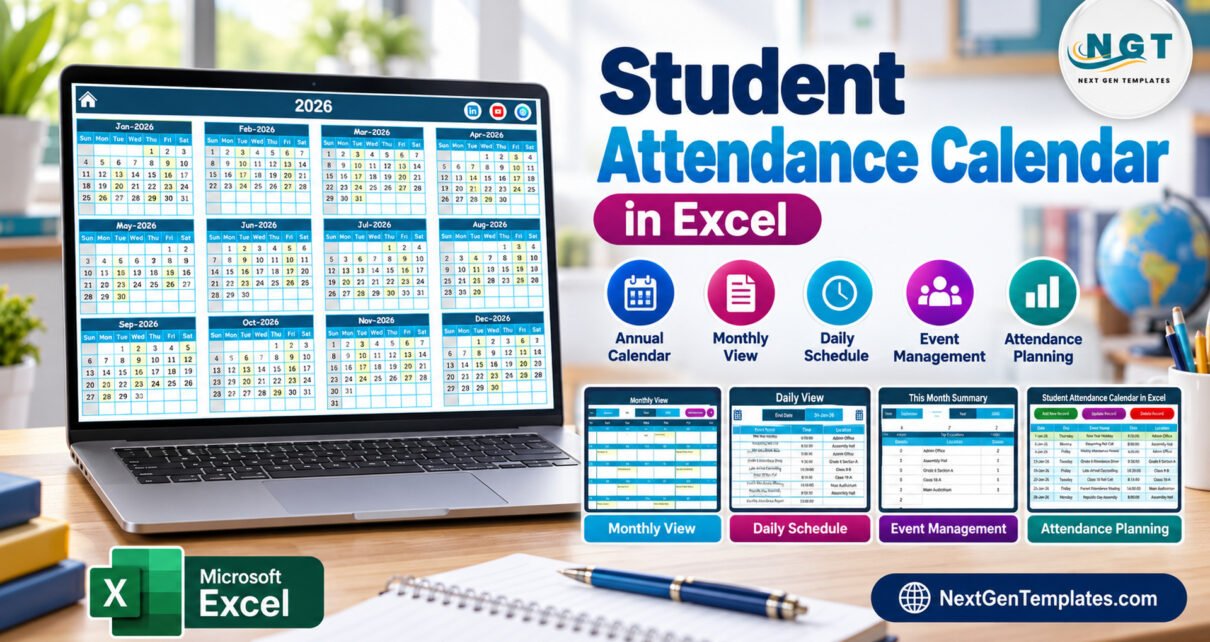
Student Attendance Calendar in Excel is a practical template for schools, coaching centers, tutors, and training teams that need one place to plan attendance-related events across annual, monthly, daily, and current-month views. Instead of building a calendar from scratch, you get a macro-enabled Excel workbook with 5 working areas, 7 screenshot-backed views, a structured Events sheet, and a form for adding or updating attendance planning records.
This is not a biometric attendance system or a student-wise present/absent gradebook. It is an excel student attendance calendar for scheduling attendance reviews, absence follow-ups, class monitoring tasks, parent meetings, session reminders, and school administration dates. It is best used in Microsoft Excel desktop for Windows with macros enabled. Microsoft also provides guidance on enabling or disabling macros in Microsoft 365 files.
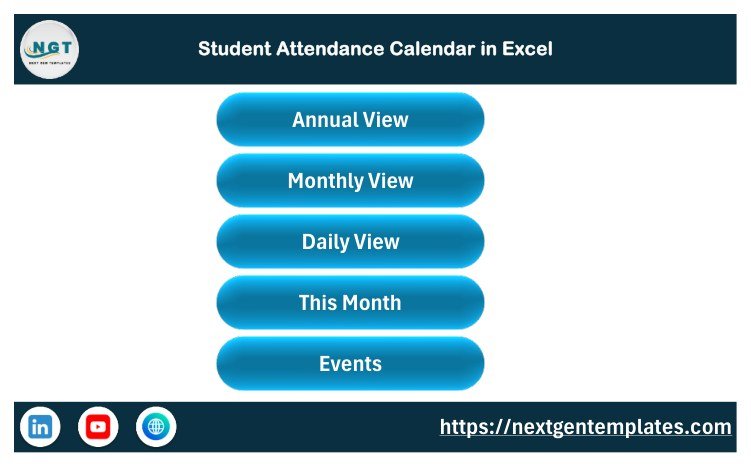
Home sheet with navigation buttons
Key Features of Student Attendance Calendar in Excel
The student attendance calendar in excel gives you a structured workbook rather than a blank calendar layout. You can move from the Home sheet to Annual View, Monthly View, Daily View, This Month, and Events using navigation buttons. The workbook also includes controls for year, month, start month, week start, color theme, weekday highlights, and event highlights.
The template is useful when attendance-related work happens on dates: review windows, class attendance summaries, absence follow-up meetings, student monitoring sessions, exam attendance planning, parent communication dates, or coaching batch attendance reviews. The workbook stores each event with date, day, event name, time, location, and description, so the calendar views can remain organized.
Workbook Sheets Explanation
Home Sheet
The Home sheet acts as an index. It gives quick buttons for Annual View, Monthly View, Daily View, This Month, and Events. This is useful for non-technical users because they do not need to search through workbook tabs.
Annual View
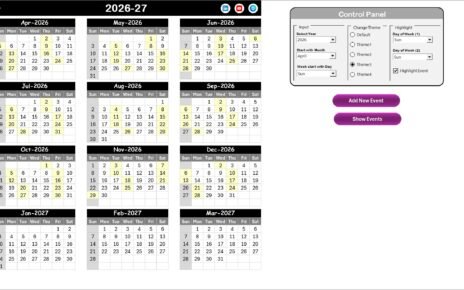
The Annual View shows all 12 months for the selected year. It includes a control panel where you can change the year, start month, starting day of the week, color theme, weekday highlights, and event highlighting. For example, a school can highlight Saturdays and Sundays while also highlighting attendance-related events.
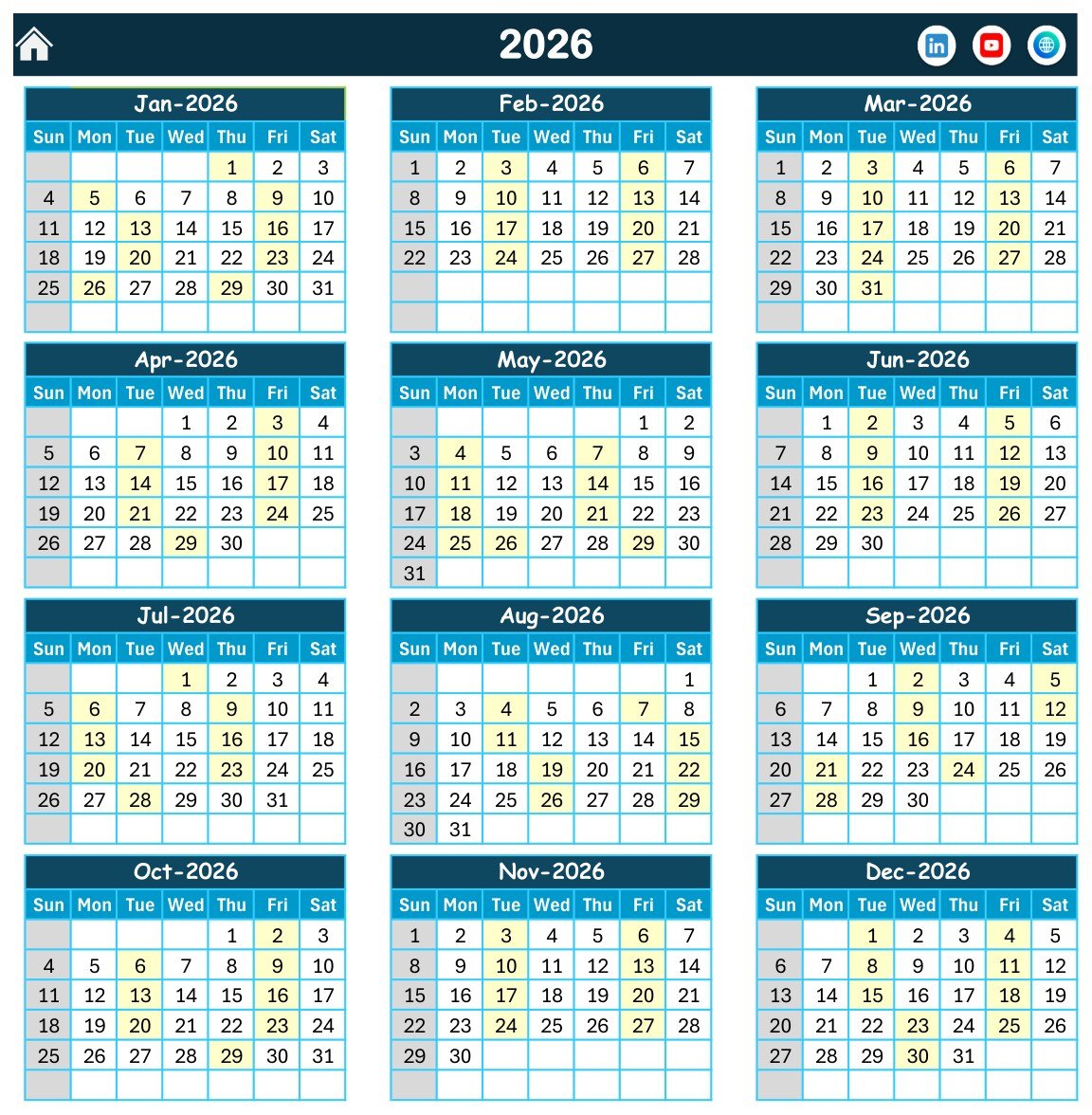
Annual View sheet
Monthly View
The Monthly View focuses on one selected month. It is useful for reviewing class-wise or batch-wise attendance planning activity without the visual weight of a full annual calendar. If more than one event exists on a date, the workbook indicates that additional items are present.
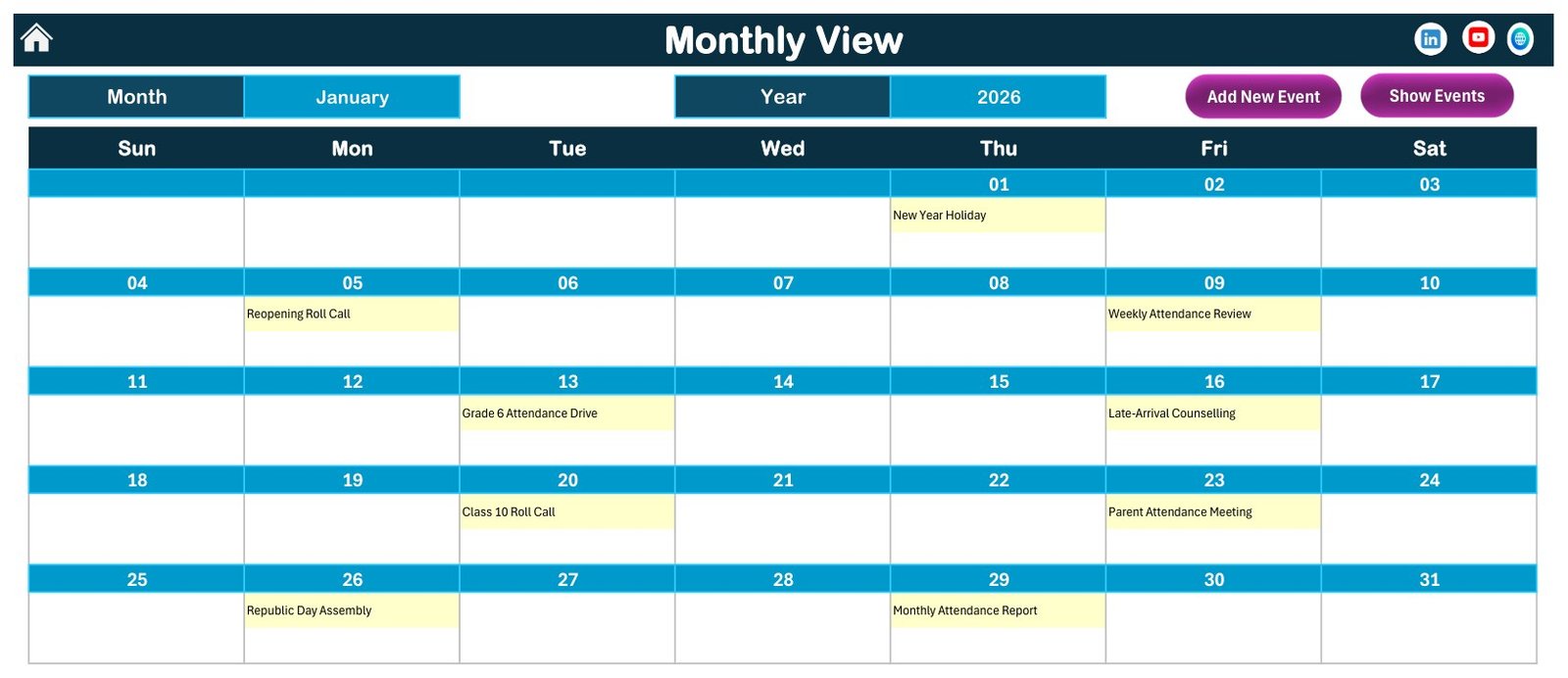
Monthly View sheet
Daily View
The Daily View lets you select a start date and end date to review detailed event records. This is helpful for weekly attendance checks, short review cycles, and daily school administration work.
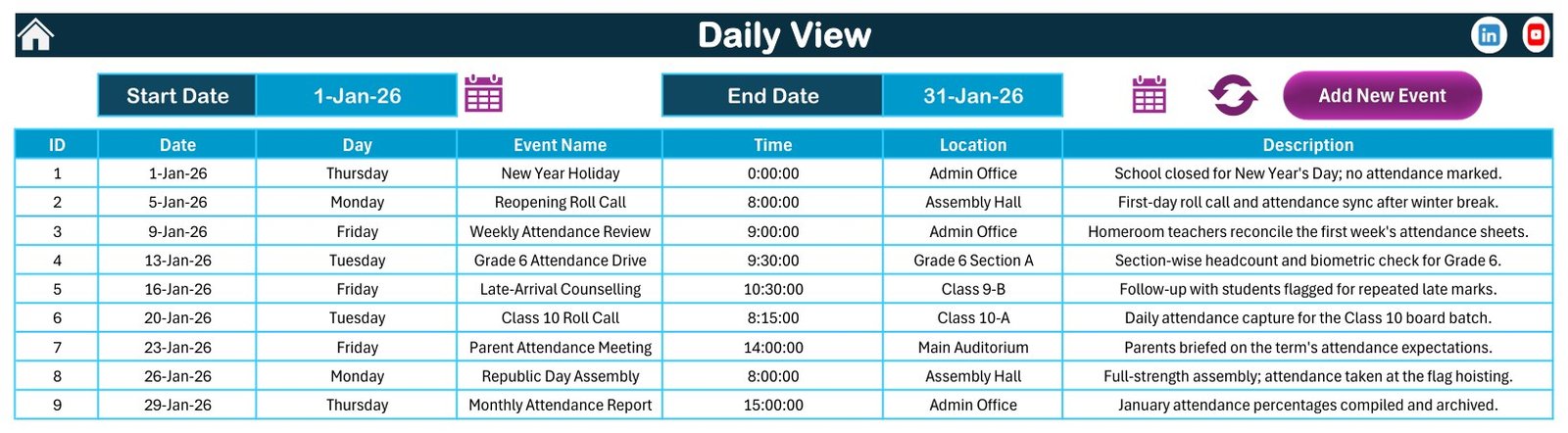
Daily View sheet
This Month Summary
The This Month Summary gives a compact view of the current month and upcoming attendance planning items. It helps an administrator quickly check what is scheduled without moving through multiple sheets.
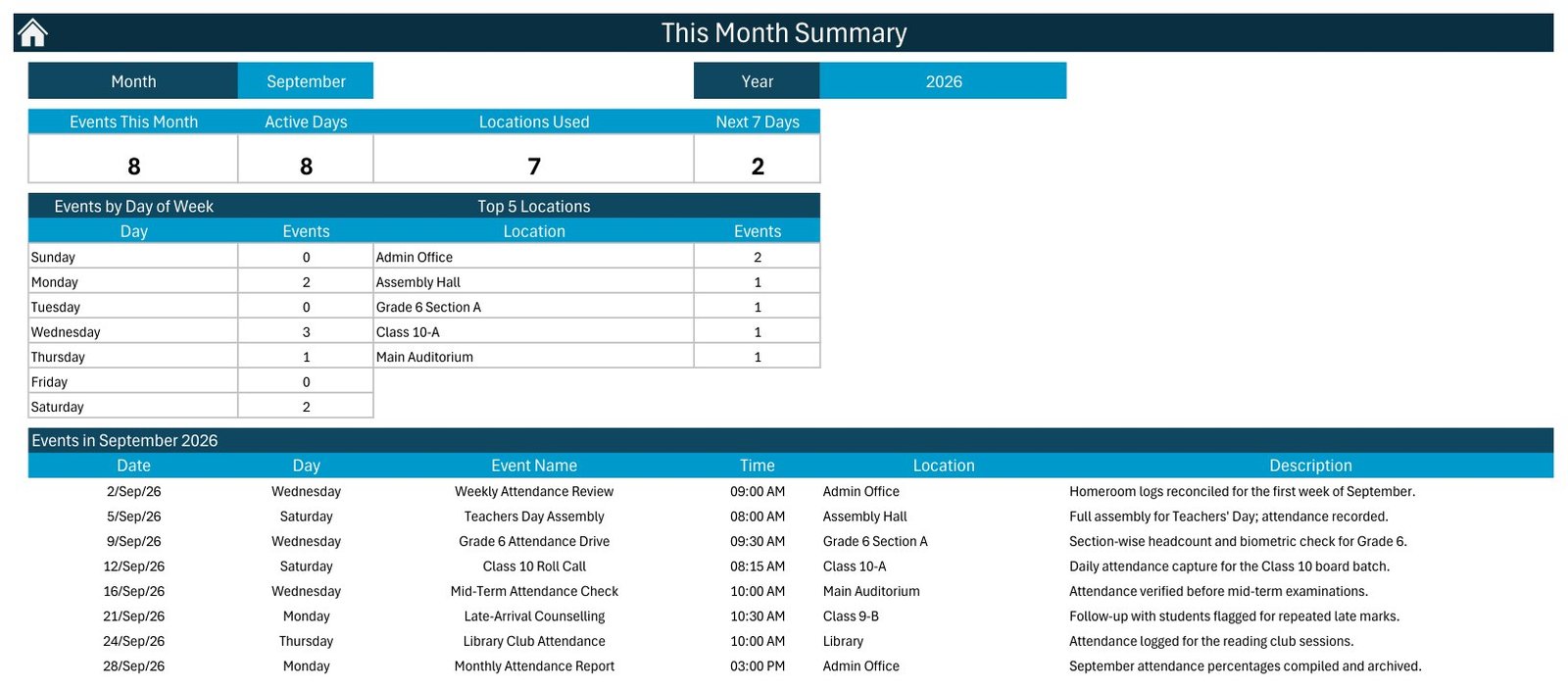
This Month Summary sheet
Events Sheet and Event Form
The Events sheet is the database behind the workbook. You can manage IDs, dates, days, event names, time, location, and descriptions. The Add New Event form supports controlled entry, while the sheet remains editable for users who prefer direct spreadsheet work.
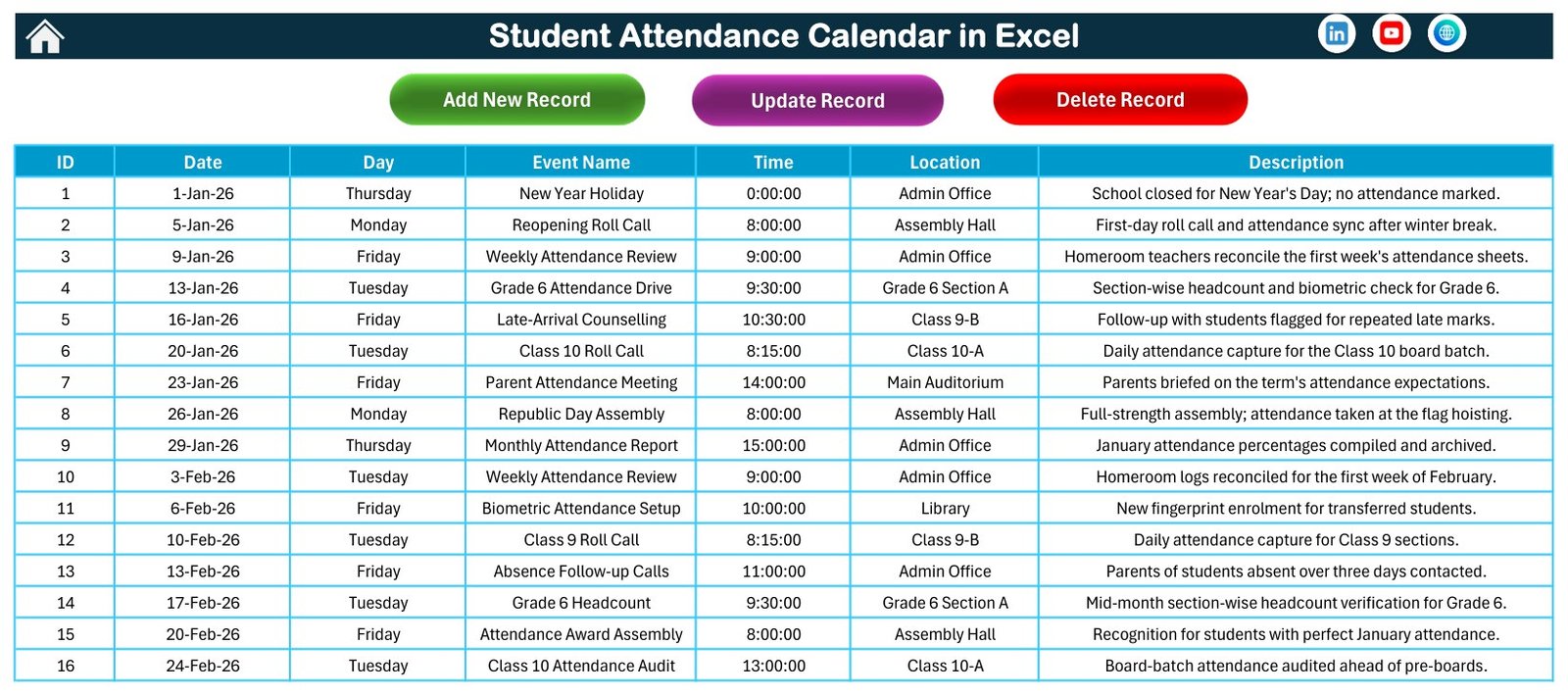
Events sheet
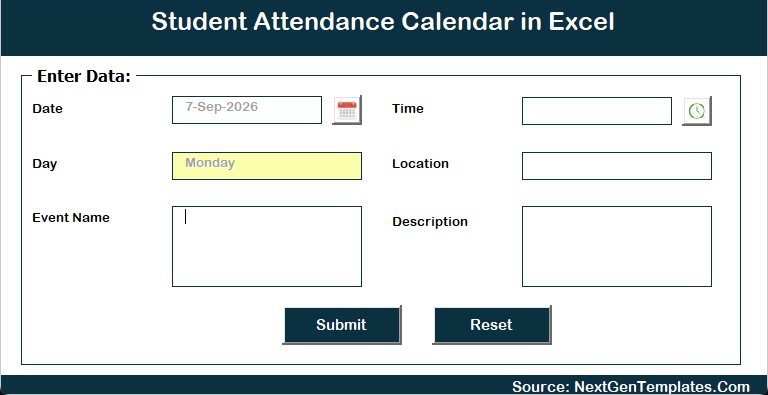
Add New Event form
Student Attendance Calendar in Excel vs. Google Sheets vs. Paid CRM/SaaS – Feature Comparison
| Feature | This Excel template | Google Sheets calendar | Paid school SaaS |
|---|---|---|---|
| Best fit | Local Excel-based attendance planning | Shared online editing | Full school management workflow |
| Cost | One-time template purchase | Low if your team already uses Google Workspace | Recurring subscription |
| Platform | Excel desktop for Windows | Browser and Google Drive | Vendor platform |
| Setup time | Unzip, enable macros, replace sample events | Copy or build a sheet, adjust sharing | Configure users, roles, and modules |
| Real-time collaboration | Limited | Strong | Strong |
| Customizable fields | Editable worksheet records | Editable sheet records | Depends on plan and permissions |
| Macro forms | Included | Not applicable | Vendor-specific |
| Year-1 cost at 5 users | Template price only | Usually low | Often much higher |
| Attendance event planning | Strong | Possible with setup | Strong, but broader than a template |
Who Should Use This Template
Use this attendance calendar template if you manage school administration tasks, coaching batches, class schedules, training sessions, or attendance review dates in Excel. It is especially useful when one administrator owns the file and shares printed or PDF outputs with teachers or managers.
It is also a good fit for small institutions that do not need a large school-management platform. If your current attendance work is scattered across paper notes, WhatsApp reminders, and a blank spreadsheet, this template gives you a more disciplined structure.
Real-World Use Cases
School office attendance planning: Track monthly attendance review dates, absence follow-up sessions, and parent communication days.
Coaching center batch monitoring: Use the student attendance template to schedule batch-wise reviews, make-up sessions, and student follow-up windows.
Training program coordination: Plan attendance-related events for workshops, orientation sessions, internal training batches, and daily review cycles.
Advantages of Student Attendance Calendar in Excel
The main advantage is ownership. You can download the file, keep it locally, customize sheet data, and continue using the workbook without a monthly platform fee. The calendar views make date-based planning easier than a flat attendance event list, while the Events sheet keeps the data structured enough to maintain over time.
The second advantage is familiarity. Many schools and coaching centers already use Microsoft Excel, so the learning curve is smaller than moving to a new school SaaS product. The workbook uses visual buttons and forms, but the data is still available in ordinary worksheet rows.
Opportunities for Improvement
This workbook is intentionally focused. It does not mark individual students present or absent, does not integrate with biometric machines, does not send automated reminders, and does not provide a parent portal. It is also not designed for live multi-user collaboration. Teams that need those features should consider a dedicated attendance system or a Google Sheets workflow.
Because the workbook uses macros, it should be opened in Microsoft Excel desktop for Windows. Users in heavily locked-down IT environments may need permission to enable macros from a trusted file location.
Best Practices
- Keep one master copy and make dated backups before heavy edits.
- Replace sample data before sharing the workbook internally.
- Use consistent event names, locations, and descriptions so filters remain useful.
- Use the Annual View for planning and the Daily View for operational follow-up.
- Do not store sensitive student identifiers unless your organization has appropriate privacy controls.
If you are comparing this workbook with a traditional attendance sheet workflow, this guide on attendance sheet methods in Excel is a useful companion. The key difference is that a student attendance calendar in excel focuses on dates, events, reviews, and planning, while a regular attendance sheet usually focuses on row-by-row present/absent marks.
Explore Relevant Templates
If you need related education scheduling templates, you may also like the Class Timetable Calendar in Google Sheets, Exam Timetable Calendar in Google Sheets, School Bus Route Calendar in Google Sheets, and the Coaching & Tutoring Dashboard in Google Sheets. For more Excel products, browse the Excel Calendar templates category.
Frequently Asked Questions
Is this a student-wise attendance register?
No. It is a school attendance calendar for date-based attendance planning and event management. It does not mark every student present or absent.
Does it require macros?
Yes. The workbook is macro-enabled. Use Excel desktop for Windows and enable macros for the buttons and forms.
Can I change the year and month?
Yes. The Annual View and Monthly View include year and month controls, along with highlight and theme options.
Can I edit the event list manually?
Yes. You can use the form or edit the Events sheet directly.
Does it work in Google Sheets?
No. This edition is built for Microsoft Excel. Google Sheets does not run Excel VBA macros in the same way.
Is student data included?
No real student data is included. The workbook uses sample event records for demonstration, and you should replace them with your own records.
About the Author
Built by PK – Microsoft Certified Professional with 15+ years of Excel, Google Sheets, and Power BI experience. Founder of NextGenTemplates, reaching 300K+ subscribers across YouTube channels. Every template is hand-built and tested before release.
Conclusion
The Student Attendance Calendar in Excel is a focused workbook for administrators who want date-based attendance planning inside Excel. It gives you annual, monthly, daily, current-month, and event-database views without forcing your team into a full school-management platform. If your goal is attendance scheduling and follow-up planning rather than biometric attendance capture, this student attendance calendar in excel is a clean and affordable option.
View the Student Attendance Calendar in Excel template on NextGenTemplates.
You can explore more tutorials and template ideas on the PK: An Excel Expert YouTube channel.
📚 Related guides: School Bus Route Calendar in Excel · Exam Timetable Calendar in Excel