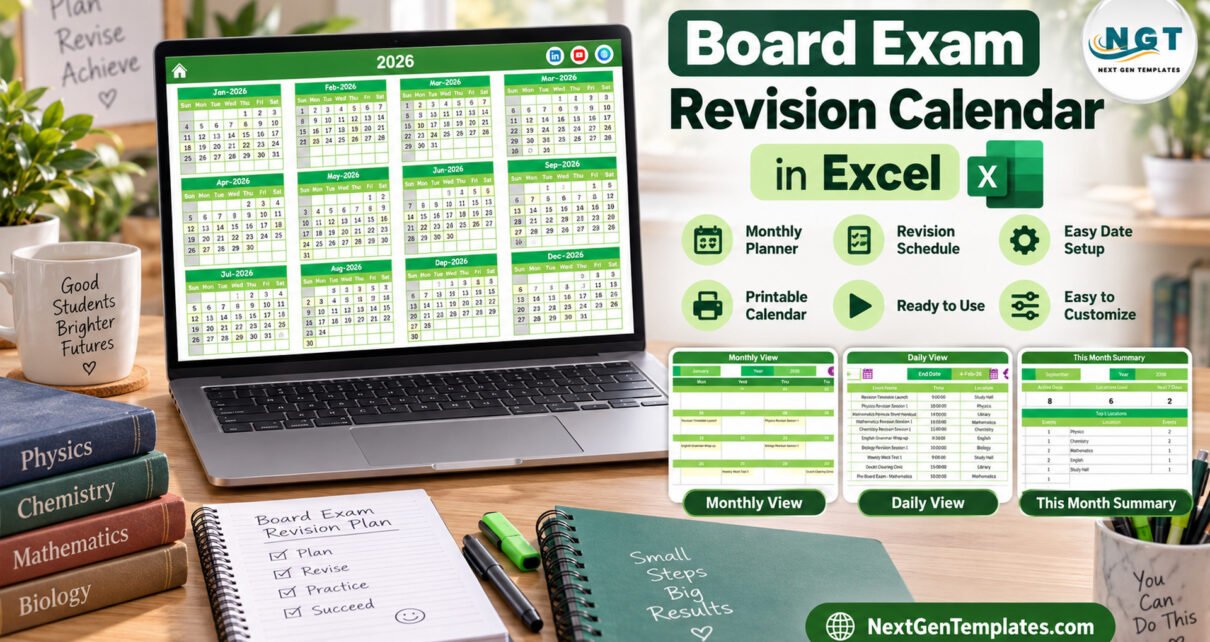
The Board Exam Revision Calendar in Excel is a macro-enabled workbook that puts a full year of revision sessions, mock tests, pre-boards and board papers on five linked pages. This board exam revision calendar comes with 100 sample events dated 5 January to 31 December 2026, spread over 7 subject and room locations, with 8 or 9 events in every month.
In most schools the revision plan lives in a notice-board printout, a WhatsApp message and a teacher’s diary. When a mock test lands on the day before a board paper, or Chemistry gets three sessions while Biology gets none, nobody notices until the date sheet is close. This calendar gives every session a single Excel home, so an exam coordinator, subject teachers and students can read the same yearly plan.
Key Features of the Board Exam Revision Calendar
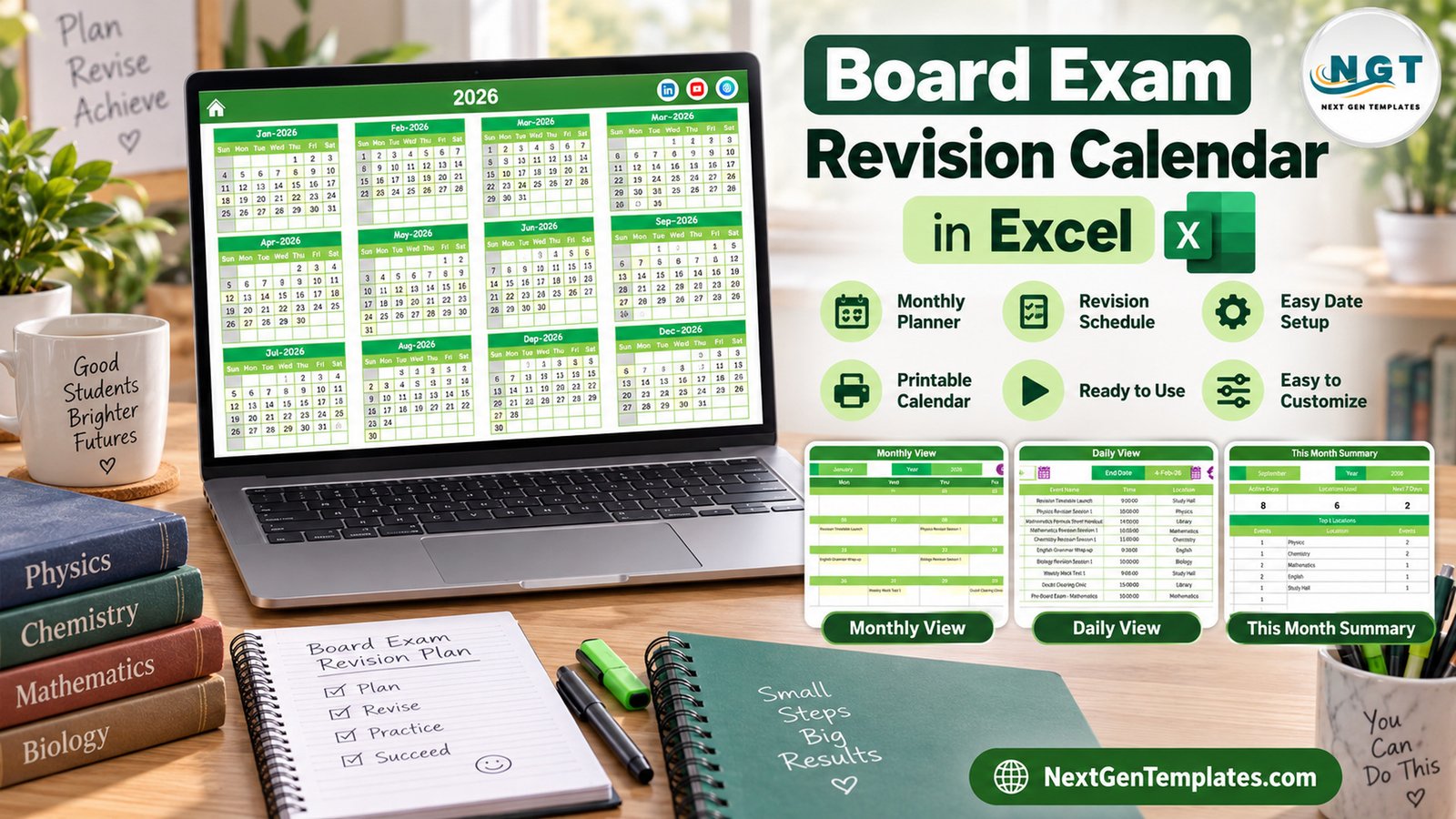
The workbook has seven sheets: Home, Annual View, Monthly View, Daily View, This Month, Events and Setting. Everything reads from one Events table, so a session you add once appears on every view.
- Annual View: twelve month grids on one page, with every date that holds an event highlighted.
- Monthly View: Month and Year selectors and a full month grid with the event name written under each date.
- Daily View: Start Date and End Date pickers, a refresh button and a detailed list for that range.
- This Month Summary: Events This Month, Active Days, Locations Used and Next 7 Days cards, plus day-of-week and top 5 location tables.
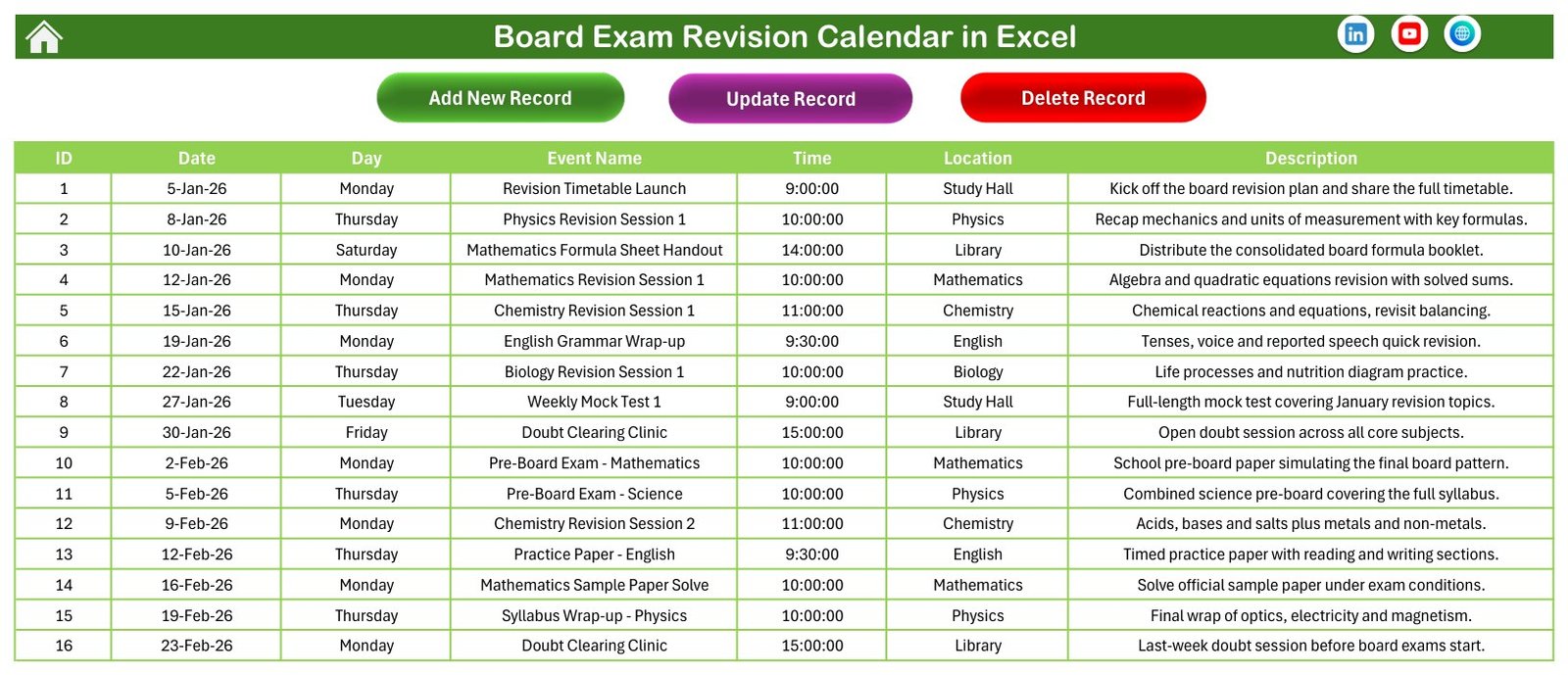
- Events sheet: the master table with Add New Record, Update Record and Delete Record buttons.
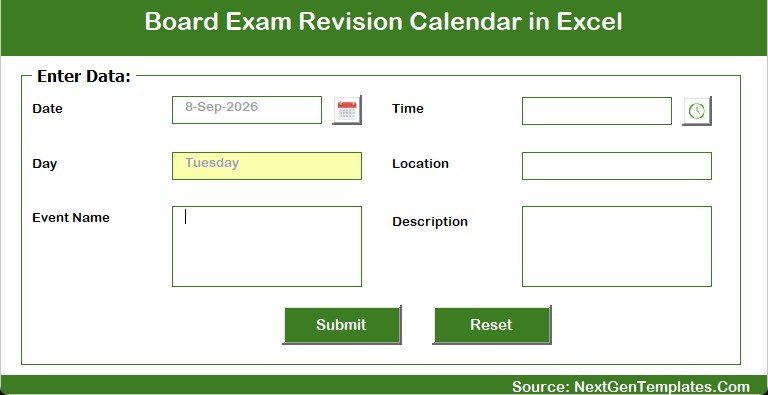
- Entry form: date and time pickers, the day filled in automatically, and Event Name, Location and Description boxes.
- Setting sheet: year, starting month, week start day, two highlighted weekdays, event highlighting and five colour themes.
Template Structure: Every Page Explained
Home
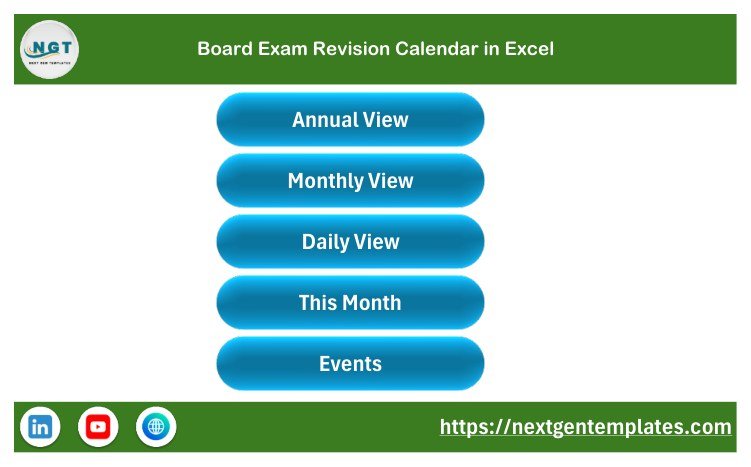
The Home sheet carries the title bar and five large buttons: Annual View, Monthly View, Daily View, This Month and Events. Each working page has a house icon that returns here, so nobody has to hunt through sheet tabs.
Annual View
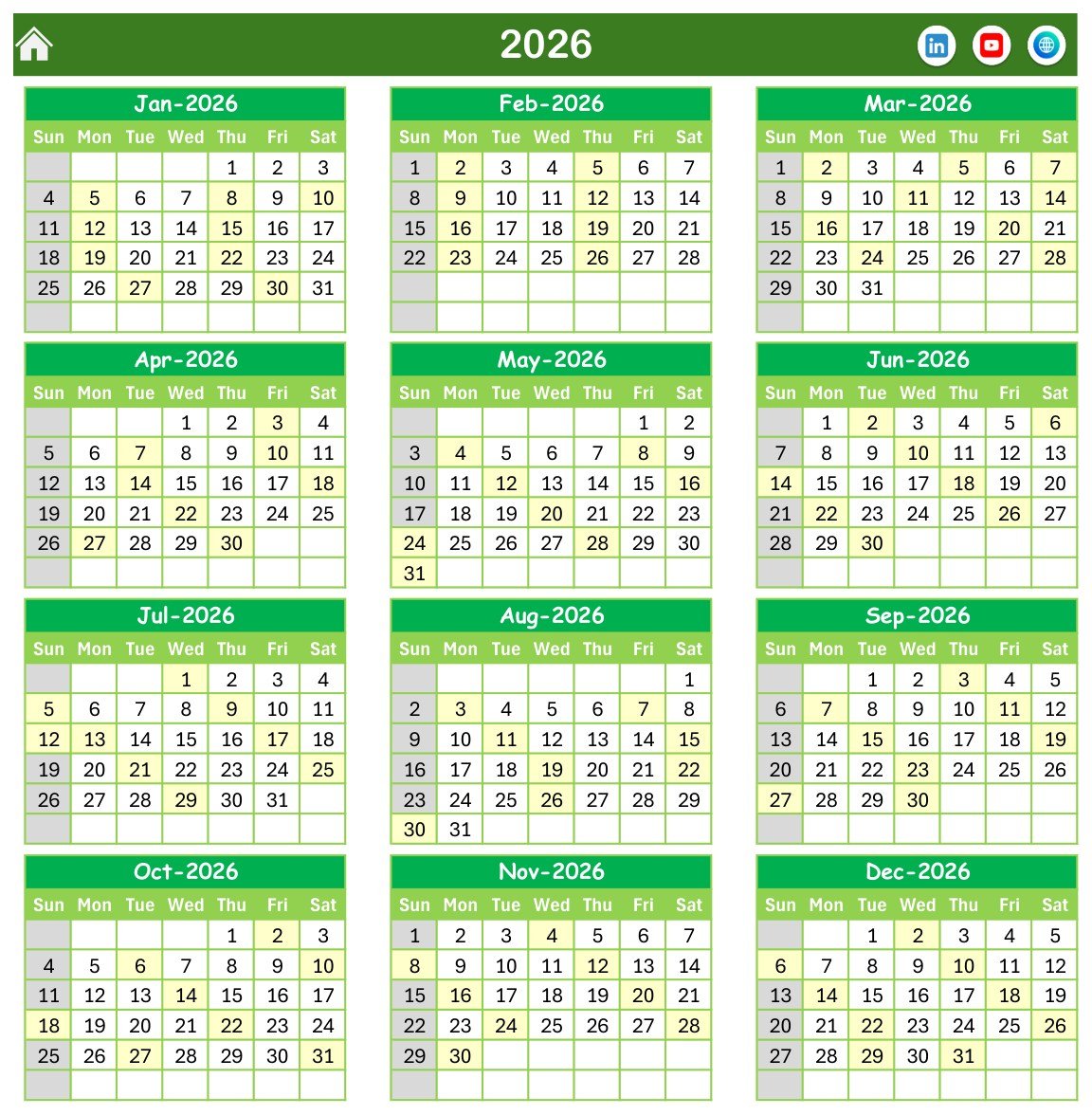
All twelve months of the chosen year sit in a four-by-three grid with a Sun to Sat header. Dates that hold a session are shaded light yellow and Sundays are greyed. In the sample you can see the cluster of dates in late February and March, when the board papers run, and the lighter rhythm of two sessions a week for most of the year.
Monthly View
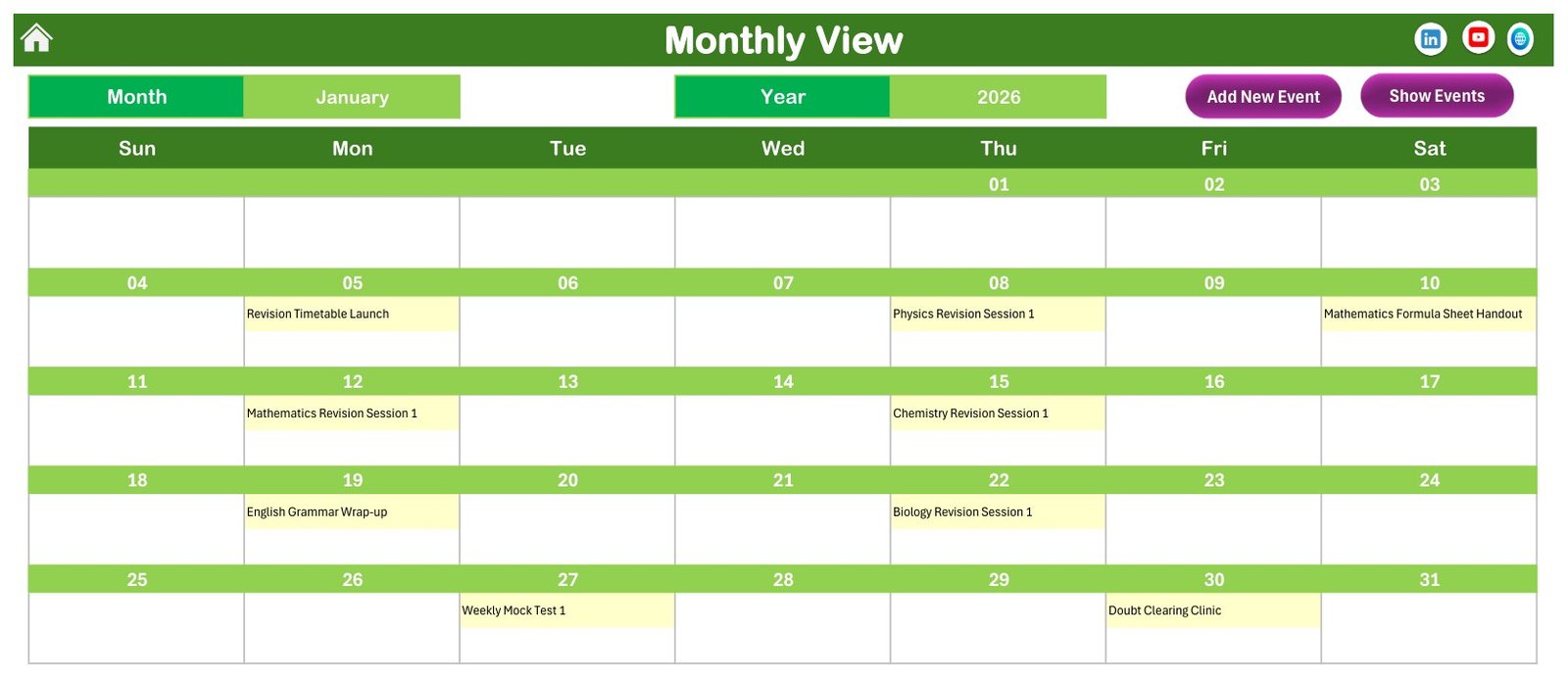
Choose a month and a year and the grid fills in. January 2026 shows the Revision Timetable Launch on 5 January, Physics Revision Session 1 on 8 January, the Mathematics Formula Sheet Handout on 10 January, English Grammar Wrap-up on 19 January, Weekly Mock Test 1 on 27 January and the Doubt Clearing Clinic on 30 January. Add New Event and Show Events buttons sit at the top right.
Daily View
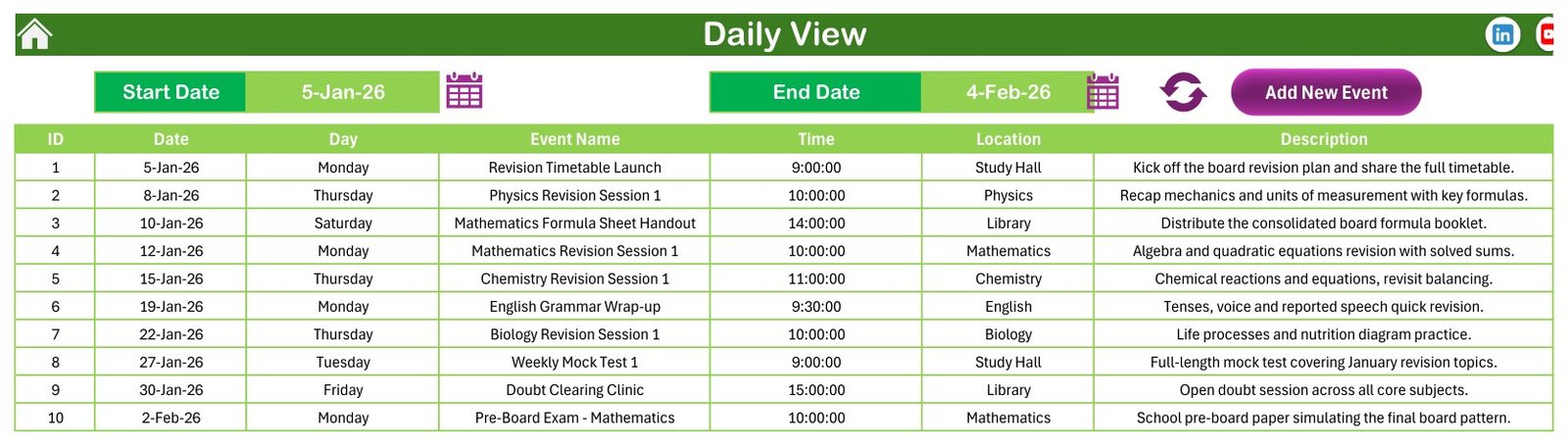
Pick a Start Date and an End Date, press the refresh icon, and the sheet lists ID, Date, Day, Event Name, Time, Location and Description. The sample range from 5 January to 4 February 2026 returns ten rows, ending with the Mathematics pre-board on 2 February.
This Month Summary
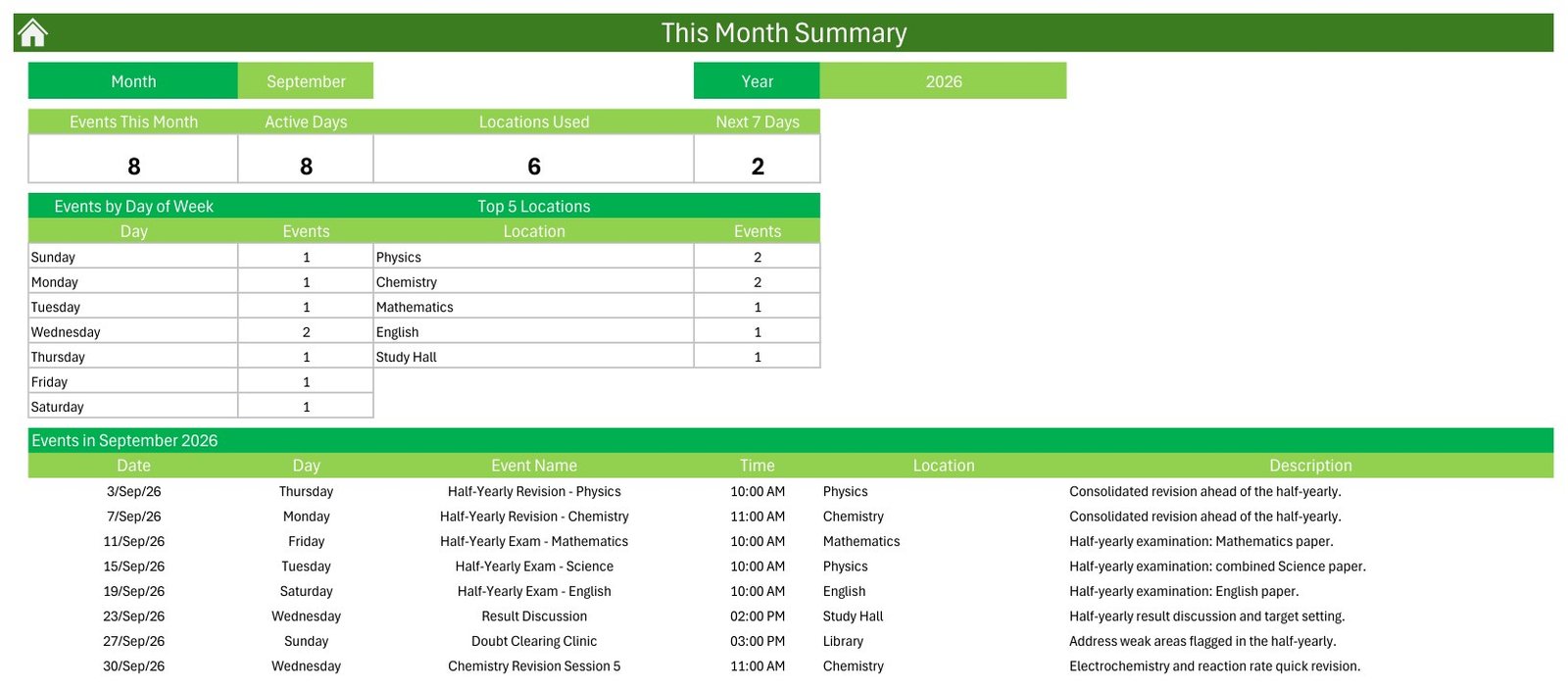
Four cards and two small tables summarise the selected month. For September 2026 the sample reads 8 events, 8 active days, 6 locations used and 2 events in the next 7 days. Physics and Chemistry lead the Top 5 Locations with two events each, and the event list shows the half-yearly revision sessions and exams.
Events
The Events sheet stores every record in seven columns. Add New Record opens the form, Update Record edits the selected row and Delete Record removes it. Because every view reads this table, it is the only place you ever type data.
Enter Data Form
The form has a calendar picker for Date, a clock picker for Time, a Day box that fills itself, and Event Name, Location and Description fields, with Submit and Reset buttons.
What the Sample Data Covers
The 100 fictional events follow a full school year. January opens with the revision timetable and subject sessions. Pre-boards in Mathematics and Science fall on 2 and 5 February, and seven board papers run from English on 26 February to Physics on 24 March. April to July cover answer key reviews, provisional results, re-evaluation help, a compartment exam and bridge sessions for the new session. August to December bring monthly mock tests, half-yearly exams in September, intensive revision and a winter break revision plan. Locations work as subject rooms: Study Hall 26, Physics 16, Mathematics 14, Library 13, Chemistry 12, English 10 and Biology 9. No date carries two events and every weekday label matches its date.
Comparison: Excel Calendar vs. Google Sheets vs. a Paper Wall Planner
| Feature | This Excel template | Google Sheets calendar | Paper wall planner |
|---|---|---|---|
| Annual, monthly and daily views from one table | Yes | Depends on the template | No |
| Entry form with date and time pickers | Yes (VBA) | Usually not | No |
| Monthly summary cards | Yes | Build it yourself | No |
| Works offline | Yes | Limited | Yes |
| Mac, web and phone | No, Windows desktop only | Yes | Yes |
| Reminders | No | Via add-ons | No |
| Cost | One-time | Free to paid | Low |
Who Should Use This Template
- Class 10 and Class 12 teachers who plan revision for a board year.
- School exam cells that schedule pre-boards, mock tests and practical exams.
- Coaching and tuition centres that run subject-wise doubt clinics.
- Parents and students who want one home revision plan with break days marked.
Real-World Use Cases
An exam cell’s master plan. The coordinator enters the board date sheet first, then works backwards to place pre-boards and quick revision days, and checks Annual View for weeks that are too crowded.
A coaching centre’s subject rooms. Using Location as the subject room, the centre can see in This Month Summary which subjects got the most sessions and rebalance next month.
A student’s own timetable. A student copies school test dates into Events and adds personal practice papers, then prints the Monthly View for the desk.
Advantages of This Excel Revision Calendar
- One table feeds five views, so there is nothing to keep in sync.
- A one-time purchase with no subscription and no per-user fee.
- Works offline once macros are enabled.
- Five colour themes and a configurable week start day.
Opportunities for Improvement
Being honest about the limits helps you decide. The workbook stores a start time but no end time or duration, so it cannot total study hours. It sends no reminders, has no recurring events, and records no student-level marks, attendance or syllabus progress. It needs desktop Excel for Windows with macros enabled, and the sample dates are not any board’s official schedule.
Best Practices
- Enter the official board date sheet first, then plan revision around it.
- Keep Location consistent, for example one name per subject room, so the Top 5 table stays meaningful.
- Leave at least one light day before each board paper.
- Save a copy of the file before deleting the sample rows.
- If macros are blocked on a downloaded file, read Microsoft’s note on macros from the internet being blocked by default, and the guide to enabling macros in Microsoft 365 files.
Explore Relevant Templates
- Exam Timetable Calendar in Excel
- Class Timetable Calendar in Excel
- Teacher Substitution Calendar in Excel
- School Bus Route Calendar in Excel
- Exam Marks Entry Data Entry System in Excel
- Browse all Excel calendar templates
Frequently Asked Questions
What is included in the Board Exam Revision Calendar in Excel?
A macro-enabled .xlsm workbook with Home, Annual View, Monthly View, Daily View, This Month, Events and Setting sheets, an entry form and 100 fictional sample events, plus a short user manual PDF in the ZIP.
Do I have to enable macros?
Yes. The entry form, the Add, Update and Delete buttons and the Daily View refresh are VBA macros.
Can I use it on a Mac, in Excel for the web or on a phone?
No. It is built for desktop Excel for Windows.
Are the board exam dates real?
No. They are sample dates that show how a board year looks. Replace them with the date sheet your board publishes.
Can I change the year and the week start day?
Yes. Both are on the Setting sheet, along with the starting month, two highlighted weekdays and five colour themes.
Does it send reminders or track marks?
No. It has no reminders, no duration field and no student marks. The Next 7 Days card gives a quick look ahead.
About the Author
PK: An Excel Expert has taught Excel, VBA and Power BI through tutorials and ready-made templates for years. You can watch the video lessons on the PK: An Excel Expert YouTube channel.
Conclusion
A board year goes smoother when every revision session, mock test and paper sits on one calendar that everyone reads. This board exam revision calendar gives you annual, monthly and daily views, a monthly summary and an entry form in one Excel file, as long as you use desktop Excel for Windows with macros enabled.
👉 Get the Board Exam Revision Calendar in Excel