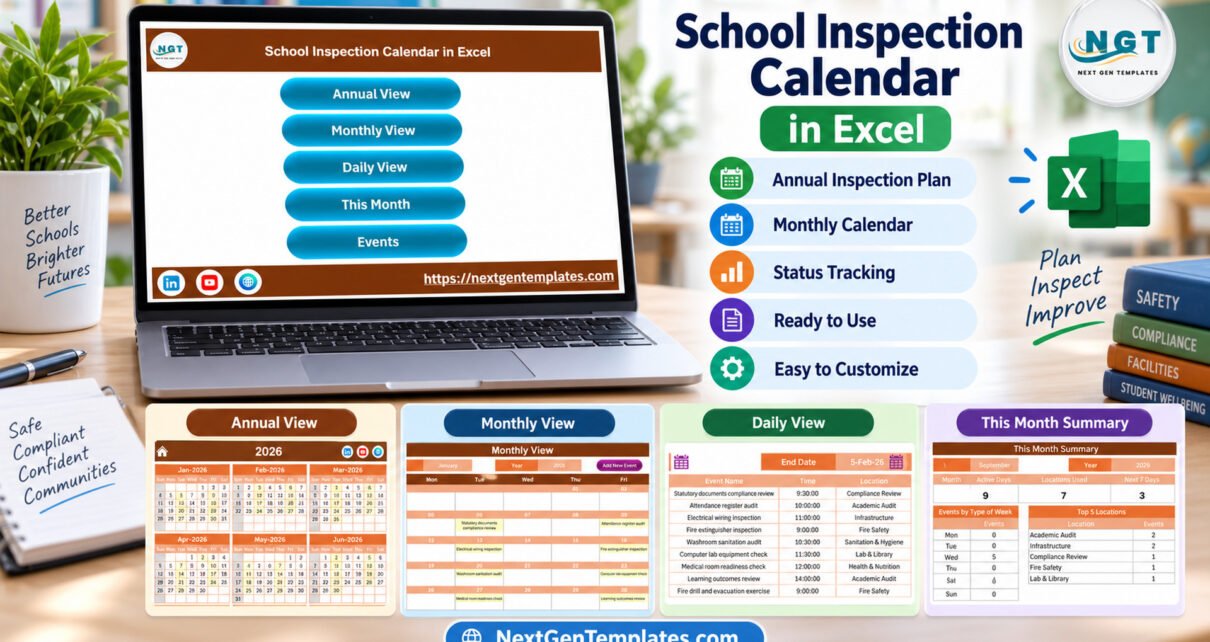
The School Inspection Calendar in Excel is a macro-enabled workbook that puts a year of school audits, safety checks and official visits on five linked pages. It comes with 100 sample inspection events dated 6 January to 28 December 2026, grouped into 8 inspection areas and 47 event types, with 8 or 9 events in every month.
Inspection dates in many schools still live in scattered emails, wall planners and one person’s diary. When a fire drill clashes with a board visit, or the water-quality check slips for a term, nobody sees it until it matters. This calendar gives every inspection a single Excel home, so a principal, a facilities lead and an academic coordinator can all read the same yearly plan.
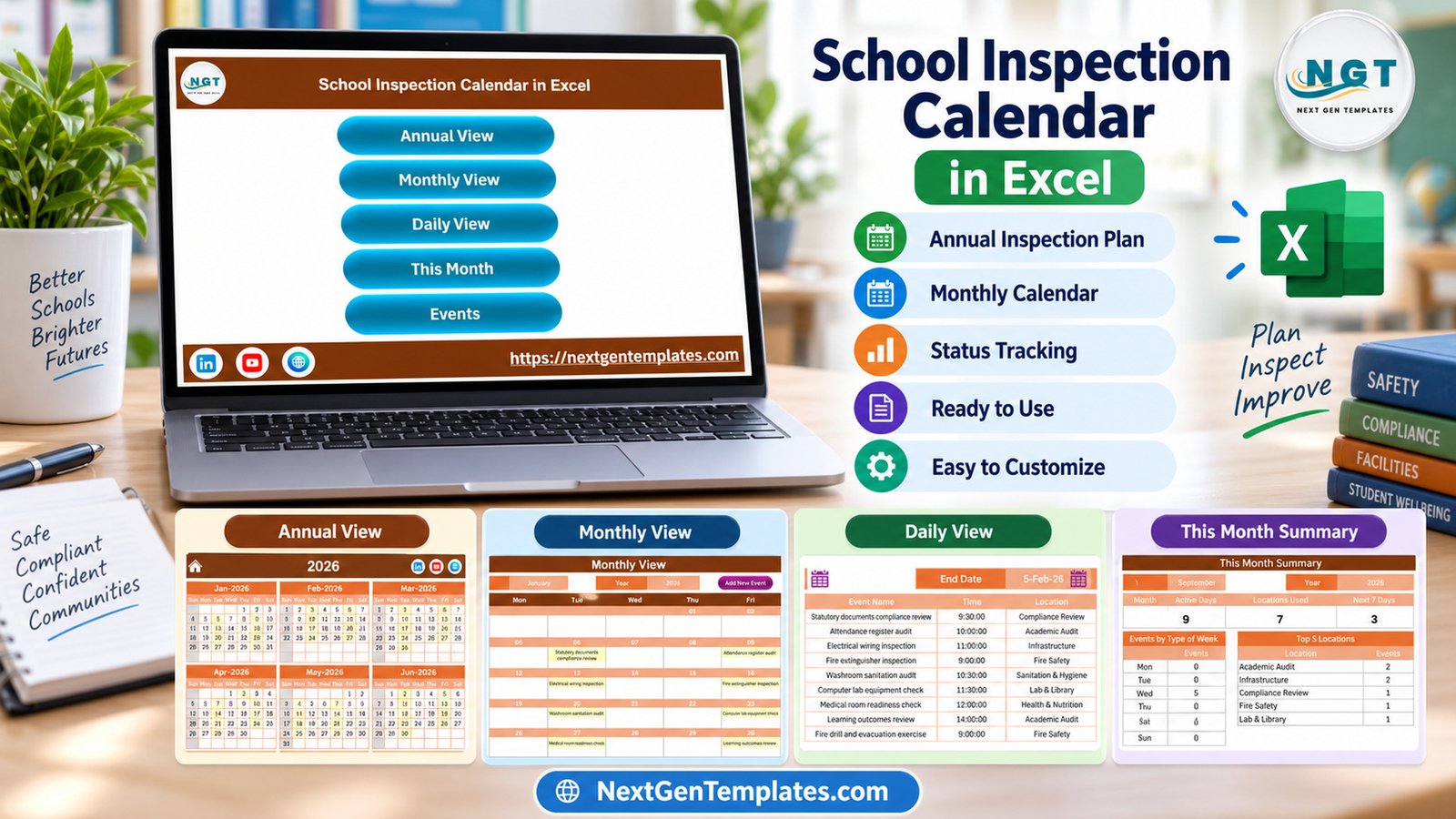
Key Features of the School Inspection Calendar in Excel
The workbook has seven sheets: Home, Annual View, Monthly View, Daily View, This Month, Events and Setting. Everything reads from a single Events table, so a record you add once appears on every view.
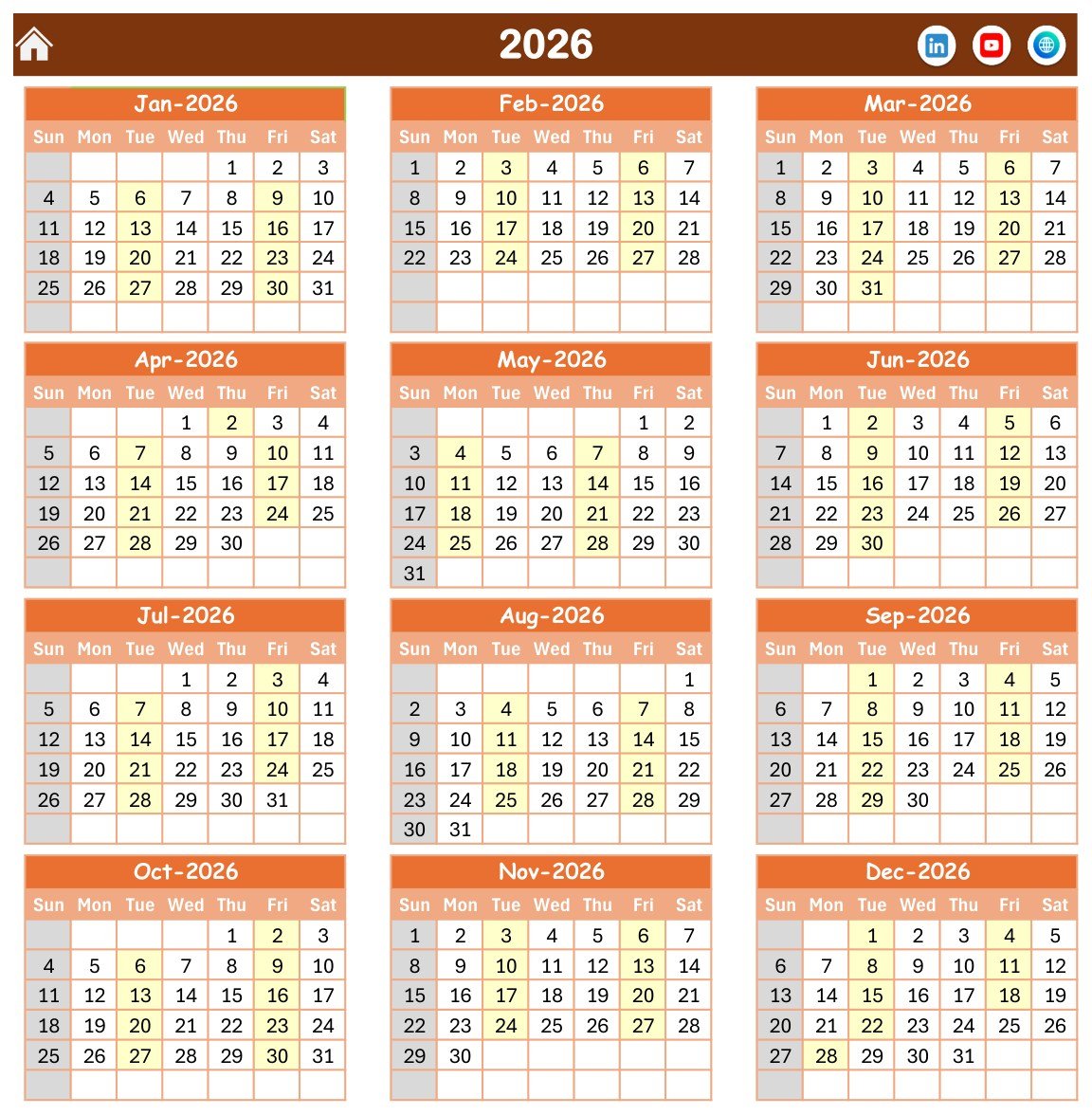
- Annual View: twelve month grids on one page, with every date that holds an inspection highlighted.
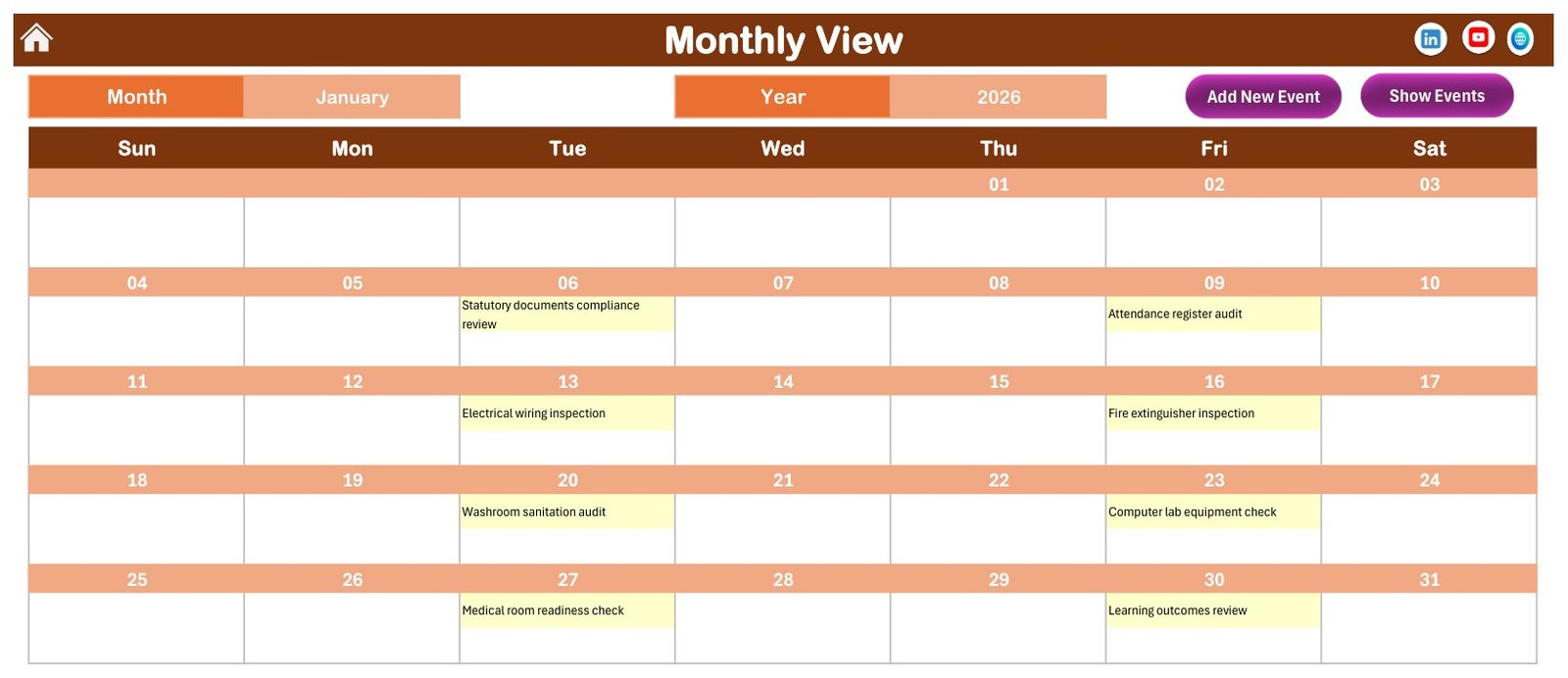
- Monthly View: Month and Year selectors and a full grid that writes each event name into its day.
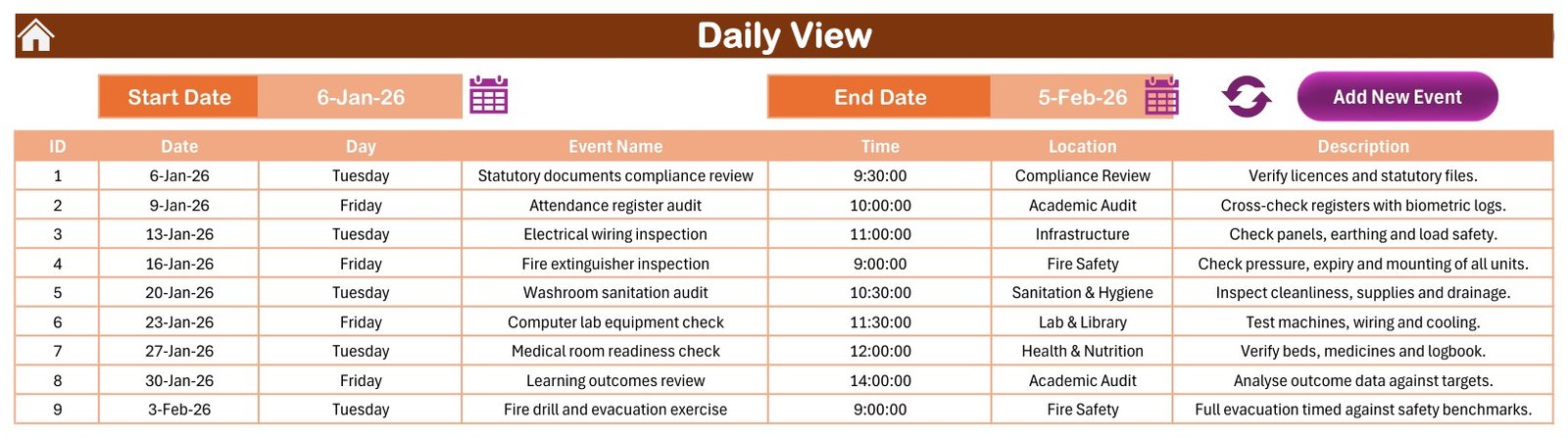
- Daily View: a Start Date and End Date filter that lists ID, Date, Day, Event Name, Time, Location and Description.
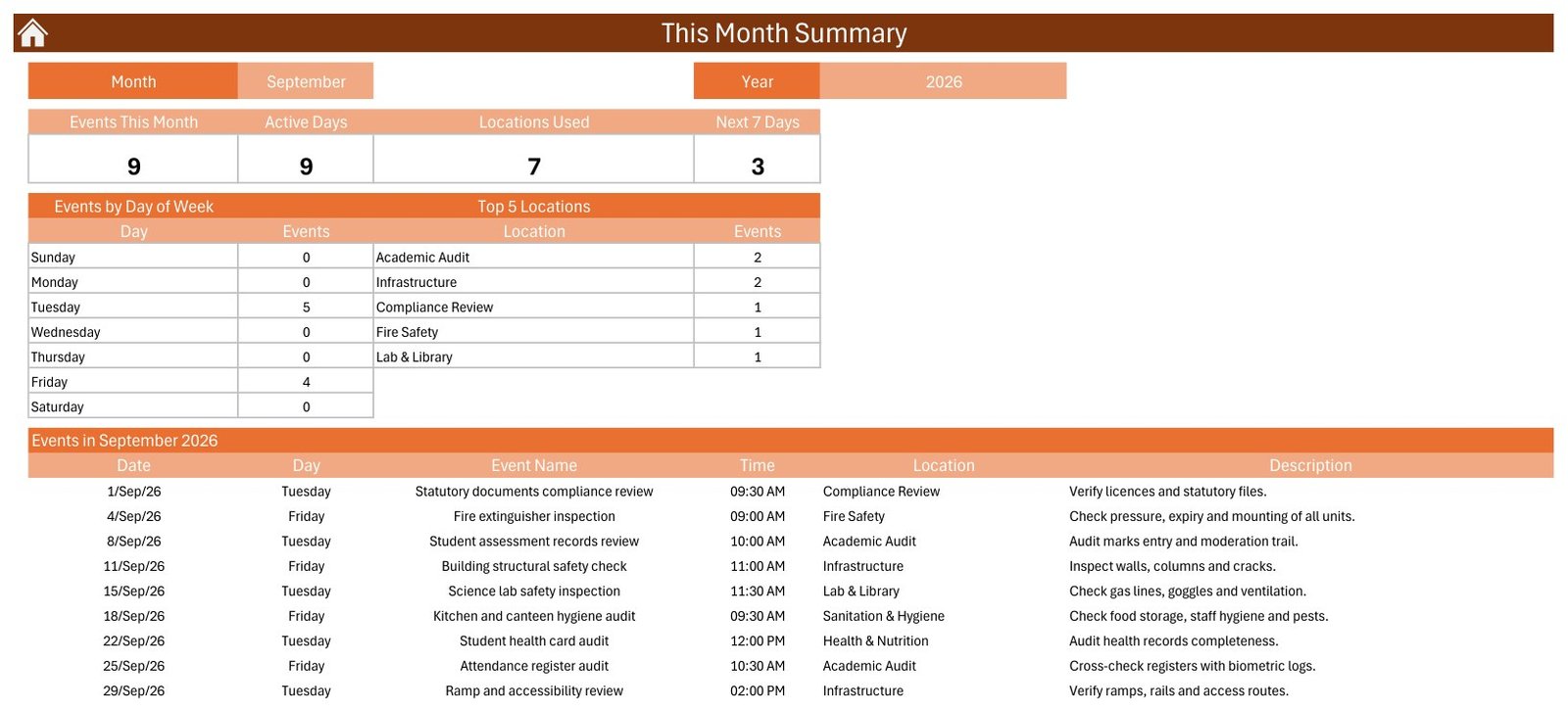
- This Month: four counters (Events This Month, Active Days, Locations Used, Next 7 Days), an Events by Day of Week table, a Top 5 Locations table and the month’s event list.
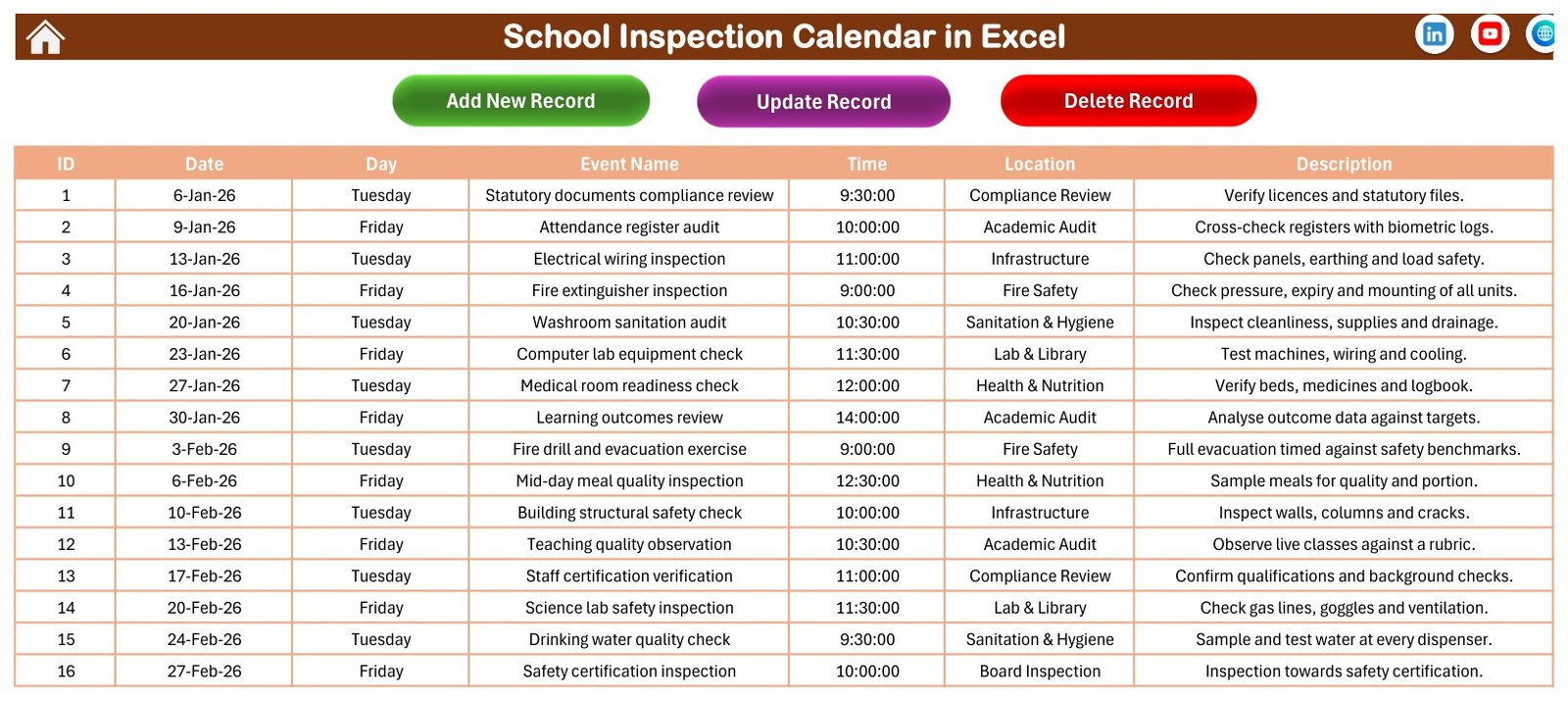
- Events sheet: Add New Record, Update Record and Delete Record buttons over a seven-column table.
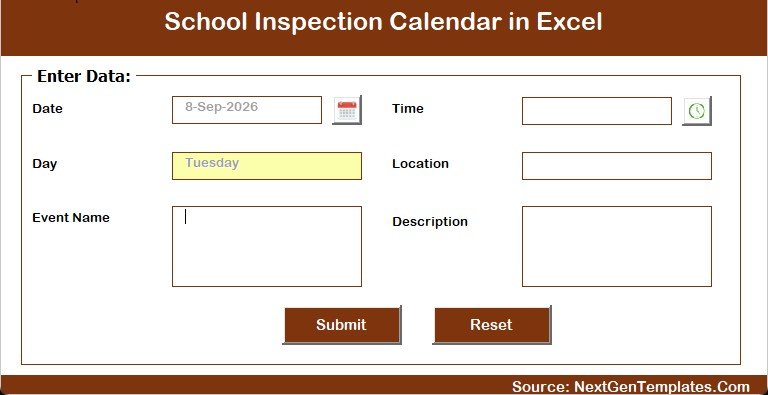
- Entry form: date and time pickers, with the weekday filled in from the date.
- Setting sheet: calendar year, starting month, first day of the week, two highlighted weekdays, event highlighting and five colour themes.
Macros power the form, the record buttons and the date-range refresh, so the file needs desktop Excel for Windows with macros enabled.
Template Structure: Every Page Explained
Home
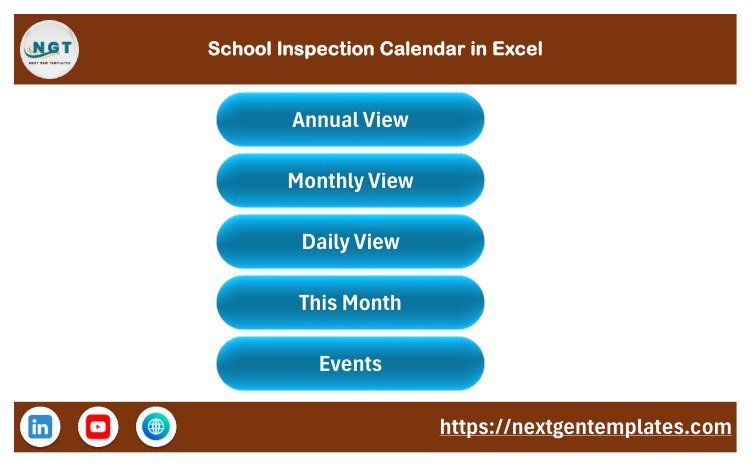
A clean menu with five buttons, Annual View, Monthly View, Daily View, This Month and Events, so nobody has to hunt through sheet tabs.
Annual View
All twelve months of 2026 in Sunday-to-Saturday grids. Highlighted dates show when inspections happen, and in the sample you can see the steady Tuesday and Friday pattern straight away. Sunday is greyed out.
Monthly View
Choose January and 2026 and the grid shows Statutory documents compliance review on the 6th, Attendance register audit on the 9th, Electrical wiring inspection on the 13th and so on through Learning outcomes review on the 30th. Add New Event and Show Events buttons sit at the top.
Daily View
Pick any date range with the two calendar icons and press refresh. The sample range of 6 January to 5 February 2026 returns nine inspections, each with its time, area and a one-line note.
This Month Summary
For September 2026 the sample shows 9 events on 9 active days in 7 locations, with 5 on Tuesdays and 4 on Fridays. Academic Audit and Infrastructure lead the Top 5 Locations with 2 events each.
Events
The master list of 100 records with contiguous IDs from 1 to 100. Each weekday matches its date, and no two events share a day. The three buttons add, update and delete records.
Enter Data Form
Date, Time, Event Name, Location and Description, with a Submit and a Reset button. The Day box fills itself, which keeps weekday labels accurate.
What the Sample Data Covers
The 100 fictional events are spread over eight areas: Academic Audit (16), Infrastructure (15), Fire Safety (14), Sanitation & Hygiene (13), Compliance Review (12), Lab & Library (12), Health & Nutrition (12) and Board Inspection (6). Typical entries include fire extinguisher inspections, drinking water quality checks, playground equipment safety audits, teaching quality observations and a district education officer visit. Times run from 8:30 AM to 2:00 PM, and 90 of the 100 events fall on a Tuesday or Friday.
Comparison: Excel Calendar vs. Google Sheets vs. Paid Inspection Software
| Feature | This Excel inspection calendar | Google Sheets calendar template | Paid inspection or school-management software |
|---|---|---|---|
| Cost | ✅ $4.99 one-time | One-time template price | Recurring subscription, per plan or per user |
| Platform | Excel for Windows desktop | Any browser | Web and mobile apps |
| Setup time | ✅ Minutes | Minutes | Days to weeks |
| Works offline | ✅ Yes | Limited | Varies |
| Real-time collaboration | No | ✅ Yes | ✅ Yes |
| Mobile access | No | ✅ Yes | ✅ Yes |
| Annual, monthly and date-range views | ✅ Yes, plus a monthly summary | Depends on the template | Usually |
| Reminders, checklists and scoring | No | No | ✅ Usually |
| Year-1 cost for 5 staff | ✅ $4.99 | One template price | Several times higher |
For a school that wants a clear, offline yearly inspection plan without a software subscription, this Excel calendar sits in the sweet spot.
Who Should Use This Template
Perfect for:
- Principals and school administrators planning the audit year for one campus
- Facilities, estates and health and safety leads who book fire, electrical, water and hygiene checks
- Academic coordinators who schedule register, curriculum and lesson plan reviews
Not a fit if:
- You need inspection checklists, scores, photos, findings or corrective actions
- Several people must edit at the same time, or your team works on Mac, the web or phones
- You rely on reminders, recurring events or start-and-end times
Real-World Use Cases
A principal at a 900-student secondary school blocks out the year in January: fire drills each term, electrical and structural checks before the monsoon or winter, and teaching quality observations mid-term. She prints the Monthly View for the staff room on the first working day of each month.
A facilities manager at a K-12 campus uses the Location column as a list of inspection areas. On This Month he checks Top 5 Locations and Events by Day of Week to spread work evenly, so Sanitation & Hygiene is not crowded into one week.
An academic coordinator runs Daily View for the two weeks before a planned board visit and walks through the list with heads of department, making sure register audits and syllabus reviews are already done.
Advantages of This Excel Inspection Calendar
- One source of truth. Every view reads the same Events table, so there is no double entry.
- Low cost. A one-time $4.99 purchase replaces a monthly software fee for simple scheduling.
- Offline and private. The file stays on your own computer or school drive.
- Fast to learn. Staff who know Excel understand the grids and the form in minutes.
- Easy to rebrand. Five colour themes and editable labels fit your school’s look.
Opportunities for Improvement
An honest list of what the workbook does not do today:
- No reminders, emails or notifications, and no recurring events.
- One time per event with no end time or duration.
- No fields for inspector, status, score, findings, evidence or follow-up actions.
- No conflict warning if two inspections are booked for the same slot.
- Single-user desktop file: it needs Excel for Windows with macros, and does not run in Excel for the web, on Mac or on mobile.
- It is a planning aid, not a school-management or inspection compliance system. It does not follow or certify against Ofsted, national, state or board frameworks, and it makes no accreditation claim.
Best Practices
- Enable macros only for this trusted file. Microsoft’s guide to enabling or disabling macros in Microsoft 365 files shows the steps.
- If Excel shows a security banner on a downloaded file, read Microsoft’s note on macros from the internet being blocked by default and unblock the file from its Properties.
- Set the year and week start on the Setting sheet before adding records.
- Keep the Location names short and consistent so the Top 5 Locations table groups them correctly.
- Put the purpose and the responsible person in the Description column, since there is no separate owner field.
- Save a dated backup copy at the end of each term.
Explore Relevant Templates
Pair this calendar with other school planning tools on this blog. The School Bus Route Calendar in Excel organises student transport runs, and the Exam Timetable Calendar in Excel plans papers and rooms. For daily records, see the Teacher Substitution Data Entry System in Excel and the Gate Pass Register Data Entry System in Excel.
Browse more Excel calendar templates on NextGenTemplates.
Frequently Asked Questions
What is included in the School Inspection Calendar in Excel?
A ZIP with one macro-enabled workbook and the Excel Calendar user manual in PDF. The workbook has Home, Annual View, Monthly View, Daily View, This Month, Events and Setting sheets, plus an entry form and 100 fictional sample inspections for 2026.
Do I have to enable macros?
Yes. The data-entry form, the Add, Update and Delete buttons and the Daily View refresh are VBA macros. Open the workbook in desktop Excel for Windows and click Enable Content when the yellow security bar appears.
Can I use it on a Mac, in Excel for the web or on a phone?
No. VBA forms and buttons need desktop Excel for Windows. Excel for the web and the mobile apps cannot run them, and the Mac version is not supported, so plan to use a Windows PC.
Can I change the year and the week start day?
Yes. The Setting sheet lets you pick the calendar year, the starting month, the first day of the week, two highlighted weekdays, whether event dates are highlighted, and one of five colour themes.
Does it send reminders or record inspection results?
No. It is a scheduling calendar. It stores date, weekday, event name, time, location and description only. There are no reminders, end times, recurring events, scores, findings or action plans.
How long does setup take?
Usually a few minutes. Set the year on the Setting sheet, delete the sample rows on Events and add your inspections through the form. Every view updates from that one table.
How does this compare with paid inspection software?
Paid apps add mobile checklists, reminders and shared access for a recurring fee. This workbook costs $4.99 once and works offline, but it plans dates for one user rather than recording inspection outcomes.
About the Author
Built by PK, a Microsoft Certified Professional with 15+ years of Excel, Google Sheets and Power BI experience and the founder of NextGenTemplates. Every template is built and tested before release.
Conclusion
If your school needs one clear place for fire drills, facility checks, academic audits and official visits, this Excel calendar gives you a yearly, monthly and date-range view of the same plan for a one-time price. Remember that it needs desktop Excel for Windows with macros enabled, and that the sample events are fictional.
👉 Click here to purchase the School Inspection Calendar in Excel
✅ Instant download · One-time payment · No subscription
🎥 Watch more Excel tutorials at Youtube.com/@PKAnExcelExpert
Last updated: September 2026