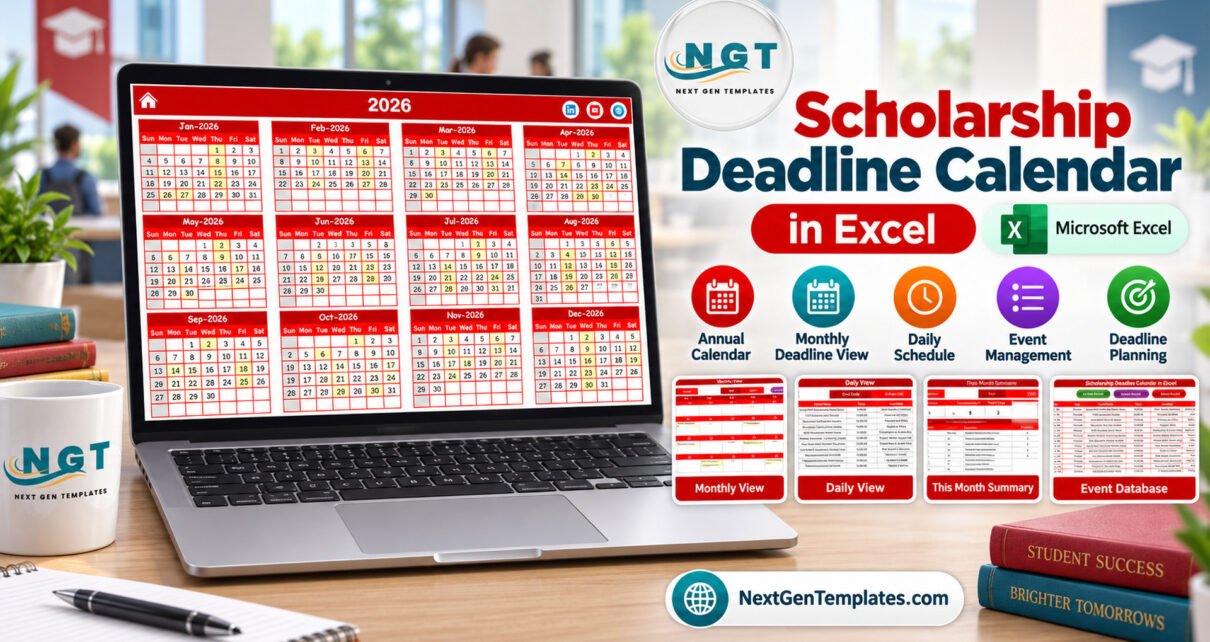
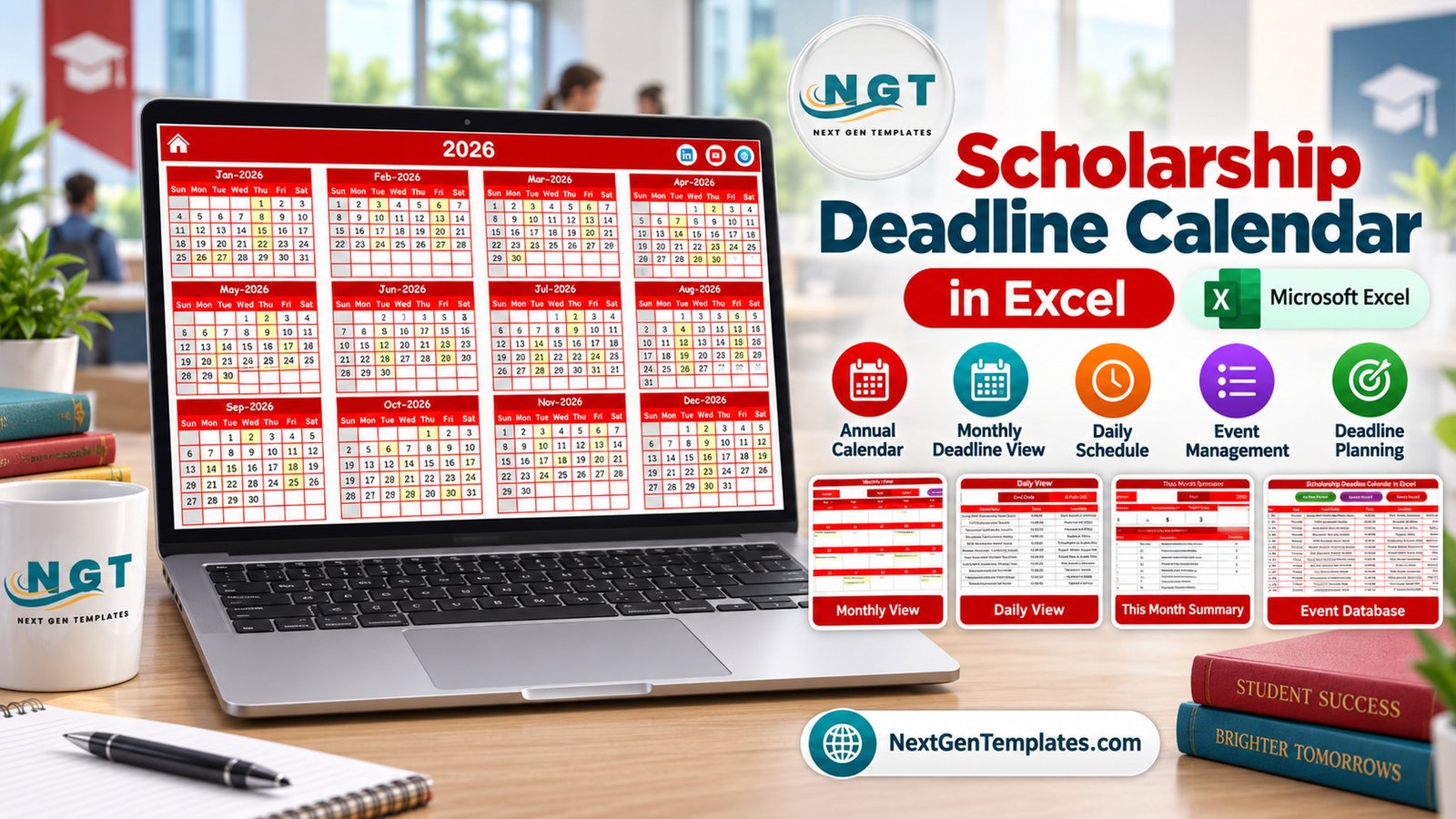
Scholarship deadline calendar in Excel helps education teams organize scholarship application windows, document due dates, recommendation-letter deadlines, award announcements, interviews, and renewal reminders in one editable workbook. The template includes 7 visual screens, 100 sample scholarship events, annual/monthly/daily calendar views, a this-month summary, and an event database. Because it uses macro buttons and forms, it is designed for Microsoft Excel for Windows desktop with macros enabled.
Key Features of Scholarship Deadline Calendar in Excel
The workbook is built as a scholarship calendar excel template rather than a generic appointment sheet. It gives users a year view for planning, a month view for deadline blocks, a daily view for date-range review, and a structured event database for editing records.
- Annual View with all 12 months on one screen.
- Monthly View with month/year selectors and Add New Event / Show Events buttons.
- Daily View that lists deadlines between a selected start and end date.
- This Month Summary with events this month, active days, locations used, next 7 days, day-of-week counts, and top locations.
- Events database with add, update, and delete record buttons.
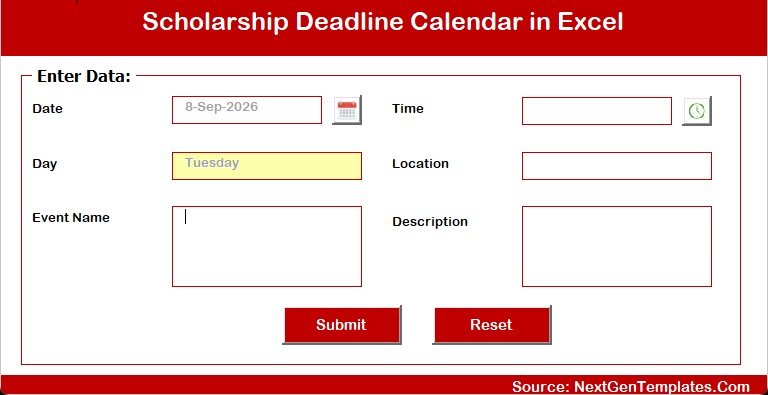
- Add New Event form with date, day, event name, time, location, and description fields.
- Sample scholarship records for financial aid, grants, merit awards, recommendation letters, interviews, and verification deadlines.
Workbook Pages Explanation
Home sheet
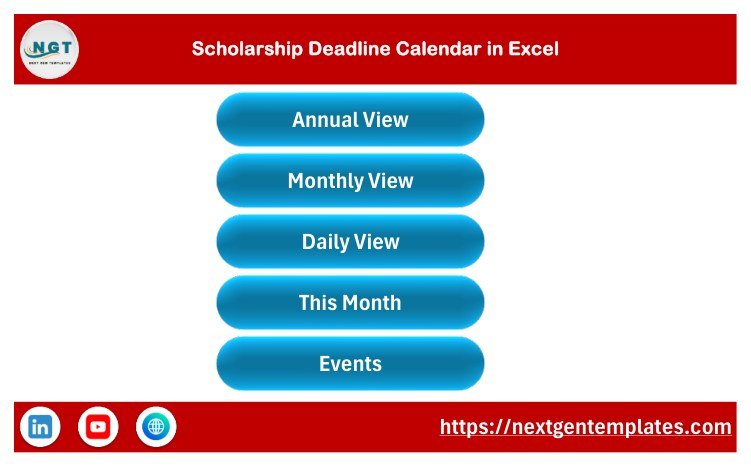
The Home sheet is the navigation hub. It has buttons for Annual View, Monthly View, Daily View, This Month, and Events, so the user does not need to hunt through sheet tabs during deadline-review meetings.
Annual View sheet
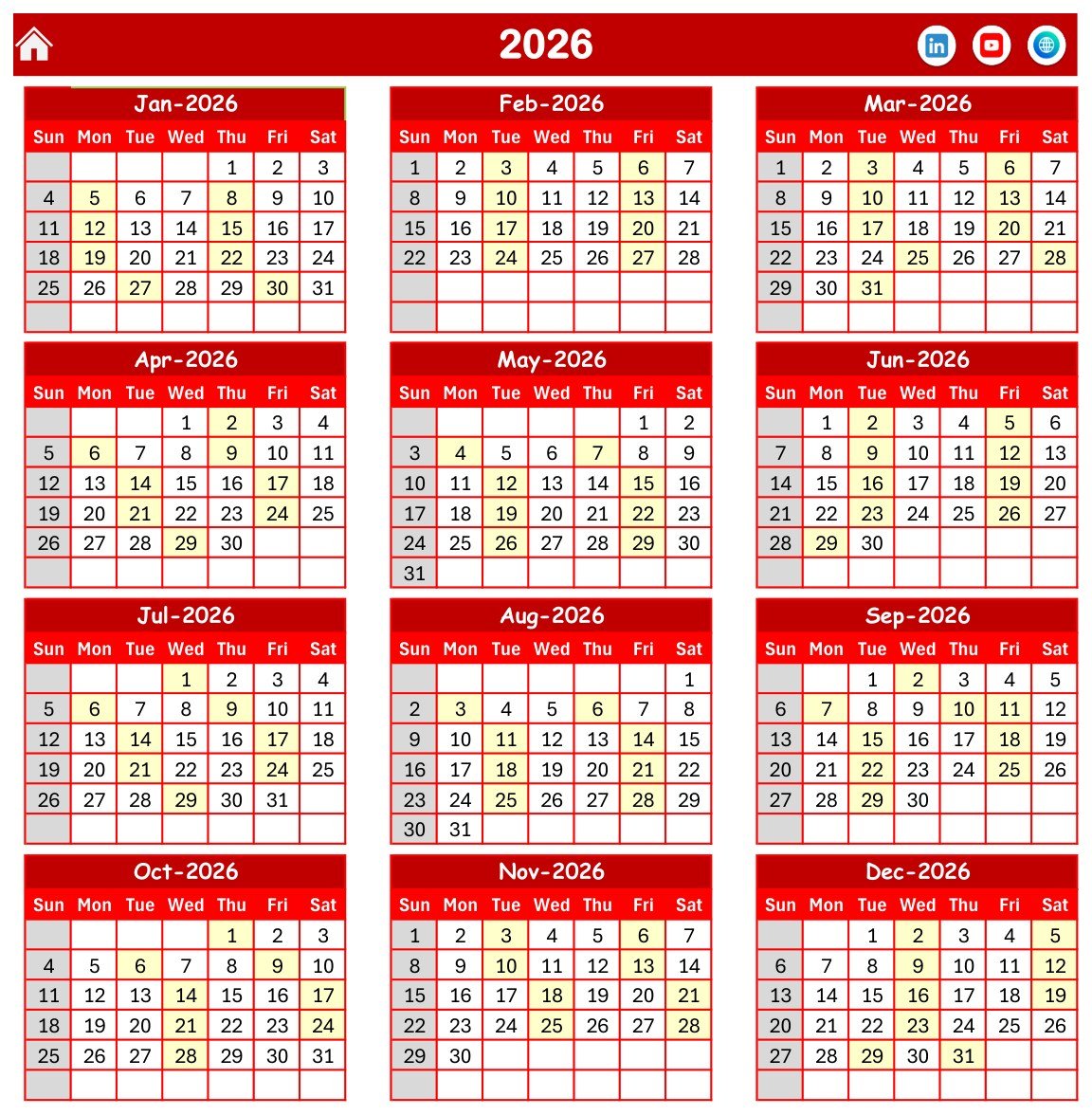
The Annual View shows a 2026 calendar across 12 months. It is useful for seeing crowded periods across the full scholarship season and for spotting where application windows, verification deadlines, and award announcements cluster.
Monthly View sheet
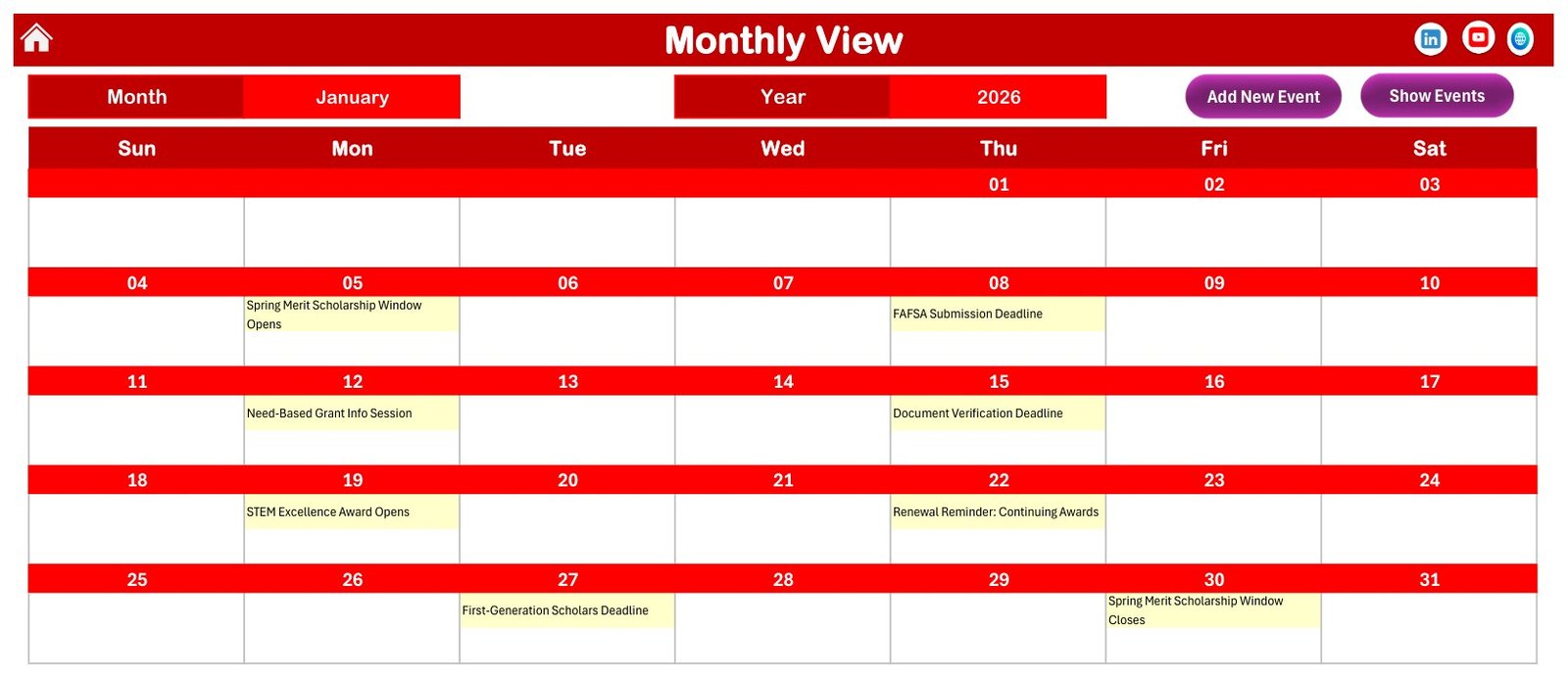
The Monthly View focuses on one month at a time. The screenshot shows January 2026 with scholarship events displayed in the date cells, including Spring Merit Scholarship Window Opens, FAFSA Submission Deadline, Need-Based Grant Info Session, and Document Verification Deadline.
Daily View sheet
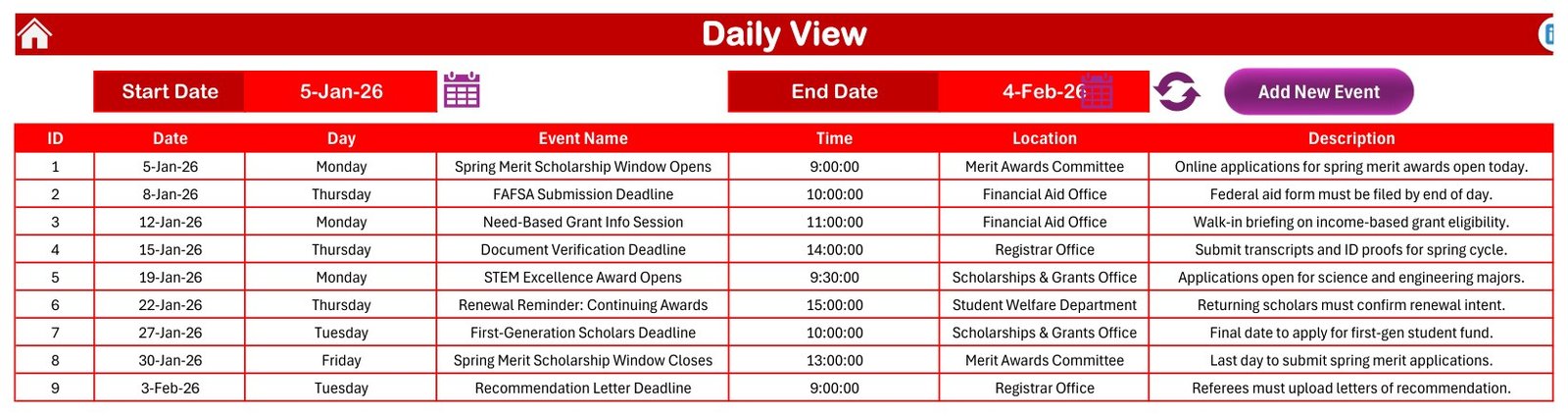
The Daily View works like an excel scholarship deadline tracker for a selected date range. In the sample file, the view lists dates, days, event names, times, locations, and descriptions from early January to early February.
This Month Summary sheet
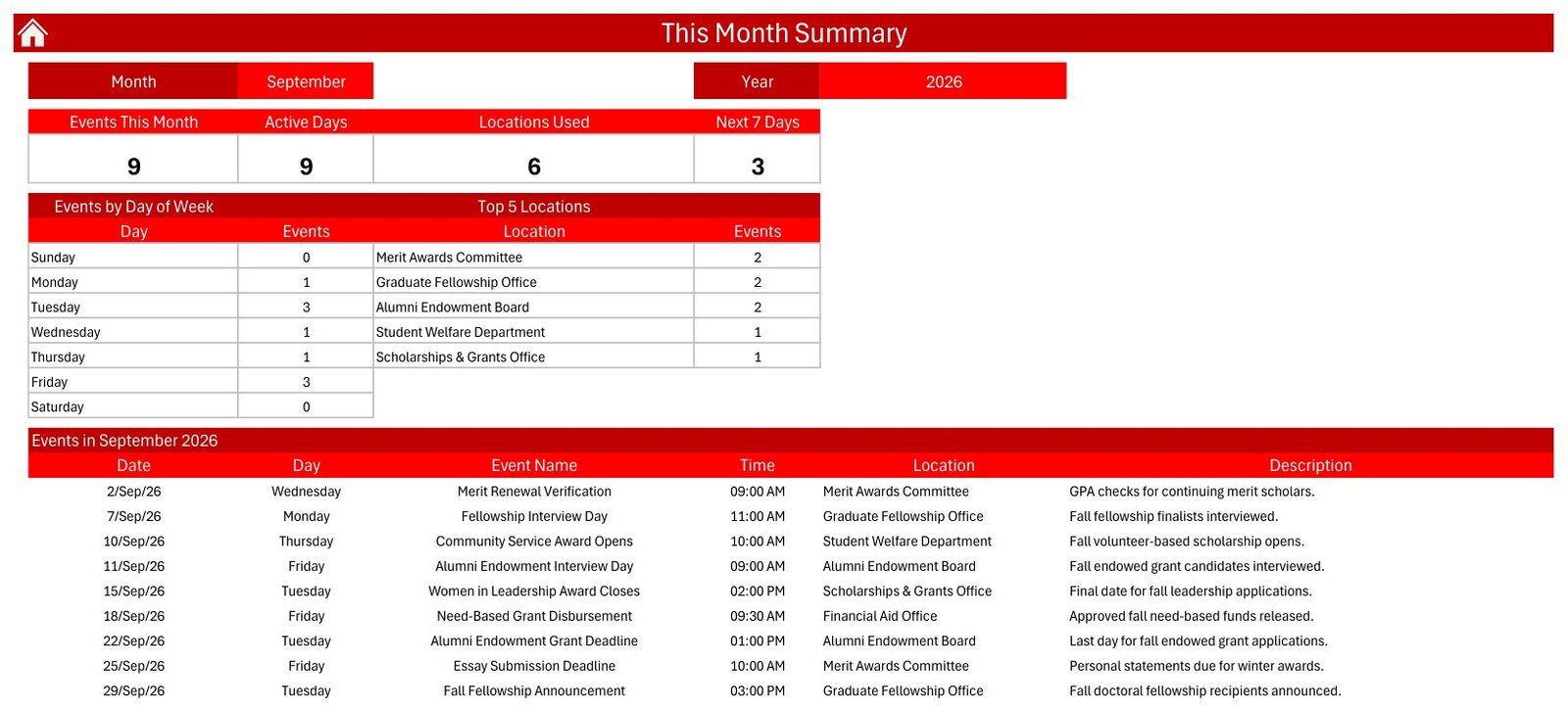
The This Month Summary is useful when a team wants a quick workload view. It shows events this month, active days, locations used, next 7 days, events by day of week, top 5 locations, and the detailed event list for the selected month.
Events database and entry form
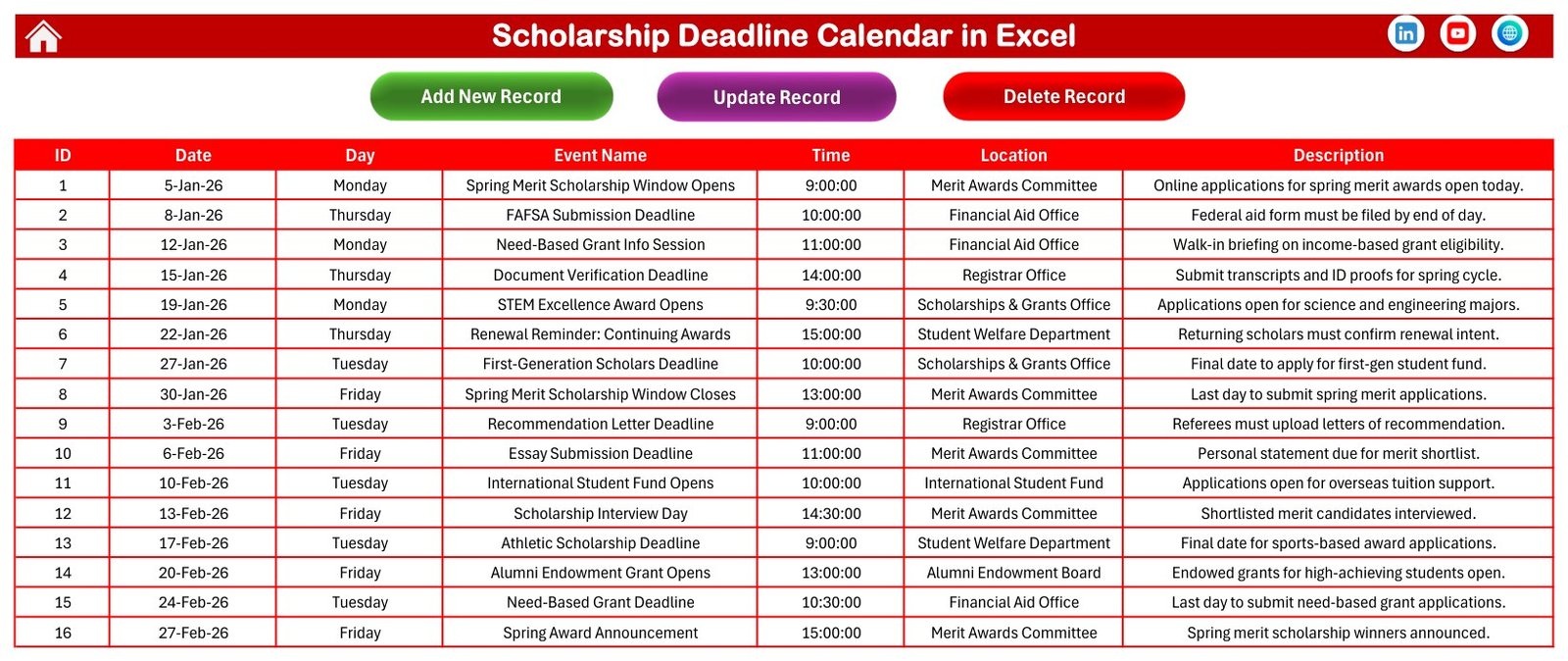
The Events sheet stores the editable scholarship deadline spreadsheet records. Users can add, update, or delete event records, and the separate entry form helps capture the core fields in a cleaner way.
Scholarship Deadline Calendar in Excel vs. Google Sheets vs. Paid CRM/SaaS – Feature Comparison
| Decision point | This Excel calendar | Google Sheets alternative | Paid education SaaS |
|---|---|---|---|
| Cost | One low-cost download | Usually free to copy, but often needs redesign | Monthly or annual subscription |
| Platform | Excel for Windows desktop with macros enabled | Google Drive and browser | Vendor web app |
| Setup time | Open, enable macros, update sample events | Copy sheet, adjust formulas and sharing | Configure users, roles, and workflows |
| Deadline views | Annual, monthly, daily, this-month, and database views | Depends on the sheet design | Usually strong, but locked to vendor workflows |
| Scholarship context | Sample events show aid office, registrar, award, and grant deadlines | Usually generic calendar rows | May include admissions or CRM features you may not need |
| Collaboration | Best for one owner or shared network storage | Better for live multi-user editing | Best for full team permissions |
| Custom fields | Editable event name, time, location, and description columns | Editable if you maintain the sheet | Limited to vendor settings |
| Year-1 cost at 5 users | $4.99 sale price | Low, if maintained internally | Often hundreds of dollars |
Who Should Use This Template
This template is for scholarship coordinators, school counselors, college access teams, academic departments, student-support offices, and small nonprofits that need a practical education calendar template. It is especially useful when one person owns the schedule and periodically shares an updated workbook or PDF-style view with the wider team.
It is not designed for applicant logins, email reminders, financial-aid rule validation, admissions CRM workflows, or official compliance reporting. It does not verify scholarship eligibility or file any financial-aid form.
Real-World Use Cases
Guidance counselor planning calendar
A counselor can track FAFSA submission windows, local scholarship deadlines, recommendation-letter dates, transcript deadlines, and essay due dates during student advising sessions.
Scholarship committee operations
A committee can maintain award-window dates, interview days, verification milestones, and announcement dates in one scholarship deadline spreadsheet before every weekly review.
College access nonprofit calendar
A nonprofit can use the This Month Summary to prepare outreach priorities for students whose deadline windows are approaching.
Advantages of Scholarship Deadline Calendar in Excel
The biggest advantage is speed. A buyer can open the file, enable macros, replace sample rows, and start using the annual, monthly, daily, and summary views without building a calendar system from scratch. The workbook also keeps data ownership local, which some small offices prefer when the process does not justify a full SaaS subscription.
Another advantage is focus. The sample data, screenshots, and labels are scholarship-oriented, so the template naturally fits deadline planning for aid offices and education teams.
Opportunities for Improvement
The workbook is intentionally simple. It does not send reminder emails, sync with Outlook or Google Calendar, support simultaneous browser editing, or validate real scholarship eligibility requirements. Teams that need those features should pair this workbook with their existing communication tools or move to a dedicated system.
Best Practices
- Keep one protected master copy before editing sample records.
- Update all scholarship dates from official sources before sharing the file.
- Review the This Month Summary at the start of each week.
- Use clear location names such as Financial Aid Office, Registrar Office, or Scholarship Committee.
- Follow Microsoft guidance for macro security and enable macros only for files you trust. See Microsoft Support for current Excel macro-security guidance.
- For more Excel tutorials and template walkthroughs, browse PK: An Excel Expert.
Explore Relevant Templates
The template is available here: Scholarship Deadline Calendar in Excel. You can also explore related planning products:
- Calendar & Planner Pack for teams that want a larger calendar toolkit.
- Class Timetable Calendar in Google Sheets for browser-based academic scheduling.
- Teacher Substitution Calendar in Google Sheets for school operations planning.
- Coaching & Tutoring Dashboard in Google Sheets for tutoring center performance tracking.
Frequently Asked Questions
Is this a macro-enabled Excel file?
Yes. The download includes a macro-enabled workbook. Use Excel for Windows desktop and enable macros for the workbook buttons and forms.
Can I use it in Excel Online?
The workbook may open for viewing, but Excel Online does not run the VBA macros required for the interactive buttons and forms. Use desktop Excel for the intended experience.
Does this template contain official scholarship deadlines?
No. The records are sample data. Replace them with your institution, scholarship program, or advising calendar dates.
Can this send reminders automatically?
No. It is a planning calendar, not an automated notification system.
Can I track different scholarship types?
Yes, by entering event names and descriptions that match your process. The visible fields support deadline name, date, day, time, location, and description.
What is included in the ZIP file?
The ZIP contains the Scholarship Deadline Calendar in Excel workbook and the Excel Calendar user manual PDF.
About the Author
Built by PK – Microsoft Certified Professional with 15+ years of Excel, Google Sheets, and Power BI experience. Founder of NextGenTemplates, reaching 300K+ subscribers across YouTube channels. Every template is hand-built and tested before release.
Conclusion
Scholarship deadline calendar in Excel is a practical way to organize scholarship dates, grant windows, renewal reminders, document-verification tasks, and interview milestones without paying for a full education SaaS platform. It works best when you want a local Excel file, clear views, and editable records for scholarship planning. Visit PK: An Excel Expert on YouTube for more Excel tutorials.
📚 Related guides: School Bus Route Calendar in Excel · Exam Timetable Calendar in Excel