Hiring the right talent is not just about posting jobs and collecting resumes. It requires structured tracking, proper filtering, interview monitoring, secure access control, and organized reporting. However, many HR teams still manage candidate applications in scattered Excel sheets or manual registers. As a result, data gets lost, follow-ups are missed, and hiring decisions get delayed.
So, how can you manage candidate applications in a professional, secure, and centralized system — without investing in expensive HR software?
The answer is simple.
Click to Purchases Candidate Application Management System V1.0
You need the Candidate Application Management System V1.0 — an Excel and VBA-based ready-to-use tool designed to help you manage your complete recruitment process efficiently.
What Is Candidate Application Management System V1.0?
Candidate Application Management System V1.0 is a powerful Excel + VBA-based recruitment management tool. It allows HR teams, recruiters, consultants, and companies to:
-
Add and manage candidate records
-
Filter and sort applications
-
Track interviews
-
Manage users and access control
-
Export reports to Excel
-
Maintain secure login-based system
Most importantly, it works inside Microsoft Excel Desktop, making it easy to use without complex installations.
🔐 Secure Login System
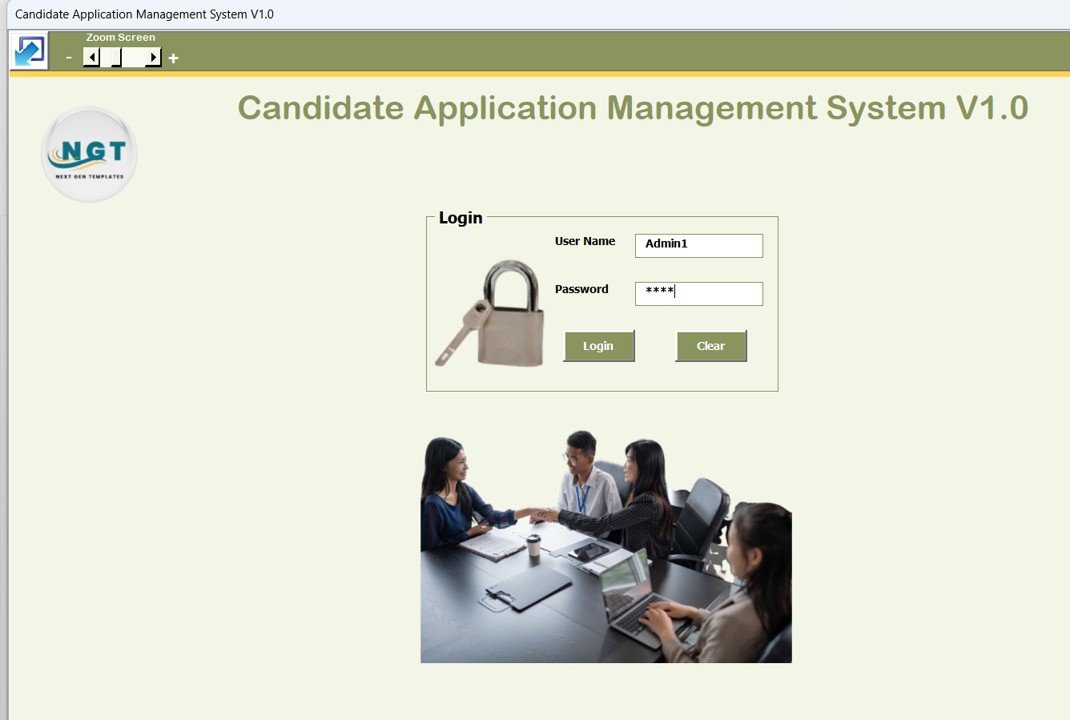
The tool starts with a professional Login Form.
You can log in using:
Admin Role:
-
Username: Admin1
-
Password: abcd
User Role:
-
Username: User1
-
Password: abcd
Simply enter your credentials and click Login (or press Enter), and the system will take you directly to the main application form.
This role-based access ensures secure data handling.
🖥️ Application – Central Control Panel

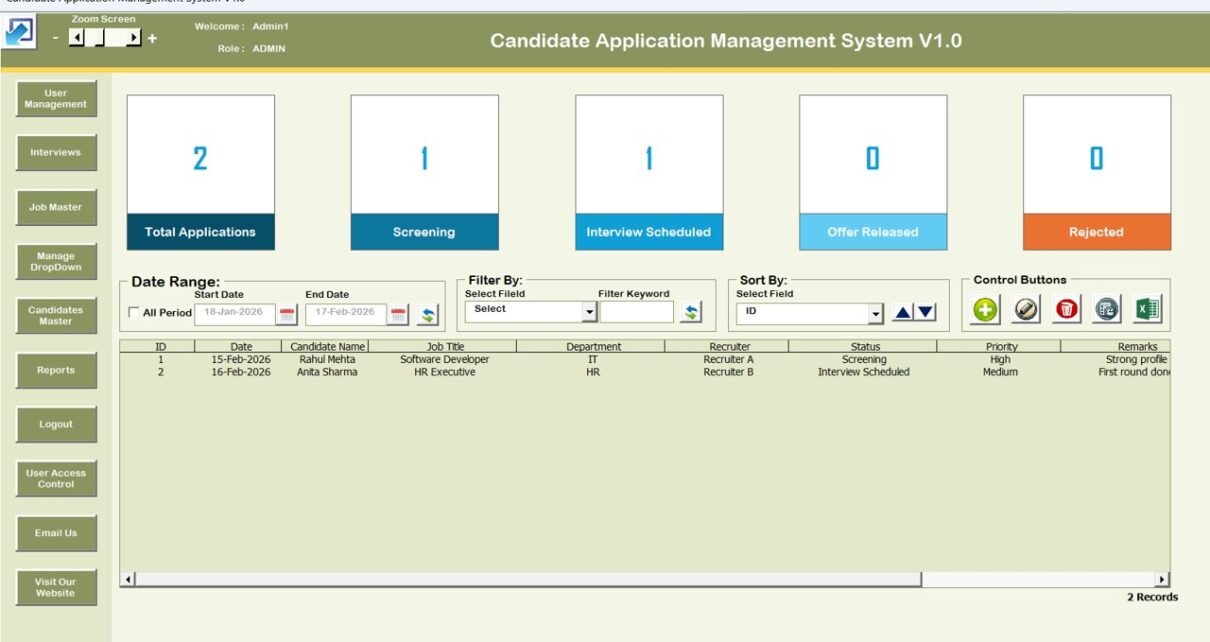
After login, the Main Application Form appears. This is the heart of the system where you can manage everything.
📋 List Box (Central Data Display)
In the center of the form, a structured List Box displays all candidate records in a clean tabular format.
This allows you to:
-
View candidate data instantly
-
Select records for update or deletion
-
Manage recruitment workflow efficiently
🔍 Smart Filters
Above the list box, filtering options are available to:
-
Filter by Date Range
-
Filter by Selected Columns
-
Narrow down data quickly
This makes searching for specific candidates extremely fast and accurate.
🔄 Sort By Feature
You can sort the list box data using the Sort feature. This helps in organizing candidate records based on selected parameters for better analysis and tracking.
🎛️ Control Buttons
Below the list box, you will find powerful control buttons:
1️⃣ Add New Record
Add new candidate details instantly.
2️⃣ Update Existing Record
Select a record and click update — or simply double-click the list box row. The form opens where you can edit details and submit changes.
3️⃣ Delete Record
Remove unwanted or incorrect records securely.
4️⃣ Export to Excel
Export filtered or selected list box data into a new Excel file for reporting or sharing.
Click to Purchases Candidate Application Management System V1.0
This makes reporting extremely easy for management review.
📝 History Form – Add & Update Records
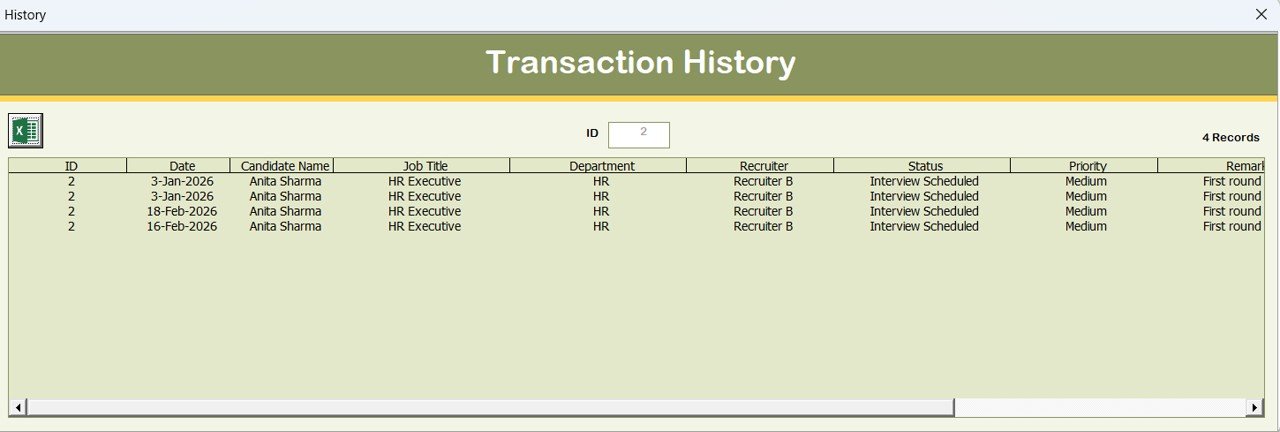
The History form opens when you:
-
Click Add New Record
-
Click Update Existing Record
From here, you can:
-
Enter new candidate information
-
Modify existing details
-
Submit updated records securely
This ensures your recruitment database stays accurate and up-to-date.
📌 Left Navigation Menu – Full System Control
On the left-hand side, you get a powerful navigation panel.
Let’s explore each feature:
🏢 1. Firm Information
Update your company or firm information.
A dedicated form allows you to enter and save firm details.
👥 2. User Management
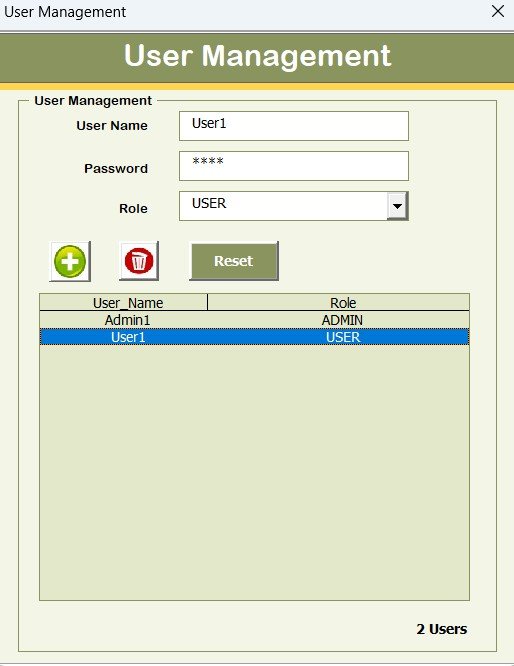
Manage system users easily:
-
Add new users
-
Update user details
-
Delete users
-
Reset passwords
-
Change password
This ensures structured user administration.
📂 3. Manage List
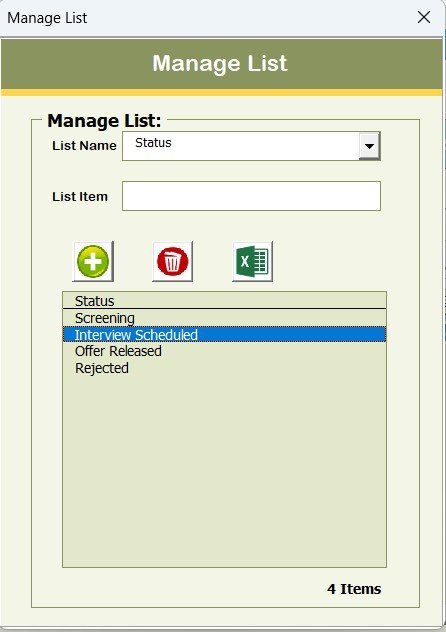
Using this form, you can:
-
Add new items to dropdown lists
-
Delete unwanted entries
This keeps the system flexible and customizable.
📅 4. Interviews
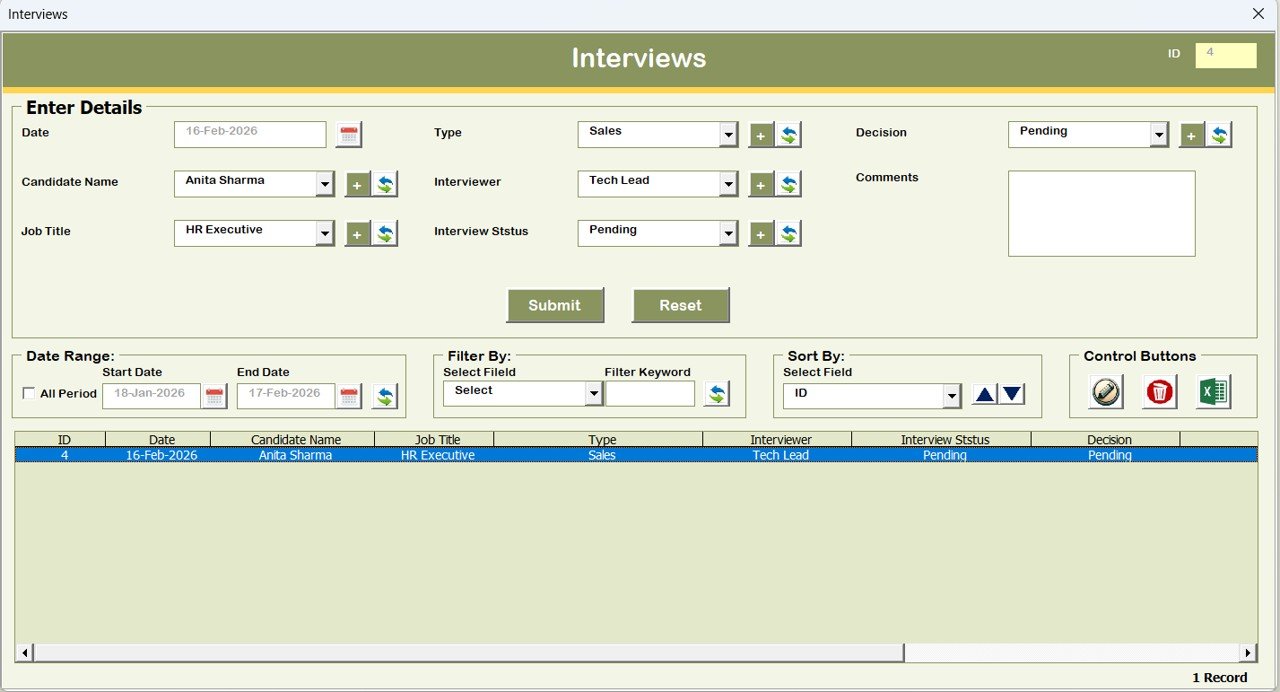
Track and manage interview-related details inside the system.
This helps in maintaining structured hiring workflow.
Click to Purchases Candidate Application Management System V1.0
📌 5. Job Master
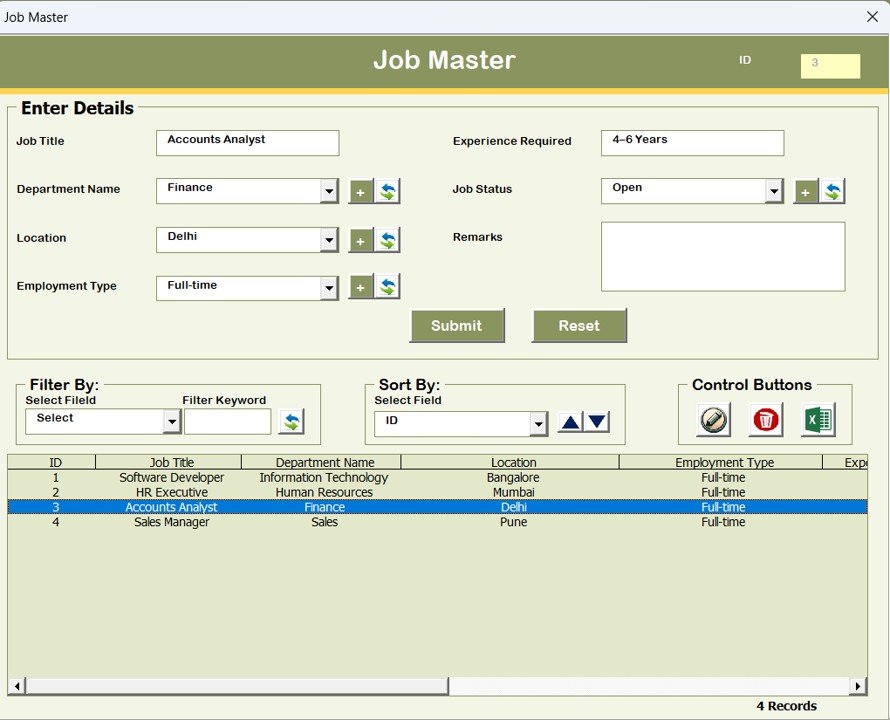
Manage job roles and positions from a centralized location.
👤 6. Candidates Master
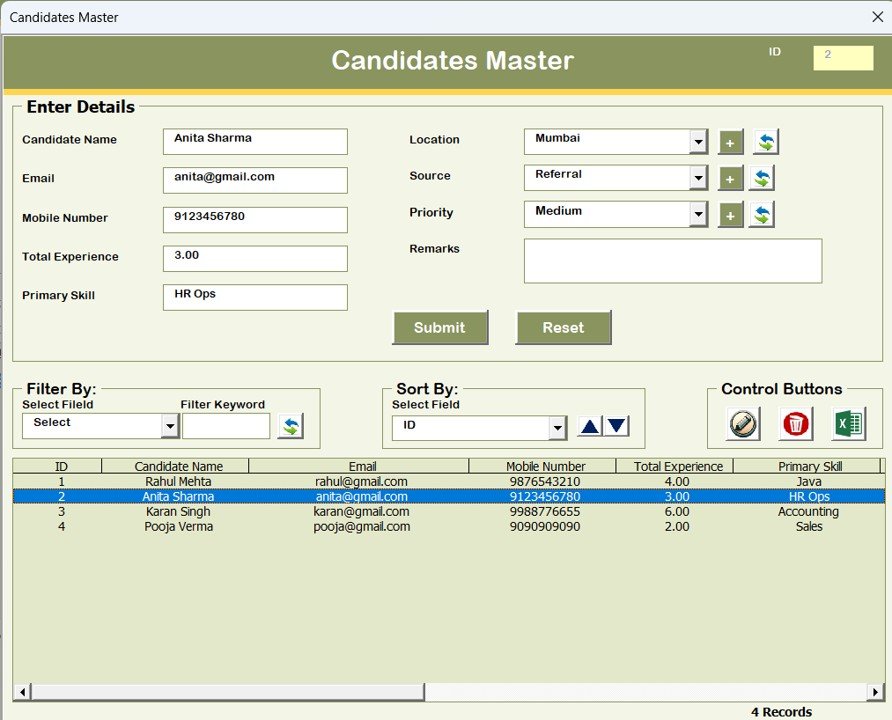
Maintain master data related to candidates efficiently.
📊 7. Reports
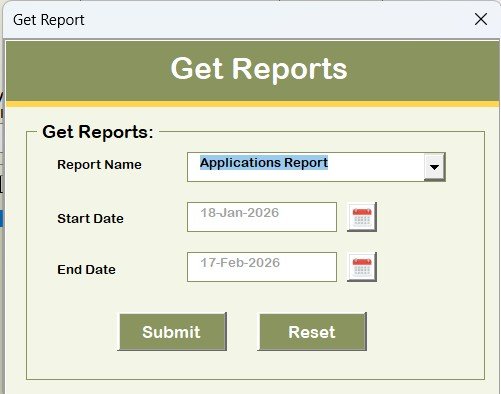
Generate Excel reports for a selected date range.
This is extremely helpful for:
-
Monthly recruitment reports
-
Candidate pipeline analysis
-
Management review meetings
Reports are exportable in Excel format.
🔐 8. Manage User Access Control
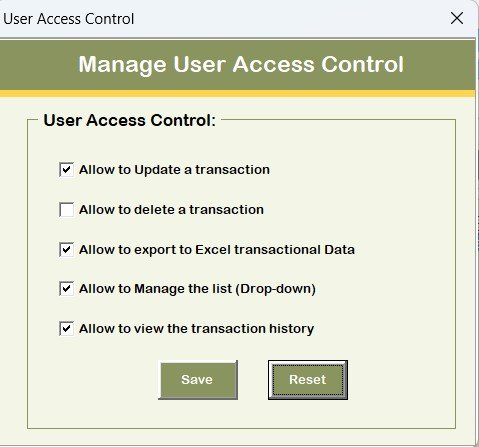
Only Admin can access this section.
You can:
-
Define which modules are accessible to User Role
-
Control permissions using tick-based access control
This enhances data security and prevents unauthorized changes.
🚪 9. Logout
Logout button:
-
Saves all data
-
Closes the file and forms safely
📧 10. Email Us
Need customization?
Click this button to view our email ID and request modifications.
🌐 11. Visit Our Website
Click to Purchases Candidate Application Management System V1.0
This button redirects you to our website where you can explore and purchase more professional Excel tools and templates.
💡 Why Choose This Tool?
Many organizations struggle with:
-
Manual tracking of candidates
-
Lack of centralized database
-
No structured filtering
-
No user access control
-
Delayed reporting
Candidate Application Management System V1.0 solves all these issues inside Excel.
You do not need expensive HR software.
You only need Microsoft Excel Desktop.
🎯 Who Can Use This Tool?
-
HR Managers
-
Recruitment Agencies
-
Placement Consultants
-
Small & Medium Businesses
-
Corporate HR Departments
-
Startup Founders
If you hire candidates regularly, this tool is perfect for you.
🚀 Advantages of Candidate Application Management System
-
✔ Fully automated Excel + VBA system
-
✔ Secure login with role-based access
-
✔ Add, update, delete records easily
-
✔ Smart filtering & sorting features
-
✔ Export reports in Excel
-
✔ Professional user interface
-
✔ No subscription cost
-
✔ One-time purchase solution
-
✔ Customizable as per business needs
⚠ Important Compatibility Information (Read Carefully)
Please note the following system requirements:
🔹 Compatible with Windows 10 and above
🔹 Works with Microsoft Excel 2010 and above version
🔹 Works only with Microsoft Excel Desktop Application (Laptop or Desktop)
🔹 Will NOT work on Mobile or Tablet devices
🔹 Not compatible with Mac operating system
Before purchasing, please ensure you meet these requirements.
📈 How This Tool Improves Hiring Efficiency
With this system, you can:
-
Reduce manual data errors
-
Save time in tracking applications
-
Improve interview coordination
-
Generate reports instantly
-
Secure your recruitment data
-
Control user permissions effectively
It transforms your recruitment process into a structured digital workflow.
❓ Frequently Asked Questions (FAQs)
Click to Purchases Candidate Application Management System V1.0
1. Is this a web-based software?
No. It is an Excel + VBA Desktop-based tool.
2. Do I need coding knowledge to use it?
No. It is ready to use.
3. Can I customize it?
Yes. You can email us for customization.
4. Does it require internet?
No. It works offline inside Excel.
5. Is it subscription-based?
No. It is a ready-to-use Excel tool.
🏁 Final Words
If you are still managing candidate applications manually, you are wasting valuable time.
Upgrade your recruitment process today with Candidate Application Management System V1.0.
It is secure.
It is structured.
It is professional.
It is powerful.
Visit our YouTube channel to learn step-by-step video tutorials