Running construction projects means living in a dozen places at once: a Power BI report for the execs, an Excel workbook for the PM, a Google Sheet the site team can open on their phones, and a separate safety log nobody likes to update. The Construction Project Intelligence Kit pulls all of that together — 6 premium construction dashboards spanning Excel, Power BI, and Google Sheets — into one affordable bundle. Buy the kit for a one-time $49.99 instead of $84.94 when purchased separately, and save $34.95 (about 41% off). Browse all of our dashboard templates if you want to see the full catalogue.
🏗️ Construction Project Intelligence Kit — All 6 Dashboards for $49.99
Individual total $84.94 → $49.99
Why a Construction Dashboard Bundle Beats Buying One at a Time
Every construction firm has a different tool of record. Finance lives in Excel, leadership wants Power BI visuals, and field teams collaborate in Google Sheets. Buying a single-format template forces the rest of your team to convert files or work blind. This bundle hands you the same construction intelligence in all three formats, so the PM, the controller, the safety officer, and the owner each open the version that suits them — working from the same underlying logic. You also get a dedicated safety dashboard, which most general project trackers leave out entirely.
What’s Included in the Construction Project Intelligence Kit
1. Construction Dashboard in Power BI
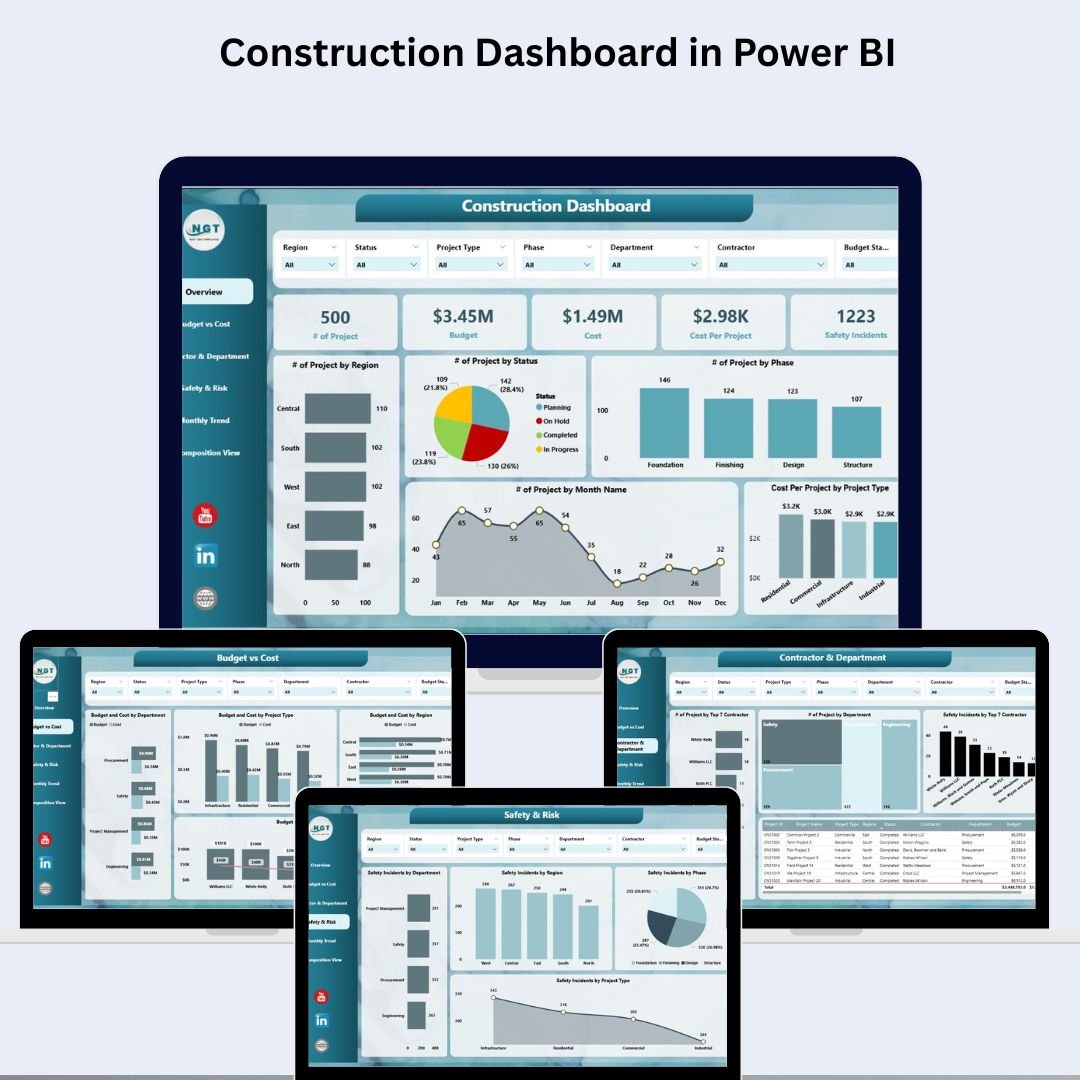
A six-page Power BI report covering an executive overview, budget vs cost, contractor and department performance, safety and risk, monthly trends, and a decomposition drill-down view for root-cause analysis. Ideal for leadership reviews and portfolio reporting.
👉 View the Construction Dashboard in Power BI
2. Construction Dashboard in Excel
Six connected Excel sheets — Overview, Budget vs Cost, Progress, Contractor & Department, Safety & Risk, and a single Data tab — that turn one data entry sheet into an interactive project command centre. Every slicer filters every sheet, and one data update refreshes everything.
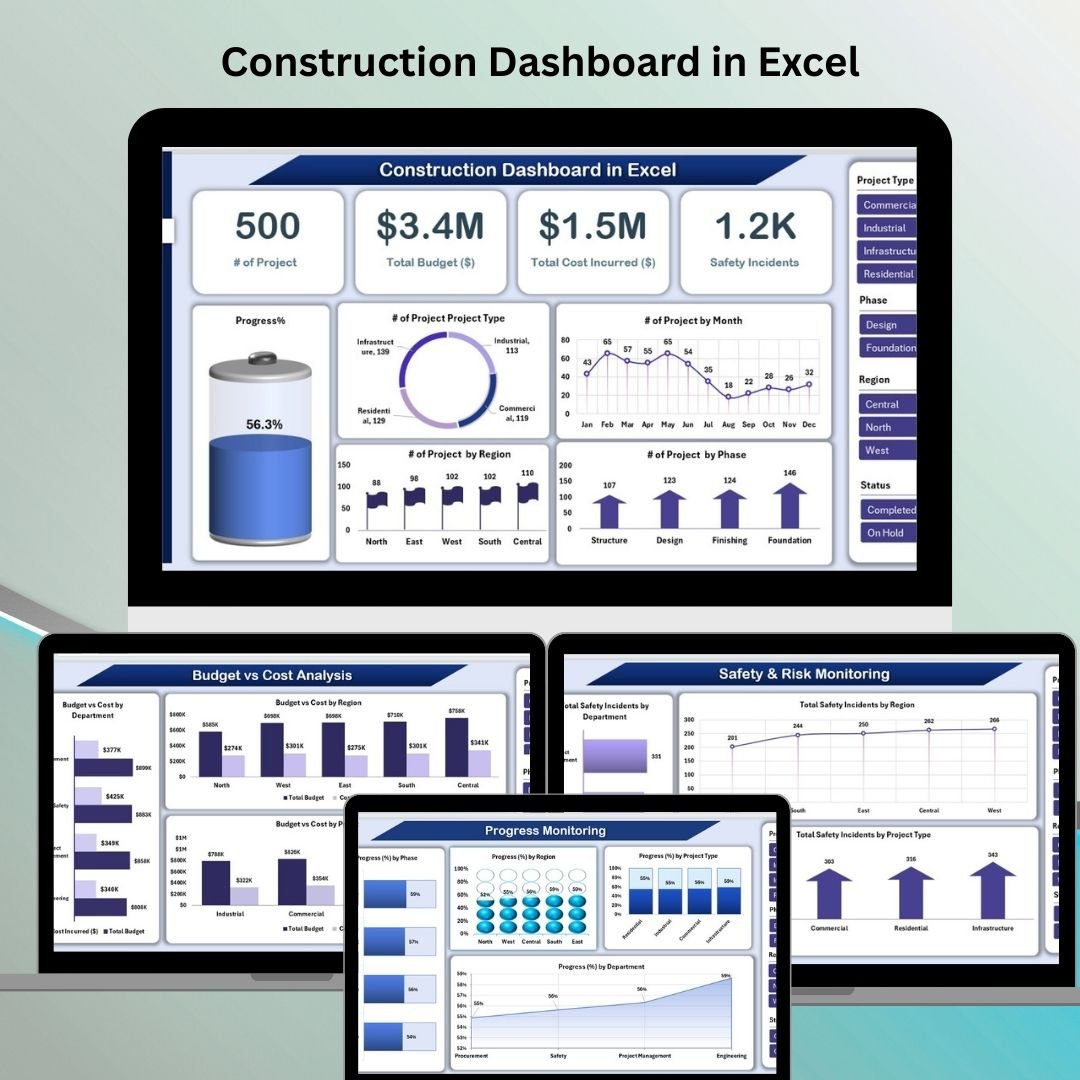 Construction Dashboard in Excel
👉 View the Construction Dashboard in Excel
3. Construction Safety KPI Dashboard in Excel
A focused safety dashboard for incident rates, lost-time injuries, near misses, safety training completion, and audit compliance. It gives EHS managers the internal management view that makes OSHA recordkeeping easier to keep current.
 Construction Safety KPI Dashboard in Excel
👉 View the Construction Safety KPI Dashboard in Excel
4. Construction KPI Dashboard in Google Sheets
A cloud-ready KPI tracker for project progress, budget management, resource allocation, and safety performance — perfect for distributed teams who collaborate in Google Sheets without installing anything.
 Construction KPI Dashboard in Google Sheets
👉 View the Construction KPI Dashboard in Google Sheets
5. Construction KPI Dashboard in Excel
An interactive Excel KPI dashboard covering project timelines, budget vs actual costs, labour productivity, and safety metrics with dynamic charts and progress indicators — a lighter, KPI-first companion to the full Excel command centre.
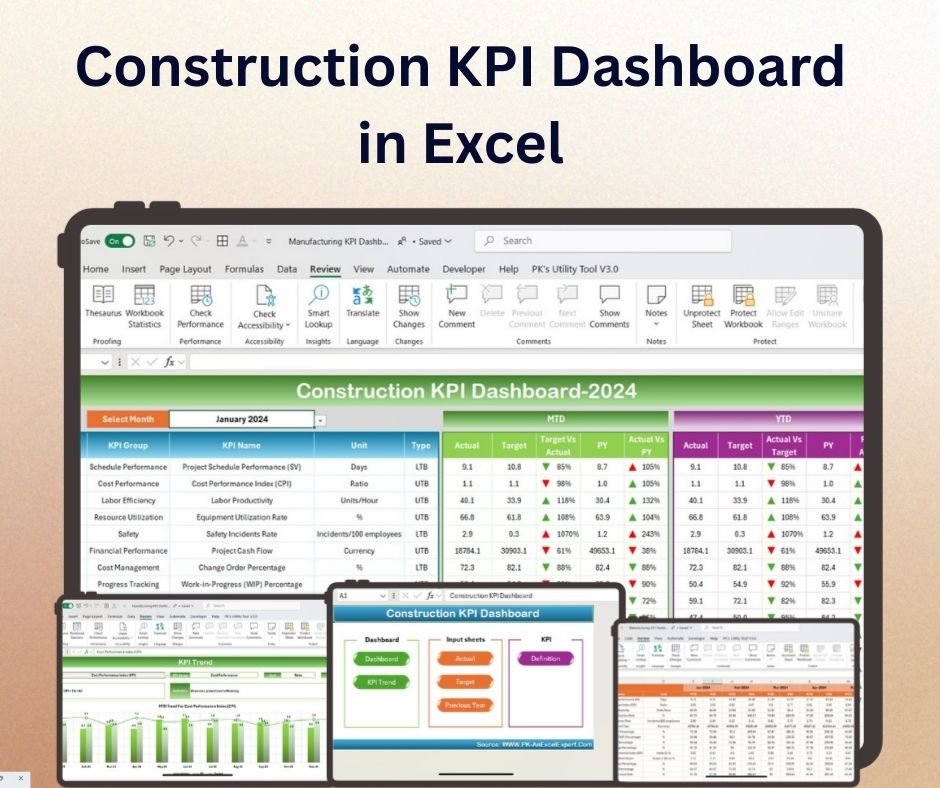 Construction KPI Dashboard in Excel
👉 View the Construction KPI Dashboard in Excel
6. Construction Dashboard in Google Sheets
A Google Sheets command centre with dynamic KPI cards, charts by region, phase, and department, a keyword-based project search tab, and an editable data sheet. The collaborative, browser-first counterpart to the Excel dashboard.
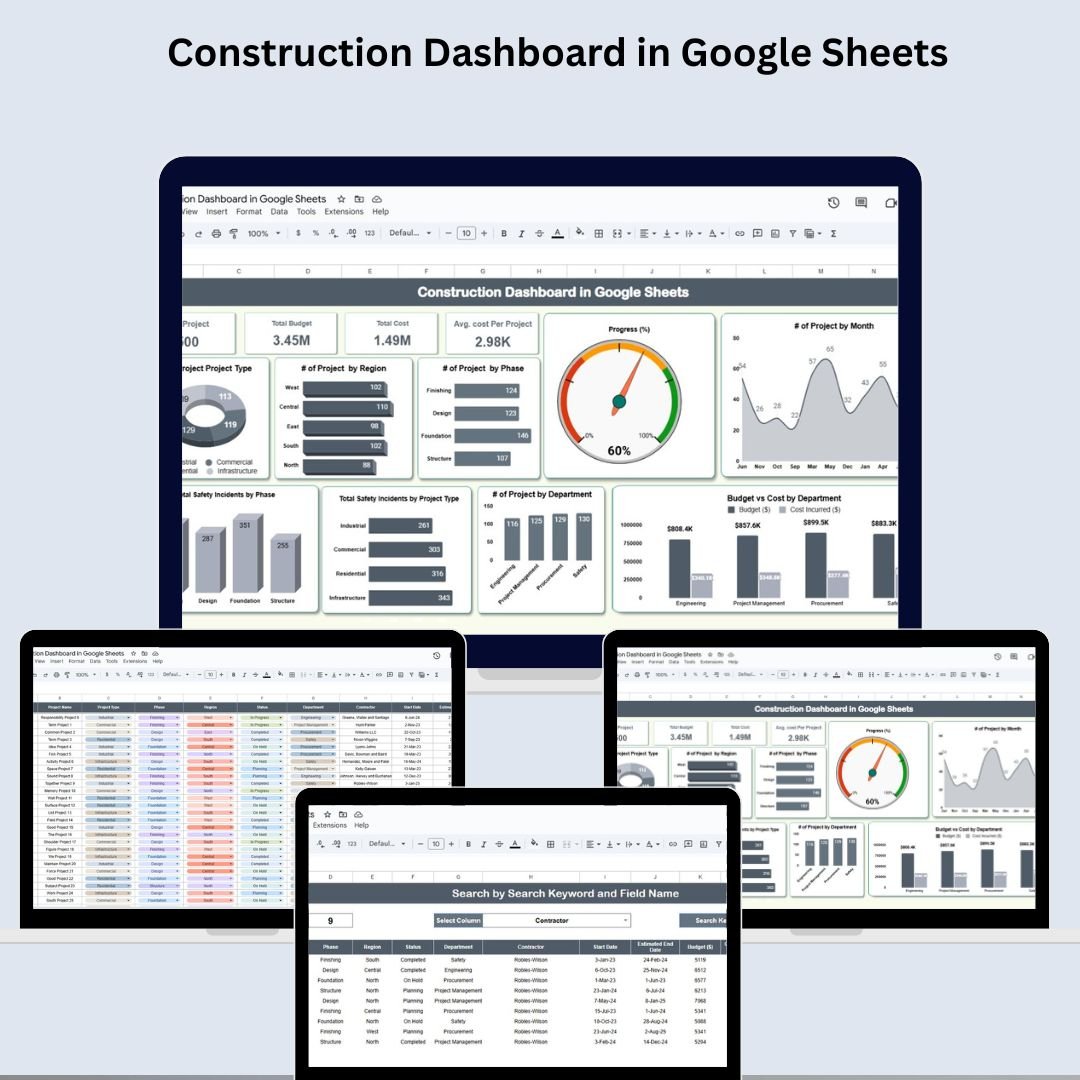 Construction Dashboard in Google Sheets
👉 View the Construction Dashboard in Google Sheets
Smart Comparison — Individual vs Bundle
| # | Template | Platform | Individual Price |
|---|---|---|---|
| 1 | Construction Dashboard in Power BI | Power BI | $17.99 |
| 2 | Construction Dashboard in Excel | Excel | $17.99 |
| 3 | Construction Safety KPI Dashboard in Excel | Excel | $12.99 |
| 4 | Construction KPI Dashboard in Google Sheets | Google Sheets | $12.99 |
| 5 | Construction KPI Dashboard in Excel | Excel | $12.99 |
| 6 | Construction Dashboard in Google Sheets | Google Sheets | $9.99 |
| Individual Total | $84.94 | ||
| Bundle Price | $49.99 (save $34.95) | ||
Advantages of the Bundle
- One source of truth, three formats: the same construction logic in Excel, Power BI, and Google Sheets means no stakeholder is left out.
- Safety is built in: a dedicated safety KPI dashboard ships in the kit, not as a paid add-on.
- Lower total cost: $49.99 once versus $84.94 piecemeal, and a fraction of any per-seat construction SaaS subscription.
- Faster onboarding: every template is plug-and-play — enter data and the visuals update automatically.
- Future-proof: as your team adopts new tools, you already own the matching format.
Best Practices for Deploying the Kit
- Standardise your project data fields (name, type, budget, cost, region, phase, contractor, incidents) across all templates so numbers reconcile.
- Pick one master format for data entry and use the others for reporting and sharing.
- Update weekly — most teams refresh on Friday so Monday’s review runs on current data.
- Use the safety dashboard to feed, not replace, your formal OSHA recordkeeping.
- Rebrand colours and add your own KPIs once the baseline is working.
Explore More Templates
Frequently Asked Questions
What is the Construction Project Intelligence Kit?
It is a bundle of six construction dashboard templates — spanning Excel, Power BI, and Google Sheets — covering portfolio tracking, KPI monitoring, and construction safety, sold together at a discounted one-time price.
How much do I save?
The six templates cost $84.94 when bought individually. The bundle is $49.99, saving you $34.95 — roughly 41% off.
Which platforms are included?
Excel, Power BI, and Google Sheets. You get every format, so each team member can use the tool they already know.
Is this a subscription?
No. It is a one-time purchase with lifetime access to all six files — no monthly fees or per-seat licensing.
Do I need advanced skills to use it?
No. Each template is plug-and-play: enter your project data and the dashboards, charts, and KPI cards update automatically. Basic Excel or Google Sheets familiarity is enough.
Can I customise the dashboards?
Yes. Every template is fully editable — change colours to match your brand, add your own KPIs, and extend the data sheets with cost codes or subcontractor IDs.
Ready to run construction like a pro?
Get all 6 dashboards for $49.99 — save $34.95
📺 For step-by-step dashboard tutorials, visit our YouTube channel: youtube.com/@PKAnExcelExpert