Managing contracts is one of the most crucial responsibilities in every business. Contracts define relationships, outline responsibilities, and protect organizations from risks. However, if not managed properly, contracts can lead to compliance issues, missed deadlines, and even financial losses. This is where Contract Management Evaluation Checklist in Excel plays a vital role.
In this detailed guide, we will explore what contract management evaluation is, why it matters, how to implement it effectively, and how you can use an Excel-based checklist template to simplify the entire process. By the end of this article, you will have a clear understanding of how to evaluate contracts systematically and improve organizational efficiency.
Click to Purchases Contract Management Evaluation Checklist in Excel
What Is Contract Management Evaluation?
Contract Management Evaluation is the process of reviewing and assessing contract-related activities to ensure compliance, efficiency, and alignment with organizational goals. It helps businesses track obligations, monitor deadlines, and evaluate performance.
When organizations adopt a structured evaluation system, they minimize risks, save time, and maximize the value derived from each contract. Instead of relying on manual notes or scattered files, businesses can centralize everything in a simple, ready-to-use Excel checklist.
Why Is Contract Management Evaluation Important?
Every business handles multiple contracts, from supplier agreements to client deals. Without proper evaluation, contracts can quickly become a source of confusion and missed opportunities.
Here are some reasons why contract management evaluation is essential:
✅ Risk Reduction – Ensures compliance with legal and financial obligations.
✅ Improved Accountability – Assigns responsibilities clearly to individuals.
✅ Cost Savings – Identifies areas where contract terms can be renegotiated.
✅ Efficiency – Helps track progress and deadlines in one place.
✅ Transparency – Provides a clear view of contract performance across departments.
By using a structured evaluation checklist, businesses can move away from guesswork and build a more reliable system for managing contracts.
Key Features of the Contract Management Evaluation Checklist in Excel
We have created a Contract Management Evaluation Checklist Template in Excel that makes the process easy, practical, and cost-effective. Let’s explore the features of this template:
1. Contract Management Evaluation Checklist Sheet Tab
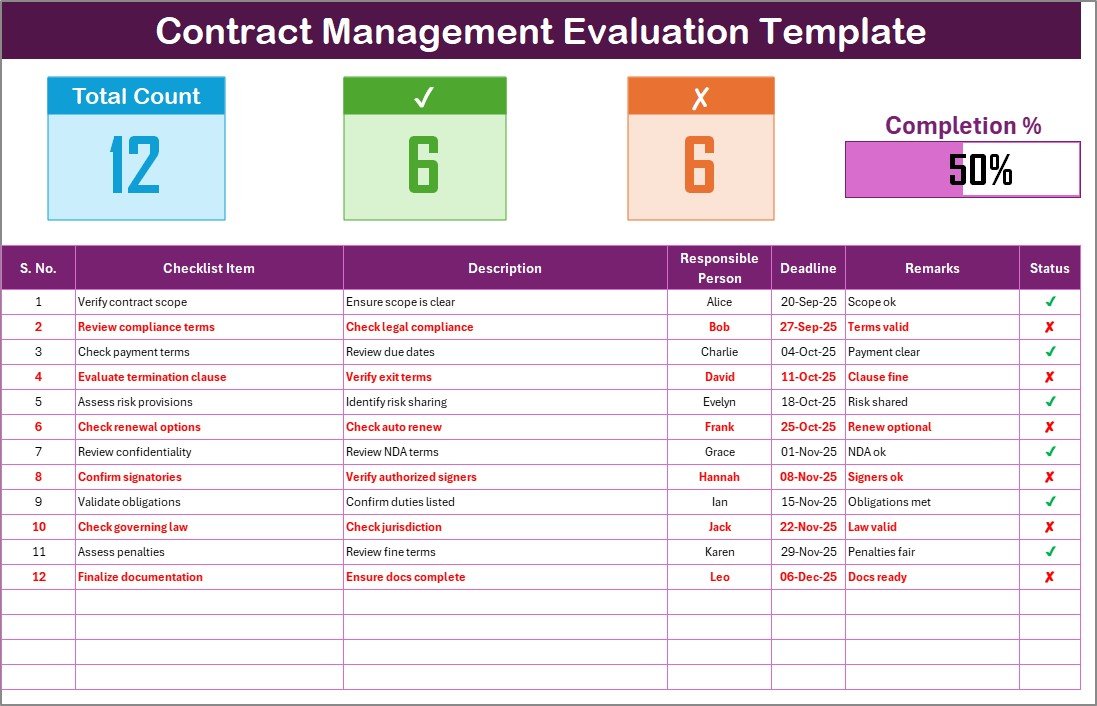
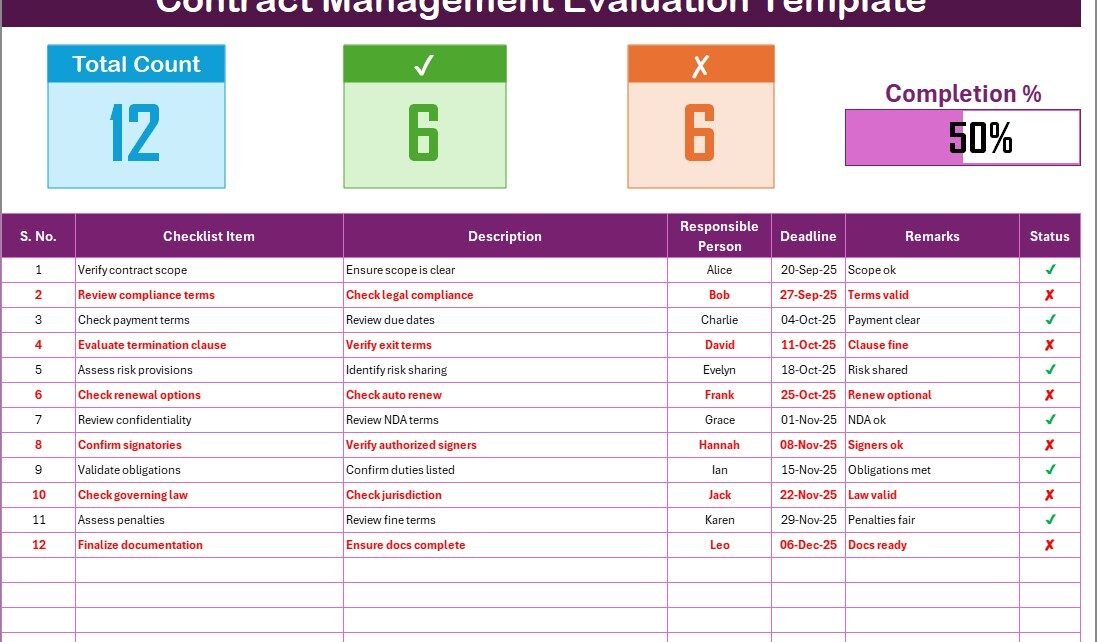
This is the main working sheet where you capture all evaluation details.
Top Section:
Displays the total number of checklist items.
Shows how many items are checked and how many are crossed.
Provides a progress bar to visualize the percentage of tasks completed.
Click to Purchases Contract Management Evaluation Checklist in Excel
Checklist Table:
Columns include:
- Serial No.
- Checklist Item
- Description
- Responsible Person
- Deadline
- Remarks
- Status (✔ or ✘)
This table allows you to track progress, assign responsibilities, and ensure nothing is overlooked.
List Sheet Tab
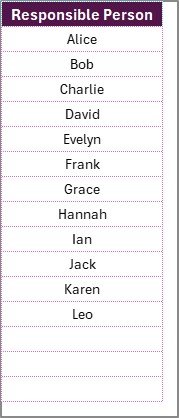
The second sheet captures the unique list of responsible persons. This data feeds into the main sheet to create a drop-down list. It helps standardize names and reduces errors during data entry.
How Does the Contract Management Evaluation Process Work?
To make the most of the evaluation system, follow these steps:
-
List all Contract Obligations – Record every obligation, milestone, and compliance requirement.
-
Assign Responsibilities – Use the drop-down list to assign tasks to individuals or teams.
-
Set Deadlines – Add realistic dates to ensure timely completion.
-
Track Progress – Update the status column with ✔ (done) or ✘ (pending).
-
Review Results – Check the progress bar and summary section for overall performance.
-
Take Action – Use remarks to add notes about improvements or risks.
This simple workflow ensures that no contract-related activity slips through the cracks.
Advantages of Contract Management Evaluation
When businesses adopt contract management evaluation, they enjoy several benefits:
-
📊 Better Decision-Making – Provides accurate insights for negotiations.
-
🔒 Enhanced Compliance – Reduces the risk of missed legal obligations.
-
⏳ Time Savings – Eliminates manual follow-ups with a structured approach.
-
💰 Financial Control – Tracks costs and identifies potential savings.
-
👥 Team Collaboration – Clarifies responsibilities and avoids confusion.
-
📈 Performance Tracking – Shows progress in a visual and measurable way.
Challenges in Contract Management Without Evaluation
Organizations that skip evaluation often face problems such as:
-
Missed deadlines due to lack of reminders.
-
Compliance failures leading to penalties.
-
Overlapping responsibilities among team members.
-
Poor visibility of contract status.
-
Inefficient audits due to scattered data.
These challenges highlight the importance of a structured evaluation system like the Excel template.
Click to Purchases Contract Management Evaluation Checklist in Excel
Best Practices for Contract Management Evaluation
To maximize the effectiveness of contract management evaluation, follow these best practices:
✅ Use a Centralized System – Keep all contract data in one place.
✅ Set Clear Responsibilities – Assign tasks to specific individuals.
✅ Review Contracts Regularly – Conduct evaluations monthly or quarterly.
✅ Use Automation Where Possible – Apply Excel formulas and drop-downs to save time.
✅ Monitor Key Metrics – Track completion rates and progress percentages.
✅ Update Frequently – Record changes as soon as they occur.
These practices ensure that contract management remains consistent, transparent, and efficient.
Practical Applications of the Excel Checklist
The Contract Management Evaluation Checklist Template can be applied in multiple areas:
-
Vendor Contracts – Track supplier commitments, delivery schedules, and performance.
-
Client Agreements – Ensure compliance with service-level agreements.
-
Employment Contracts – Review employee obligations and company policies.
-
Compliance Reviews – Prepare for audits with structured records.
-
Project Contracts – Monitor milestones and avoid project delays.
This flexibility makes the checklist suitable for businesses of all sizes.
How to Implement Contract Management Evaluation in Your Business
Here’s a step-by-step approach to adopting contract management evaluation in your organization:
-
Download the Excel Template – Use a ready-to-use checklist to get started.
-
Customize Fields – Add your contract-specific items to the table.
-
Train Your Team – Ensure everyone understands how to update the checklist.
-
Integrate with Workflows – Use the checklist during contract creation, negotiation, and monitoring.
-
Evaluate Periodically – Review the data regularly to identify trends.
-
Refine the Process – Adjust items in the checklist based on organizational needs.
Conclusion
Contract Management Evaluation is not just about tracking obligations; it is about improving efficiency, reducing risks, and ensuring business growth. With the Excel Checklist Template, you can simplify the evaluation process, make data-driven decisions, and stay on top of every contract.
By adopting structured evaluation, organizations move from reactive management to proactive control. The result is stronger compliance, better accountability, and higher performance.
Click to Purchases Contract Management Evaluation Checklist in Excel
Frequently Asked Questions (FAQs)
1. What is a Contract Management Evaluation Checklist?
It is a structured tool, usually in Excel, used to track contract obligations, assign responsibilities, and monitor progress.
2. Why should businesses use an Excel-based evaluation system?
Excel provides flexibility, cost savings, and built-in tools like drop-down lists and formulas, making it ideal for contract tracking.
3. How often should contract management evaluation be done?
Most organizations review contracts monthly or quarterly, depending on contract volume and complexity.
4. Can this checklist be customized for different industries?
Yes, the template is fully customizable for vendor contracts, client agreements, compliance audits, or project contracts.
5. What are the risks of not evaluating contracts?
Risks include missed deadlines, legal penalties, poor compliance, and financial losses.
6. How does the progress bar in the template help?
The progress bar provides a visual summary of completed vs pending tasks, making performance tracking easier.
7. Who should be responsible for updating the checklist?
Typically, contract managers, legal teams, or department heads update the checklist based on assigned responsibilities.
8. Can small businesses benefit from this system?
Absolutely! Small businesses can use this template to avoid risks and manage contracts without expensive software.
Visit our YouTube channel to learn step-by-step video tutorials
Click to Purchases Contract Management Evaluation Checklist in Excel
Watch the step-by-step video tutorial: