Organizations collect customer feedback every day. However, many teams struggle to manage feedback reviews, assign responsibilities, and schedule staff efficiently. As a result, customer complaints remain unresolved, response time increases, and service quality suffers.
Therefore, companies need a structured system that helps them manage staff duties and feedback analysis activities effectively. This is where the Customer Feedback Analysis Staff Duty Calendar in Excel becomes extremely useful.
A well-designed Excel calendar allows managers to assign duties, schedule feedback analysis tasks, monitor important events, and track responsibilities in a centralized system. Moreover, it improves coordination between support teams, quality teams, and customer service managers.
In this detailed guide, you will learn everything about the Customer Feedback Analysis Staff Duty Calendar in Excel, including its features, advantages, best practices, and common questions.
Click to buy Customer Feedback Analysis Staff Duty Calendar In Excel
What Is Customer Feedback Analysis Staff Duty Calendar in Excel?
A Customer Feedback Analysis Staff Duty Calendar in Excel is a ready-to-use scheduling and event management template designed to manage staff responsibilities related to customer feedback monitoring and analysis.
It helps organizations plan tasks such as:
- Customer feedback review sessions
- Complaint investigation schedules
- Staff duty allocation
- Customer experience meetings
- Feedback analysis reporting timelines
Because the calendar uses Excel automation features, managers can easily organize events, update schedules, and monitor activities without complicated software.
Furthermore, the calendar provides annual, monthly, and daily views, which makes planning and tracking tasks easier.
Why Do Organizations Need a Staff Duty Calendar for Customer Feedback?
Customer feedback plays a crucial role in improving products and services. However, companies often face several challenges while managing feedback analysis.
For example:
- Teams forget to review feedback regularly.
- Staff responsibilities remain unclear.
- Managers cannot track important review meetings.
- Teams struggle to coordinate multiple feedback tasks.
Therefore, organizations need a structured system to manage feedback analysis schedules.
A Customer Feedback Analysis Staff Duty Calendar in Excel solves these problems by providing:
- Organized duty scheduling
- Clear task assignment
- Event tracking
- Centralized feedback review planning
Consequently, teams improve response time and customer satisfaction.
Key Features of Customer Feedback Analysis Staff Duty Calendar in Excel
This Excel calendar template includes 5 interactive worksheets that help users manage staff duties and feedback review schedules effectively.
Let us explore each sheet in detail.
Home Sheet – Easy Navigation Dashboard
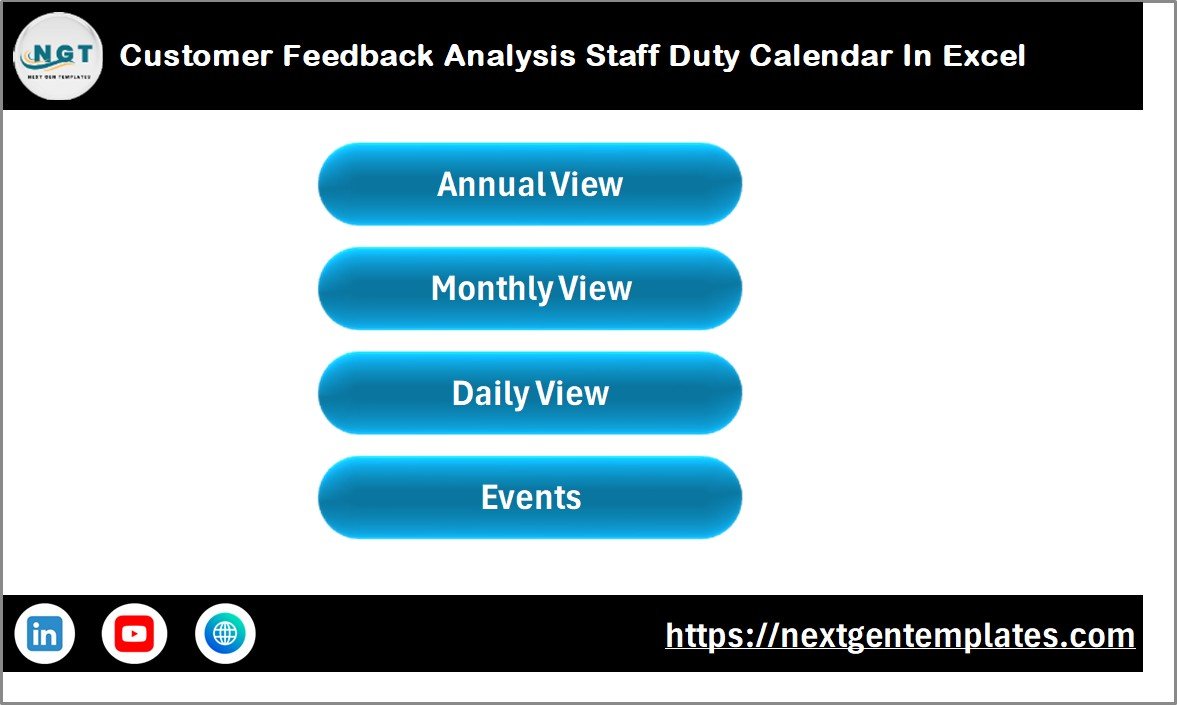
The Home Sheet acts as the index page of the workbook. It helps users navigate to different calendar sections quickly.
Instead of searching through worksheets manually, users can jump to the required section using navigation buttons.
Buttons Available on the Home Sheet
The sheet includes the following buttons:
- Annual View Button
- Monthly View Button
- Daily View Button
- Events Button
Because of this simple navigation structure, users can easily switch between different calendar views.
Click to buy Customer Feedback Analysis Staff Duty Calendar In Excel
Annual View Sheet – Complete Year Planning
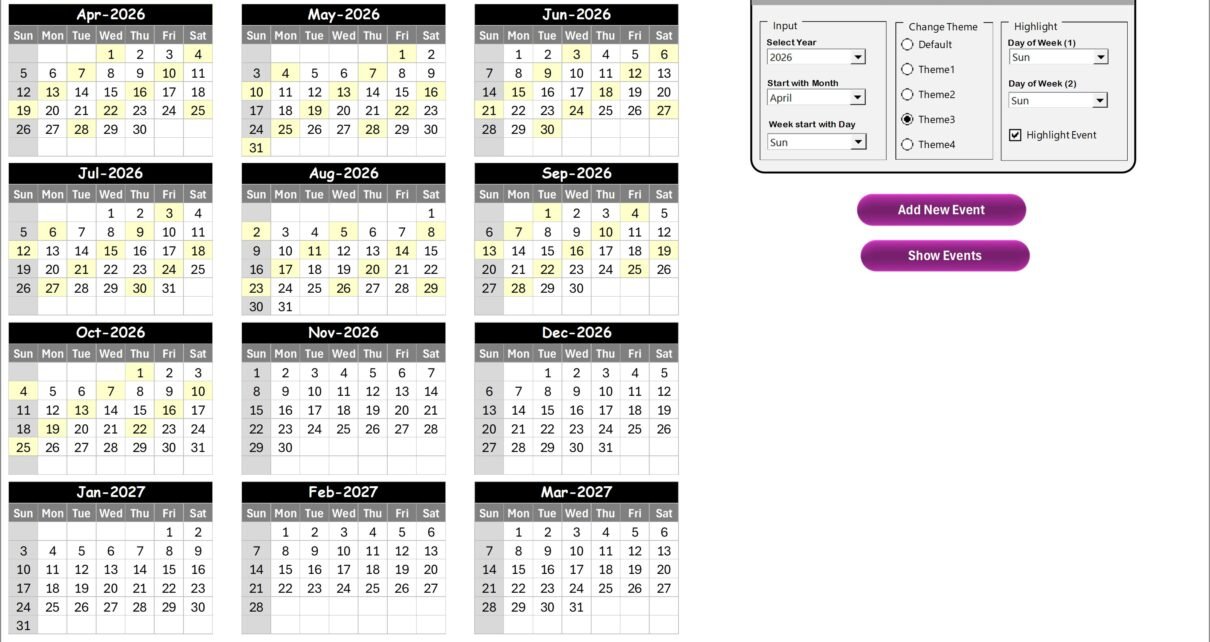
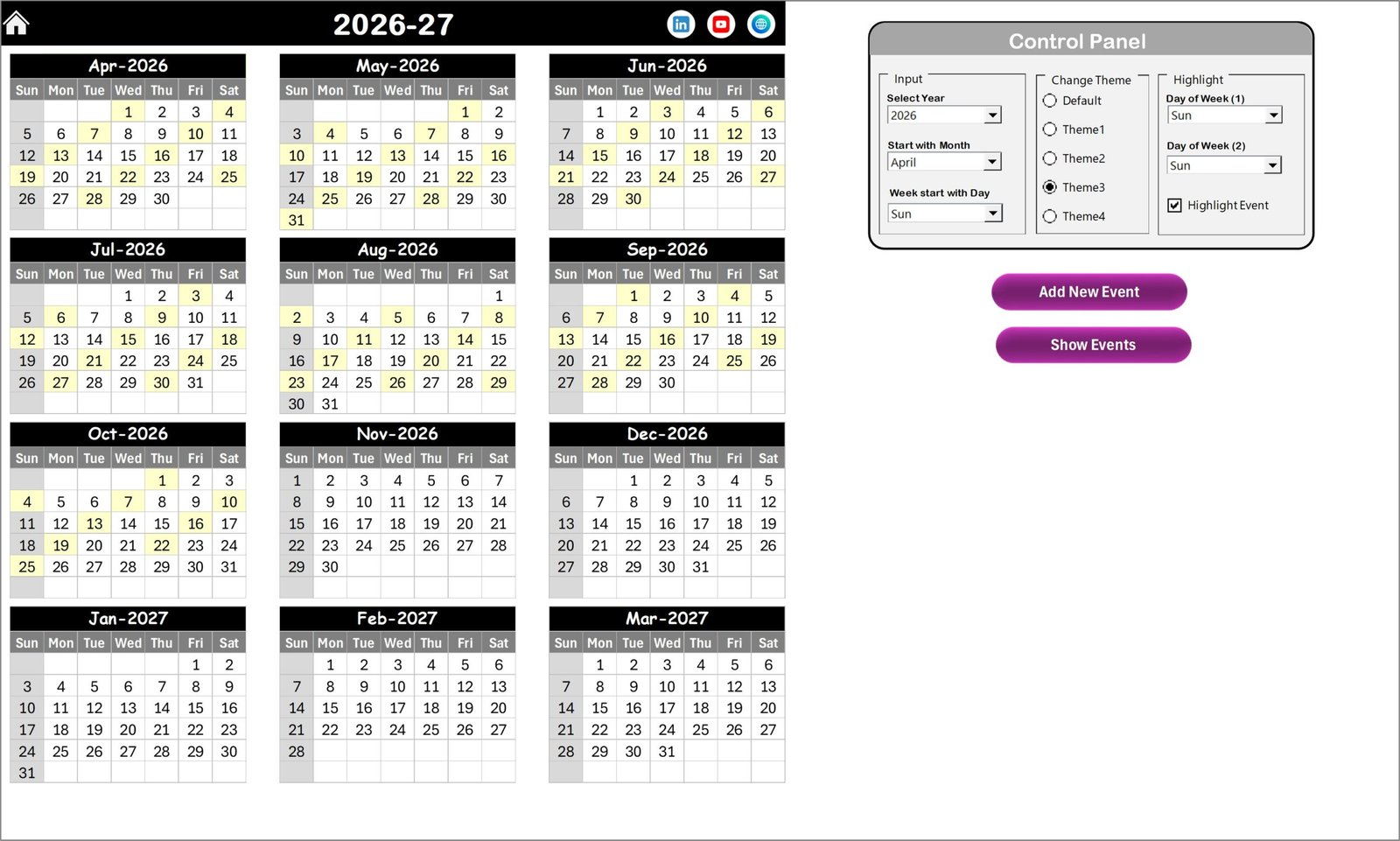
The Annual View Sheet displays the entire year calendar with all twelve months.
Therefore, managers can view staff duties and feedback analysis schedules for the whole year at once.
This sheet also includes a powerful control panel that allows users to customize the calendar.
Control Panel Features
The control panel contains three main groups.
Input Group
This section allows users to control the calendar settings.
Users can:
- Select the Year
- Change the Starting Month
- Change the Starting Day of the Week
As a result, the calendar automatically updates based on the selected settings.
Change Theme Group
Users can also change the appearance of the calendar.
The template includes 5 different color themes. Therefore, teams can select the theme that best suits their organization.
Highlight Group
This section allows users to highlight specific days.
For example:
- Highlight Saturday and Sunday
- Highlight specific weekdays
- Highlight events
When users enable the Highlight Event option, the calendar highlights event dates in yellow.
This feature makes it easier to identify important feedback analysis activities.
Add New Event Feature
The template also includes an Add New Event button.
Users can follow these steps:
- Select the required date on the calendar.
- Click the Add New Event button.
- Fill in the event details in the form.
- Click Submit.
The event automatically appears on the selected date.
Because of this automation, users can schedule staff duties quickly.
Show Event Feature
The Show Event button allows users to view the list of events scheduled on a selected date.
This feature helps managers quickly check scheduled meetings or feedback analysis sessions.
Click to buy Customer Feedback Analysis Staff Duty Calendar In Excel
Monthly View Sheet – Detailed Monthly Planning
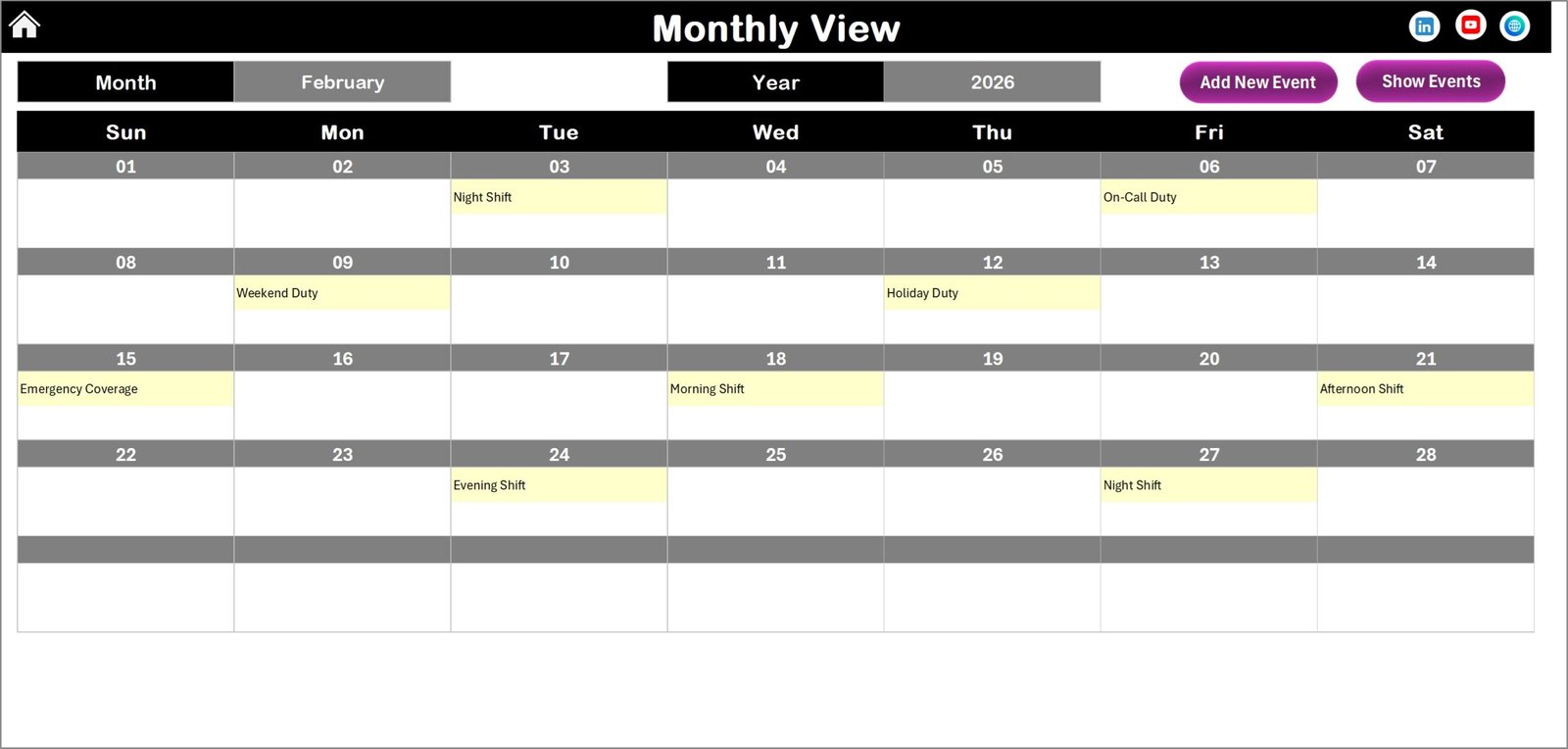
The Monthly View Sheet displays a calendar for the selected month.
Users can choose:
- Month
- Year
Once selected, the calendar automatically updates.
This view helps teams manage staff duties for a specific month.
Event Display System
The calendar displays one event per date. However, if multiple events exist on the same date, the cell shows:
“More than 1…”
Users can then click the Show Event button to view the complete list.
Monthly View Buttons
This sheet also includes two buttons.
Add New Event Button
Users can add events directly from the monthly calendar.
Steps include:
- Select the date.
- Click Add New Event.
- Enter the event details.
- Click Submit.
The event will be recorded instantly.
Show Event Button
Users can view the events scheduled for a specific date by clicking this button.
Therefore, managers can quickly check staff duties or feedback review sessions.
Click to buy Customer Feedback Analysis Staff Duty Calendar In Excel
Daily View Sheet – Event Tracking by Date Range
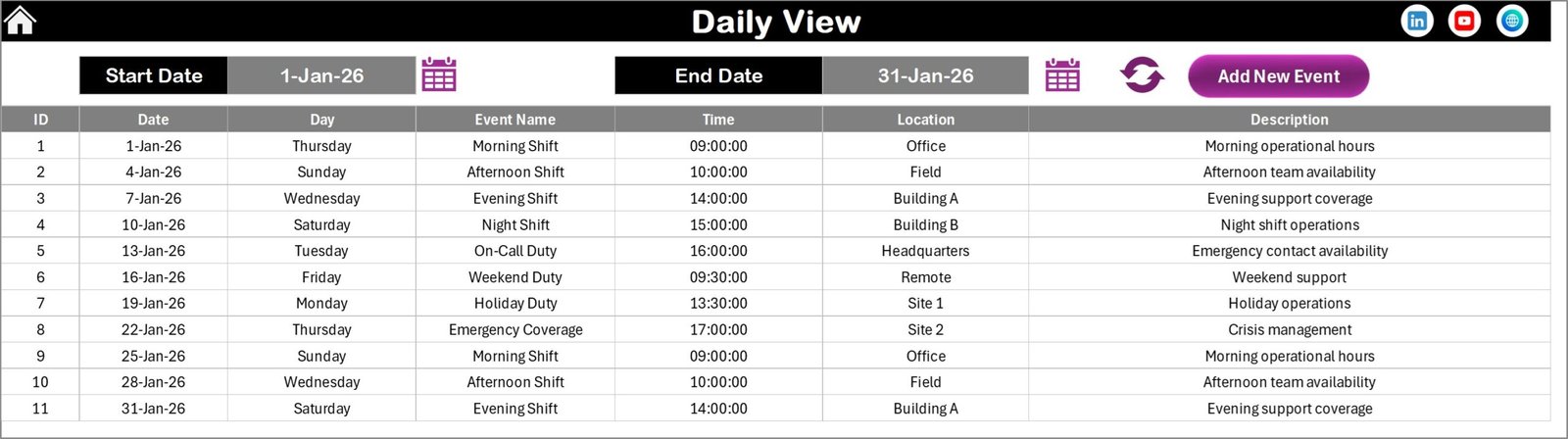
The Daily View Sheet provides a detailed list of events within a selected date range.
Users can enter:
- Start Date
- End Date
After selecting the date range, users click the Refresh button.
The sheet then displays all events within the selected period.
This feature helps managers track:
- Customer feedback analysis meetings
- Complaint review sessions
- Staff duty assignments
- Customer experience improvement discussions
Add New Event Option
Users can also add events directly from this sheet.
By clicking the Add New Event button, a form opens where users can enter event details.
After submitting the form, the event gets recorded in the database.
Click to buy Customer Feedback Analysis Staff Duty Calendar In Excel
Events Sheet – Central Event Database
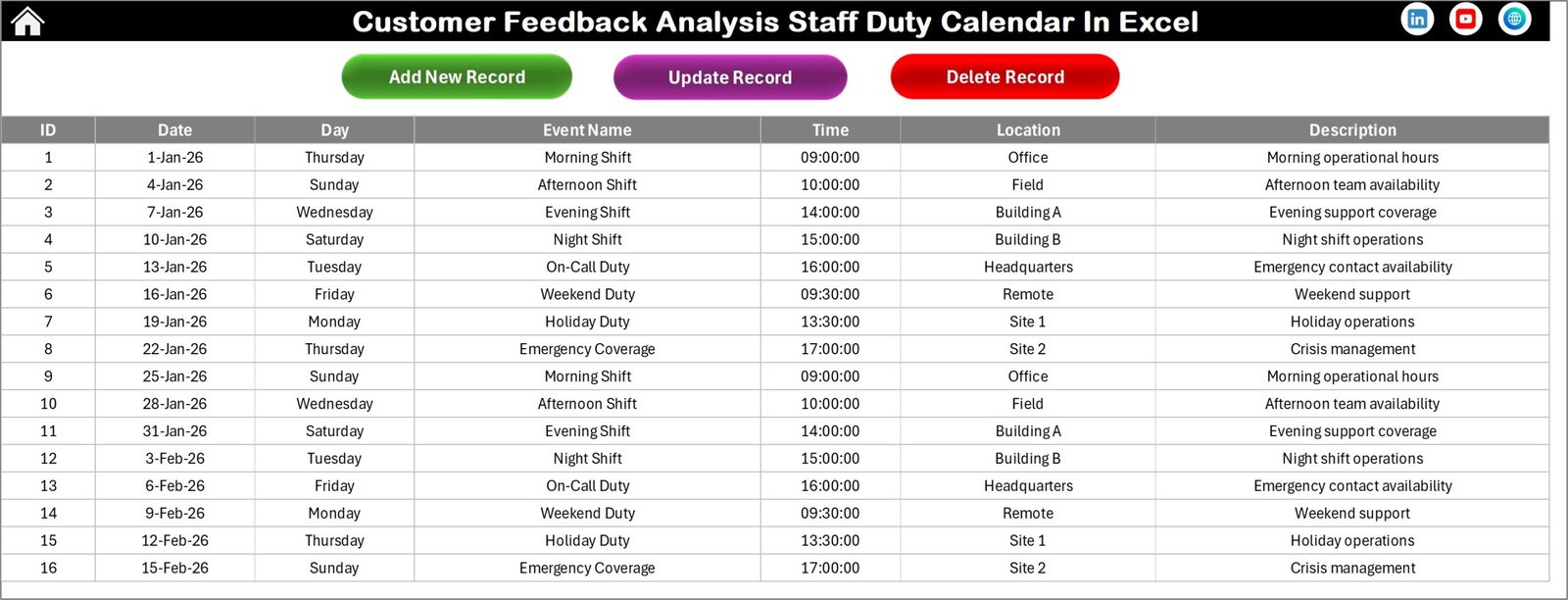
The Events Sheet acts as the database for the entire calendar system.
It stores all event information in a structured table.
Each event includes the following fields.
Event Information Stored
- ID – Auto-generated event number
- Date – Date of event
- Day – Day of the week
- Event Name – Title of the event
- Time – Event time
- Location – Event location
- Description – Short event description
Because the system stores all information here, users can easily manage and update records.
Event Management Buttons
The Events sheet includes three management buttons.
Add New Record
Users can add new events by clicking the Add New Record button.
The system opens the event form, where users enter the event details.
After submitting the form, the event appears in the database.
Update Existing Record
Users can update event information using this button.
Steps include:
- Select the ID of the record
- Click Update Existing Record
- Modify the event details
- Submit the form
The system updates the record automatically.
Delete Record
Users can remove events using the Delete Record button.
After selecting the event ID, the system deletes the selected record.
This feature keeps the calendar organized.
Click to buy Customer Feedback Analysis Staff Duty Calendar In Excel
Advantages of Customer Feedback Analysis Staff Duty Calendar in Excel
Organizations gain several benefits when they implement this calendar template.
Centralized Staff Duty Planning
Teams can manage all feedback analysis tasks in one Excel file.
Improved Task Scheduling
Managers can schedule feedback review sessions and staff duties efficiently.
Multiple Calendar Views
Users can switch between annual, monthly, and daily views easily.
Better Event Visibility
The highlight feature allows teams to identify important events quickly.
Faster Event Management
Add, update, and delete buttons simplify event management.
Improved Team Coordination
Teams can coordinate feedback review responsibilities more effectively.
Increased Customer Satisfaction
When teams respond to feedback faster, customer experience improves.
Opportunities for Improvement
Although this template offers powerful features, organizations can improve it further.
- Integrate Power BI dashboards for advanced analytics.
- Connect the calendar with customer feedback databases.
- Automate email reminders for staff duties.
- Add feedback priority levels.
- Create performance tracking dashboards.
These improvements can make the system even more powerful.
Best Practices for the Customer Feedback Analysis Staff Duty Calendar
Organizations should follow several best practices to maximize the benefits of this calendar.
- Schedule Regular Feedback Reviews
Teams should schedule weekly or monthly feedback review sessions.
- Assign Clear Responsibilities
Managers should assign staff members responsible for analyzing feedback.
- Record All Feedback Events
Teams should record all meetings, review sessions, and complaint investigations.
- Use Highlight Features
Highlight important review days to avoid missing critical meetings.
- Maintain Accurate Event Data
Users should update the event database regularly.
- Monitor Staff Workload
Managers should use the calendar to balance staff responsibilities.
How Does This Excel Calendar Improve Customer Experience?
Customer experience improves when organizations respond quickly to feedback.
This calendar helps teams:
- Schedule feedback analysis sessions
- Assign responsibilities clearly
- Track complaint review meetings
- Monitor improvement initiatives
As a result, companies resolve customer issues faster.
Conclusion
Customer feedback provides valuable insights into customer expectations and service quality. However, organizations often struggle to manage feedback analysis schedules and staff responsibilities effectively.
Therefore, companies need a structured scheduling system.
The Customer Feedback Analysis Staff Duty Calendar in Excel provides a simple yet powerful solution. It allows organizations to plan feedback review meetings, assign staff duties, and manage events in one centralized platform.
Because the template includes annual, monthly, and daily views along with automated event management features, teams can organize tasks efficiently and avoid scheduling conflicts.
As a result, organizations improve customer feedback management, enhance team coordination, and ultimately deliver better customer experiences.
Frequently Asked Questions (FAQs)
What is a Customer Feedback Analysis Staff Duty Calendar?
A Customer Feedback Analysis Staff Duty Calendar is an Excel template that helps organizations schedule staff responsibilities and feedback analysis activities.
Who can use this calendar template?
Customer service teams, quality managers, support teams, and business managers can use this template.
Can I customize the calendar year?
Yes. Users can change the year and starting month from the control panel.
Can I highlight weekends or specific days?
Yes. The template allows users to highlight selected weekdays.
Can I add multiple events on a single date?
Yes. The calendar allows multiple events per date. The monthly view will show “More than 1…” if multiple events exist.
Does the template allow event updates?
Yes. Users can update event details using the Update Existing Record button.
Can I delete events from the calendar?
Yes. The template includes a Delete Record button for removing events.
Visit our YouTube channel to learn step-by-step video tutorials
Watch the step-by-step video tutorial:
Click to buy Customer Feedback Analysis Staff Duty Calendar In Excel