Managing customer feedback without structure creates confusion. Teams miss follow-ups. Managers lose visibility. Important tasks get delayed. However, when you organize feedback activities inside a structured system, you improve response time, customer satisfaction, and team coordination.That is exactly why we created the Customer Feedback Analysis Task Calendar in Excel.This ready-to-use Excel template helps you plan, track, and manage all customer feedback-related tasks in one centralized calendar system. Instead of using scattered sheets, you now control everything from one interactive dashboard-style calendar.
In this detailed guide, you will learn:
- What a Customer Feedback Analysis Task Calendar in Excel is
- Why businesses need it
- Detailed explanation of all 5 worksheets
- Key benefits of using this calendar
- Advantages of Customer Feedback Analysis Task Calendar in Excel
- Best Practices for the Customer Feedback Analysis Task Calendar in Excel
- Frequently Asked Questions with Answers
Click to buy Customer Feedback Analysis Task Calendar in Excel
What Is a Customer Feedback Analysis Task Calendar in Excel?
A Customer Feedback Analysis Task Calendar in Excel is a structured event management and tracking system built entirely inside Microsoft Excel.
It allows you to:
- Schedule customer feedback review meetings
- Track survey deadlines
- Monitor complaint resolution timelines
- Plan product improvement discussions
- Organize follow-up calls
- Manage feedback analysis activities
Instead of manually writing tasks in notebooks or unorganized spreadsheets, you use this smart calendar system to plan and control your feedback workflow efficiently.
As a result, you improve accountability, reduce delays, and ensure no customer issue gets ignored.
Why Do Businesses Need a Customer Feedback Task Calendar?
Customer feedback drives business growth. However, many organizations fail to manage it properly.
Here’s the problem:
- Teams collect feedback but do not schedule review meetings
- Managers forget follow-up actions
- Complaint resolution tasks remain pending
- Survey analysis gets delayed
- Customer churn increases
Therefore, you need a structured tracking system.
A task calendar helps you:
- Visualize all feedback-related activities
- Assign responsibilities clearly
- Track deadlines
- Improve customer response time
- Maintain organized documentation
When you manage feedback systematically, you improve customer trust and brand reputation.
Key Features of Customer Feedback Analysis Task Calendar in Excel
This ready-to-use template contains 5 powerful worksheets that work together seamlessly.
Let’s break down each sheet in detail.
Home Sheet – Your Navigation Center
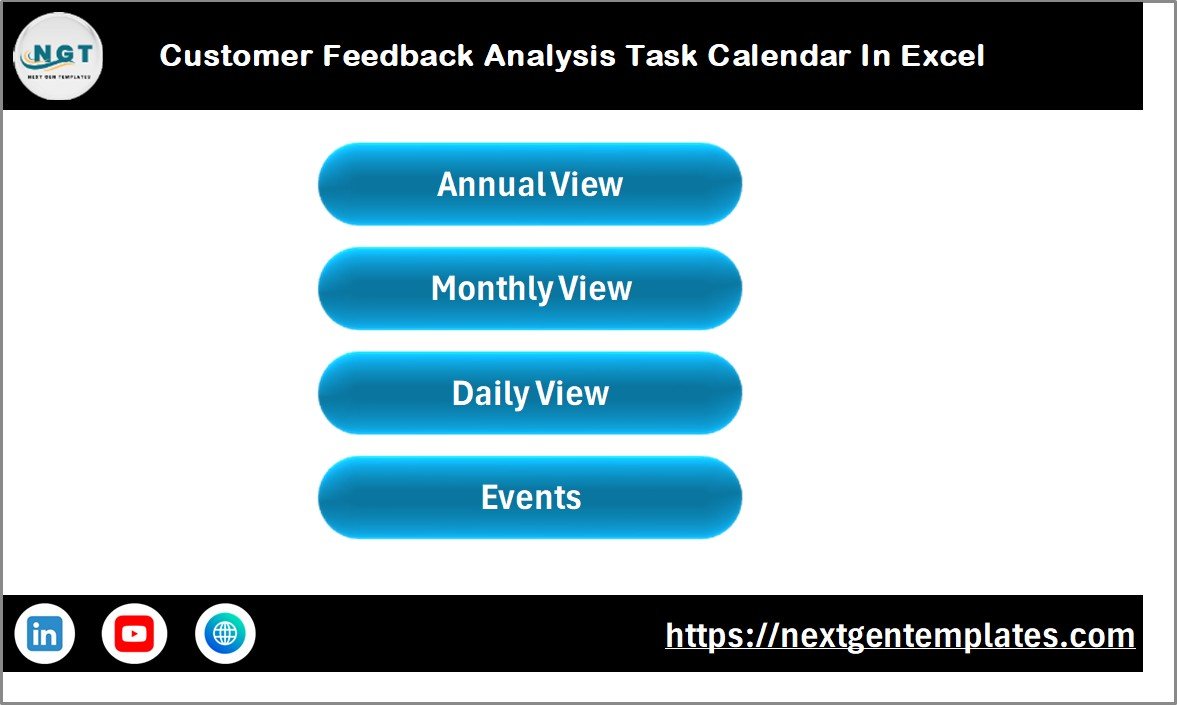
The Home Sheet acts as the index page of the calendar.
It contains four interactive buttons:
- Annual View
- Monthly View
- Daily View
- Events
With one click, you jump to the respective sheet. Therefore, you save time and navigate easily.
This sheet improves user experience and gives the template a professional dashboard feel.
Click to buy Customer Feedback Analysis Task Calendar in Excel
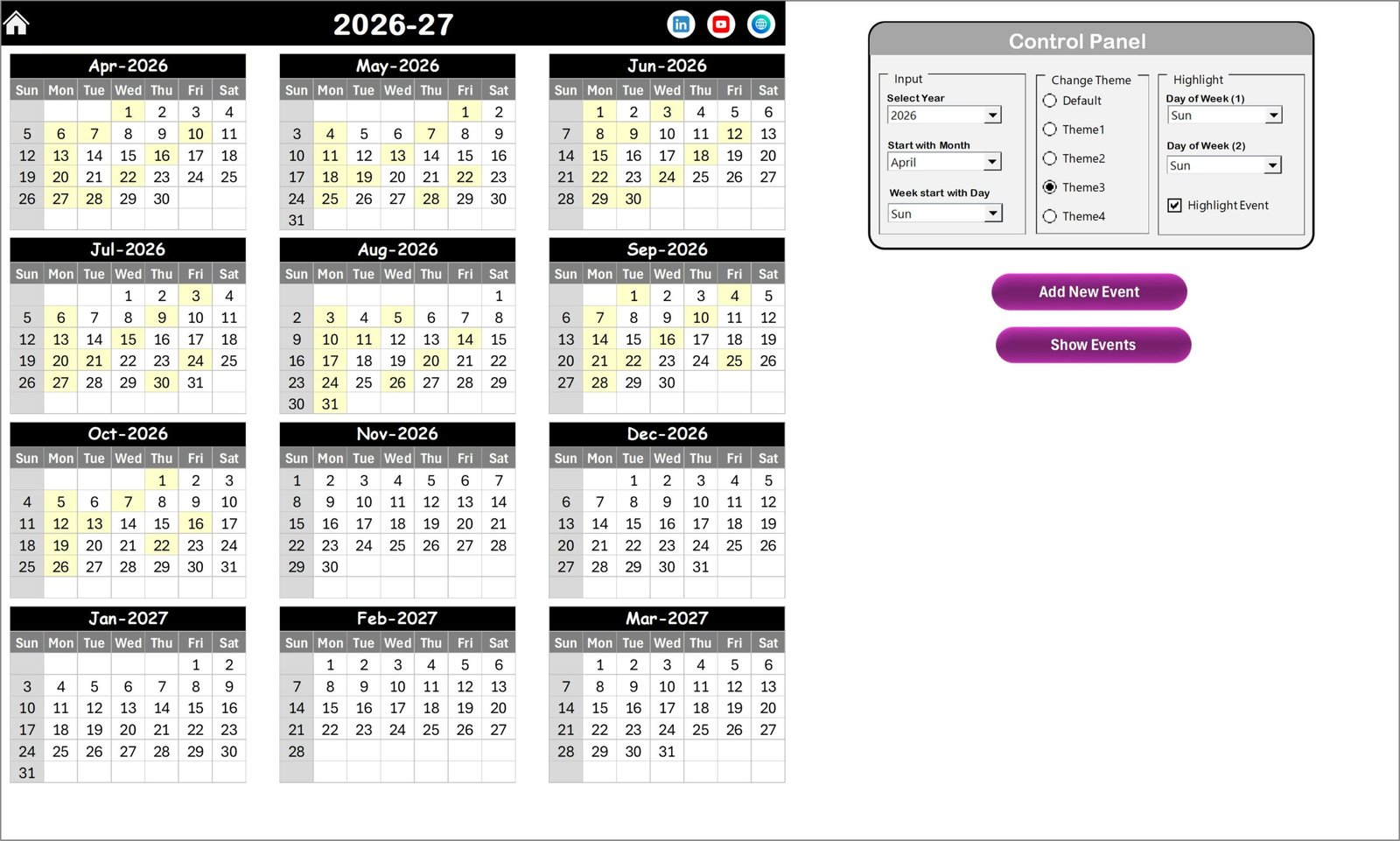
Annual View Sheet – Complete Year Overview
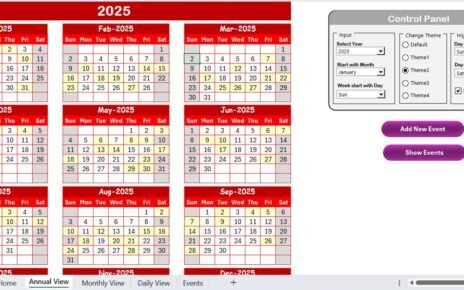
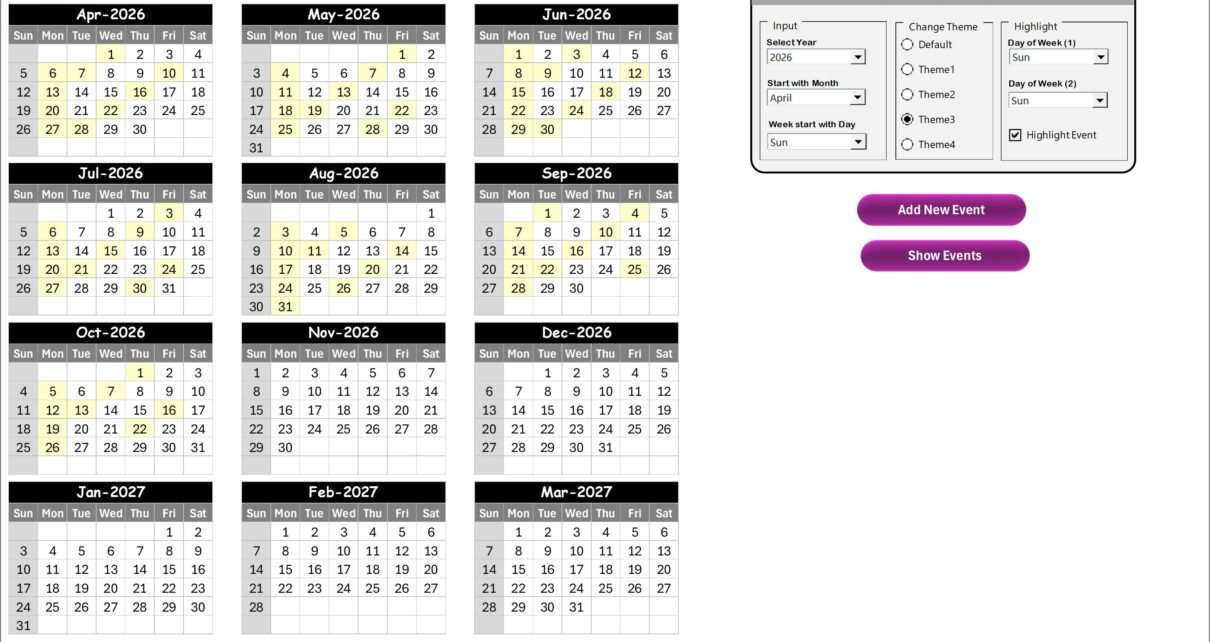
The Annual View displays all 12 months in a single view. Because of this, you quickly identify busy periods, high-feedback seasons, or campaign timelines.
Control Panel Features
The control panel includes three major groups:
Input Group
- Select Year
- Change Starting Month
- Change Starting Day of Week
Once you update these fields, the calendar adjusts automatically. Therefore, you can reuse this template every year.
Change Theme Group
You can select from 5 color themes. When you change the theme, the entire workbook updates instantly. This feature improves customization and branding alignment.
Highlight Group
You can:
- Select Day of Week (1)
- Select Day of Week (2)
For example, you can highlight Saturday and Sunday in grey.
Additionally, you can enable Highlight Event Checkbox. When you activate it, the calendar highlights event dates in yellow.
Buttons on Annual View
- Add New Event Button
Select a date and click the button. The form opens. Enter details and click submit. The event gets added instantly. - Show Event Button
Click to view all events scheduled for the selected date.
Because of this functionality, you manage the entire year efficiently.
Click to buy Customer Feedback Analysis Task Calendar in Excel
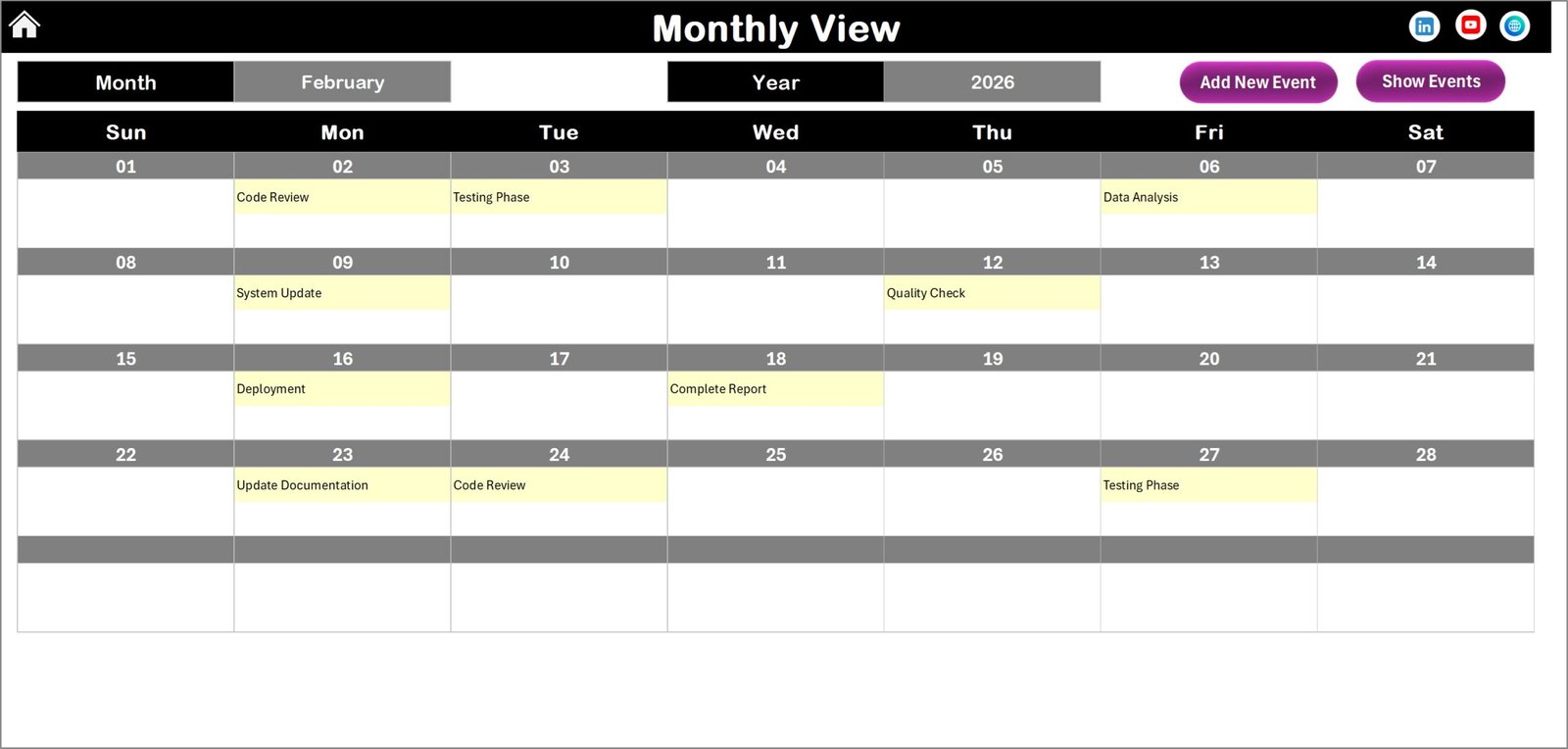
Monthly View Sheet – Focused Planning
The Monthly View shows a single month calendar.
At the top, you select:
- Month
- Year
The calendar updates automatically.
If one event exists on a date, you see it directly. However, if multiple events exist, the calendar displays:
“more than 1…”
Therefore, you know instantly which days require attention.
Buttons Available:
- Add New Event
- Show Event
Because of this focused view, you manage feedback review meetings and deadlines more effectively.
Click to buy Customer Feedback Analysis Task Calendar in Excel
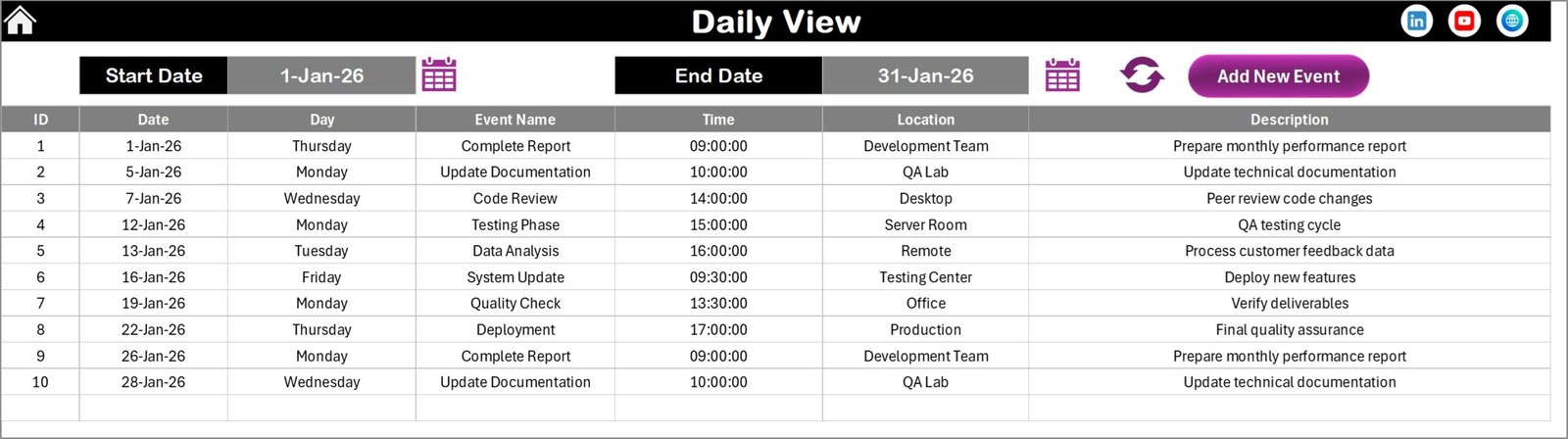
Daily View Sheet – Detailed Event Tracking
The Daily View provides detailed tracking.
At the top, you select:
- Start Date
- End Date
You use the calendar icon to choose dates. Then you click Refresh.
The sheet instantly shows all events within the selected range.
You also get:
- Event Name
- Time
- Location
- Description
Because of this layout, you analyze workload and task distribution easily.
You can also click Add New Event from this sheet. Therefore, you do not need to switch tabs.
Click to buy Customer Feedback Analysis Task Calendar in Excel
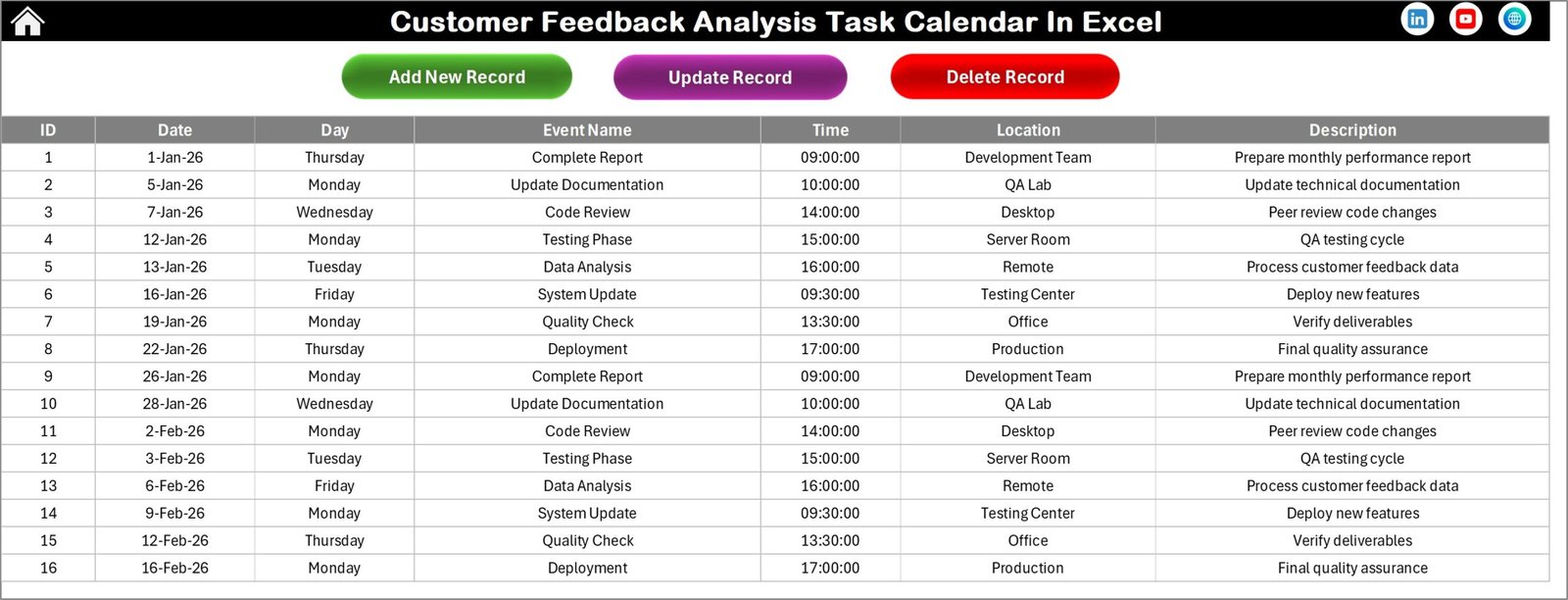
Events Sheet – Database Management
The Events Sheet works as the backend database.
It captures:
- ID (Auto-generated)
- Date
- Day
- Event Name
- Time
- Location
- Description
Database Control Buttons:
- Add New Record
- Update Existing Record
- Delete Record
Because of these controls, you maintain clean and accurate data.
When you update or delete a record, the calendar views reflect changes immediately.
Click to buy Customer Feedback Analysis Task Calendar in Excel
How Does This Calendar Improve Customer Feedback Management?
This tool transforms feedback management into an organized system.
You can:
- Schedule complaint resolution meetings
- Plan survey analysis sessions
- Assign follow-up calls
- Monitor response deadlines
- Track product improvement discussions
- Document customer issue reviews
As a result, your team becomes proactive instead of reactive.
Advantages of Customer Feedback Analysis Task Calendar in Excel
Now let’s explore the major advantages.
Improves Task Visibility
You see all feedback-related activities clearly. Therefore, you avoid missed deadlines.
Increases Team Accountability
Because you assign events properly, team members stay responsible.
Reduces Customer Response Time
When you track feedback properly, you respond faster.
Enhances Data Organization
The structured database prevents duplication and confusion.
Saves Cost
You use Excel instead of expensive project management software.
Easy Customization
You change themes, year, month, and week structure easily.
Centralized Management
You manage everything in one workbook.
Best Practices for the Customer Feedback Analysis Task Calendar in Excel
To get maximum results, follow these best practices.
Update Events Daily
Add new feedback tasks immediately. Do not delay entries.
Use Highlight Feature Smartly
Highlight weekends or critical review days to improve visibility.
Maintain Clean Data
Avoid incomplete descriptions. Always add proper event details.
Review Annual View Monthly
At the beginning of each month, review the annual calendar.
Assign Clear Responsibilities
Even though the calendar tracks events, ensure clear ownership internally.
Backup the File
Always keep a backup copy to avoid data loss.
When you follow these steps, you maximize productivity.
Who Can Use This Calendar?
This tool suits many professionals.
- Customer Support Managers
- CRM Teams
- Product Managers
- Service Managers
- Quality Assurance Teams
- Marketing Analysts
- Business Owners
If you deal with customer feedback regularly, this calendar helps you stay organized.
How to Implement This Calendar Successfully?
Follow these simple steps:
- Download the template
- Define feedback workflow process
- Enter upcoming review meetings
- Add recurring analysis tasks
- Train your team on usage
- Review progress weekly
Because the system remains simple, implementation becomes easy.
Conclusion
Customer feedback drives growth. However, without proper tracking, businesses lose valuable insights.
The Customer Feedback Analysis Task Calendar in Excel provides a structured, interactive, and user-friendly solution. It helps you organize events, track deadlines, assign responsibilities, and manage feedback activities efficiently.
Instead of juggling multiple sheets, you now control everything in one centralized Excel workbook.
Therefore, if you want better organization, faster response time, and improved customer satisfaction, this ready-to-use calendar becomes the perfect solution.
Frequently Asked Questions with Answers
What is the main purpose of the Customer Feedback Analysis Task Calendar in Excel?
It helps businesses plan, track, and manage feedback-related tasks using an interactive calendar system.
Can I change the year in the calendar?
Yes. You can select the year from the control panel. The calendar updates automatically.
Can I highlight weekends?
Yes. You can choose two days from the highlight group and apply color formatting.
Does it support adding multiple events on the same day?
Yes. The system allows multiple entries. In monthly view, it displays “more than 1…” when needed.
Can I update or delete an event?
Yes The Events sheet includes Update and Delete buttons for full control.
Is this template beginner-friendly?
Yes. The navigation buttons and structured layout make it easy to use.
Do I need advanced Excel skills?
No. You only need basic Excel knowledge to operate this template.
Visit our YouTube channel to learn step-by-step video tutorials
Watch the step-by-step video tutorial:
Click to buy Customer Feedback Analysis Task Calendar in Excel