Employee retention has become one of the most important priorities for modern organizations. Companies invest large amounts of time, effort, and money in hiring and training employees. However, when organizations fail to keep their employees engaged and satisfied, they often lose valuable talent. As a result, productivity decreases, recruitment costs increase, and team morale suffers.
Therefore, companies must create structured systems to plan, track, and manage employee engagement activities. Retention programs include events such as employee recognition days, training sessions, wellness activities, career development workshops, and team-building events. When organizations manage these activities without a structured system, they often miss important events and deadlines.
This is exactly where an Employee Retention Event Calendar in Excel becomes extremely valuable.
An Employee Retention Event Calendar in Excel helps HR teams and managers organize all retention-related events in a single structured system. Instead of relying on scattered emails, spreadsheets, and reminders, organizations can schedule, monitor, and manage events efficiently through a centralized calendar.
In this article, we will explore what an Employee Retention Event Calendar in Excel is, why organizations need it, how it works, its key features, advantages, best practices, and frequently asked questions.
Click to Purchases Employee Retention Event Calendar in Excel
What is an Employee Retention Event Calendar in Excel?
An Employee Retention Event Calendar in Excel is a structured Excel-based template that helps organizations schedule and manage employee engagement and retention events.
This calendar allows HR teams to:
-
Plan retention programs in advance
-
Track employee engagement activities
-
Organize training sessions and workshops
-
Monitor employee recognition events
-
Manage internal events efficiently
Moreover, Excel provides a flexible and powerful platform for building interactive calendars. Users can update data easily, track events across different views, and maintain a centralized database.
Because of this, HR teams can plan employee engagement strategies more effectively and ensure that every important event takes place on time.
Why Do Organizations Need an Employee Retention Event Calendar?
Many companies struggle with employee retention because they fail to organize engagement activities consistently. While organizations often plan many initiatives, they lack a proper system to track them.
Without a structured calendar, companies face several challenges:
-
Important employee events get forgotten
-
HR teams struggle to track engagement initiatives
-
Training and development programs become irregular
-
Managers lose visibility into employee activities
-
Retention strategies become inconsistent
However, when organizations implement an Employee Retention Event Calendar, they can solve these problems efficiently.
The calendar helps organizations:
-
Plan engagement events throughout the year
-
Track employee development programs
-
Schedule recognition programs and celebrations
-
Monitor participation in retention activities
-
Maintain organized records of employee engagement initiatives
Therefore, this tool plays a critical role in improving employee satisfaction and long-term retention.
Key Features of the Employee Retention Event Calendar in Excel
This Employee Retention Event Calendar is a ready-to-use Excel template designed to simplify event planning and tracking. The template includes multiple sheets that allow users to manage events through different calendar views.
The template contains five worksheets, each designed for a specific purpose.
1. Home Sheet Tab – The Navigation Center
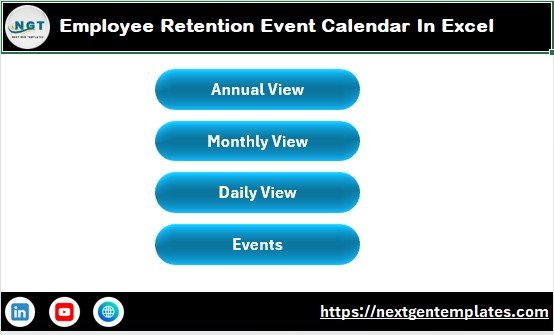
The Home sheet works as the index page of the calendar. It allows users to quickly navigate to different sections of the workbook.
This sheet includes four navigation buttons:
-
Annual View
-
Monthly View
-
Daily View
-
Events Database
Because of these buttons, users can easily move between different sheets without scrolling through the workbook manually.
As a result, the system becomes user-friendly and efficient for HR teams.
2. Annual View Sheet – Plan the Whole Year at Once

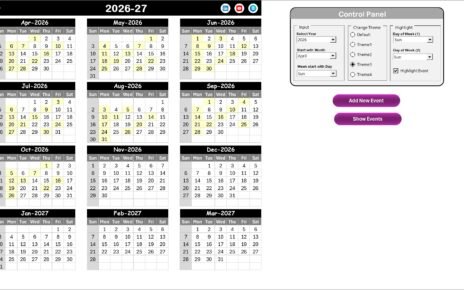
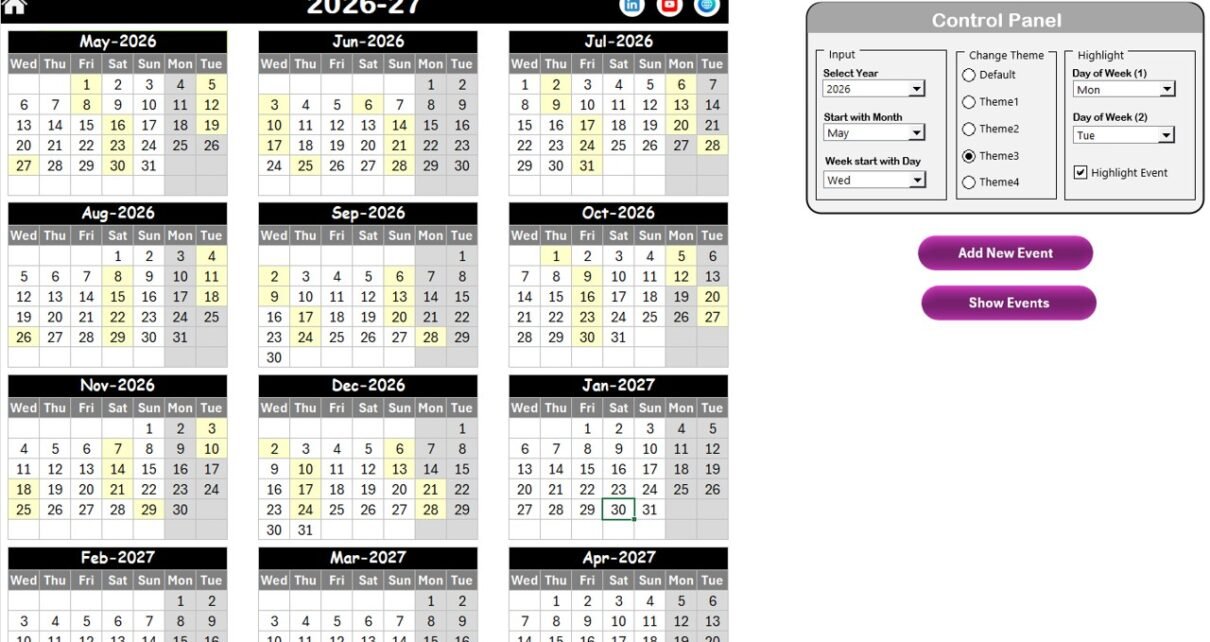
The Annual View sheet displays a complete 12-month calendar in a single view. This feature allows HR teams to visualize employee retention events across the entire year.
Because of this yearly overview, organizations can distribute events evenly and avoid scheduling conflicts.
Control Panel Features
The Annual View sheet includes a Control Panel that provides several customization options.
Input Group
Users can customize the calendar settings easily:
-
Select the Year
-
Change the starting month
-
Adjust the starting day of the week
Once users update these settings, the entire calendar adjusts automatically.
Change Theme Group
The template includes five different color themes.
Users can select a preferred theme to change the appearance of the entire workbook. This makes the dashboard visually appealing and easier to read.
Highlight Group
This group allows users to highlight specific days of the week.
For example:
-
Highlight Saturday and Sunday
-
Mark non-working days
-
Emphasize important retention events
Additionally, users can enable the Highlight Event checkbox to display events in yellow color.
This feature ensures that important activities remain visible throughout the calendar.
Event Management Buttons
The Annual View sheet also includes two powerful buttons:
Add New Event Button
-
Select a date on the calendar
-
Click the button
-
Fill the event form
-
Submit the event
The event automatically appears on the selected date.
Show Event Button
Users can click this button to view the list of events scheduled for a selected date.
3. Monthly View Sheet – Detailed Monthly Planning
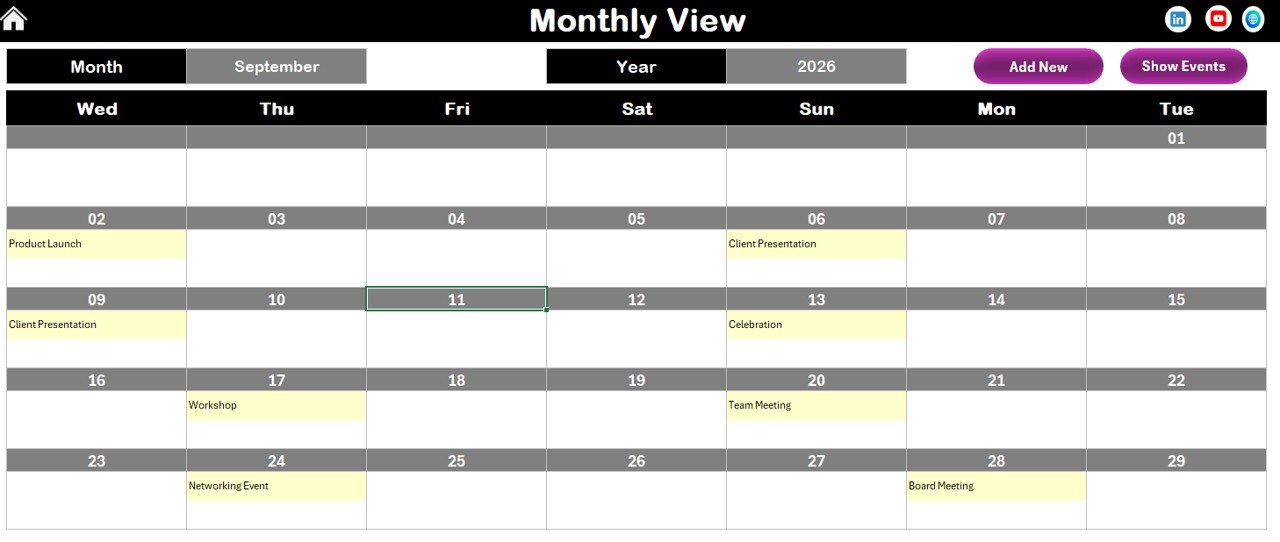
While the annual view shows the big picture, the Monthly View sheet focuses on a specific month.
Users can select:
-
Month
-
Year
Once selected, the calendar automatically displays the events scheduled for that month.
Event Display System
The calendar shows one event directly on the date.
However, if multiple events exist for the same day, the calendar displays:
“More than 1…”
Users can then click the Show Event button to view the full list.
Event Management Options
Just like the annual view, this sheet includes two buttons:
-
Add New Event Button
-
Show Event Button
These buttons allow HR teams to add or review events quickly.
Because of this structured layout, monthly planning becomes simple and organized.
4. Daily View Sheet – Detailed Event Tracking
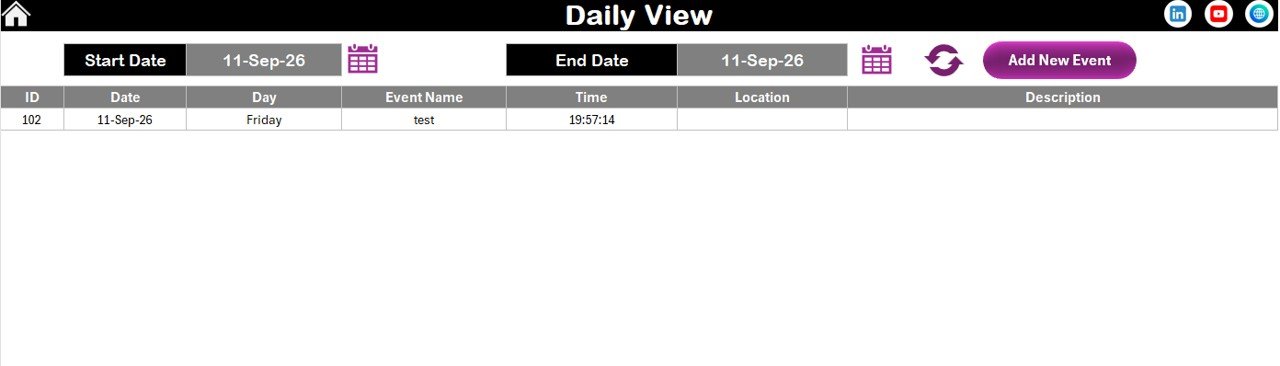
The Daily View sheet provides a detailed list of events for a selected date range.
Users can enter:
-
Start Date
-
End Date
After entering the date range, users can click the Refresh button.
The system will automatically display all events scheduled within that range.
This feature allows HR teams to analyze:
-
Upcoming events
-
Past events
-
Event distribution within a timeframe
Additionally, users can add events directly from this sheet using the Add New Event button.
Click to Purchases Employee Retention Event Calendar in Excel
5. Events Sheet – The Central Database
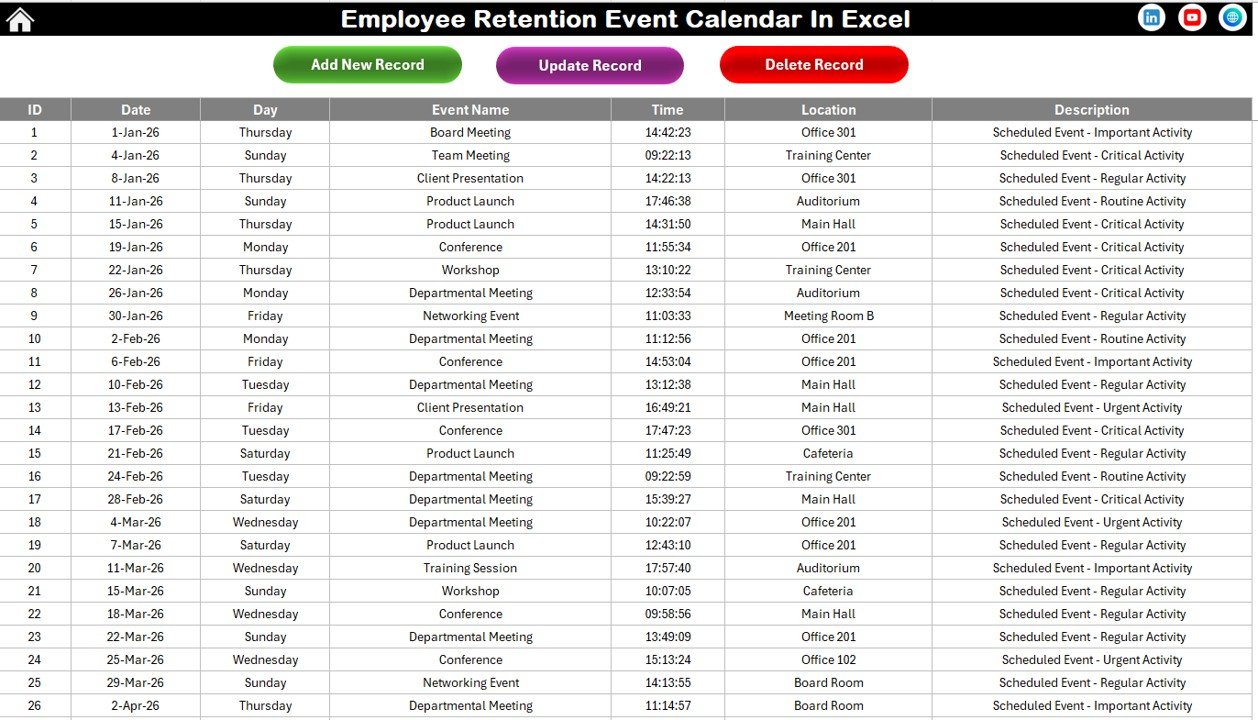
The Events sheet works as the main database of the calendar.
This sheet stores all event records and ensures that every view in the workbook updates automatically.
Event Database Fields
Each event record contains the following information:
-
ID – Auto-generated unique number
-
Date – Event date
-
Day – Day of the week
-
Event Name – Name of the event
-
Time – Event time
-
Location – Event location
-
Description – Short description of the event
Because of this structured database, organizations can maintain a clear record of all retention events.
Data Management Buttons
At the top of the sheet, users will find three management buttons.
Add New Record
This button opens the event form to create a new event.
Update Existing Record
Users can select an existing ID and update event information.
Delete Record
Users can remove unwanted records by selecting the ID.
This system ensures that event management remains simple and efficient.
Advantages of Employee Retention Event Calendar in Excel
Organizations gain many benefits when they implement an Employee Retention Event Calendar.
1. Centralized Event Management
All employee engagement activities remain organized in one place.
2. Improved Employee Engagement
Regular events increase employee satisfaction and motivation.
3. Better Planning
HR teams can plan retention activities months in advance.
4. Increased Visibility
Managers gain better visibility into engagement programs.
5. Reduced Scheduling Conflicts
A structured calendar prevents overlapping events.
6. Easy Customization
Excel allows users to customize the calendar according to organizational needs.
7. Data Organization
A centralized database helps maintain clean and structured records.
Click to Purchases Employee Retention Event Calendar in Excel
Best Practices for Using Employee Retention Event Calendar
Organizations should follow several best practices to maximize the benefits of this calendar.
Plan Events in Advance
HR teams should plan retention activities for the entire year. This approach ensures consistent employee engagement.
Update the Calendar Regularly
Always update the calendar when new events appear. This practice keeps information accurate.
Assign Responsibility
Assign specific HR team members to manage the event calendar.
Track Participation
Monitor participation levels for each event to evaluate engagement.
Review Event Performance
After each event, analyze its success and employee feedback.
Use Different Event Types
Include a variety of events such as:
-
Recognition programs
-
Training sessions
-
Wellness activities
-
Team-building events
-
Career development programs
How Does an Employee Retention Event Calendar Improve HR Strategy?
Employee retention requires consistent effort. Companies must continuously engage employees and provide opportunities for growth.
An event calendar supports HR strategy in several ways.
Supports Employee Recognition
Organizations can schedule regular recognition programs.
Encourages Skill Development
Training events help employees develop new skills.
Improves Workplace Culture
Engagement activities create stronger team relationships.
Promotes Transparency
Employees clearly see upcoming programs and activities.
Conclusion
Employee retention plays a crucial role in the long-term success of any organization. When companies fail to organize engagement activities, they risk losing valuable employees and damaging workplace morale.
However, organizations can significantly improve their retention strategies by implementing structured tools such as an Employee Retention Event Calendar in Excel.
This Excel template helps HR teams schedule, track, and manage employee engagement events through annual, monthly, and daily views. Moreover, the centralized event database ensures that every event remains properly recorded and accessible.
Because of its interactive features and easy customization, this calendar becomes a powerful tool for improving employee engagement and retention.
Therefore, organizations that adopt this system can plan retention activities more effectively, strengthen workplace culture, and create a more engaged workforce.
Click to Purchases Employee Retention Event Calendar in Excel
Frequently Asked Questions (FAQs)
What is an Employee Retention Event Calendar?
An Employee Retention Event Calendar is a tool used to plan and track employee engagement activities such as training sessions, recognition programs, and team events.
Why is employee retention important for organizations?
Employee retention helps organizations reduce hiring costs, maintain productivity, and build strong teams.
Can HR teams customize the Excel calendar?
Yes. Excel allows HR teams to modify colors, layouts, and event data according to organizational needs.
What types of events should organizations include in the calendar?
Organizations should include recognition programs, training sessions, wellness activities, team-building events, and career development programs.
How often should organizations update the event calendar?
Organizations should update the calendar whenever new events are added or existing events change.
Is Excel suitable for managing event calendars?
Yes. Excel provides flexible tools for building interactive calendars, managing event data, and tracking activities efficiently.
Visit our YouTube channel to learn step-by-step video tutorials