Employee retention has become one of the most important priorities for modern organizations. Businesses invest significant time and resources in hiring and training employees. However, when employees leave the organization frequently, companies lose productivity, knowledge, and financial resources. Therefore, organizations must actively manage employee engagement and retention strategies.
One effective way to improve retention efforts is by organizing all employee engagement activities, HR tasks, and retention programs in a structured calendar. This is where the Employee Retention Task Calendar in Excel becomes extremely valuable.
The Employee Retention Task Calendar in Excel is a ready-to-use Excel template that helps HR teams, managers, and business leaders schedule and monitor employee retention activities throughout the year. Instead of managing retention programs through scattered emails, notes, and spreadsheets, this Excel calendar allows teams to track events, employee engagement activities, and HR initiatives in one centralized system.
Because Excel automatically updates information and provides a structured layout, organizations can easily monitor retention initiatives, schedule employee engagement activities, and ensure that important HR tasks never get missed.
In this article, you will learn everything about the Employee Retention Task Calendar in Excel, including its structure, features, advantages, best practices, and frequently asked questions.
Click to buy Employee Retention Task Calendar In Excel
What Is an Employee Retention Task Calendar in Excel?
An Employee Retention Task Calendar in Excel is a structured planning and tracking tool that helps organizations manage employee engagement programs, HR activities, and retention initiatives across the entire year.
HR teams organize important retention tasks such as:
- Employee engagement activities
- Feedback sessions
- Training programs
- Recognition programs
- Performance reviews
- Team-building activities
- Employee wellness initiatives
Instead of relying on memory or multiple documents, the Excel calendar organizes all activities in a clear and visual format.
Moreover, because Excel provides automation features and interactive navigation, HR teams can easily schedule events, update records, and analyze upcoming retention activities.
As a result, organizations can proactively manage employee satisfaction and reduce turnover rates.
Click to buy Employee Retention Task Calendar In Excel
Why Do Companies Need an Employee Retention Calendar?
Employee retention requires consistent planning and monitoring. Without proper scheduling, organizations may forget important HR activities that influence employee satisfaction.
For example:
- Monthly employee recognition programs
- Quarterly performance reviews
- Annual training sessions
- Engagement surveys
- Team celebrations
When these activities do not happen regularly, employee motivation often declines.
Therefore, companies use an Employee Retention Task Calendar to ensure that retention programs run smoothly.
Key reasons companies need this calendar:
- Organize employee engagement programs
- Schedule HR initiatives
- Track retention-related events
- Improve employee satisfaction
- Reduce employee turnover
- Maintain consistent communication with employees
Because the Excel calendar centralizes all retention activities, organizations can maintain a well-structured HR strategy.
Key Features of the Employee Retention Task Calendar in Excel
The Employee Retention Task Calendar in Excel includes multiple worksheets that simplify event scheduling and retention planning. Each sheet focuses on a different level of calendar management.
The template includes five worksheets that allow users to manage employee retention activities effectively.
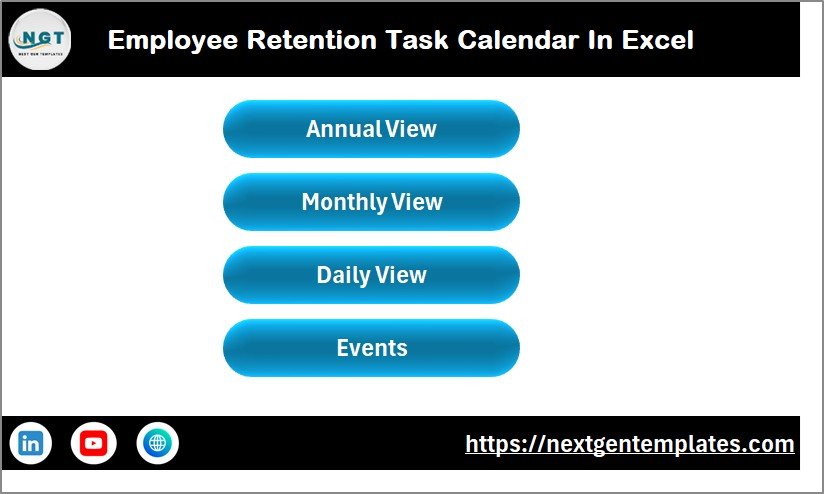
Home Sheet – Central Navigation Hub
The Home Sheet acts as the index page of the entire calendar system.
This sheet provides quick navigation buttons that allow users to jump to different sections of the calendar.
Navigation buttons available on the Home sheet:
- Annual View
- Monthly View
- Daily View
- Events
Because these buttons provide direct navigation, users can quickly move between different sheets without searching through multiple tabs.
As a result, HR teams can access information quickly and efficiently.
Click to buy Employee Retention Task Calendar In Excel
Annual View Sheet – Complete Yearly Calendar
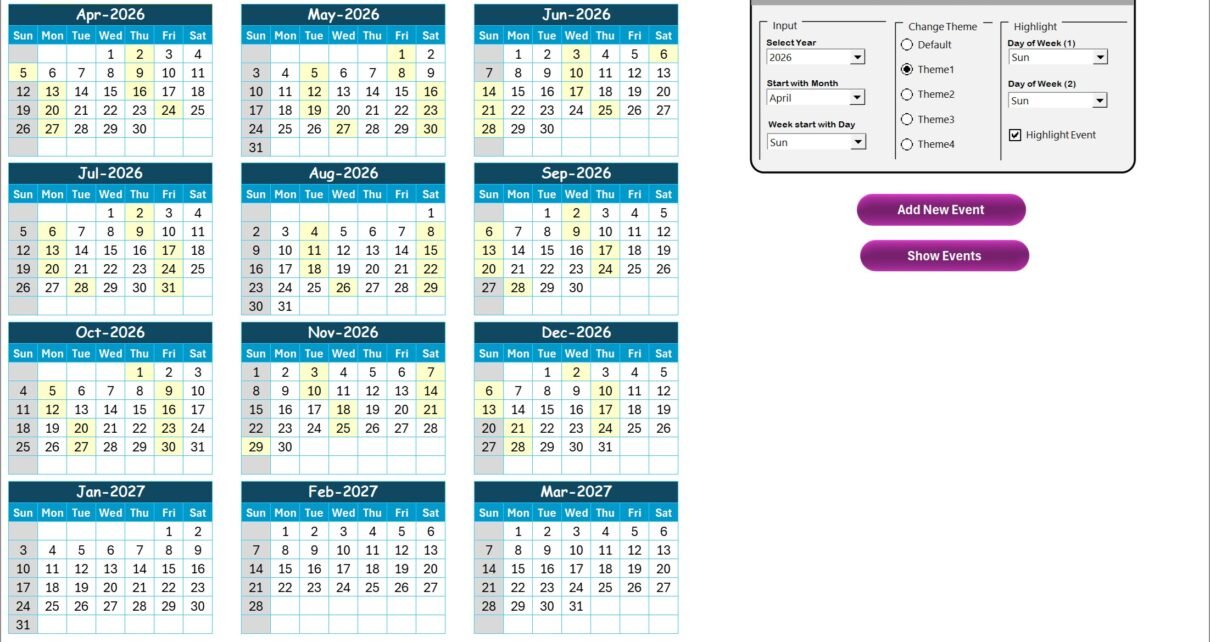
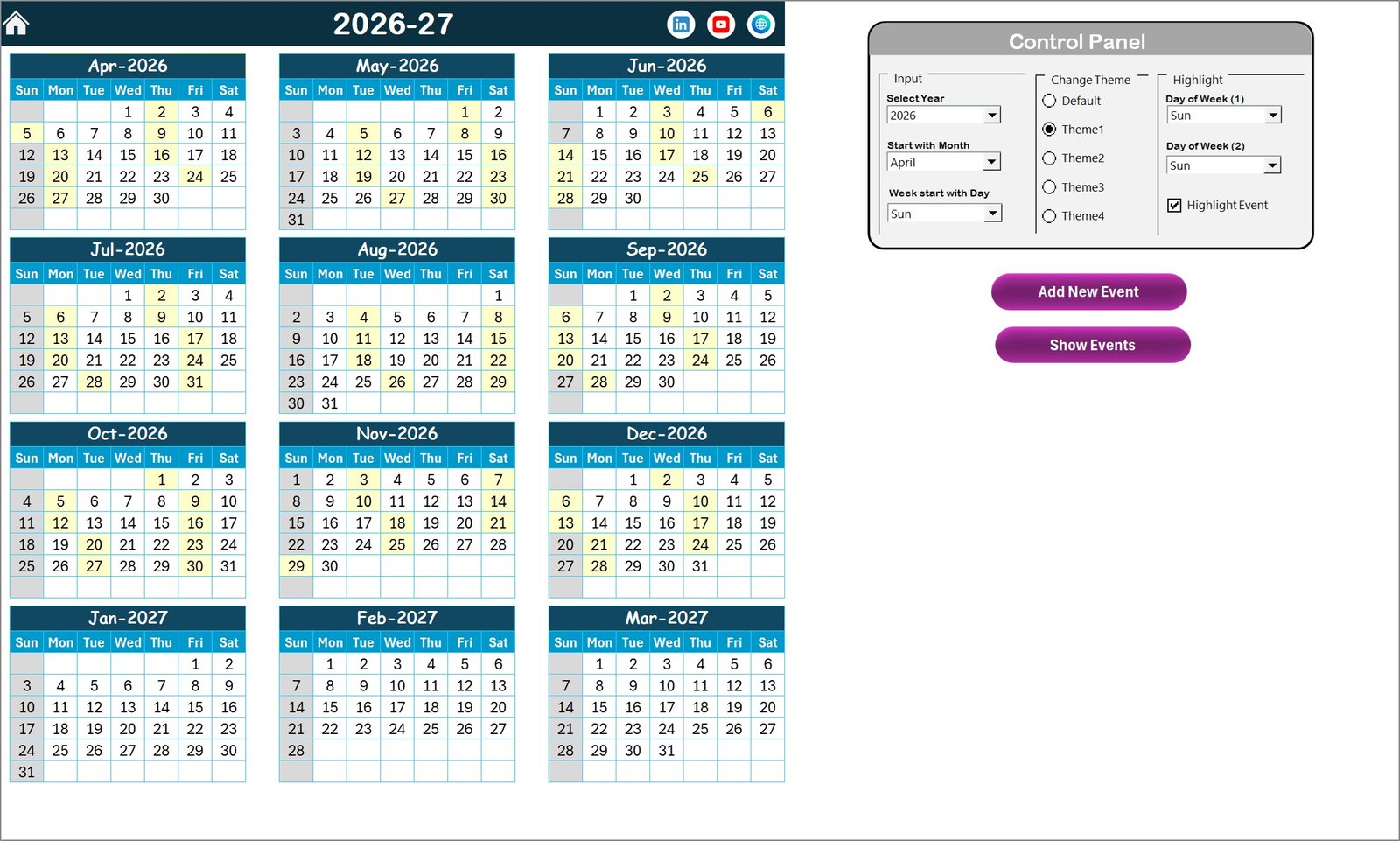
The Annual View Sheet displays a full 12-month calendar in one place.
Therefore, HR teams can easily plan retention activities across the entire year.
This view helps organizations schedule long-term HR initiatives such as:
- Employee appreciation events
- Annual surveys
- Team-building programs
- Performance review cycles
- Training programs
Control Panel Features
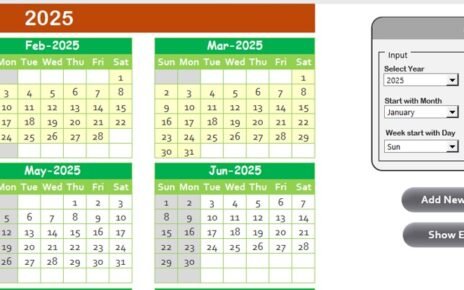
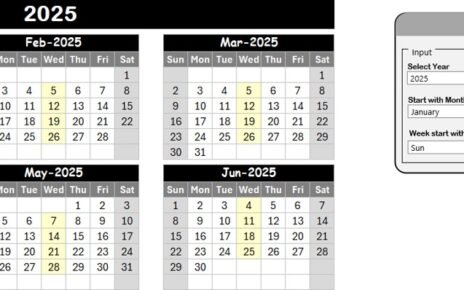
The Annual View sheet contains a control panel that allows users to customize the calendar.
The control panel includes three groups:
Input Group
This section allows users to customize the calendar layout.
Users can select:
- Year
- Starting month of the calendar
- Starting day of the week
When users change these values, the entire calendar updates automatically.
Change Theme Group
This section provides five different color themes.
Users can select a preferred theme, and the workbook automatically updates the design.
This feature improves visual clarity and enhances the user experience.
Highlight Group
The highlight group allows users to highlight specific days of the week.
For example:
- Highlight Saturday
- Highlight Sunday
Users can choose two different days to highlight.
Additionally, users can enable the Highlight Event checkbox, which highlights event dates in yellow color.
As a result, important retention activities become clearly visible on the calendar.
Add New Event Button
The Add New Event button simplifies event entry.
Users simply:
- Select a date on the calendar
- Click the Add New Event button
- Fill out the event form
- Click submit
The event automatically appears on the selected date.
Show Event Button
Users can also view events scheduled for a specific date.
To see event details:
- Select the desired date
- Click the Show Event button
The system then displays all events scheduled for that date.
Click to buy Employee Retention Task Calendar In Excel
Monthly View Sheet – Focused Monthly Planning
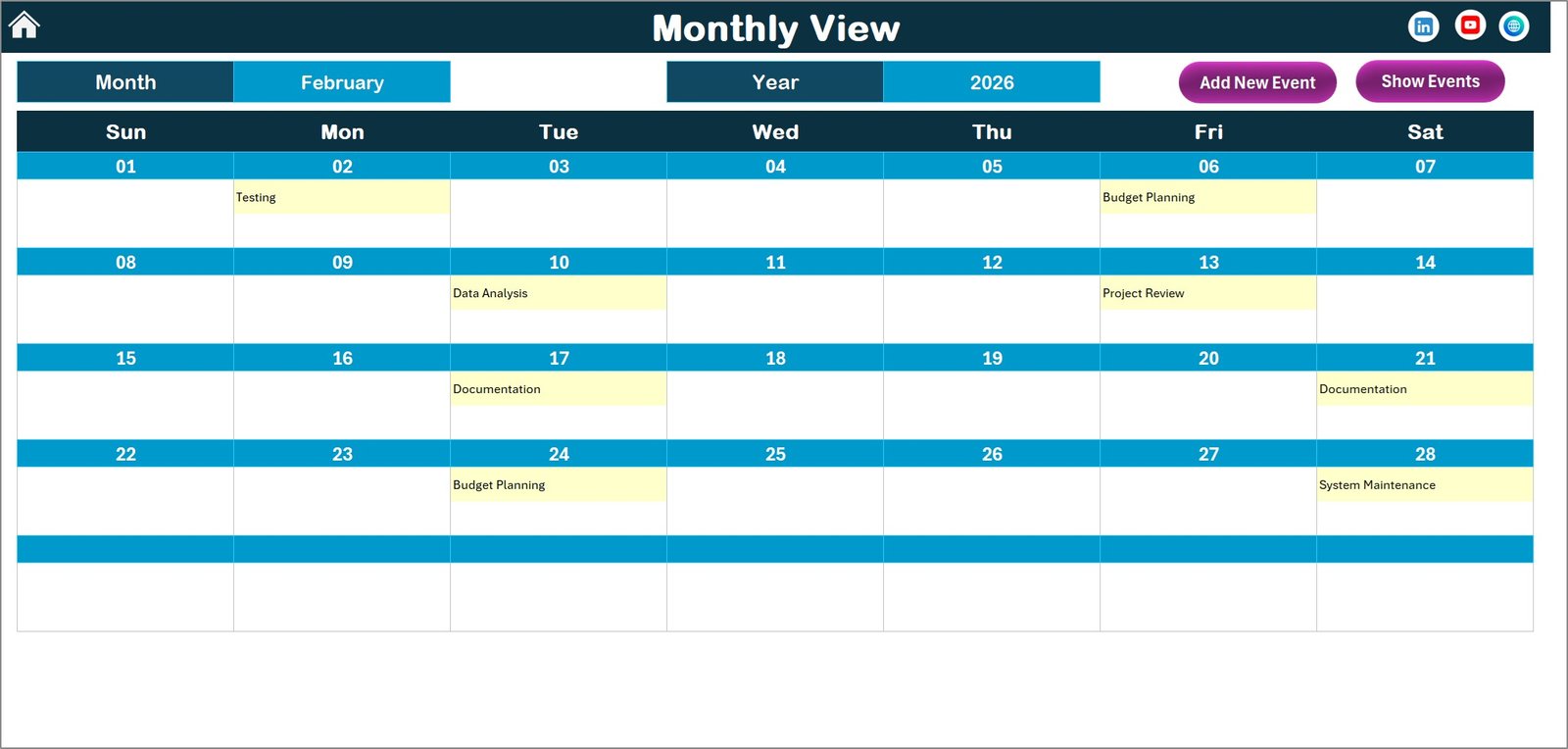
While the annual calendar provides a high-level overview, the Monthly View sheet focuses on a single month.
Users can select:
- Month
- Year
The calendar then updates automatically.
This sheet displays scheduled events directly on the calendar.
If a date contains multiple events, the calendar displays a note such as:
“More than 1…”
Therefore, users know that multiple activities exist on that date.
Buttons Available on Monthly View
The Monthly View sheet includes two important buttons.
Add New Event Button
Users can add events directly from the monthly calendar.
Show Event Button
Users can view all events scheduled on the selected date.
Because these buttons provide quick access to event management, HR teams can easily update retention activities.
Click to buy Employee Retention Task Calendar In Excel
Daily View Sheet – Detailed Event Tracking
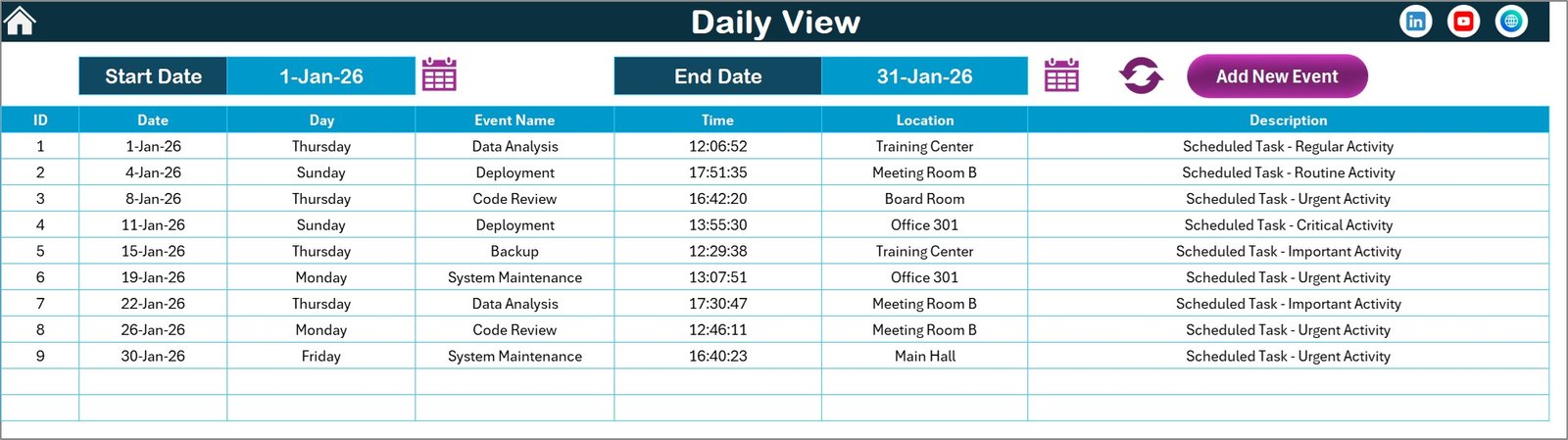
The Daily View Sheet provides detailed event tracking for selected date ranges.
Users can enter:
- Start date
- End date
The system then displays all events scheduled within the selected range.
Additional features include:
- Calendar icon for easy date selection
- Refresh button to update event data
- Add New Event button
This sheet helps HR teams monitor upcoming employee engagement activities.
For example:
- Training sessions
- Employee onboarding programs
- HR meetings
- Feedback discussions
Because the Daily View displays detailed information, teams can monitor retention activities closely.
Click to buy Employee Retention Task Calendar In Excel
Events Sheet – Central Event Database
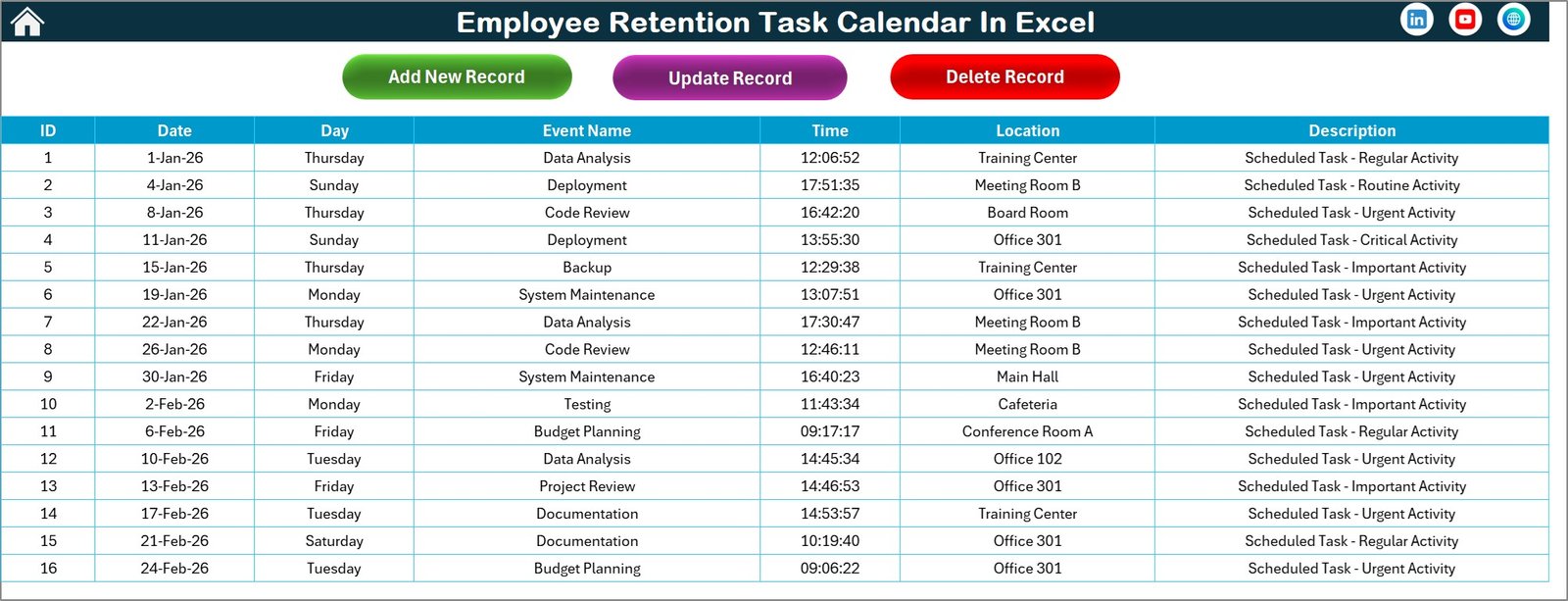
The Events Sheet acts as the central database for all calendar events.
Every event added to the calendar stores its details in this sheet.
The Events database captures the following information:
- ID – Auto-generated number
- Date – Event date
- Day – Day of the week
- Event Name – Name of the activity
- Time – Event time
- Location – Event location
- Description – Short explanation of the event
Because all event data stays stored in one location, organizations can easily manage and update retention activities.
Event Management Buttons
The Events sheet includes three management buttons.
Add New Record
This button opens the event form where users can add new events.
Update Existing Record
Users can update existing events by selecting the event ID and clicking this button.
The system opens the form with pre-filled data.
Users simply edit the information and save it.
Delete Record
Users can delete any event by selecting its ID and clicking this button.
Click to buy Employee Retention Task Calendar In Excel
Advantages of Employee Retention Task Calendar in Excel
Using an Employee Retention Calendar provides multiple advantages for organizations.
- Organized HR Planning
The calendar helps HR teams plan retention activities throughout the year.
Therefore, organizations can maintain structured employee engagement programs.
- Better Employee Engagement
Regular events such as training, recognition programs, and feedback sessions improve employee motivation.
As a result, employees feel more valued.
- Reduced Employee Turnover
When organizations actively focus on retention activities, employees are more likely to stay.
Therefore, businesses reduce recruitment and training costs.
- Improved HR Efficiency
Because the Excel calendar organizes all events in one place, HR teams can manage tasks more efficiently.
- Better Visibility of Activities
The annual, monthly, and daily views provide multiple perspectives of retention activities.
Therefore, managers can quickly identify upcoming events.
- Easy Event Management
The built-in event form simplifies adding, updating, and deleting events.
Therefore, HR teams can maintain accurate records.
Best Practices for the Employee Retention Task Calendar
To maximize the effectiveness of the retention calendar, organizations should follow certain best practices.
- Schedule Engagement Activities Regularly
Plan employee engagement events throughout the year.
Examples include:
- Employee recognition programs
- Team-building activities
- Wellness initiatives
- Skill development workshops
- Update the Calendar Frequently
HR teams should update the calendar whenever new events are planned.
Regular updates ensure that the calendar remains accurate.
- Use Color Themes for Clarity
Different color themes improve readability and visual organization.
Therefore, teams can identify events easily.
- Highlight Important Days
Use the highlight feature to mark weekends or important HR activity days.
This helps teams focus on important schedules.
- Review Events Weekly
Managers should review upcoming events weekly.
This practice ensures that retention activities happen on time.
How Does the Employee Retention Calendar Improve Workplace Culture?
Employee retention programs directly influence workplace culture.
When organizations schedule regular engagement activities, employees feel appreciated.
Moreover, structured HR initiatives create transparency and trust between management and employees.
Because the retention calendar helps maintain consistency, employees experience a positive and supportive work environment.
Consequently, workplace satisfaction improves significantly.
Conclusion
Employee retention plays a vital role in the long-term success of any organization. Companies that invest in employee engagement, training, and recognition programs often experience higher productivity and lower turnover rates.
The Employee Retention Task Calendar in Excel provides a simple yet powerful solution to organize and manage retention activities. With its structured worksheets, automated calendar views, and event management features, this Excel template allows HR teams to plan employee engagement programs efficiently.
Moreover, the calendar provides annual, monthly, and daily views that help organizations monitor retention initiatives at different levels.
When companies consistently schedule and track employee engagement activities, they create a positive workplace culture that motivates employees to stay and grow within the organization.
Frequently Asked Questions (FAQs)
What is an Employee Retention Task Calendar?
An Employee Retention Task Calendar is a scheduling tool that helps organizations manage HR activities and employee engagement programs throughout the year.
Why is employee retention important?
Employee retention reduces recruitment costs, improves productivity, and strengthens organizational knowledge.
Why should organizations use Excel for retention planning?
Excel provides a structured and easy-to-use platform that allows teams to manage events, update records, and track activities efficiently.
Who can use the Employee Retention Task Calendar?
The calendar is useful for:
- HR managers
- HR executives
- Team leaders
- Business owners
- Operations managers
Can this calendar handle multiple events per day?
Yes. The calendar supports multiple events for the same date. The system indicates when multiple events exist.
Is the calendar customizable?
Yes. Users can customize the calendar by selecting the year, starting month, starting weekday, and color themes.
Visit our YouTube channel to learn step-by-step video tutorials
Watch the step-by-step video tutorial:
Click to buy Employee Retention Task Calendar In Excel