Exam Invigilation Duty Calendar in Excel
Exam Invigilation Duty Calendar in Excel is a ready-to-use workbook for examination cells, exam coordinators and school or college administrators who need one clear place to plan invigilation duties for an entire exam season: briefings, hall setup, question paper distribution, morning and afternoon sittings, answer script collection and handover.
It is a macro-enabled Excel file for Windows desktop Excel. One Events list feeds an Annual View, a Monthly View, a date-range Daily View and a This Month summary, so the same duty schedule can be read at the level you need without building a calendar from scratch.
For more practical spreadsheet tools, browse PK: An Excel Expert. Because this workbook uses macros, open it in desktop Microsoft Excel.
Why Exam Cells Need an Invigilation Duty Calendar
Invigilation planning usually lives in a paper duty chart, a messaging group and a few one-off sheets. When a date changes or a hall is swapped, somebody has to update all of them. An exam duty calendar template keeps every duty in one list and shows it as a calendar, so it is easy to see which days are covered, which halls are in use and what is coming up next.
The workbook ships with 100 fictional sample duties dated 01-Jan-2026 to 31-Dec-2026, covering fourteen duty types such as Invigilators Briefing Session, Hall Setup & Seating Check, Question Paper Distribution, Attendance & ID Verification, Relief Invigilator Handover, Malpractice Watch Round, Practical Exam Supervision, Viva Voce Duty, Special Needs Support Duty and Answer Script Handover to COE. Every sample date sits on the correct weekday.
Key Features of the Invigilation Duty Roster Excel Workbook
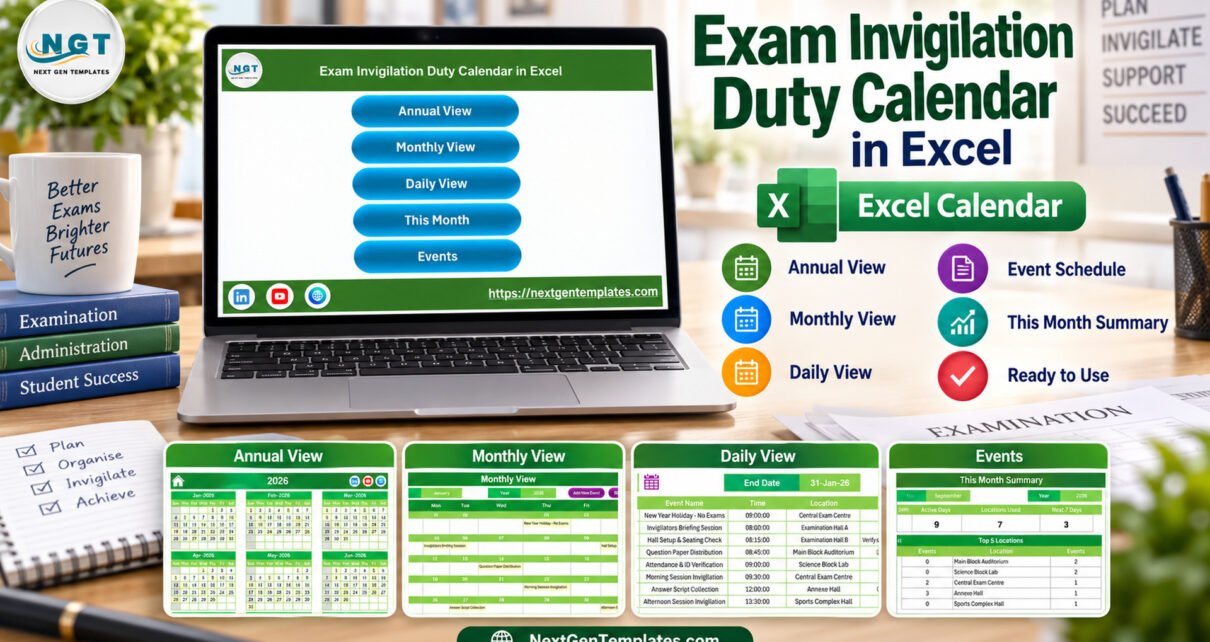
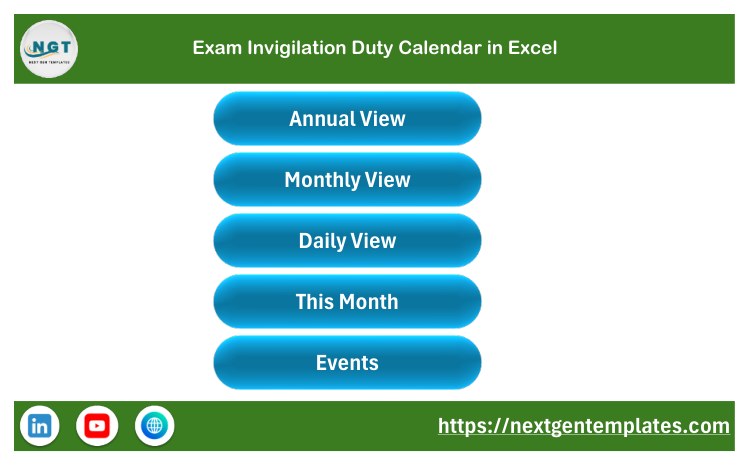
- Home page with buttons for Annual View, Monthly View, Daily View, This Month and Events.
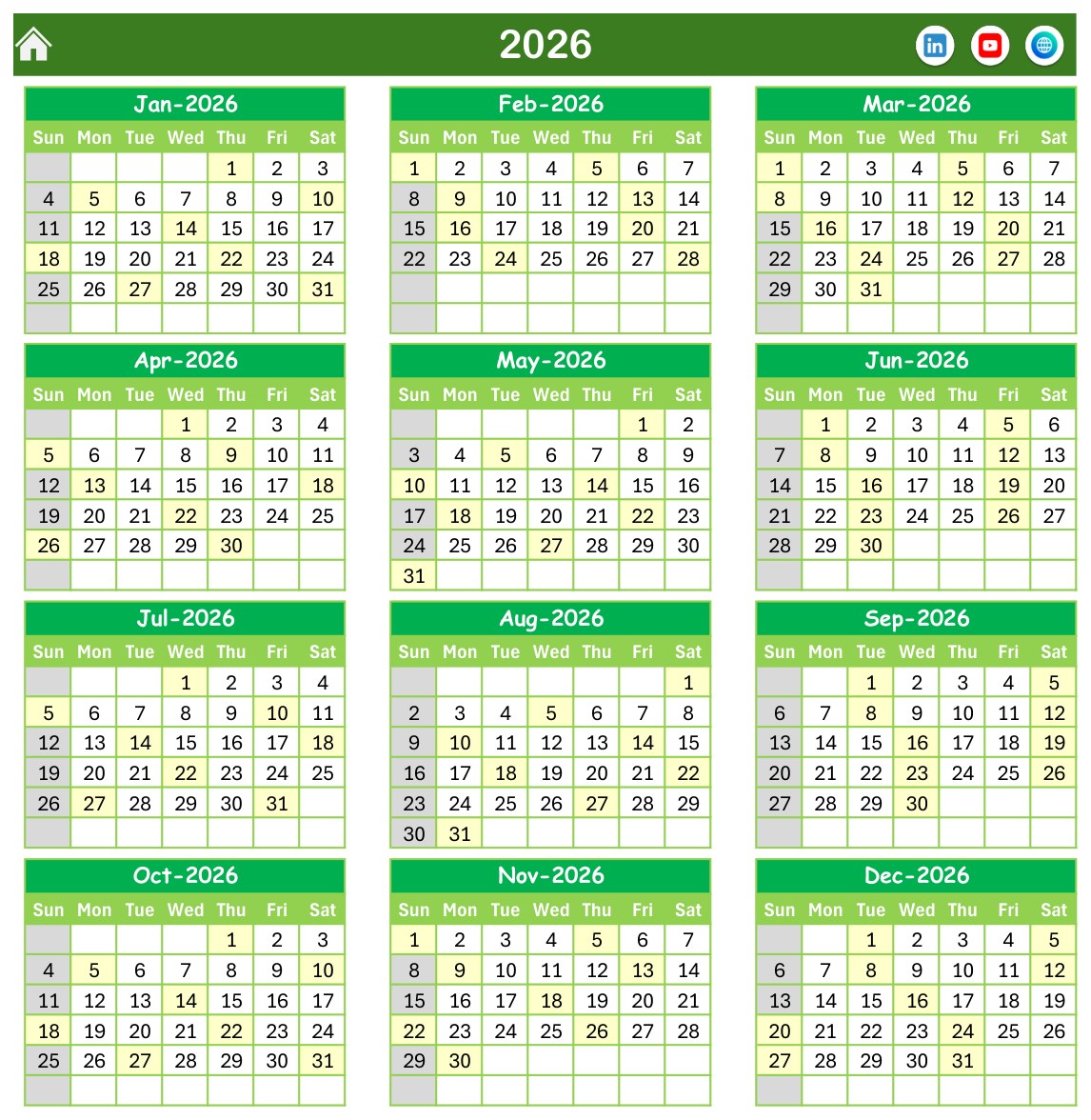
- Twelve-month Annual View with every duty date highlighted.
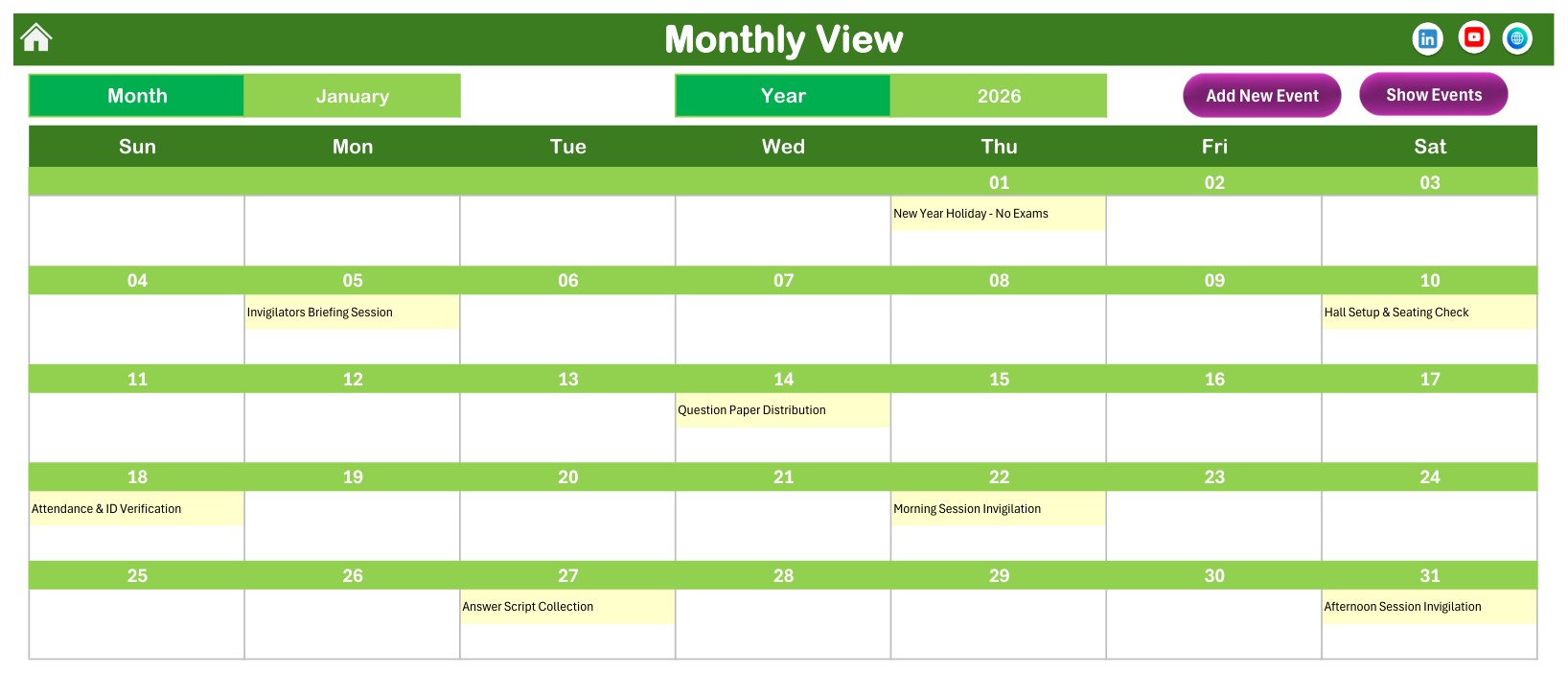
- Monthly View with Month and Year selectors plus Add New Event and Show Events buttons.
- Daily View for any Start Date and End Date, listing ID, Date, Day, Event Name, Time, Location and Description.
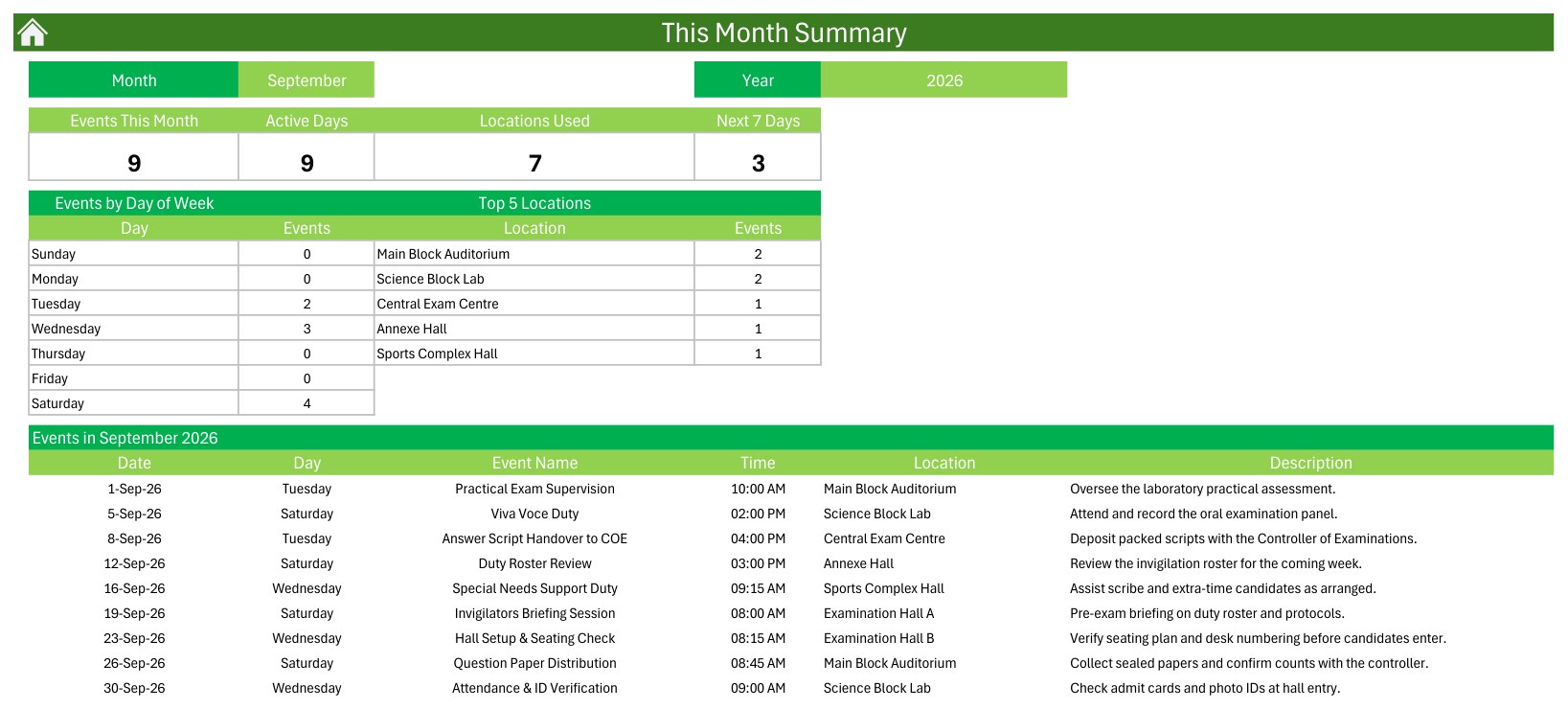
- This Month summary with Events This Month, Active Days, Locations Used and Next 7 Days tiles, an Events by Day of Week table and a Top 5 Locations table.
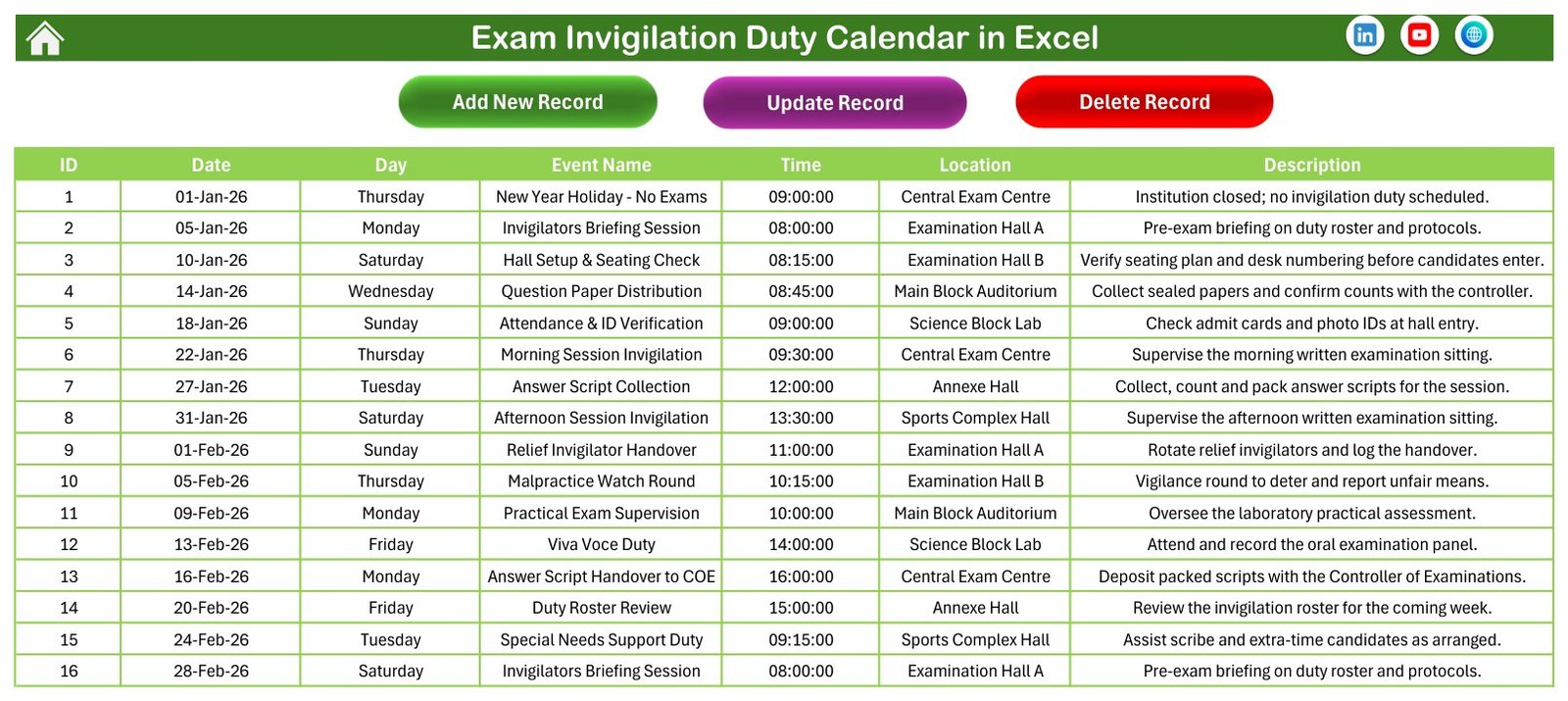
- Events sheet with Add New Record, Update Record and Delete Record buttons.
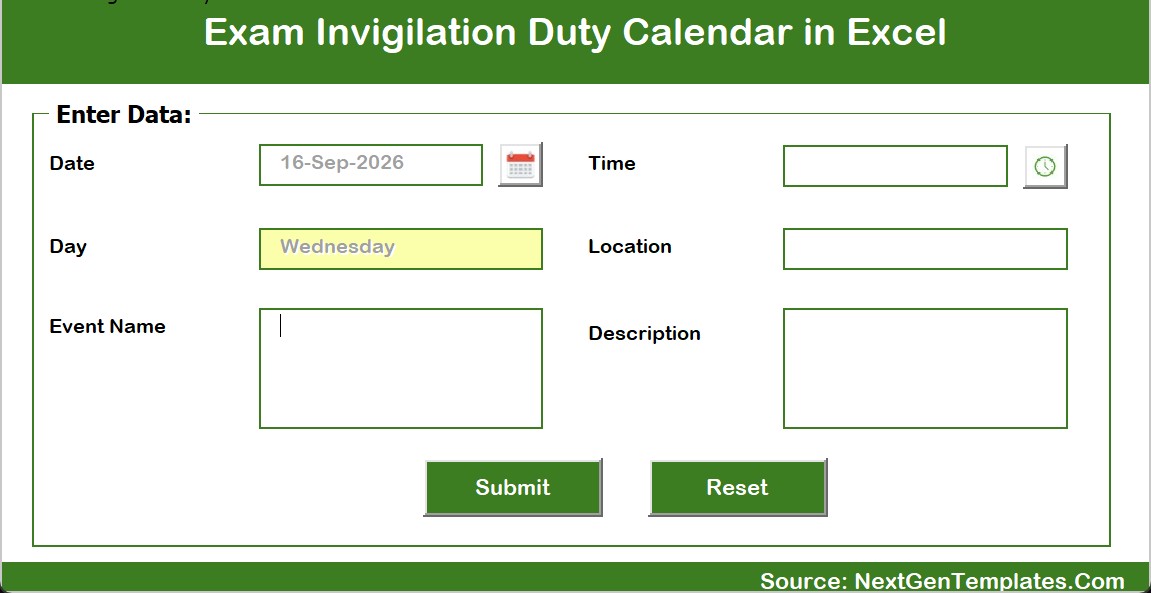
- Entry form with a date picker, a time picker and a Day field that fills in automatically.
- Setting sheet for the year, starting month, first day of the week, weekend highlights and five colour themes.
Annual View
The Annual View lays out all twelve months of the selected year. Shaded dates carry at least one duty, which makes a crowded exam window or an empty week obvious at a glance before you plan staff availability.
Monthly View
Select a month and a year and the calendar redraws with each duty name printed on its date. In the January sample you can see the briefing on 05-Jan, hall setup on 10-Jan, question paper distribution on 14-Jan and invigilation sittings on 22-Jan and 31-Jan. When a date holds more than one duty, the cell shows the first one with an “N more” counter.
Daily View: Your Invigilator Schedule Spreadsheet
Pick a start date and an end date with the calendar buttons and the Daily View builds a clean table of every duty in that window. It works well as a printable invigilator schedule spreadsheet for tomorrow’s sittings or the coming week.

This Month Summary
The This Month page summarises the chosen month: how many duties, how many active days, how many locations are used and how many duties fall in the next seven days. The Events by Day of Week and Top 5 Locations tables show which weekdays and halls carry the most load, followed by the full list of the month’s duties.
Events Sheet and Entry Form
The Events sheet is the single source for every view. Use Add New Record, Update Record and Delete Record to maintain it, or the entry form, where you choose the date and time with pickers and the Day fills in by itself. This keeps the examination hall duty planner consistent across all pages.
How to Use It
- Download and extract the ZIP file.
- Open the XLSM workbook in Microsoft Excel for Windows and enable macros.
- Set your year, first day of the week and colour theme on the Setting sheet.
- Delete the fictional sample duties and add your own with the form or the Events buttons.
- Review the Annual and Monthly views, then print each day’s list from the Daily View.
- Check This Month before the exam season to balance duties across halls and weekdays.
Privacy and Good Practice
The sample file contains no student or staff names, roll numbers or candidate details. The Events sheet holds only ID, Date, Day, Event Name, Time, Location and Description. If you record which invigilator covers a duty, use staff codes or initials rather than full names, and keep candidate personal data out of the workbook.
Important Limitations
This is a planning calendar, not an examination management system. It does not allocate duties automatically, balance workloads, generate seating plans, detect clashes or prevent double booking, send reminders, or connect to a student information system. The Day column is stored as text, so if you type a date straight into the Events sheet, update the Day as well. It makes no claim of conformity with any exam board or university regulation. It needs desktop Excel on Windows; Excel Online, Mac and mobile apps may not run its macros.
What the Download Includes
- The macro-enabled Exam Invigilation Duty Calendar in Excel workbook with 100 sample duties
- A PDF user manual for the Excel calendar
- Annual, Monthly, Daily, This Month and Events views ready to use
If your team works in a browser, a separate Exam Invigilation Duty Calendar in Google Sheets edition is also available with its own sample duties.
Related Excel Calendars for Schools
- Exam Timetable Calendar in Excel for publishing the exam dates themselves
- Teacher Substitution Calendar in Excel for cover and relief planning
- Class Timetable Calendar in Excel for regular teaching schedules
- Hostel Duty Roster Calendar in Excel for residential duty rotas
FAQ
Can I replace the sample duties?
Yes. All 100 sample duties are fictional. Delete them and enter your own dates, times, duties and halls.
Do I need macros?
Yes. The buttons, form and pickers run on VBA, so use desktop Microsoft Excel for Windows with macros enabled.
Can I record which invigilator is on each duty?
There is no dedicated invigilator column. Add a staff code to the Event Name or Description, and avoid full names.
Will it warn me about a clash?
No. It does not check for overlapping times or halls, so review the Daily View before you publish the roster.
Is it an exam management system?
No. It is a calendar and planning template for invigilation duties, not a system for registrations, seating, results or compliance.
Ready to organise your next exam season? Get the Exam Invigilation Duty Calendar in Excel and replace the sample duties with your own in minutes.