In today’s fast-paced and uncertain global environment, organizations face constant challenges in maintaining financial compliance and ensuring supply chain resilience. From managing regulatory requirements to minimizing disruptions, businesses must plan and track every critical event with precision. A structured system not only ensures compliance but also safeguards business continuity.
This is where the Finance Compliance Supply Chain Resilience Calendar in Excel becomes a game-changer. Built with flexibility, automation, and user-friendliness in mind, this ready-to-use Excel calendar helps companies track compliance deadlines, monitor supply chain risks, and schedule resilience activities—all in one place.
In this article, we will explore the key features, advantages, best practices, and real-world use cases of this Excel template. By the end, you’ll have a complete understanding of how to leverage this tool for effective compliance and supply chain management.
Click to Purchases Finance Compliance Supply Chain Resilience Calendar in Excel
What is the Finance Compliance Supply Chain Resilience Calendar?
The Finance Compliance Supply Chain Resilience Calendar is a dynamic Excel template that allows businesses to plan, track, and manage important compliance and supply chain events. Whether it’s a tax filing deadline, supplier audit, risk assessment, or logistics check, this calendar captures all the critical details in one structured view.
Unlike static calendars, this template offers interactive worksheets that adapt to annual, monthly, and daily needs. With built-in automation, event forms, and customizable themes, users can easily track compliance obligations while keeping an eye on supply chain resilience initiatives.
Key Features of the Excel Template
This calendar includes five interactive worksheets designed for ease of use and efficiency. Let’s break them down:
Home Sheet Tab
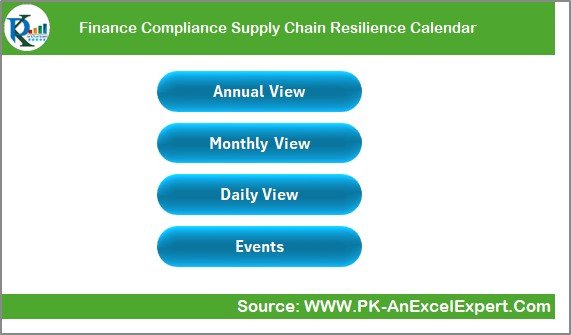
The Home tab serves as the index page for the entire calendar. From here, users can navigate to:
-
Annual View – full-year compliance and supply chain calendar.
-
Monthly View – month-specific details with quick insights.
-
Daily View – day-to-day breakdown of activities.
-
Events – central database of all records.
The navigation buttons make it easy to move between views without scrolling endlessly through data.
Annual View Sheet Tab
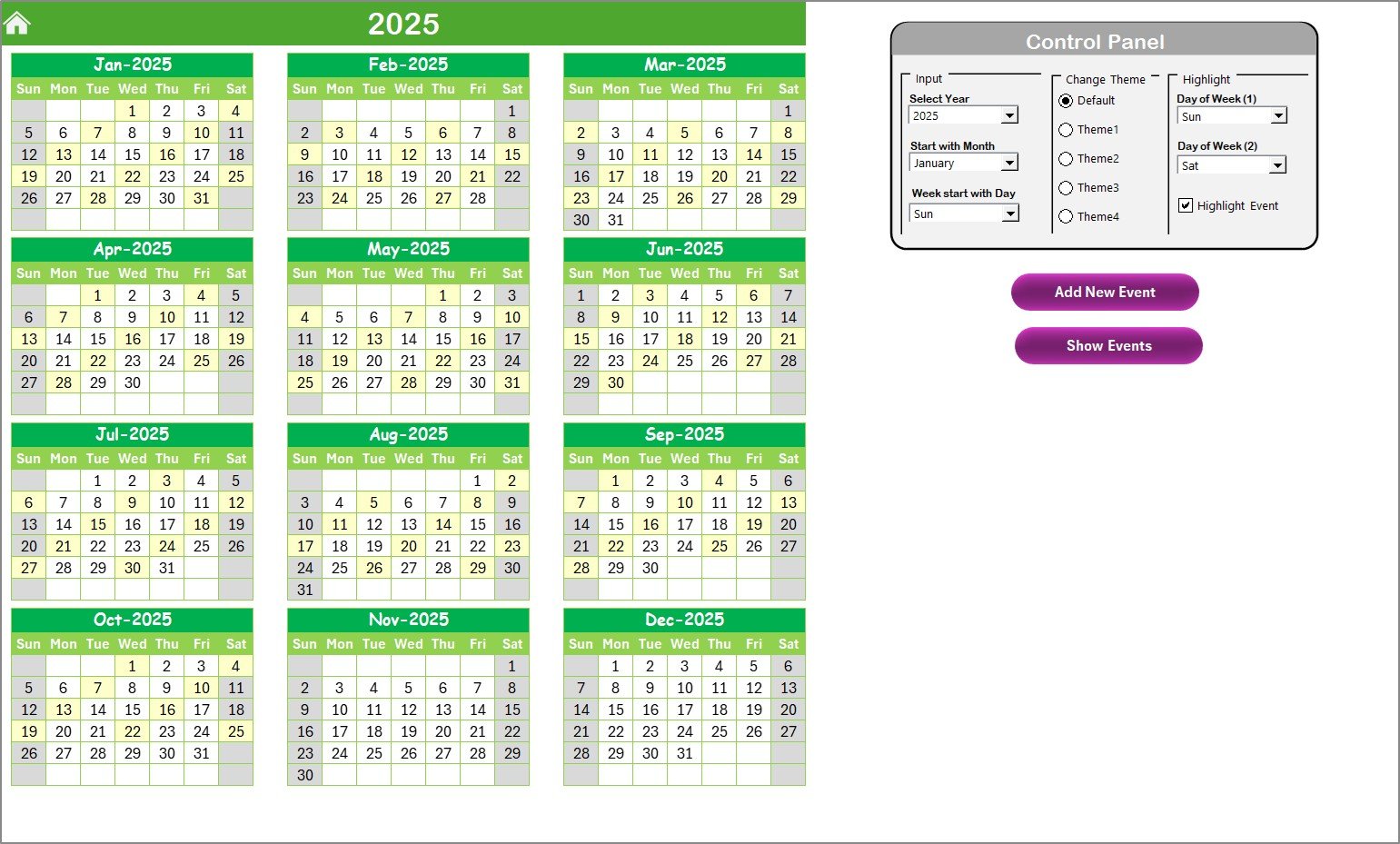
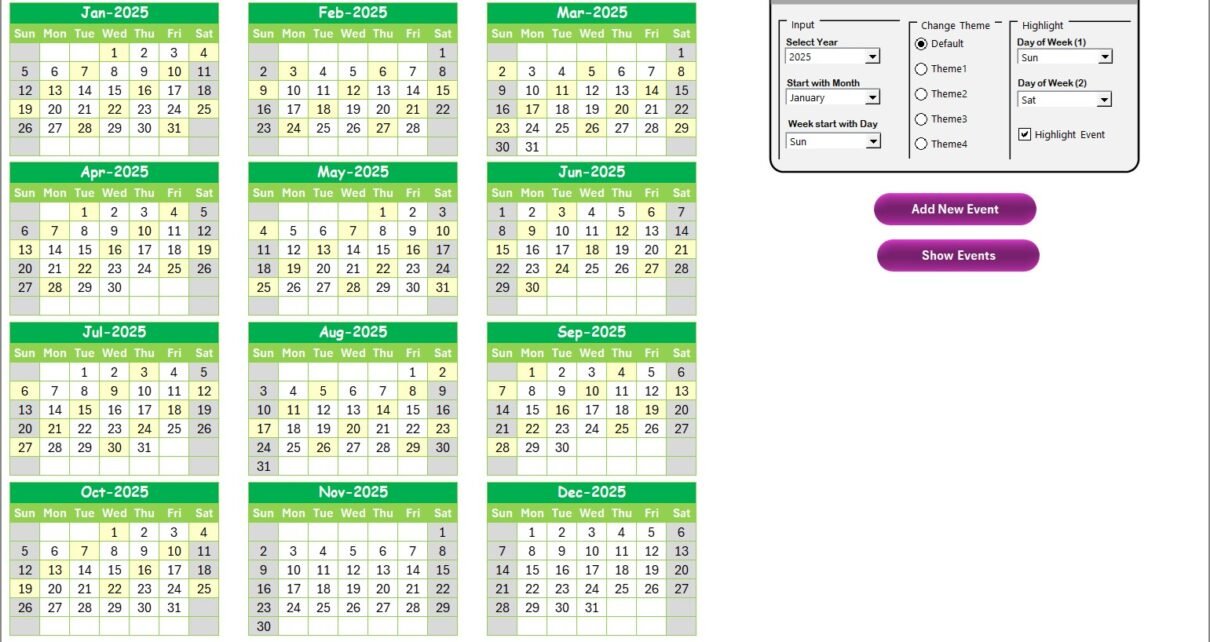
The Annual View provides a 12-month calendar layout, making it perfect for high-level planning.
Key elements include:
Control Panel:
- Input Group: Select the year, starting month, and even the starting day of the week.
- Theme Group: Choose from five color themes for a personalized look.
- Highlight Group: Highlight weekends or other specific days (e.g., Saturdays and Sundays) to visualize work vs. non-work days.
-
Event Highlighting: Toggle the “Highlight Events” checkbox to automatically mark event dates in yellow.
-
Add New Event Button: Select a date, click the button, and a form appears for quick data entry.
-
Show Event Button: Displays all events for the chosen date instantly.
This makes annual planning both visual and interactive.
Monthly View Sheet Tab
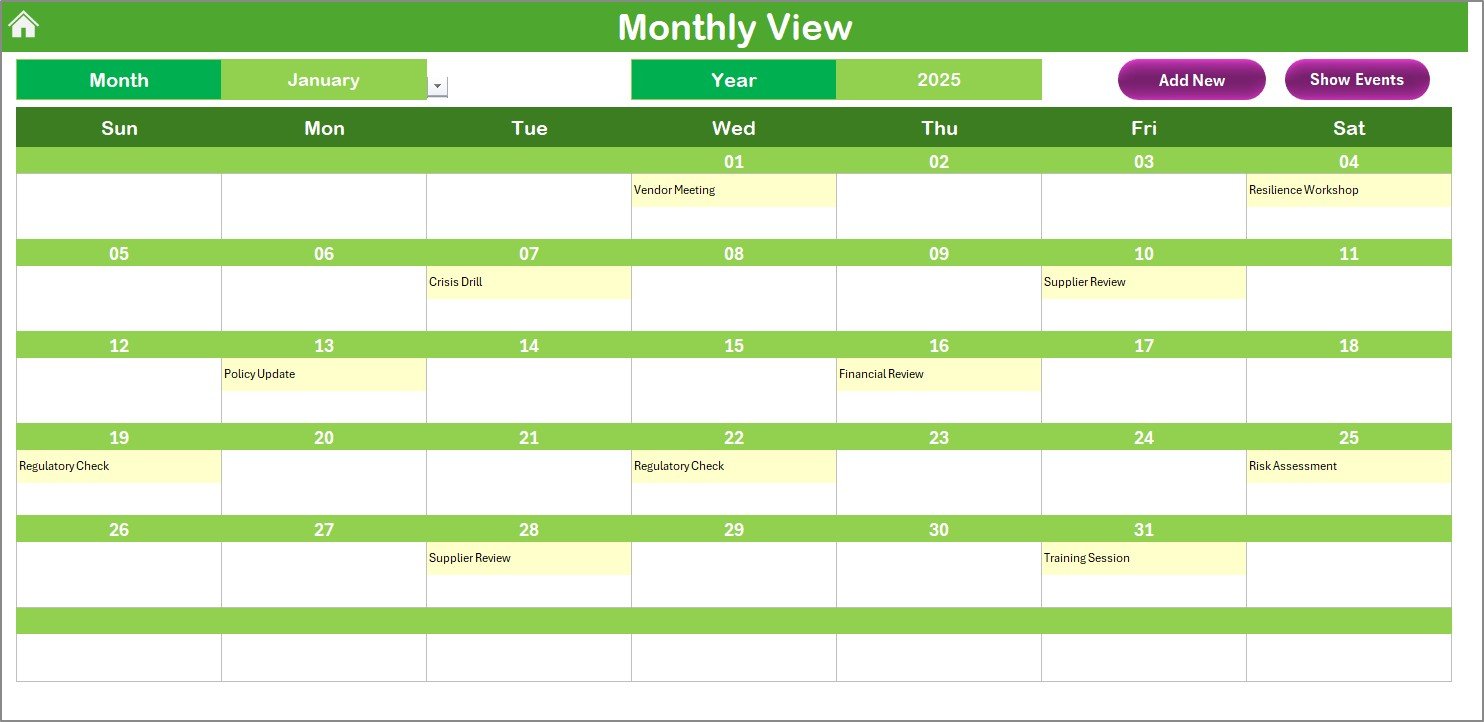
The Monthly View narrows down the calendar to a single month, allowing deeper focus.
Features include:
-
Selection of Month and Year to refresh the view automatically.
-
Display of one event per day on the calendar grid, with “more than 1…” notification for multiple events.
-
Add New Event Button for creating entries on the selected date.
-
Show Event Button to view all details for that specific date.
Click to Purchases Finance Compliance Supply Chain Resilience Calendar in Excel
This view is ideal for finance teams managing regulatory deadlines or supply chain managers tracking shipment schedules.
Daily View Sheet Tab
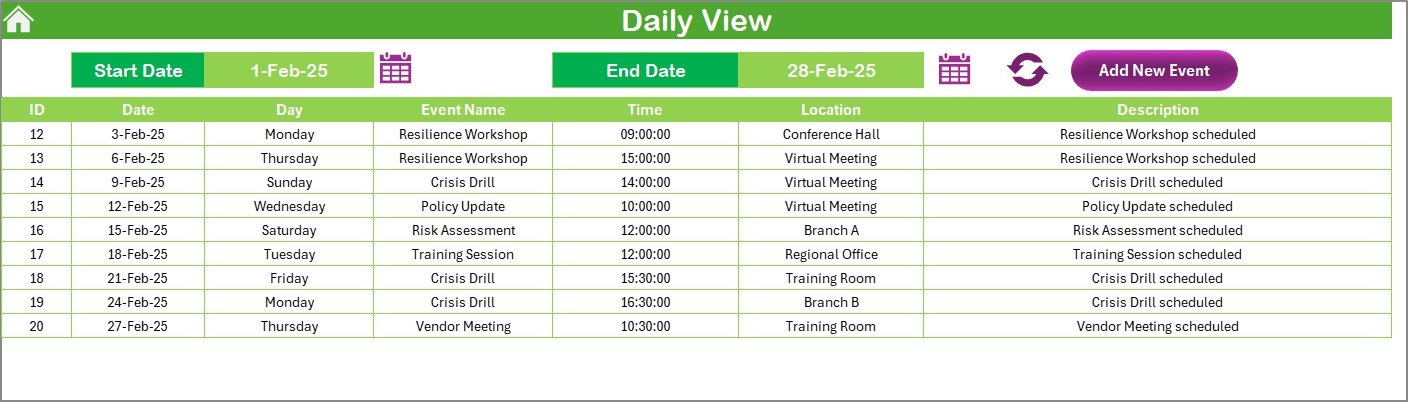
When precision matters, the Daily View comes into play.
Highlights:
-
Enter a start date and end date to filter the event list.
-
Click Refresh to display the latest data within that date range.
-
Add new events with the Add New Event Button.
This view is particularly useful for:
-
Monitoring critical compliance deadlines like tax filings.
-
Tracking supply chain disruptions on specific days.
-
Ensuring no daily tasks fall through the cracks.
Events Sheet Tab
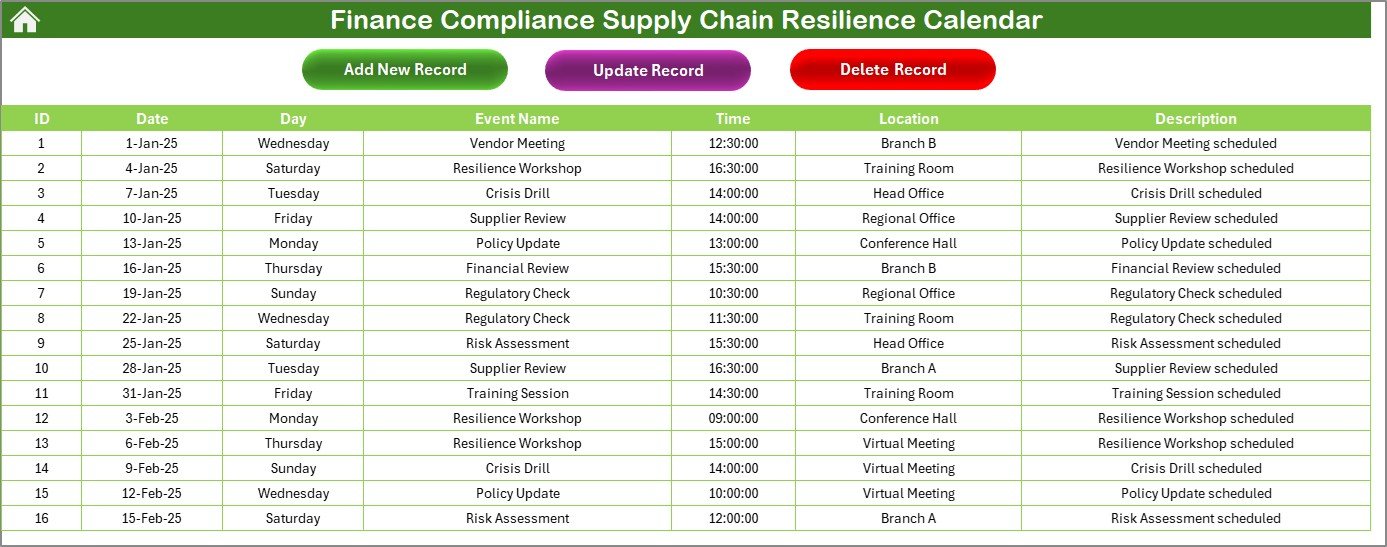
The Events sheet functions as the database of the calendar. It captures every detail in structured columns:
-
ID: Auto-generated unique event number.
-
Date: Date of the event.
-
Day: Automatically generated (e.g., Monday, Tuesday).
-
Event Name: Short, descriptive title.
-
Time: Exact event time.
-
Location: Place or department handling the task.
-
Description: Short explanation of the event.
With three buttons at the top, this sheet gives complete event management power:
-
Add New Record: Opens the form to create a new event.
-
Update Existing Record: Select an ID to pre-fill the form, make edits, and update.
-
Delete Record: Select an ID and remove the entry permanently.
This central database ensures consistency and accuracy across all views.
Why Finance Compliance and Supply Chain Resilience Go Hand in Hand
Finance compliance and supply chain resilience might seem like different areas, but in reality, they are deeply connected:
-
Compliance gaps can trigger penalties, which affect cash flow and disrupt supplier contracts.
-
Supply chain disruptions—such as delayed shipments or raw material shortages—can lead to compliance failures.
-
Together, they determine the financial stability and operational continuity of a business.
By combining both into a single Excel calendar, companies gain a holistic view of risks, deadlines, and events.
Advantages of the Finance Compliance Supply Chain Resilience Calendar
This Excel calendar comes with numerous benefits that make it indispensable for organizations:
✅ Centralized Information: All compliance deadlines and supply chain events in one place.
✅ Interactive Views: Switch between annual, monthly, and daily perspectives seamlessly.
✅ Customization: Adjust themes, highlight days, and adapt settings to fit your company’s workflow.
✅ Automation: Forms simplify event entry and reduce manual errors.
✅ Scalability: Suitable for small businesses as well as large enterprises.
✅ Accessibility: No expensive software—just Excel, which most organizations already use.
✅ Improved Accountability: Clear records ensure transparency across teams.
✅ Risk Mitigation: Proactively monitor risks and reduce the chances of compliance breaches.
Opportunities for Improvement
While this calendar is powerful, there are always opportunities to enhance it further:
🔹 Integration with Outlook/Google Calendar: Sync Excel events with external calendars.
🔹 Automated Alerts: Add VBA macros or Power Automate flows to send reminders before deadlines.
🔹 Mobile Compatibility: Optimize for Excel mobile app usage.
🔹 Advanced Dashboards: Create pivot-based dashboards for visual insights.
🔹 Collaboration Features: Use SharePoint or OneDrive for real-time team access.
Best Practices for Using the Calendar
To maximize value, organizations should follow these best practices:
-
Define Clear Event Categories
Create event types such as “Compliance Deadline,” “Supplier Audit,” “Financial Review,” or “Risk Assessment.” -
Assign Responsibilities
Always assign a responsible person or team for each event to ensure accountability. -
Update Regularly
Encourage teams to update the Events sheet weekly to keep information accurate. -
Use Highlighting Features
Highlight weekends, holidays, or critical days to avoid confusion. -
Leverage Daily View for Critical Weeks
During high-pressure periods like tax season or supply shortages, use the daily view to track every detail. -
Back Up Data
Store the Excel file on a secure cloud service to prevent accidental loss. -
Review Annually
At the end of each year, export the event database to archive records and start fresh for the new year.
How to Use the Calendar Step by Step
-
Open the Template – Start from the Home sheet.
-
Set the Year – Adjust the control panel to select your year.
-
Customize Settings – Choose theme colors and highlight weekends.
-
Add Events – Use the Add New Event button from any view.
-
Track Monthly Activities – Switch to Monthly View for detailed monitoring.
-
Check Daily Operations – Use Daily View during critical times.
-
Manage Database – Regularly update, modify, or delete events in the Events sheet.
Real-World Use Cases
The Finance Compliance Supply Chain Resilience Calendar can be applied in multiple industries:
-
Manufacturing: Track supplier audits, raw material delivery schedules, and compliance checks.
-
Banking & Finance: Monitor financial reporting deadlines and regulatory submissions.
-
Healthcare: Ensure timely compliance with healthcare regulations and supplier contracts.
-
Retail: Manage supplier logistics and government filing requirements.
-
Logistics: Track cross-border compliance obligations and delivery schedules.
Conclusion
In an era where financial compliance and supply chain resilience determine the survival and growth of organizations, having a structured system is no longer optional—it’s essential. The Finance Compliance Supply Chain Resilience Calendar in Excel empowers businesses to plan, track, and manage all critical events with ease.
With interactive views, automation features, and customization options, this tool ensures that no compliance deadline is missed and no supply chain disruption goes unnoticed. By adopting this calendar, companies can move toward a future of transparency, accountability, and operational resilience.
Frequently Asked Questions (FAQs)
1. What is the purpose of the Finance Compliance Supply Chain Resilience Calendar?
It helps organizations track financial compliance deadlines and supply chain resilience events in one central Excel-based system.
2. Can I customize the calendar for my company’s needs?
Yes. You can change themes, highlight specific days, and add custom events to match your organization’s workflow.
3. Does the calendar support automation?
Yes. It includes event forms for automated entry. With VBA or Power Automate, you can extend automation for reminders and notifications.
4. Who can benefit from this calendar?
Finance teams, supply chain managers, compliance officers, auditors, and operations teams across industries.
5. How does this calendar improve compliance?
By providing visibility of all deadlines, assigning accountability, and ensuring no event or task is overlooked.
6. Can the calendar be shared with teams?
Yes. You can host it on SharePoint, OneDrive, or any shared drive for collaborative access.
7. What makes this better than regular Outlook or Google Calendars?
Unlike standard calendars, this Excel template combines financial compliance and supply chain resilience in one system, with powerful customization features.
8. Is technical knowledge required to use this calendar?
No. The template is user-friendly and works with basic Excel skills.
Visit our YouTube channel to learn step-by-step video tutorials