In today’s business world, finance operations and supply chain resilience go hand in hand. Organizations rely on smooth financial planning, strong procurement strategies, and agile supply chains to reduce risks and meet customer expectations. However, without proper planning and tracking, disruptions can easily break this flow.
This is where a Finance Operations Supply Chain Resilience Calendar in Excel becomes an invaluable tool. It helps businesses organize financial events, supply chain milestones, audits, and risk assessments in a single place. With interactive features, automated calculations, and user-friendly navigation, this Excel-based calendar provides both visibility and control over financial and supply chain activities.
Click to Purchases Finance Operations Supply Chain Resilience Calendar in Excel
In this article, we will explore:
-
What a Finance Operations Supply Chain Resilience Calendar is.
-
Key features of the Excel template.
-
Why organizations should use such a calendar.
-
Advantages of the calendar.
-
Best practices for implementation.
-
Common FAQs with answers.
Let’s dive in.
What Is a Finance Operations Supply Chain Resilience Calendar?
A Finance Operations Supply Chain Resilience Calendar is a digital scheduling and tracking tool created in Excel. It organizes important financial and supply chain events into an easy-to-read structure. Unlike static calendars, this template includes automated features such as event tracking, color themes, and multiple views (annual, monthly, and daily).
With this calendar, finance and supply chain teams can:
-
Plan annual budgets, audits, and compliance checks.
-
Schedule supplier reviews, procurement deadlines, and delivery milestones.
-
Track resilience initiatives such as risk assessments, scenario planning, and business continuity events.
-
Coordinate between finance, procurement, logistics, and operations teams.
The result is better preparedness, improved resilience, and a stronger alignment of financial planning with supply chain operations.
Key Features of the Finance Operations Supply Chain Resilience Calendar
This Excel calendar template is designed with practicality and usability in mind. It consists of five main worksheet tabs, each with unique functionality. Let’s break them down.
Home Sheet Tab
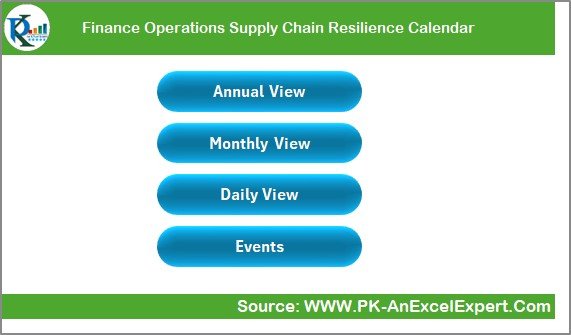
The Home sheet acts as the index page of the calendar. It contains four main buttons that allow users to jump directly to different sections:
-
Annual View
-
Monthly View
-
Daily View
-
Events Database
This makes navigation seamless. Users can move between different calendar views without scrolling through multiple sheets.
Annual View Sheet Tab
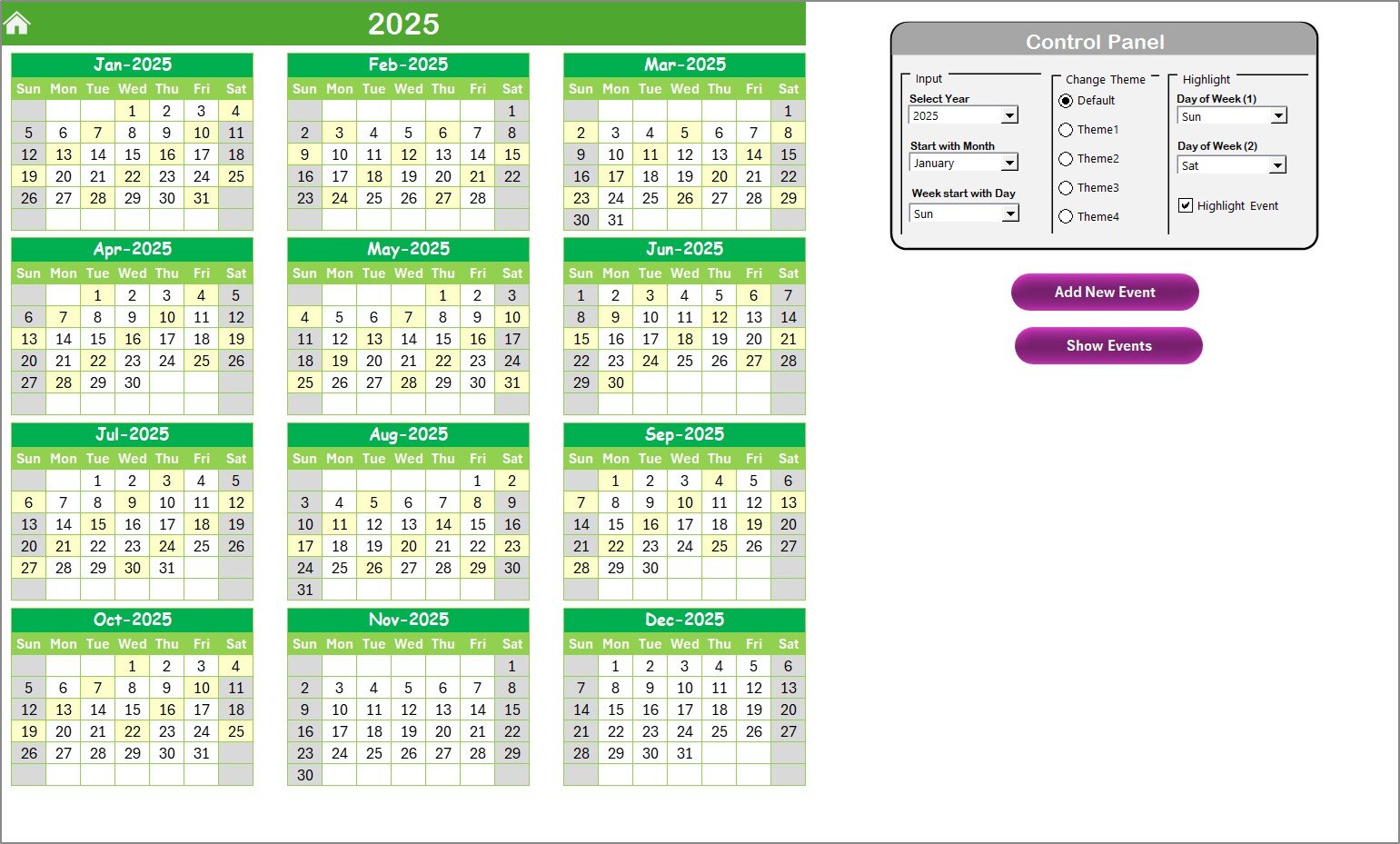
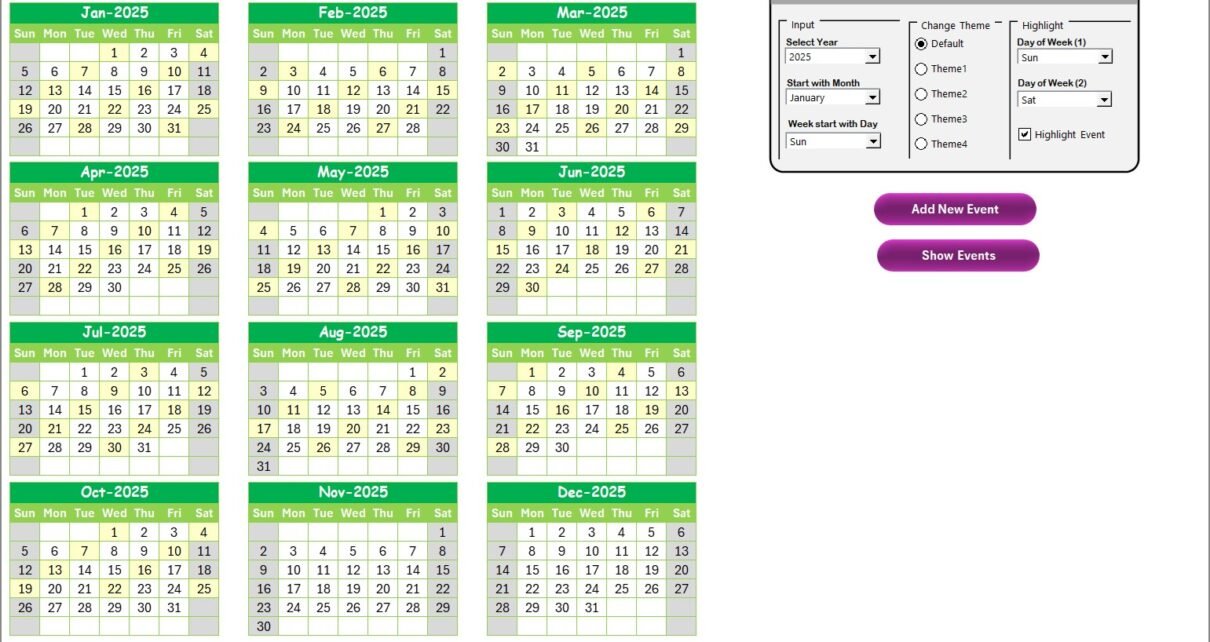
The Annual View sheet displays all 12 months of the year in a single calendar layout. It comes with a control panel and interactive buttons that allow for customization and automation.
Control Panel Features:
-
Input Group: Select the year, starting month, and the starting day of the week. This flexibility is crucial for global organizations that operate across different fiscal years and workweek structures.
-
Theme Group: Choose from five color themes to customize the look and feel of the workbook.
-
Highlight Group: Highlight weekends or any two days of the week (e.g., Saturday and Sunday) in grey. Users can also highlight events in yellow for better visibility.
Buttons:
-
Add New Event: Click a date on the calendar, then use this button to add a new event via a simple form.
-
Show Events: Select a date and use this button to view all events scheduled for that day.
This view is particularly useful for executives and managers who need a big-picture view of the year.
Monthly View Sheet Tab
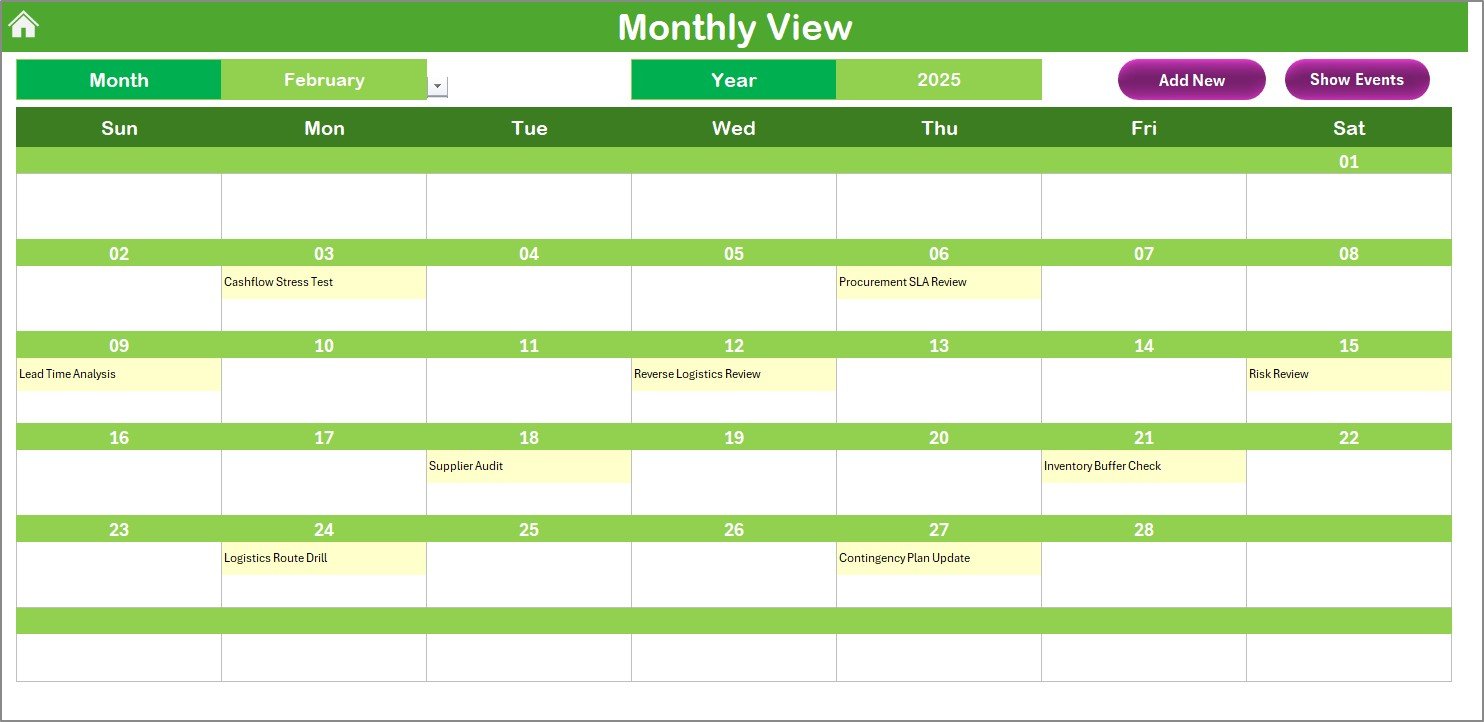
The Monthly View focuses on a single month. It shows events clearly for each date.
-
Users can select the month and year at the top.
-
If multiple events fall on one date, the cell displays a note such as “More than 1…” to indicate additional events.
-
Buttons for Add New Event and Show Events allow quick data entry and review.
This view works best for finance managers and supply chain planners who need to focus on one month at a time, such as during peak procurement seasons or financial audits.
Click to Purchases Finance Operations Supply Chain Resilience Calendar in Excel
Daily View Sheet Tab
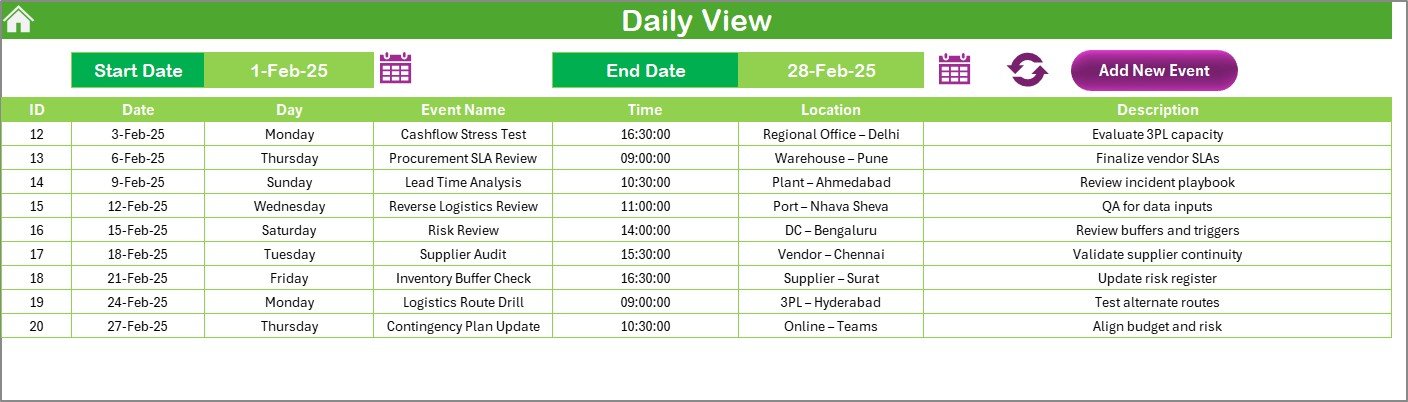
The Daily View provides a detailed breakdown of events for a specific date range.
-
Users select a start and end date using calendar icons.
-
Clicking Refresh shows all events within that range.
-
The Add New Event button allows for quick entries.
This is useful for operational teams managing daily financial operations, supplier deliveries, and risk response actions.
Events Sheet Tab (Database)
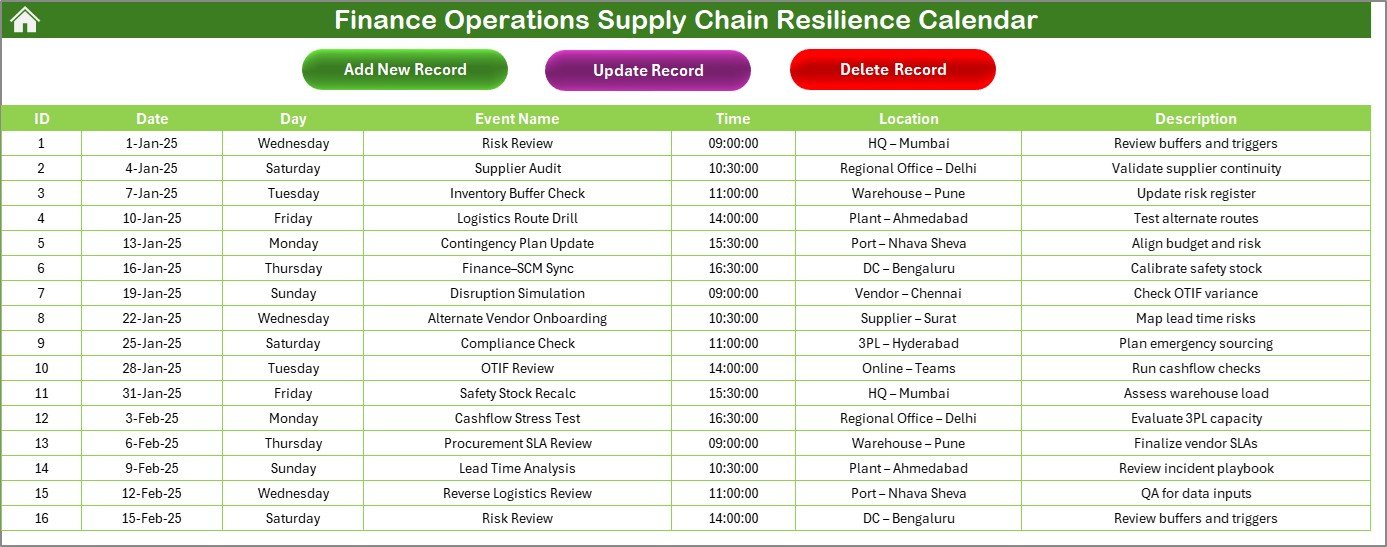
The Events sheet acts as the backbone of the system. It captures all event details, ensuring data is organized and accessible.
The database includes:
-
ID: Auto-generated unique number for each event.
-
Date: Scheduled date of the event.
-
Day: Day of the week (e.g., Monday, Friday).
-
Event Name: Title of the event.
-
Time: Time slot for the event.
-
Location: Venue or department handling the event.
-
Description: Short explanation of the event.
Buttons:
-
Add New Record: Opens a form to enter a new event.
-
Update Record: Select an event ID, modify the details, and save.
-
Delete Record: Remove an event permanently by selecting its ID.
This sheet ensures that all activities—whether finance or supply chain related—are recorded in one structured place.
Why Do Businesses Need a Finance Operations Supply Chain Resilience Calendar?
Businesses today face frequent disruptions—ranging from inflation and compliance changes to supply chain bottlenecks and global uncertainties. Without a structured calendar, teams often:
-
Miss deadlines for audits or supplier renewals.
-
Fail to track resilience training sessions or risk assessment drills.
-
Overlook financial events that affect procurement planning.
By using this Excel calendar, companies can:
-
Strengthen collaboration between finance and supply chain teams.
-
Plan ahead with visibility into yearly, monthly, and daily events.
-
Adapt quickly to changes by updating and tracking events in real time.
-
Enhance resilience by monitoring disruptions and ensuring timely actions.
Advantages of Finance Operations Supply Chain Resilience Calendar
Here are the main benefits businesses can enjoy by using this Excel tool:
✅ Centralized Planning – All finance and supply chain events are stored in one place.
✅ Flexibility – Switch between annual, monthly, and daily views depending on the requirement.
✅ Automation – Add, update, and delete events easily using interactive buttons.
✅ Customization – Change themes, highlight important days, and adjust starting months or weeks.
✅ Risk Preparedness – Track resilience activities such as audits, training, and compliance deadlines.
✅ User-Friendly – Even non-technical staff can use the simple Excel interface.
✅ Cost-Effective – No need for expensive software; Excel handles everything.
Best Practices for Using the Finance Operations Supply Chain Resilience Calendar
To maximize the value of this calendar, follow these best practices:
🔹 Define clear categories for events such as “Finance Audit,” “Supplier Review,” or “Risk Training.”
🔹 Update events regularly to avoid outdated information.
🔹 Use color codes to highlight critical vs. non-critical events.
🔹 Train staff on how to use the Add, Update, and Delete functions.
🔹 Back up data frequently to avoid loss of event history.
🔹 Integrate with other tools (e.g., Power BI dashboards) for advanced reporting.
🔹 Review monthly to ensure supply chain risks and finance deadlines are always tracked.
How This Calendar Improves Supply Chain Resilience
The core goal of this calendar is resilience. It helps organizations anticipate, prepare for, respond to, and recover from disruptions.
With structured event planning, companies can:
-
Monitor supplier performance and renewal dates.
-
Track critical financial deadlines that affect procurement.
-
Stay on top of compliance activities.
-
Run simulations or risk training sessions without missing schedules.
In short, it provides a bridge between finance operations and supply chain resilience planning.
Conclusion
The Finance Operations Supply Chain Resilience Calendar in Excel is more than just a date-tracking tool. It is a strategic asset for businesses that want to stay ahead of disruptions, meet financial obligations, and strengthen supply chain resilience.
By using this ready-to-use template, organizations gain visibility, improve collaboration, and build agility. Whether it’s annual audits, supplier meetings, or risk assessments, everything can be tracked in one interactive Excel calendar.
Frequently Asked Questions (FAQs)
1. What is the purpose of a Finance Operations Supply Chain Resilience Calendar?
The calendar helps businesses track financial deadlines, supply chain events, and resilience initiatives in one centralized tool.
2. Can I customize the calendar for my company’s fiscal year?
Yes. The annual view allows you to select the starting month and week to match your fiscal calendar.
3. Is this calendar suitable for small businesses?
Absolutely. Small businesses can benefit from this low-cost solution without needing expensive ERP systems.
4. How does the calendar support resilience planning?
It allows you to schedule audits, supplier reviews, compliance checks, and risk training sessions, ensuring preparedness for disruptions.
5. Do I need advanced Excel skills to use this calendar?
No. The template is user-friendly with buttons for adding, updating, and deleting events. Anyone familiar with basic Excel can use it.
6. Can this calendar replace professional project management software?
Not entirely. While it offers powerful scheduling and tracking features, larger organizations may still need advanced project management systems. However, this calendar is perfect for finance and supply chain event management.
7. How often should I update the calendar?
It’s best to update it weekly to ensure accuracy and relevance.
Visit our YouTube channel to learn step-by-step video tutorials