Managing employee leave balances accurately is one of the most critical yet challenging tasks for HR teams, clinics, and service-based organizations. Manual leave adjustments, scattered Excel sheets, and email-based approvals often lead to errors, confusion, and compliance risks.
That is exactly where Leave Balance Adjustment Management System V1.0 becomes a powerful and practical solution.
This Excel and VBA-based management system is a ready-to-use tool designed to help organizations securely manage leave balance adjustments, employee records, user access, and reports — all from a single, centralized Excel file.
In this detailed guide, you will learn what this system is, how it works, its key features, advantages, best practices, and why it is the ideal choice for organizations looking for a simple yet professional leave management solution.
Click to Purchases Leave Balance Adjustment Management System V1.0
What Is Leave Balance Adjustment Management System V1.0?
The Leave Balance Adjustment Management System V1.0 is a structured Excel and VBA-powered application that allows HR teams and administrators to:
-
Adjust employee leave balances securely
-
Maintain employee and leave-type master data
-
Control user access with login credentials
-
Track, update, delete, and export leave adjustment records
-
Generate reports without manual effort
Unlike basic Excel trackers, this system behaves like a mini HR application inside Excel, complete with login forms, dashboards, filters, and automation.
✅ Ideal for clinics, service organizations, HR teams, and growing businesses that need control without expensive HR software.
Key Features of Leave Balance Adjustment Management System V1.0
🔐 Login Form (Secure Access)
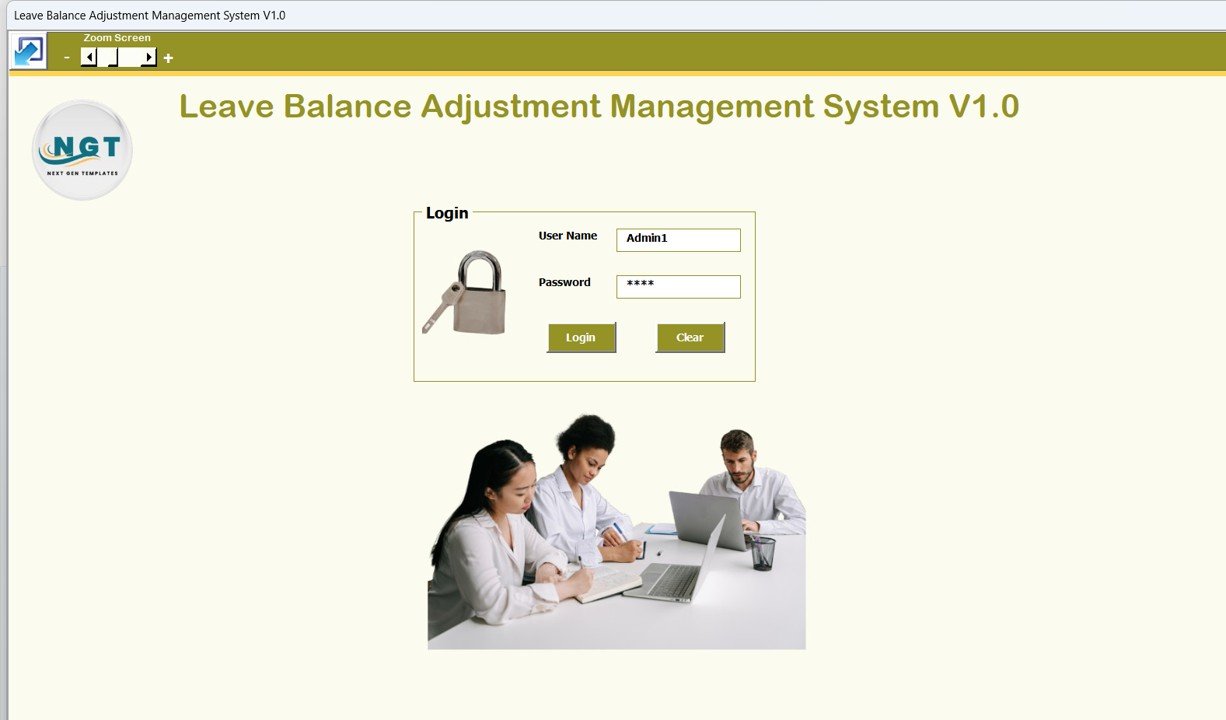
The system starts with a Login Form, ensuring only authorized users can access sensitive leave data.
-
Enter User ID (e.g., Admin1) and Password (e.g., abcd)
-
Click the Login button or press Enter
-
Direct access to the main management screen
This feature ensures data security and controlled access within Excel.
🧭 Main Form – Central Control Panel
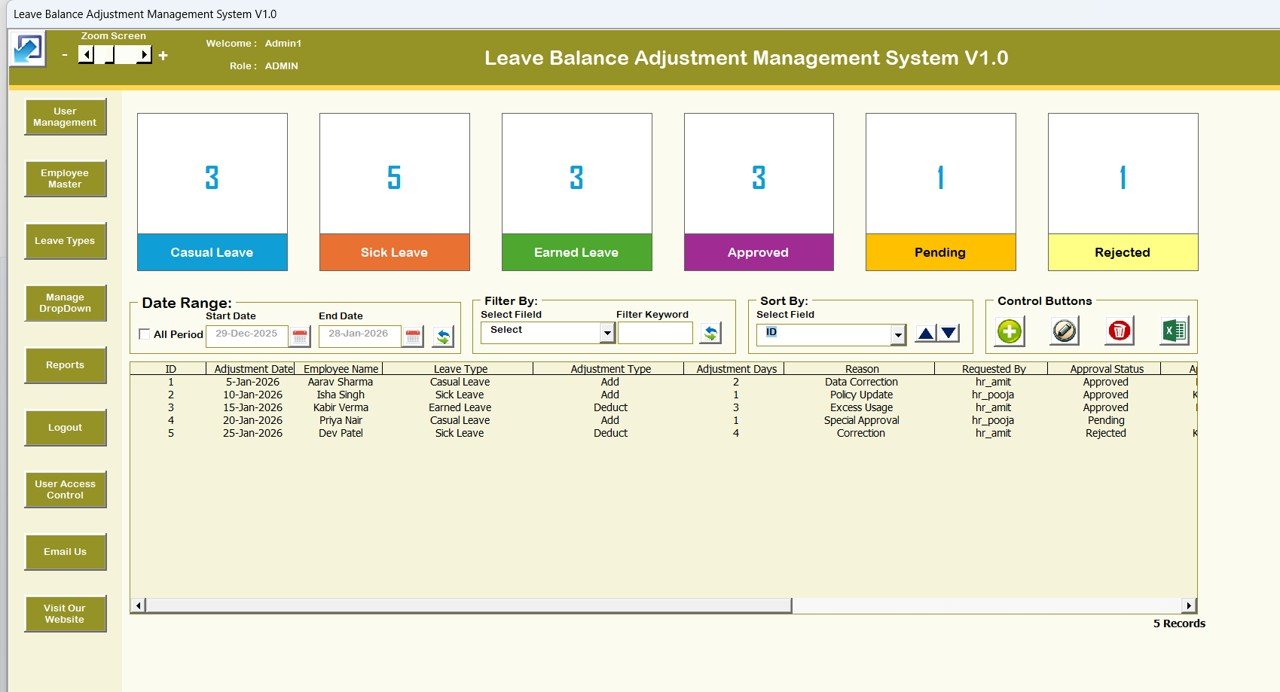
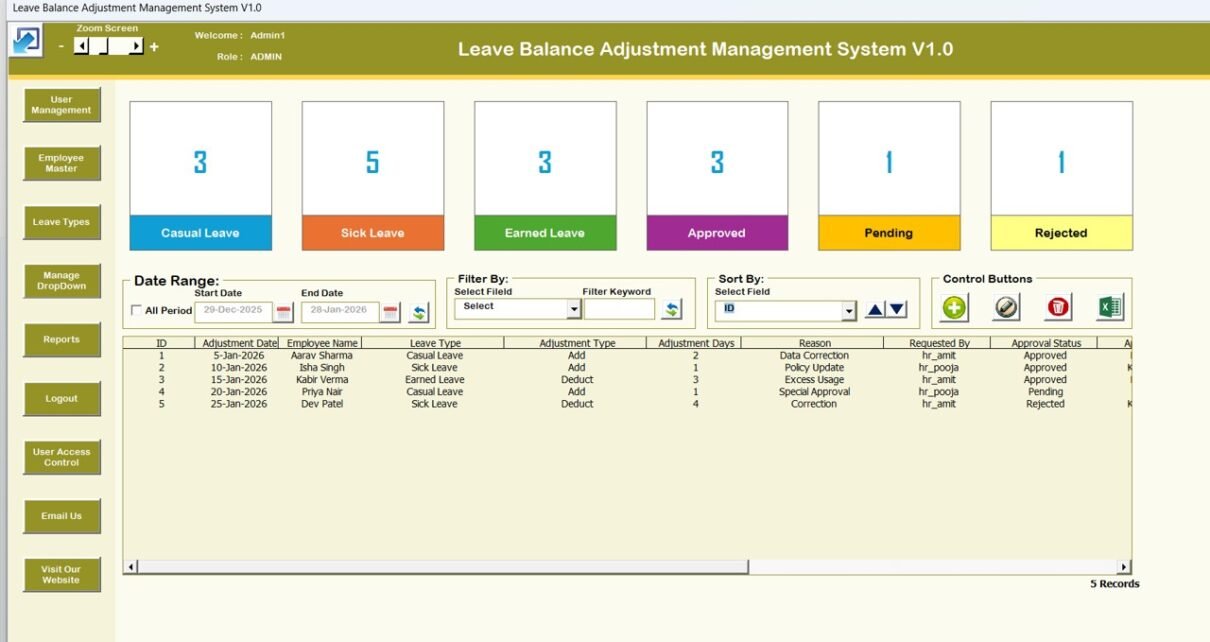
Once logged in, users land on the Main Form, which acts as the heart of the system. From here, all operations can be managed easily.
📋 Central List Box (Leave Adjustment Records)
-
Displays all leave adjustment records in one place
-
Easy to review, manage, and audit changes
-
Acts as a real-time data view for administrators
🔎 Advanced Filters
-
Filter records by Date
-
Filter using selected columns
-
Quickly locate specific leave adjustments without scrolling
This saves time and improves operational efficiency.
🔃 Sort Functionality
-
Sort list box data based on selected criteria
-
Helps organize records for review, audits, or exports
🧩 Leave Adjustment Management
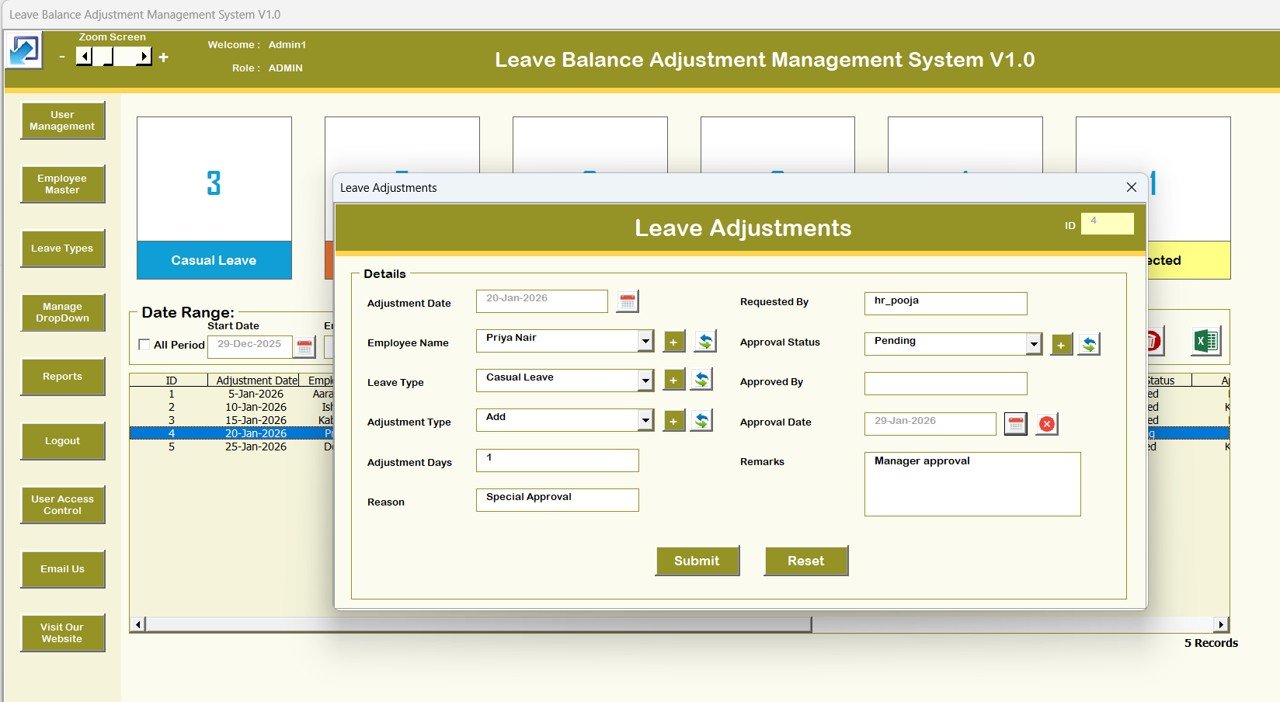
The system includes dedicated buttons to manage records efficiently:
-
Update Existing Record
Modify previously recorded leave adjustments easily. -
Add New Record
Add a new leave balance adjustment with complete details. -
Delete Record
Remove unwanted or incorrect change requests securely. -
Export to Excel
Export list box data into a new Excel file for reporting or sharing.
These actions eliminate manual copy-paste work and reduce errors.
Click to Purchases Leave Balance Adjustment Management System V1.0
🏷 Leave Type Management
-
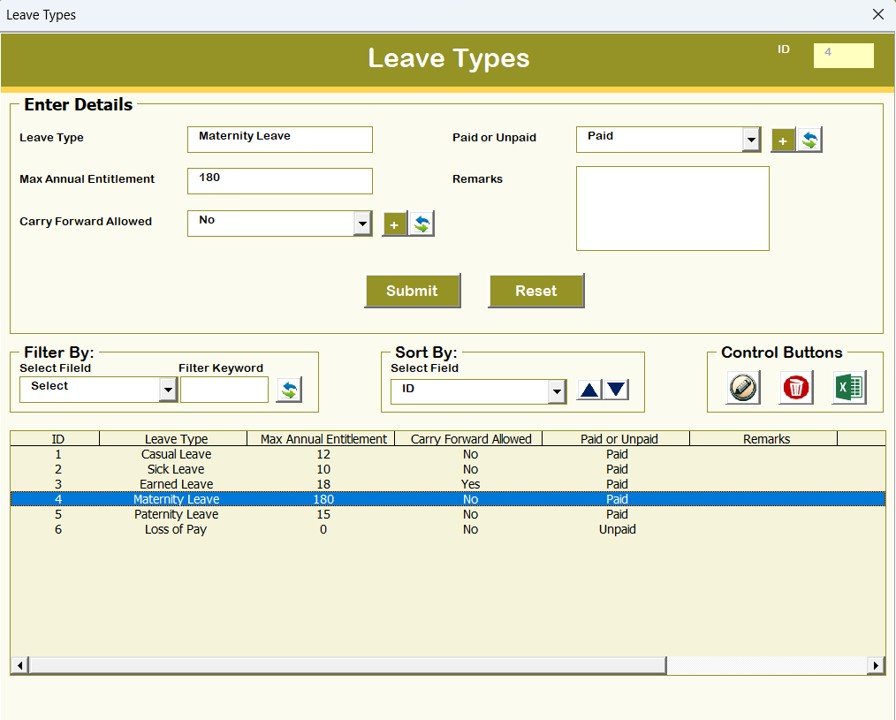
Maintain and manage different leave types
-
Ensure consistency across all leave adjustment entries
-
Ideal for sick leave, casual leave, earned leave, and more
👥 Employee Master
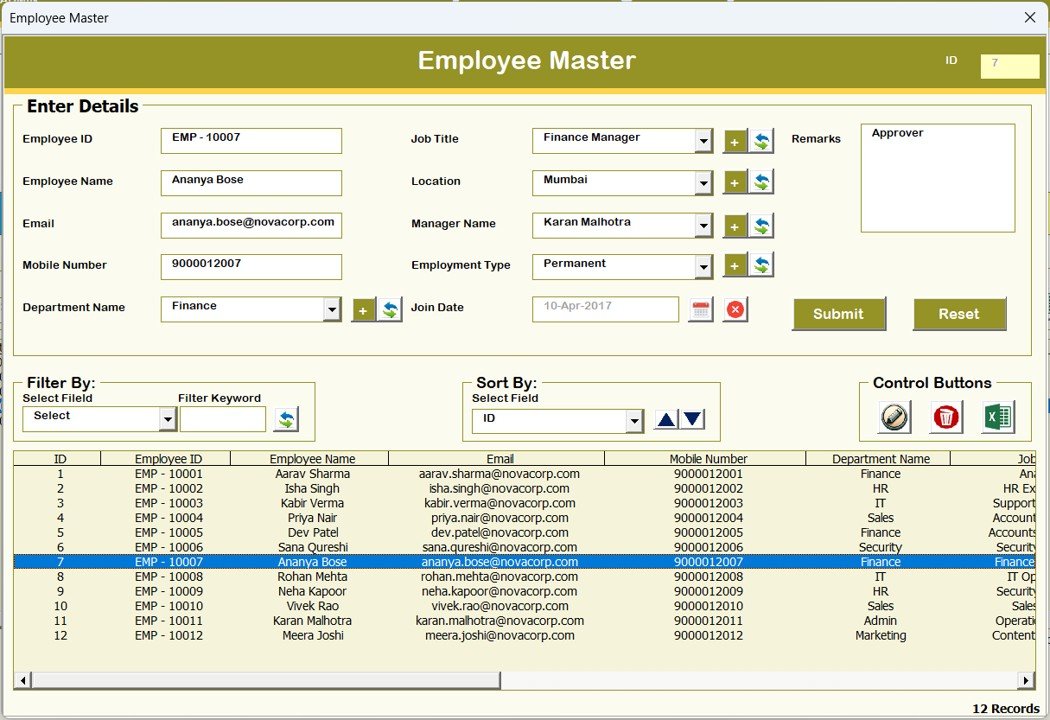
The Employee Master Form allows you to:
-
Store employee details centrally
-
Link leave adjustments to correct employees
-
Avoid duplicate or incorrect employee records
This ensures clean and reliable data.
👤 User Management
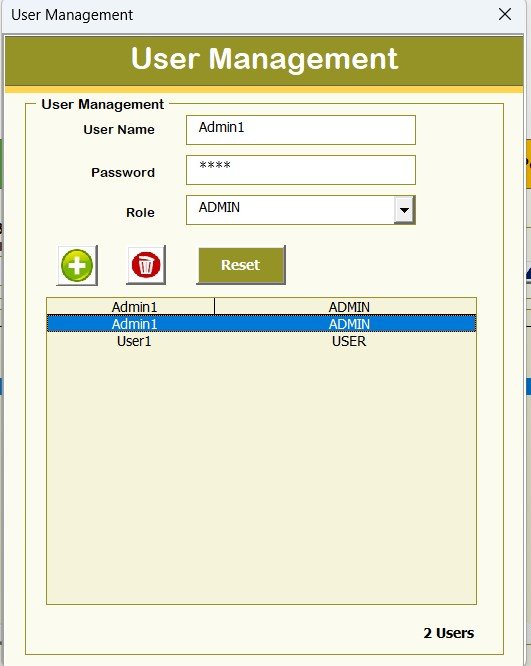
User Management gives administrators full control over system access.
From this screen, you can:
-
Add new users
-
Update user details
-
Delete users
-
Reset user credentials
-
Change passwords
This feature makes the system suitable for multi-user environments.
Click to Purchases Leave Balance Adjustment Management System V1.0
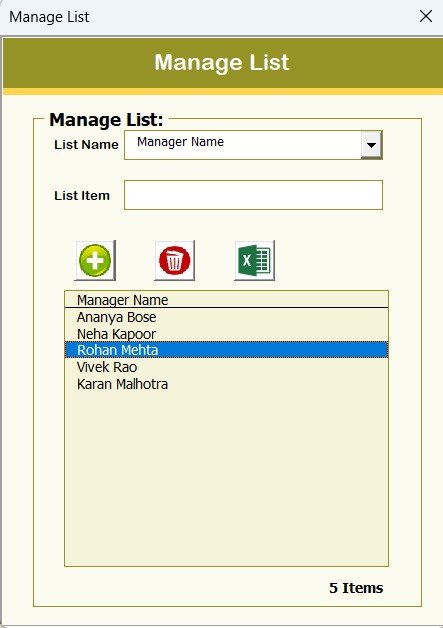
📋 Manage Lists
-
Add or delete list values used in the system
-
Customize dropdowns and selections as per business needs
-
Maintain clean and standardized master data
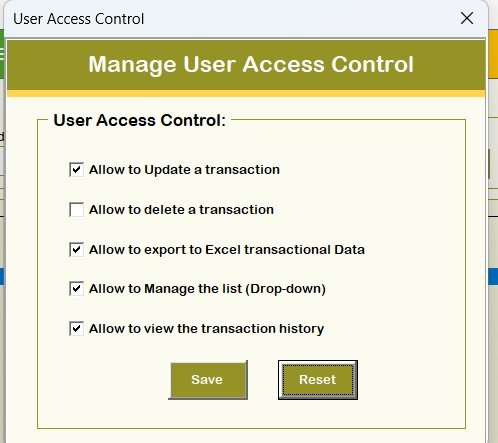
🔐 User Access Control
-
Control what each user can access
-
Restrict sensitive actions based on role
-
Improve data governance and accountability
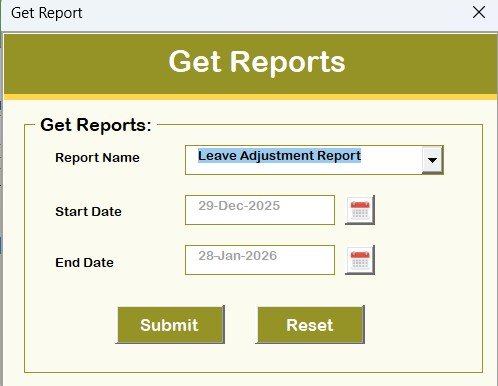
📊 Reports
-
Generate structured reports directly from the system
-
No need to build reports manually
-
Ideal for HR reviews, audits, and management meetings
🚪 Logout & Support Options
-
Logout button to exit the system safely
-
Email Us option for quick support and communication
Advantages of Leave Balance Adjustment Management System V1.0
-
✅ Excel-Based & Cost-Effective – No expensive HR software required
-
✅ Secure Login & Access Control – Protect sensitive employee data
-
✅ Fully Automated Using VBA – Reduce manual work and errors
-
✅ Centralized Leave Management – One file, complete control
-
✅ Easy Export & Reporting – Share data instantly
-
✅ Ready-to-Use – No setup or technical skills required
Opportunities for Improvement
-
🔹 Can be extended to include leave approval workflows
-
🔹 Can be integrated with attendance or payroll systems
-
🔹 Dashboard visuals can be added for KPI tracking
-
🔹 Email notifications can be automated using VBA
Best Practices for Using This System
Click to Purchases Leave Balance Adjustment Management System V1.0
-
📌 Assign admin rights only to authorized users
-
📌 Maintain employee master data regularly
-
📌 Use filters instead of manual searches
-
📌 Export data periodically for backups
-
📌 Reset passwords at regular intervals
Who Should Use This Tool?
This system is perfect for:
-
HR teams
-
Clinics and healthcare centers
-
Service-based organizations
-
Small and mid-sized businesses
-
Organizations using Excel-based HR processes
If you are looking for a simple, secure, and professional leave adjustment solution without investing in heavy HR software, this tool is ideal for you.
Final Thoughts
The Leave Balance Adjustment Management System V1.0 transforms Excel into a powerful leave management application. With secure login, structured forms, automated records, and reporting capabilities, it helps organizations move away from error-prone manual processes.
If you want a ready-to-use, Excel & VBA-based leave adjustment system that saves time, improves accuracy, and enhances control, this tool is a smart investment
Visit our YouTube channel to learn step-by-step video tutorials