Launching a product requires precision, coordination, and flawless execution. However, many businesses struggle because they miss small but critical steps. As a result, deadlines slip, teams lose alignment, and launch performance suffers.
Therefore, you need a structured system that keeps everything organized.
The Product Launch Tracking Checklist in Excel provides a ready-to-use solution that helps you manage every launch activity in one place. Instead of juggling emails and multiple files, you can track tasks, monitor progress, and ensure accountability using a simple yet powerful Excel template.
Let us explore how this checklist can transform your product launch process.
Click to Purchases Product Launch Tracking Checklist in Excel
What Is a Product Launch Tracking Checklist in Excel?
A Product Launch Tracking Checklist in Excel is a structured task management template designed specifically for product launches.
It allows you to:
-
Capture all launch activities
-
Assign responsible team members
-
Set deadlines
-
Track task completion
-
Monitor progress visually
Because the template runs in Excel, you can easily customize it to fit your business model.
Why Do You Need a Product Launch Tracking Checklist?
A product launch involves multiple departments. Marketing prepares campaigns. Sales trains teams. Operations manages logistics. Meanwhile, product teams finalize features.
Without a checklist:
-
Teams miss deadlines.
-
Tasks overlap.
-
Communication breaks down.
-
Launch quality declines.
On the other hand, when you use a structured checklist:
-
You increase accountability.
-
You improve coordination.
-
You track progress in real time.
-
You reduce launch risks.
Therefore, a tracking checklist becomes essential for launch success.
Click to Purchases Product Launch Tracking Checklist in Excel
Key Features of Product Launch Tracking Checklist in Excel
This ready-to-use template includes 2 structured worksheets. Each worksheet serves a clear purpose.
Let us examine them one by one.
1️⃣ Product Launch Tracking Checklist Sheet – The Main Control Panel
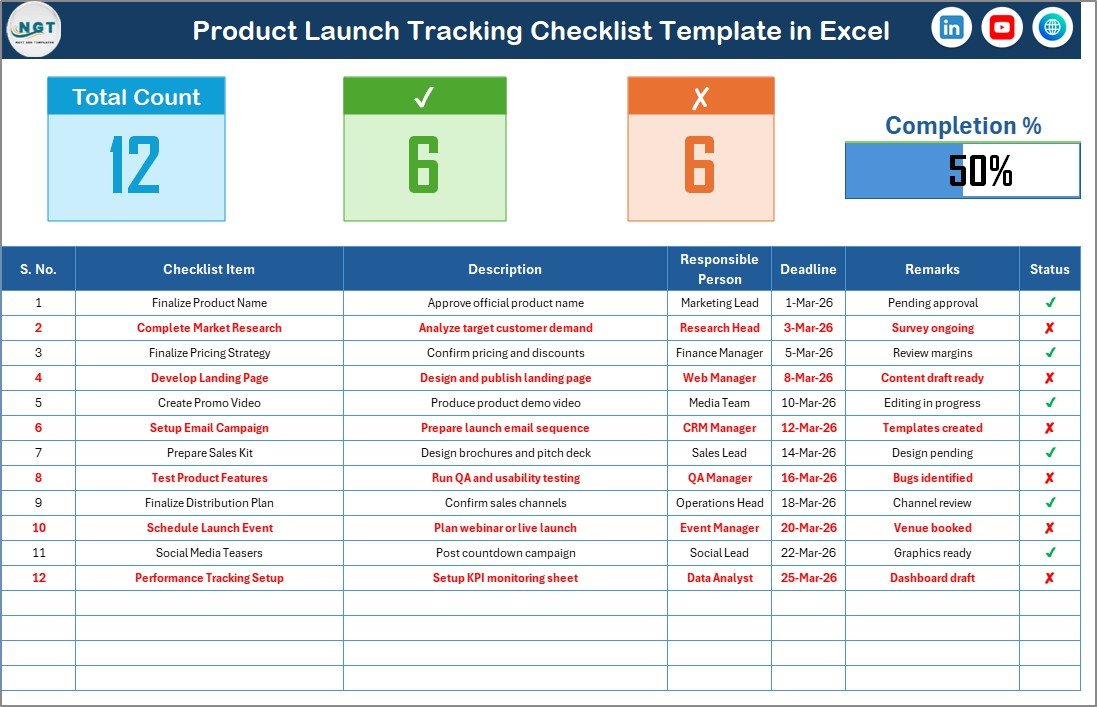
This sheet acts as the central hub of your launch planning process.
🔹 Top Section Overview
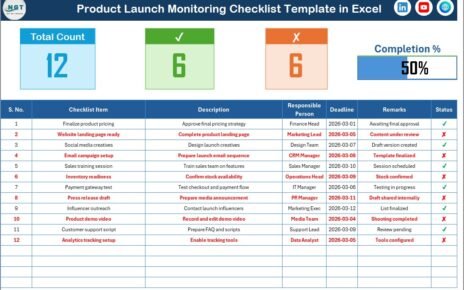
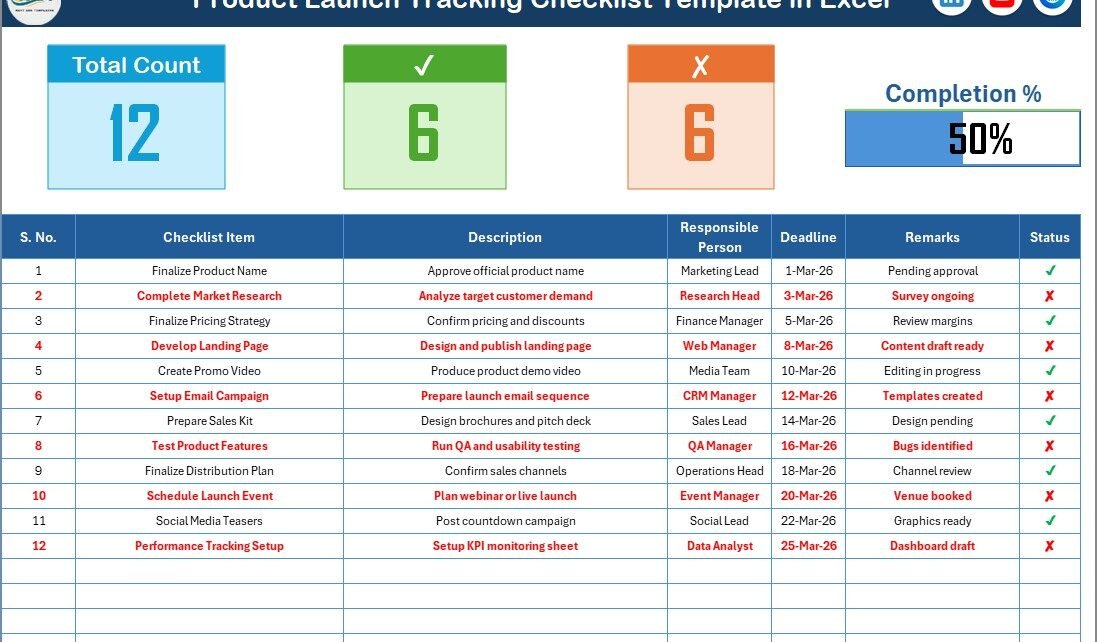
At the top of the sheet, you will find a summary dashboard that includes:
-
Total Count of Tasks
-
Checked Count (Completed Tasks)
-
Crossed Count (Pending Tasks)
-
Progress Bar showing Checked %
Because of this summary section, you can instantly evaluate overall launch readiness.
🔹 Checklist Table – Where You Track Every Task
The checklist table captures detailed task information.
Columns Included:
-
Serial No.
-
Checklist Item
-
Description
-
Responsible Person
-
Deadline
-
Remarks
-
Status (✔ or ✘)
To update progress, you simply change the Status column to:
-
✔ for completed tasks
-
✘ for pending tasks
As soon as you update the status, the summary section and progress bar update automatically.
Therefore, you always know where the launch stands.
Click to Purchases Product Launch Tracking Checklist in Excel
2️⃣ List Sheet – Dropdown Management
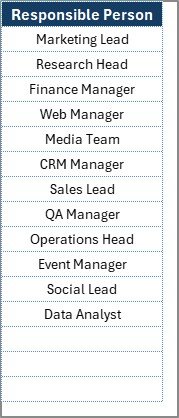
The List sheet stores unique Responsible Person names.
Because this sheet feeds the dropdown list in the main table:
-
You avoid typing errors.
-
You maintain consistency.
-
You manage team names easily.
If a new team member joins, simply add the name in the List sheet.
How Does This Checklist Improve Product Launch Success?
The Product Launch Tracking Checklist in Excel enhances launch performance in multiple ways.
1️⃣ Clear Task Visibility
You see every activity in one structured table.
2️⃣ Strong Accountability
Each task has a responsible person. Therefore, ownership becomes clear.
3️⃣ Deadline Tracking
You can quickly identify overdue tasks.
4️⃣ Real-Time Progress Monitoring
The progress bar visually shows launch readiness.
5️⃣ Easy Customization
Because the template runs in Excel, you can modify columns, add tasks, or adjust layouts.
Click to Purchases Product Launch Tracking Checklist in Excel
What Tasks Should You Include in a Product Launch Checklist?
A successful launch covers several areas.
📢 Marketing Tasks
-
Finalize branding assets
-
Create landing pages
-
Prepare email campaigns
-
Schedule social media posts
-
Publish press release
🛒 Sales Tasks
-
Train sales team
-
Prepare pitch decks
-
Update pricing documents
-
Define sales targets
⚙ Operations Tasks
-
Confirm inventory readiness
-
Set logistics plan
-
Test order processing system
🧪 Product Tasks
-
Complete feature testing
-
Fix critical bugs
-
Prepare user documentation
-
Finalize product demo
📊 Post-Launch Tasks
-
Monitor early sales data
-
Collect customer feedback
-
Track support tickets
-
Measure campaign performance
By adding these tasks into the checklist, you create a complete launch roadmap.
Advantages of Product Launch Tracking Checklist in Excel
Now let us look at the major benefits.
✅ Simple and User-Friendly
Excel offers a familiar environment for most teams.
✅ Visual Progress Monitoring
The progress bar motivates teams and shows completion percentage.
✅ Clear Task Assignment
Each task has a responsible owner.
✅ Organized Workflow
Structured columns prevent confusion.
✅ Flexible and Customizable
You can add columns, change formats, and adjust task lists.
✅ No Additional Software Required
You do not need expensive project management tools.
Click to Purchases Product Launch Tracking Checklist in Excel
How to Use the Product Launch Tracking Checklist Effectively?
Follow these steps to maximize results.
Step 1: Define All Launch Tasks
List every activity required for launch success.
Step 2: Assign Responsible Persons
Select team members using the dropdown list.
Step 3: Set Realistic Deadlines
Choose achievable yet challenging deadlines.
Step 4: Update Status Regularly
Mark ✔ for completed tasks and ✘ for pending ones.
Step 5: Review Progress Weekly
Discuss checklist performance in team meetings.
Click to Purchases Product Launch Tracking Checklist in Excel
Best Practices for the Product Launch Tracking Checklist in Excel
To ensure smooth execution, follow these best practices.
⭐ Keep Tasks Specific
Avoid vague descriptions. Instead, define clear actions.
⭐ Break Large Tasks into Smaller Steps
Smaller tasks improve tracking accuracy.
⭐ Monitor Deadlines Closely
Review approaching deadlines regularly.
⭐ Maintain Updated Responsible List
Keep the List sheet clean and updated.
⭐ Use Conditional Formatting for Deadlines
Highlight overdue tasks for better visibility.
⭐ Conduct Pre-Launch Review
Before launch day, confirm that all critical tasks show ✔.
Why Choose Excel for Product Launch Tracking?
Many businesses invest in expensive tools. However, Excel provides several advantages.
-
Low cost
-
High flexibility
-
Easy sharing
-
Quick setup
-
Customizable design
Therefore, Excel works perfectly for startups, small businesses, and even growing enterprises.
How Does This Checklist Reduce Launch Risk?
Product launches fail due to missed details. However, this checklist:
-
Prevents overlooked tasks
-
Improves accountability
-
Enhances communication
-
Ensures structured planning
-
Tracks readiness visually
Because you monitor everything in one place, you reduce risk significantly.
Click to Purchases Product Launch Tracking Checklist in Excel
Who Should Use the Product Launch Tracking Checklist?
This template benefits:
-
Startup Founders
-
Product Managers
-
Marketing Teams
-
Sales Managers
-
Operations Leaders
-
Project Managers
If you manage product releases regularly, this checklist becomes a must-have tool.
Can This Checklist Support Multiple Product Launches?
Yes. You can duplicate the sheet for different launches.
Moreover, you can customize task lists based on product type.
Therefore, the template scales easily.
Conclusion: Should You Use Product Launch Tracking Checklist in Excel?
If you want a structured, simple, and effective way to manage product launches, then yes — you should use this checklist.
It offers:
-
Clear task visibility
-
Real-time progress tracking
-
Structured accountability
-
Flexible customization
-
Easy team coordination
Most importantly, it helps you launch products with confidence and clarity.
Therefore, if you aim to reduce risk and increase launch success, this Excel checklist provides the perfect starting point.
Click to Purchases Product Launch Tracking Checklist in Excel
Frequently Asked Questions (FAQs)
1️⃣ What is a Product Launch Tracking Checklist in Excel?
It is an Excel template that helps track tasks, deadlines, and responsibilities during a product launch.
2️⃣ Can I customize the checklist?
Yes. You can modify tasks, columns, and formatting as needed.
3️⃣ How does the progress bar work?
The progress bar calculates the percentage of completed tasks based on ✔ status.
4️⃣ Can I add more responsible persons?
Yes. Add names in the List sheet to update the dropdown.
5️⃣ Is this checklist suitable for startups?
Yes. It works perfectly for startups and growing businesses.
6️⃣ Can I use it for digital product launches?
Yes. You can adapt it for software, SaaS, or digital services.
7️⃣ How often should I update the checklist?
You should update it daily or weekly during the launch phase.
Click to Purchases Product Launch Tracking Checklist in Excel
Visit our YouTube channel to learn step-by-step video tutorials