Managing a supply chain is not simple. Suppliers change. Delivery timelines shift. Costs fluctuate. Compliance rules evolve. Therefore, businesses must review their supply chain regularly.
However, many companies still rely on emails, scattered spreadsheets, or memory. As a result, they miss risks. They overlook delays. They lose control over performance.
So, how can you review suppliers, processes, compliance, risks, documentation, and performance in one structured system?
The answer is simple.
You need a Supply Chain Review Checklist in Excel.
In this complete guide, you will learn:
-
What a Supply Chain Review Checklist in Excel is
-
Why businesses need it
-
Complete worksheet structure
-
Key features and functionality
-
Advantages of Supply Chain Review Checklist in Excel
-
Best Practices for the Supply Chain Review Checklist
-
Frequently Asked Questions with answers
Let’s get started.
Click to Purchases Supply Chain Review Checklist in Excel
What Is a Supply Chain Review Checklist in Excel?
A Supply Chain Review Checklist in Excel is a ready-to-use, structured checklist template that helps businesses review and monitor supply chain operations systematically.
Instead of reviewing operations randomly, you follow a defined checklist. As a result, you ensure that nothing gets ignored.
This Excel-based checklist allows you to:
-
Track supplier performance
-
Review procurement processes
-
Monitor compliance and documentation
-
Evaluate risk management
-
Assign responsibility
-
Track deadlines
-
Measure review progress
Moreover, since the system runs in Excel, you can use it immediately without complex software.
Why Do Businesses Need a Supply Chain Review Checklist?
Supply chain operations directly impact profitability. Therefore, even small inefficiencies can create big losses.
Without a checklist:
-
Teams forget review points
-
Reviews become inconsistent
-
Responsibilities stay unclear
-
Deadlines get missed
-
Risks remain hidden
On the other hand, when you use a structured checklist:
-
You follow a consistent process
-
You assign clear ownership
-
You monitor completion status
-
You improve accountability
-
You reduce operational risk
Therefore, a Supply Chain Review Checklist in Excel brings clarity and control.
Click to Purchases Supply Chain Review Checklist in Excel
What Is Included in the Supply Chain Review Checklist Template?
This ready-to-use template contains 2 worksheets designed for simplicity and efficiency.
1️⃣ Supply Chain Review Checklist Sheet (Main Sheet)
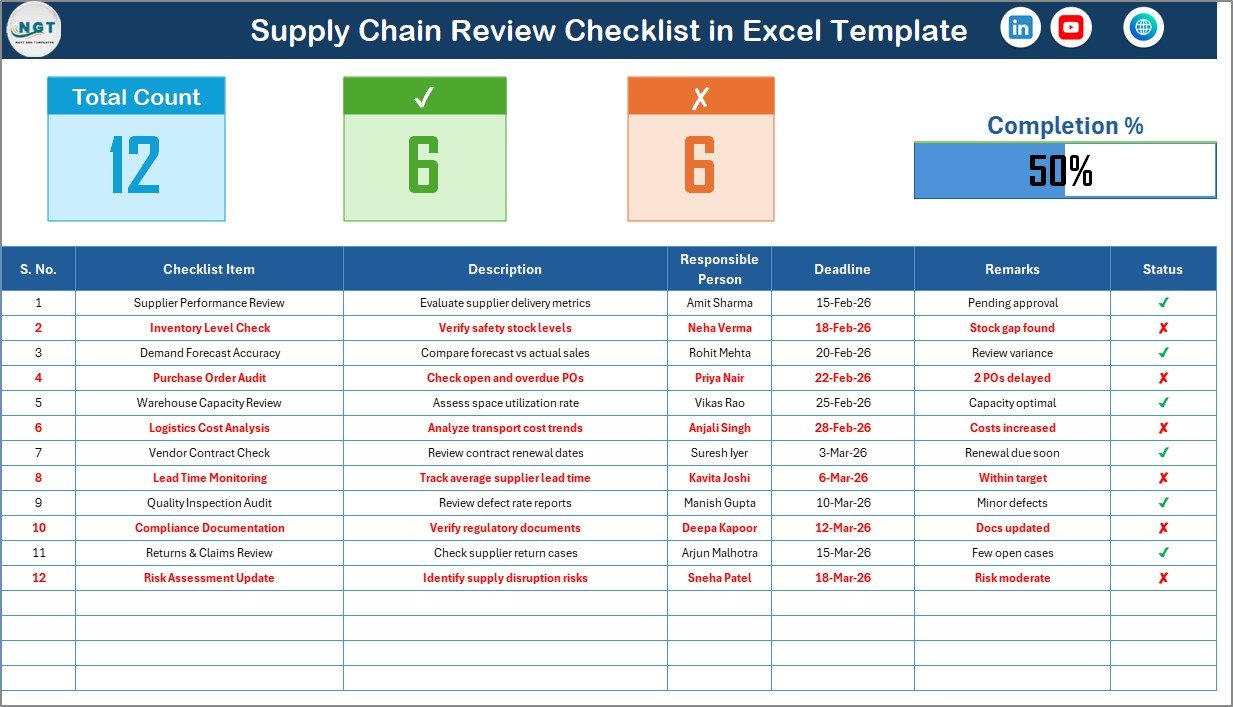
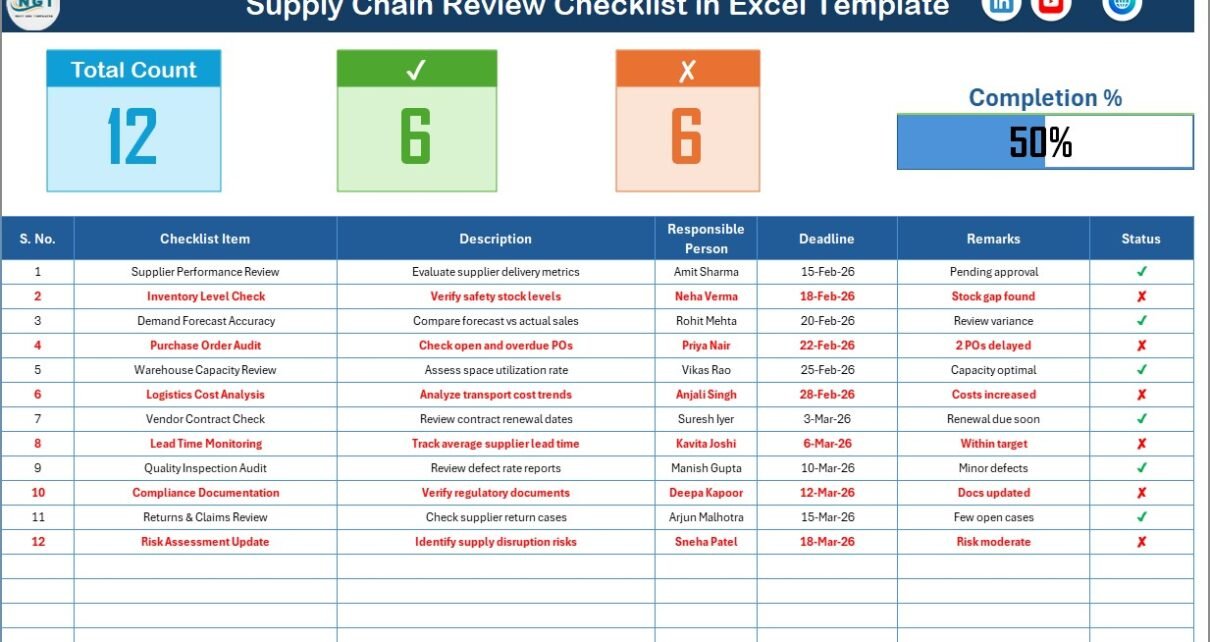
This sheet acts as the control center of the entire system.
🔹 Top Section – Summary Dashboard
At the top, you get instant visibility into review progress.
It includes:
-
Total Count – Total checklist items
-
Checked Count (✔) – Completed items
-
Crossed Count (✘) – Pending or failed items
-
Progress Bar – Visual completion percentage
As a result, you can instantly see how much work remains.
Instead of checking rows manually, you get automatic progress tracking.
2️⃣ List Sheet Tab
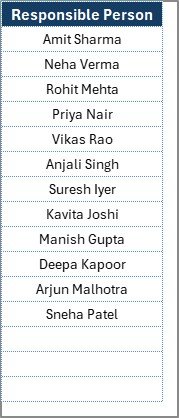
The List sheet supports data validation.
In this sheet:
-
You capture a unique list of Responsible Persons
-
Excel uses this list to create a drop-down menu
-
You avoid spelling errors
-
You maintain consistent data
As a result, the main checklist remains clean and professional.
How Does the Supply Chain Review Checklist Work?
The system works in simple steps.
Step 1: Define Checklist Items
List all review checkpoints such as:
-
Supplier contract review
-
Delivery lead time analysis
-
Inventory turnover review
-
Compliance documentation check
-
Vendor risk evaluation
Step 2: Assign Responsibility
Select the responsible person from the drop-down.
Step 3: Set Deadline
Enter the target completion date.
Step 4: Update Status
Mark ✔ when completed or ✘ if pending.
Step 5: Monitor Progress
Review the progress bar to track completion percentage.
Because the system updates automatically, you save time and reduce manual work.
Click to Purchases Supply Chain Review Checklist in Excel
What Should You Include in a Supply Chain Review Checklist?
A strong checklist covers all major supply chain areas.
Supplier Management Review
-
Supplier performance evaluation
-
On-time delivery rate review
-
Cost comparison analysis
-
Contract compliance check
-
Vendor audit review
Procurement Process Review
-
Purchase order accuracy
-
Approval workflow compliance
-
Budget alignment
-
Emergency procurement review
-
Cost-saving opportunities
Inventory Management Review
-
Stock level accuracy
-
Reorder point review
-
Safety stock evaluation
-
Slow-moving inventory analysis
-
Dead stock identification
Logistics & Transportation Review
-
Freight cost review
-
Delivery performance analysis
-
Route optimization check
-
Carrier performance evaluation
-
Shipment tracking efficiency
Risk & Compliance Review
-
Regulatory compliance check
-
Documentation review
-
Insurance verification
-
Risk mitigation plan review
-
Backup supplier evaluation
Because supply chains involve multiple departments, this checklist keeps everything aligned.
Click to Purchases Supply Chain Review Checklist in Excel
Advantages of Supply Chain Review Checklist in Excel
Now let’s explore why businesses prefer this template.
1️⃣ Improves Accountability
When you assign names and deadlines, people take ownership. As a result, reviews do not get ignored.
2️⃣ Increases Visibility
The progress bar shows completion percentage instantly. Therefore, management can monitor review progress without digging into details.
3️⃣ Reduces Risk
Since you follow structured checkpoints, you reduce operational and compliance risks.
4️⃣ Saves Time
Instead of building reports from scratch, you use a ready-to-use system.
5️⃣ Easy to Customize
Because it runs in Excel, you can:
-
Add new columns
-
Insert additional checklist items
-
Adjust formatting
-
Expand responsible person list
6️⃣ Cost Effective
You do not need expensive supply chain software. Excel already exists in most organizations.
7️⃣ Improves Consistency
Every review follows the same structure. Therefore, your evaluation becomes standardized.
Who Can Use This Checklist?
This checklist benefits multiple roles:
-
Supply Chain Managers
-
Procurement Teams
-
Warehouse Managers
-
Logistics Coordinators
-
Operations Managers
-
Compliance Officers
-
Business Owners
Since the template remains simple, even small businesses can use it.
Click to Purchases Supply Chain Review Checklist in Excel
Best Practices for the Supply Chain Review Checklist
To maximize benefits, follow these best practices.
1️⃣ Review Monthly or Quarterly
Do not wait for problems. Instead, schedule periodic reviews.
2️⃣ Keep Checklist Updated
As supply chains evolve, update checklist items regularly.
3️⃣ Assign Clear Ownership
Never leave responsibility blank. Accountability drives results.
4️⃣ Set Realistic Deadlines
Avoid unrealistic targets. Instead, align deadlines with workload.
5️⃣ Use Remarks Section Wisely
Encourage detailed comments. These insights help in decision-making.
6️⃣ Analyze Patterns
If multiple items remain pending, investigate root causes.
7️⃣ Share Summary with Management
Use the progress bar and completion stats to present review status in meetings.
How Does This Template Improve Supply Chain Performance?
When you use this checklist consistently:
-
You identify inefficiencies early
-
You prevent compliance failures
-
You improve vendor relationships
-
You reduce delays
-
You control costs
-
You strengthen operational resilience
Over time, structured reviews improve overall supply chain maturity.
Common Mistakes to Avoid
Even with a checklist, some mistakes occur.
Avoid these:
-
Ignoring remarks section
-
Delaying updates
-
Skipping periodic reviews
-
Overloading checklist with unnecessary items
-
Failing to assign responsible person
If you avoid these errors, your review process becomes powerful and effective.
Click to Purchases Supply Chain Review Checklist in Excel
How Can You Customize the Supply Chain Review Checklist in Excel?
Excel allows flexibility.
You can:
-
Add priority column
-
Insert department filter
-
Add conditional formatting
-
Create monthly review sheets
-
Convert checklist into dashboard
Therefore, the template can grow with your business.
Conclusion
Supply chains drive business success. However, without regular reviews, inefficiencies grow silently.
A Supply Chain Review Checklist in Excel gives you structure, visibility, and control.
Instead of reacting to problems, you proactively review processes.
Instead of guessing performance, you track it.
Instead of managing chaos, you manage with clarity.
If you want better supply chain control, improved accountability, and reduced operational risk, this checklist offers a simple yet powerful solution.
Click to Purchases Supply Chain Review Checklist in Excel
Frequently Asked Questions (FAQs)
1️⃣ What is a Supply Chain Review Checklist in Excel?
It is a structured Excel template that helps businesses review supply chain operations using defined checklist items and progress tracking.
2️⃣ Who should use this checklist?
Supply chain managers, procurement teams, warehouse supervisors, compliance officers, and business owners can use it.
3️⃣ Can I customize the checklist?
Yes. Since it runs in Excel, you can modify columns, add fields, or expand the responsible person list.
4️⃣ How often should I conduct supply chain reviews?
Most businesses conduct monthly or quarterly reviews. However, you can adjust frequency based on business size.
5️⃣ Does the template calculate progress automatically?
Yes. When you mark ✔ or ✘ in the status column, the summary section updates automatically.
6️⃣ Why use Excel instead of supply chain software?
Excel provides flexibility, lower cost, and easy customization without complex implementation.
7️⃣ Can small businesses use this checklist?
Absolutely. In fact, small businesses benefit greatly because it provides structure without high cost.
Click to Purchases Supply Chain Review Checklist in Excel
Visit our YouTube channel to learn step-by-step video tutorials